
ULTRARM Extra-Tall Heavy-Duty Monitor Arm
4.6Editor score
Raises display 33.4 inches high
Extends across 22-inch arm
Supports curved 40-inch screens
A tall monitor arm can transform a crowded desk by raising the screen closer to eye level while freeing valuable space below it. The right model also adds reach, tilt, swivel, rotation, cable routing, and flexible installation options. These features matter most when creating a comfortable, organized workstation.
This guide compares ten tall monitor arms using the specifications supplied by each manufacturer. The analysis covers screen-size compatibility, weight capacity, vertical reach, horizontal extension, articulation, VESA patterns, mounting methods, and desk limitations. It includes conventional models, extra-long arms, ultrawide designs, and heavy-duty options.
The first three recommendations represent the strongest all-around, budget-conscious, and premium choices, while the remaining reviews explain the situations in which each alternative may work better. Product ratings and availability can change over time, and current prices should always be confirmed on the linked listing before purchase.
4.6Editor score

4.6Editor score
4.7Editor score
As an Amazon Associate we earn from qualifying purchases.
This side-by-side comparison highlights the major differences in vertical reach, horizontal extension, display capacity, mounting flexibility, and articulation. Use it to identify the arm that best matches your monitor, desk, and preferred working position.


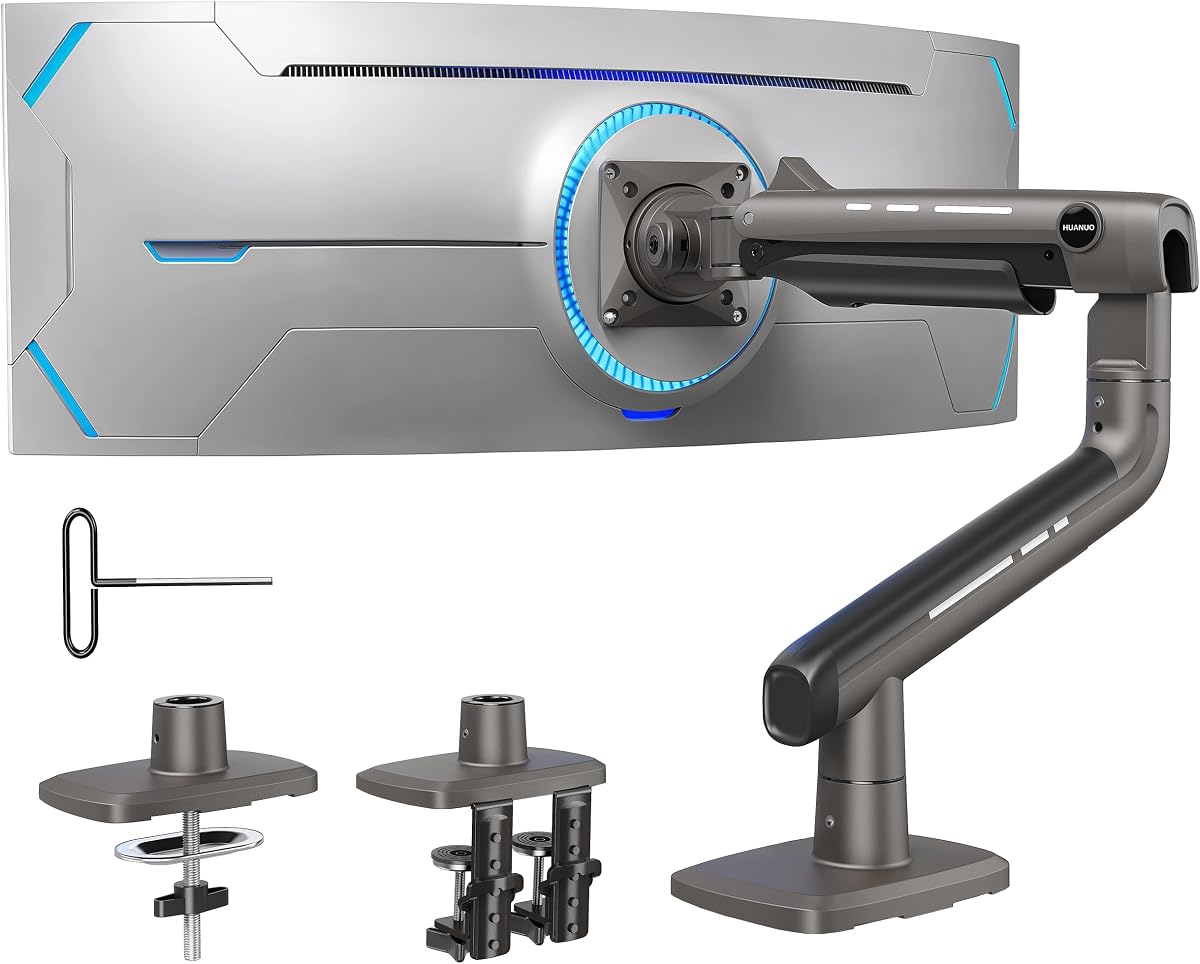
The HUANUO Single Monitor Arm with a 39-inch extra-tall pole combines one of the highest vertical positions in this guide with broad movement and straightforward installation. Its 4.6 rating reflects a well-rounded package, while the detachable VESA plate and included clamp and grommet bases make it adaptable to a variety of desks.
We may earn a commission when you buy through this link, at no additional cost to you.
The defining feature is the adjustable 39-inch center pole, which offers more vertical travel than most conventional single-monitor arms. It can support screens from 13 to 32 inches and ultrawide displays up to 38 inches, with a maximum load of 22 pounds. Articulation includes 180-degree tilt, 180-degree swivel, and 360-degree rotation, allowing the display to move from a low seated position to a much higher standing or stacked-screen arrangement.
Installation flexibility is another strength. The C-clamp accommodates desks up to 3.93 inches thick, while the grommet option supports surfaces up to 2.75 inches thick. A cable-management system is integrated into the structure, and the manufacturer states that the necessary tools and hardware are included. The main limitation is that a 22-pound capacity is lower than several heavier-duty choices, so unusually large or heavy displays should be checked before ordering.
This is the strongest general recommendation for users who specifically want a genuinely tall pole, frequent height changes, and the option to use either clamping or grommet mounting. It is especially useful in sit-stand workflows, shared workstations, and setups with a monitor placed above other equipment. Buyers should confirm their desk thickness, monitor weight, and VESA pattern before installation.
The 39-inch pole provides a much broader usable range than a standard desk-mounted arm. That range lets the display rise closer to eye level, clear tall desk accessories, or move upward when a second screen or other equipment is placed below it.
Including both a C-clamp and grommet base gives users more installation options than designs that offer only one method. Integrated cable routing helps keep power and display cords aligned with the arm instead of trailing across the work surface.
We may earn a commission when you buy through this link, at no additional cost to you.
The VIVO Extra Tall Single Monitor Desk Mount is a close alternative to the top-ranked model, combining a 39-inch pole with a detachable VESA plate and a heavy-duty clamp. Its 4.5 rating and extensive articulation make it appealing for users who frequently reposition a monitor between sitting and standing heights.
We may earn a commission when you buy through this link, at no additional cost to you.
This arm supports displays from 13 to 32 inches, as well as ultrawide screens up to 38 inches, with a maximum weight of 22 pounds. It accepts 75-by-75-millimeter and 100-by-100-millimeter VESA patterns. Movement is particularly comprehensive: the arm provides plus or minus 90-degree tilt, 360-degree swivel, 360-degree rotation, height adjustment along the pole, and portrait or landscape orientation.
The supplied C-clamp fits surfaces up to 4 inches thick, while an optional grommet mount provides an alternative. Cable clips run along the arm and center pole to organize AV and power cords. As with the HUANUO, the 22-pound capacity may not suit the heaviest professional ultrawide models, but it covers a broad range of mainstream screens and many gaming displays.
Choose the VIVO when portrait orientation, extensive swivel, or the particularly tall pole is central to the setup. It is a strong option for creative workstations where a display may need to move between landscape and vertical viewing. Buyers should check desk clearance, monitor weight, and mounting-hole placement before installation.
Full swivel and rotation make this arm useful when sharing a screen, switching between documents and media, or working in portrait mode. The detachable VESA bracket simplifies attaching the display after the base has been secured.
The long center pole creates more usable positioning range than a short articulated arm. Cable clips along both the pole and arm help keep cords visible and orderly, reducing the loose-cable clutter that commonly occupies the rear of a desk.
We may earn a commission when you buy through this link, at no additional cost to you.
The WALI Tall Monitor Arm Mount offers a practical 31.5-inch pole, support for screens as large as 34 inches, and a clean way to reclaim desk space. Although no numerical user rating is supplied for this model, its stated compatibility and range of adjustments make it a credible option for standard productivity and entertainment setups.
We may earn a commission when you buy through this link, at no additional cost to you.
The mounting system supports both a two-stage locking C-clamp and a 3.5-inch-diameter grommet base, and both are designed for desks up to 3 inches thick. The arm itself extends and retracts, tilts plus or minus 90 degrees, swivels, and rotates 360 degrees for landscape-to-portrait positioning. Its detachable mounting plate fits standard 75-by-75-millimeter and 100-by-100-millimeter holes.
The 22-pound capacity and 34-inch screen maximum are adequate for many conventional monitors and ultrawide models, but they do not match the heavier-duty options in this guide. The 31.5-inch pole is also shorter than the 39-inch poles offered by the two leading products, which may matter for users seeking to elevate a very large display above other equipment.
This arm is best for someone who wants a capable, conventional monitor mount, meaningful desk-space recovery, and easy rotation without needing the maximum capacity of a heavy-duty design. It is also worth considering when a very tall pole is unnecessary and a more compact profile would be easier to integrate into the workspace.
The 31.5-inch pole offers a useful compromise between a standard arm and the extra-tall designs at the top of this list. It can lift a display above the monitor base while retaining the convenience of an extending and retracting arm.
Removing the monitor's factory stand creates room for a keyboard, notebook, docking station, or other daily essentials. Cable management built into the arm further improves the clean appearance of the resulting workstation.
We may earn a commission when you buy through this link, at no additional cost to you.
The ULTRARM Extra-Tall Heavy-Duty Monitor Arm stands out because it combines a 33.4-inch maximum height with a 22-inch arm, gas-spring movement, and support for screens as large as 40 inches. Its 4.6 rating makes it a compelling budget-conscious choice for users who want more height and reach than a basic monitor stand.
We may earn a commission when you buy through this link, at no additional cost to you.
Each arm supports displays from 17 to 40 inches, including flat, 1000R curved, 21:9, and 32:9 ultrawide formats. The stated load range is 2.2 to 26.4 pounds. A gas spring enables fluid vertical movement, while the mechanical spring structure is designed to maintain a consistent tilt without drifting. The modular pole also allows the system to expand from one display to dual, triple, or quad screens.
The supplied specifications do not state the available C-clamp or grommet compatibility, and the specific swivel and rotation ranges are not provided. That makes desk fit and articulation harder to compare than with models whose installation details are fully listed. Nevertheless, its stated dimensions, capacity, and smooth adjustment system are highly relevant to large-screen users.
This is a strong recommendation for someone seeking a tall arm with generous reach and a modern, gas-assisted feel without moving into the premium heavy-duty category. It is particularly suitable for 40-inch ultrawides, deeply curved displays, and high-mounted setups where a shorter standard arm would feel restrictive. Confirm the base configuration, desk attachment method, and display weight before ordering.
The gas spring is designed to make vertical repositioning smooth and controllable, which can be useful when a display must move frequently between sitting and standing positions. Its stated mechanical spring structure also seeks to prevent unwanted tilt drift during use.
Support for screens up to 40 inches and 1000R curvature addresses a rapidly growing segment of the monitor market. The long arm also gives wide displays more freedom to move over keyboards, laptops, and other equipment.
We may earn a commission when you buy through this link, at no additional cost to you.
The WALI Extra Long Single Monitor Arm is built for users who need more horizontal reach than a conventional articulated mount. Its arm extends 26.77 inches and raises the display as high as 29.13 inches above the desktop, making it useful for deep desks, shared workstations, and displays positioned well above the desktop.
We may earn a commission when you buy through this link, at no additional cost to you.
It supports flat or curved LCD and LED screens from 17 to 38 inches with a maximum load of 26.4 pounds. Compatibility depends on the monitor having 75-by-75-millimeter or 100-by-100-millimeter VESA holes. The wider VESA head and tighter-fitting plate are intended to improve stability, while the durable core has reportedly been tested through more than 20,000 adjustment cycles.
Movement covers plus or minus 180-degree swivel, 360-degree rotation, plus 70-degree and minus 45-degree tilt, and a substantial height range. C-clamp and grommet installation are both included, and each is stated to work with desks from 0.39 to 2.76 inches thick. The manufacturer specifically recommends wooden desks and advises checking for crossbeams under the desktop.
This model is a convincing option for users who value reach as much as height, particularly when a monitor needs to move aside to reveal a laptop or when a large display shares space with other equipment. The desk-material recommendation and somewhat uneven stated tilt range deserve attention, but neither undermines the arm's usefulness for compatible wooden desks.
The 26.77-inch extension allows the display to move well beyond the area directly above the clamp. This is useful for revealing desk accessories, sharing a screen, or creating a more flexible division between a primary and secondary display.
A 26.4-pound maximum load and wider VESA head make the arm more substantial than many standard models. These characteristics are particularly helpful with 30-inch-class and 38-inch screens, provided the display fits the specified VESA pattern and weight range.
We may earn a commission when you buy through this link, at no additional cost to you.
The MOUNT PRO Single Long Monitor Arm combines a 27.76-inch extension with a display height of up to 28.5 inches above the desktop. Its 4.5 rating and broad adjustment range make it a strong option for users who need both substantial reach and a higher viewing position.
We may earn a commission when you buy through this link, at no additional cost to you.
The arm supports most flat or curved LCD and LED screens from 13 to 32 inches, weighing between 4.4 and 19.8 pounds. It accepts standard 75-by-75-millimeter and 100-by-100-millimeter VESA patterns. An important limitation is that it is not compatible with 1000R, 1500R, or 1800R curved screens, so buyers with aggressively curved displays should choose another model.
Movement includes plus or minus 90-degree swivel, plus 85-degree and minus 45-degree tilt, and 360-degree rotation for landscape or portrait use. The taller pole is stated to provide 30 percent more height than other VESA monitor mounts in the comparison set. Clamp mounting supports desks from 0.39 to 3.15 inches thick, while grommet installation covers 0.39 to 1.97 inches.
This is a good option for standard and mildly curved monitors on larger desks, particularly for taller users who want the screen closer to eye level. The manufacturer reports that the arm has been tested through 20,000 motion cycles, adding confidence in the adjustment hardware. It is less suitable for very heavy or highly curved displays due to its lower load limit and explicit curvature exclusions.
The extended column was designed to provide more eye-level positioning options than a standard pole. That makes it relevant to users who spend long sessions at a desk and want the upper edge of a large display to sit nearer a natural viewing line.
The 27.76-inch extension allows the screen to move over a keyboard, laptop, or writing area. This is particularly valuable on deep desks, although highly curved 1000R, 1500R, and 1800R displays are not supported.
We may earn a commission when you buy through this link, at no additional cost to you.
The ErGear Heavy Duty Monitor Arm is designed around strength rather than extreme height. With a 37.4-pound capacity, compatibility with displays up to 49 inches, and a thickened steel arm, it is a practical option for large, heavy, curved, or super-wide monitors.
We may earn a commission when you buy through this link, at no additional cost to you.
The arm fits 13- to 49-inch screens with 75-by-75-millimeter or 100-by-100-millimeter VESA patterns. Installation can use a C-clamp for desks from 0.39 to 3.15 inches thick or a grommet mount for desks from 0.39 to 2 inches thick. The dual C-clamp design spreads the load to improve stability, while the steel construction is intended to limit movement while typing or using a mouse.
Adjustment includes plus 30-degree and minus 40-degree tilt, plus or minus 90-degree swivel, and 360-degree rotation. The arm extends up to 21.2 inches and raises the screen as high as 22.2 inches. That height is less dramatic than the tallest models, but it remains sufficient for removing a factory base and positioning many displays comfortably above the desktop.
This monitor arm is best for buyers who prioritize load capacity, wide-screen compatibility, and steady support over maximum pole height. Its pre-assembled design and labeled components may simplify setup. A wooden desk is recommended, and buyers should still verify the space beneath the desktop, monitor weight, and exact VESA arrangement before installation.
A 37.4-pound capacity provides considerably more headroom than the 19.8- to 26.4-pound options in this guide. The dual-clamp approach and thickened steel arm are intended to reduce wobble with large or curved screens.
Support from 13 to 49 inches covers conventional office displays, large professional screens, and super-wide formats. Both common VESA patterns are accepted, making compatibility easier to verify before purchase.
We may earn a commission when you buy through this link, at no additional cost to you.
The Extra Long Arm Monitor Mount provides a 27.76-inch extension and can raise the display to 28.5 inches above the desktop. Its 4.2 rating makes it a dependable, straightforward option for standard flat and curved screens, particularly when freeing space on a deep workstation is the main goal.
We may earn a commission when you buy through this link, at no additional cost to you.
Compatibility covers 13- to 32-inch LCD and LED monitors weighing 4.4 to 19.8 pounds. The arm uses 75-by-75-millimeter or 100-by-100-millimeter mounting holes and is listed as compatible with displays from brands including ASUS, Acer, Samsung, LG, AOC, and Dell. The manufacturer also cites a claimed saving of more than 80 percent of desktop space, although the practical benefit depends on screen size and workstation layout.
The adjustment system provides plus or minus 90-degree swivel, plus 85-degree and minus 45-degree tilt, and 360-degree rotation. Its taller pole is said to offer 30 percent more height and a wider viewing area than other monitor mounts. Both clamp and grommet methods support desktops between 0.39 and 2.76 inches thick, and the arms have reportedly passed 20,000 motion-cycle tests.
This model is most suitable for users with mainstream monitors who value reach, height, and clean cable routing more than heavy-duty capacity. It can effectively clear a keyboard or laptop from beneath a larger screen, but it is less appropriate for super-ultrawide displays beyond 32 inches or screens weighing more than 19.8 pounds. Checking all mounting dimensions beforehand remains essential.
The extension allows a display to move away from the central work area, revealing room for a keyboard, laptop, notes, or a docking station. That flexibility can make a deep desk feel less congested without requiring a second arm.
Tilt, swivel, and rotation provide enough movement for common productivity tasks, while the tall pole brings the screen into a more natural viewing range. The stated cycle testing also suggests attention to the durability of the moving joints.
We may earn a commission when you buy through this link, at no additional cost to you.
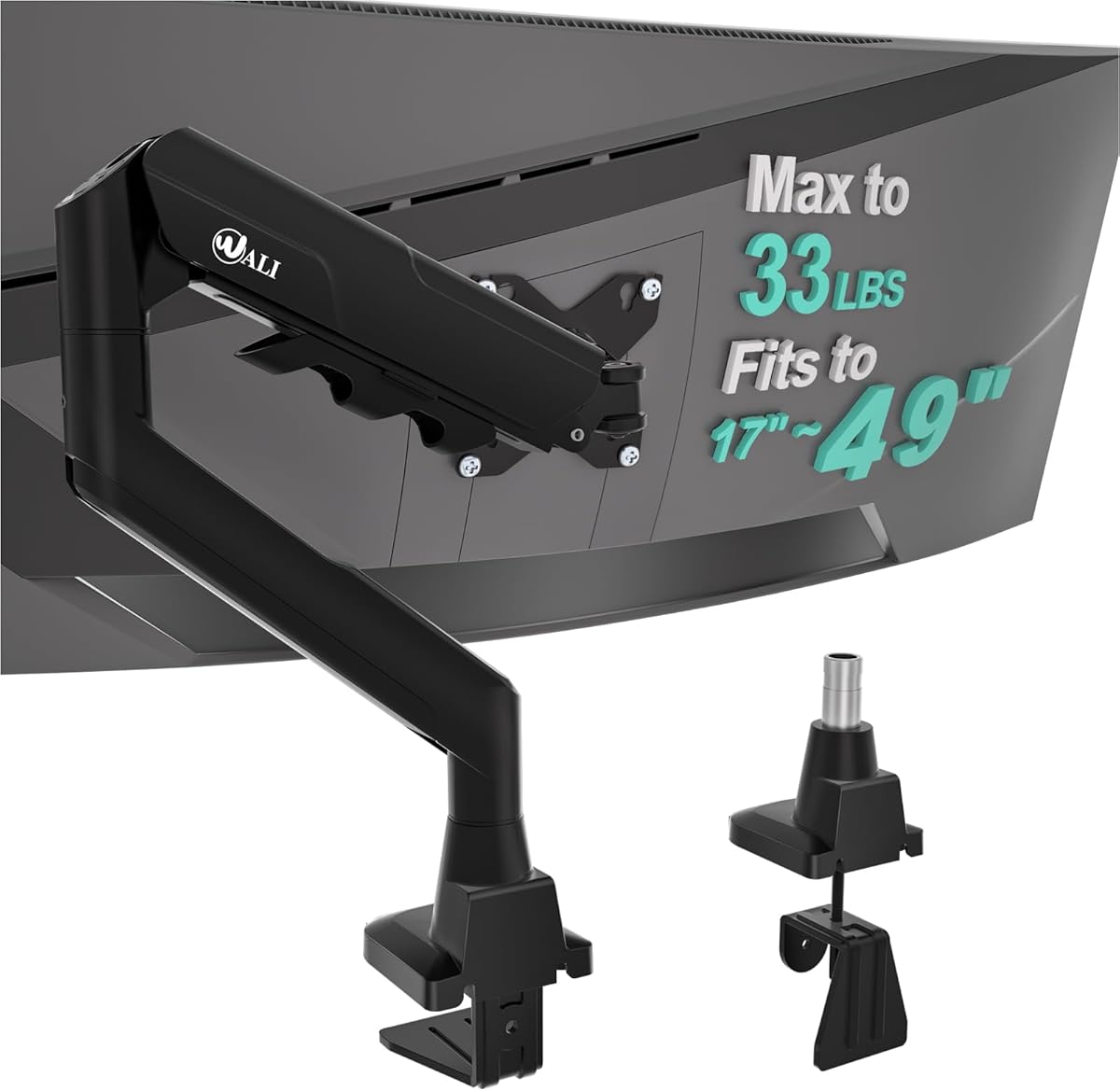
The WALI Ultrawide Single Monitor Arm is tailored to flat and 1800R curved screens ranging from 17 to 49 inches. It supports displays up to 33 pounds and provides enough structural capacity for large ultrawides, although its 20.59-inch vertical reach is shorter than that of many tall-pole alternatives.
We may earn a commission when you buy through this link, at no additional cost to you.
The arm extends 21.14 inches and uses standard 75-by-75-millimeter or 100-by-100-millimeter VESA patterns. It swivels plus or minus 90 degrees, tilts plus or minus 75 degrees, and rotates 360 degrees. A wider VESA head and tighter-fitting panel are intended to improve stability, while the durable core has reportedly been tested through more than 20,000 cycles.
Both C-clamp and grommet bases are available, but each accommodates desks measuring from 0.39 to 1.96 inches thick. This is narrower than several competing installation ranges, so buyers with thick desktops should measure carefully. Wooden desks are recommended, preferably without a crossbeam obstructing the underside.
This arm is a sensible choice for a large 1800R ultrawide that needs dependable support and broad screen movement but does not require an exceptionally tall pole. It is less compelling for users who need to stack equipment beneath the display or raise a very large screen to a greater height. Weight, curvature, and desktop thickness should be checked before ordering.
The stated compatibility directly addresses large 1800R curved displays without claiming support for tighter curves. A 33-pound limit and reinforced VESA head provide meaningful capacity for wide, heavier monitors.
The combination of a wide VESA head, close-fitting panel, and broad swivel, tilt, and rotation ranges is useful for frequently adjusted workstations. The extension allows the screen to move away from the central desk area while remaining within the arm's designed support envelope.
We may earn a commission when you buy through this link, at no additional cost to you.
The HUANUO TitanLift Heavy Duty Monitor Arm is the premium option in this guide, combining a 44-pound capacity with aluminum alloy construction and support for screens as large as 49 inches. Its 4.7 rating is the highest among the listed products and reflects a focus on strength, precise adjustment, and durable performance.
We may earn a commission when you buy through this link, at no additional cost to you.
Compatibility requires a monitor between 17 and 49 inches, weighing between 6.6 and 44 pounds, and using 75-by-75-millimeter or 100-by-100-millimeter VESA holes. The high-strength aluminum frame includes a VESA head described as 20 percent thicker and a base described as 30 percent wider than standard designs. It has passed 50,000-cycle motion tests and a three-times load test.
The arm extends up to 22.5 inches and offers 19.6 inches of height adjustment measured from the desk surface to the VESA center. Tilt ranges from plus 50 to minus 50 degrees, swivel reaches 180 degrees in each direction, and rotation extends through 360 degrees horizontally and vertically for compatible screens up to 35 inches. A dual C-clamp, quick-install VESA head, cable management, and one-hand tension adjustment add to the premium feature set.
The desk requirements are specific: a wooden surface between 0.8 and 3.5 inches thick, with no crossbeams or panels obstructing the underside. Its 19.6-inch height range is shorter than the tallest center-pole designs, so it is not the first choice for extreme vertical placement. For the largest and heaviest compatible monitors, however, it offers the strongest support package and is the most refined premium recommendation.
The aluminum construction, expanded VESA head, wide base, dual clamp, and 44-pound limit distinguish this arm from standard models. These features are especially relevant to very large displays, powerful ultrawides, and users who prefer firm resistance to movement.
One-hand tension adjustment makes it easier to balance the arm after the display is attached. The wide swivel, tilt, and rotation ranges allow the screen to be placed precisely for viewing, sharing, or a portrait-oriented workflow.
We may earn a commission when you buy through this link, at no additional cost to you.
The best tall monitor arm is not simply the model with the longest pole. Screen dimensions, weight, VESA layout, desk construction, mounting style, reach, and adjustment frequency all determine whether a mount will work comfortably and securely.
Start with the physical dimensions and weight of your display rather than relying only on its marketed size. The products reviewed support various combinations of 13-, 17-, 19-, 24-, 27-, 32-, 34-, 38-, 40-, and 49-inch screens, but a listed size range is only useful if the monitor also falls within the arm's weight limit and mounting specification. Most models accept the common 75-by-75-millimeter and 100-by-100-millimeter VESA patterns, while a few explicitly exclude highly curved 1000R, 1500R, or 1800R displays.
Choose an arm only after confirming the display's weight, VESA-hole spacing, curvature, and whether its manufacturer permits third-party mounting. In summary, match the exact screen specifications rather than assuming that a monitor described as ultrawide will be accepted by every arm.
Height is the defining benefit sought by most tall monitor arm buyers, but two different measurements matter. Center-pole designs such as the 39-inch HUANUO and VIVO models advertise pole length, while other products state the maximum height of the display above the desktop. A long pole is especially helpful when a monitor needs to clear a laptop, books, a second display, or other tall equipment. Users who only need to remove a factory base may find a standard-height arm less visually imposing and easier to position.
Measure from the desktop to the desired center or upper edge of the screen, then allow room for the arm and monitor thickness. In short, prioritize the stated vertical range rather than the pole's total length, and select enough adjustment travel to reach a natural eye line.
Reach determines how far a display can move away from the base. Extra-long arms in this guide extend approximately 26.77 to 27.76 inches, while other heavy-duty models reach around 21 inches. A long reach is valuable on deep desks because it lets the monitor move over a keyboard or laptop, slide toward another display, or rotate out of the way for collaboration. It can also help a user place a large ultrawide closer to the rear edge of the workspace.
A very long arm should be paired with a stable base and adequate desk strength. In summary, choose greater reach for large desks and flexible screen sharing, but consider shorter arms for compact workstations where the display will remain centered.
Load capacity creates a safety margin that is particularly important for large curved monitors. The reviewed arms support from 19.8 pounds to as much as 44 pounds, and some models use thicker steel while others use reinforced aluminum alloy. Higher limits are useful for oversized displays, but capacity alone does not guarantee stable movement. The VESA head, joints, clamp design, base width, and construction material all influence rigidity under real-world use.
Avoid choosing solely by the maximum stated load. In summary, select a model with comfortable capacity above your monitor's actual weight and prioritize solid VESA hardware, tight-fitting plates, and a clamp suited to the desktop.
Tilt, swivel, rotation, and extension determine how easily the display can be placed for different tasks. Larger swivel ranges are useful when sharing a screen or moving between a seated and standing position, while rotation into portrait mode benefits reading, editing, and long documents. Gas-spring arms may feel smoother when raised frequently, whereas manually tensioned arms often provide more direct control. Check the specific ranges because some arms provide broad swivel but more restricted tilt.
The best movement is the movement you will actually use, not the largest available specification. In summary, prioritize frequent adjustments, smooth tension, and enough rotation to support your preferred work style.
Most arms offer a C-clamp, a grommet base, or both. A C-clamp requires suitable clearance beneath the desktop and works well with many wood tables, while a grommet base needs an existing hole or a hole cut in the work surface. Desk thickness limits vary considerably, from roughly 0.39 inches at the low end to more than 3 inches for several clamp systems. Crossbeams, panels, drawer supports, and reinforced desktop frames can obstruct either installation method.
Measure the desktop thickness and inspect its underside before purchasing. In summary, choose the method that fits your desk without drilling, and confirm that no structural element blocks the base.
Several manufacturers specifically recommend wooden desks, while others support metal or other surfaces without explicitly prohibiting them. The HUANUO TitanLift, for example, states that plastic and glass desks cannot be used and that the underside must be free of crossbeams or panels. Heavy monitors also benefit from a sturdy surface because every adjustment transfers force to the desktop attachment. A desk with a weak particleboard top, glass construction, or a narrow support structure may not offer a stable foundation.
Installation is safest when the desktop is solid, appropriately thick, and free from obstructive supports. In summary, confirm both material and construction, and do not assume a visually thick desk can support a heavy ultrawide arm.
A monitor arm creates useful vertical and horizontal freedom, but it can also leave several cables hanging behind the display. Integrated clips, channels, or routing features help keep power and video cables aligned with the arm. This is especially valuable for standing desks, where loose cords may need enough slack to travel through the full height range. Users who route cables through a grommet should confirm that the arm's movement will not pinch a cable or pull it against the desktop.
The best system is one that remains tidy after several adjustments. In summary, look for integrated cable guides and leave a modest amount of service loop, particularly on a sit-stand desk.
Begin by assembling the base and attaching it to the desk before installing the display. Confirm the arm's tension while it is still unloaded, then connect the monitor's power and video cables with enough slack for the intended range of motion. Attach the display using the correct VESA plate and tighten the fasteners evenly according to the manufacturer's instructions.
Once the monitor is secure, adjust the arm gradually. Set the height and viewing angle before adding the final tension, and avoid forcing a joint beyond its stated range. Test the movement by swiveling, tilting, and rotating the display while watching for cable tension, unexpected drift, instability at the base, or contact with nearby equipment.
For routine care, loosen or unload the monitor before making large height changes if the manufacturer recommends it. Periodically inspect the clamp, bolts, VESA plate, and cable guides, and tighten any hardware that has loosened. Do not exceed the stated weight limit, avoid using the arm as a handrail, and follow the product instructions for cleaning and adjustments.
A tall monitor arm offers greater vertical positioning range, usually through a longer center pole or a higher stated maximum height above the desktop. This extra lift can bring a display closer to eye level, clear tall desk accessories, or create space for a second screen. A standard arm may provide excellent movement but be less capable of these elevated arrangements.
Check the monitor's diagonal size, weight, curvature, and VESA mounting-hole pattern against the arm's specifications. Most models in this guide accept 75-by-75-millimeter or 100-by-100-millimeter holes, but weight ranges and curvature exclusions vary. Also confirm that the display manufacturer supports third-party mounting and that the arm stays within its rated limits.
Choose a clamp when you want to avoid drilling and your desk has enough clearance underneath. A grommet base can look cleaner and may suit a desk with a cable-management hole or a surface already prepared for that method. Confirm the supported desk-thickness range and make sure no crossbeam, drawer support, or panel blocks the installation area.
Yes, provided the arm's height adjustment and cable management accommodate the desk's full travel. Leave enough slack in power and video cables, and make sure the base remains secure as the desktop rises and lowers. A model with a long center pole is especially useful when the screen must be positioned high while seated and remain comfortable when standing.
A higher capacity is useful for large or heavy screens, but it should be considered alongside base design, VESA-head construction, joint rigidity, and desk quality. Choosing an arm with comfortable headroom above the monitor's actual weight is more sensible than selecting a model far beyond your needs. The strongest heavy-duty option here is the HUANUO TitanLift, which supports up to 44 pounds.
Many of the reviewed models offer 360-degree rotation and can be configured for portrait use, although the exact range differs by product. The VIVO, WALI models, MOUNT PRO, and ErGear explicitly list portrait positioning. Confirm that the VESA head supports the orientation and that the display's own controls and stand-free design are suitable for vertical placement.
The required thickness depends on the model and mounting method. The reviewed C-clamps span approximately 0.39 to more than 3 inches, while grommet limits are often lower. Measure the desk at the exact installation point and inspect underneath for support rails, drawers, or crossbeams before ordering.
The amount saved depends on the monitor's original base and how far the arm is extended. Removing a large factory stand can expose enough room for a keyboard, laptop, docking station, or writing area, while a long arm can move the display completely out of the way. Product claims about percentage savings should be treated as general comparisons rather than guaranteed results for every desk.
The HUANUO 39-Inch Single Monitor Arm is the best overall choice because it combines a genuinely tall center pole, broad monitor compatibility, substantial articulation, and two installation methods. The ULTRARM Extra-Tall Heavy-Duty Monitor Arm is the budget-conscious standout, while the HUANUO TitanLift earns the premium recommendation for its aluminum construction, reinforced support, and 44-pound capacity.
Prioritize the specifications that affect your actual setup: monitor weight, VESA pattern, required screen height, desk thickness, and mounting clearance. A very long pole is unnecessary if you only need to remove a factory stand, while a standard-height arm may fall short when a display must rise above other equipment. Heavy or highly curved screens deserve particular attention to load capacity and curvature restrictions.
Ratings, product details, and current prices can change, so confirm the latest listing before purchasing. Compare the final dimensions against your monitor and desk, review the included hardware, and choose the mount that offers the needed range without exceeding the limits of the display, the arm, or the workstation.