
Gleeso Android 16 Kids Tablet
4.3Editor score
Android 16 with UKIDOZ
Widevine L1 streaming
24GB RAM and 64GB storage
Protective adjustable-stand case
Compare the best tablet for kids to watch YouTube Kids, evaluating parental controls, screen quality, storage, battery life, streaming support for families.
A tablet for kids to watch YouTube Kids should make family entertainment easy while giving parents meaningful control over screen time, applications, and web access. The right device combines a comfortable display, dependable performance, useful parental tools, a protective case, and enough battery life for travel or quiet time.
We compared all ten models across screen size, operating system, memory, storage, streaming capabilities, battery capacity, cameras, included accessories, and child-focused features. The list covers both compact tablets for younger children and larger models better suited to games, creative work, and longer viewing sessions.
Each review explains the product's strongest advantages, practical limitations, and ideal buyer. Ratings and specifications reflect the supplied product information, while availability and pricing can change. Always confirm the current YouTube Kids compatibility, parental-control options, and included accessories before purchasing.
4.3Editor score

4.2Editor score

4.0Editor score
The table below compares the ten shortlisted kids tablets by the factors that most affect streaming, everyday usability, and parental supervision, including display size, performance, storage, battery, and included protection.


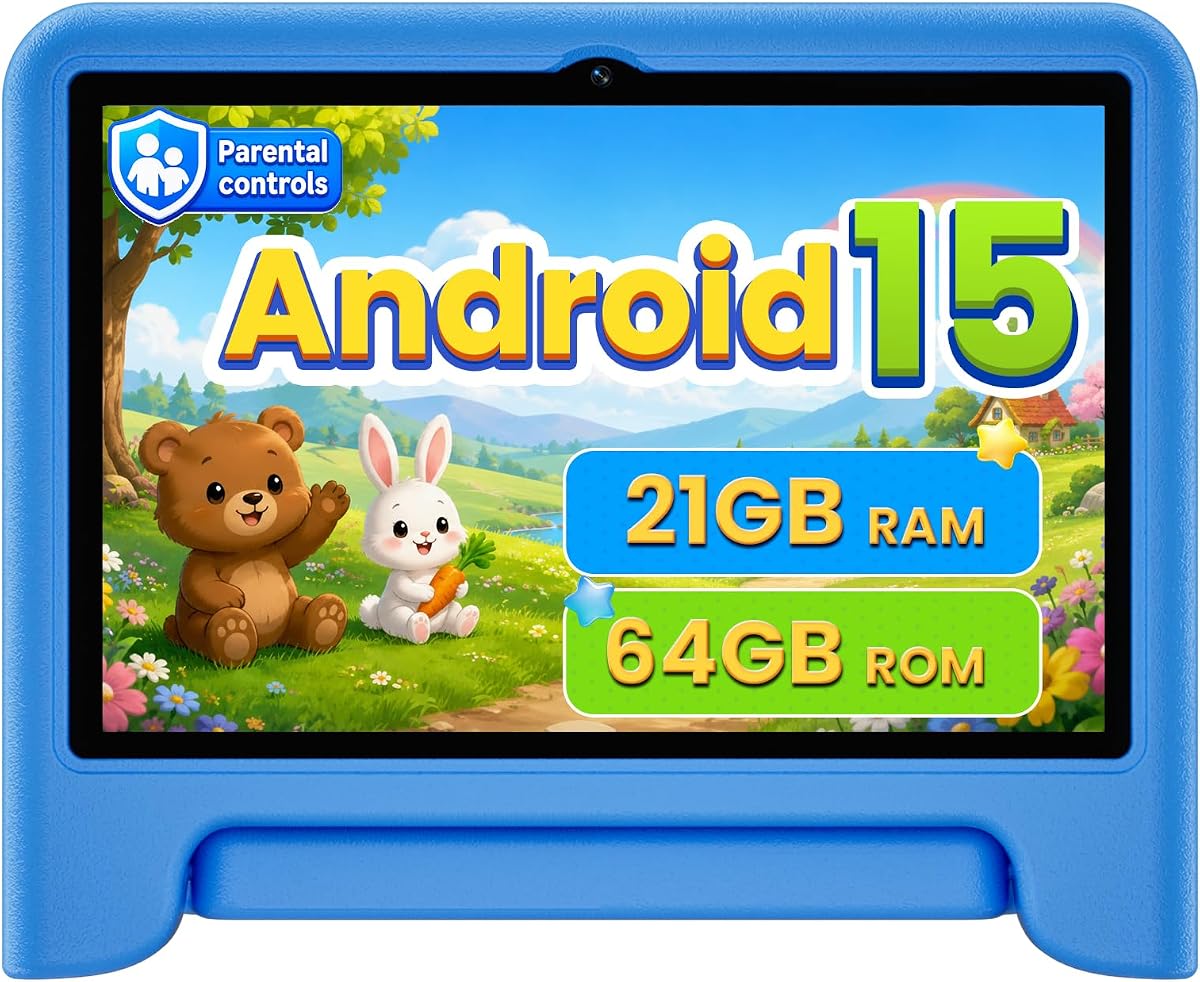
The COLORROOM 2026 Upgraded Android 15 Tablet is a well-rounded kids tablet with a 4.2 rating. Its headline combination is Google Kids Space, an eye-friendly 10.1-inch display, expandable storage, and a 6000mAh battery. That makes it especially relevant to families seeking a larger screen for YouTube Kids, educational videos, reading, and casual games without moving to a general-purpose family tablet.
We may earn a commission when you buy through this link, at no additional cost to you.
The included Kids Space provides educator-endorsed activities such as coloring, crafts, story listening, and puzzles. Parental tools can filter content, establish educational goals, and set time restrictions. Underneath the child-focused interface, the tablet runs Android 15 with an octa-core processor, 10GB of combined physical and expanded RAM, and 64GB of internal storage. A microSD card can add up to 1TB of capacity.
The 1280-by-800 in-cell display supports automatic brightness adjustment and an anti-blue-light design, while dual stereo speakers are useful for spoken stories and videos. There are trade-offs to understand: storage expansion requires a separately sold card, and the manufacturer recommends charging the battery fully for at least three hours before first use. The larger screen is also less discreet than a compact seven-inch model.
This is the recommendation for families who want one tablet to balance guided entertainment, learning, and ordinary YouTube Kids viewing. Its combination of a mature child-focused operating environment, ample RAM, expandable storage, and a large battery makes it easier to grow with a child than a very basic tablet. It is the most balanced overall option in this guide.
Google Kids Space gives younger users a clearly organized environment filled with age-appropriate activities, games, and creative content. Parents can shape the experience through filters, targets, and time limits, reducing the need for children to navigate unrestricted app menus independently.
The combination of 64GB internal storage and support for a 1TB microSD card is useful for families who save videos, books, music, and learning materials locally. A parent can also add storage later without replacing the entire tablet.
We may earn a commission when you buy through this link, at no additional cost to you.
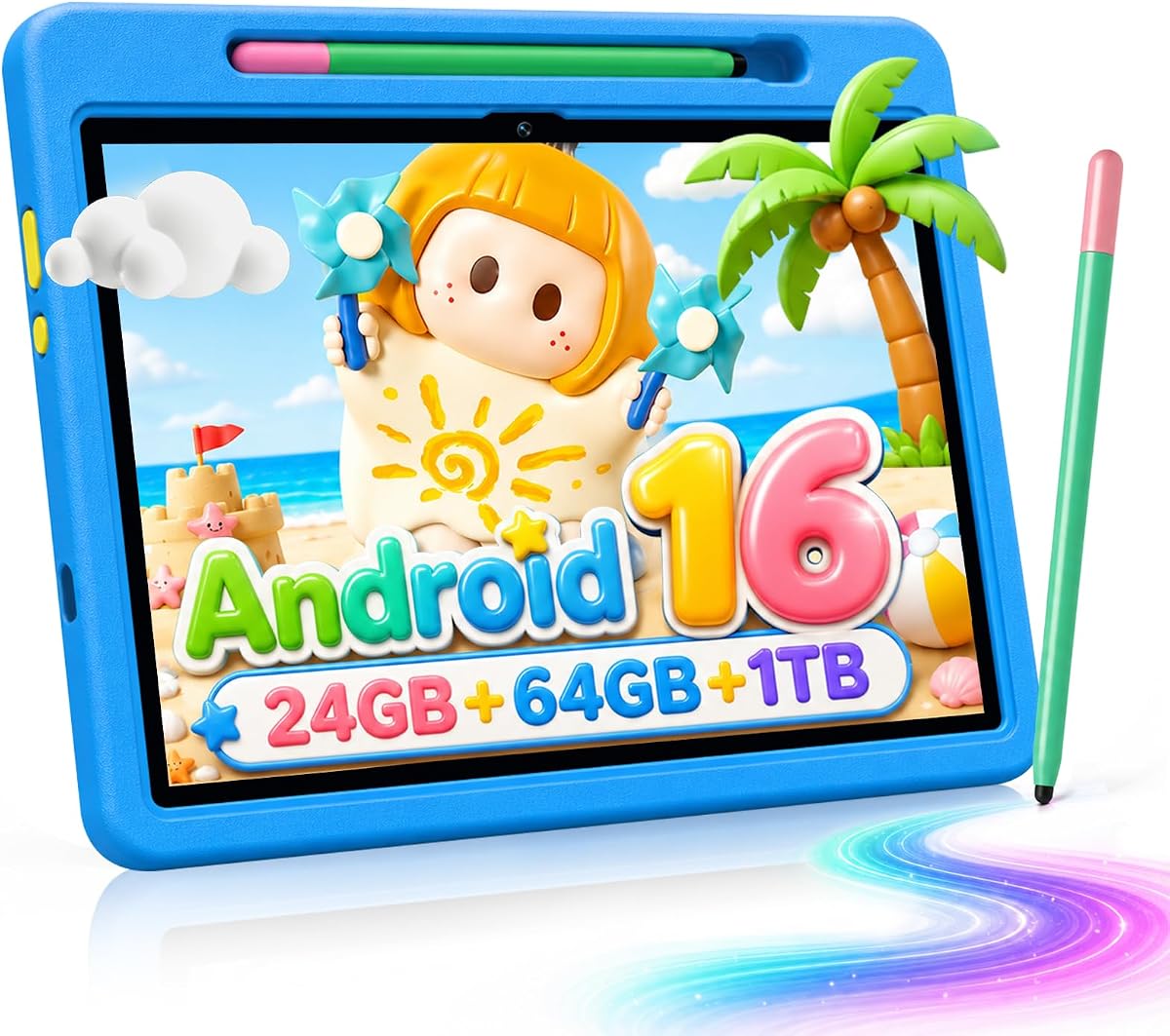
The Gleeso Android 16 Kids Tablet combines a 4.3 rating with the strongest specification mix in the group. Its 24GB RAM, 64GB internal storage, octa-core processor, Android 16 operating system, and 1TB expansion support make it well suited to running learning apps, cartoon videos, and games together. For families watching YouTube Kids regularly, Widevine L1 certification is a particularly relevant feature.
We may earn a commission when you buy through this link, at no additional cost to you.
The 10-inch 1280-by-800 IPS touchscreen is described as vivid and responsive. A 6000mAh battery is intended for extended reading, video, and gaming, while USB-C fast charging is advertised as reaching a full charge in roughly 1.5 hours. The included shock-absorbing case has a multi-angle stand, making the tablet practical for desk viewing, travel, and couch use without requiring a separate holder.
UKIDOZ Kids Space comes preloaded with games, picture books, and creativity apps for ages three through 12. Built-in parental controls allow screen-time limits and app management. The main trade-offs are that expansion requires a separately sold TF card and the bundled case appears designed more for everyday bumps than severe drops by very young children. Google Play and individual app subscription terms should also be reviewed before use.
Choose this model when streaming quality, memory, storage flexibility, and a modern operating system matter more than selecting the least expensive option. It is especially attractive for a child who will use several kinds of content rather than only simple offline games. For a premium family tablet focused on YouTube Kids, it offers the most persuasive combination of power and child-specific controls.
Widevine L1 certification supports high-definition playback on compatible services, making this a stronger candidate for regular YouTube Kids viewing. The combination of a 1280-by-800 IPS display and dual cameras also supports both entertainment and video calls.
With 24GB RAM and a 64GB starting point, the tablet has room for multiple entertainment and education apps. TF expansion to 1TB provides additional flexibility for saved videos, e-books, and learning materials without forcing a storage choice at purchase.
We may earn a commission when you buy through this link, at no additional cost to you.
The Android 16 Kids Tablet HD 10 Inch with Stylus & Case earns the highest featured rating at 4.6. It combines 24GB RAM, 64GB storage, a 10-inch display, a 6000mAh battery, and a protective case. The included stylus gives it an unusual advantage for families looking for more than passive video watching and want children to draw, write, or practice handwriting.
We may earn a commission when you buy through this link, at no additional cost to you.
UKIDOZ Kids Space provides age-appropriate educational content, learning games, and picture books for ages three through 12. Its parental-control system supports screen-time limits, app permissions, and content filtering. The hardware includes an A333 processor rated up to 1.8GHz, a 5MP front camera, an 8MP autofocus rear camera, and Type-C charging. Storage can be expanded to 1TB with a separately purchased TF card.
The case is designed for small hands, with anti-slip, anti-scratch, and drop-resistant properties plus a stand that adjusts through 180 degrees. That makes hands-free viewing practical for videos and lessons. The trade-offs are that the TF card is not included, and the supplied product description repeats its case-and-stylus feature section. The tablet is also a full-size device that will not be as easy to carry as a seven-inch model.
This is a strong recommendation for parents who want YouTube Kids, educational apps, drawing, and basic photography in one package. Its high rating, generous memory, modern Android version, and useful stylus make it particularly appealing for school-age children. It may be less ideal for very young toddlers who need a smaller, simpler device.
The bundled stylus makes the tablet more useful for drawing, annotating, and basic writing practice. It turns the device into a creative companion rather than a dedicated video screen, which can help parents balance entertainment with productive activities.
A grippy shell, scratch resistance, and a flexible 180-degree stand support regular use by children. The stand also provides a better viewing position for YouTube Kids, lesson videos, and creative work than holding the tablet continuously.
We may earn a commission when you buy through this link, at no additional cost to you.
The 7-inch Kids Tablet 3-9 is a compact Android option with a 4.0 rating. It targets children roughly three to nine years old and includes a shockproof case, an adjustable stand, and preinstalled child software. Its small dimensions make it easier for young hands to hold, while the 1024-by-600 IPS display remains suitable for YouTube Kids, stories, and simple games.
We may earn a commission when you buy through this link, at no additional cost to you.
Android 12 runs on a quad-core processor with 4GB of RAM, including 2GB of expansion, and 32GB of internal storage. A microSD card can add up to 512GB. The model is GMS certified, supports Widevine L1 for Netflix, and includes Wi-Fi, Bluetooth, dual cameras, speakers, and a headphone jack. Preinstalled apps and the aiwawa library add value for families seeking immediate content.
Parental controls include separate profiles, screen-time limits, app blocking, password protection, and web-page filtering. These are useful functions for a shared family device. The trade-offs are the lower screen resolution and more limited 32GB starting storage than several larger competitors. A separate memory card is needed if the family expects to retain a substantial downloaded library.
This tablet is a practical choice for parents seeking a small first tablet for a toddler or young child. It supports ordinary Google Play apps, YouTube-related software, and child entertainment without taking up the space of a 10-inch model. It is less suitable for demanding games or creative projects, but it offers a balanced feature set for simple family use.
The seven-inch format reduces the weight and bulk children need to manage. A soft protective shell adds grip, while the integrated adjustable stand supports hands-free viewing for cartoons, lessons, and games.
Separate child profiles make it easier for siblings to receive different content and time allowances. Passwords, filtered pages, and app controls give parents a practical way to restrict access without removing every useful function.
We may earn a commission when you buy through this link, at no additional cost to you.
The 10-inch Kids Tablet Blue offers a large, playful screen and a 3.8 rating, the lowest among the listed models. Its 10.1-inch HD display, fish-themed styling, dual cameras, and 5000mAh battery give it a child-friendly profile. It is designed for children approximately three to seven years old while also supporting broader use through Google Play.
We may earn a commission when you buy through this link, at no additional cost to you.
Preinstalled Yubabe content includes offline games, videos, and e-books intended to encourage creativity, STEM learning, and early reading. Parents can set time limits, block inappropriate content, and create custom profiles. The Google Play Store is accessible for downloads including YouTube Kids and Netflix, while a microSD card can expand storage to as much as 1TB. The included case offers basic protection.
Automatic eye-comfort features, including low blue-light technology, are intended to make reading and video viewing more comfortable. The manufacturer advertises up to 10 hours of active use, although real results depend on brightness, connectivity, video playback, and installed applications. The 2GB physical RAM is modest compared with several other tablets in the guide and may be less comfortable for heavy multitasking.
This model makes sense for a family that values a large, engaging display and offline educational content over high-end specifications. Its playful appearance may also appeal to younger children. Buyers who regularly switch among many demanding apps should consider a model with more RAM, but for guided learning, cartoons, and YouTube Kids use, the core package is capable.
The bundled Yubabe library gives children educational games, e-books, and videos without requiring every session to begin with a connection. That can be especially useful during flights, car journeys, or periods when Wi-Fi is unreliable.
Custom profiles, time limits, and content blocking allow adults to adapt the same tablet as a child grows or as siblings begin sharing it. The large screen remains useful for interactive lessons and comfortably sized video.
We may earn a commission when you buy through this link, at no additional cost to you.
The 7-inch Kids Tablet Purple has a 4.0 rating and places particular emphasis on offline educational content. Its Yubabe app provides age-appropriate language activities, animal coloring, crafts, story listening, and puzzles. For a child who watches YouTube Kids at home or during travel, having meaningful offline material reduces reliance on a constant network connection.
We may earn a commission when you buy through this link, at no additional cost to you.
The tablet includes 2GB RAM, 32GB storage, a quad-core processor, Wi-Fi, and Bluetooth. Storage can expand to 512GB, and Google Play access allows parents to install additional learning and entertainment apps. A 1024-by-600 IPS display includes automatic brightness adjustment and low-blue-light technology, while stereo speakers support the audiovisual experience.
Parental controls can filter content by age, create multiple child accounts, set educational goals, limit time, and approve purchases or downloads. Access to applications such as YouTube, Netflix, and Disney+ can be granted or blocked. The default kids-mode password is listed as 0000, so owners should change it immediately. The soft silicone bumpers and adjustable rear stand improve protection and viewing convenience.
This is a strong option for a family seeking a compact tablet that balances guided learning with access to mainstream streaming apps. Its 7-inch size is easier to carry, and the offline library is especially helpful. It is not the strongest choice for intensive gaming, but it handles the core needs of a young child's first tablet well.
Age filters, educational targets, time limits, and purchase approval offer several layers of supervision. Parents can begin with a restrictive setup and open access gradually as the child becomes more confident.
The IPS panel supplies wide viewing angles, and automatic brightness adjustment helps the display adapt to different rooms. Low-blue-light features complement good viewing habits, although children should still maintain a sensible viewing distance and take regular breaks.
We may earn a commission when you buy through this link, at no additional cost to you.
The 7-inch Kids Tablet Blue shares the core design strengths of the purple model while offering a different appearance. It carries a 4.0 rating and is aimed at children ages three to seven. Its compact Android platform, Google Play certification, and included protective shell make it a straightforward option for a first tablet and daily YouTube Kids viewing.
We may earn a commission when you buy through this link, at no additional cost to you.
A quad-core processor, 2GB RAM, and 32GB of storage provide the foundation for educational apps, stories, games, and video. Storage can be expanded to 512GB with a separate card. The preinstalled Yubabe library includes language learning, coloring, crafts, story listening, and puzzles, while the IPS panel supports wide viewing angles and automatic brightness adjustment.
Parents can establish multiple accounts, filter content, approve downloads, set educational goals, and manage time limits. Apps including YouTube, Netflix, and Disney+ can be individually permitted or blocked. The silicone bumper at the top and bottom is designed to reduce damage from falls, bumps, and squeezing, and the rear stand supports hands-free use. The default kids-mode password is 0000 and should be changed after setup.
Families looking for a portable, inexpensive-feeling tablet with useful offline content will find this model practical. The seven-inch screen is easy to carry and suitable for close-up learning, while Google Play access expands the range of child-safe options. It is less compelling for large-screen entertainment or power-intensive games, but it serves its younger audience well.
The light, compact body and upright stand are useful for short trips, playrooms, and bedtime routines. Offline activities provide useful content when a connection is not immediately available.
Individual child accounts and detailed app permissions make the tablet adaptable for siblings. Blocking and approving selected streaming services is a practical middle ground between a fully unrestricted Android device and a closed entertainment box.
We may earn a commission when you buy through this link, at no additional cost to you.
The SVITOO Kids Tablet 10 Inch has the highest featured rating in the group at 5.0. It combines Android 16, a 10.1-inch IPS display, 20GB of combined RAM, 32GB storage, and a 6000mAh battery. The blue dinosaur case adds visual appeal, and its Widevine L1 certification makes the tablet a credible option for YouTube Kids and other compatible HD services.
We may earn a commission when you buy through this link, at no additional cost to you.
Parental controls allow adults to set time limits, block inappropriate content, manage app access, and monitor activity. A night mode supports comfortable reading, and the device can cast wirelessly to compatible televisions. The Allwinner A333 penta-core processor, dual-band 2.4GHz and 5GHz Wi-Fi, and Bluetooth 5.3 offer modern connectivity for streaming, accessories, and everyday use.
The 1280-by-800 screen has a 16:10 aspect ratio, and the battery is advertised for up to eight hours of entertainment, work, learning, video playback, or browsing. GMS certification provides access to Google Play and Google Kids-drawing content. Face unlock improves daily use, while USB-C charging and a 3.5mm headphone jack provide convenient connection options. The tablet does not include GPS or split screen.
This is the leading choice for buyers who prioritize a large screen, modern connectivity, and family supervision in an attractive package. The absence of GPS and split screen limits its use for driving or advanced multitasking, but neither is central to a child's YouTube Kids experience. The supplied information and highest rating make it an especially compelling top-ranked option.
Widevine L1 supports high-definition playback on compatible services. Dual-band Wi-Fi can provide a more stable connection in busy homes, while Bluetooth 5.3 and wireless casting broaden the ways families can use the tablet.
The lightweight shockproof case uses a colorful dinosaur-jungle theme rather than a generic adult design. It is easier to grip and adds an adjustable viewing setup, giving the tablet a more child-oriented identity.
We may earn a commission when you buy through this link, at no additional cost to you.
The HOTTABLET Kids Tablet 7 Inch is a compact Google Play-certified model with a 4.0 rating. It runs Android 12, includes 4GB of combined RAM, and provides 32GB of internal storage with expansion listed up to 1TB. For buyers searching specifically for a tablet for kids to watch YouTube Kids, Widevine L1 and a 7-inch IPS display cover the essential streaming requirements.
We may earn a commission when you buy through this link, at no additional cost to you.
The preinstalled iwawa app offers creative activities such as brain training, drawing, games, and children's television. Parental tools allow adults to create customized child accounts, control screen time, and filter websites, applications, and video channels. The tablet also supports Bluetooth, Wi-Fi, a 3.5mm headphone jack, and a 2MP front camera paired with a 5MP rear camera.
Its 1024-by-600 IPS display has an eye-protection mode, and the 3000mAh battery is advertised to deliver approximately eight hours of mixed use. The included silicone case is both protective and capable of standing the tablet, which is useful for hands-free viewing. The smaller battery and modest screen resolution are the main compromises, particularly for extended high-resolution playback.
This tablet is a sensible budget-oriented choice for a child who needs YouTube Kids, simple games, drawing, and basic educational apps. It offers more memory than many similarly sized kids tablets and includes a useful stand case. For very long journeys or heavy gaming, a larger tablet with a higher-capacity battery would be more appropriate.
GMS certification and Widevine L1 provide the core app and streaming support expected from a modern Android tablet. Its compact screen makes familiar characters and simple games easier for small children to see.
The silicone cover helps against everyday falls, bumps, and squeezing. Its integrated stand eliminates the need for a separate accessory during video viewing and learning activities.
We may earn a commission when you buy through this link, at no additional cost to you.
The Android 15 Kids Tablet 10.1 Inch has a 4.2 rating and combines a large display with useful family controls. It runs Android 15 and an octa-core 2.0GHz processor, with 3GB of physical RAM plus 18GB of virtual memory. Storage begins at 64GB and supports microSD expansion up to 1TB, giving families room for videos, games, and educational applications.
We may earn a commission when you buy through this link, at no additional cost to you.
Google Kids Space offers child-oriented content, while parental controls support profiles, screen-time management, and guided access. The 1280-by-800 IPS touchscreen has wide viewing angles and eye-comfort technology intended to reduce blue-light exposure. A 6000mAh battery is advertised for up to six hours of video playback, and 18W power-delivery fast charging helps restore power between sessions.
The included silicone case protects against everyday bumps and includes an adjustable stand. Dual-band Wi-Fi, Bluetooth, GPS, wireless screen casting, and split screen add versatility beyond basic children's entertainment. The physical RAM is more modest than the combined figure suggests because the 18GB allocation is virtual, although it can still aid compatible workloads. The stated video runtime is lower than on several 6000mAh competitors.
This model is a well-rounded option for families who want a larger tablet, Google Play, and child-focused software without giving up standard Android features. It suits a child who moves between YouTube Kids, reading, games, and occasional family productivity tasks. It is particularly appealing when screen casting, GPS, or split screen are valued.
Google Kids Space provides a guided starting point, while Google Play access allows parents to add YouTube Kids, educational apps, books, and selected entertainment. Profiles and screen-time controls help preserve the family-oriented setup.
GPS, split screen, and wireless casting make the tablet useful beyond a child's entertainment mode. These features broaden its appeal for travel information, shared viewing, and family tasks, although younger users will not use all of them.
We may earn a commission when you buy through this link, at no additional cost to you.
Choosing a children's tablet means balancing streaming access, protection, performance, comfort, and battery life. The most important features vary by the child's age, how independently they use the device, and whether the family expects it to handle more than YouTube Kids.
Parental controls are the foundation of a trustworthy kids tablet. Look for screen-time limits, app blocking and approval, website filtering, purchase controls, password protection, and separate profiles for each child. These tools should make it simple for an adult to change settings without accidentally exposing a young child to unrestricted browsing. A profile system is especially valuable for siblings because it can keep viewing preferences, permissions, and time allowances distinct.
Parents should also review the default password and security settings during setup. Some supplied descriptions identify 0000 as the initial kids-mode password, which should be changed immediately. Choose a tablet that provides understandable control menus and multiple ways to restrict access, and update those settings whenever the child gets older or begins requesting new applications.
Screen size affects portability, visual comfort, and the amount of content shown at once. A 7-inch display is usually easier for small hands and better for short attention spans, while a 10-inch or 10.1-inch screen gives children more room for videos, illustrated books, games, and creative work. Resolution should be sufficient for clear text and images, but size should be selected for the child rather than for maximum screen specifications alone.
Look for automatic brightness adjustment, low-blue-light or eye-comfort features, and an IPS panel with useful viewing angles. These features can support more comfortable use, but they do not replace sensible habits. Children should maintain a reasonable viewing distance, avoid prolonged use in darkness, and take regular screen breaks. A stand is also valuable for reducing the need to hold the device continuously.
A useful kids tablet should make YouTube Kids easy to install, find, and manage. Google Play certification is valuable because it indicates access to mainstream applications, while a child-focused launcher or Kids Space provides a safer starting environment. Widevine L1 certification is especially relevant for high-definition playback on compatible streaming services, including YouTube content when offered through supported apps.
Confirm that the device supports the current version of YouTube Kids and that the operating system is not so old that important security updates are likely to be delayed. Streaming quality also depends on Wi-Fi strength, server availability, and the chosen service. Families should check whether particular streaming apps require subscriptions or additional account permissions before purchasing.
Children's use can range from simple video playback to educational games, creative drawing, web browsing, and several applications open at once. More RAM gives the operating system room to manage background tasks, while a capable processor improves app launches and responsiveness. The 24GB configurations in this guide offer substantial headroom, but a modern processor and adequate storage are also important.
Do not rely on combined or virtual memory figures without understanding the physical allocation. Virtual RAM can improve perceived multitasking, yet it is not equivalent to additional physical memory. For a child who mainly watches YouTube Kids and uses offline activities, a modest configuration may be enough. For intensive games or creative work, choose more physical memory, faster performance, and storage that can be expanded.
Storage requirements depend on whether the family relies on streaming or downloads videos, books, music, and educational resources for offline use. A 32GB starting point is common among compact models, while 64GB provides more room for app data and saved media. Expansion through a microSD or TF card can make a tablet more flexible, but the card is normally purchased separately.
Pay attention to the maximum supported expansion because the figures range from 512GB to 1TB across the list. Families should also consider whether a child can access removable storage without confusion. Offline educational libraries are particularly helpful for flights, road trips, and areas with unreliable internet connections, reducing the chance that a travel screen becomes a frustrating dead end.
Battery capacity is only one part of battery life. Screen brightness, video resolution, Wi-Fi strength, gaming intensity, and background applications all affect runtime. The listed models use capacities from 3000mAh to 6000mAh, with advertised playback or mixed-use figures ranging from approximately six to ten hours. Those estimates are best treated as guidance rather than guaranteed results.
Check the charging standard and included accessories. USB-C is convenient, while a higher-wattage charger may shorten charging time when the tablet supports it. One model asks owners to charge fully for at least three hours before first use. A protective case with an upright stand can also improve usability during longer viewing because the child does not need to hold the tablet continuously.
A child's tablet is likely to be dropped, gripped, carried, and used on uneven surfaces, so a protective case is not a minor accessory. Every featured model includes or describes a case, generally with a bumper, grip, or shock-absorbing shell. An adjustable stand is a particularly useful bonus for video viewing, learning activities, and drawing because it supports a stable, hands-free position.
Look for anti-slip, anti-scratch, and drop-resistant features, but do not treat any case as a guarantee against every type of damage. Styluses, charging cables, headphones, and storage cards may or may not be included, so the package contents should be checked carefully. A colorful design can make the device more appealing to children and may also reduce the chance that it gets mixed up with adult electronics.
A tablet marketed for ages three to seven needs to be simple, protected, and loaded with content that a young child can navigate without help. A device aimed at children up to 12 years old should offer broader performance, storage, creative tools, and more flexible parental settings. The stated age range is only a starting point because maturity, reading ability, and supervision needs vary considerably.
For a first tablet, prioritize simple navigation, offline activities, a sturdy case, and clear controls. For an older child, consider faster performance, larger storage, a stylus, stronger cameras, and access to standard Google Play applications. The best choice is not necessarily the model with the largest display or most memory, but the one that matches the child's independent use and the family's entertainment habits.
Begin by charging the tablet as directed, connecting it to the family Wi-Fi, and creating separate adult and child accounts. Before opening YouTube Kids, install the app, review its content preferences, and set age-appropriate filters. Configure screen-time limits that match the child's routine, and decide whether app installation, purchases, web browsing, camera access, and Bluetooth should be restricted. Change any default kids-mode password immediately.
Place the tablet in its protective case and teach the child to use two hands when carrying it, keep food and drinks away from the screen, and use the stand for longer viewing sessions. For YouTube Kids, avoid presenting the tablet as a completely unsupervised activity for very young children. Periodically review watched content, approved applications, time limits, and account activity, and remove access promptly if a title or feature proves unsuitable.
Clean the screen with a soft, lint-free cloth and avoid liquid cleaners unless the manufacturer specifically permits them. Keep charging ports free of dust and use the supplied or approved cable. Inspect the case and stand for looseness, and avoid leaving the device in a hot car or under direct sun. Software updates, storage cleanup, and occasional restarts help maintain smooth performance, while the expandable-storage slot provides room for future learning and entertainment libraries.
These models are designed to support child-oriented Android use, and most provide Google Play access for installing YouTube Kids. Some descriptions specifically mention YouTube, YouTube Kids, or compatible streaming services. Check the current product listing and confirm Google Play certification, operating-system support, and parental controls before buying, and keep app permissions and content filters properly configured after installation.
Google Play provides broader access to educational apps, books, games, and streaming services, while a dedicated interface such as Kids Space or UKIDOZ makes the first-use experience more controlled. A useful compromise is a kid-focused launcher with controlled access to the wider Play Store. Parents can then add approved apps without exposing children to unrestricted navigation.
A 7-inch tablet is generally easier for small hands to hold and is often more suitable for a first device or short viewing sessions. A 10-inch model offers a larger picture, more room for reading and creative work, and is often better for school-age children. The right size depends on the child's age, grip strength, attention span, and whether the device will be carried regularly.
Useful controls include screen-time limits, individual child profiles, website and video filtering, app blocking, purchase approval, and a protected parent password. Look for controls that are easy to locate and that let you adapt restrictions as the child grows. Also check whether all related accounts use suitable safety settings, since parental controls on the tablet do not automatically change settings inside every streaming service.
A microSD or TF card is not required for basic use, but it can be valuable for downloaded videos, offline games, e-books, music, and additional applications. All ten models list expandable storage, with maximum capacities ranging from 512GB to 1TB. The card is not included with most models, so purchase it separately only if the family expects to save substantial content locally.
Widevine L1 is a DRM certification associated with support for high-definition playback on compatible streaming services. It is useful when the goal is watching YouTube Kids or other supported video apps in HD. The actual viewing quality still depends on the service, application, internet connection, display resolution, and whether the particular content is offered in high definition.
Actual runtime varies with screen brightness, video quality, Wi-Fi use, games, and background applications. The listed products advertise figures of approximately six to ten hours depending on the model and workload. Continuous high-brightness video and demanding games generally consume more power than reading or offline educational activities, so parents should keep a charging cable accessible for long trips.
A case is highly recommended because children are more likely to drop, bump, or squeeze a tablet than an adult. Every model in this roundup includes a case or protective shell, and many also provide an adjustable stand. Look for grip, bumper coverage, and scratch resistance, while remembering that a case reduces but does not eliminate the risk of damage from a severe fall.
The COLORROOM Android 15 Kids Tablet is the strongest all-around choice because it combines Google Kids Space, a large eye-friendly display, expandable storage, dual speakers, and a 6000mAh battery. The Gleeso Android 16 model is the premium alternative for buyers who prioritize abundant memory, modern software, and Widevine L1 streaming, while the HOTTABLET 7-inch tablet delivers the most practical budget-oriented package.
When choosing among the other models, focus on the child's age and actual routine. A compact seven-inch tablet is easier for toddlers to carry, a 10-inch model is more comfortable for reading and games, and a stylus adds value for creative work. Parental profiles, screen-time limits, offline content, Widevine L1 support, battery expectations, and the quality of the included case may matter more than the newest operating-system label.
Before purchasing, verify the current listing, package contents, device specifications, and availability of YouTube Kids and other desired applications. Product details and prices can change, and family needs evolve as children grow. Use the comparison table to narrow the field, then configure the selected tablet with secure passwords, sensible limits, age-appropriate filters, and comfortable viewing habits before handing it over.