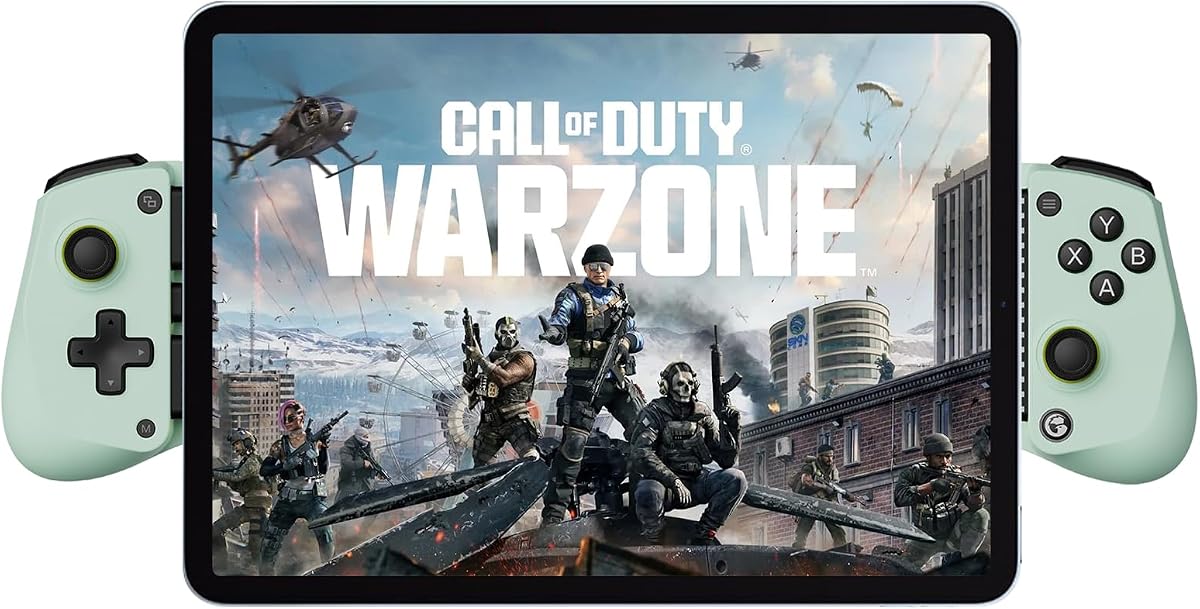
GameSir X5 Lite Mobile Gaming Controller
4.3Editor score
USB-C Type-C connection
Pass-through charging support
Customizable turbo controls
Mobile Gaming Controller for Android options are compared for compatibility, controls, battery life, portability, features, and overall gaming value.
A mobile gaming controller for Android can turn touchscreens into a more familiar, precise, and comfortable way to play supported games, cloud services, and remote-play titles. The best model depends on phone dimensions, preferred connection method, control features, portability, and how seriously you play.
This guide compares ten controllers using the supplied specifications and customer ratings. It covers wired USB-C and Bluetooth designs, Hall Effect sticks and triggers, turbo functions, vibration, pass-through charging, device fit, software customization, and compatibility with popular controller-enabled games.
Each review explains who the controller suits, what makes it distinctive, and where its limitations may matter. Ratings and product configurations can change over time, and prices vary frequently, so readers should verify current availability, phone compatibility, and the latest listing details before buying.
4.3Editor score

4.3Editor score

4.2Editor score
The comparison below highlights the main differences in device fit, connection style, controls, charging support, and platform coverage. These specifications should be checked against your phone model, case thickness, preferred games, and the games' controller requirements.


The Mocagen MC1 is a feature-rich Bluetooth controller for Android phones and all iPhone models, including the 18 and 17 series. Its 4.4 rating is the highest in this group, and its combination of Hall Effect sticks, turbo controls, vibration, RGB lighting, app-based customization, and a rechargeable battery makes it particularly appealing for players who want more than basic touch controls.
We may earn a commission when you buy through this link, at no additional cost to you.
The MC1 is designed around convenience. Its recessed phone support accommodates cases up to 0.47 inches, or 12 millimeters, thick, while a shallow 0.2-inch camera recess helps reduce the chance of scratching the phone's lens. The 5-million-cycle Hall Effect joystick is designed to resist drift, and the anti-slip laser-engraved grips should feel more secure during long sessions.
Customization is one of the MC1's strongest qualities. The KeyLinker app supports adjustments such as vibration intensity, while the controller offers three turbo levels at 5, 12, or 20 shots per second. A seven-color lighting ring adds visual flair, and the 600mAh battery is advertised to provide up to six hours in brightness mode. The controller still works only with games that support controller input.
This is a strong recommendation for Android players who play mobile shooters, cloud games, emulators, and supported streaming services while staying connected over Bluetooth. It is less appropriate if you require PS Remote Play, want a wired connection, or prefer a controller that can charge the phone through the accessory. Those limitations are offset by broad compatibility, polished ergonomics, and one of the strongest feature sets in the roundup.
The shaped handles, engraved texture, and adjustable phone cradle are designed to reduce fatigue and keep the device steady. Its portable Bluetooth design is particularly convenient for commuting, travel, and gaming away from a desk.
Hall Effect sticks, dual vibration, programmable turbo, and KeyLinker adjustments create several layers of control. Players can tailor the experience to different action games without relying solely on touchscreen gestures.
We may earn a commission when you buy through this link, at no additional cost to you.
The 8Bitdo Ultimate Mobile is an officially licensed Xbox Bluetooth controller designed for Apple and Android devices. With a 4.3 rating, a familiar console-style layout, Hall Effect joysticks, tactile bumpers, a D-pad, and two professional rear paddles, it delivers an unusually complete control scheme for a mobile-focused gamepad.
We may earn a commission when you buy through this link, at no additional cost to you.
Its stretchable design supports phones measuring 100 to 170 millimeters, giving it a useful balance between phone coverage and portability. The Hall Effect sticks and metal joystick rings emphasize precision and durability, while the rear buttons provide additional mapping options in games that support programmable inputs. It also supports Xbox Cloud Gaming and the 8Bitdo Ultimate Software V2 mobile app.
The main tradeoff is its focus on wireless play. The supplied information does not mention a wired mode or pass-through charging, so someone who prefers uninterrupted play while charging may need to accept a separate cable connection. It also remains dependent on games that expose the relevant controls, even though the familiar Xbox arrangement makes supported titles easier to learn.
For most Android gamers, this is the most balanced choice in the list. The licensed design, tactile controls, broad device fit, Hall Effect sticks, and rear buttons feel more complete than the typical entry-level gamepad. Choose it when wireless freedom, familiar ergonomics, and extra control options matter more than integrated pass-through charging.
The licensed Xbox layout mirrors familiar console ergonomics, making the transition from PC or console play less demanding. Tactile bumpers and a distinct D-pad also help when precision matters in action and strategy games.
The two rear paddles provide alternate assignments for supported games. They can be especially useful for actions that would otherwise require awkward combinations, though game developers must support remapping for them to be useful.
We may earn a commission when you buy through this link, at no additional cost to you.
This renewed GameSir X5 Lite is a lightweight wired controller centered on a direct USB-C connection. It supports Android devices, iPhone 15 and 16 series hardware, and tablets that meet the dimensional requirements. The 4.2 rating reflects a capable design, while its 135.4-gram weight makes it one of the more travel-friendly options listed.
We may earn a commission when you buy through this link, at no additional cost to you.
Its strongest practical feature is pass-through charging. Players can keep the phone connected to the controller while supplying power, reducing the anxiety that often accompanies long gaming sessions. A Hall Effect joystick promises precise, durable control, while cushioned membrane triggers and buttons offer quieter feedback than many conventional gamepad designs.
The X5 Lite also includes a turbo function that can be assigned to the main action, shoulder, and trigger buttons. GameSir's app adds deeper customization, with some settings also available through button combinations. A sturdy Type-C connection may appeal to players who value consistency over wireless convenience, although the renewed status means buyers should examine the condition and warranty details carefully.
This model is a good match for Android players who want a light USB-C gamepad and intend to game while charging. The trade-offs are the renewed condition and a narrower emphasis on portability rather than premium features. Confirm that your phone or tablet uses the correct connector and falls within the stated size range before purchasing.
Pass-through charging helps the phone maintain power during extended play. The lightweight chassis reduces the burden of holding the complete phone-and-controller assembly, while textured grips support a steadier grip.
The Hall Effect stick and familiar button layout keep the core experience easy to understand. Assignable turbo functions add an extra layer for action games without requiring a more complex controller.
We may earn a commission when you buy through this link, at no additional cost to you.
The Wasabi edition of the GameSir X5 Lite combines a 4.3 rating with a practical wired Type-C design. It supports Android phones, iPhone 15 and 16 series devices, and the iPad mini, with accommodation for screens from 105 to 213 millimeters long. That unusually broad range makes it versatile for players who move between phone and tablet gaming.
We may earn a commission when you buy through this link, at no additional cost to you.
Hall Effect sticks are the defining control upgrade, providing smooth 360-degree movement while reducing concerns associated with aging carbon-film sticks. The controller also offers cushioned, durable membrane triggers and buttons, a lightweight 135.4-gram frame, laser-engraved textured grips, and pass-through charging for uninterrupted sessions.
Turbo settings can be assigned across the A, B, X, Y, shoulder, and trigger buttons, allowing each title to receive a different automation setting. The GameSir app offers further control, but this customization is specified as available only on Android. That limitation is worth considering for users who alternate between an Android phone and an iPhone, even though standard controller games remain supported on both platforms.
This is the most budget-conscious recommendation here, offering the same core Hall Effect and pass-through charging benefits as the renewed X5 Lite listing without that listing's renewed condition. It is best for Android-first players who want a wired controller, broad physical compatibility, and programmable turbo controls.
The 105-to-213-millimeter range covers many modern Android devices, recent supported iPhones, and compact tablets. The adjustable frame is useful for households sharing one controller among differently sized screens.
Pass-through charging, Hall Effect sticks, textured grips, and customizable turbo give the X5 Lite more everyday utility than a basic wired gamepad. The core feature set is well matched to action and adventure games.
We may earn a commission when you buy through this link, at no additional cost to you.
The Dual-Mode Mobile Controller is built around a key convenience: it supports both a foldable USB-C connection and Bluetooth 5.3 wireless play. Its compatibility list covers Android 6.0 and later, iOS 13.0 and later, and Windows 7.0 and later, while also mentioning support for several tablets, Switch systems, and PCs.
We may earn a commission when you buy through this link, at no additional cost to you.
Hall Effect joysticks are designed to deliver smooth, precise movement without the gradual wear associated with some conventional analog sticks. The controller includes manual turbo assignments and vibration adjustment through the right analog stick, allowing users to tune feedback for different games. Its 32.8-foot stated wireless range gives it more flexibility than a typical short-range phone accessory.
The broad streaming support is another strength. Listed services include Xbox Game Pass, GeForce NOW, Luna, Google Stadia, Rainway, Apple Arcade, and Steam Link, alongside mobile games and emulators. However, the experience still depends on the selected service, the game, and network conditions. A physical controller cannot remove the latency inherent to a distant server.
This is a compelling choice for players who want to alternate between cable and wireless use or move between Android, iOS, and desktop platforms. The 4.1 rating is slightly lower than the leading options, but the connection flexibility compensates for buyers who value versatility. Carefully follow the mode-switching and first-use pairing instructions.
The foldable Type-C connector offers a direct route for players who want to avoid wireless pairing. A mode button is used to select the appropriate connection for the attached device.
Bluetooth 5.3 makes the controller useful across modern phones, tablets, and computers. Long-range wireless play is especially convenient on a couch, although game streaming still requires a stable network.
We may earn a commission when you buy through this link, at no additional cost to you.
The Wireless Phone Controller emphasizes endurance and familiar wireless controls. It has a 4.3 rating, a 600mAh rechargeable battery advertised for more than eight hours of play, dual vibration motors, and adjustable turbo at 5, 12, or 20 shots per second. It is designed for iPhone and Android users who want a dedicated gamepad rather than a portable console.
We may earn a commission when you buy through this link, at no additional cost to you.
Its Hall Effect joystick is advertised as providing precision without drift or a dead zone. The extendable frame accepts phones measuring 10 to 17.5 centimeters, and the non-slip rubber and textured grip help stabilize the device without requiring the case to be removed. The controller also supports popular cloud platforms such as Xbox Game Pass, Steam Link, and GeForce NOW.
The product uses the Xbox Controller Input Protocol, allowing paired iOS and Android devices to recognize it as an Xbox wireless controller. This broadens access to games and applications that officially support Xbox-style gamepads. A meaningful limitation is the lack of compatibility with services requiring Sony's PlayStation input protocol, including PS Remote Play.
For Android players who regularly use cloud gaming, emulators, or mobile shooters, this controller offers a strong combination of battery life, tactile feedback, and recognizable inputs. The included reset procedure is useful if pairing becomes unstable, but it is better to follow the connection guide carefully from the outset.
The stated battery capacity and play-time target reduce the need for frequent charging. A full charge is also reported to take only two to three hours, which is convenient between longer gaming sessions.
Using the Xbox Controller Input Protocol helps the device appear as a familiar gamepad to many Android games and services. Support remains limited to software that exposes controller controls.
We may earn a commission when you buy through this link, at no additional cost to you.
The GameSir G8 Galileo is the most console-inspired controller in the roundup. Its 4.2 rating reflects a feature-rich wired design with full-size-style controls, Hall Effect joysticks, Hall Effect analog triggers, a movable Type-C connector, pass-through charging, a 3.5mm audio jack, and magnetic detachable faceplates.
We may earn a commission when you buy through this link, at no additional cost to you.
The movable connector is a thoughtful solution to a common USB-C phone-controller problem. Rather than forcing a fixed cable into an awkward angle, the plug can be repositioned to better match the phone's port. Players can also charge the phone and connect headphones while the game remains in progress, creating a more self-contained mobile setup.
On-the-fly mapping adds another layer of control. The controller includes extra buttons and supports remappable A, B, X, Y, shoulder, trigger, stick, view, menu, capture, and D-pad commands. Its dimensions are listed as 217 by 107 by 54 millimeters, which signals that it prioritizes grip and control quality over pocketability.
The principal compromise is phone fit. The G8 supports devices from 110 to 185 millimeters long without a case, with a depth allowance of 13 millimeters or less, a camera depth of no more than 5 millimeters, and a recommendation to use a case within 1 millimeter. It is best for players who want a console-like controller and can accommodate its size and case restrictions.
Hall Effect sticks and triggers offer a refined alternative to entry-level analog components. The broad trigger travel, familiar button arrangement, and programmable extras suit players who want greater control fidelity.
Pass-through power and the 3.5mm audio jack solve two common wired-accessory problems. Magnetic faceplates also let users change the controller's look without replacing the main unit.
We may earn a commission when you buy through this link, at no additional cost to you.
The Bluetooth Mobile Game Controller stands out for its broad device coverage and expandable design. It supports phones, numerous iPad and Android tablet models, Mac computers, Switch systems, PlayStation 3 and 4, PCs, and cloud gaming. Its 4.0 rating is the lowest in this roundup, but the physical flexibility and extensive listed platform support may compensate for buyers with varied hardware.
We may earn a commission when you buy through this link, at no additional cost to you.
The controller includes Hall Effect joysticks and a linear trigger, both intended to provide quick, stable responses. Ergonomic shaping, 360-degree rotating sticks, and an adjustable cradle aim to improve comfort and control. The rear of the gamepad contains programmable buttons for macros, allowing sequences to be adapted to different games.
Tablet support is the distinguishing feature. The expanding frame accommodates devices up to 11 inches, including several listed iPad Pro and iPad Air models as well as tablets from Samsung, Lenovo, Amazon, and Huawei. It is explicitly not compatible with the 12.9-inch iPad Pro or 13-inch iPad Air, so larger-device owners should verify dimensions rather than relying on broad platform support.
This is a compelling option for Android players who also use tablets or multiple device families. It is less suitable for someone with one of the excluded large iPads or a preference for a simple fixed connection process. Follow the manual's mode-selection guidance because Bluetooth behavior and mapping can differ across operating systems and game platforms.
The adjustable grip is wider than many conventional phone controllers, allowing it to support many tablet sizes. This creates a more console-like experience on larger Android screens.
Rear programming buttons can automate repeatable inputs in suitable games. They provide meaningful flexibility for players willing to learn the mapping system and confirm that a game supports custom actions.
We may earn a commission when you buy through this link, at no additional cost to you.
The GameSir G8 Plus is a substantial wireless controller designed to bridge mobile, Switch, tablet, and PC gaming. Its 4.2 rating and console-sized controls place it in the premium tier, while Hall Effect sticks, Hall Effect triggers, dual vibration motors, and a six-axis gyroscope distinguish it from simpler phone grips.
We may earn a commission when you buy through this link, at no additional cost to you.
Bluetooth handles mobile and Switch connections, while a wired connection is listed for PC. The extendable design supports phones and tablets, and the listed game examples include Minecraft, Genshin Impact, and Call of Duty Mobile. Motion sensing is particularly relevant to Switch games, while the large buttons and sticks favor users who already understand console-style layouts.
Interchangeable magnetic components allow the controller's appearance and functionality to be personalized. Realistic dual-motor feedback is another important benefit, giving supported games a greater sense of impact than touchscreens or basic controllers. Each side is listed with a 500mAh battery capacity, reflecting the controller's split-grip construction.
The main consideration is size and complexity. A console-inspired controller is less pocketable than the smaller GameSir X5 Lite models, and the two-battery arrangement introduces more components to maintain. It is a strong fit for an Android player who also owns a Switch or PC and wants one premium controller to serve several ecosystems.
Full-size sticks, triggers, and buttons make the G8 Plus approachable for console users. The same physical layout can reduce the learning curve when moving between Android games, Switch titles, and PC software.
The six-axis gyroscope adds motion input for compatible Switch experiences, while dual motors provide adjustable physical feedback. Neither feature replaces the need for a game to support the relevant controller functions.
We may earn a commission when you buy through this link, at no additional cost to you.
The second-generation BACKBONE One USB-C combines a physical controller with an integrated mobile software experience. It has a 4.1 rating and supports Android phones, recent iPhone models, cloud gaming, and remote play. Its key differentiator is the optional Backbone+ platform, which provides a unified launcher, game recording, and a friends list.
We may earn a commission when you buy through this link, at no additional cost to you.
The controller itself is built around accuracy and comfort. Wide analog triggers, high-precision thumbsticks, and a responsive D-pad and button array are designed to provide a console-like experience. A wired USB-C connection reduces dependence on wireless pairing, and included adapters help accommodate cases on compatible USB-C devices.
Its in-app emulator is another notable feature. iOS users on version 18.4 or later can import their own ROMs and play offline through the BACKBONE app, while the Android emulator is described as being in development. Access to the full Backbone+ feature set requires a subscription, although the included trial and optional nature of the membership mean the controller can still be used for games without one.
This is an attractive recommendation for Android users who value a coherent software ecosystem, console-style controls, and straightforward USB-C gaming. The principal concerns are the premium positioning and subscription dependence for the most integrated features. It suits players who want more than a basic gamepad and are comfortable using the companion app.
Backbone+ brings supported mobile and cloud games into a centralized interface, making it easier to begin a session. Recording and social features add value for players who create or share gameplay.
The broad triggers and high-precision sticks are intended to improve control in competitive and action-oriented titles. The wired connection and included case adapters simplify setup for compatible USB-C devices.
We may earn a commission when you buy through this link, at no additional cost to you.
The most useful controller is one that fits your device, matches your games, and suits the way you play. Connection type, analog hardware, battery design, phone clearance, and customization options should be considered together rather than in isolation.
Begin by confirming that the controller communicates with your Android phone using a recognized gamepad protocol and that the games you play accept external controller input. The products here support widely used controller games, emulators, cloud platforms, and streaming services, but no physical controller can enable touch-only controls that a developer has not exposed. Remote-play services can also impose their own protocol requirements, as illustrated by products that support Xbox-style input but not PS Remote Play.
Wired USB-C controllers provide a direct, dependable link and often support pass-through charging, which is valuable during extended sessions. They are especially convenient for Android phones with a USB-C port. Wireless Bluetooth controllers remove the cable and can support broader combinations of phones, tablets, and computers, but they require charging, pairing, and may be affected by interference. Dual-mode products offer both styles, although the switching process can be less direct than a dedicated wired or wireless design.
Hall Effect sticks and triggers use magnetic sensing to provide a stable analog signal and resist the gradual degradation associated with some carbon-film components. This can be especially valuable in games that depend on fine directional input, repeated aiming, or adjustable triggers. A controller with one Hall Effect stick does not necessarily have the same performance characteristics as one with both sticks and triggers using the technology, so inspect the full specification rather than focusing on a single feature.
A secure phone cradle is essential because even a small movement changes the viewing angle and can interrupt a session. Compare the controller's stated length and depth limits with your handset, including its case. Some stretchable designs accept devices from around 100 to 170 millimeters, while others extend toward larger tablets. Premium rigid controllers may support only a narrow case thickness or require careful camera alignment, so accurate measurements are more reliable than a general compatibility label.
Battery capacity and runtime are especially important for a wireless Android controller, while pass-through charging is the key feature for a wired design. A controller that keeps the phone powered can be valuable during long online matches, cloud sessions, or travel. For wireless models, consider both advertised play time and recharge time. A long battery specification is less helpful if the controller needs frequent charging or cannot be paired reliably after a long idle period.
Turbo functions automate rapid button presses, while vibration adds physical feedback when a game supports it. Remapping allows buttons to perform alternate commands, and rear paddles or programmable rear buttons can reduce reliance on awkward combinations. These features are most useful in action, shooter, and competitive games. They are not universal, however, because a title must permit the relevant inputs. Verify the controller's app compatibility, particularly when switching between Android and iOS devices.
Compact controllers favor travel, while console-inspired designs provide larger buttons, triggers, and grips. The 135.4-gram GameSir X5 Lite models and the stretchable 8Bitdo Ultimate are easier to carry than full-size premium units. Larger designs may feel more familiar and stable but take up more space and can be harder to use one-handed. Think about where you will play, whether you use a desk, and how long each session usually lasts.
Some controllers rely on companion apps for remapping, firmware updates, lighting, vibration, or button configuration. The BACKBONE One adds a broader launcher, recording tools, social features, and emulator integration through Backbone+, while the Mocagen and GameSir products provide different levels of app-based adjustment. Account requirements, operating-system restrictions, and optional subscriptions should be considered part of the product rather than an afterthought.
Before the first session, fully charge a wireless controller and confirm that its firmware and companion app are up to date. Read the device's mode instructions, enable Bluetooth on the Android phone, and select the recommended pairing method. For a wired controller, inspect the USB-C plug, align it carefully, and avoid forcing it into the port. Check the gamepad setting inside the game and make sure the correct control layout is displayed.
Secure the phone within the controller's expandable or sliding cradle. If a case remains installed, verify that its thickness, length, and camera position fall within the stated limits. Situate the screen at a comfortable angle, connect headphones if the controller offers an audio connection, and configure turbo, vibration, rear buttons, and button assignments before entering a competitive match. Use the included app to save profiles for different games rather than changing every setting during play.
After gaming, disconnect a wired controller carefully and switch off or unplug a wireless one to conserve its battery. Keep the phone cradle clean and avoid leaving debris around the connector or controls. Do not expose the controller to moisture, excessive heat, or impact, and do not use a damaged cable. If a Bluetooth connection becomes unstable, follow the manufacturer's reset or pairing instructions. For recurring drift, charging faults, or physical damage, stop using the accessory and contact the manufacturer or an authorized service provider.
No. A controller can only control games that expose standard gamepad inputs, and some developers disable external controllers entirely. The products in this guide support many popular controller-enabled mobile games, cloud platforms, and emulators, but compatibility should be confirmed for each title before purchase.
USB-C models often provide a stable connection and may support pass-through charging, making them convenient for long wired sessions. Bluetooth models are easier to carry and can support several device types, but they require pairing and battery management. Your usage pattern and phone connector should guide the decision.
Hall Effect sticks use magnetic sensing to produce an analog input while resisting the gradual wear and drift associated with some carbon-film designs. They can improve consistency over time, particularly in games that require fine directional control. They do not guarantee game support, and the rest of the controller's buttons and software still matter.
Several models support remote play, cloud gaming, or direct PC connection, but compatibility depends on the controller's protocol and the relevant service. Xbox-style controllers can work with many cloud and remote-play services, while PS Remote Play generally requires Sony's PlayStation input protocol, which some of these products do not support.
That depends on the controller's stated length, depth, and camera-clearance limits. Some stretchable models accommodate fairly thick cases, while rigid premium designs may require a case within 1 millimeter or no case at all. Measure the phone with its case installed and compare those measurements with the product specifications.
It can be very useful because it keeps the phone powered while the controller occupies its USB-C port. This is especially helpful for mobile shooters, cloud games, and other sessions that may outlast the phone's battery. It is available on several wired models in this guide but is not universal across wireless options.
No. Turbo and custom mappings work only when the game supports the corresponding button assignments. They can be valuable in shooters and other action games by automating repetitive presses, but the app, controller firmware, and game must all be compatible with the selected functions.
A renewed listing may provide a useful way to obtain a capable controller, but buyers should check the condition, included accessories, return terms, and warranty coverage. The renewed GameSir X5 Lite in this guide has the same core feature set as its newer counterpart, but physical wear and battery condition can vary.
The 8Bitdo Ultimate Mobile is the strongest all-around recommendation because it combines a licensed Xbox layout, Hall Effect sticks, rear paddles, broad phone fit, and wireless Android compatibility. The GameSir X5 Lite Wasabi is the best budget-focused option for players who prefer a direct USB-C connection, pass-through charging, and programmable turbo controls, while the GameSir G8 Galileo stands out as the premium wired option with Hall Effect triggers, a movable connector, and an audio jack.
Your priorities should narrow the field quickly. Choose a wireless controller for mobility, a wired model for reliable power and simple operation, and a compact design for travel. Pay close attention to case clearance, app requirements, and protocol support for remote-play services. Features such as vibration, lighting, motion sensing, and rear buttons are valuable only when supported by the games you actually play.
Ratings, product configurations, and availability can change, and prices fluctuate over time. Before making a final purchase, confirm the current listing, connector type, phone dimensions, case restrictions, controller protocol, and software requirements. Those checks will help ensure that the controller you choose works as intended rather than merely looking like a good fit in a product comparison.