
Razer Viper V4 Pro
4.6Editor score
49g esports weight
True 8000Hz polling
50,000 DPI sensor
Optical scroll wheel
Frame Sync technology
Our guide compares the best lightweight mouse under 60 grams for FPS, evaluating weight, sensors, polling, wireless latency, grip, battery life, and controls.
A lightweight mouse under 60 grams can reduce the effort required for rapid corrections, repeated lifts, and long competitive sessions. For FPS players, weight matters, but sensor tracking, polling performance, grip shape, wireless stability, and button response determine whether a fast mouse also feels precise in practical play.
We compared ten qualifying mice using their published specifications, including stated weight, sensor resolution, polling rate, connection options, switch design, battery endurance, programmable controls, and intended grip styles. The guide covers wired, wireless, and hybrid models for fingertip, claw, and symmetrical grip preferences.
Each review identifies the strongest feature and the main trade-off to help shoppers match the mouse to their play style. Ratings and specifications can evolve with firmware or product revisions, and prices change frequently, so readers should confirm current details and availability before purchasing.
4.6Editor score

4.5Editor score
4.4Editor score
The comparison below highlights the most important published differences among these ten sub-60-gram FPS mice, including weight, sensor capability, polling rate, connection flexibility, and battery endurance.



The ASUS ROG Harpe Ace Mini is a 49g wireless esports mouse designed around a compact, semi-symmetrical shape. It carries a 4.4 rating and stands out for a combination of low mass, fingertip and claw grip support, a 42,000 DPI optical sensor, tri-mode connectivity, and stated battery endurance of up to 105 hours.
We may earn a commission when you buy through this link, at no additional cost to you.
Its size is the defining advantage. Rather than simply reducing the dimensions of a large esports shell, the Harpe Ace Mini refines the established Harpe Ace form for smaller hands and a broader range of grip styles. The ROG AimPoint Pro sensor provides high-resolution tracking and track-on-glass capability, while SpeedNova wireless technology supports responsive 2.4 GHz operation. Wired USB, 2.4 GHz wireless, and Bluetooth also make it practical across a gaming rig, laptop, and productivity setup.
The main limitation is its right-handed orientation, which excludes left-handed users from one of the most thoughtfully proportioned options in this guide. The 42,000 DPI maximum is also far beyond what most players need, so the sensor's useful value will depend on selecting a sensitivity that does not invite accidental overshooting. Neither issue undermines its suitability for FPS play, but both deserve attention before ordering.
This is a strong recommendation for right-handed players with small or medium hands who want a genuinely compact mouse without giving up modern sensor performance or flexible connectivity. It suits players who prefer fingertip or claw control and want a lightweight shell that can move quickly across a compact pad without feeling oversized.
The smaller semi-symmetrical profile reduces the distance between the palm and the rear of the mouse, which can help players make compact corrections. Its stated support for fingertip and claw grips makes it especially useful for players whose hands are not comfortable with a full-size ergonomic shell.
Wired USB, low-latency 2.4 GHz, and Bluetooth modes let users move between competitive play and everyday productivity. The ability to connect multiple supported devices through the ROG Omni Receiver also reduces the need to keep separate computers and laptops ready for different tasks.
We may earn a commission when you buy through this link, at no additional cost to you.
The Razer Orochi V2 is a compact wireless mouse with a 4.4 rating, an 18,000 DPI optical sensor, and a stated weight below 60 grams excluding the battery. Its defining feature is exceptional endurance: Razer advertises up to 950 hours on Bluetooth and up to 425 hours with Razer HyperSpeed Wireless.
We may earn a commission when you buy through this link, at no additional cost to you.
The mouse serves two distinct roles. Bluetooth supports everyday productivity, travel, and quick use on compatible devices, while HyperSpeed is intended for more responsive competitive play. Second-generation Razer Mechanical Mouse Switches with gold-plated contact points are rated for up to 60 million clicks, and the sensor is specified to avoid spinouts while tracking quick directional changes.
Unlike many sub-60-gram competitors, the Orochi V2 is not specified as a wired mouse. That makes it less appealing for players who want a guaranteed low-latency cable option or who prefer a single connection method that never needs attention. Its light weight also depends on battery configuration, so buyers should understand the stated exclusion and compare the mouse with their preferred power source.
It is best for mobile-first or travel-conscious players who need one mouse for gaming, work, and travel without frequent charging. Competitive players should use HyperSpeed for matches, while Bluetooth is better reserved for longer productivity sessions where maximum responsiveness matters less than convenience.
The stated 950-hour Bluetooth figure makes the Orochi V2 easy to keep ready for work and gaming. Competitive users can still select HyperSpeed when they want quicker response, while the longer Bluetooth endurance is useful between matches and during travel.
At under 60 grams excluding the battery, the mouse is designed to support quick swipes and controlled stops. Its compact construction is especially helpful when a gaming setup is shared with a travel bag and desk space is limited.
We may earn a commission when you buy through this link, at no additional cost to you.
The ZORNHER X Mloong MX301 PRO combines a 4.7 rating with an around-60g compact shell, a PAW3315 optical sensor, and three connection modes. It emphasizes stable control over an aggressively skeletal design, using a carbon fiber-inspired texture intended to improve grip and reduce the feeling of inexpensive plastic.
We may earn a commission when you buy through this link, at no additional cost to you.
Its feature set is more restrained than that of the most specification-heavy models. The PAW3315 sensor is described as precise and reliable for FPS gaming and daily work, while TTC switches provide crisp tactile clicks. A web-based driver handles customization without a large local software suite, and the package includes a carrying case, anti-slip grip tape, a USB Type-C cable, a 2.4 GHz receiver, and documentation.
The absence of a stated DPI maximum, polling rate, or quantified sensor speed means buyers cannot directly compare this mouse with high-end models on raw specifications. The listed rating is encouraging, but the feature description is centered more on balanced handling, grip, and included accessories than measurable competitive performance.
This mouse is a good match for FPS players who want a small, stable 60g design and useful accessories without paying for premium esports features. It is particularly appealing for users who value a straightforward web driver, a secure textured surface, and the ability to switch among wired, Bluetooth, and 2.4 GHz modes.
At around 60 grams, the MX301 PRO is designed to avoid the floating sensation that some players experience with extremely skeletal mice. That balance is useful when precise stops and controlled tracking matter as much as rapid swipes.
The included carrying case, grip tape, cable, and receiver make the package convenient for travel and alternate setups. Users can apply the grip tape to improve security or adjust the surface feel without buying separate accessories.
We may earn a commission when you buy through this link, at no additional cost to you.
The INPHIC IN10P is a feature-heavy 60g wireless mouse with a 4.1 rating, a 26,000 DPI PAW3395 sensor, and an advertised 8000Hz polling rate in 2.4 GHz mode. Its wired, Bluetooth 5.0, and 2.4 GHz connectivity gives it broad compatibility with PCs, laptops, and tablets.
We may earn a commission when you buy through this link, at no additional cost to you.
Performance specifications extend beyond the sensor resolution. The custom Kunpeng KP950B chip supports programmable settings, the switches are tested for 100 million clicks, and tracking is stated at up to 650 IPS in 2.4 GHz mode. Six DPI levels cover 800 through 26,000 DPI, while a 4000mAh battery is rated for up to 120 hours of continuous use. RGB indicators can communicate power status and DPI changes.
Its solid, unperforated shell is a deliberate choice for players who want low weight without exposed internal cavities. That design may also reduce dust buildup and simplify cleaning. Conversely, the 4000mAh battery is substantial, and buyers may need to account for its influence on overall balance even though the listed mouse weight remains 60g.
The IN10P is a compelling option for technical FPS players who want a high polling rate, strong sensor, programmable controls, and tri-mode operation in one package. Its 4.1 rating is the lowest among the listed products, so prospective buyers should weigh user feedback carefully, but the published hardware makes it a strong specifications-focused choice.
The 8000Hz polling rate in 2.4 GHz mode is the headline performance feature for competitive players. Paired with the PAW3395 sensor and six selectable DPI levels, it provides substantial control over the relationship between hand movement and on-screen response.
The unperforated shell avoids the dust and maintenance concerns associated with hollow designs. Compatibility with Windows, macOS, and Linux, together with Bluetooth and USB modes, also makes the mouse practical beyond a single gaming computer.
We may earn a commission when you buy through this link, at no additional cost to you.
The Logitech G PRO X Superlight 2 is a 60g wireless esports mouse with a 4.5 rating, 8 kHz polling, a HERO 2 sensor reaching up to 44,000 DPI, and a stated 95-hour battery life. It was developed with esports professionals, giving it the strongest all-around competitive positioning in this guide.
We may earn a commission when you buy through this link, at no additional cost to you.
The HERO 2 sensor is specified to track above 888 IPS with zero smoothing, acceleration, or filtering. LIGHTFORCE hybrid switches provide a tactile click, and the Zero-Additive PTFE feet are intended to create a smooth glide. USB-C charging, 8 kHz wireless communication, and POWERPLAY compatibility make this more than a conventional lightweight shell with basic wireless hardware.
The premium position is the central trade-off. Buyers who prioritize a strict budget may find lighter alternatives with longer advertised battery life or similarly capable sensors for less. Battery performance is also tied to operating conditions and polling demands, so the 95-hour figure should not be treated as a guaranteed result in every high-performance mode.
This is the most complete recommendation for a player who wants a proven lightweight form factor, high-resolution tracking, fast wireless polling, and refined switches in one package. It is particularly attractive to competitive FPS players willing to invest in a premium tool and to users who may later adopt the POWERPLAY ecosystem.
The HERO 2 sensor's stated lack of smoothing, acceleration, and filtering is valuable for players who want movement to correspond directly to their input. Its resolution ceiling also leaves ample room for sensitivity adjustments across different games and play styles.
Collaboration with leading esports professionals gives the design practical credibility beyond its specification sheet. Tactile switches, smooth feet, a 60g weight, and high-speed wireless operation form a balanced package for repeated aiming corrections and rapid movement.
We may earn a commission when you buy through this link, at no additional cost to you.
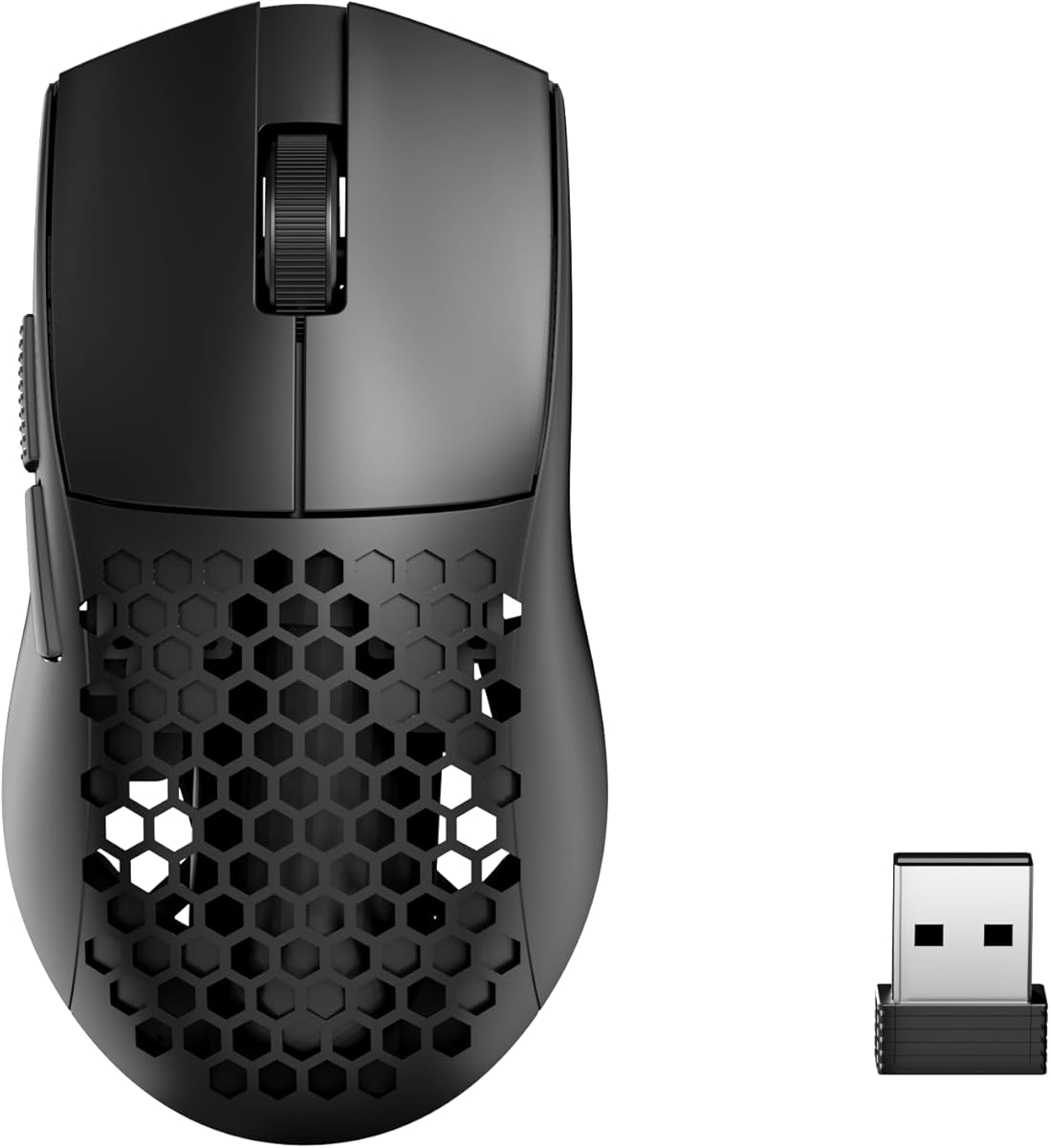
The Redragon M725 is a 49g tri-mode gaming mouse with a 4.4 rating, 8000 DPI maximum, five programmable buttons, and a symmetrical honeycomb body. It offers a remarkably broad feature set for a budget-oriented option while remaining comfortably within the sub-60-gram target.
We may earn a commission when you buy through this link, at no additional cost to you.
Connection options include Type-C wired, 2.4 GHz wireless, and Bluetooth 5.1, with a stated range of up to 10 meters. Five default DPI stages run from 400 to 4000 DPI, and the dedicated software supports button remapping, hotkeys, media controls, DPI settings, and multi-key macros. The hollow shell reduces weight and promotes airflow during extended sessions.
Its 8000 DPI ceiling and unspecified polling performance place it below premium competitors in raw specifications. The honeycomb structure can also collect dust or debris, requiring more careful cleaning than a solid shell. Neither drawback makes it unsuitable for FPS, but they are important distinctions for buyers who equate higher specifications with better competitive performance.
The M725 is best for budget-conscious players who want an ultralight, symmetrical mouse with more flexibility than a basic wired model. It is a practical choice for mixed gaming and productivity, adjustable DPI, side-button macros, and users who value both mouse shapes with one device.
Five programmable buttons and dedicated software support give the M725 more flexibility than many similarly lightweight entry-level mice. Players can place frequently used abilities or communication commands where they are easier to reach.
Bluetooth and 2.4 GHz wireless make the mouse convenient for a laptop, desktop, and other compatible systems. The Type-C wired option provides a dependable alternative for gaming when a stable connection is preferred.
We may earn a commission when you buy through this link, at no additional cost to you.
The Redragon M916 is a 49g wireless mouse with a 4.5 rating, a 26,000 DPI maximum, and a 4000Hz report rate. Its stated default DPI levels are 1000, 2000, 4000, 8000, and 26,000, while the software provides additional control across a 100 to 26,000 DPI range.
We may earn a commission when you buy through this link, at no additional cost to you.
The Nordic flagship chip and Redragon's 4K transmission technology are presented as the foundation for accurate, low-consumption tracking. Bluetooth and 2.4 GHz connectivity provide wireless flexibility, while five programmable buttons support custom tactical keybinds. Dedicated software covers hotkeys, media controls, and DPI settings, making the mouse adaptable to games and productivity applications.
There is no wired mode listed in the product information, which reduces flexibility for players who prioritize a direct connection. The advertised five DPI presets stop at 8000 DPI even though software can configure higher values, so users interested in the sensor's maximum resolution may need to create or assign additional profiles themselves.
The M916 is well suited to FPS players who want a 49g body, high-resolution tracking, and a 4000Hz report rate without moving to a premium esports platform. It is a particularly interesting option for players who already understand DPI configuration and want software control over their presets.
The 4000Hz report rate provides a clear upgrade over standard wireless mice for players who value frequent input updates. The 26,000 DPI ceiling adds a wide sensitivity range, even though the five onboard presets do not show every possible software-configured value.
Five programmable buttons allow common abilities and work commands to be moved into convenient locations. The included configuration software supports hotkey, media, and DPI customization, allowing the M916 to serve both play and everyday tasks.
We may earn a commission when you buy through this link, at no additional cost to you.
The ATK VXE Dragonfly R1 SE+ weighs 55g and measures 120.6 by 64.1 by 37.6 millimeters. Its symmetrical body is specifically described as suitable for medium and small hands, giving it one of the clearest size-positioning advantages among the mice in this guide.
We may earn a commission when you buy through this link, at no additional cost to you.
The PAW3395 SE sensor supports an adjustable range from 10 to 18,000 DPI with 1K fine stepping. Wired, 2.4 GHz wireless, and Bluetooth modes are supported, as is a 70-hour runtime from the built-in 5200mAh rechargeable battery. Huano Blue Glow V2 microswitches and an FSWITCH E10 optical scroll wheel provide crisp feedback, while the main and side buttons can be programmed through dedicated software.
Its wired and wireless polling rate is listed as 1000Hz, which may be modest for players seeking the very highest update rates. The sensor and fine DPI control remain useful for ordinary competitive play, but buyers prioritizing a 4000Hz or 8000Hz specification will find alternatives in this list.
This mouse is a strong choice for small- and medium-handed players who want a light symmetrical body, rechargeable battery, and detailed sensitivity control without moving to a premium model. It is especially suitable for users who value a compact footprint and multi-device convenience over headline polling rates.
The 120.6-millimeter length and 64.1-millimeter width create a compact footprint that should appeal to players who find full-size esports shells difficult to control. The symmetrical shape also allows the same general grip approach on either side.
The sensor's 1K DPI stepping provides a much larger set of practical adjustments than a standard preset-only mouse. This granularity helps players create repeatable sensitivity settings for different games or matches.
We may earn a commission when you buy through this link, at no additional cost to you.
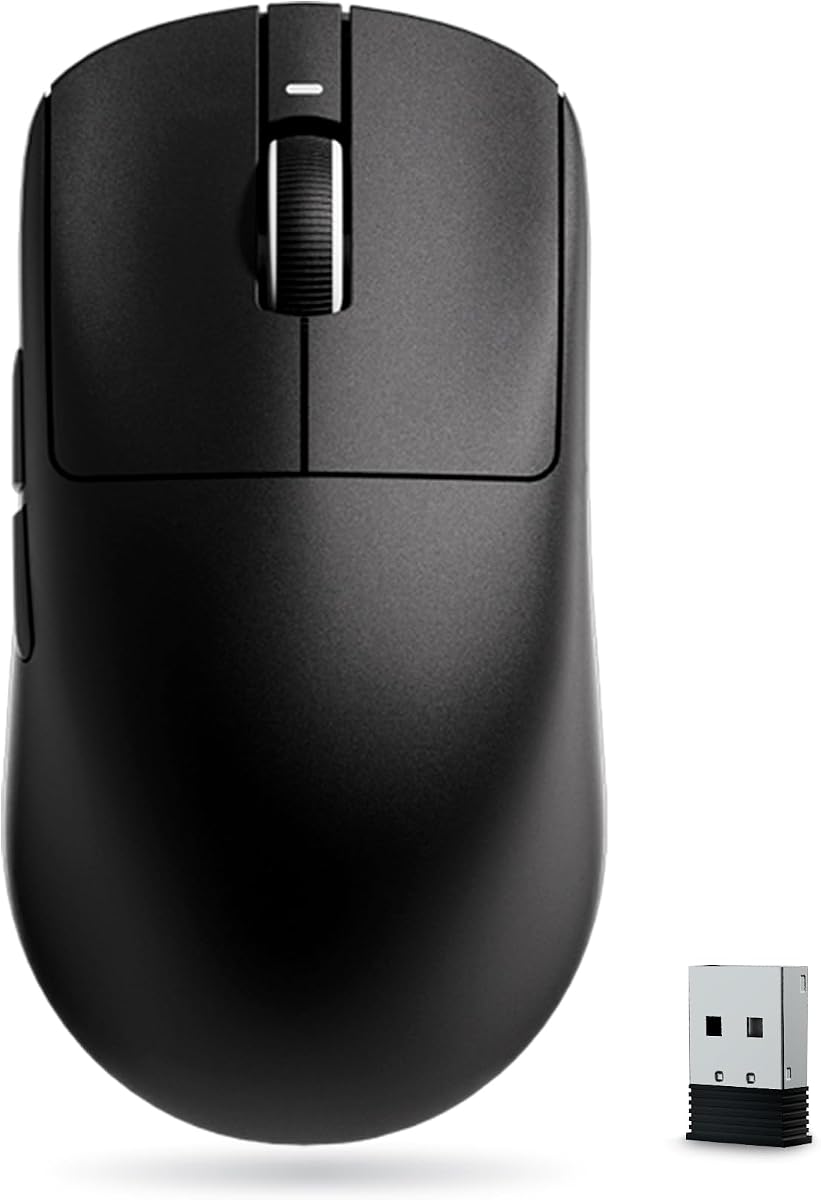
The Razer Viper V4 Pro is a 49g wireless esports mouse with a 4.6 rating. It combines the third-generation Focus Pro 50K sensor, true 8000Hz polling, Frame Sync, Gen-4 optical switches, and a competitive 180-hour battery figure at 1000Hz to create one of the most performance-focused options here.
We may earn a commission when you buy through this link, at no additional cost to you.
The sensor tracks up to 930 IPS and 90 G acceleration, while Frame Sync aligns sensor data with the computer to reduce timing inconsistency. The optical scroll wheel is designed to provide consistent tracking and tactile feedback without relying on a conventional mechanical wheel. Razer Synapse 4 supports sensitivity adjustments, mouse rotation, and precise one-DPI-step changes on PC and Mac.
The premium market position is the clearest drawback. Players focused on basic weight reduction may find other 49g or 55g mice with fewer advanced features. The stated 180-hour runtime also applies at 1000Hz; at 8000Hz, the listed endurance falls to 45 hours, so competitive users will need to choose between maximum polling and maximum battery life.
The Viper V4 Pro is the recommendation for serious FPS players who want maximum sensor resolution, high-rate wireless communication, precise timing tools, and premium switches in a 49g shell. It is especially suitable for players who can maintain their setup and regularly recharge the mouse between intensive gaming periods.
True 8000Hz polling and Frame Sync work together to keep communication between mouse and computer as consistent as possible. The system is aimed at players who want the latest sensor data and rapid input processing during demanding matches.
The 50,000 DPI sensor provides ample range, but the ability to adjust sensitivity in one-DPI steps matters more in practice than reaching the maximum. Synapse 4 also allows mouse rotation and other preferences that can help players refine an existing sensitivity.
We may earn a commission when you buy through this link, at no additional cost to you.
The GLORIOUS Model O Eternal is a 55g wired mouse with a 4.4 rating, a 12,000 DPI optical sensor, dual-zone RGB lighting, and six programmable buttons. Its symmetrical honeycomb shell and 35-percent weight reduction are designed to support fast swipes, precise stops, and unrestricted grip positioning.
We may earn a commission when you buy through this link, at no additional cost to you.
Two lighting zones illuminate the flared side panels, and the lighting can be controlled with quick button shortcuts or Glorious CORE software. The six remappable buttons support in-game abilities and everyday shortcuts. Mechanical switches are rated for 80 million operations and are promoted as resistant to double-clicking, while the wired connection removes wireless charging and connectivity concerns.
The fixed cable will be less convenient for users who routinely move between a desktop and laptop, and the product information does not state a polling rate. The 12,000 DPI maximum is ample for many FPS players, but it is lower than several premium alternatives and may be less relevant to users who prioritize high-resolution specifications.
The Model O Eternal is best for players who want a lightweight, symmetrical wired mouse with expressive lighting and generous remapping options. It is a particularly good fit for setups that value a stable cable, a recognizable gaming aesthetic, and simple control without the complexity of wireless charging or receiver management.
The symmetrical body gives players more freedom to adopt palm, fingertip, or claw positioning. Its lightweight construction can reduce movement effort, while the flared sides and textured finish help keep the mouse secure during fast repositioning.
Dual-zone RGB lighting makes the mouse visually distinctive and can be adjusted through quick controls or Glorious CORE. Six remappable buttons offer enough room for several game commands while retaining utility for media and productivity shortcuts.
We may earn a commission when you buy through this link, at no additional cost to you.
The right lightweight FPS mouse is not determined by weight alone. Grip fit, sensor quality, polling performance, controls, connection method, and battery design must work together to support the way you aim and play.
A mouse described as lightweight may weigh anywhere from 49g to 60g, and that difference can be noticeable during repeated lifts. Pay close attention to whether the stated weight includes batteries, receiver, cables, or other accessories. Some manufacturers specify a base weight, while others describe the configuration used for their endurance claims. Where the weight depends on battery selection, compare the mouse with the battery type you intend to use.
The lightest option is not automatically the most comfortable or effective. A balanced shell can feel more controlled than an extremely skeletal design, and some players prefer additional stability during micro-adjustments. The best choice is the lowest weight that still feels secure, composed, and comfortable over a long session.
Fingertip players generally benefit from a compact shape and low profile, while claw grip users need a shape that supports the rear of the palm without forcing a raised wrist. Palm grip usually requires more length and support than the ultralight category often provides. Symmetrical designs allow more varied hand positions, while compact right-handed shapes may be better suited to smaller hands.
Account for your hand size and preferred anchor points before choosing. A mouse that is too large can encourage wrist movement and abrupt lifts, while one that is too small may force the fingers to remain cramped. Use the stated dimensions when available and consider whether the listed grip style matches your normal positioning.
Sensor resolution, tracking speed, lift behavior, and surface compatibility affect aiming more directly than headline DPI alone. A 12,000 to 26,000 DPI sensor provides ample range for virtually every competitive sensitivity, while the PAW3395, HERO 2, and Focus Pro sensors in this guide represent different tiers of tracking capability. Look for consistent tracking and accurate movement without unwanted acceleration or spinouts.
Do not assume the highest DPI number produces the best experience. Most FPS players gain more from a stable sensitivity, predictable stops, and a sensor that tracks cleanly on the chosen mat. Choose a resolution that gives you useful adjustment options rather than one that encourages unnecessary extreme values.
Polling rate indicates how often the mouse reports movement to the computer. Higher rates can improve responsiveness, although the practical benefit depends on the entire system and play style. This guide includes mice ranging from a standard 1000Hz to true 8000Hz wireless polling, giving buyers a clear view of where extra performance specifications matter.
For a high-polling wireless mouse, verify whether the advertised rate applies only to 2.4 GHz mode, wired mode, or both. Some products also reduce battery life when polling is increased. If maximum endurance matters more than the lowest possible input interval, a 1000Hz or 4000Hz model may be more practical.
Wired mice provide a direct, dependable path to the computer and avoid battery management, while 2.4 GHz wireless offers greater freedom with low-latency performance. Bluetooth is convenient for productivity and travel but is not usually the first choice for a competitive match. Tri-mode mice give the most flexibility, but their software and charging requirements may be more involved.
Think about where the mouse will be used. A single desktop may make wired or 2.4 GHz sufficient, while frequent laptop use favors Bluetooth or a multi-device receiver. Consider receiver storage, charging cables, compatible ports, and whether your operating system is supported before choosing a hybrid model.
FPS players may use side buttons for abilities, quick communication, or weapon switching, so the number of remappable controls and the quality of the configuration software matter. Switches can be mechanical or optical, and their actuation feel ranges from light and fast to tactile and deliberate. Published click-life figures offer a general durability comparison, though they are not guarantees for every unit.
Mechanical clicks provide familiar feedback, while optical switches can deliver consistent, rapid actuation. A tactile click may help players confirm every shot, although some users prefer a lighter sound and feel. Look for software that supports useful profiles, sensitivity settings, and straightforward button assignment on your chosen operating system.
Battery design influences both convenience and handling. A compact internal battery can preserve a clean shell, while removable batteries make weight easier to tune. Large capacities may extend play between charges, but they can also alter the center of gravity. A mouse advertised at exactly 60g should be checked for whether the weight and battery are included in the measurement.
Compare stated endurance under realistic conditions. A long Bluetooth runtime matters during work, while competitive wireless players should examine the endurance at their preferred polling rate. Convenience and consistent handling are more valuable than a headline runtime that is reduced sharply when the highest-performance mode is enabled.
The best sensor cannot compensate for an awkward configuration workflow. Some mice use browser-based controls, while others require a dedicated application. Check whether the software supports your operating system, saves profiles locally, and provides the DPI, button, or polling adjustments you need. Wireless receivers should also be checked for compatibility with the intended device.
A simple interface can be a major advantage when changing settings between games. Look for clear preset lists, direct sensitivity options, and readable polling-rate controls. Confirm that the package includes the required receiver or cable and that the stated system requirements cover your setup.
Begin by installing the mouse in its most appropriate connection mode and updating any required driver or companion software. Connect the 2.4 GHz receiver for low-latency gaming, use Bluetooth for productivity, or choose the wired mode if that is your preferred match setup. Create separate profiles for different games and assign each side button only to commands you can use without changing your grip.
Set your sensitivity with a consistent test rather than switching immediately between extreme DPI values. Use a familiar aim trainer or an unranked environment, keep the same sensitivity for a set number of matches, and make small adjustments only after identifying inconsistent tracking. Ensure the mouse is on an appropriate surface, and clean both the sensor and feet if tracking behavior changes.
For wireless models, recharge before long sessions and carry a compatible cable when the mouse lacks a removable battery. Keep the receiver connected to the gaming computer rather than an unpowered hub when practical. For hollow-shell models, use compressed air or a soft brush to remove debris, and wipe the sensor gently with a lint-free cloth without introducing moisture into the shell or switches.
A 49g mouse can feel noticeably lighter during rapid lifts and long sessions, but it is not automatically more accurate. The better choice is the lightest model whose shape, sensor, feet, and controls feel secure and controllable. Some players also value the steadier behavior of a well-balanced 60g design.
Yes, many competitive mice weigh approximately 55 to 60g, and 55g remains very light by general mouse standards. Performance depends on how the weight is distributed and whether the shape suits the player's hand. Sensor quality, grip, and control comfort usually have a greater effect on consistency than a five-gram difference.
Modern 2.4 GHz gaming mice are designed to provide low-latency wireless performance, with several options in this guide supporting 4000Hz or 8000Hz polling. Bluetooth generally has more delay and is better suited to productivity. Wired mode remains an option for players who prefer a guaranteed direct connection.
A honeycomb shell can reduce weight and improve airflow, but its openings may collect dust and debris. A solid shell is generally easier to clean and can feel more uniform in construction. The best choice depends on whether you value minimal weight and airflow or a simpler maintenance routine.
Most competitive FPS players do not need the highest available DPI because they use a low in-game sensitivity. A sensor offering at least 12,000 DPI, accurate tracking, and fine adjustment options is generally sufficient. The practical priorities are stable movement, predictable stops, and a sensitivity you can use consistently.
An 8000Hz polling rate can reduce the interval between position reports, but the real benefit depends on the computer, connection mode, and game. It may also reduce battery life substantially. Players should consider whether their sensitivity and system can benefit from the extra reports before prioritizing a maximum polling specification.
Fingertip grip generally works well with compact mice because it relies on small finger movements rather than palm support. Claw grip can also work well when the rear of the mouse remains available to the hand. Palm grip usually needs a longer shape, so players should consider whether the mouse's dimensions match their natural hand position.
A quick weekly inspection is usually enough for normal use, with more frequent cleaning if the mouse feels slower or begins to skip. Pay particular attention to the sensor, feet, switches, cable, and any honeycomb openings. Use a soft brush or compressed air and avoid spraying cleaner directly onto the mouse.
The Logitech G PRO X Superlight 2 offers the strongest overall balance of 60g weight, high-resolution tracking, 8K polling, refined switches, and a mature competitive design. The Razer Viper V4 Pro takes the premium lead for players who value 50,000 DPI, Frame Sync, and true 8000Hz wireless performance, while the Redragon M725 is the practical budget selection.
Your priorities should determine the rest of the shortlist. Choose the ASUS ROG Harpe Ace Mini for a compact 49g form, the Razer Orochi V2 for exceptional battery endurance, or the INPHIC IN10P for extensive high-speed wireless specifications. The ATK VXE Dragonfly R1 SE+ is a balanced small-hand option, and the GLORIOUS Model O Eternal suits players who prefer a wired mouse with lighting.
Before ordering, verify the current specifications, operating-system support, grip fit, connection method, and current price. Product details and promotions can change over time, so checking the live listing ensures that the chosen lightweight mouse still matches your sensitivity, device setup, and FPS requirements.