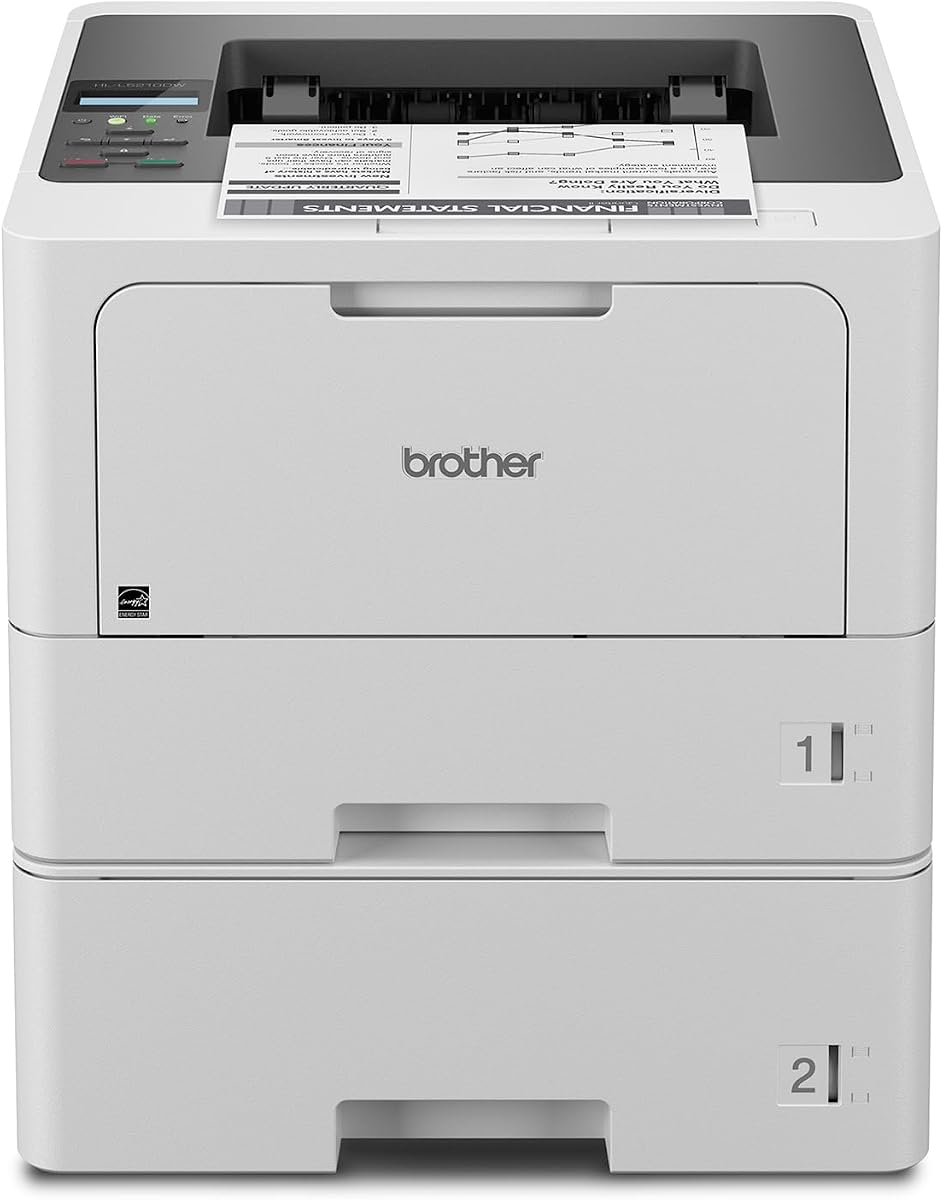
Brother HL-L5210DWT
4.3Editor score
48 pages per minute
Large expandable paper capacity
Duplex and mobile printing
Discover the best laser printer for large workgroups, with expert comparisons of speed, capacity, security, connectivity, and all-in-one features.
A laser printer for large workgroups must handle sustained workloads without slowing down employees, draining paper trays, or creating complicated management demands. The most useful models combine fast output, expandable paper handling, reliable toner, secure networking, and workflows that suit the needs of busy departments.
This guide compares ten business laser printers across print speed, paper capacity, duplexing, scanning, copying, connectivity, security, and toner yield. It includes dedicated printers for high-volume monochrome offices, color all-in-ones for mixed document environments, and enterprise models designed for advanced document handling.
Each recommendation highlights the product most likely to fit a particular workgroup, while also identifying important limitations. Ratings and product details reflect the supplied information, and specifications can vary by configuration. Current prices and availability change, so confirm the latest details before purchasing.
4.3Editor score
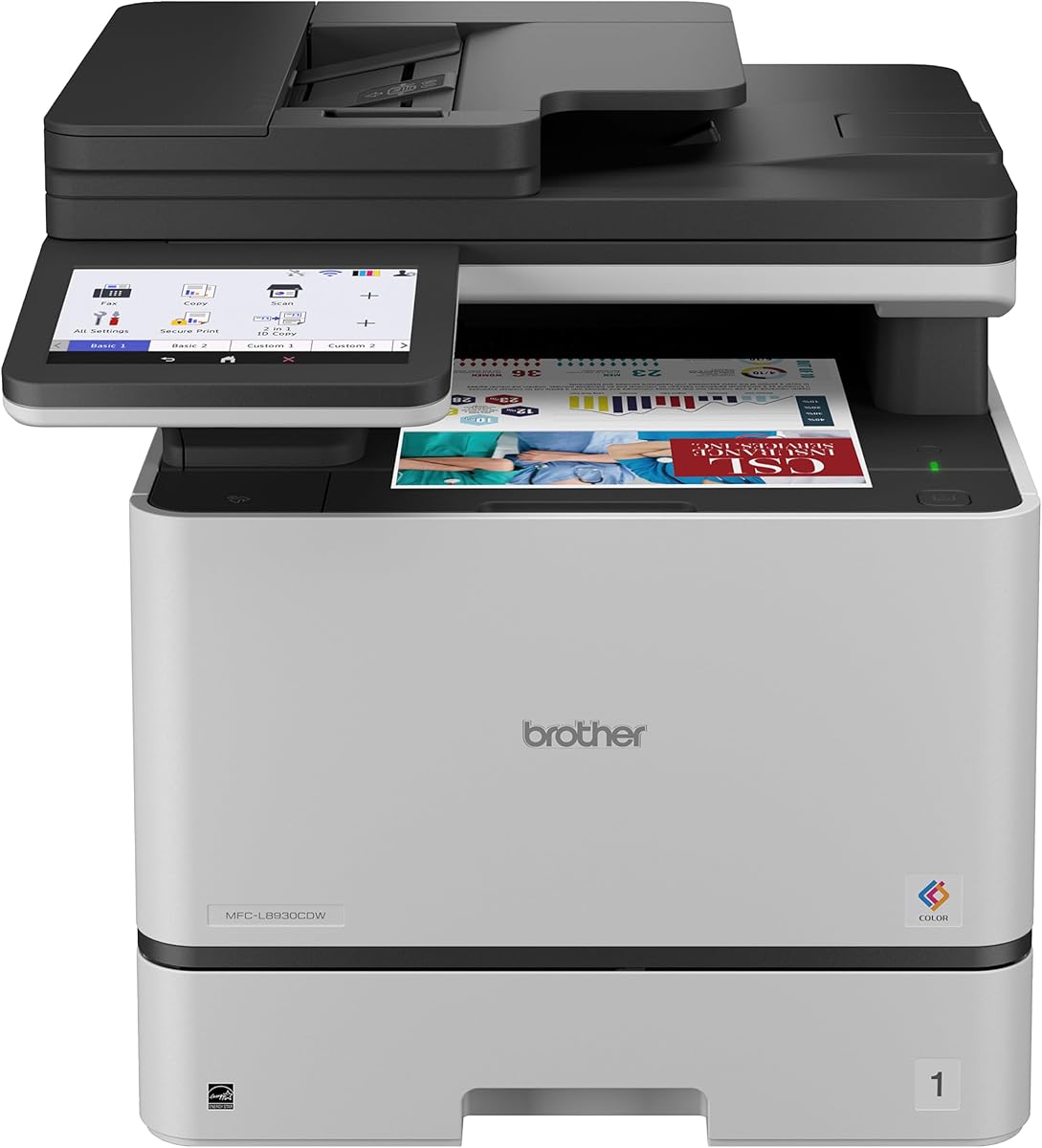
4.4Editor score

The table below compares all ten models by their core workgroup features, including maximum print speed, document functions, paper handling, connectivity, and security capabilities.


The Brother MFC-L8930CDW is a business color laser all-in-one rated 4.4, and it stands out as the most balanced recommendation in this guide. It combines 33-page-per-minute color and monochrome output, duplex printing, high-speed scanning, copying, generous toner options, and secure connectivity in a relatively compact design.
We may earn a commission when you buy through this link, at no additional cost to you.
Its productivity features are particularly relevant to large teams. The 80-page automatic document feeder supports two-sided scanning at speeds up to 104 images per minute, while the legal-size glass handles documents that cannot pass through the feeder. The seven-inch touchscreen supports scan previews and up to 64 customized shortcuts, making frequently used workflows easier to launch.
The device also supports scanning to cloud services, email, SharePoint, and other destinations, along with searchable and editable Microsoft Office document creation. Dual-band wireless and Gigabit Ethernet provide flexible deployment, while Triple Layer Security and an integrated NFC card reader help protect the device and support badge authentication.
This is the right choice for workgroups that produce a meaningful mix of reports, internal documents, and color presentation materials. Its print speed is lower than the fastest monochrome models, but the added scanning and copying functions make it the more complete solution for teams that do not want separate devices for every task.
Printing is only one part of a modern office workflow. The MFC-L8930CDW combines printing, scanning, and copying behind one 7-inch control panel, reducing the need for separate desktop devices and giving administrators a centralized tool for common document tasks.
Shared printers are exposed to more users and more network activity than a home office printer. Triple Layer Security, protected document transmission, network safeguards, and NFC badge authentication make this model a more considered choice for collaborative offices.
We may earn a commission when you buy through this link, at no additional cost to you.
The Brother HL-L5210DWT is a print-only monochrome laser printer rated 4.3. It is an appealing choice for workgroups that mainly need fast, dependable documents and want to avoid paying for scanning and copying hardware they rarely use. Its 48-page-per-minute speed suits routine office production.
We may earn a commission when you buy through this link, at no additional cost to you.
Paper handling is a major strength. Two standard trays hold 250 and 520 sheets, and a 100-sheet multipurpose tray handles envelopes and custom media. Total capacity can expand to 1,390 sheets with an optional tray, reducing the frequency of paper refills during long print runs.
The printer supports duplex printing, built-in Gigabit Ethernet, and dual-band wireless networking. Users can also print from a range of mobile devices. For controlling ongoing printing expenses, it includes a 3,000-page Brother Genuine toner cartridge and is compatible with the 11,000-page TN920XXL super high-yield cartridge.
It is best for administrative, legal, finance, operations, or records teams that produce large quantities of text-heavy pages. The lack of an integrated scanner and copier is the main compromise, but for a dedicated high-volume printing station, that limitation may be offset by its speed, capacity, and straightforward connectivity.
The combination of dual main trays and a multipurpose feed tray provides more flexibility than a single-tray business printer. An optional lower tray expands the setup further for offices that print long runs or frequently switch among standard paper and envelopes.
A 48 ppm print rate and duplex support help teams complete large document runs efficiently. The availability of an 11,000-page toner option gives administrators a practical way to manage supplies when the printer is used as a shared departmental resource.
We may earn a commission when you buy through this link, at no additional cost to you.
The HP LaserJet Enterprise M406dn is a 4.4-rated monochrome printer built for organizations that value a simple interface, network management, and enterprise security. It prints up to 42 pages per minute and includes automatic two-sided printing, helping workgroups handle standard document volumes efficiently.
We may earn a commission when you buy through this link, at no additional cost to you.
Its 2.7-inch color display provides direct access to printer functions, while card reader support and compatibility with HP and third-party solutions broaden its usefulness in managed environments. HP FutureSmart firmware is designed to be updated with new features, helping administrators preserve the usefulness of the device over time.
Security is another defining feature. HP Wolf Enterprise Security adds defensive layers intended to detect and self-heal from malware and protect business data. The emphasis is on network-aware deployment rather than consumer convenience, which makes the printer a sensible candidate for centrally managed offices.
This model suits a large workgroup that prints mainly monochrome documents and already has separate scanning or copying equipment. Its main limitation is that the listed configuration provides built-in Ethernet but no wireless networking, so administrators need a reliable wired infrastructure.
FutureSmart firmware, security policies, and support for business solutions make the M406dn appropriate for organizations with established printer management processes. The compact display gives users quick access to common settings without turning the device into a consumer-style touchscreen product.
Automatic duplex printing supports routine multi-page reports, forms, and internal documents. At up to 42 ppm, the printer offers enough speed for shared teams without moving into the most expensive large-format enterprise category.
We may earn a commission when you buy through this link, at no additional cost to you.
The Brother MFC-L6810DW is a 4.1-rated enterprise monochrome all-in-one aimed at mid-sized and large workgroups. It combines print, scan, and copy functions with speeds up to 52 pages per minute, placing it among the fastest models in this comparison.
We may earn a commission when you buy through this link, at no additional cost to you.
Its 80-page automatic document feeder performs single-pass, two-sided scanning at up to 200 images per minute. That is valuable for offices that regularly digitize multi-page records, although the supplied information does not list fax capability. A legal-size document glass provides flexibility for bound materials and individual pages.
The standard configuration includes a 520-sheet paper tray, 100-sheet multipurpose tray, and 250-sheet output capacity. Optional trays can raise total input capacity to 1,660 sheets. An included 8,000-page toner cartridge and compatibility with an 18,000-page ultra high-yield cartridge support sustained use.
Triple Layer Security and an integrated NFC card reader support controlled access, while a seven-inch touchscreen provides direct scanning and cloud destinations. This is a strong choice for a busy monochrome department that needs more than a dedicated printer, especially where scan-heavy workflows and high paper volume are routine.
The 200 ipm single-pass, two-sided scanning specification is one of the most notable figures in the guide. It gives this model an advantage when a shared office regularly converts paper records into searchable, shareable digital files.
The 1,660-sheet maximum input capacity and 18,000-page toner option reduce interruptions in demanding offices. Administrators can configure the printer for sustained document production without loading it every time a substantial job arrives.
We may earn a commission when you buy through this link, at no additional cost to you.
The Brother HL-6210DW is a dedicated monochrome laser printer rated 4.1. Its 50-page-per-minute speed makes it a practical option for workgroups producing substantial quantities of contracts, invoices, forms, and internal reports without needing color or copying functions.
We may earn a commission when you buy through this link, at no additional cost to you.
The main paper tray holds 520 sheets, while a 100-sheet multipurpose tray supports envelopes and custom media. Optional trays expand total capacity to 1,660 sheets. This arrangement gives users a practical mix of high-volume paper storage and a dedicated path for less common media.
Connectivity includes Gigabit Ethernet and dual-band wireless networking, allowing the printer to operate across both wired and wireless office environments. Mobile device printing is also supported, and Triple Layer Security adds protection for the device, network, and documents in transit.
The printer accepts Brother Genuine ultra high-yield replacement cartridges rated for up to 18,000 pages. It is best for teams that need a fast, secure print station but already own separate scanning and copying solutions. The lack of an all-in-one workflow keeps the device focused rather than overloaded.
At 50 ppm, the HL-6210DW is designed to keep routine queues moving. Its dedicated monochrome configuration avoids unnecessary color hardware and gives offices a straightforward machine for departments centered on text-heavy documents.
Dual-band wireless and Gigabit Ethernet support different network layouts, while the expandable tray system accommodates growing print volumes. The multipurpose feed provides a dedicated route for envelopes and specialty media without displacing the main paper stock.
We may earn a commission when you buy through this link, at no additional cost to you.
The Brother MFC-L5915DW is a 4.3-rated monochrome all-in-one that combines 50-page-per-minute printing, scanning, copying, duplex output, and network connectivity. It occupies a useful middle ground for workgroups that want fewer devices but do not require color printing.
We may earn a commission when you buy through this link, at no additional cost to you.
Its 70-page automatic document feeder supports single-pass, two-sided scanning at up to 56 images per minute. The legal-size glass expands the types of documents that can be handled, including larger originals that are unsuitable for the feeder. Automatic two-sided printing is included for the main print function.
The printer supports Gigabit Ethernet and dual-band wireless networking, allowing flexible placement in a mixed network environment. It includes a 3,000-page Brother Genuine cartridge and supports the 18,000-page TN920UXXL ultra high-yield cartridge, helping address the supply demands of regular shared use.
This model is a strong recommendation for mid-sized offices that need print, scan, and copy in a single monochrome device. The 70-page feeder is smaller than the 80-page units elsewhere in the guide, and the absence of a specified touchscreen may make it less appealing to teams that want highly visual controls.
The MFC-L5915DW gives users a legal-size scanning surface, duplex copying, automatic two-sided scanning through the feeder, and standard printing. That combination is especially useful for mixed administrative workflows without the expense of a color-capable system.
Dual-band wireless and Gigabit Ethernet provide administrators with deployment flexibility. The device can serve users on a secure wired network, wireless clients, and supported mobile-device workflows within the same workgroup environment.
We may earn a commission when you buy through this link, at no additional cost to you.
The HP LaserJet Enterprise M507n is a 4.0-rated enterprise monochrome printer intended for organizations that treat network security, centralized control, and long-term fleet management as primary requirements. Its product information emphasizes more than 200 embedded security features intended to protect device information, deter malware, and detect attacks.
We may earn a commission when you buy through this link, at no additional cost to you.
HP Web JetAdmin helps administrators add devices and solutions, update features, and apply corporate policies. HP JetAdvantage Security Manager supports centralized security configuration, making the printer easier to incorporate into a managed IT environment with numerous users and devices.
Optional mobile printing allows employees to print from various smartphones and tablets, generally without requiring a separate setup or application. Original HP 89A and 89X cartridges are positioned as dependable supplies, while optional 89Y extra high-yield cartridges are available for offices seeking longer intervals between replacements.
The M507n is a sensible choice for centralized enterprise infrastructure, particularly where Ethernet is preferred for reliability and administrative control. It does not provide a scanner or copier, and the supplied listing does not state a maximum print speed, so buyers should compare its broader management capabilities against the more speed-focused alternatives.
The product's strongest distinction is its extensive security architecture. Built-in capabilities that detect and stop attacks give network administrators a more security-oriented option than a basic office printer with little centralized management.
HP Web JetAdmin and JetAdvantage Security Manager support device additions, policy deployment, feature updates, and security configuration. These functions are particularly relevant when one printer will serve numerous employees across a managed office network.
We may earn a commission when you buy through this link, at no additional cost to you.
The HP LaserJet Enterprise MFP M634z is the premium enterprise selection in this guide. No numerical customer rating is supplied, but its specification set is clearly aimed at demanding environments: printing, scanning, copying, and faxing at speeds up to 55 pages per minute with a 150-page automatic document feeder.
We may earn a commission when you buy through this link, at no additional cost to you.
The document workflow is exceptionally detailed. The nine-inch color touchscreen helps users navigate tasks, while features that detect potential errors, missed pages, and incorrect scanning orientation support more reliable digitization. Single-pass, two-sided scanning through the 150-page feeder helps accelerate large document jobs.
Paper handling is another major strength. Three additional 550-sheet trays and a wheeled stand bring total input capacity to 2,300 sheets, supporting paper sizes from 4 by 6 inches through legal. The 1,000-sheet three-bin stapler and stacker adds professional finishing with job offset support.
This is the model to consider when a workgroup needs more than reliable printing. It is particularly appropriate for centralized offices handling extensive scanning, copying, faxing, and finished-document workflows. The large configuration may be unnecessary for teams with modest volume, but it provides the strongest physical document-handling platform in the comparison.
The three-bin stapler and stacker is a distinctive feature that moves beyond ordinary paper storage. It allows high-volume monochrome workflows to be sorted, stapled, and stacked for distribution, pickup, or archival filing.
Printing, scanning, copying, and faxing are combined with 55 ppm output, a 150-page feeder, and a 9-inch touchscreen. These features serve offices that treat document handling as a continuous production process rather than a collection of isolated tasks.
We may earn a commission when you buy through this link, at no additional cost to you.
The Brother HL-L8430CDWT carries the highest numerical rating in the supplied group at 4.6. It is a dedicated business color laser printer built for workgroups that need sharp color and black documents but can use separate equipment for scanning and copying.
We may earn a commission when you buy through this link, at no additional cost to you.
Its 33-page-per-minute speed, durable construction, and professional output make it suitable for reports, proposals, marketing materials, and everyday office color. Two paper trays hold 250 and 520 sheets, while a 50-sheet multipurpose tray handles envelopes and custom media. Optional expansion raises total capacity to 1,340 sheets.
A 2.7-inch color touchscreen supports menu navigation, direct printing from popular business cloud services, and mobile-device workflows. Default two-sided printing helps reduce paper consumption. Connectivity includes wireless networking, and Triple Layer Security with an NFC card reader supports controlled use in shared environments.
The printer includes 3,000-page black and 1,800-page color cartridges, with compatible super high-yield replacements rated for 7,500 black pages and 6,500 color pages. It is best for teams focused on color production rather than scanning, particularly when its dedicated design keeps the workflow straightforward.
The HL-L8430CDWT concentrates on color printing, output quality, and paper handling. It is a compelling option for departments that already have dedicated scanners and copiers and want a reliable color engine for the shared office.
Two-sided printing is enabled by default, helping offices reduce paper use without requiring users to adjust a setting for every job. Dual trays and expandable capacity support the same high-volume orientation as the printer's business color role.
We may earn a commission when you buy through this link, at no additional cost to you.
The Brother HL-L6310DW is a 4.2-rated enterprise monochrome laser printer offering up to 52 pages per minute. It is a strong all-around choice for mid-sized and large workgroups that want fast output, generous paper capacity, wireless support, and enterprise-oriented security.
We may earn a commission when you buy through this link, at no additional cost to you.
Its 520-sheet paper tray and 100-sheet multipurpose tray provide a good starting point for mixed media. Optional trays expand total input capacity to 1,660 sheets, and an optional cabinet can store paper and supplies while converting the unit into a floor-standing configuration. This is useful for teams with substantial print volume.
The included 6,000-page cartridge and compatibility with an 18,000-page ultra high-yield cartridge provide supply flexibility. Triple Layer Security helps protect the network and documents, and the integrated NFC card reader enables badge authentication. Device management tools support mass deployment of configurations, security settings, firmware updates, and task automation.
This printer is best for a workgroup that needs a dedicated monochrome production device rather than an all-in-one. It combines the speed and paper capacity of the leading Brother business models with management features that are especially useful when standardizing equipment across multiple offices.
The ability to distribute configurations, security settings, firmware updates, and automated tasks is especially valuable when an office standardizes on a shared model. Administrators can apply consistent settings across multiple devices rather than configuring each unit independently.
Expansion to 1,660 sheets and an optional cabinet make this a flexible starting point for a busy department. The printer can begin with substantial standard capacity and grow as document volume and floor-space requirements increase.
We may earn a commission when you buy through this link, at no additional cost to you.
Choosing a workgroup laser printer requires balancing speed, paper handling, document functions, security, connectivity, and supply efficiency. The most important starting point is the actual mix and volume of documents your team will print each day.
Print speed is one of the clearest indicators of whether a device can keep pace with a busy department. The models in this guide range from 33 pages per minute for color-focused business printers to 55 pages per minute for the premium enterprise MFP. Models near the middle, such as the Brother HL-L5210DWT at 48 pages per minute and the MFC-L5915DW at 50 pages per minute, are positioned for sustained routine office output. Speed should be considered alongside duplex printing, because frequent two-sided jobs can increase the amount of work a printer must complete.
Large workgroups generate a substantial amount of paper, and frequent refills can undermine productivity. Dedicated high-volume models commonly provide a main tray of 520 sheets, a multipurpose tray, and optional expansion. The Brother HL-L6810DW, HL-6210DW, and HL-L6310DW can reach 1,660 sheets, while the M634z supports 2,300 sheets of total input capacity. Consider both standard and maximum capacity because a large starting configuration may be unnecessary for a team that prints steadily but not continuously.
A dedicated printer concentrates on output and can suit teams with separate scanning and copying equipment. An all-in-one consolidates those tasks and may make more sense where employees need to digitize, copy, and send documents regularly. The MFC-L8930CDW adds color and an 80-page feeder, while the MFC-L6810DW offers fast monochrome scanning. The premium M634z also includes faxing and advanced finishing. Evaluate the functions employees will actually use rather than paying for capabilities that remain idle.
Monochrome models such as the HL-L5210DWT, M406dn, HL-6210DW, and M507n are intended for text-heavy business documents. Color models add sharper output for charts, proposals, presentations, and branded materials, but they may require separate toner planning and usually provide lower page-per-minute figures than the leading monochrome choices. The two Brother color recommendations in this guide share 33-page-per-minute speeds, making workload volume and toner management more important than speed alone when color is essential.
A printer connected to a company network can become an access point for documents, accounts, and workflows. Every model reviewed has a security-oriented feature set, but the depth differs. Brother’s Triple Layer Security and integrated NFC card reader appear across several models, while the HP M406dn, M507n, and M634z emphasize dynamic or embedded enterprise protections. Workgroups should consider badge authentication, document-in-transit protection, network safeguards, and centralized management rather than treating printer security as a secondary concern.
The correct connection depends on how users and the IT team will access the printer. Dual-band wireless and Gigabit Ethernet give flexible deployment, and mobile printing can be valuable for employees away from a fixed workstation. Some enterprise models, including the HP M406dn and M507n, are specified with built-in Ethernet, which can be desirable for controlled network policy but requires appropriate infrastructure. Larger offices should also consider device management support for firmware updates, security settings, configuration changes, and task automation across multiple machines.
Toner yield influences how often a shared printer requires intervention. Brother offers genuine high-yield and ultra high-yield cartridges across many recommendations, including 11,000-page options for the HL-L5210DWT and 18,000-page options for several other monochrome models. Color models use separate black and color cartridges, making it important to evaluate color volume and replenishment needs separately from ordinary document output. Administrators should estimate realistic page use and choose cartridge yields that align with their service schedule.
For digital workflows, feeder capacity, duplex scanning speed, and destination support are more important than basic scanner availability. The MFC-L8930CDW supports two-sided scanning up to 104 images per minute, and the MFC-L6810DW reaches up to 200 images per minute. The M634z provides a 150-page feeder, a 9-inch touchscreen, and a 1,000-sheet three-bin stapler and stacker. These capabilities matter for archival digitization, distributed document packets, and offices that need finished copies rather than simple printouts.
Begin with a controlled setup rather than placing a new workgroup printer directly into service. Unpack it on a stable, level surface with enough clearance for the paper trays, output area, touchscreen, and any optional feeder or finishing accessories. Load the specified paper into each tray, confirm that the guides fit correctly, and install the appropriate genuine or compatible toner before connecting the device to the network.
Configure the printer for the way your group will use it. Set the correct paper type, default tray behavior, network address, security requirements, and notification preferences. If users will rely on mobile printing or cloud destinations, test those workflows with a small document. For a shared all-in-one, create access rules and authentication settings before distributing login credentials, and confirm that the scanner can reach the intended email, cloud, or network destinations.
Routine care should focus on paper handling, consumables, and keeping the machine clean. Use dry, clean materials around the printer, avoid leaving loose toner near the device, and wipe accessible surfaces only after the machine is powered down. Replace toner and service the machine according to its guidance, especially if output quality changes, pages begin to streak, or paper-feed errors become frequent. Monitor paper and toner levels together so the printer is not left waiting on a supply during a busy printing cycle.
A speed around 40 to 50 pages per minute is a practical target for many busy offices. Models at 52 or 55 pages per minute offer more headroom during heavy document runs. The best choice also depends on whether most jobs are single-sided, duplex, monochrome, or color, because those factors affect the actual workload and toner use.
Choose monochrome when the primary demand is contracts, invoices, forms, internal reports, and other text-heavy documents. Choose color when charts, proposals, presentations, marketing materials, or visually branded documents are regular requirements. A shared workgroup may also benefit from a color all-in-one even when most output is monochrome, provided the color volume justifies the additional supply management.
An all-in-one is better when employees regularly need scanning, copying, and sometimes faxing alongside printing. A dedicated printer can be simpler for teams with separate document devices or for those focused almost entirely on high-volume output. The most important consideration is whether the additional functions will be used often enough to justify the broader device and its additional paper-handling complexity.
Large workgroups can consume paper faster than employees can comfortably refill a single tray. Dual trays, a multipurpose tray, and optional expansion reduce interruptions and let users keep standard paper and envelopes or specialty media available simultaneously. Expansion is especially useful for print-heavy departments that cannot tolerate repeated pauses during long document runs.
Look for network protection, document-in-transit safeguards, access controls, and management features suitable for your organization. Several Brother models include Triple Layer Security and NFC badge authentication, while the HP enterprise models emphasize embedded defensive features and centralized administration. Security should be evaluated alongside how many users can access the device and how sensitive the printed material may be.
Wireless printing can improve convenience by allowing users to send jobs from mobile devices and avoiding extensive cabling. It should still be deployed within the organization’s established network security framework. Models with both dual-band wireless and Gigabit Ethernet provide flexibility, while an Ethernet-only enterprise model may be preferable where administrators want a fixed wired connection.
Use realistic page volume, including both monochrome and color output where applicable. Compare the starter cartridge with compatible high-yield replacements, and consider how often the workgroup requires human intervention. A high-yield cartridge can be valuable in a busy shared office, but the right choice also depends on the printer’s supported cartridge and the supply availability your organization prefers.
A finishing system is most useful when employees regularly prepare multi-page documents for distribution, filing, or pickup. The HP MFP M634z includes a 1,000-sheet three-bin stapler and stacker with job offset, which is notable for high-volume workflows. Teams that only produce simple internal printouts can usually prioritize speed, capacity, and security instead.
The Brother MFC-L8930CDW is the most balanced overall choice because it combines color output, printing, scanning, copying, advanced document handling, strong paper capacity options, and Triple Layer Security. The Brother HL-L5210DWT stands out as the value-focused pick for high-volume monochrome printing, while the HP LaserJet Enterprise MFP M634z offers the strongest premium workflow through extensive paper handling, advanced scanning, document finishing, and a large control panel.
Other choices serve narrower but important needs. The MFC-L6810DW is ideal for fast monochrome scanning and copying, the HL-6210DW provides a 50 ppm dedicated monochrome station, and the MFC-L5915DW balances speed with core all-in-one functions. For dedicated color output, the HL-L8430CDWT combines a 4.6 rating, generous trays, duplex printing, and secure access.
Before buying, verify the current configuration, toner availability, network requirements, and paper-handling needs. Product specifications, ratings, and prices can change, so checking the current listing and comparing the total workflow will help ensure that the selected printer remains suitable as the workgroup grows.

