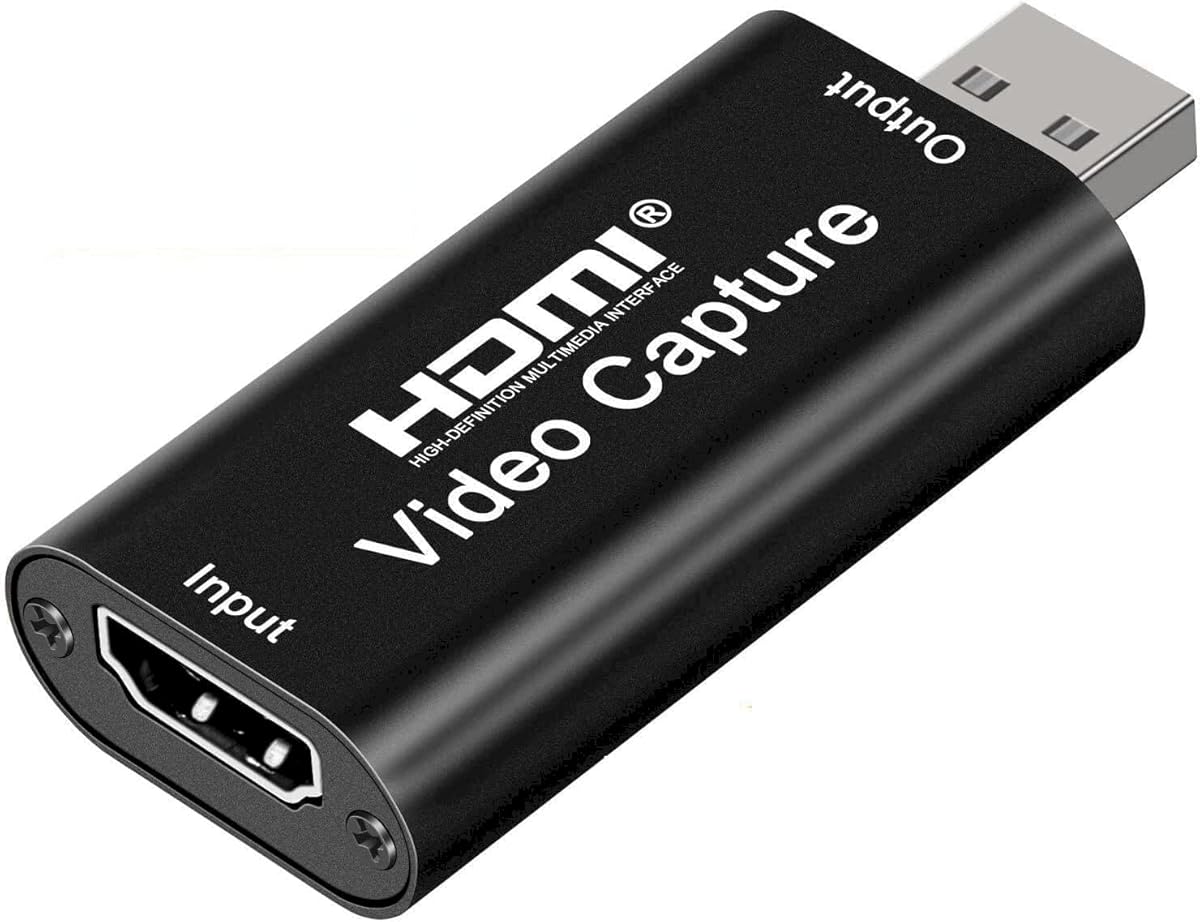
Audio Express AXHDCAP
4.4Editor score
1080p at 30fps
Stereo audio capture
USB 2.0 simplicity
No driver installation
Broad source compatibility
Our external HDMI video capture cards guide compares 10 models for resolution, latency, loop-out, audio, compatibility, and ease of use.
External HDMI video capture cards turn cameras, game consoles, and other HDMI sources into USB inputs for recording, streaming, and video calls. A capable card should balance clean video, dependable audio, responsive performance, and compatibility with the software and devices you already use.
We compared the ten options in this guide using their stated input and output resolutions, frame rates, latency features, loop-out support, audio capabilities, connection types, operating-system compatibility, and intended recording scenarios. The list includes budget USB 2.0 models, USB 3.0 options, and premium hardware for advanced workflows.
Each pick highlights a different reason to buy: versatile live capture, affordable 1080p recording, professional source compatibility, high-frame-rate gaming, or a camera-focused workflow. Product availability, software support, and pricing can change, so confirm the current specifications and cost before making a final purchase.
4.4Editor score

4.3Editor score

4.7Editor score
This side-by-side comparison highlights the major differences in input resolution, output frame rate, loop-out behavior, audio options, and connection design across all ten external HDMI video capture cards.


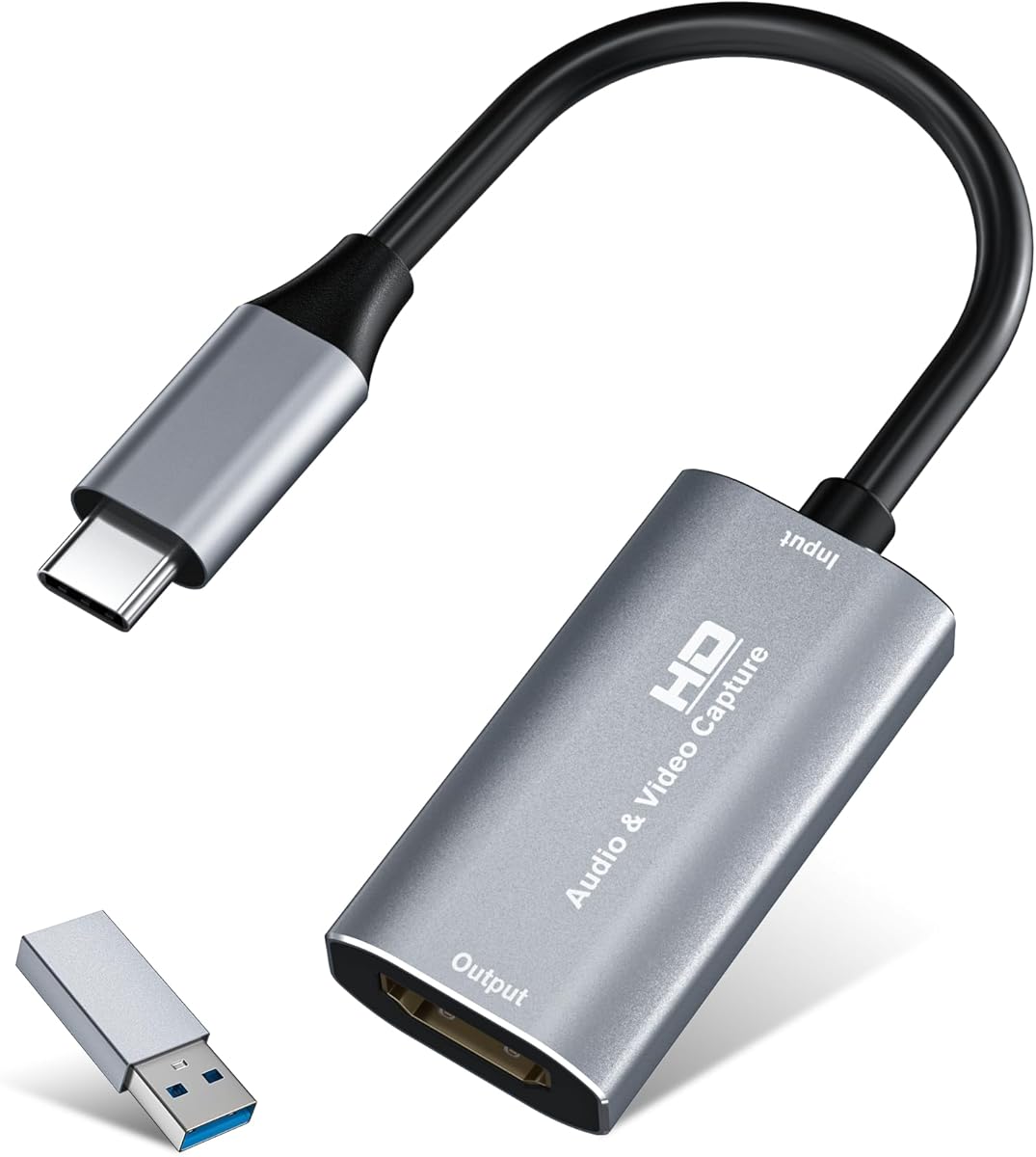



The Capture Card 4K HDMI Game Capture Card is a broad-purpose option for gamers, streamers, teachers, and anyone who needs to bring an HDMI source into a computer-based recording setup. Its 4.3 rating reflects a generally useful feature set: 1080p capture, HDMI loop-out, USB 3.0 transfer, and a dedicated 3.5mm commentary input.
We may earn a commission when you buy through this link, at no additional cost to you.
The most attractive feature is the zero-delay HDMI loop-out. A source can remain connected to a display while the computer receives the same feed through USB, which is valuable for console gaming and live production. The card also supports 4K30/60Hz HDMI input, including 1080p at high refresh rates, while its output is listed up to 2K30. That distinction matters because high-refresh input does not mean the computer receives an equivalent 4K recording stream.
Setup is straightforward because the device requires no separate driver or external power and is recognized automatically as a webcam. The microphone connection accepts a 3.5mm TRS headset, making live commentary possible without routing commentary through the HDMI source. Compatibility includes OBS, VLC, PotPlayer, Twitch, YouTube, Facebook, and Twitter, as well as Windows and Mac systems.
The main limitation is its maximum output specification. Users who require true 4K recording, 4K120 input, or sophisticated hardware processing should look toward higher-end models. Even so, the combination of loop-out, commentary support, broad device compatibility, and driver-free operation makes this a convincing general-purpose pick for 1080p workflows.
HDMI loop-out lets a console remain visible on a nearby television or monitor while OBS or another application records the USB feed. This avoids the need for a second input device and helps keep the gaming setup simple.
The 3.5mm TRS microphone input provides a convenient way to add narration during gameplay, demonstrations, or classes. It is especially useful when the HDMI source does not expose commentary audio of its own.
We may earn a commission when you buy through this link, at no additional cost to you.
The Guermok Video Capture Card combines a 4.4 rating with a compact aluminum design and flexible USB connectivity. It accepts HDMI input up to 4K30 and supports output at 2K30 or 1080p60, making it a useful middle ground for portable game recording, online teaching, meetings, and streaming.
We may earn a commission when you buy through this link, at no additional cost to you.
Its USB 3.0 interface supports a 5Gbps-class connection when a suitable port and cable are used, while the included USB-A to USB-C adapter expands compatibility with modern laptops and tablets. The card is driver-free, needs no external power, and can be carried easily. Its aluminum housing is designed to dissipate heat during recording or streaming.
Software compatibility is extensive. The listed applications include OBS Studio, VLC, PotPlayer, and Zoom, while the source compatibility includes cameras, Xbox One, PlayStation consoles, Nintendo Switch, set-top boxes, HDTV sources, and more. The one-way HDMI-to-USB design is important: this is a capture device, not a general-purpose way to add HDMI output to a computer.
Buyers should use a genuine USB 3.0 path when possible. The product guidance notes that adapter or protocol limitations can cause signal loss, and a computer may recognize the unit as USB 2.0 if the wrong side or port is used. Despite that setup caveat, the card is well suited to portable 1080p capture and broad source compatibility.
The small, lightweight enclosure and driver-free setup make this card convenient for field recordings, temporary teaching stations, and mobile streaming kits. It can be connected to a laptop or compatible tablet without carrying a separate power supply.
HDMI travels into the card and the card sends captured video to the computer through USB. It does not add a general HDMI output to a device that lacks one, and a USB-C reverse-transfer attempt may not carry the signal reliably.
We may earn a commission when you buy through this link, at no additional cost to you.
The acer USB 3.0 HDMI Capture Card is a versatile 4.4-rated model aimed at streamers and content creators who need dependable source capture, loop-out, and commentary. It accepts 4K HDMI input while producing up to 1080p60 through USB, a practical setup for live recording and streaming.
We may earn a commission when you buy through this link, at no additional cost to you.
Support for YUY2 is one of its more useful distinctions. Compared with compressed MJPEG workflows, YUY2 can preserve a fuller uncompressed color representation, although the required bandwidth and processing demands are greater. The card also has an HDMI loop-out for local viewing, and its 3.5mm microphone input allows a headset or microphone to be connected directly for narration.
Installation is intentionally simple. It requires no additional drivers or external power, and the listed software includes OBS, XSplit, VLC, YouTube, Facebook, and Twitter. Compatible sources include current game consoles, Xbox systems, DSLRs, PCs, macOS computers, and Android devices, giving it more flexibility than a console-exclusive capture unit.
The key limitation is output resolution: the product is centered on 1080p60 rather than true 4K recording. That makes it a strong fit for ordinary streams and classes, but buyers seeking 4K files, 4K120 sources, or professional hardware processing should consider more specialized options. For 1080p commentary-led production, however, the feature set is well balanced.
YUY2 support gives users an option beyond heavily compressed MJPEG capture. It can suit a workstation with sufficient USB bandwidth and processing capability, particularly when color quality and editing flexibility matter.
The built-in 3.5mm microphone connection simplifies real-time narration. It lets a creator add voice directly during a recording without asking the source device to mix commentary into its HDMI audio.
We may earn a commission when you buy through this link, at no additional cost to you.
The silver Video Capture Card is a compact USB 3.0 option with a 4.4 rating and broad support for game consoles, cameras, tablets, and desktop computers. It records at up to 2K30 or 1080p60 while accepting HDMI input up to 4K30, which covers common streaming and recording requirements.
We may earn a commission when you buy through this link, at no additional cost to you.
Its aluminum alloy shell is designed for heat dissipation, and the low-latency implementation supports simultaneous video and dual-channel audio capture. The card works with OBS, Zoom, VLC, and Twitch Studio, while its source list includes PS4, PS5, Xbox, Nintendo Switch, DSLR cameras, and TV boxes. It can also connect to a tablet when OTG is enabled.
The package includes the capture card, a USB 3.0 to USB-C adapter, and a user manual. No driver or external power supply is required, reducing setup time for users who need a temporary recording station. Both USB 3.0 and Type-C connections are supported, although the included adapter should be used with a host port capable of providing the necessary bandwidth.
Unlike several neighboring products, the listed features do not specify HDMI loop-out. As a result, it is more appropriate for direct computer capture than for a console setup that must simultaneously display the source on a local television. For portable 1080p recording across many source types, it remains a capable and convenient choice.
USB-C support makes the card useful with modern compact systems. Tablet users should enable OTG first, and the source device should be tested on a separate display to confirm that its video and audio output are active.
The 1080p60 mode suits high-frame-rate game capture, while 2K30 offers a higher-resolution option for slower content. Neither represents 4K recording, so the correct output mode must be selected in the capture application.
We may earn a commission when you buy through this link, at no additional cost to you.
The Audio Express AXHDCAP is the budget-focused option in this guide, with a 4.4 rating and support for 1080p30 capture. It accepts HDMI input up to 4K30 and includes stereo audio, covering the fundamentals needed for webcam-style use, teaching, demonstrations, and less demanding live recording.
We may earn a commission when you buy through this link, at no additional cost to you.
Its biggest advantage is straightforward operation. The card requires no driver or external power, and it can be recognized by standard capture applications such as OBS, Zoom, Twitch, YouTube, VLC, and PotPlayer. The listed operating-system support includes Windows, macOS, and Linux, while cameras, consoles, DVDs, and set-top boxes appear among the compatible HDMI sources.
The central constraint is USB 2.0. That interface is sufficient for 1080p30 but cannot provide the throughput associated with USB 3.0 or higher-resolution recording formats. Product guidance explicitly recommends using OBS or similar software for proper setup and performance, so buyers should be comfortable configuring a capture source rather than expecting a fully automatic broadcast workflow.
It also does not add HDMI output to a computer that lacks HDMI output; it captures an existing HDMI signal and transfers it through USB. For users who need inexpensive 1080p30 capture, stereo sound, and a simple plug-and-play workflow, that makes this card a practical choice without paying for more bandwidth than the task requires.
The card is best suited to webcams, online lessons, conference demonstrations, and console or camera sources where 30fps 1080p is sufficient. High-frame-rate gaming and 4K production fall outside its practical bandwidth range.
Stereo audio capture makes the card more useful for presentations and recorded demonstrations than a video-only adapter. Software configuration is still necessary to select the correct HDMI audio source and prevent unwanted feedback.
We may earn a commission when you buy through this link, at no additional cost to you.
The Elgato 4K X Capture Card is the premium, performance-oriented choice in this list. Its 4.5 rating reflects a feature set aimed at modern consoles, high-refresh displays, and creators who want more than standard 1080p capture. It supports 4K at 144 frames per second and HDMI 2.1 input and output.
We may earn a commission when you buy through this link, at no additional cost to you.
For 1080p workflows, the card can handle high frame rates up to 240fps. Its Variable Refresh Rate passthrough is particularly relevant to gaming because it can help maintain a smooth local display experience while the computer captures the source. The stated ultra-low-latency design uses USB 3.2 Gen 2 to keep gameplay and broadcast timing closely aligned.
The device is designed to integrate with OBS, Streamlabs, Twitch Studio, Restream, Zoom, and Teams, along with major streaming platforms. This makes it relevant to users who already understand the premium capture ecosystem and want advanced resolution, frame-rate, and passthrough features rather than a basic webcam conversion.
A powerful computer and carefully configured software are essential for sustained high-resolution capture. Display adapters, source limitations, protected content, and platform settings can also affect the final result. Even with those considerations, this is the clear high-spec option for 4K144 gaming, advanced 1080p high-frame-rate recording, and VRR-equipped production setups.
HDMI 2.1 and VRR passthrough address the needs of current high-refresh-rate consoles and displays. These features are most valuable when local gameplay quality and responsive passthrough are as important as the recorded file.
Capturing 4K144 generates substantially more data than 1080p30. A capable USB port, fast storage, and adequate processing power help prevent dropped frames and keep the capture pipeline stable.
We may earn a commission when you buy through this link, at no additional cost to you.
The UGREEN 2K 30Hz Capture Card combines a 4.5 rating with flexible USB connectivity and practical 2K30 and 1080p60 output options. It accepts 4K30 HDMI input, making it suitable for modern consoles, cameras, Meta Quest devices, and other sources that benefit from higher-resolution input.
We may earn a commission when you buy through this link, at no additional cost to you.
The card includes both USB-A and USB-C interfaces, so it can connect to a broad range of desktops, laptops, tablets, and modern devices. Its USB 3.0 connection provides a 5Gbps data rate and remains backward compatible with USB 2.0, though the available bandwidth affects the usable resolution and format. The aluminum housing is lightweight and helps dissipate heat.
The operating-system list covers Windows, macOS, Linux, and compatible mobile systems, while applications include OBS Studio, XSplit, PotPlayer, and QuickTime Player. Nintendo Switch, PlayStation, Xbox Series X, and Meta Quest compatibility are listed, with the important condition that HDCP be disabled for the supported PlayStation and Switch workflows.
It does not provide the HDMI loop-out found on the other UGREEN model in this guide, so it is less suitable for a local console display while recording. It also cannot serve as a general-purpose reverse HDMI adapter, and iPad use requires iPadOS 17 or later. Within its forward capture role, it remains a balanced, well-regarded option.
Having USB-A and USB-C built in reduces adapter dependency. It also means the final connection can be matched to the host device, although a genuine USB 3.0 path is still important for the highest practical bandwidth.
The card can ingest 4K30 while recording at 2K30 or 1080p60. That lets users choose a sharper, slower file for editing or a smoother 60fps option for gaming and real-time presentations.
We may earn a commission when you buy through this link, at no additional cost to you.
The UGREEN 4K Loop Out Capture Card is especially attractive when a local display is part of the workflow. It supports 4K30 HDMI input and 4K30 loop-out, allowing the source to remain visible on a nearby screen while the computer receives a separate USB capture feed. Its rating is 4.4.
We may earn a commission when you buy through this link, at no additional cost to you.
Actual USB recording is limited to 2K30, with 1080p60 also available. The distinction is clearly stated in the product information: 4K loop-out and 4K input do not mean 4K recording. Users can select between MJPEG and YUY2, choosing efficient compression or a fuller color representation depending on their computer, storage, and editing requirements.
The USB-A and USB-C interfaces make it suitable for many modern systems, while driver-free operation and the lack of an external power requirement simplify setup. Windows, macOS, Linux, and Android are listed as compatible systems. OBS Studio, XSplit, PotPlayer, and other common applications can handle the captured feed.
There are several limitations to account for. The product does not record 4K, cannot use an iPhone as a data acquisition device because iPhones lack the required UVC capture support, and is not compatible with Fire TV Stick. Protected console content can also require HDCP to be turned off. For local monitoring and flexible 2K capture, though, it is a strong fit.
The 4K30 loop-out keeps a local display connected to the source while capture continues through USB. This is useful for console play, presentations, and production checks where an immediate visual reference is important.
MJPEG reduces the amount of data moving through USB but applies compression. YUY2 can offer more direct color information and may suit quality-focused workflows, provided the host computer and recording path can support its bandwidth.
We may earn a commission when you buy through this link, at no additional cost to you.
The Magewell USB Capture HDMI Gen 2 has the highest rating in this guide at 4.7, reflecting its emphasis on dependable professional operation rather than headline 4K output. It records up to 1080p60 and accepts an unusual 2048×1080 at 60fps in 4:4:4 color, which can be useful in specialized production workflows.
We may earn a commission when you buy through this link, at no additional cost to you.
Its FPGA-based processing handles cropping, scaling, de-interlacing, color conversion, and flipping or mirroring directly on the device. That hardware approach reduces the processing burden placed on the host computer, a meaningful advantage in professional installations where stability and predictable performance are more important than a very low acquisition cost.
The unit is designed for continuous operation, with a durable compact enclosure, thermal protection, status LEDs, and a three-year limited warranty. It works immediately on Windows, macOS, Linux, and Chrome OS, and it remains backward compatible with USB 2.0. The USB Capture Utility provides control over EDID, resolutions, frame rates, firmware, logs, and diagnostics.
Its maximum 1080p60 recording ceiling means it does not compete with the Elgato card for 4K144 workflows. In return, it offers a mature, controlled feature set suited to professional AV capture, education, broadcast, and integration work. For buyers who value support, diagnostics, and sustained operation, this is the strongest reliability-focused selection.
FPGA-based scaling, de-interlacing, color conversion, and image adjustments reduce the work required from the computer. Dedicated hardware can make long recording sessions and production environments more predictable.
Status LEDs, firmware controls, diagnostic logs, thermal protection, and a three-year warranty make the card particularly appropriate for fixed installations. These features help administrators verify operation and maintain equipment over time.
We may earn a commission when you buy through this link, at no additional cost to you.
The VIXLW Cam Link 4K is tailored to creators who want to use a DSLR, camcorder, action camera, microscope, or console as a computer input. Its 4.2 rating is the lowest among the ten products, but the stated resolution options make it a compelling choice for camera-focused live production and detailed recording.
We may earn a commission when you buy through this link, at no additional cost to you.
The card supports 4K60 through MJPEG, 4K30 through NV12 and YUY2, 2K30 through XRGB, and 1080p120. Those figures place it in a different performance class from most budget cards in the guide, although the exact format and resolution must still be selected in the capture software and supported by the source device.
The operating-system focus is Windows and macOS, with OBS and Zoom named as practical applications. It also works with microscopes, game consoles, laptops, DVD players, and other HDMI sources. This makes it useful for live teaching, product demonstrations, electronics repair, precision observation, and traditional webcam replacement workflows.
Compared with the Magewell and Elgato cards, the VIXLW does not offer advanced diagnostics, EDID controls, or 4K high-frame-rate gaming features. Its strongest argument is specialized image capture with high resolution and frame rates. If a camera or microscope can provide a clean HDMI feed, the card can turn that source into a more flexible webcam for calls, classes, and streams.
DSLRs, camcorders, action cameras, and microscopes often provide more control over focus, exposure, and optics than a built-in webcam. HDMI capture preserves that source quality and exposes it to conferencing and streaming software.
Available modes differ by resolution and frame rate. MJPEG supports the listed 4K60 option, while NV12, YUY2, and XRGB have their own limits, so the capture application and computer must be configured to match the intended format.
We may earn a commission when you buy through this link, at no additional cost to you.
The best external HDMI video capture card depends on the source, desired resolution, recording software, computer connections, and whether you need live monitoring. These factors help narrow a large market of similarly named devices.
A 4K input does not necessarily mean the card can record 4K. Several products accept 4K30 from an HDMI source but deliver only 1080p60, 2K30, or 1080p30 to the computer. Check both numbers independently, and confirm the maximum frame rate at the resolution you actually intend to use. The VIXLW stands apart with listed 4K60 capture, while the Elgato supports much higher frame rates for specialized gaming work.
Frame rate matters most for fast gameplay, sports, and action footage. 1080p60 is a common compromise between smooth motion, file size, and processing demand. 2K30 can look sharper in less dynamic content, while 4K144 and 1080p240 options support high-end gaming and specialized recording. Make sure the source, card, and capture application all support the selected combination.
USB bandwidth directly limits viable resolutions and formats. A USB 2.0 card can handle basic 1080p30 workflows but cannot match the throughput of a USB 3.0 or newer design. YUY2 offers direct color samples and can demand more bandwidth than compressed MJPEG. Use the fastest specified USB port on the computer, and avoid adapters that may cause the device to negotiate at a lower speed.
Loop-out sends the source picture to a local display while the computer captures the same feed. It is especially useful for console gaming, live demonstrations, and troubleshooting. The Capture Card 4K HDMI Game Capture Card, acer model, and UGREEN loop-out model advertise this function. A capture card without loop-out may still record perfectly, but it cannot serve as a general HDMI splitter.
Consider both HDMI audio and a dedicated microphone input. HDMI audio is convenient for game consoles, cameras, and media players that already mix sound. A 3.5mm commentary input lets a creator narrate separately, which is valuable for tutorials, gameplay, and classes. In OBS, select the correct audio source and monitor levels carefully to prevent echo or feedback.
Confirm that the card supports the console, camera, tablet, or other source you intend to use. Consoles may require HDCP to be disabled for capture, and some mobile systems require an OTG function or a recent operating-system version. iPhone cannot act as a UVC data acquisition device, while Fire TV Stick is specifically excluded by one UGREEN model. Capture software support is equally important.
A compact card is easier to move between a home studio, classroom, and field kit. Many options use an aluminum housing to dissipate heat, while all-in-one designs remain small and lightweight. If the card will run continuously, favor a model with explicit thermal management. For travel, prioritize a simple one-cable workflow and a host device with the required USB port.
Basic cards are generally identified as webcams and configured inside OBS or a similar program. Professional models may add hardware scaling, de-interlacing, color conversion, EDID controls, firmware management, status lights, and diagnostic logs. These tools matter for fixed installations and specialized source matching, but they are not necessary for every webcam, classroom, or console capture task.
Begin by connecting the HDMI source to the capture card and the card's USB interface to the computer. Some devices also use their HDMI output for loop-out, in which case that output connects to the display. Open OBS, Zoom, or another compatible application, choose the corresponding capture source, and adjust the resolution and frame rate manually rather than assuming the software will select the best mode.
Next, verify source audio and any separate microphone input. If the source has no sound, test the HDMI connection on a monitor and confirm that the game, camera, or application is not blocking output through HDCP. Select the correct audio device in the software, keep levels below clipping, and use headphones when monitoring commentary to prevent a feedback loop.
Care for the card by keeping its connections secure, the housing unobstructed, and the device away from moisture, excessive heat, and impact. Use the specified USB speed and a direct port when possible. After recording, close the application before disconnecting, inspect the cable and connector, and save diagnostic logs or update firmware only when the manufacturer provides clear instructions.
HDMI input describes the maximum signal the card can accept from a source, while output describes what the computer receives through USB. A card can accept 4K30 and record only 1080p60. Always verify the output mode at the resolution and frame rate you plan to use.
No, if your source and recording target are 1080p. A capable 1080p60 card may be sufficient and easier for the computer to process. A 4K-capable model becomes more relevant when the source is 4K, you want higher-resolution archives, or your monitor and workflow require it.
Generally, no. These cards usually move video in one direction from HDMI into USB for capture. They are not universal adapters for adding an HDMI output to a computer that lacks one. The VIXLW and other products in this guide explicitly describe their one-way capture function.
First confirm that the source is actually sending HDMI audio and is not protected by HDCP. Then select the correct audio source within OBS and check the application mixer. Some devices also require OBS to be restarted after audio configuration, as noted in the Guermok product guidance.
USB 2.0 is enough for many straightforward 1080p30 recording tasks, which is the practical limit of the Audio Express AXHDCAP. It is less suitable for 2K, high-frame-rate, uncompressed formats, and 4K workflows. For greater flexibility, use a USB 3.0 or newer card with a matching host port.
HDMI loop-out lets the game source feed both a local television or monitor and the capture card. The player can view the game with minimal delay while the computer records the USB signal. It does not turn the capture card into a full-featured HDMI splitter with independent control over both outputs.
Confirm that the tablet supports USB host or OTG operation, that the operating system meets the card's requirements, and that the correct USB-C port is being used. Some iPads require iPadOS 17 or later. A computer can also be used to test whether the card and source are functioning correctly.
Capture cards generally cannot bypass HDCP protection. Some compatible consoles and sources can be set to disable HDCP, allowing capture of their output in supported scenarios. The UGREEN models specifically list HDCP-off operation for supported PlayStation and Switch workflows, but content restrictions may still apply.
The Capture Card 4K HDMI Game Capture Card is the strongest all-around choice because it combines 1080p60 output, zero-delay HDMI loop-out, commentary input, and broad source and software compatibility. The Audio Express AXHDCAP serves buyers who want a cost-conscious 1080p30 setup, while the Magewell USB Capture HDMI Gen 2 is the most compelling choice for professional reliability and controlled operation.
Prioritize the features your actual workflow needs. A console streamer may need loop-out and low latency, a creator may need clean HDMI audio and commentary support, and a camera-focused user may prioritize 4K capture. Pay close attention to the negotiated USB speed, the output format, operating-system limitations, and protected-content restrictions rather than focusing only on the highest advertised input resolution.
Prices, availability, software interfaces, and device specifications can change, so check the current product listing before ordering. Verify the included cables and adapters, confirm that your computer has the required USB port, and test the complete source-to-software path before an important recording or live event.