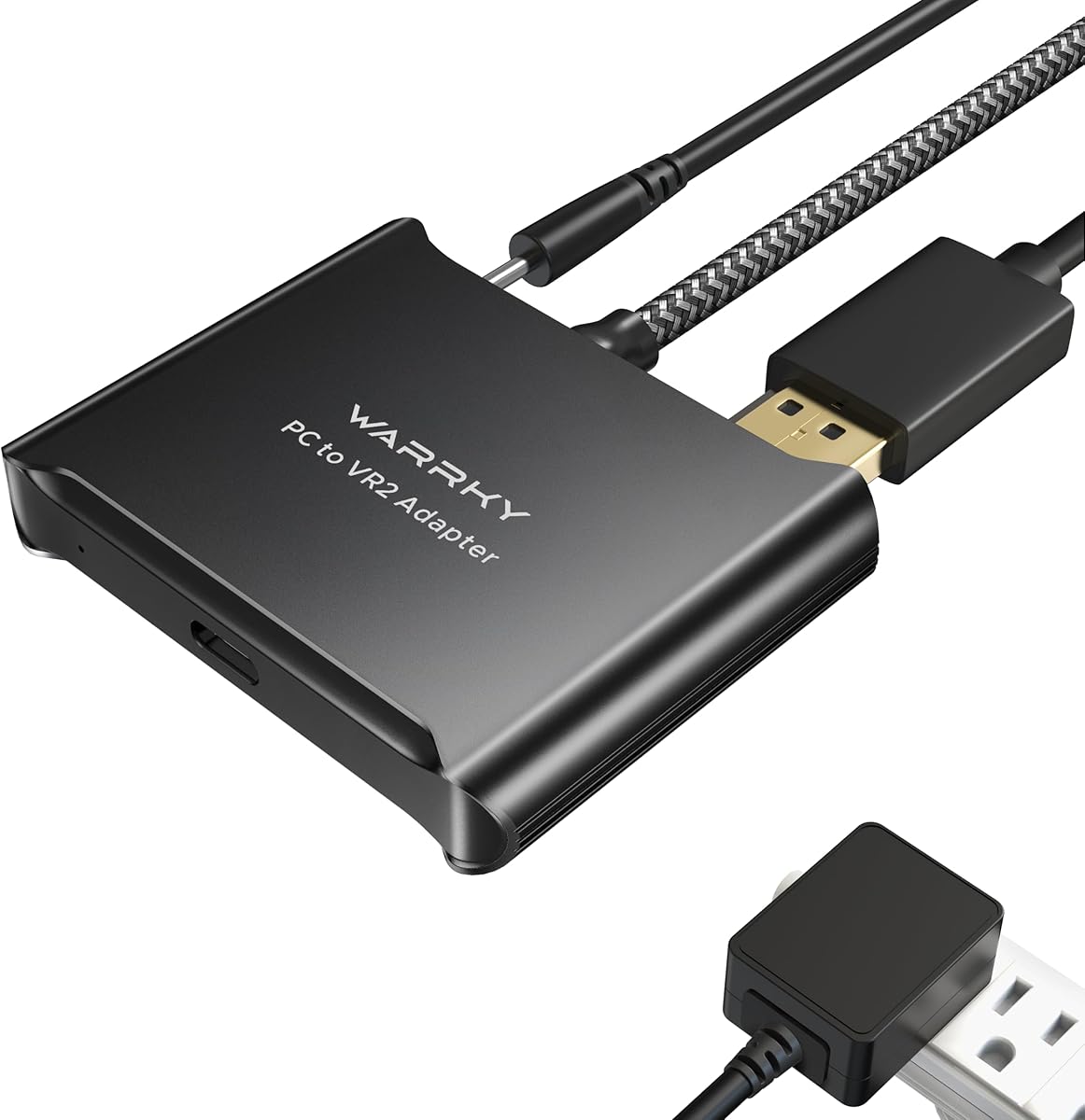
Warrky PSVR2 PC Adapter
3.8Editor score
Aluminum heat-dissipation shell
Braided nylon cable jacket
DisplayPort 1.4 cable included
15-watt power supply included
Our guide compares the 10 best Bluetooth Adapter for Psvr2 on PC options, covering compatibility, connection stability, power, setup, and key features.
Using a PlayStation VR2 headset with a PC requires more than a generic Bluetooth dongle. A complete solution must carry video over DisplayPort, supply stable power to the headset, connect the controllers, and cooperate with the software and hardware configuration of the target computer. A good adapter therefore deserves careful comparison before installation.
We evaluated the supplied options by category rather than treating every Bluetooth product as interchangeable. Direct PSVR2-to-PC adapters were judged on video, power, USB, controller support, and included components, while general-purpose PC Bluetooth receivers and audio-only USB-C transmitters were assessed for the narrower roles they can actually perform. The list includes both complete adapters and complementary Bluetooth options.
The entries below show which products provide the full connection required for PC VR, which can improve controller pairing, and which are intended only for audio. Ratings reflect the supplied customer feedback rather than personal testing, while included accessories and compatibility claims come directly from the product information. Prices and availability can change, so confirm current details before buying.
3.8Editor score

4.2Editor score
4.5Editor score
The comparison separates full PSVR2 PC video adapters from controller-pairing dongles and audio-only transmitters, making it easier to identify the product that matches your actual hardware requirement.




The STARTRC PSVR2 PC Adapter is a complete third-party solution for connecting a PlayStation VR2 headset to a PC, and its supplied customer rating is 3.6. Its distinguishing feature is the inclusion of a custom Bluetooth receiver, which the manufacturer positions as a way to improve controller pairing, reduce disconnections, and address PCs with older Bluetooth implementations or unreliable wireless connections.
We may earn a commission when you buy through this link, at no additional cost to you.
The package includes the PC adapter, Bluetooth receiver, DisplayPort 1.4 cable, 15-watt Type-C power cable, and user manual. That combination covers the major physical requirements of a PC VR setup: display output for the headset, data and controller communication, and dedicated power. The product information also identifies Steam and the free PSVR2 PC application as part of the intended setup process.
The main compromise is the relatively low customer rating, which suggests that the package design may not resolve every setup or compatibility issue for every buyer. The adapter still offers a notably complete set of components, including the dedicated receiver, while the need to install and configure software is normal for third-party PSVR2 PC hardware rather than a flaw unique to this model.
This is a strong candidate for users who want the video adapter, controller receiver, cable, and power supply together without assembling a multi-product solution. It is best suited to PC owners prepared to follow the manual and use compatible SteamVR software. Buyers who only need a general PC Bluetooth receiver should choose one of the smaller dongles instead.
The custom receiver is the centerpiece for users experiencing controller disconnections or limited Bluetooth support on a PC. It is intended to provide a more consistent path between the PSVR2 controllers and the computer.
Including the DisplayPort cable and 15-watt Type-C power cable reduces the chance of discovering that an essential cable is missing. The manual and support contact also make the package feel intended for a guided setup.
We may earn a commission when you buy through this link, at no additional cost to you.
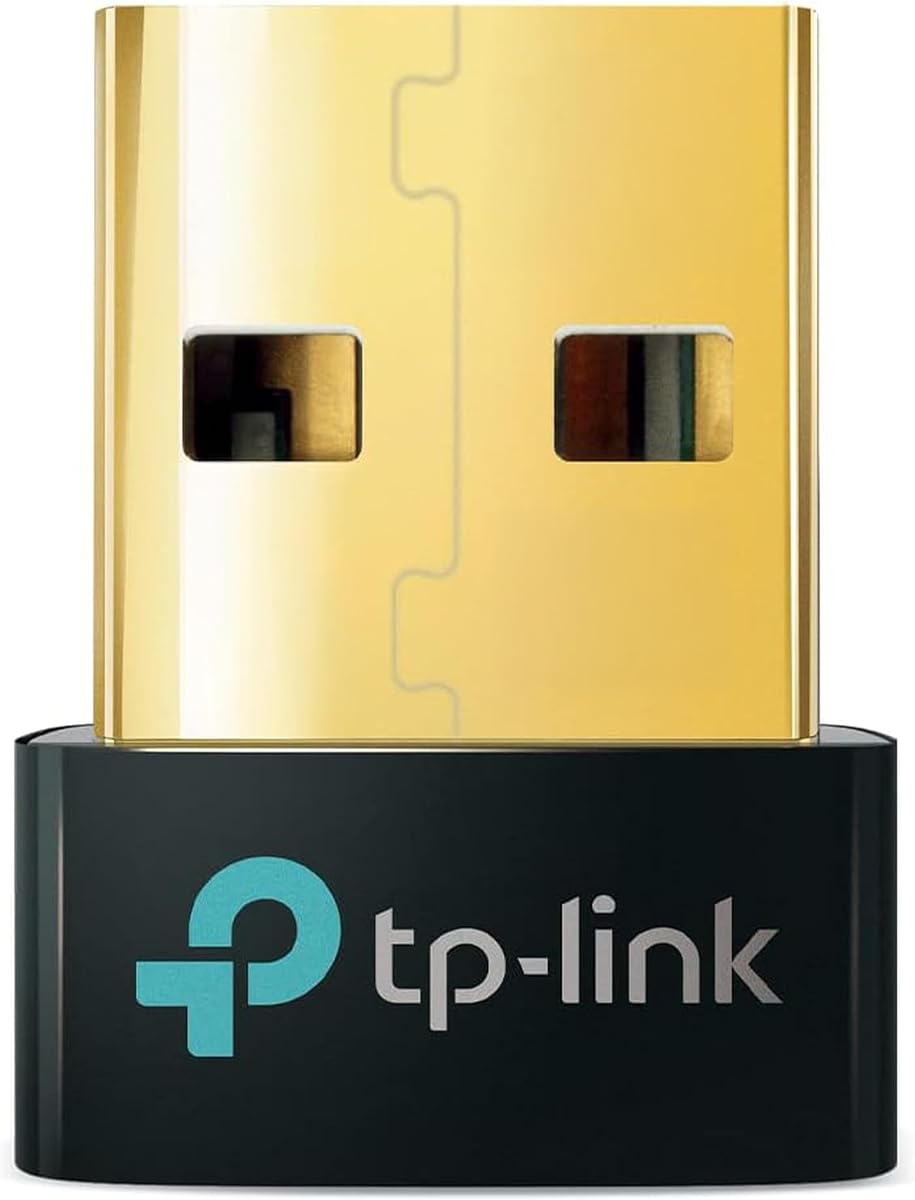
The TP-Link UB500 is a general Windows Bluetooth receiver rather than a complete PSVR2-to-PC video adapter, and it carries a supplied customer rating of 4.5, the highest among the ten products. It can help a Windows PC connect Bluetooth devices, including controllers, but it does not replace the DisplayPort and power path required to operate a PSVR2 headset on a computer.
We may earn a commission when you buy through this link, at no additional cost to you.
Bluetooth 5.4, enhanced data rate, and Bluetooth Low Energy support make this a practical choice for pairing PSVR2 controllers through a PC. The nano-sized receiver can remain in a USB port, while backward compatibility covers older Bluetooth versions on supported Windows systems. The product supports Windows 8.1, 10, and 11 without routine driver installation, although Windows 7 requires a separately downloaded driver.
The setup tip is important: disable an existing internal Bluetooth adapter in Device Manager before inserting the UB500 to avoid conflicts. It is not compatible with macOS, Linux, TVs, or Windows 8, and it cannot plug directly into a PS5, PS4, or Xbox console. Two UB500 adapters also cannot pair with each other, so it should be treated as a computer-side controller receiver.
Choose the TP-Link UB500 when the PC already has a functioning PSVR2 display and power solution but its Bluetooth support is weak, old, or unreliable. It is a budget-focused way to improve the controller side of the setup. It is not the correct purchase for someone seeking an all-in-one PSVR2 PC adapter.
For PC VR users whose main problem is controller pairing, this receiver supplies current Bluetooth technology in a very small package. Its Windows support and stated backward compatibility make it more broadly usable than an audio-only transmitter.
Plug-and-play operation on current supported Windows versions reduces setup friction. Disabling the computer's existing Bluetooth radio first remains the key step for avoiding competing adapters and driver conflicts.
We may earn a commission when you buy through this link, at no additional cost to you.
The Warrky PSVR2 PC Adapter combines the functional requirements of a PC VR link with an aluminum shell and braided cable, earning a supplied customer rating of 3.8. It is designed to connect a PSVR2 headset to a PC, expand access to PC and Steam VR content, and provide a more durable physical adapter for regular use.
We may earn a commission when you buy through this link, at no additional cost to you.
The aluminum enclosure is highlighted for heat dissipation and overheat prevention, while the nylon braided jacket is intended to resist fraying, heating, and kinking. The box includes one PSVR2 PC adapter, one DisplayPort 1.4 cable, one 15-watt official-standard AC power supply, and a user manual. The manufacturer also lists compatibility with AR glasses and portable monitors.
This adapter explicitly does not work with PS4, PS5, or PS5 Pro, which is reasonable for a device dedicated to PSVR2 PC use but important to verify before purchase. The information does not mention a separate Bluetooth receiver like the STARTRC kit includes, so buyers relying on a separate dongle for controller stability should account for that additional need.
The Warrky model is most attractive to users who value physical construction and want a complete display-and-power bundle. It also supports multiple types of compatible displays, broadens the product's usefulness, and comes with a stated online technical support response within 18 hours. It is a compelling premium-style option, though not the highest-rated model in the group.
The aluminum case and braided cable are meaningful differentiators for a device that remains connected during gaming sessions. Their construction is specifically designed to manage heat and reduce strain on the cable.
Compatibility with AR glasses and portable monitors makes the adapter useful beyond one specific headset configuration. The included power supply and DisplayPort cable simplify assembling the connection.
We may earn a commission when you buy through this link, at no additional cost to you.
The YCE PSVR2 PC Adapter is a well-rounded option for taking a PlayStation VR2 headset to a PC, with a supplied customer rating of 4.2. It combines a display path, regulated power, high-speed USB communication, and software-assisted setup in a package aimed at both ordinary SteamVR gaming and more specialized PC VR applications.
We may earn a commission when you buy through this link, at no additional cost to you.
Its regulated DC 5.1-volt output is designed to give the headset consistent power, reducing the risk of malfunctions, flickering, or performance degradation associated with insufficient or fluctuating voltage. A DisplayPort interface carries high-resolution, high-refresh-rate video, while the USB 3.0 connection supports rapid transfer of controller input and sensor information. The product information specifically mentions 4K resolution and 120Hz video transmission.
Those maximum display claims still depend on a compatible GPU, cable, and software environment. The stated 4K60Hz update and 120Hz capability should therefore be treated as supported potential rather than a guarantee of every SteamVR title or computer configuration. The box contains a 150mm DisplayPort 1.4 cable and a 5.1-volt power adapter, covering the core physical connections.
This is the strongest all-around recommendation for someone who wants a complete PSVR2 PC connection rather than a narrow Bluetooth accessory. It supports the headset, AR glasses, SteamVR games, educational tools, simulations, and creative applications. The straightforward manual-guided setup makes it accessible, while the power and data specifications cover the most important technical demands of PC VR.
A regulated 5.1-volt output helps the headset receive consistent power when connected to a PC. That makes the adapter especially relevant to users concerned about flickering or unstable operation.
USB 3.0 handles controller and sensor communication, while DisplayPort manages the headset image. Using both paths for their intended roles supports responsive interaction and high-quality visuals.
We may earn a commission when you buy through this link, at no additional cost to you.
The UGREEN Bluetooth 5.3 Adapter is a general-purpose Windows receiver with a supplied rating of 4.4. It is not a complete PSVR2-to-PC adapter, but it can provide a modern Bluetooth connection on a desktop that lacks suitable wireless support, including for pairing PSVR2 controllers through the PC.
We may earn a commission when you buy through this link, at no additional cost to you.
The adapter uses Bluetooth 5.3 BR/EDR, supports BLE, and can handle up to five different device types simultaneously. Examples include a mouse, keyboard, mobile phone, and headphones, although only one audio device of the same type can play at a time. Its compact body is designed to remain in a USB port without obstructing neighboring ports.
Setup is driver-free on Windows 8.1, 10, and 11, but Windows 7, Linux, and macOS are unsupported. As with the other generic receivers, existing internal Bluetooth should be disabled in Device Manager to prevent conflicts. The product cannot be used directly with PS3, PS4, PS5, Switch, or Xbox consoles, does not support TV or car use, and functions only as a receiver.
Buy this adapter if your PC needs a reliable, current Bluetooth receiver for controllers and ordinary peripherals. It is a strong general-purpose complement to a separate PSVR2 video and power adapter. Choosing it as the only adapter for a PSVR2 PC setup would be a mistake because it carries no headset video or dedicated power.
The ability to connect several device types gives this receiver broader value than a controller-only solution. It can also support common accessories such as keyboards, mice, phones, and headphones on compatible Windows systems.
Bluetooth 5.3 and a low-profile design make the adapter convenient for a desktop setup. Leaving it inserted is practical, provided the computer's original Bluetooth radio is disabled first.
We may earn a commission when you buy through this link, at no additional cost to you.
The UGREEN USB-C Bluetooth Adapter is an audio transmitter for PCs, iMac systems, and supported gaming platforms, with a supplied customer rating of 4.1. It can connect compatible Bluetooth headphones or speakers to a computer's USB-C port, but it does not support PSVR2 controllers and cannot carry the headset's video feed.
We may earn a commission when you buy through this link, at no additional cost to you.
Its headline feature is the ability to switch between LE Audio modes. Low Latency mode is designed to improve audio-video synchronization for games and streaming, while High-Quality mode emphasizes sound detail for music. LE Audio requires compatible headphones or speakers. The adapter also supports aptX Adaptive, aptX HD, aptX, and SBC, allowing the codec to be matched to the receiving headset.
The supplied information explicitly limits it to audio devices and rules out mice, keyboards, other data accessories, televisions, cars, and microphones. It is therefore easy to mistake for a general PC Bluetooth adapter, but its role is to send sound from the computer to wireless headphones. In Classic Bluetooth mode it supports dual-device connections, while LE Audio mode offers one-to-many sharing through Auracast-compatible hardware.
This product is worth considering for users who want private wireless game audio while using a PSVR2 PC setup and already have a separate solution for the headset video, power, and controllers. Its audio-focused codec and latency options make it versatile for gaming, video, and music. It should not be selected as the primary adapter for PSVR2 hardware.
Low Latency mode is aimed at keeping game sound synchronized with on-screen action, while High-Quality mode gives listening priority to music and media. The available mode should match the capabilities of the user's headset.
Support for aptX Adaptive, aptX HD, aptX, and SBC provides useful flexibility across different headphones. Matching codec support on the receiving device remains necessary for the expected format and performance.
We may earn a commission when you buy through this link, at no additional cost to you.
The UGREEN BT501 is another audio-focused USB-C adapter, and it holds a supplied customer rating of 4.4. It adds compatible Bluetooth audio to a PC, laptop, iMac, PS5, or Switch, but it cannot transmit PSVR2 controller data and does not provide the display and power connection needed for a headset.
We may earn a commission when you buy through this link, at no additional cost to you.
Its primary appeal is low-latency wireless audio. The product information states that the aptX Adaptive low-latency encoder reduces delay to less than 100 milliseconds and supports key switching among aptX, aptX Adaptive Low Latency, aptX Adaptive High Quality, aptX HD, and SBC. LED indicators show operating status, although the user's headphones must support the corresponding standard.
Windows and macOS are supported, while Linux and PS4 are not. The PS5 Portal is also excluded. The adapter defaults to audio mode with HFP calling disabled, which helps preserve output quality; enabling calling mode can reduce audio quality, so an external microphone is preferable if calls are needed. When used with a PS5, the device must be selected manually as the audio output and automatic output switching should be turned off.
This is a good choice for PSVR2 PC users who want dependable wireless headphones for game audio while using a separate adapter for video, power, and controller communication. Its low-latency emphasis fits gaming, and the 4.4 rating provides a favorable customer history. It remains an accessory rather than a complete PSVR2 PC solution.
The stated sub-100-millisecond delay is intended to keep wireless sound closely aligned with gameplay and video. The greatest benefit is possible when paired with headphones that support the same aptX mode.
The BT501 is designed specifically to transmit sound, not controller or peripheral data. Understanding that limitation prevents an unnecessary purchase when the real need is full PSVR2-to-PC hardware support.
We may earn a commission when you buy through this link, at no additional cost to you.
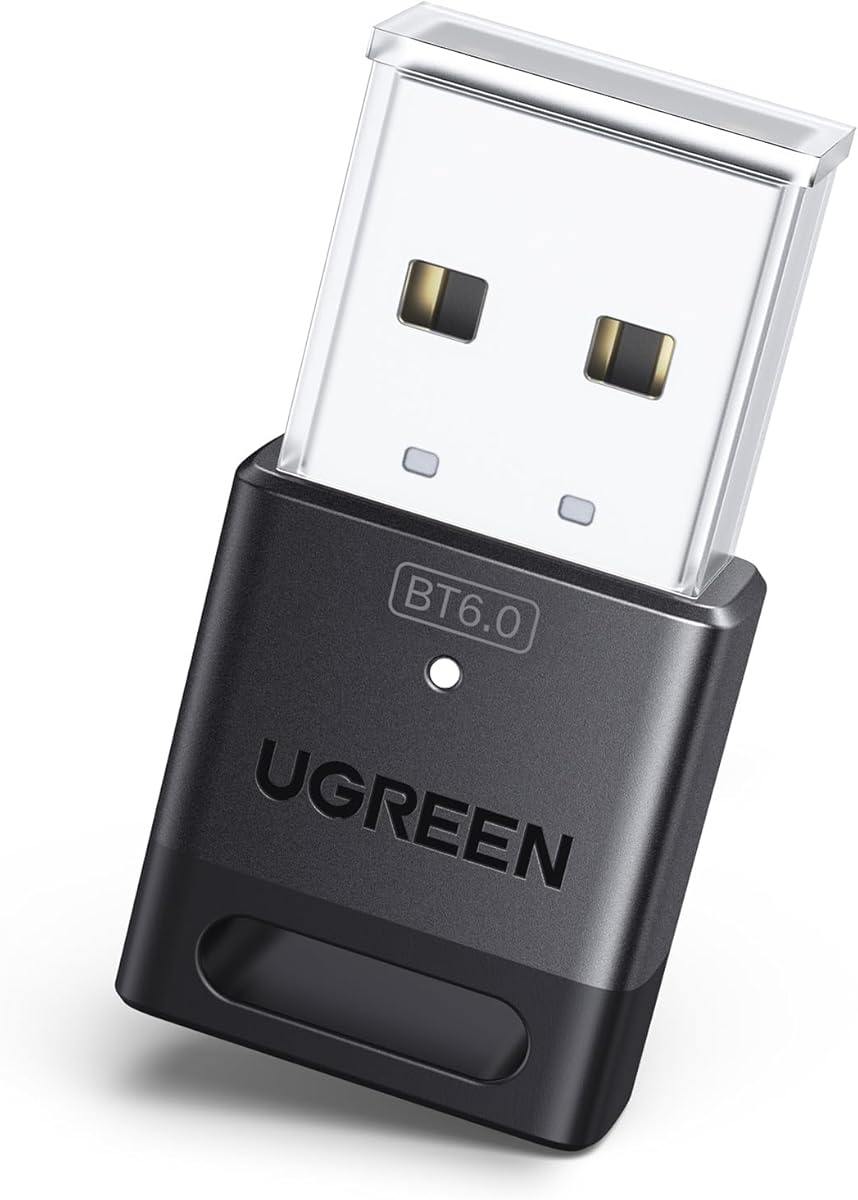
The UGREEN Bluetooth 6.0 Adapter is a current-generation USB receiver for Windows computers, with a supplied customer rating of 4.2. It can give an older or Bluetooth-equipped PC a more modern radio for peripherals and controller pairing, but it remains a receiver rather than a full PSVR2 display adapter.
We may earn a commission when you buy through this link, at no additional cost to you.
Bluetooth 6.0 EDR is presented as improving data transfer, audio and video streaming, and large-file transfer efficiency. The adapter is backward compatible with Bluetooth 5.4 and 5.3, while EDR and BLE cover two common connection styles. Up to five different device types can be connected simultaneously, including mice, keyboards, phones, and headphones.
Driver-free operation is supported on Windows 8.1, 10, and 11, while Windows 7, Linux, and macOS are excluded. The dongle cannot be used directly with PS3, PS4, PS5, Switch, or Xbox consoles, and it is not intended for TV or car use. Existing internal Bluetooth should be disabled before insertion to avoid a conflict, and physical obstructions, interference, and walls can affect range.
Choose this receiver when a PC has outdated Bluetooth or no practical internal radio and the goal is to pair controllers through Windows. It is less suitable for users who want one product to connect the PSVR2 headset, power it, and carry video. In that case, a dedicated PSVR2 PC adapter plus this receiver may be a more appropriate combination.
The small USB form factor is suitable for a permanent desktop position. It can provide a newer Bluetooth standard without requiring users to open the computer or replace internal hardware.
Supporting several device types makes the dongle useful for mixed setups. As with the other UGREEN receiver, only one audio device of a particular type can play at the same time.
We may earn a commission when you buy through this link, at no additional cost to you.
This YCE PSVR2 PC Adapter is another complete connection option for PlayStation VR2 and AR glasses, with a supplied customer rating of 4.2. Like the earlier YCE listing, it focuses on the three elements a PC VR setup needs: a video path, dependable headset power, and a high-speed data connection.
We may earn a commission when you buy through this link, at no additional cost to you.
Its regulated DC 5.1-volt output is designed to prevent device faults, screen flicker, and performance degradation caused by unstable power. DisplayPort provides high-resolution, high-refresh-rate video, and the information mentions 4K resolution with 120Hz refresh capability. USB 3.0 carries controller actions and sensor data with the speed required for responsive VR interaction.
The product uses an IC module matching the official design and is presented as a simple plug-and-play process involving the headset, PC, manual, and a few software settings. The included DisplayPort 1.4 cable is 150mm long. That compact length may be convenient close to a desktop but could be restrictive with unusual PC positioning or a monitor placed farther away.
The adapter expands the PSVR2 into SteamVR games, educational programs, simulation software, and creative applications. It is a flexible option for users who may also use compatible AR glasses. Select it when stable power and dedicated video and data paths matter more than having a long cable in the box.
The regulated output targets one of the most consequential weaknesses of improvised connections. Stable voltage can reduce visible flicker and help maintain consistent VR operation.
Once connected, the headset can access PC software beyond console-only titles. SteamVR gaming, simulations, education, and creative applications broaden the headset's practical value.
We may earn a commission when you buy through this link, at no additional cost to you.
The PSVR2 PC Adapter Accessories Kit is a third-party PC VR link with a supplied customer rating of 4.0. It is designed to connect a PSVR2 headset to a PC for SteamVR games and other PC-based VR content while adding the display, power, and data paths needed for real-time use.
We may earn a commission when you buy through this link, at no additional cost to you.
The adapter provides regulated DC 5.1-volt power to help avoid equipment failure, screen flicker, and performance degradation caused by voltage fluctuations. DisplayPort 1.4 bandwidth capacity supports 4K 120Hz output when the GPU meets SteamVR requirements. A USB 3.0 interface handles controller actions and sensor information for timely interaction and reduced operational delay.
The advertised 4K 120Hz capability is conditional rather than universal. Compatible graphics hardware, the PC configuration, the individual VR application, and the rest of the connection chain all affect the result. Although the product is built around PSVR2, its broader compatibility with AR glasses and other USB-C devices using DisplayPort Alt Mode adds flexibility beyond gaming.
This kit is a good match for a user who wants a complete PC VR connection and may also use AR glasses. It includes a DisplayPort 1.4 cable and an expandable power adapter, while the official-style IC module is intended to simplify setup. Users seeking only a Bluetooth controller receiver should look to the smaller dongles instead.
DisplayPort 1.4 provides the bandwidth foundation for high-resolution and high-refresh VR output. The stated 4K 120Hz mode still depends on a compatible GPU and a SteamVR-ready computer.
Support for USB-C devices with DisplayPort Alt Mode means the adapter can also serve compatible AR glasses. That makes it useful for mixed virtual and augmented reality workflows.
We may earn a commission when you buy through this link, at no additional cost to you.
The critical first step is deciding whether you need a complete PSVR2-to-PC video and power adapter or a smaller Bluetooth receiver for controllers. The following factors prevent a costly mismatch between the product and the intended PC VR setup.
A complete PSVR2 PC adapter handles the physical link between the headset and computer. It generally provides DisplayPort video, USB data, headset power, and a path for the required software. A general USB Bluetooth receiver solves only the wireless controller or peripheral side of the setup. It cannot carry the PSVR2 display image or replace the dedicated power connection.
Buy a full adapter if you are starting without one. Buy a receiver only when video and power already work and controller pairing is the remaining problem.
The headset's video must reach the PC through DisplayPort, so an adapter without that interface is not a complete solution. Some products specify DisplayPort 1.4, and others advertise high-resolution, high-refresh output such as 4K at 120Hz. Maximum advertised modes still depend on the graphics card, computer, application, and compatible connection chain.
Check the included cable and interface version. For a full PSVR2 PC adapter, DisplayPort 1.4 is the more relevant specification to look for when high-refresh output matters.
A PC can deliver power through USB, but VR headsets benefit from a stable, regulated source. A dedicated 5.1-volt power adapter is designed to reduce flicker, unstable operation, and performance changes caused by insufficient or fluctuating voltage. The STARTRC and Warrky bundles include a 15-watt Type-C or AC power solution, while the YCE products and the accessory kit describe regulated 5.1-volt output.
Prioritize stable regulated power for extended sessions. A stable power path is especially important when the headset is used through a full PC adapter rather than a simple controller dongle.
PC VR depends on responsive PSVR2 controllers, and an unreliable Bluetooth radio can cause pairing difficulty or disconnections. Dedicated adapters may include a custom receiver, while general dongles such as the TP-Link UB500 and the UGREEN receivers can provide the computer with a modern Bluetooth connection. The controller still connects through the PC rather than directly to a console adapter.
Look for an included receiver if your current PC has old Bluetooth or frequent controller disconnects. Otherwise, a compact Windows receiver can be a sensible supplementary purchase.
The full PSVR2 adapters are designed for a PC and use software such as SteamVR and the PSVR2 PC application. Generic receivers vary more sharply: the TP-Link UB500 supports Windows 8.1, 10, and 11, while the UGREEN 5.3 and 6.0 models support Windows 8.1, 10, and 11. The audio-only UGREEN products state support for Windows and macOS, with Linux exclusions.
Confirm that the operating system is explicitly supported. A product described as a PC adapter is not necessarily compatible with macOS or Linux.
A complete adapter is more useful when the necessary DisplayPort cable and power supply are included. The Warrky bundle provides a DisplayPort 1.4 cable and 15-watt AC supply. The STARTRC package includes a DisplayPort cable, 15-watt Type-C power cable, and custom Bluetooth receiver. The YCE bundles include a 150mm DisplayPort 1.4 cable and power adapter.
Compare the complete box, not just the adapter housing. Included components can save a separate purchase, but check cable length and connector type against your desk arrangement.
Bluetooth 5.3, 5.4, and 6.0 are found across the smaller adapters, but the version alone does not determine PSVR2 suitability. Receiver products can improve controller pairing and general peripheral connectivity, while audio transmitters target headphones and speakers. Two of the UGREEN USB-C options are explicitly limited to audio and cannot connect mice, keyboards, or PSVR2 controllers.
Choose a receiver for controller data and a transmitter only for wireless sound. Do not treat a high Bluetooth version as evidence of full headset support.
An adapter that remains connected during long sessions benefits from heat management and a durable cable. The Warrky option uses an aluminum shell and braided nylon jacket. The YCE and other full adapters emphasize regulated power and high-speed interfaces. Customer ratings, stated technical support, and manufacturer instructions provide additional evidence of the support experience without replacing careful compatibility checks.
For frequent use, favor robust construction, manageable cable length, and accessible technical support. For occasional use, the correct interface and power stability should remain the priority.
Begin by identifying the adapter type. A full PSVR2 PC adapter should be connected to the computer's DisplayPort output, a compatible USB port, and the supplied power solution before the headset is attached. The YCE and STARTRC descriptions call for following the manual and making simple software settings, including the use of SteamVR and the free PSVR2 application for supported PC content.
For a generic receiver, install the dongle in a direct USB port and disable any internal Bluetooth radio in Device Manager first. The TP-Link and UGREEN instructions specifically warn that existing Bluetooth devices can cause conflicts. Pair the PSVR2 controllers through the PC, then confirm that the headset appears as the expected display and input devices in the relevant PC software.
Keep the adapter and cables away from moisture, excessive heat, and sharp bends. Do not exceed the documented power requirements, and do not connect a receiver directly to a console when the manufacturer says it is PC-only. If controllers disconnect repeatedly, check the original PC Bluetooth radio, USB interference, distance, and the adapter's pairing instructions before changing any of the headset settings.
Yes, a compatible PSVR2-to-PC adapter is needed to carry the headset video and provide the appropriate connection and power for PC VR use. A normal Bluetooth dongle by itself cannot handle the complete headset connection. The PC should also meet the relevant SteamVR and graphics requirements.
A compatible Windows Bluetooth receiver can help connect the controllers through the PC, and the TP-Link and UGREEN receiver options are intended for that general role. It will not replace the dedicated PSVR2 display and power adapter. Disable any existing internal Bluetooth radio first to avoid driver or connection conflicts.
No, a general dongle is only enough for the wireless controller or peripheral portion of the setup. Connecting the headset itself requires the proper DisplayPort video path, USB data connection, power, and software configuration. Use a Bluetooth receiver alongside a full adapter when controller pairing remains an issue.
The YCE option offers the most balanced combination of regulated power, DisplayPort, USB 3.0, and AR-glasses compatibility. The Warrky model stands out for its aluminum enclosure and braided cable, while the STARTRC bundle is notable for including a dedicated Bluetooth receiver. The right choice ultimately depends on the ports, accessories, and controller setup available on your computer.
No. The UGREEN USB-C Bluetooth 6.0 and BT501 products are designed for Bluetooth audio devices, not controller data. They can add compatible wireless headphones to a USB-C PC, but they require a separate full PSVR2-to-PC adapter and another method for connecting the PSVR2 controllers.
First, disable the computer's built-in Bluetooth in Device Manager so it does not compete with a USB receiver. Then check the pairing procedure, USB placement, wireless interference, and controller battery status. A dedicated Bluetooth receiver may help when the PC has an outdated radio, but software and connection settings should also be verified.
No. High-resolution and high-refresh claims apply to specific full adapters and require compatible hardware and software. The YCE products and the PSVR2 PC Adapter Kit advertise high-refresh DisplayPort performance, but the GPU, application, cable, and overall PC configuration still determine the mode that can be used.
Some full adapters explicitly support additional display types. The Warrky and YCE models list AR glasses or portable monitors, and the PSVR2 PC Adapter Kit supports compatible USB-C devices with DisplayPort Alt Mode. Check the specific device, mode, and cable requirements because this support is not universal across every product in the list.
The YCE PSVR2 PC Adapter is the strongest overall choice because it combines regulated headset power, a DisplayPort video path, USB 3.0 data, and broad PC VR use in a guided package. The Warrky option appeals to buyers who prioritize aluminum construction, braided cabling, and a complete power-and-video bundle, while the STARTRC kit stands out for its dedicated custom Bluetooth receiver.
For a narrower requirement, the TP-Link UB500 is the leading budget choice for improving controller pairing on a Windows PC. The UGREEN 5.3 and 6.0 receivers offer similar general-purpose functionality. The two UGREEN USB-C audio adapters should be considered only for wireless headphones or speakers, not for PSVR2 controller data or the full headset connection.
Before purchasing, verify the exact purpose, computer ports, operating system, and included cables. Product designs, customer ratings, and availability can change, so check the current listing and instructions before purchase. That final verification helps ensure the selected adapter complements your PC, software, headset, and controller setup.