
Blackmagic Design Teranex Mini Audio to SDI 12G
3.8Editor score
Up to 12G-SDI support
SD through 4K formats
XLR and optical audio
Compare 10 Audio to SDI embedders for balanced or digital audio, video formats, redundant inputs, and professional broadcast reliability.
An audio to SDI embedder places analog or digital audio into an SDI video stream, allowing cameras, switchers, recorders, and broadcast equipment to carry synchronized sound and pictures through one connection. A good converter should match your source formats, provide suitable audio connectors, and preserve a dependable signal in live or post-production workflows.
The products in this guide were compared using their published functions and specifications, focusing on direction of conversion, supported SDI standards, audio channel counts, input flexibility, redundancy features, and operational usefulness. The list includes dedicated embedders as well as related Mini Converters that can be useful when designing a complete audio-to-video signal chain.
Each review explains where the converter is most practical, what capabilities distinguish it, and which limitations deserve consideration before purchase. The top selections cover general-purpose reliability, modern high-resolution support, and more flexible professional audio routing. Product availability and prices can change, so readers should confirm current specifications and pricing with the seller.
3.8Editor score

4.5Editor score

4.9Editor score
This side-by-side comparison distinguishes dedicated audio embedders from reverse-direction converters, highlights supported resolutions and audio interfaces, and shows how redundancy and configuration features affect suitability for different production environments.




The Blackmagic Design Mini Converter Audio to SDI CONVMCAUDS combines audio embedding with a compact production footprint and a 4.5 rating. Its standout qualities are automatic switching among common SD and HD standards, support for modern 3 Gb/s SDI technology, and a redundant SDI input that helps protect continuity when the primary cable fails.
We may earn a commission when you buy through this link, at no additional cost to you.
The converter automatically recognizes changing video inputs and supports widely used standards such as NTSC, PAL, 1080i/59.94, and 1080i/50. Its 3 Gb/s SDI implementation remains compatible with conventional SD and HD equipment, while the built-in USB connection provides a route for future software and format upgrades. Settings can be changed locally with a pen-style control, and the audio side can be configured for either AES/EBU or analog operation.
The redundant input is the feature most likely to matter in broadcast, live-event, and institutional work. Connecting a backup SDI cable gives the converter a second signal path and allows automatic switchover if the main input is lost. The main trade-off is format scope: this unit is centered on SD and HD rather than modern 4K or 12G-SDI workflows, so facilities with Ultra HD infrastructure should examine the Teranex Mini instead.
It is a sensible choice for users who want a proven, straightforward audio embedder with automatic video adaptation and resilience. Choose it when your equipment uses SD, HD, or 3G-SDI, your audio source is analog or AES/EBU, and dependable fallback switching matters more than 4K support. For those requirements, it offers the most balanced combination of utility and simplicity in this roundup.
The converter changes between supported SD and HD video standards as the input changes. That behavior can reduce manual intervention when sources vary across a production schedule.
A second SDI input can act as a protected path. If the main input is lost, the converter automatically favors the redundant connection.
We may earn a commission when you buy through this link, at no additional cost to you.
The Blackmagic Design Teranex Mini Audio to SDI 12G is the premium-oriented choice in this group, carrying a 3.8 rating and a strong emphasis on modern video standards. It accepts 12G-SDI input and provides a 12G-SDI output, automatically handling SD, HD, 2K, and 4K video in a single compact converter.
We may earn a commission when you buy through this link, at no additional cost to you.
Its audio input is professionally oriented. Four channels of balanced digital audio arrive through XLR connectors, and the right-hand XLR can be configured as a timecode input. A TOSLINK connector accepts an S/PDIF optical signal, giving integrators another route for digital audio. These options make the unit relevant to modern production systems where multiple professional audio sources must be coordinated with high-resolution video.
The trade-offs are mostly financial and practical. A dedicated 12G-SDI device represents a more substantial investment than a basic Mini Converter, and its 3.8 rating is lower than the scores attached to the leading Blackmagic selections. It is also overkill for facilities restricted to older SD or HD equipment. A buyer should confirm that the rest of the signal chain can carry the intended resolution and that its audio source interface matches the converter.
This model best suits studios, mobile production systems, and broadcast environments that need 4K headroom and flexible professional audio input. Choose it when 12G-SDI throughput, XLR connectivity, optical audio, and automatic multi-rate handling outweigh the need for a lower-cost converter. In that environment, its format range makes it a forward-looking infrastructure choice.
Automatic switching among SD, HD, 2K, and 4K reduces the need for separate converters. It is especially useful when equipment generations are mixed within one workflow.
Balanced XLR channels suit production audio, while the configurable timecode input and TOSLINK connection broaden the device's role in synchronized systems.
We may earn a commission when you buy through this link, at no additional cost to you.
The Blackmagic Design Mini Converter Audio to SDI 2 holds a 4.9 rating, making it the highest-rated product listed. Its published description is concise—audio to SDI conversion with redundant SDI inputs and automatic switching—but it addresses a common need in live production with a focused design and a small physical footprint.
We may earn a commission when you buy through this link, at no additional cost to you.
The strongest highlighted feature is resilience. A redundant SDI input allows a second connection to be prepared, with the converter automatically changing to that path if the main input becomes unavailable. This can be valuable in fixed installations, houses of worship, corporate streaming, and any location where an interrupted feed is expensive or disruptive.
Its published information is less extensive than that of the CONVMCAUDS, so buyers should verify connector details, current video standards, audio options, and supported configurations before purchase. The limited summary also makes it difficult to determine whether it is intended for a specialized audio type or broad legacy workflow. A complete equipment check is especially important if the product will handle balanced analog audio, AES/EBU, or high-definition formats.
This is a compelling budget-oriented recommendation for users who primarily value a direct audio-to-SDI function, automatic redundancy, and strong customer feedback. It is best when the rest of the chain already uses compatible SDI equipment and no advanced 4K, multi-format, or extensive I/O requirements are necessary. Confirm the exact interface needs before ordering, but as a simple production accessory it presents a persuasive combination of simplicity and reliability.
The dual-input approach provides a straightforward way to protect a critical SDI feed. Automatic changeover can preserve operations when a primary connection is interrupted.
This converter concentrates on a single core task. That makes it attractive for installations that need dependable embedding without a large multi-function frame.
We may earn a commission when you buy through this link, at no additional cost to you.
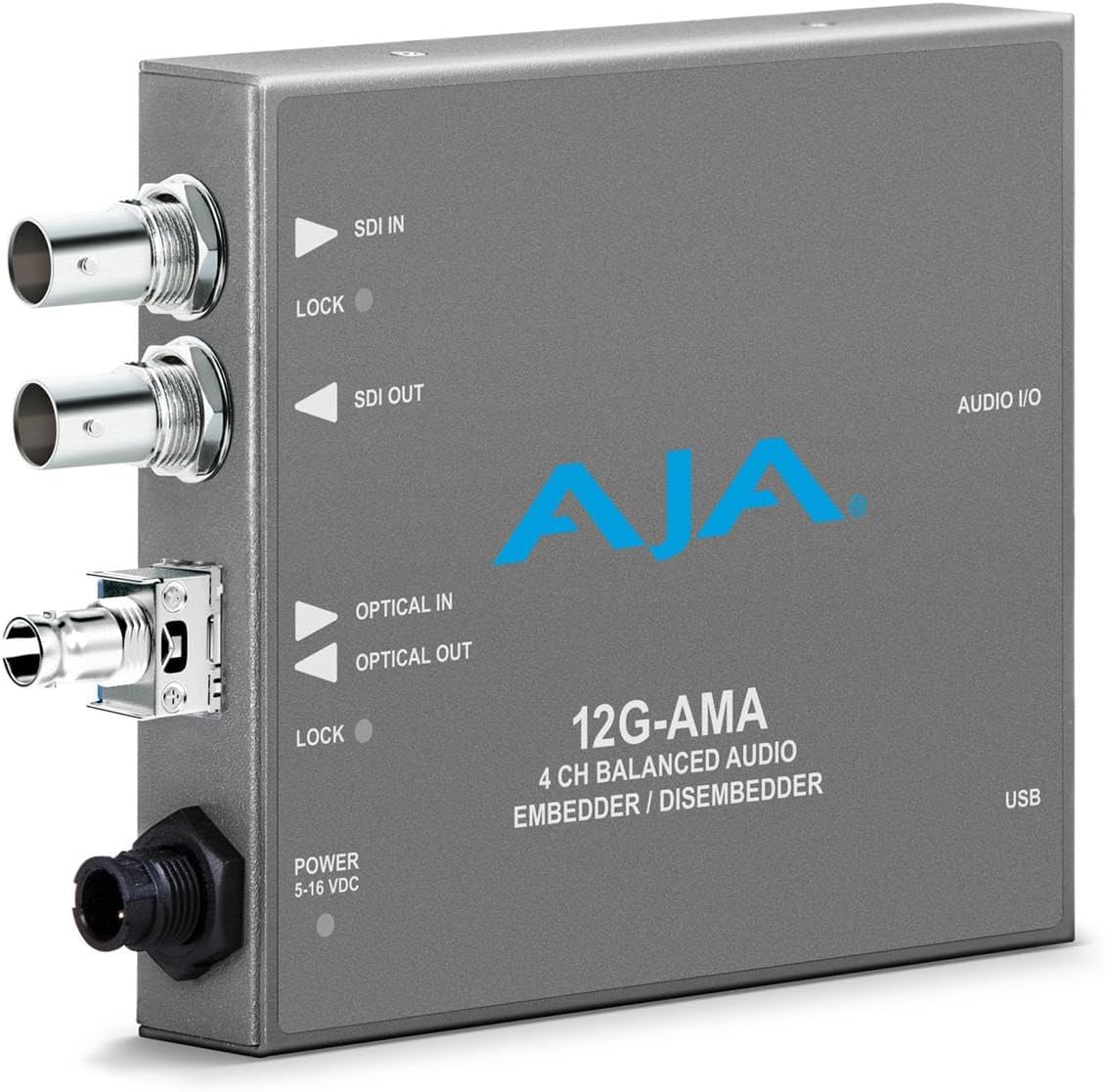
The AJA 12G-AMA 12G-SDI Balanced Audio EMBEDDER/DISEMBEDDER with Fiber Options represents a high-bandwidth approach to audio handling. Its title identifies 12G-SDI processing, balanced audio, bidirectional embedding and de-embedding functions, and available fiber options, making it potentially appropriate for professional broadcast and production infrastructures.
We may earn a commission when you buy through this link, at no additional cost to you.
A dedicated 12G-SDI design can help facilities consolidate modern high-resolution video and balanced audio through compatible equipment. The embedder and disembedder functions may also make the unit useful at different points in a signal chain, while the mention of fiber options suggests additional deployment flexibility for longer or distributed links.
There is a significant data-quality caveat. No rating is supplied, and the provided bullet describing Bluetooth headphones for children does not correspond to the product title. This guide therefore does not treat that unrelated text as evidence of a product feature. Buyers should verify the complete AJA specification, connector arrangement, supported audio channels, and fiber configuration directly with the manufacturer or seller before purchasing.
This product may fit a 12G-SDI infrastructure that needs balanced audio and flexible I/O, but the incomplete listing information makes caution essential. It is best considered a specialist option rather than an unqualified top choice. Confirming the exact model, supported standards, intended input sources, and downstream equipment compatibility is the responsible path to a sound purchase.
Embedding and disembedding in one platform can simplify a professional installation. It may support incoming and outgoing audio requirements without relying on separate dedicated units.
The stated fiber availability can be important for distributed production environments. Exact supported fiber types and distances require confirmation from the manufacturer.
We may earn a commission when you buy through this link, at no additional cost to you.
The Blackmagic Design SDI to Audio Mini Converter CONVMCSAUD is a 4.5-rated converter designed to move in the opposite direction from a dedicated audio embedder. Its primary function is taking audio from an SDI source and making it available as audio outputs, which can be essential when a monitor, recorder, or recording chain needs isolated tracks.
We may earn a commission when you buy through this link, at no additional cost to you.
Its most attractive quality for buyers is the combination of a strong rating and a simple, specific purpose. The included multinational adapters make it easier to use in different locations, while the Mini Converter enclosure suits permanent installations, portable rigs, and troubleshooting setups where space is limited.
This model should not be mistaken for a solution to a request for audio-to-SDI embedding. If the goal is to place analog or digital audio into an SDI feed, the wrong signal direction will not accomplish that task. The correct product would be a dedicated embedder, a bidirectional converter, or a device that embeds analog video while adding embedded audio.
Choose the CONVMCSAUD when you need to extract audio from SDI for monitoring, recording, or distribution. It is a practical companion piece for many installations, but it is not the first selection for a buyer searching specifically for an audio embedder. Users should match it to their downstream audio interface and ensure the source provides the required embedded channels.
De-embedding lets an installation recover audio carried inside an SDI signal. That is useful for independent monitoring, recording, or distribution paths.
Multinational adapters reduce the need to source a different power cord for each country. The included accessories make the compact converter easier to deploy internationally.
We may earn a commission when you buy through this link, at no additional cost to you.
The Blackmagic Design Mini Converter SDI To Analog has a 4.6 rating and performs a broader legacy-bridging task than a dedicated audio embedder. It converts SDI video signals to analog video while also allowing SDI audio to be de-embedded into balanced analog or AES/EBU outputs.
We may earn a commission when you buy through this link, at no additional cost to you.
This combination makes the converter particularly useful for connecting modern digital video equipment to older analog displays, recorders, or broadcast components. Having both balanced analog and AES/EBU audio options gives integrators flexibility in how the extracted sound reaches downstream equipment, while the compact enclosure limits the space required for signal bridging.
The obvious limitation is direction. This product is primarily a de-embedder and analog output converter, so it does not directly satisfy a need to place new audio into SDI. It also relies on analog video outputs, which may be less desirable in workflows built entirely around digital connections. Facilities should consider future compatibility before choosing legacy conversion as a long-term architecture.
It is a good choice for a broadcast facility, event operator, or production team that must connect SDI sources to analog destinations or recover audio for legacy equipment. For a pure audio-to-SDI project, select an actual embedder instead. Viewed as a bridge between generations, however, this Mini Converter offers useful flexibility and a well-regarded feature set.
Converting SDI video to analog output can keep older displays and recording devices useful. It extends the practical life of equipment that cannot accept digital video.
Balanced analog and AES/EBU outputs let the installer select the interface that matches the destination. That makes the converter easier to incorporate into mixed-generation chains.
We may earn a commission when you buy through this link, at no additional cost to you.
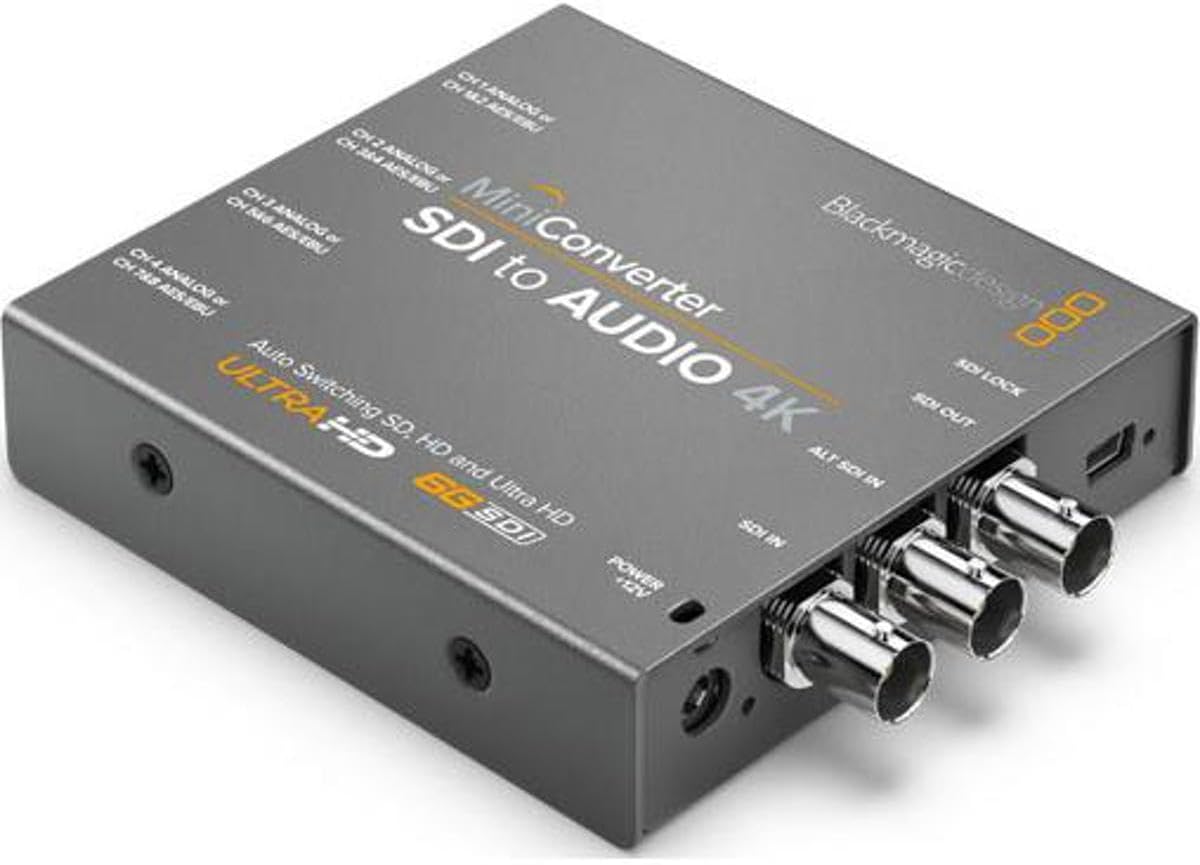
The Blackmagic Design Mini Converter SDI to Audio 4K CONVMCSAUD4K carries a 4.4 rating and provides a capable de-embedding solution for SD, HD, and 3G-SDI signals. Despite its model name, the listed video input is SD, HD, and 3G-SDI rather than Ultra HD, so buyers should not infer 4K video support solely from the title.
We may earn a commission when you buy through this link, at no additional cost to you.
Its strongest differentiators are channel flexibility and resilience. It can provide four channels of professional balanced analog audio or eight channels of balanced digital AES/EBU audio. The SDI output automatically matches the detected input, reclocking is included, and a redundant SDI input allows automatic changeover if the primary connection is lost.
The converter therefore functions best as a companion in a signal chain rather than as the requested primary audio embedder. Its 3G-SDI ceiling also means that a facility moving 4K signals will need a different model. The listed 5.52-watt power consumption is modest, which may be advantageous in a permanent installation where many units operate together.
Choose this model for multi-channel audio extraction from SD, HD, or 3G-SDI sources, particularly where redundant input and separate analog and digital outputs are valuable. It is well suited to monitoring and recording systems that need multiple isolated audio feeds. Those who need to embed new audio into an SDI stream should instead choose a dedicated audio-to-SDI converter.
The AES/EBU option can carry eight professional balanced digital channels. That capacity is valuable for multitrack monitoring, recording, and broadcast audio extraction.
Automatic SD, HD, and 3G-SDI detection reduces setup complexity. The output also matches the detected input, helping maintain a consistent chain.
We may earn a commission when you buy through this link, at no additional cost to you.
The Blackmagic Design Mini Converter – Analog to SDI is rated 4.2 and provides a different route into an SDI workflow. It converts analog video into SDI and can embed audio from balanced AES/EBU or analog inputs, making it useful when a production system needs to modernize legacy sources.
We may earn a commission when you buy through this link, at no additional cost to you.
The input side accepts HD or SD component video, NTSC, PAL, and S-video signals. Those formats remain relevant in installed audiovisual systems, archival transfers, and smaller event venues where modern cameras have not replaced every legacy source. The resulting SDI output can then move the combined video and audio through a digital production chain.
The important qualification is that this is primarily an analog-to-SDI video converter with audio embedding, not a dedicated converter that accepts a video feed and adds audio. If the video already exists as SDI, this product may be the wrong tool. The duplicated and truncated wording in the supplied description also makes exact channel and connector verification important before purchase.
It is best for integrators bringing older analog equipment into a digital SDI environment. Choose it when component, composite, NTSC, PAL, or S-video sources must become SDI and need accompanying embedded sound. For a straightforward modern camera-to-recorder audio path, a dedicated Mini Converter Audio to SDI model is the clearer and simpler option.
Converting older component, NTSC, PAL, and S-video signals to SDI allows them to join digital production workflows. This is useful in facilities with mixed equipment generations.
Balanced digital or analog audio can be embedded into the converted video. Carrying sound and pictures together can simplify downstream routing and recording.
We may earn a commission when you buy through this link, at no additional cost to you.
The AJA 3G-SDI 4-Channel Analog Balanced Audio Embedder/Disembedder Mini-Converter is built for precise professional audio work within a 3G-SDI environment. Its defining feature is four-channel balanced analog audio input and output through an XLR breakout, while the embedder and disembedder functions can support both audio injection and extraction tasks.
We may earn a commission when you buy through this link, at no additional cost to you.
The device also emphasizes signal timing and control. Listed video latency can be as low as 3.2 microseconds at 3G Level A, which is relevant when synchronization is critical in live video and audio workflows. MiniConfig software for PC and Mac allows operators to customize audio levels and converter settings, and the converter supports formats including 2048x1080p and 1920x1080i.
Compared with simpler embedders, this unit offers more deliberate control over audio behavior. The trade-off is that a breakout connector adds cabling and setup considerations, and 3G-SDI is no longer the highest-bandwidth category available. Since no customer rating is supplied, reliability cannot be compared numerically with rated products, so the published specification set becomes especially important.
Choose this AJA converter for professional 3G-SDI installations that need four balanced analog channels and software-based control. It is particularly suitable for live production, broadcast, and post-production environments where fine audio-level adjustment and predictable synchronization matter. Confirm the breakout cable requirements, supported channel routing, and downstream format compatibility before integrating it.
MiniConfig on PC or Mac gives operators access to audio levels and converter settings. This is useful when a project requires more precise control than basic menu-based operation.
The stated video latency of 3.2 microseconds at 3G Level A helps minimize timing concerns. That makes the unit relevant to live workflows where audio and video must remain closely aligned.
We may earn a commission when you buy through this link, at no additional cost to you.
The Blackmagic Design Audio to SDI 4K Mini Converter is a direct embedding solution with support for a broad range of video formats. It converts four channels of professional balanced analog audio or eight channels of AES/EBU digital audio into an SDI stream and automatically detects 4K, UHD, 2K, HD, or SD inputs.
We may earn a commission when you buy through this link, at no additional cost to you.
Its format support is extensive, covering 4096x2160p30 as well as NTSC, PAL, 720p, 1080i, 1080p, and 2K or 4K resolutions. The converter also handles 4:2:2 and 4:4:4 video sampling and uses 48 kHz, 24-bit audio sampling. A redundant SDI input automatically takes over if the main connection is lost, strengthening the unit's suitability for continuous operations.
No customer rating is provided for this listing, so numerical performance comparisons are impossible. Buyers should also examine the precise connector layout and verify whether their production standards and downstream equipment align with every listed format. Although 4K support is a clear advantage, the broader format range can make a simpler dedicated model more economical for legacy-only work.
This converter is best for modern production systems that need to add professional audio to 4K-capable SDI video while retaining support for common HD and SD formats. It is a strong candidate for studios, live venues, and broadcast operations with mixed-resolution infrastructure. Confirm the input connectors, supported audio routing, and current availability with the seller before making a final decision.
Automatic detection across 4K, UHD, 2K, HD, and SD lets one unit follow a changing production environment. This reduces the need to replace converters as workflows evolve.
Four balanced analog channels or eight AES/EBU channels cover common production needs. The redundant SDI input adds another layer of protection for critical feeds.
We may earn a commission when you buy through this link, at no additional cost to you.
Selecting an audio embedder requires matching signal direction, video standards, audio interfaces, channel requirements, and reliability features to the production environment rather than comparing converters in isolation.
An audio to SDI embedder receives an audio source and places it into an SDI video signal. Some compact converters perform only that function, while others also de-embed audio or convert analog video. A buyer who needs an independent analog or digital source added to an existing SDI feed should prioritize a dedicated embedder rather than a device primarily designed to extract audio.
Choose the direction that exactly matches the signal path. Reverse converters remain valuable for monitoring or recording, but they cannot replace an embedder.
The converter must support the resolution, frame rate, and SDI generation used by the camera, switcher, monitor, and recorder. Legacy systems may only need SD, HD, or 3G-SDI, while newer facilities may need 4K or 12G-SDI. Automatic format detection is convenient, but it only helps when every format in the chain is actually supported.
Write down the required output standard before shopping. A converter that handles audio perfectly still fails if it cannot carry the intended video signal.
Balanced analog XLR, balanced AES/EBU, and optical S/PDIF are not interchangeable. Match the converter to the physical connectors and electrical standards used by the audio source. Professional production equipment commonly uses balanced connections, while consumer optical sources may require a TOSLINK input or an appropriate external interface.
Check connector type, channel count, and signal level together. Buying for only one of these details can leave the converter unusable or force an unwanted adapter.
Some embedders support four channels of professional balanced analog audio, while eight-channel AES/EBU configurations can carry more digital tracks. Determine how many channels the source supplies and how many must reach the destination. Also account for timecode or other auxiliary routing, since one connector may perform a different function when configured accordingly.
Select enough capacity for the present workflow, with room to grow. Unneeded channels are harmless, but insufficient capacity cannot be repaired after installation.
A redundant SDI input allows a backup cable to feed the converter and can provide automatic changeover if the primary path is lost. This feature is particularly useful for live events, broadcast operations, and long-running installations where even a brief interruption is disruptive. It adds resilience but does not protect against every failure, such as loss of the audio source itself.
Prioritize automatic switching when uninterrupted operation is essential. For less critical setups, redundant inputs may be a useful but optional expense.
Some converters use simple front-panel settings, while others provide USB connectivity or PC and Mac configuration software. Software control is valuable for adjusting audio levels, naming channels, and fine-tuning signal behavior. Simpler local controls can be preferable in permanent installations where frequent changes are unnecessary or computer-based configuration is inconvenient.
Choose the control method that matches the operator's skill and workflow. Ease of adjustment matters as much as the number of available settings.
Latency can be important in live audio and video, especially when the converter sits between a camera and a production switcher. Published latency figures depend on the SDI level and configuration, so buyers should compare like with like. Video sampling options such as 4:2:2 and 4:4:4, along with audio sampling details, may also influence suitability for a high-quality workflow.
Treat any latency claim as format-dependent. Verify the figure for the exact signal mode the installation will operate.
A compact Mini Converter can fit into a small rack or sit near a source, while a larger unit may require a dedicated equipment space. Power accessories, international adapters, connector breaks, cooling, and cable strain all affect deployment. Review the supplied components and make sure there is enough access for settings changes and service.
Plan the physical path before ordering. A technically capable converter is less useful when its connectors or power supply do not fit the installation.
Begin by documenting the source video standard, source audio interface, channel count, destination equipment, and required SDI output. Connect the video path and audio inputs while the converter is safely powered down or according to the manufacturer's guidance. Power the unit, verify that it recognizes the intended video format, and then confirm the audio channel selection and routing.
Use short, properly terminated cables where practical and avoid placing the converter where its connectors can be pulled sideways. Leave space around ventilation openings, secure any breakout cables, and keep power connections stable. For redundant systems, test the backup SDI input deliberately and confirm that the unit changes over when the main input is removed.
Before every important production, monitor the embedded audio and check synchronization, levels, format recognition, and switcher or recorder compatibility. Save documented configurations when the converter supports software control. For cleaning, disconnect power and use a dry, soft cloth; avoid spraying liquids into the enclosure, and schedule periodic inspection of cables, connectors, power adapters, and thermal conditions.
An audio to SDI embedder inserts analog or digital audio into an SDI video signal. The combined stream can then travel over a single video connection to a switcher, recorder, monitor, or broadcast system. It is commonly used when a production needs to add separate production sound to a video feed.
Not necessarily. A converter whose primary function is SDI to audio normally extracts embedded tracks for monitoring or recording. Some devices combine embedding and de-embedding, but the specific model and its connectors must be checked because the naming can be misleading.
3G-SDI supports conventional high-definition and some higher-rate workflows, while 12G-SDI provides substantially greater bandwidth for modern high-resolution signals. The correct choice depends on the camera, switcher, recorder, and display. A converter cannot deliver a format that downstream equipment does not support.
Use the interface provided by your audio source and required by the destination. Balanced analog XLR is common in professional production systems, while AES/EBU is a professional digital standard. Optical S/PDIF can suit consumer or studio sources that use TOSLINK, but it is not directly interchangeable with balanced wiring.
Choose at least as many channels as your source provides and your workflow needs. Four balanced analog channels and eight AES/EBU channels are common configurations. If timecode uses one of the XLR connectors, account for that separately and confirm whether it reduces an available audio input.
A redundant input provides a second path for the SDI signal. If the main connection is lost, an automatic converter can switch to the backup, helping maintain a feed during live or mission-critical work. It protects the SDI path but not every part of the system, including the audio source and power supply.
Only when every device in the chain supports a compatible format and the required bandwidth. A converter limited to SD, HD, or 3G-SDI cannot pass an unsupported 4K signal correctly. Check the converter, camera, switcher, recorder, and display rather than assuming backward compatibility.
Run the intended video format through the complete chain, verify the embedded audio at the destination, and check synchronization and levels. If redundant inputs are present, remove the main SDI connection to confirm automatic changeover. Also test the final resolution and frame rate rather than relying only on a basic source.
The Blackmagic Design Mini Converter Audio to SDI CONVMCAUDS stands out as the most balanced general recommendation because it combines automatic SD and HD switching, 3 Gb/s SDI support, analog and digital audio options, and a redundant input. The Blackmagic Design Audio to SDI 2 offers a focused and highly rated alternative for simpler workflows, while the Teranex Mini Audio to SDI 12G provides the strongest premium path to 4K and 12G-SDI infrastructure.
Prioritize compatibility before features. The correct audio interface, channel count, video generation, connector arrangement, and signal direction matter more than a long specification list. Redundant inputs, low latency, automatic detection, and software control can then distinguish converters according to the demands of the installation and the risk associated with signal interruption.
Product specifications and availability can change, and prices fluctuate over time. Review the current listing, confirm manufacturer specifications, and test the complete signal chain before committing to equipment for an important production. Those final checks help ensure that the selected audio embedder works as intended rather than merely offering attractive headline features.