Valorise Wireless Gaming Headset
4.4Editor score
2.4GHz and Bluetooth 5.4
Seven-channel surround mode
Retractable ENC microphone
Up to 100-hour battery
Our Mac gaming headsets guide compares 10 top models for sound, comfort, wireless latency, microphones, platform compatibility, durability, and everyday value.
Mac gaming headsets must do more than reproduce game audio clearly. They should provide useful spatial cues, a reliable microphone, a comfortable fit, and dependable connectivity with a Mac, while also fitting the way you play, travel, and communicate. The right model can improve immersion without adding unnecessary complexity.
This guide compares ten headsets using the supplied specifications, including driver design, wireless technology, battery life, microphone construction, comfort features, platform compatibility, and physical connection options. The list covers wired, 2.4GHz wireless, and Bluetooth models, with special attention to details that matter on a Mac.
Each review explains the headset's strongest qualities, practical limitations, and ideal buyer. The three highlighted selections represent the best budget, editor's choice, and premium options, while the full ranking covers alternatives for competitive players, console gamers, travelers, and everyday users. Prices and availability can change, so confirm current listings before purchasing.
4.4Editor score

4.6Editor score

4.3Editor score
The comparison below highlights the major differences in connectivity, audio hardware, microphone design, comfort, and platform support. These details make it easier to identify the headset that matches your Mac setup and preferred gaming style.


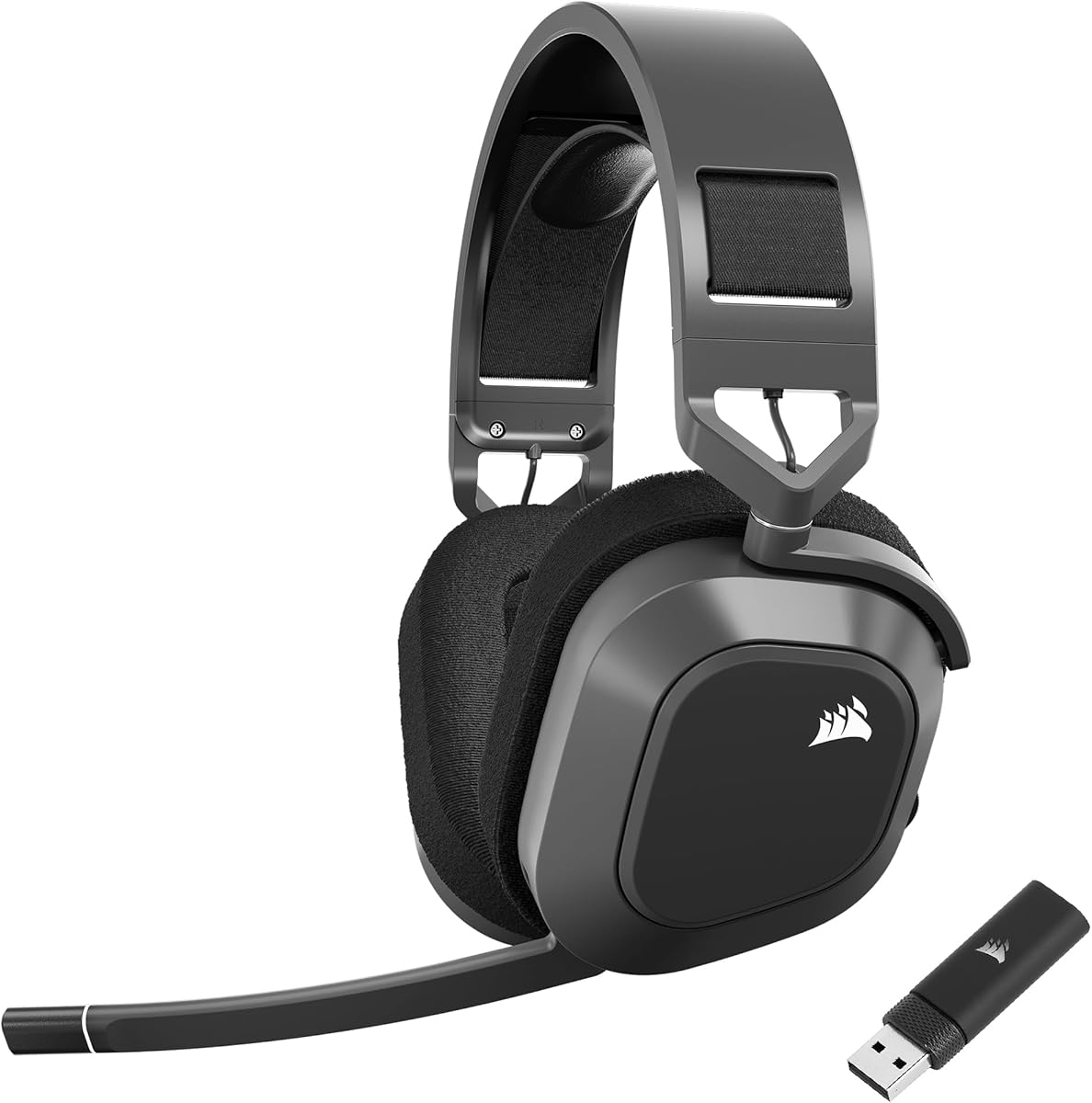
The Corsair Void RGB Elite Wireless combines large 50mm drivers, a low-latency 2.4GHz connection, and a notably comfortable physical design. Its 4.3 rating reflects a well-rounded premium headset, but the strongest attraction is the combination of detailed sound, breathable microfiber mesh, and plush memory foam earpads. The white finish also gives a Mac setup a distinctive look.
We may earn a commission when you buy through this link, at no additional cost to you.
Audio is the model’s main strength. Custom-tuned 50mm high-density neodymium drivers cover an expanded 20Hz to 30,000Hz frequency range, allowing the headset to render light footsteps, deep explosions, dialogue, and environmental effects with convincing separation. The optimized omnidirectional microphone captures voice clearly, while the flip-up mute action provides a quick way to silence communication without searching for a control.
Comfort receives similarly careful attention. Breathable mesh discourages the warm, stuffy feeling common to fully enclosed gaming headsets, while memory foam cushions distribute pressure around the ears. Aluminum yokes add durability and help the earcups maintain their position. The main limitation is connectivity: the supplied 2.4GHz wireless connection is intended for PC and PS4 rather than broad Bluetooth device use.
This is the premium selection for Mac gamers who prioritize sound detail, microphone convenience, and long-session comfort over Bluetooth flexibility. Its low-latency wireless link is well suited to competitive and narrative games, and the included USB adapter keeps the PC setup straightforward. Verify the platform details and current Mac configuration before buying, particularly if Bluetooth phone switching is essential.
The 50mm neodymium drivers and broad frequency response are well suited to games where quiet footsteps compete with explosions, music, and team communication. A wide range can reveal subtle details, although the included surround processing should not be treated as a substitute for learning sound cues in the games you play.
Breathable microfiber mesh and plush memory foam reduce heat and pressure without losing the enclosed design needed to block distractions. The aluminum yokes also make the headset feel suitably robust for frequent use and travel.
We may earn a commission when you buy through this link, at no additional cost to you.
The Valorise Wireless Gaming Headset delivers one of the most extensive feature sets in this guide, earning a 4.4 rating despite being positioned as an affordable option. It supports 2.4GHz wireless, Bluetooth 5.4, and a 3.5mm wired connection, making it unusually adaptable for a Mac that is used for gaming, calls, and media.
We may earn a commission when you buy through this link, at no additional cost to you.
Its 50mm dynamic drivers and selectable 7.1 surround mode are intended to produce a cinematic sense of direction and impact. A long-press of the M control enables surround, while double-click and single-click actions manage the decorative light. The retractable omnidirectional microphone uses noise-canceling processing to preserve speech and reduce background interference, giving the headset more value for team chat and everyday calls.
Battery life is the standout specification. The headset can run for up to 100 hours in Bluetooth mode with lighting and microphone disabled, or approximately 45 hours in 2.4GHz mode with those features active. It also supports use while charging and includes a 3.5mm fallback. Platform limitations matter, however: PS5 supports only 2.4GHz rather than Bluetooth, and the wireless function does not work with Xbox Series consoles.
Choose this headset if broad connectivity and long battery life matter more than a refined industrial design or a more specialized audio signature. Mac users can use the included USB or Type-C transmitter, Bluetooth for compatible mobile devices, or the wired cable. It is a particularly practical choice for someone who wants one headset to cover long workdays and gaming sessions without frequent charging.
The 2.4GHz transmitter supports low-latency gaming, Bluetooth 5.4 works with compatible phones and tablets, and the included 3.5mm cable provides a wired option. This makes the headset useful beyond the Mac, provided the selected connection matches the target device.
A claimed 100-hour Bluetooth runtime is exceptional, though real use depends on lighting, microphone state, volume, and connection type. The 45-hour 2.4GHz estimate is still strong and better suited to regular gaming than relying exclusively on Bluetooth.
We may earn a commission when you buy through this link, at no additional cost to you.
The Razer Kraken V4 X is a wired headset designed to span PCs, consoles, phones, and other compatible devices through its convertible USB-C and USB-A cable. It carries a 4.4 rating, and its combination of a retractable cardioid microphone, 7.1 surround sound, and adaptable connection makes it a practical choice for Mac users who value simplicity.
We may earn a commission when you buy through this link, at no additional cost to you.
Razer's three-part 40mm driver design separates high, mid, and low frequencies to avoid muddiness and provide a more dynamic presentation. The advanced 7.1 option is intended to reproduce a game’s sound design with greater spatial realism. For voice communication, the retractable HyperClear cardioid microphone focuses on the speaker while limiting pickup from other directions.
The headset does not depend on batteries, a dongle, or Bluetooth pairing, which removes several common sources of setup trouble. Its close-fitting earcups use hybrid fabric and leatherette memory foam cushions, balancing softness with sound isolation. The trade-off is that this is strictly a wired experience; buyers hoping for phone switching or cable-free gaming will need to look elsewhere.
This model is well suited to a desk-bound Mac setup with a modern USB-C port or an adapter for USB-A. Competitive players who prefer consistent wired latency, users who want a retractable mic, and travelers who dislike charging accessories will find plenty to appreciate. It is a strong middle-ground recommendation when wireless convenience is not a priority.
The convertible cable allows the same headset to move between USB-C and USB-A systems. That is useful for Mac owners who may alternate between a laptop and desktop or use adapters with different console ports.
The cardioid microphone pattern prioritizes speech from directly in front of the user. Its retractable design protects the mic when not needed and removes any need to manage a separate boom arm.
We may earn a commission when you buy through this link, at no additional cost to you.
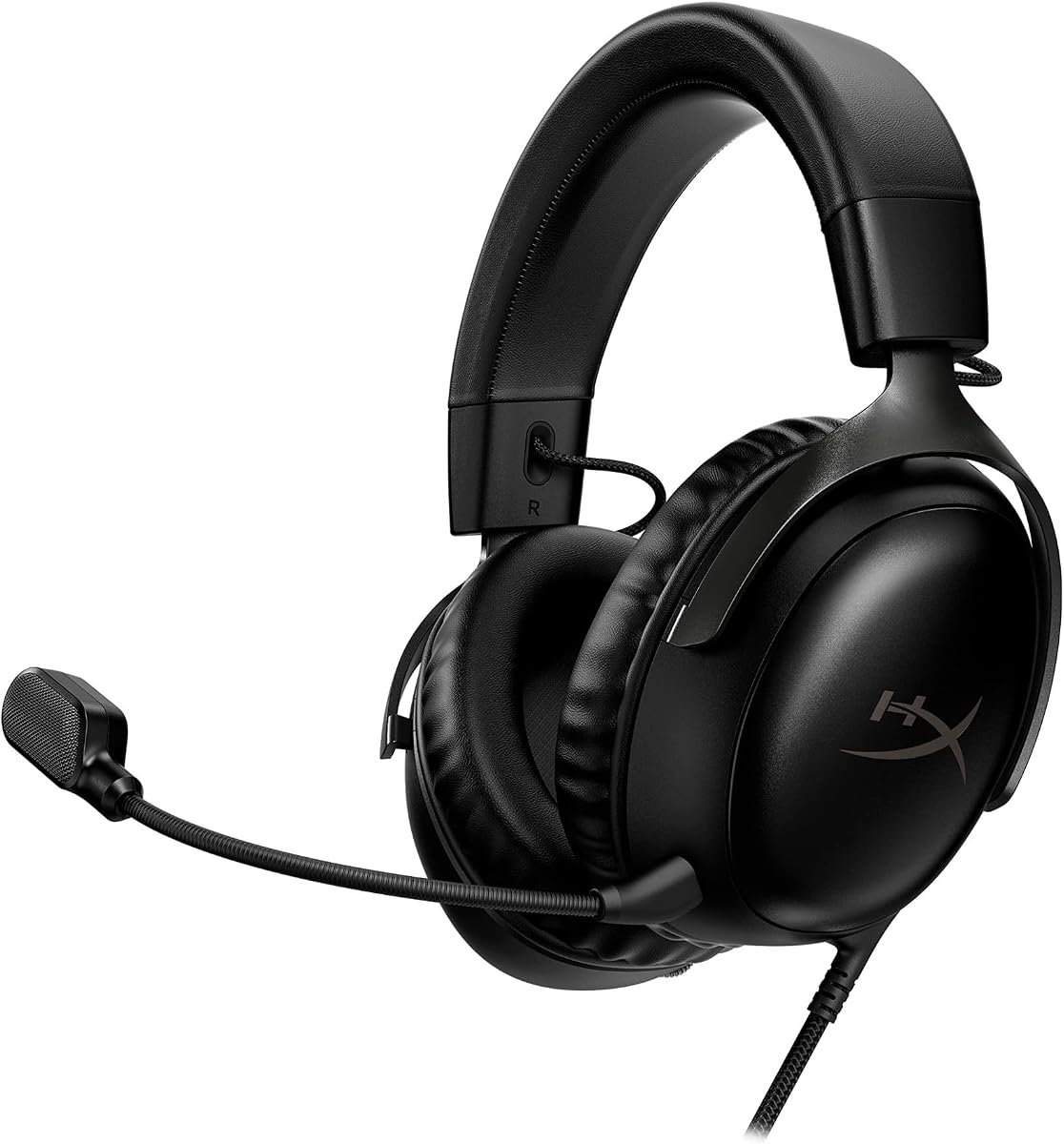
The black HyperX Cloud III combines angled 53mm drivers, a durable aluminum frame, and an upgraded 10mm noise-cancelling microphone. Its 4.3 rating reflects a dependable wired headset designed for extended gaming and voice communication, making it a natural fit for Mac users who prefer stable, straightforward hardware.
We may earn a commission when you buy through this link, at no additional cost to you.
HyperX tuned the 53mm drivers to emphasize dynamic gaming sounds, while the angled layout places the drivers closer to the ears for stronger directional impact. The microphone includes a mesh filter to reduce disruptive sounds and an LED indicator that makes mute status visible. A durable aluminum frame is a meaningful advantage for a headset expected to survive travel, repositioning, and daily use.
Unlike the white Cloud III listing, this product description does not explicitly list its included connector set, so buyers should confirm the supplied cable and applicable Mac adapter before ordering. The wired format also means no charging or wireless pairing is required, but it cannot offer the effortless device switching available on Bluetooth and multi-mode models. The physical design remains focused on function rather than portability.
This is a sensible recommendation for a permanent Mac gaming station, particularly for users who value a robust frame, a clear microphone, and room-filling wired audio. It may also suit players moving between Mac and the listed console platforms. Confirm connectivity requirements first, and choose it over a wireless model when consistent audio and low maintenance are the priorities.
Positioning the 53mm drivers at an angle helps direct sound toward the ear and can create a stronger sense of impact. The tuning is intended to accent dynamic in-game effects without requiring extra software for basic use.
The aluminum construction is more robust than many lightweight all-plastic frames. It does not change the core listening experience, but it can provide greater confidence in a headset used every day.
We may earn a commission when you buy through this link, at no additional cost to you.
The Razer BlackShark V3 X HyperSpeed is designed for players who want a lightweight wireless headset without giving up a detachable microphone or 7.1 audio. Its 4.2 rating pairs with a 270-gram design, making it especially relevant for long competitive sessions on a Mac where headset weight can contribute to fatigue.
We may earn a commission when you buy through this link, at no additional cost to you.
Second-generation TriForce 50mm drivers are tuned for clarity and positional performance, with the stated goal of making footsteps and other audio cues easier to distinguish. The 2.4GHz HyperSpeed connection focuses on low-latency play, while SmartSwitch Dual Wireless allows movement between 2.4GHz and Bluetooth. A wired USB connection is also available for uninterrupted gaming.
The detachable 9.9mm HyperClear cardioid microphone is designed to favor the user's voice while limiting environmental noise. It can be removed entirely for mobile use, reducing bulk and making the headset more travel friendly. The main caveat is that wireless flexibility introduces charging and mode management, and compatibility for advanced 7.1 functions can depend on the game and platform.
Competitive Mac gamers who value low weight and a detachable mic should give this model serious consideration. It is also attractive for users who alternate between PC gaming and Bluetooth audio on a phone. Keep the headset charged, use 2.4GHz for latency-sensitive play, and confirm that the desired surround features are supported by your chosen games.
At 270 grams, the BlackShark V3 X places a relatively light frame around the head. Plush earcups and material reductions are intended to limit fatigue without abandoning a secure, closed-back gaming shape.
HyperSpeed 2.4GHz is the appropriate mode for responsive PC gaming, while Bluetooth broadens the headset's usefulness for calls and media. SmartSwitch makes moving between paired devices more convenient.
We may earn a commission when you buy through this link, at no additional cost to you.
The Corsair HS80 RGB Wireless is built around low-latency SLIPSTREAM technology, 50mm neodymium drivers, and PC Dolby Atmos. Its 4.1 rating places it behind several alternatives, but the headset remains attractive for Mac gamers who prioritize immersive, object-based spatial audio and a polished wireless design.
We may earn a commission when you buy through this link, at no additional cost to you.
The 50mm drivers cover a 20Hz to 30,000Hz frequency range and are intended to reproduce everything from faint whispers to powerful blasts. Dolby Atmos on PC places sound around the listener with three-dimensional precision, which can make directional information easier to perceive in compatible games. The 7.1-style spatial presentation is a major attraction for narrative, survival, and tactical titles.
Its broadcast-grade omnidirectional microphone captures voice clearly and uses a flip-up mute mechanism with an LED indicator. SLIPSTREAM wireless is designed to keep audio synchronized and minimize delay, making it suitable for action-oriented play. The trade-off is platform dependence: Dolby Atmos is specified for PC, and the product data does not claim Bluetooth support, so mobile users should not assume the headset can function as a general-purpose wireless headset.
Choose the HS80 RGB when immersive Mac audio is the priority and you are comfortable treating it as a PC and console gaming headset rather than a broad Bluetooth audio device. Its detailed drivers and spatial processing offer a different experience from conventional stereo. Confirm the latest software requirements and platform support for your games, and verify the included connection hardware before purchase.
Dolby Atmos provides the headset's most distinct feature for Mac users. It can improve the sense of height, distance, and direction in supported games, particularly when environmental audio is important.
SLIPSTREAM focuses on low-latency wireless performance, while the flip-up microphone gives team members an immediate visual and physical mute control. This combination suits both competitive and social gaming.
We may earn a commission when you buy through this link, at no additional cost to you.
The white HyperX Cloud III stands out with a 4.6 rating, the highest in this guide, and a mature feature set that works particularly well for Mac gaming. It combines angled 53mm drivers, a full metal frame, memory foam comfort, and three supplied connection formats: USB-A, USB-C, and 3.5mm.
We may earn a commission when you buy through this link, at no additional cost to you.
The drivers were tuned by HyperX audio engineers to emphasize dynamic gaming sounds. A noise-cancelling 10mm microphone with a mesh filter improves voice clarity, while an LED mute indicator prevents accidental communication. Fast headphone-volume and mute controls sit on the earcup, reducing the need to leave a game and navigate system menus for routine adjustments.
Comfort is a major strength. Memory foam appears in the headband and the soft leatherette ear cushions, creating a plush fit that should remain comfortable over long sessions. The full metal frame adds durability, and broad compatibility makes the headset easy to move between a Mac, consoles, and mobile equipment. The limitation is its wired design, which cannot provide the instant device switching of a multi-mode wireless headset.
This is the editor's choice because it balances audio, comfort, construction, microphone quality, and platform flexibility more consistently than the alternatives. Mac owners can use USB-C directly or select the appropriate included connector, while the 3.5mm option provides another route for compatible equipment. It is a strong choice for a fixed gaming desk and for players who want one dependable headset across several devices.
Included USB-A, USB-C, and 3.5mm connections make the Cloud III unusually adaptable. The product data specifically lists Mac, PC, PS5, PS4, Xbox Series X|S, Xbox One, Nintendo Switch, and mobile compatibility, subject to the appropriate connection and platform behavior.
On-earcup volume and mute controls are useful during intense sessions because they provide immediate access without opening a menu. The LED mute indicator adds a second visual confirmation that the microphone is off.
We may earn a commission when you buy through this link, at no additional cost to you.
The Razer Barracuda X Chroma combines dual-wireless connectivity, 40mm TriForce drivers, detachable microphone, and customizable earcup lighting. Its 4.3 rating and 285-gram design make it a strong option for Mac gamers who want one headset for gaming, calls, and travel.
We may earn a commission when you buy through this link, at no additional cost to you.
SmartSwitch Dual Wireless can pair a 2.4GHz device and a Bluetooth device simultaneously, allowing the headset to remain ready for both PC gaming and phone audio. The 70-hour battery life supports long workdays and regular gaming, while the detachable HyperClear cardioid microphone can be removed for commuting. The wireless connection is not compatible with Xbox consoles, an important consideration for cross-platform buyers.
Audio uses Razer's three-part 40mm driver design to separate highs, mids, and lows for music, video, and games. Six-zone earcup lighting provides access to numerous colors and effects and can synchronize with supported games and devices through a broad partner ecosystem. The light treatment makes the headset more expressive than a purely utilitarian model, although buyers focused only on audio may not need that feature.
This headset is ideal for someone who moves between a Mac and a phone or wants lighting that matches a gaming setup. The simultaneous pairing is more useful than a basic Bluetooth headset's, and the removable mic improves portability. It is less suitable for Xbox users or those who want the largest drivers, so compare those priorities before deciding.
Simultaneous 2.4GHz and Bluetooth pairing is convenient for a Mac setup with a nearby phone. The user can listen to game audio while remaining available for calls, although notification and audio priorities depend on the device and software behavior.
Six-zone lighting brings a more personal look to a gaming desk, while the detachable mic and relatively light 285-gram build help when the headset leaves the computer. The lighting is an aesthetic benefit rather than an audio upgrade.
We may earn a commission when you buy through this link, at no additional cost to you.
The Ozeino Wireless Gaming Headset offers a 2.4GHz connection, 50mm drivers, and convenient on-ear controls at an accessible price point. Its 4.2 rating makes it a practical alternative for budget-conscious Mac gamers, particularly those who want to avoid a permanently wired setup.
We may earn a commission when you buy through this link, at no additional cost to you.
The stated wireless delay is below 30 milliseconds, and the 2.4GHz system uses a combined USB and Type-C transmitter for PCs, Mac systems, laptops, PS5, PS4, and Switch. The 50mm drivers are tuned to reveal steps, reloads, voices, and other game events. That makes the headset's emphasis clear: practical wireless gaming rather than advanced studio-level audio features.
Mac compatibility requires attention to the connection method. The product data says Bluetooth does not directly work with Mac, PS5, PS4, or PC; an extra USB Bluetooth adapter, which is not included, is required for Bluetooth use on those systems. The recommended route is 2.4GHz mode. The 3.5mm wired mode supports music and calls rather than full gaming, and the headset is not compatible with all Xbox consoles.
This is a worthwhile choice for players who prioritize 50mm driver size, accessible wireless gaming, and easy controls. Volume, mute, calls, music, and lighting are accessible through the ear controls, reducing the need to leave a game. Buyers should use the fully assembled 2-in-1 USB transmitter and should check their specific platform before purchase.
For a Mac, the combined 2.4GHz USB and Type-C transmitter is the most direct gaming connection. The supplied information specifically recommends 2.4GHz mode for stable play on Mac and compatible consoles.
Multifunction buttons handle volume, mute, calls, media, and lighting. Their placement on the earcups supports quick changes during a match, although users may need to learn the button combinations.
We may earn a commission when you buy through this link, at no additional cost to you.
The Corsair HS80 MAX is a feature-rich wireless headset aimed at users who move between gaming, calls, and mobile devices. Its 4.2 rating is supported by high-fidelity 24-bit/96kHz wireless audio, 2.4GHz and Bluetooth connectivity, and a long battery life that can reach 130 hours with RGB disabled in Bluetooth mode.
We may earn a commission when you buy through this link, at no additional cost to you.
Low-latency 2.4GHz audio is designed for PC, Mac, PS5, and PS4 gaming, while Bluetooth expands compatibility to mobile devices and other supported hardware. The 50mm neodymium drivers cover a wide range of frequencies, and the floating headband uses memory foam ear pads with breathable cloth fabric to distribute weight without a fixed hinge pressing directly on the crown.
Battery life depends heavily on connection and lighting. The stated maximum is 130 hours over Bluetooth with RGB off, 65 hours over 2.4GHz with RGB off, and 24 hours over 2.4GHz with RGB on. The package includes the headset, wireless USB receiver, and a 1.8-meter USB charging cable, which is useful for recharging through a Mac or other USB power source.
Choose the HS80 MAX when wireless freedom, high-resolution sound, and cross-device use matter more than a compact cable-based setup. It is particularly useful for Mac users who also need Bluetooth calling or mobile audio. Choose the 2.4GHz mode for gaming, check battery expectations before enabling lighting, and confirm that the included receiver and charging cable meet your setup needs.
The 24-bit/96kHz specification gives the HS80 MAX a strong fidelity foundation. Actual perceived detail depends on the game, source, connection stability, and volume, but the headset is designed to preserve more audio information than a basic wireless model.
The floating headband spreads weight across a broader area, while memory foam and breathable cloth manage pressure and heat. Reinforced aluminum components are intended to preserve durability over years of use.
We may earn a commission when you buy through this link, at no additional cost to you.
A useful Mac gaming headset balances accurate sound, a comfortable fit, dependable voice pickup, and a connection method that suits your computer and gaming routine. The right choice depends on whether sound quality, low latency, portability, multi-device use, or straightforward operation matters most to you.
Wired headsets offer the simplest setup and eliminate battery charging, Bluetooth pairing, and wireless interference. For a Mac, check whether the computer has USB-C, USB-A, or a 3.5mm headphone jack, and account for any adapter you may need. The Razer Kraken V4 X and HyperX Cloud III provide particularly broad connection options, while the Black Cloud III listing requires particular attention to the supplied cable because it does not enumerate every included connector in the provided information.
2.4GHz wireless is generally the most appropriate mode for responsive PC gaming because it prioritizes low latency and stable transmission. The Valorise headset lists latency of no more than 5 milliseconds, while the Ozeino model states less than 30 milliseconds. Bluetooth is more convenient for calls and media but should not automatically be treated as equivalent to a gaming-focused 2.4GHz link. Mac users should favor a model with a USB or Type-C transmitter for their primary gaming connection.
Driver size alone does not determine sound quality, but it provides a useful starting point for comparison. The 50mm and 53mm models here are designed to move substantial low-frequency output while preserving clearer mid and high frequencies for dialogue, footsteps, and environmental effects. Razer describes its TriForce designs as three-part driver systems, while HyperX highlights its angled 53mm drivers. Compare tuning and spatial features rather than assuming the largest driver is automatically superior.
A cardioid or unidirectional microphone is generally better at focusing on speech directly in front of the user, while an omnidirectional microphone can pick up sound from a wider area. Noise-canceling processing and a physical mute control are both valuable for team chat. The Razer Kraken V4 X and BlackShark V3 X use retractable or detachable cardioid microphones, while the Valorise headset uses a retractable noise-canceling microphone. Consider your chat environment as well as the microphone specification.
Mac compatibility is only the beginning if you also use PlayStation, Nintendo Switch, Xbox, or a phone. Some headsets use a single 2.4GHz receiver across several platforms, while others require a different cable or controller. The supplied data also identifies specific exclusions: the Valorise and Razer Barracuda X Chroma do not support Xbox wireless, the Ozeino is not compatible with all Xbox consoles, and PS5 requires 2.4GHz rather than Bluetooth on the Valorise model. Always check the exact device and connection combination.
Long sessions can make small differences in weight and padding important. The Razer BlackShark V3 X weighs 270 grams, while the Barracuda X Chroma is listed at 285 grams. Other models emphasize memory foam, breathable mesh, leatherette, a floating headband, or rotating earcups. The best fit also depends on head shape and whether you wear glasses. A plush headset that presses on the ears or crown may be less comfortable than a lighter alternative over time.
Battery estimates are most useful when viewed by connection and feature settings. The Valorise headset claims up to 100 hours in Bluetooth mode with lighting and microphone off and about 45 hours in 2.4GHz mode with them on. The Corsair HS80 MAX lists up to 130 hours in Bluetooth, 65 hours in 2.4GHz with RGB off, and 24 hours in 2.4GHz with RGB on. The Barracuda X Chroma offers a stated 70 hours. Choose a runtime that matches your charging routine rather than relying on the largest headline figure.
RGB lighting can add atmosphere and allow a headset to coordinate with a gaming setup. The Corsair Void RGB Elite, Valorise headset, and Razer Barracuda X Chroma make lighting a notable part of the design. However, lighting can reduce battery life and may have little value if you play in a shared office or rarely use the headset away from a desk. Treat lighting as a preference rather than a core performance measure.
Before the first gaming session, read the included connection instructions and identify the correct path for your Mac. Use the 2.4GHz USB or Type-C receiver for a low-latency wireless connection, Bluetooth for compatible mobile devices, or the supplied wired cable where appropriate. Confirm that the headset is fully charged, update any required software, and set a moderate game and chat volume before testing the microphone.
Run a short sound check using familiar music, dialogue, and game effects. Adjust the balance between game audio, voice chat, and system notifications so important cues are audible without forcing the master volume higher. Use the physical mute control when you are not speaking, and speak from a consistent position because microphone pickup can change with distance, room noise, and the angle of the head.
Store the headset in a dry, dust-free place with the earcups protected from direct heat and heavy pressure. Remove or retract the microphone where possible, loosely wind cables without sharp bends, and clean fabric or leatherette surfaces with a lightly damp cloth according to the manufacturer's care instructions. Allow shared earcups and cushions to dry fully before wearing the headset again.
Yes, when the headset uses a low-latency 2.4GHz connection and the receiver is connected correctly. The Valorise model lists latency of no more than 5 milliseconds, while the Ozeino headset lists less than 30 milliseconds. Bluetooth is better reserved for calls and media, and a wired connection remains the simplest option when maximum consistency is the priority.
A 2.4GHz USB or Type-C receiver generally provides the best balance of low latency and convenient wireless gaming. USB-C or 3.5mm wired connections can be ideal for a stationary setup, while Bluetooth is useful for moving between a computer and phone. Check whether your Mac has the required port or whether an adapter is necessary.
It depends on the model. The Valorise, Razer BlackShark V3 X, Razer Barracuda X Chroma, and Corsair HS80 MAX include Bluetooth support. The Ozeino requires an extra USB Bluetooth adapter for Bluetooth use with Mac, and that adapter is not included. The Corsair Void RGB Elite and HS80 RGB are described as wireless gaming headsets without Bluetooth mobile support.
Neither size guarantees better performance on its own. Driver design, tuning, enclosure, and the game's audio mix all influence the result. The 50mm and 53mm drivers in this guide can produce impactful low frequencies while preserving clear highs and mids, so the better choice depends on sound preference, comfort, microphone needs, and connectivity.
Many models support multiple platforms, but the connection requirements differ. The HyperX Cloud III lists broad support and includes USB-A, USB-C, and 3.5mm connections. Other wireless models may rely on a shared 2.4GHz receiver, use Bluetooth only for mobile devices, or exclude certain console standards. Verify the exact model, port, and receiver before purchasing.
Their microphones can be used with voice chat when the headset is selected as the input and output device in the Mac's audio settings. A clear cardioid or noise-canceling microphone, physical mute control, and LED indicator can make communication clearer. Test the microphone in the target application because platform permissions and input selection can affect the result.
Use 2.4GHz only when it is needed for low-latency gaming and switch to Bluetooth for compatible everyday audio when appropriate. Turning off decorative lighting can extend runtime, as illustrated by the Corsair HS80 MAX battery figures. Lowering excessive volume and charging before long sessions also helps, although the largest advertised battery estimate usually assumes specific feature settings.
Choose a lightweight model with breathable fabric, memory foam, and a headband that does not press directly on the crown. The Razer BlackShark V3 X is listed at 270 grams, while the Corsair HS80 MAX uses a floating headband and breathable cloth. Breaks, a proper fit, and moderate volume remain important even with a comfortable design.
The HyperX Cloud III is the editor's choice for its high rating, 53mm tuned drivers, plush memory foam construction, durable full metal frame, useful earcup controls, and broad connector support. The Valorise Wireless Gaming Headset is the budget selection for buyers who prioritize multiple connection modes, surround sound, a retractable noise-canceling microphone, and exceptional claimed battery life. The Corsair Void RGB Elite Wireless takes the premium position because of its detailed 50mm drivers, low-latency wireless connection, breathable padding, and aluminum yokes.
Start with the connection that fits your setup most often. Choose a wired model for a permanent desk and minimal maintenance, a 2.4GHz headset for low-latency wireless gaming, or a multi-mode headset if you regularly switch between your Mac and a phone. Then prioritize the microphone, comfort, and sound characteristics that affect your particular games, paying close attention to platform exclusions and the inclusion of the right Mac connector.
Ratings and specifications provide a useful starting point, but current product pages remain the best source for package contents, compatibility details, and availability. Prices change frequently, promotions come and go, and revised versions can differ from earlier listings. Check the current product information and user feedback before making the final purchase.