
Nano V3.0 Three-Pack
4.6Editor score
Three ATmega328P boards
USB cable included
Windows, Mac, Linux support
Explore the best Arduino Nano Board options, comparing classic AVR models, wireless ESP32 boards, compact Every boards, and the modern Nano R4 for modern
The Arduino Nano Board category combines compact size, approachable programming, and enough I/O for electronics, robotics, IoT, and wearable projects. A good board should fit the project, connect reliably to a computer, provide the required voltage and communication interfaces, and remain easy to prototype on without sacrificing useful capabilities.
We compared all ten boards by examining their processors, memory, pin configurations, wireless features, USB connectivity, power options, dimensions, expansion support, operating-system compatibility, and suitability for beginners or experienced makers. The list covers classic ATmega328P models, modern Renesas boards, the ATmega4809-based Every, and the wireless Nano ESP32.
Each pick reveals which use case it serves best, from inexpensive multi-board kits to official-style boards and feature-rich connected models. Ratings reflect the supplied customer feedback, while specifications come from the listed product information. Product availability and prices can change, so verify the current listing and accessories before purchasing.
4.6Editor score
4.6Editor score

4.6Editor score
The table below compares the ten Arduino Nano Board options by core platform, connectivity, I/O availability, and practical expansion features, making it easier to identify the right model for a particular project.


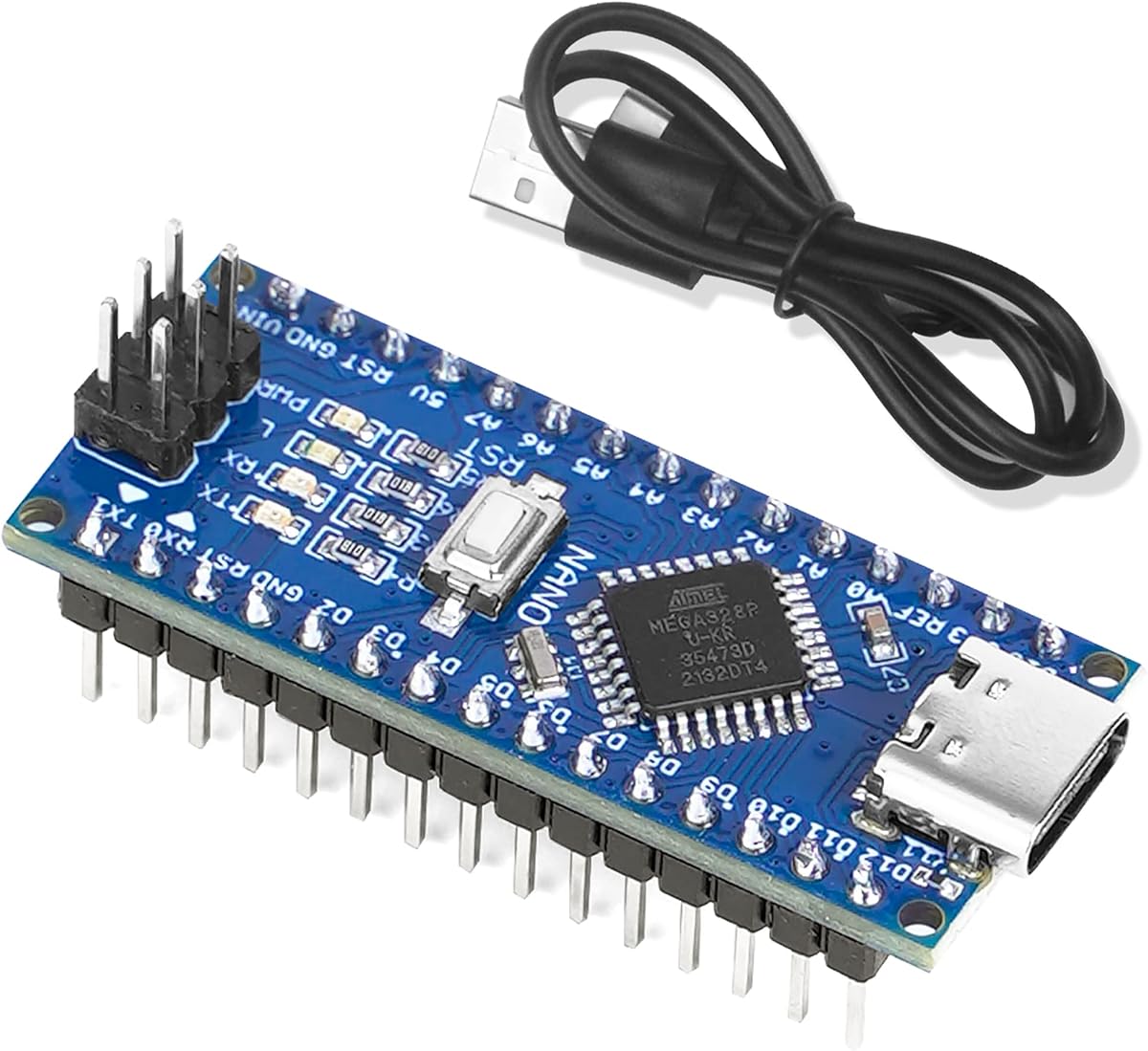
The Nano V3.0 three-pack combines the familiar ATmega328P platform with a CH340G USB-to-serial interface, making it an affordable entry point for general Arduino experimentation. Its 4.6 rating reflects broadly positive customer feedback, while the three-board format gives users more flexibility than a single-board purchase.
We may earn a commission when you buy through this link, at no additional cost to you.
Each board uses the Atmel Atmega328P-AU microcontroller and supports ISP downloads, USB downloads, and USB power. The supplied information also confirms compatibility with Windows, Mac, and Linux, along with operation through the Arduino IDE. Its small, breadboard-friendly form resembles the familiar Nano layout and should integrate comfortably into temporary or permanent prototypes.
The principal trade-off is that this is compatible clone hardware rather than an official Arduino board. The CH340G interface may also require a driver on some computer configurations, although the listed operating-system support is broad. Additional hardware such as sensors, jumper wires, and breadboards is not part of this focused kit.
This is a strong choice for students, educators, and makers who need several boards without paying separately for each one. It is particularly suitable for classroom exercises, parallel sensor experiments, robot teams, and learning Arduino syntax. For a dependable low-cost way to start with the classic Nano ecosystem, it delivers a generous combination of hardware and usefulness.
A three-board kit makes it practical to keep one prototype on a breadboard, install another in a robot or wearable, and preserve a third for testing. This flexibility is especially useful when a project requires repeated uploads without repeatedly disconnecting the main assembly.
The ATmega328P foundation gives learners access to the same broadly used Arduino Nano programming model. It is a sensible platform for foundational exercises involving LEDs, buttons, sensors, displays, and motor-driver modules.
We may earn a commission when you buy through this link, at no additional cost to you.
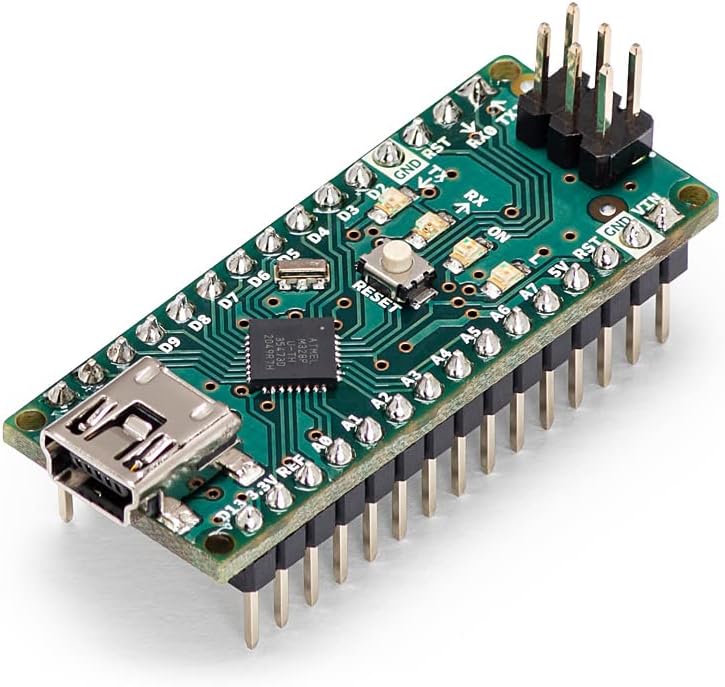
The Arduino Nano A000005 is the most straightforward general-purpose choice in this roundup. It uses the established ATmega328P platform, offers 14 usable digital I/O pins, eight analog inputs, and PWM support, and carries a 4.6 rating for a product that many makers already recognize.
We may earn a commission when you buy through this link, at no additional cost to you.
Its built-in mini-USB connection handles programming and power without requiring an external USB-to-serial adapter. The compact design is suitable for embedded systems, wearables, portable devices, robotics, automation, and interactive prototypes where a full-size board would be inconvenient.
This board does not provide wireless communication, and its older-style mini-USB connector may not be as convenient as USB-C on newer designs. The listed title mentions 22 digital I/O pins, while the product details more specifically describe 14 digital I/O pins; the latter is the more useful figure when planning connections because the additional pins include power and ground.
It is the best overall pick for users who want the conventional Arduino experience with minimal ambiguity. Documentation, libraries, tutorials, and community examples are abundant for the ATmega328P Nano platform. Choose it when reliability, familiarity, and straightforward IDE support matter more than built-in Wi-Fi, Bluetooth, or newer processing power.
The A000005 works with the Arduino IDE and benefits from the large library of examples built around the ATmega328P. This makes it easy to find established code for common sensors, displays, communications modules, and motor-control projects.
Digital I/O, PWM outputs, eight analog inputs, USB programming, and power supply give a beginner enough control for many interactive builds. Its small footprint also makes it straightforward to move from a solderless breadboard into a more compact installed arrangement.
We may earn a commission when you buy through this link, at no additional cost to you.
The ELEGOO set is designed to remove two common beginner obstacles: assembling headers and buying multiple boards. It includes three presoldered Nano-style boards and a USB-A to USB-C data cable, while the listed 4.6 rating indicates generally favorable customer experiences.
We may earn a commission when you buy through this link, at no additional cost to you.
Each 18 by 45 millimeter board uses the ATmega328P and supports familiar five-volt, 16 MHz AVR sketches. The specification lists 32 KB flash, 2 KB SRAM, 1 KB EEPROM, 14 digital I/O pins, six PWM outputs, and eight analog inputs, giving it ample capability for LEDs, buttons, displays, sensors, motor drivers, and data logging.
The USB-C port is a practical improvement over mini-USB, but the product guidance specifically notes that USB-C-to-USB-C host cables are not supported. A CH340 driver may also be needed if the computer does not immediately present a serial port. Users should select the Nano board and correct COM port after installing the necessary driver.
This set is a particularly accessible choice for workshops, families, and beginners who do not want to solder header pins before their first experiment. The included cable, presoldered headers, and three-board count reduce setup friction. It is less suitable for wireless projects, but excellent for learning, prototyping, and running several classic AVR sketches.
Pre-soldered headers allow each board to plug directly into a standard solderless breadboard. This creates a cleaner workspace and lets learners focus on wiring and code rather than basic assembly.
Three boards let participants keep separate experiments running or let one board serve as a programming demonstrator. The included USB-A to USB-C cable supports standard computer connections, while sensors and jumper wires remain separate purchases.
We may earn a commission when you buy through this link, at no additional cost to you.
The Arduino Nano Every provides a modern AVR path without adopting the wireless architecture of the Nano ESP32. Its ATmega4809 microcontroller, 48 KB flash, 6 KB SRAM, 20 digital I/O pins, eight analog inputs, and 4.6 rating make it a well-rounded choice for compact embedded work.
We may earn a commission when you buy through this link, at no additional cost to you.
The 45 by 18 millimeter format preserves the familiar Nano proportions, making it appropriate for wearables, robotics, automation, and other space-constrained projects. The supplied information also states that it is compatible with existing Nano shields, which helps when moving from a classic Nano prototype into a more capable final design.
Compatibility should not be interpreted as identical hardware behavior. The ATmega4809 differs from the ATmega328P used by the classic Nano, so projects should be checked for pin, voltage, library, and bootloader assumptions. The board also does not include Wi-Fi or Bluetooth, so wireless requirements would need an external module.
The Every is a good match for makers who want more processing headroom, additional memory, USB-C, and a modern official Arduino platform while remaining within the familiar Nano ecosystem. It is especially useful for sensor-heavy automation and embedded prototypes that need more capacity than the original ATmega328P design.
Expanded flash and SRAM give developers room for larger programs and more complex data handling. The additional digital I/O capacity can also reduce the need for multiplexing when a project connects several sensors and actuators.
At only 45 by 18 millimeters, the Every fits small housings and wearable layouts. Its USB-C connector and Arduino IDE support modernize the workflow while retaining a recognizable Nano-shaped board.
We may earn a commission when you buy through this link, at no additional cost to you.
The Arduino Nano ESP32 is the feature-rich selection in this guide, combining a dual-core ESP32-S3 processor with Wi-Fi, Bluetooth 5.0, USB-C, and Human Interface Device support. Its 4.6 rating makes it a strong choice for connected projects that need more capability than a traditional ATmega328P Nano.
We may earn a commission when you buy through this link, at no additional cost to you.
The Xtensa 32-bit LX7 processor can operate at up to 240 MHz, providing substantial performance for real-time data handling, smart-home devices, remote sensors, voice-related experiments, and edge machine-learning prototypes. Wireless connectivity removes the need for separate radio modules, while HID support allows custom keyboards, controllers, and other computer-facing devices.
The tradeoff is complexity. This is not a drop-in replacement for a classic ATmega328P Nano, and projects may need different libraries, board settings, and code assumptions. MicroPython offers an approachable alternative for users who prefer Python, while C++ and the Arduino IDE remain appropriate for conventional embedded development.
Choose the Nano ESP32 when wireless connectivity, higher performance, and modern interfaces are central to the project. It is the premium pick for IoT sensor nodes, connected controls, portable assistants, and advanced maker experiments. For a simple blink sketch with no radio requirements, a classic AVR Nano is usually simpler, but this model delivers the broadest capability set.
Integrated Wi-Fi and Bluetooth 5.0 make it possible to exchange data, build network-connected sensors, and communicate with nearby devices without adding separate radio hardware. That reduces wiring complexity and board footprint.
Compatibility with both the Arduino development environment and MicroPython lets makers choose between conventional sketch workflows and a streamlined Python approach. HID support adds another dimension by enabling custom USB input devices.
We may earn a commission when you buy through this link, at no additional cost to you.
This two-board Nano V3.0 package provides a balanced setup for makers who want more than one ATmega328P board but do not need a full classroom kit. Its 4.5 rating is slightly below the leaders, but the package includes two USB-C boards and two cables for immediate project use.
We may earn a commission when you buy through this link, at no additional cost to you.
Both boards use the ATmega328P and CH340G interface, operate at five volts and 16 MHz, and support Arduino IDE, ISP programming, and USB downloads. The listed I/O includes 14 digital pins, six PWM outputs, six analog inputs, a 16 MHz quartz oscillator, an ICSP port, and a reset button.
Users should note that the listed analog input count differs from some other boards in the guide, so projects needing more analog channels should confirm their wiring plan. The CH340 interface may require a driver on the connected computer, and clone boards may not behave identically to official Arduino hardware in every advanced use case.
This kit is well suited to paired experiments, one main controller plus one helper, robotics teams, and simultaneous serial experiments. It also suits users who want spare capacity without maintaining a three-board inventory. Its two included cables make it a convenient package for shared workspaces and portable project kits.
USB-C programming makes the boards convenient with current computer and hub ecosystems. Including two cables reduces the chance of one project monopolizing the only available connection during a workshop.
The boards can accept USB-C, six-to-12-volt unregulated external power, or regulated five-volt external power. The listed automatic source selection removes the need to move a power-selection jumper when changing supply methods.
We may earn a commission when you buy through this link, at no additional cost to you.
The three-pack Nano V3.0 is a capable classroom or group-project bundle with USB-C connectivity on each ATmega328P board. Its 4.5 rating supports its reputation as a practical, accessible kit, while the three-board quantity makes it easier to compare sketches, divide roles, or maintain spares.
We may earn a commission when you buy through this link, at no additional cost to you.
The boards support ISP downloads, USB downloads, and power supply, while remaining compatible with the Arduino Nano, the Arduino IDE, and Windows, Mac, and Linux. Each provides 14 digital I/O pins, six PWM outputs, six analog inputs, a 16 MHz quartz oscillator, an ICSP port, and a reset button.
As with other CH340-based clone boards in the roundup, users may need to install a serial driver before the board appears as a COM port. The boards also share the same architectural limitations as the classic ATmega328P: no integrated Wi-Fi, Bluetooth, or substantially larger memory, and they may require slight compatibility adjustments for advanced accessories.
This is a sensible choice for coding classes, family learning sessions, robotics teams, and multi-station workshops. It gives participants enough hardware to work simultaneously and includes a cable for programming. The USB-C port and flexible power options make routine setup less cumbersome than older connector arrangements.
Three identical boards let a group compare the same sketch on separate circuits or divide a larger system into controller, sensor, and output sections. The matching hardware also simplifies troubleshooting because each station uses the same layout.
USB-C, regulated five-volt input, or six-to-12-volt unregulated input allow the boards to operate in different prototype environments. ISP support adds another programming route for makers comfortable working beyond the standard IDE workflow.
We may earn a commission when you buy through this link, at no additional cost to you.
The Arduino Nano R4 with Headers is a modern, performance-oriented evolution of the Nano platform. Its Renesas RA4M1 microcontroller provides 256 KB flash, 32 KB RAM, and a 48 MHz clock speed, giving it substantially more processing room than classic ATmega328P boards.
We may earn a commission when you buy through this link, at no additional cost to you.
This model arrives with pre-soldered headers, making it immediately suitable for solderless breadboards and Modulino nodes. The Qwiic connector and additional five-volt I²C port simplify expansion with compatible sensors, actuators, and peripherals, while the programmable RGB LED offers a convenient way to communicate board status or experiment with visual feedback.
The 4.3 by 1.7 centimeter footprint and single-sided component arrangement are useful for embedding. However, the RA4M1 architecture is not a drop-in replacement for ATmega328P code, and users may need to revisit libraries, pin definitions, and timing assumptions when migrating an older project.
The R4 is most attractive to users who want a compact official-style board with more memory, modern expansion, and immediate breadboard readiness. It is a good fit for education, sophisticated prototypes, connected sensor systems built with suitable modules, and custom embedded designs that may eventually move onto a PCB.
The combination of 256 KB flash, 32 KB RAM, and a 48 MHz clock provides useful headroom for larger data structures and more involved control logic. It can make logging, interface handling, and multi-sensor projects easier to develop without the tight resource limits of an older AVR board.
Pre-soldered headers eliminate the first assembly task, and the Qwiic connector offers a clean route to compatible expansion modules. The separate five-volt I²C port adds another accessible option for sensor networks.
We may earn a commission when you buy through this link, at no additional cost to you.
The unmounted-header Arduino Nano R4 is aimed at makers who want control over final board orientation or plan to mount the board directly on a custom PCB. It retains the same Renesas RA4M1 foundation, 256 KB flash, 32 KB RAM, 48 MHz clock, Qwiic connector, and programmable RGB LED.
We may earn a commission when you buy through this link, at no additional cost to you.
Loose male header pins are included but must be soldered for conventional breadboard use. The castellated edges offer an alternative for embedding the board in a designed circuit board, making this version particularly relevant to makers creating a permanent or semi-permanent installation.
Its 4.2 rating is the lowest among the ten listed products, although the rating does not change the stated hardware capabilities. Compared with the pre-soldered R4, the obvious convenience loss is immediate breadboard readiness. Soldering also introduces a small amount of setup work and requires suitable tools and basic soldering competence.
Choose this version for compact embedded systems, custom PCB integrations, or projects where header placement and final orientation matter. It is less convenient for a first-time user who wants to begin immediately. For that use case, the mounted-header R4 is more convenient, while this option provides greater freedom in the finished installation.
Leaving the pins unmounted allows the header to be installed on the side that best matches the intended layout. It also gives experienced makers complete control over the board's position within an enclosure or custom circuit.
The single-sided board and castellated edges simplify incorporation into custom electronics. Combined with Qwiic expansion and the compact 4.3 by 1.7 centimeter footprint, the board can serve as the processing core of a purpose-built device.
We may earn a commission when you buy through this link, at no additional cost to you.
The OSOYOO Nano Module provides a single classic Nano-style board with a USB-C connector and both USB-C-to-USB-A and USB-C-to-USB-C cables included. Its 4.6 rating indicates a generally positive reception and makes it a practical choice for one-project makers or individual learners.
We may earn a commission when you buy through this link, at no additional cost to you.
The board uses the Atmega328P-AU microcontroller, supports ISP downloads, USB downloads, and USB power, and is compatible with Windows, Mac, and Linux. It provides 14 digital I/O pins, six PWM outputs, six analog inputs, a 16 MHz crystal oscillator, an ICSP port, and a reset button.
The six analog inputs should be considered when planning sensor-heavy circuits. As with other CH340-equipped boards, a driver may be necessary before the operating system recognizes a serial port. The included USB-C-to-USB-C cable does not change that basic interface requirement, and the product is a single board rather than a multi-board kit.
This module is a strong fit for cost-conscious beginners who want a single breadboard-friendly platform, embedded experiments, and the familiar ATmega328P programming environment. It is especially useful when USB-C convenience and included cables matter, while projects needing three boards, wireless communication, or more than six analog channels should look elsewhere.
The package includes both USB-C-to-USB-A and USB-C-to-USB-C cables, making it easier to connect to different host devices. This reduces the chance that a user must find a compatible cable before the first upload.
The ATmega328P-AU platform is widely supported by Arduino tutorials, libraries, and community examples. Automatic selection among USB-C, unregulated six-to-12-volt, or regulated five-volt power further simplifies use in different environments.
We may earn a commission when you buy through this link, at no additional cost to you.
Choosing an Arduino Nano Board is mostly a matter of matching processor capability, connectivity, power options, and physical arrangement to the project. The following factors help separate inexpensive compatible boards from official-style and feature-rich models.
The ATmega328P is the classic Arduino Nano processor and remains ideal for straightforward projects involving LEDs, switches, sensors, displays, and basic motor control. Boards based on the ATmega4809, such as the Nano Every, provide more flash, RAM, and I/O while staying within the AVR ecosystem. The Nano ESP32 moves to an ESP32-S3 dual-core processor, adding substantial performance and wireless communications, while the Nano R4 uses a 48 MHz Renesas RA4M1 with 256 KB flash and 32 KB RAM. A board is not automatically a drop-in replacement for another: code, libraries, pin assignments, and electrical assumptions may need review.
Bottom line: use ATmega328P for classic learning, ATmega4809 for more capable AVR work, RA4M1 for modern high-performance prototypes, and ESP32-S3 when wireless connectivity is essential.
Most conventional Nano V3.0-style boards, the A000005, the Every, and both R4 models do not provide built-in Wi-Fi or Bluetooth. The Nano ESP32 does, using an ESP32-S3 with Wi-Fi and Bluetooth 5.0. Built-in radios simplify connected sensor nodes, smart-home controls, remote monitoring, and custom HID devices because users do not need to attach and manage separate wireless modules. They also add complexity, bring additional library requirements, and may consume more power than a simple wired project. If the design only needs serial communication with a host computer, a wired ATmega-based board can be simpler and less expensive.
Bottom line: choose the Nano ESP32 for native connectivity; choose a wired board when radio capability, complexity, or power requirements would not benefit the project.
The A000005 uses mini-USB, while the Every, ESP32, and many newer clone boards use USB-C. Connector type affects cable compatibility and convenience, but the USB interface chipset also matters. Official-style and clone boards in this list use CH340 or CH340G USB-to-serial interfaces, which may require driver installation on some computers. The ELEGOO product specifically notes that its current board does not support USB-C-to-USB-C host cables and includes a USB-A-to-USB-C cable for that reason. Before buying, check which cable and driver your computer expects.
Bottom line: verify the connector, included cable, operating-system support, and required serial driver before committing to a model.
Classic ATmega328P boards generally offer 14 usable digital I/O pins, six PWM outputs, and either six or eight analog inputs depending on the listed model. The Nano Every provides 20 digital I/O pins and eight analog inputs, while the R4 and ESP32 families have their own pin arrangements. Count the sensors, buttons, displays, addressable LEDs, and actuator-control lines before purchasing. Remember that motor drivers, relay boards, high-current lighting, and other demanding loads should not be powered directly from ordinary microcontroller pins; use suitable driver modules and a separate power path.
Bottom line: create a wiring inventory first, then choose the board with enough usable pins and communication interfaces for every component.
The classic five-volt boards can generally be powered over USB, accept regulated five-volt input, or use an appropriate six-to-12-volt unregulated input through the VIN path, with automatic source selection on the listed models. The ESP32 and other modern boards have their own power expectations, so users should follow the specific product documentation rather than assume every Nano accepts the same supply. USB power is convenient for prototyping, but a project containing motors, servos, relays, or bright LED loads may need an external supply and a shared ground.
Bottom line: choose a supply that matches the board, provide a common ground with external modules, and avoid powering high-current loads through logic pins.
The Nano footprint is compact, but the exact dimensions and mounting options matter for enclosures and custom electronics. The A000005, Every, and R4 are designed around a very small form, while the ELEGOO board is specified at 18 by 45 millimeters. Pre-soldered headers make standard solderless breadboard use immediate, as seen on the ELEGOO and R4 mounted-header versions. Loose or unmounted pins allow orientation choices and are useful for custom PCB integration, but they require soldering. Some boards also offer castellated edges, which matter when designing a permanent embedded assembly.
Bottom line: prioritize pre-soldered headers for quick prototyping and unmounted headers or castellated edges for custom installations.
SPI, I²C, and UART support can connect displays, storage modules, sensors, and communication devices. The classic ATmega328P models retain the familiar Arduino Nano pin ecosystem, while the R4 includes a Qwiic connector and an additional five-volt I²C port. The ESP32 adds Wi-Fi, Bluetooth, and USB HID, making it relevant to projects centered on network communication or custom input devices. Expansion capability should be evaluated together with software support. A convenient connector is not especially useful if the required module lacks a compatible library or the chosen sketch cannot interface with it.
Bottom line: match communication interfaces and expansion connectors to the accessories and software your project actually requires.
A single board is often enough for an individual experiment, but multi-board bundles can save setup time in classrooms, workshops, and team projects. The three-board options include combinations of USB cables, while the two-board kit provides two cables. Most boards do not include jumper wires, breadboards, sensors, or motor modules, so those items may need separate purchase. Check the listing contents carefully rather than assuming a development kit includes every peripheral required for a lesson. A well-chosen bundle can be more convenient than several unrelated boards and cables.
Bottom line: compare total project coverage, including board quantity, cables, headers, and separately required modules.
Begin by identifying the processor and USB interface in the product documentation, then install the Arduino IDE and any required CH340 serial driver. Select the appropriate Nano board type, connect the supplied or compatible data cable, and confirm the correct COM port. Upload a basic Blink sketch before attaching other components so that basic power, driver, and programming problems can be diagnosed separately from complex wiring issues.
Power the board without motors or other high-current loads during the first test. Add external modules one at a time, confirm common ground, and use the board's regulated voltage whenever the module requires five volts. Keep the reset behavior and pin functions in mind, especially when using serial communication, because opening the USB serial monitor may reset an ATmega328P board. If a CH340 board does not appear as a serial device, inspect the cable, install the appropriate driver, and try another USB port before changing the sketch.
For ongoing care, keep the board dry, protect the USB connector from bending, and avoid leaving it connected to a computer in a damp, dusty, or excessively hot environment. Store it in an anti-static bag or a closed parts container. When soldering to header pins or a custom board, use a regulated-temperature iron, avoid bridging adjacent pads, and test continuity after assembly. If performance becomes unstable, inspect power connections, common grounds, long jumper wires, and motor interference before suspecting the microcontroller itself.
No. Boards using the ATmega328P generally support classic Nano sketches, while the Every, ESP32, and R4 use different processors with different board settings and library requirements. Select the correct board type in the Arduino IDE, check pin definitions, and verify that every library supports the chosen architecture. Some basic examples will transfer with little change, while timing, analog functions, bootloader, and pin behavior may differ.
You may need to install the CH340 serial driver, particularly on Windows systems that do not include it automatically. After installation, reconnect the board and look for a new COM port. macOS and Linux systems often recognize the interface through built-in support, but the exact computer configuration can still affect detection. Always confirm that the connected cable is a data cable rather than a charge-only lead.
Mini-USB and USB-C describe the physical connector used for programming and power; they do not determine the processor. The A000005 uses mini-USB, while many newer boards use USB-C. The CH340 interface also remains common on both connectors, so choosing USB-C does not automatically mean the operating system will recognize the board without a driver.
Many basic concepts transfer, but the project is not automatically compatible. The ESP32-S3 uses a different processor architecture, has different pin behavior, and provides wireless functions that require suitable libraries. Start with a board-specific Blink example, then adapt pin definitions and communication code one section at a time. A project involving precise timing or direct register access will usually require more substantial changes.
A board with pre-soldered headers, a simple ATmega328P architecture, and a known-good Arduino IDE workflow is generally easiest. The ELEGOO three-pack and A000005 fit that description, while the A000005 offers the most familiar official platform. Beginners should also account for the need to purchase jumper wires, a breadboard, sensors, and other separately sold components.
It is generally better to power motors and relays through appropriate driver modules or other suitable circuitry. Their current demands can exceed what a microcontroller pin or USB-powered board should handle, and inductive loads can introduce electrical noise. Use an appropriate external supply for demanding loads, connect its ground to the controller ground, and use driver hardware rather than trying to switch the load directly from a logic pin.
Pre-soldered headers are more convenient for solderless breadboards, education, and quick experiments. Loose headers are useful when the final orientation matters, the board is being installed in a custom enclosure, or the user intends to use the castellated edges on a custom PCB. Loose headers require soldering, so beginners who need immediate prototyping should favor a mounted-header version.
An official board can provide greater confidence in component sourcing, documentation, and consistent behavior, while a compatible clone may be more affordable and available in useful quantities. The practical difference is less important for many learning projects, but advanced users should verify bootloader behavior, USB interface details, pin mapping, and accessory compatibility. Choose according to reliability needs, project complexity, and local support rather than branding alone.
The Nano V3.0 three-pack stands out as the best budget option for beginners, classrooms, and parallel experiments, while the Arduino Nano A000005 is the strongest all-round choice for familiar ATmega328P development. The Arduino Nano ESP32 earns the premium position for projects that need integrated Wi-Fi, Bluetooth, HID, and substantially more processing capability.
Before purchasing, prioritize the processor architecture, required pin count, connector and driver arrangement, wireless requirements, and final physical installation. Pre-soldered headers suit immediate breadboard work, loose headers offer PCB flexibility, and multi-board bundles can simplify workshops. Projects should also be checked for the voltage, driver, and library support of the exact board selected.
Product listings, availability, and prices can change, so check the current details and included accessories before ordering. Confirm the processor type, USB connector, power options, header configuration, and any required software drivers to ensure the selected Arduino Nano Board matches both the project and the rest of the build.
