
MNN 15.6-inch Portable Monitor
4.3Editor score
15.6-inch Full HD IPS
Single-cable USB-C connection
Foldable smart-cover stand
Portable dual monitors give MacBook Pro users more room for documents, communications, media, and focused creative work without requiring a permanent desk setup. The right model should combine a useful display size, easy macOS integration, stable construction, and a carry-friendly design that suits travel, remote work, and shared spaces.
We compared ten products using their supplied specifications, including display technology, resolution, color coverage, connectivity, physical design, compatibility notes, and included accessories. The list covers stacked dual-screen systems, portable extenders, and single external screens that create a practical dual-display workspace with the MacBook Pro's built-in display.
Each review identifies the feature that most distinguishes the product while also explaining practical limitations involving drivers, power, ports, and compatibility. Ratings reflect the supplied customer feedback and can change over time. Product prices also fluctuate, so check the current listing before making a final purchasing decision.
4.3Editor score

4.8Editor score

4.8Editor score
As an Amazon Associate we earn from qualifying purchases.
The comparison below covers screen configuration, resolution, portability, and the most important MacBook Pro setup consideration for each model, including native USB-C support and DisplayLink driver requirements.




The InnovRay 15.6-inch Laptop Screen Extender has a 4.4 rating and stands out for a thin aluminum body, a roomy Full HD panel, and unusually flexible screen positioning. Its freestanding bracket avoids putting additional stress on the MacBook Pro display, making it useful for users who want a second screen without suspending the laptop lid.
We may earn a commission when you buy through this link, at no additional cost to you.
The 1920 by 1080 IPS display provides 300 nits of brightness and a 1000:1 contrast ratio. Folding screens from zero to 180 degrees makes it possible to arrange the extender beside, below, or in front of the laptop. Connection choices include two USB-C ports or a combination of USB-C and HDMI, while the InnovRay software provides brightness, contrast, color-temperature, eye-care, game, and split-screen controls.
MacBook compatibility deserves careful attention. The supplied guidance says standard M1, M2, and M3 systems are not compatible with conventional dual-screen functionality, while Pro and Max chips can use the product directly. Users with base-model chips are instructed to contact customer service for an H5 cable. Other limitations include the overall three-pound-nine-ounce weight and the need to select the correct port combination.
This is a strong recommendation for MacBook Pro owners with Pro or Max-series processors who value adjustable viewing angles, aluminum construction, and independent screen controls. Buyers using base-model chips should confirm compatibility and obtain the appropriate cable before ordering. For everyone else, it is a flexible and thoughtfully engineered option for building a larger workstation away from a fixed desk.
The freestanding aluminum bracket is one of the most useful design choices here. Because the extender does not attach to the MacBook Pro's lid, it avoids the hinge strain associated with many portable screen designs while leaving the original display fully visible.
Smart display software adds value beyond basic image output. Brightness, contrast, color temperature, eye-care, game, and split-screen modes let users tune the panel for office documents, extended reading, media, or gaming without relying entirely on macOS display controls.
We may earn a commission when you buy through this link, at no additional cost to you.
The KYY 15.6-inch Laptop Screen Extender carries a 4.4 rating and is designed for users who want two external displays rather than a conventional laptop-and-monitor arrangement. Each side uses a 15.6-inch Full HD IPS panel, creating a large three-screen workspace when paired with a MacBook Pro.
We may earn a commission when you buy through this link, at no additional cost to you.
A particularly appealing feature is the one-cable connection design. A full-featured USB-C connection can carry the display signal and reduce cable clutter, while the built-in stand adjusts up to 90 degrees. Both screens rotate through 360 degrees, allowing landscape, portrait, and shared-viewing arrangements. The supplied data also mentions 178-degree viewing angles and an aluminum alloy exterior.
The principal caveat is software preparation. Unlike products that work directly through macOS display support, the KYY extender requires drivers to be downloaded before use. It is also not compatible with PS5, Xbox Series X, and other gaming consoles, although those limitations do not materially affect a MacBook Pro productivity setup.
Choose the KYY when two large, rotatable screens and a single-cable routine matter more than completely driver-free macOS operation. It is well suited to traders, analysts, designers, and remote workers who regularly move between locations and want the largest straightforward portable workspace in this group.
The one-cable design reduces the usual tangle of separate video and power leads. That makes the extender particularly convenient for users who transition repeatedly between a home office, hotel room, client meeting, or shared workspace.
The two independent panels can rotate to serve as a central display, side displays, portrait panels, or presentation surfaces. This makes the system more versatile than a fixed portable screen designed only for a one-external-monitor arrangement.
We may earn a commission when you buy through this link, at no additional cost to you.
The VisionOwl Stacked Dual Monitor has a 4.8 rating and stands out as a premium portable workstation for MacBook Pro users. Its vertically stacked pair of 15.6-inch matte IPS screens provides a large, focused work area, while 107% sRGB coverage and eight-bit color depth make it especially interesting for detailed productivity and creative tasks.
We may earn a commission when you buy through this link, at no additional cost to you.
The product supports extend and mirror modes through DisplayLink. Windows systems can install the Microsoft-certified driver automatically, while Mac users install the official DisplayLink driver manually. Connections include USB-C display and power ports plus two Mini-HDMI inputs. The box contains USB-C cables, a USB-A-to-C cable, two HDMI-to-Mini-HDMI cables, a power adapter, and a sleeve.
Build quality is another defining feature. The full-metal body supports cooling and durability, while the dual screens fold 360 degrees and can operate in landscape or portrait orientations. A 120-degree kickstand, VESA mounting support, and a flip-capable upper display offer several ways to position the system. The 3.5-pound weight remains portable, though the vertical arrangement demands a reasonably deep surface.
This is our premium recommendation for a MacBook Pro owner who wants a substantial dual-screen setup and values color specifications, metal construction, and flexible positioning. Confirm that DisplayLink is acceptable for your workflow before purchasing, and allow room for the stacked footprint. It is especially well suited to travel-based professionals who regularly work with dense documents, timelines, dashboards, or design applications.
The 107% sRGB gamut, eight-bit color depth, and matte IPS panels create a more refined visual target than the lower-gamut alternatives. These characteristics are particularly relevant to photo editing, design review, media playback, and color-sensitive document work.
The supplied sleeve, power adapter, and collection of cables reduce the chance that essential accessories will be left behind. A 360-degree folding design and metal frame help protect the screens when the unit is carried between work locations.
We may earn a commission when you buy through this link, at no additional cost to you.
The Cocopar 15.6-inch Portable Monitor has a 4.8 rating and offers a balanced approach to portability, connectivity, and everyday display quality. Its Full HD IPS panel, slim four-millimeter profile, and one-cable USB-C design make it a natural companion to a MacBook Pro used for meetings, presentations, and travel.
We may earn a commission when you buy through this link, at no additional cost to you.
Two full-featured USB-C ports and an HDMI input broaden connection options. For compatible USB-C laptops, a single cable can carry both power and display, while reverse charging can keep the computer supplied with power. The screen operates at 60Hz with a 178-degree viewing angle, HDR support, low-blue-light features, and 85% sRGB coverage.
The included smart cover is both a protective shell and a stand. The monitor weighs 1.5 pounds without the cover and 2.4 pounds with it, while the slim body fits readily into a laptop sleeve. VESA holes allow use with a separate arm or bracket, and built-in speakers add convenience for presentations and media playback. Its color coverage is less expansive than the VisionOwl and Upperizon stacked models.
The Cocopar is a strong pick for travelers who value a mature all-in-one portable display rather than a bulky dual-screen system. Paired with the MacBook Pro's built-in panel, it creates a practical two-screen workspace with minimal setup. It is also suitable for users who want one large external screen but do not need a second external display.
For a MacBook Pro with a compatible USB-C port, the single-cable arrangement keeps the desk clear and avoids requiring a separate power lead for the monitor. Reverse charging adds another layer of convenience during extended sessions.
The smart cover protects the panel during transport and folds into a stand for immediate use. Its integrated design means users are less likely to need a separate sleeve or folding accessory for basic travel protection.
We may earn a commission when you buy through this link, at no additional cost to you.
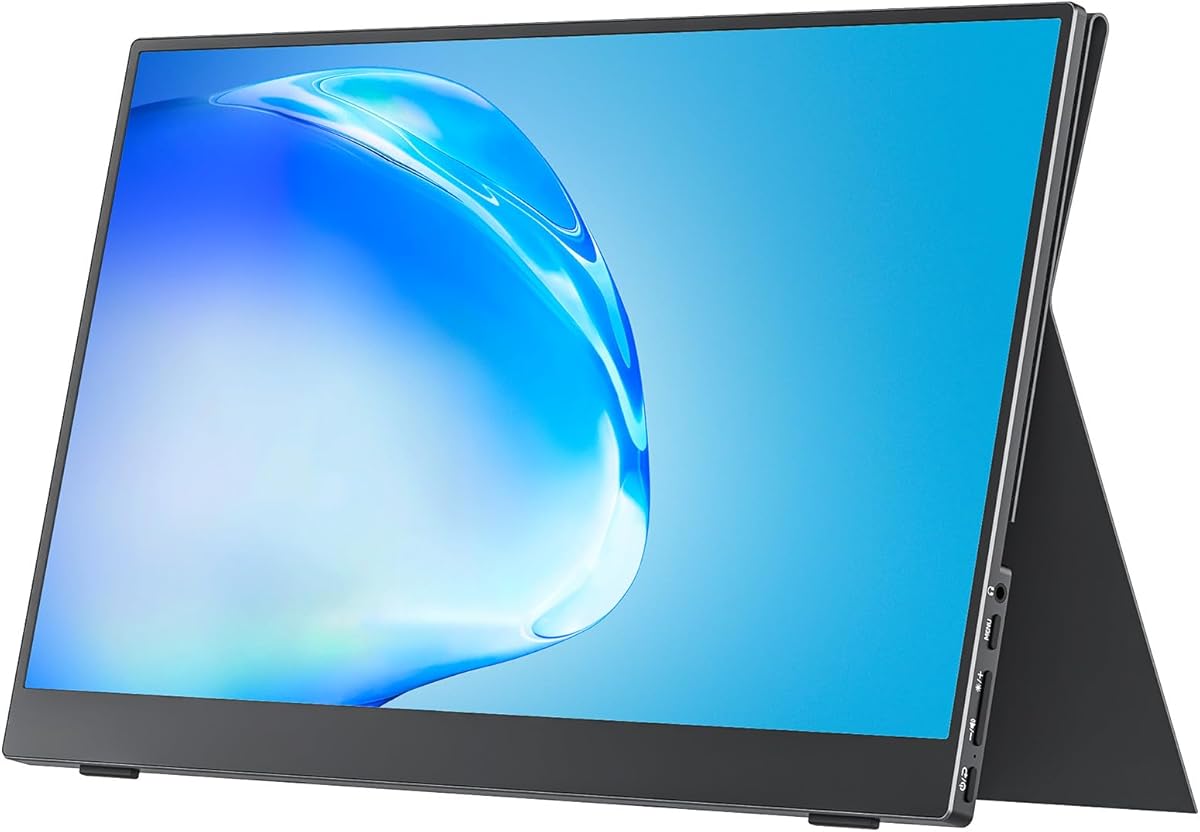
The MNN 15.6-inch FHD Portable Monitor has a 4.3 rating and serves as an affordable way to add a full-size external display to a MacBook Pro. It provides 1920 by 1080 resolution, IPS technology, a 60Hz refresh rate, and a wide 178-degree viewing angle for general office and entertainment use.
We may earn a commission when you buy through this link, at no additional cost to you.
Two full-featured USB-C ports allow a single cable to handle both display output and power. The monitor also supports HDMI, phones, PCs, and several gaming systems, although actual results depend on the source device's output capabilities. Copy, extended, second-screen, and portrait modes cover common work, meeting, and entertainment arrangements.
Its glossy IPS screen is specified for bright, detailed imagery, while HDR mode can enhance highlights and contrast for supported content. The scratch-resistant PU leather smart cover doubles as a stand and protects the screen during transport. A drawback is that the supplied specifications do not state an sRGB percentage, so buyers who need precise color coverage should consider a higher-gamut alternative.
The MNN is our best budget recommendation for students, travelers, and occasional remote workers who need a dependable second screen without carrying a complex docking station. It works especially well for email, documents, browsing, presentations, and video calls. For professional color grading or highly accurate design work, move up to a model with a stated color gamut.
The monitor is designed to fit into ordinary luggage and backpacks, and its smart cover provides both protection and a ready-to-use support surface. That combination makes it convenient for users who regularly work from different locations.
Copy, extended, second-screen, and portrait modes make the panel adaptable to presentations, calls, media viewing, and narrow workspace layouts. The 60Hz rate and HDR support also broaden its usefulness for compatible games and entertainment.
We may earn a commission when you buy through this link, at no additional cost to you.
The APILDELLA 14-inch Dual Laptop Screen Extender has a 4.3 rating and focuses on compact construction, simple setup, and physical protection for the MacBook Pro. Its sliding support arm accommodates laptops from 13 to 16 inches diagonally, while the zero-contact frame helps prevent scratches against the laptop display.
We may earn a commission when you buy through this link, at no additional cost to you.
The 1920 by 1080 IPS panel delivers 300 nits of brightness and includes HDR, low-blue-light, anti-vertigo, and adjustable display settings. USB-C and HDMI cables are included, and the product supports plug-and-play operation without downloading drivers. It can be folded through 225 degrees, allowing a wide range of positions for typing, media viewing, or presentations.
The 14-inch size is smaller than the 15.6-inch alternatives, making the unit easier to fit into constrained work areas. The supplied troubleshooting guidance also notes that brightness may be limited when the display receives insufficient power and recommends one of four specific cable configurations. These are useful details for buyers who prefer direct troubleshooting over additional software.
This is a good recommendation for MacBook Pro users who prioritize immediate operation and a compact footprint. It is well suited to travelers, students, and office workers who need a second display for calls, chat, and documents but do not require a large color-accurate creative panel. Check the available ports and keep the recommended power arrangement nearby for the most consistent result.
The zero-contact structure is designed to keep the portable display from pressing against the laptop screen. Its sliding arm also makes it easier to match the support geometry to different MacBook Pro sizes.
Driver-free operation is a meaningful convenience for people who need to connect quickly in unfamiliar spaces. Users can move directly to the physical cable and display-mode configuration instead of installing additional software.
We may earn a commission when you buy through this link, at no additional cost to you.
The Upperizon Foldable Dual Screen has a 4.8 rating and provides an especially clear upgrade path for MacBook Pro owners. Two 15.6-inch Full HD IPS displays create a three-screen workstation when used with the laptop's built-in panel, offering enough room for communication, reference material, and a primary task.
We may earn a commission when you buy through this link, at no additional cost to you.
Each screen has 300 nits of brightness, 90% sRGB coverage, 16.7 million colors, a 1000:1 contrast ratio, 60Hz refresh rate, anti-glare coating, and low-blue-light technology. DisplayLink enables two external screens through USB-C or USB-A after driver installation, and the supplied information lists compatibility with MacBooks using M1, M2, M3, M4, and M5 chips.
The trade-off is that DisplayLink is required, so this is less suitable for users who want a completely driver-free macOS experience. There are also no built-in speakers or VESA mounting holes. At 4.51 pounds, the unit is portable but heavier than a single-screen alternative. A sleeve, 30W power adapter, and three connection cables are included.
Our editor's choice suits professionals who need a generous, organized workspace and have modern Apple silicon hardware. It is a particularly good fit for remote workers, traders, programmers, and content teams that regularly divide tasks across several panels. Confirm DisplayLink acceptance and plan to use the original power adapter if flickering appears.
The listed support for M1 through M5 chips is valuable for current MacBook Pro owners. DisplayLink provides the pathway for driving two external displays, while the USB-A option offers a fallback when the available USB-C connection is already occupied.
The internal MacBook Pro display remains available as the third screen in the setup. That makes it easier to keep communication tools on one panel, reference applications on another, and a focused task on the laptop itself.
We may earn a commission when you buy through this link, at no additional cost to you.
The Upperizon Stacked Dual has a 4.8 rating and targets MacBook Pro users who want two external Full HD screens with strong color specifications. Its 107% sRGB coverage, eight-bit depth, 2000:1 contrast ratio, and Delta E below two are among the most detailed display claims in this guide.
We may earn a commission when you buy through this link, at no additional cost to you.
The vertically stacked configuration is intended to reduce neck movement and excessive scrolling. The lower screen can sit near the laptop while the upper display provides a second tier for reference information. Both panels fold through 360 degrees, and the upper display can be flipped to adjust the viewing relationship. A kickstand and four VESA holes provide desktop and mounted options.
Connectivity includes a USB-C display port, a USB-C power port, and two Mini-HDMI ports. Windows can install the DisplayLink driver automatically, while macOS requires manual installation of the official DisplayLink driver. The complete unit weighs 3.5 pounds and folds to 17.3 by 13.9 by 0.6 inches, with a sleeve included for transport.
This is a refined choice for creative professionals, analysts, and students who prefer a stacked layout over side-by-side panels. The strong color specifications and adjustable positioning make it a compelling productivity display. As with other DisplayLink systems, verify that your workflow is compatible and ensure the desk or mounting arrangement can accommodate the vertical footprint.
Placing one display above the other can keep related windows in a more natural vertical sequence. The design may reduce repeated horizontal scrolling and helps keep the lower panel close to the laptop's natural typing line.
Full HD matte IPS panels, eight-bit color, 107% sRGB coverage, and a stated Delta E below two make the system more compelling for visual work. The 60Hz rate is suitable for productivity and general media, though it is not positioned as a high-refresh gaming display.
We may earn a commission when you buy through this link, at no additional cost to you.
The VisionOwl 15.6-inch 4K Portable Monitor has a 4.8 rating and is the strongest single-external-screen choice in this roundup. Its 3840 by 2160 resolution provides substantially more pixel density than the Full HD alternatives, while the stated 145% sRGB coverage targets photo editing, content creation, and detailed visual work.
We may earn a commission when you buy through this link, at no additional cost to you.
USB-C and standard HDMI inputs make the screen broadly compatible with laptops, desktops, MacBooks, game consoles, and other compatible sources. A USB-C device with DisplayPort Alt Mode can use one original cable for both video and power. The all-metal chassis includes an integrated adjustable kickstand, 75-by-75-millimeter VESA mounting support, and built-in speakers.
Unlike the stacked dual-screen products, this unit adds only one external display. It is therefore best described as a high-resolution second screen for a MacBook Pro rather than a two-external-monitor system. The 4K panel may also place greater demand on older integrated graphics or demanding applications. A protective sleeve, two USB-C cables, an HDMI cable, and a power adapter are included.
This is the recommendation for a MacBook Pro user who prioritizes sharpness and color capability over having two external panels. It is well suited to image review, high-resolution timelines, detailed documents, and entertainment. For users who need three separate application areas at once, one of the stacked dual-screen systems will be more productive.
The 3840 by 2160 panel is especially useful when small text, intricate interfaces, or high-resolution media matter. It provides a clear quality advantage over Full HD when the MacBook Pro can drive the display at its native resolution.
The integrated metal kickstand eliminates the need to assemble a separate basic stand, while VESA support remains available for a permanent arm. Built-in speakers and the included cable collection make the monitor easier to deploy immediately.
We may earn a commission when you buy through this link, at no additional cost to you.
The 14-inch Dual Laptop Monitor Extender has a 4.6 rating and combines a compact frame with broad Mac compatibility. It adds a 1920 by 1080 IPS display to a MacBook Pro without requiring driver installation, making it appealing for users who want immediate setup in temporary workspaces.
We may earn a commission when you buy through this link, at no additional cost to you.
The panel operates at 60Hz with 300 nits of brightness and a 1000:1 contrast ratio. It supports mirror, extension, and portrait modes, and the supplied data lists compatibility with Mac, M1, M2, M3, M1 Pro/Max, M2 Pro/Max, and M3 Pro/Max hardware. The folded unit measures 0.9 inches thick and weighs 2.34 pounds.
Type-C, HDMI, and USB-C-to-USB-A cables are supplied. A full-featured Type-C connection is the simplest route, while HDMI operation requires an additional USB-A-to-USB-C power cable. The product also carries a 365-day warranty, although some Surface Pro configurations are excluded. Mac users should confirm that the specific port and power arrangement meet their needs.
This extender is a practical alternative for users who prioritize compactness, simple operation, and broad chip support over maximum screen area. It is useful for coding with documentation alongside the main display, keeping communication tools visible, or presenting from a smaller footprint. It is a fitting final option for anyone who wants a portable screen without DisplayLink or a driver-based setup.
The listed support for standard and Pro or Max variants of M1, M2, and M3 chips makes the extender relevant to many existing MacBook Pro owners. Checking the specific port configuration remains important before purchasing.
At 2.34 pounds and 0.9 inches folded, the screen is easier to carry than many large dual-screen systems. Mirror, extension, and portrait modes provide different layouts without requiring a more complicated control application.
We may earn a commission when you buy through this link, at no additional cost to you.
The most important choice is not simply screen size but how the portable system connects to your MacBook Pro, fits your work, and handles the software and power demands of mobile use.
A full-featured USB-C port can often carry both display video and power, reducing the number of cables needed at a temporary desk. Compatibility depends on whether the port supports DisplayPort Alt Mode, so the MacBook Pro model and its available connectors should be checked before purchase. Some products also provide HDMI for older or port-limited systems, while others use Mini-HDMI or USB-A for DisplayLink workflows.
Some portable screens work through standard macOS display support, while multi-screen products often use DisplayLink. DisplayLink normally requires a driver installation and should be checked against your security preferences and workflow. Products that work without additional software are convenient for travel, but multi-screen options may provide a more substantial desktop and therefore justify the extra setup step.
MacBook Pro configurations with standard M-series chips can have different external-display limitations from Pro and Max variants. The supplied compatibility notes differ significantly among these products, ranging from broad M1 through M5 support to restrictions on base-model chips and a requirement for a separate H5 cable. Buyers should identify the exact chip in their MacBook Pro rather than relying only on the product's Mac wording.
The phrase portable dual monitor can describe two different arrangements. Some products are single screens that become one external display beside the MacBook Pro's built-in panel. Others contain two external screens, producing a three-display workstation. A single screen is lighter and generally easier to carry, while a true dual-external system offers more application space and can be useful for trading, coding, editing, and dense office work.
Full HD at 1920 by 1080 is the dominant specification in this group and is generally practical for documents, calls, browsing, and media. Creative users may prefer the 4K VisionOwl or an eight-bit panel with 107% sRGB coverage. A stated color gamut gives more useful guidance than a generic claim of bright or vivid color, but it should be considered alongside panel finish, brightness, and the nature of the work.
Most products use a 14- or 15.6-inch panel, but weight and thickness can vary considerably. Single-screen models are generally easier to carry, while dual-screen systems provide a larger workspace at the cost of bulk. Foldable frames, protective sleeves, and covers that double as stands help a portable display fit safely into a bag. The complete setup should be considered rather than the weight of one panel alone.
A portable monitor may draw too much power from the MacBook Pro when connected through a single cable, leading to dimness or instability. Several products therefore include a power adapter or recommend external power in specific configurations. The kickstand or support bracket should also hold the screen securely without forcing the laptop display to bear extra weight. Brightness and power recommendations deserve attention before traveling.
A folding design, included sleeve, built-in speakers, VESA holes, and a cover that doubles as a stand each serve different needs. Frequent travelers may prioritize a protective case and compact folded size. Users working at one location may value mounting support and adjustable viewing angles. Treat speakers as a convenience rather than a substitute for higher-quality audio, and confirm whether a separate stand or adapter is needed.
Begin by checking the MacBook Pro's exact chip, operating system, and available ports. Install any required DisplayLink driver before traveling, then connect the monitor using the recommended full-featured USB-C or HDMI configuration. If the image is dim or unstable, use the supplied power adapter and follow the troubleshooting sequence in the product instructions. Confirm that macOS recognizes the external display before arranging it.
Place the laptop and portable screen on a stable surface. Adjust the kickstand or support bracket so neither device obstructs the other's vents or controls. Use extended mode for separate tasks, mirror mode for presentations, and portrait orientation for long documents or narrow applications. With a stacked dual monitor, keep the lower panel near the laptop and the upper panel aligned to reduce excessive neck movement.
Before packing the equipment, unplug all cables, fold the screens along their designed hinges, and secure any loose accessories. Keep the display in its sleeve or smart cover, and avoid placing pressure against the panel. Use a soft microfiber cloth to remove fingerprints, and avoid pushing against the bezel while cleaning. Periodically inspect connectors, folding joints, and the case for damage.
A MacBook Pro can use two portable external monitors when the chosen product and its connection method support that arrangement. DisplayLink-based dual-screen systems generally require driver installation, while some single-screen extenders work through standard USB-C video output. The exact MacBook Pro chip can also affect support, so verify the product's processor-specific compatibility notes before purchasing.
Some portable monitors work with plug-and-play macOS display output, but systems that use DisplayLink usually require a driver. Driver-free products are convenient for quick travel setups. For a two-external-screen workflow, the additional installation may be worthwhile, although users with strict security policies should review the official DisplayLink driver before installing it.
A full-featured USB-C port is usually the simplest option because one cable can carry both video and power. The port must support DisplayPort Alt Mode. Some MacBook Pro configurations may need HDMI or a DisplayLink USB-A connection instead, and brightness may improve when the monitor receives external power.
Support depends on the product and its stated compatibility rules. Some extenders restrict conventional dual-screen use on base-model chips and may require a special H5 cable, while other products explicitly list M1, M2, and M3 support. Products using DisplayLink may provide a broader path for external displays, but the exact device and adapter should still be confirmed.
A stacked arrangement can reduce horizontal eye movement and keep related content within a narrower viewing area. It works well for spreadsheets, code, documents, dashboards, and timelines. Side-by-side screens may be better for collaboration, wide timelines, or applications that benefit from horizontal space. Desk depth and the ability to keep the upper panel at a comfortable height also influence the decision.
A 4K panel is beneficial when you need sharper small text, detailed images, or more room for high-resolution content. It is especially useful for photo and video review. For ordinary browsing, calls, and documents, a well-calibrated Full HD IPS screen may provide a more practical balance of clarity, power use, and portability.
A connected external display consumes additional power, and the MacBook Pro must supply that power or receive assistance from an external adapter. Using the monitor's original power adapter can reduce strain on the computer and may prevent dimness or flickering. For long sessions away from an outlet, plan charging carefully and lower display brightness when appropriate.
Disconnect the cables, fold the screens only along their intended hinges, and place the unit inside the supplied sleeve or protective cover. Keep accessories together so small cables or adapters are not lost. Avoid pressure on the panels, and use a padded laptop bag with enough room for the complete folded assembly.
The MNN 15.6-inch Portable Monitor is the best budget starting point because it combines a Full HD IPS panel, a single-cable USB-C workflow, and a useful smart cover without adding a complicated dual-screen structure. The Upperizon Dual Screen is our editor's choice for modern MacBook Pro users who want two bright external displays, while the VisionOwl Stacked Dual Monitor is the premium choice for color specifications, metal construction, and a polished travel package.
Prioritize the details that affect daily use: confirm the exact processor, verify the available MacBook Pro ports, determine whether DisplayLink is acceptable, and check whether external power is needed. A true two-external-screen system is best for heavy multitasking, while a single 4K or Full HD portable display can be lighter, simpler, and easier to carry. Stacked layouts also require more desk depth than side-by-side arrangements.
Customer ratings and product availability can change, and prices fluctuate as promotions change. Review the current listing, compatibility documentation, included accessories, and warranty terms before ordering. The best portable dual-monitor system is ultimately the one that fits your MacBook Pro, your applications, and the way you actually work away from a permanent desk.