
Logitech G PRO X2 SUPERSTRIKE
4.6Editor score
Customizable haptic trigger system
44,000 DPI HERO 2 sensor
Lag-free 8 kHz wireless polling
Our Mouse for FPS Aiming guide compares 10 leading gaming mice on sensor accuracy, weight, polling, switches, wireless latency, grip, and control for shooters.
A mouse for FPS aiming must translate rapid hand movements into predictable, immediate in-game action. Sensor tracking, click response, weight, grip shape, surface compatibility, and wireless performance can influence how comfortably a player acquires targets and maintains accuracy during demanding firefights.
We compared ten gaming mice using the specifications and features supplied for each model, with particular attention to factors that matter in competitive shooters. The list covers wired and wireless designs, lightweight shells, ergonomic shapes, adjustable weight, configurable controls, and different sensor and polling capabilities.
Each review explains the strongest qualities, practical trade-offs, and likely buyers for every mouse in the roundup. Ratings and specifications reflect the available product information, while prices and availability can change, so readers should confirm current details before purchasing.
4.6Editor score

4.4Editor score

4.5Editor score
This side-by-side overview highlights the major hardware, connectivity, and control differences among the ten mice, making it easier to identify the model that best matches a preferred grip, competitive routine, and sensitivity setup.



The Razer Basilisk V3 combines a 26,000 DPI optical sensor, 0.2 ms optical actuation, and a mature ergonomic shape with a thumb rest. Its 4.6 rating reflects a well-rounded feature set, although players who prize extreme lightness may find less specialized alternatives more suitable. The wired connection eliminates wireless concerns entirely, while the prominent thumb rest supports players who favor a relaxed, palm-oriented grip.
We may earn a commission when you buy through this link, at no additional cost to you.
Its most useful strength is the combination of a 26,000 DPI sensor and eleven programmable buttons. The sensor tracks without smoothing, while the button count gives players room to bind abilities, communication commands, weapon shortcuts, and secondary functions. The Hyperscroll wheel can also shift between fast rotation and tactile selection, making it convenient for cycling weapons or navigating menus without interrupting a match.
The trade-off is that this is not the lightest mouse in the roundup, and it cannot be used wirelessly. Players focused on rapid flicks may prefer a model built around a lighter shell and a less pronounced ergonomic profile. Even so, the Basilisk V3 is a strong fit for someone who values precise tracking, abundant controls, and a hand-supporting shape over absolute minimum weight.
Choose the Basilisk V3 if you play shooters with many bound commands, prefer wired responsiveness, or simply want a comfortable mouse that supports both fingertip and looser aiming techniques. It is a particularly convincing all-around recommendation for a desktop setup where a dedicated charging dock and wireless receiver would add little value.
The 26,000 DPI sensor provides ample sensitivity range, while the eleven programmable buttons support detailed game-specific setups. Razer Synapse compatibility allows players to refine these assignments and sensitivity settings rather than relying on generic defaults.
The contoured body and thumb rest favor players who want stable hand support. This makes the Basilisk V3 more of a control and comfort specialist than a stripped-down tournament mouse, particularly for lengthy play sessions.
We may earn a commission when you buy through this link, at no additional cost to you.
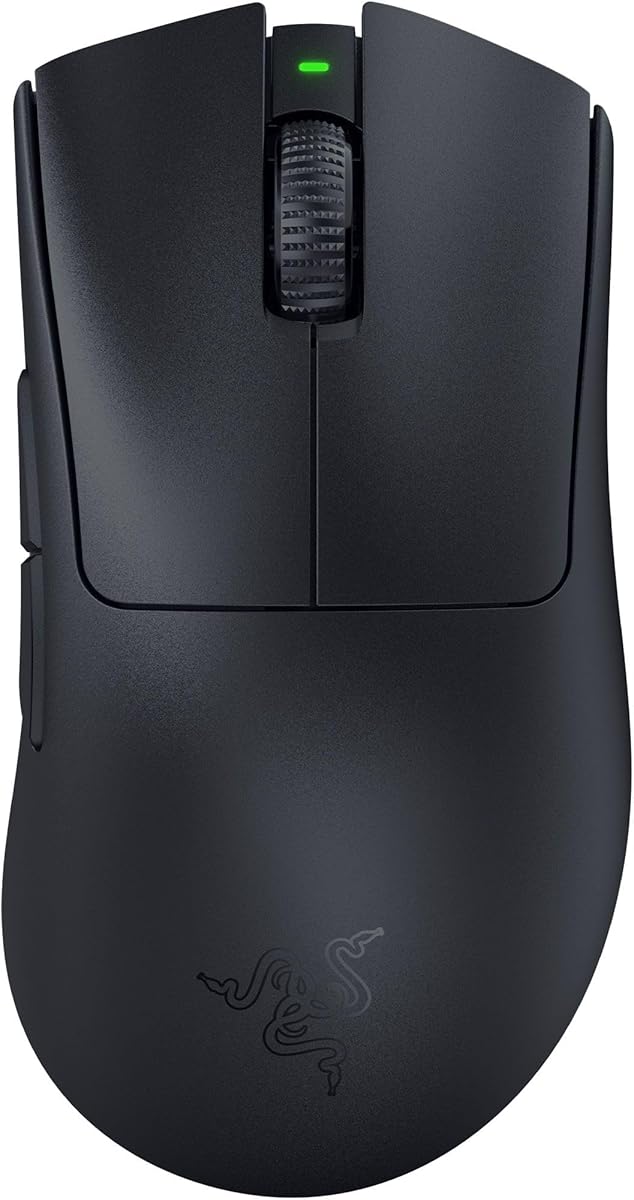
The Razer Viper V3 HyperSpeed delivers the most balanced competitive formula in this group, combining an 82g centered design with a forward-mounted 30,000 DPI sensor. Its 4.4 rating reflects a capable wireless package for FPS and other competitive genres, while the 280-hour advertised battery life substantially reduces charging concerns.
We may earn a commission when you buy through this link, at no additional cost to you.
The design is built around smooth, consistent movement rather than a dramatic ergonomic feature. Razer places the sensor toward the front of the shell, which can limit the amount of hand space available in front of the tracking system. Mechanical Gen-2 switches are rated for 60 million clicks, and an on-mouse button provides access to five DPI stages or a custom command.
At 82g, it is not the lightest option here. Players accustomed to sub-60g mice may want more rapid directional changes, while those who prefer a steadier wrist movement may appreciate the additional mass. Using one AA battery also means players should keep a spare available, even though the exceptional advertised runtime makes that an infrequent concern.
This is an excellent recommendation for competitive players who want wireless freedom without sacrificing a substantial sensor, straightforward controls, or long battery life. It is especially attractive for players who dislike elaborate shapes and want a more neutral mouse that can support fast swipes and controlled tracking.
HyperSpeed Wireless is designed to maintain a low-latency connection in noisy wireless environments, while the 280-hour battery claim supports long sessions and tournament schedules. Players can focus on input rather than battery management.
The forward-positioned 30,000 DPI sensor leaves less room for the palm to cover the tracking area. That arrangement can support fluid swipes, but players should try it with their preferred grip to ensure the hand does not interrupt tracking.
We may earn a commission when you buy through this link, at no additional cost to you.
The Logitech G PRO X2 SUPERSTRIKE is the most feature-focused model in the roundup, with a 4.6 rating and specifications built around exceptionally fast, customizable clicks. Its Haptic Inductive Trigger System provides real-time feedback, while ten actuation levels and five rapid-trigger reset levels offer unusually deep control over click behavior.
We may earn a commission when you buy through this link, at no additional cost to you.
The HERO 2 sensor is rated up to 44,000 DPI, more than 888 IPS, and 88 g-force. Wireless performance is supported by LIGHTSPEED and lag-free 8 kHz polling, and the rechargeable battery is advertised to last 60–90 hours. Extra-large UHMWPE gliding feet and a thin-wall case are intended to reduce resistance during movement.
The main consideration is that the most advanced functionality depends on Logitech G HUB and may involve a learning curve. Players who only need a reliable competitive mouse may not use the actuation and haptic features to their full potential. The model is also positioned as a premium option, and some buyers may prefer the simplicity of conventional switches or a more universal shape.
It is worth considering for competitive players who actively tune actuation settings, want tactile confirmation from a wireless trigger, and value high-end sensor and polling specifications. The combination of feedback, customization, and rapid wireless input makes the SUPERSTRIKE particularly compelling for shooters where click timing is central.
Ten actuation points and five rapid-trigger reset levels allow players to choose how little movement is required before a click registers. This customization can make rapid shooting more responsive while keeping accidental inputs under control.
The Haptic Inductive Trigger System supplies real-time feedback when a shot is registered. Beyond novelty, that feedback can help players understand click timing without having to rely entirely on visual ammunition feedback.
We may earn a commission when you buy through this link, at no additional cost to you.
The Corsair NIGHTSWORD RGB is built for players who want to tune not only sensitivity but also the physical behavior of the mouse. It carries a 4.5 rating and uses Corsair software to detect the center of gravity, allowing its weight to be adjusted between 119g and 141g.
We may earn a commission when you buy through this link, at no additional cost to you.
Two sets of weights and six mounting locations create 120 possible weight and balance configurations. This is unusually granular and may help players who are still identifying the mass distribution that suits their grip. A native 18,000 DPI Pixart PMW3391 sensor, adjustable in one-DPI steps, supplies correspondingly fine sensitivity control.
The ten programmable buttons add flexibility, while the contoured shape and rubber grips are designed for comfort. The drawback is that its minimum weight and larger, ergonomic design are considerably less aggressive than the ultralight shells found in several modern esports mice. Players seeking the fastest possible direction change may prefer a lighter alternative.
Buy the NIGHTSWORD RGB if you enjoy experimenting with weight, balance, and button assignments. It is a practical choice for a player who values stability and fine adjustment over minimal mass, and its broad configuration range can accommodate different preferences within the same setup.
A heavier mouse can feel steadier during controlled tracking, while lighter movement suits fast corrections. The NIGHTSWORD lets the buyer explore that spectrum instead of committing to one fixed feel.
The six mounting locations move the weight around the shell, altering the center of gravity. That can influence how naturally the mouse follows a hand movement without requiring a change in the player's base sensitivity.
We may earn a commission when you buy through this link, at no additional cost to you.
The Razer Cobra delivers one of the roundup's most attractive combinations of weight, responsiveness, and affordability. At 58g, it is considerably lighter than the Basilisk V3 and NIGHTSWORD RGB, and its 4.5 rating suggests a well-regarded balance of competitive features.
We may earn a commission when you buy through this link, at no additional cost to you.
Gen-3 optical switches provide a stated 0.2 ms actuation time, no debounce delay, and a 90-million-click lifecycle. The SpeedFlex cable is designed to reduce drag, while 100 percent PTFE feet cover the front, rear, and sensor ring to support smooth movement. Sensitivity changes in 50-DPI increments offer useful control without requiring a workflow built around one-DPI precision.
The absence of a wireless connection is the main limitation. While a wired design avoids interference, charging, and receiver management, it also means the mouse is tied to a cable during play. The Cobra does not advertise the very high polling rates offered by several premium alternatives in this guide.
The Cobra is a strong choice for a player who wants a lightweight shell, rapid optical clicks, and dependable wired movement without moving into the premium tier. Its shape is described as fitting most grip styles, making it a practical starting point for players who have not yet settled on a highly specialized esports form.
At 58g, the Cobra supports quick corrections while remaining a straightforward wired device. This gives competitive players a lighter shell without adding receiver software or battery routines to their routine.
The 0.2 ms optical actuation and PTFE feet cover two common concerns: input lag and friction. Together, they create a specification set well suited to shooters where clicks and free movement are equally important.
We may earn a commission when you buy through this link, at no additional cost to you.
The G11 Lightweight Wireless emphasizes adaptability through Bluetooth 5.1, 2.4GHz wireless, and USB-C wired modes. Its 4.4 rating reflects a broad feature set, including a 22,000 DPI PAW3311 sensor, a 1,000Hz polling rate, programmable controls, RGB lighting, and compatibility with PC, Mac, and laptop users.
We may earn a commission when you buy through this link, at no additional cost to you.
A dedicated fast trigger button is intended to improve responsiveness in FPS and shooting games without complicated initial configuration. Dedicated driver software can also handle macros, DPI levels, polling rates, button assignments, and lighting. The built-in 500mAh battery supports play while charging, and a 1-year warranty plus lifetime technical support add practical reassurance.
The hollow honeycomb shell reduces weight and promotes airflow, but the design may feel less solid to players accustomed to a dense, minimalist esports body. Its 1,000Hz wireless polling is also lower than the 8,000Hz capabilities highlighted by the Logitech and Razer Viper V4 Pro models, although it remains a common competitive baseline.
Consider the G11 if you switch between gaming, work, and travel and need one mouse to support several devices. It is also a practical choice for players who want programmable controls, a quick-access trigger button, and wireless freedom without committing to a single connectivity standard.
Bluetooth supports everyday productivity, 2.4GHz provides a dedicated gaming connection, and USB-C adds a wired option. This makes the mouse useful across a shared desk, travel setup, or mixed-device routine.
Three independent side buttons and six programmable buttons create room for weapon, skill, and communication commands. The dedicated fast trigger control provides a straightforward starting point before deeper software customization.
We may earn a commission when you buy through this link, at no additional cost to you.
The Corsair M65 RGB Ultra differentiates itself with a native 8,000Hz polling rate, a 26,000 DPI MARKSMAN optical sensor, and an anodized aluminum frame. Its 4.2 rating is still solid, though it trails several lighter and more highly rated models in the group.
We may earn a commission when you buy through this link, at no additional cost to you.
Corsair AXON Hyper-Processing Technology registers and transmits movement and clicks up to eight times faster than conventional gaming mice. Optical switches support fast, precise clicks, while Sensor Fusion Control uses a six-axis gyro and accelerometer to reduce lift-off distance. These specifications make the mouse particularly compelling for players who value ultra-low-latency wired communication.
The trade-off is weight and flexibility. The aluminum frame adds heft compared with hollow-shell or lightweight esports designs, and the wired connection means there is no receiver to manage. Some players will value that stability, but others may prioritize rapid flicks and unrestricted movement more heavily.
The M65 RGB Ultra is a strong recommendation for competitive players who want maximum polling performance without giving up a familiar ergonomic shape. It suits a desk setup, a fixed gaming station, and a player who believes consistent high-frequency wired input offers a meaningful advantage.
The 8,000Hz native polling rate is among the most notable specifications in this comparison. It can appeal to players who want their movements and clicks sampled more frequently over a wired connection.
Sensor Fusion Control is designed to improve lift-off behavior when the mouse is moved or briefly repositioned. That can prevent unwanted cursor changes in games where precise placement matters.
We may earn a commission when you buy through this link, at no additional cost to you.
The SteelSeries Prime was developed with input from more than 100 esports professionals and is explicitly shaped for right-handed players. Its 4.3 rating reflects a focused competitive design that combines a 69g body, 18K CPI TrueMove Pro sensor, and magnetic optical switches.
We may earn a commission when you buy through this link, at no additional cost to you.
The shape supports finger, palm, and claw gripping styles, which makes it a broad recommendation for players who want an established ergonomic form rather than an experimental shell. The sensor provides 1-to-1 lift and tilt tracking at up to 450 IPS and 50G, while the switches are rated for 100 million crisp clicks.
Its main limitation is the strong right-handed orientation. Left-handed players cannot use the shape as intended, and even right-handed users should verify that the side-button placement suits their preferred grip. Five programmable buttons are adequate but modest compared with the Basilisk V3, NIGHTSWORD RGB, and G11.
The Prime is a convincing choice for a right-handed FPS player who values a proven shape and does not need a large number of side commands. It offers a more conventional competition experience than highly specialized mice, with enough sensor and switch performance for demanding aiming and shooting.
Professional collaboration supports the Prime's reputation as a practical competitive shape. Its ability to accommodate finger, palm, and claw grips also makes it approachable for players refining their technique.
True 1-to-1 lift and tilt tracking helps maintain a direct relationship between physical movement and cursor output. That consistency is valuable when players are adjusting aim on smaller visual targets.
We may earn a commission when you buy through this link, at no additional cost to you.
The Razer Viper V4 Pro is the lightest model in the comparison at 49g and one of the most aggressively specified. It carries a 4.5 rating, combining HyperSpeed Wireless Gen-2, true 8,000Hz polling, and a third-generation 50,000 DPI optical sensor.
We may earn a commission when you buy through this link, at no additional cost to you.
The shell is nine percent lighter than the previous generation and was shaped with input from competitive players. Optical scroll-wheel actuation offers consistent tracking and tactile feedback, while the Gen-4 optical switches promise a tactile click and a 100-million-click lifespan. Razer also includes mouse grip tape, a wireless dongle, and a USB Type-A to Type-C cable.
There is an important battery trade-off. Razer advertises up to 180 hours at 1,000Hz, but only up to 45 hours at 8,000Hz. Players who value maximum polling will need to recharge more often, while those who prioritize battery longevity can operate at the lower rate. The 50,000 DPI maximum also requires disciplined sensitivity control rather than simply selecting the highest setting.
Choose the Viper V4 Pro if competitive weight is the top priority and you want both a 50,000 DPI sensor and very high wireless polling. It is ideal for players who enjoy ultra-light equipment and want advanced Synapse 4 tuning, including one-DPI adjustments and rotation settings.
The extremely light design can reduce the effort required to move the mouse in multiple directions. It may suit players who make frequent corrections or prefer a near-unrestricted feel during long competitive sessions.
Players can balance responsiveness and endurance by deciding whether 8,000Hz or 1,000Hz is more important. The former prioritizes low latency, while the latter supports the longer battery runtime.
We may earn a commission when you buy through this link, at no additional cost to you.
The Razer DeathAdder V3 Pro updates the familiar DeathAdder form for players who want a comfortable wireless mouse that remains relatively light. It weighs 63g, carries a 4.3 rating, and uses a 30,000 DPI Focus Pro optical sensor capable of tracking on a wider variety of surfaces, including glass.
We may earn a commission when you buy through this link, at no additional cost to you.
Gen-3 optical switches provide a stated 0.2 ms actuation time, no debounce delay, and a 90-million-click lifecycle. HyperSpeed Wireless is designed for low-latency performance even in noisy wireless environments. The ergonomic shape was developed with esports professionals, maintaining a recognizable profile without ignoring the trend toward lighter competitive hardware.
The 90-hour battery life is shorter than the advertised figures for the Viper V3 HyperSpeed and Viper V4 Pro, although it remains suitable for regular gaming sessions. Unlike the Logitech SUPERSTRIKE, the DeathAdder V3 Pro does not offer a deeply programmable trigger system, so buyers seeking elaborate click tuning should look elsewhere.
The DeathAdder V3 Pro is a strong recommendation for players who want a familiar ergonomic shape, a light body, and dependable wireless input. It is especially attractive to DeathAdder users who are familiar with the form and want a modern sensor, optical switches, and rechargeable operation.
The shape retains the broad ergonomic character associated with the DeathAdder line while reducing overall weight. It offers a middle ground between a relaxed palm grip and a fully competition-focused minimalist shell.
A 0.2 ms actuation time and no debounce delay make the primary buttons responsive for rapid fire. The 90-million-click lifecycle also supports long-term use without relying on a mechanical contact design.
We may earn a commission when you buy through this link, at no additional cost to you.
The right FPS mouse is a combination of tracking hardware, physical handling, input speed, and software support. Players should assess these factors together rather than treating the largest DPI number, lowest weight, or highest polling rate as the sole measure of aiming quality.
A capable sensor should translate hand movement accurately, remain consistent during rapid corrections, and avoid unwanted cursor changes when the mouse is repositioned. The models here use optical sensors ranging from 18,000 to 50,000 DPI, with several offering 26,000 or 30,000 DPI. Maximum DPI is not equivalent to practical accuracy, however, because sensitivity, game settings, mousepad behavior, and player technique all influence the result. A forward-mounted sensor may support fluid swipes, while a centered sensor can provide a more conventional relationship between the hand and tracking origin.
Lightweight mice can make rapid directional changes easier, while heavier models may feel more stable during controlled tracking. The roundup spans 49g to a much heavier ergonomic design, including the adjustable 119–141g Corsair NIGHTSWORD RGB. The Razer Cobra at 58g, SteelSeries Prime at 69g, and Razer Viper V4 Pro at 49g cover common competitive preferences. Weight should be considered alongside shape because a light mouse with an uncomfortable shell can still produce tension and inconsistent movement.
Optical switches dominate this category because they can offer very fast actuation, debounce-free clicks, and high endurance. The Razer Cobra and DeathAdder V3 Pro specify 0.2 ms actuation, while the Logitech G PRO X2 SUPERSTRIKE goes further with multiple actuation points, rapid-trigger reset levels, and a haptic trigger system. Conventional switches may feel more familiar, while configurable actuation can help players tune how much movement is required to register a shot.
Modern wireless gaming mice can be appropriate for competitive shooters, but the quality of the connection matters as much as the presence of wireless. HyperSpeed and LIGHTSPEED systems are designed to maintain stable, low-latency input. The Viper V4 Pro, M65 RGB Ultra, and Logitech SUPERSTRIKE support very high polling rates, while the G11 lists a 1,000Hz rate. High polling can increase communication frequency, although players should also consider battery impact, wireless interference, and whether their preferred title benefits meaningfully from the difference.
The most precise sensor cannot compensate for an uncomfortable shape. Palm grip players generally favor larger, supported forms such as the Basilisk V3 or DeathAdder V3 Pro. Claw and fingertip players may prefer lighter models with more space for rapid repositioning. The SteelSeries Prime is designed for right-handed players and supports several grip styles, while the Basilisk V3 adds a pronounced thumb rest. Buyers should consider hand size, resting-finger position, and the location of side buttons rather than selecting solely by appearance.
Shooters often benefit from extra buttons assigned to abilities, communication, weapon selection, or other game-specific actions. The Basilisk V3 and NIGHTSWORD RGB each provide ten programmable buttons, while the G11 includes three independent side buttons and six programmable controls. More buttons offer flexibility but can also introduce accidental presses or a crowded control scheme. Players should ensure the main click buttons remain easy to distinguish and that any assigned side actions are useful in the games they actually play.
Battery life determines how much routine planning a wireless mouse requires. Advertised figures range from 45 hours at an 8,000Hz polling setting on the Viper V4 Pro to 280 hours on the Viper V3 HyperSpeed, with the Logitech SUPERSTRIKE offering 60–90 hours. The Viper V3 uses a single AA battery, while several rechargeable models use USB-C. Consider how often you play, whether you travel with the mouse, and whether play-while-charging is important.
Mouse feet, sensor behavior, and the playing surface can affect the consistency of movement. Large UHMWPE feet, PTFE glide surfaces, and low-lift-off correction can help the mouse move cleanly across a suitable mat. Software compatibility is also important because sensitivity, polling, button mapping, and actuation settings are generally configured through a companion application. Razer Synapse and Logitech G HUB provide detailed controls, while the G11 relies on a dedicated driver. Players should verify software support for their operating system before making a final choice.
Begin by installing the mouse on a large, consistent playing surface and setting the sensitivity with the DPI setting required by your game. For any mouse with a forward sensor, adjust your hand position so the sensor remains unobstructed. Beginners may also need to disable the Windows setting called Enhance pointer precision, as recommended in the supplied Razer product information, because operating-system acceleration can make fine aim adjustments inconsistent.
Use the companion software to assign buttons, confirm the active polling mode, and save separate profiles for different games. Re-test sensitivity after changing the sensor rate because higher DPI can make the same physical hand movement feel faster. In adjustable-trigger models, begin with a moderate actuation setting rather than the most sensitive option, then increase responsiveness only after confirming that accidental clicks remain rare.
For care, keep the sensor free of dust and debris, and clean the feet gently so residue does not disturb gliding. Do not pull the mouse by its cable; hold the housing when reconnecting a wired model. Wireless mice should be stored with adequate battery charge, and rechargeable models should be recharged periodically even if their software does not report a low battery. Replace the surface or pad when tracking becomes inconsistent, since a worn or contaminated pad can resemble a sensor problem.
A higher maximum DPI does not automatically make a mouse more accurate. Most competitive players use a moderate sensitivity setting, so the important qualities are consistent tracking, predictable output, and a sensor that works well with the chosen mousepad. Players should test a range of sensitivity and DPI combinations rather than assuming the highest available setting is preferable.
No. Lightweight mice can make fast corrections easier, but comfort and control remain essential. A slightly heavier model may feel steadier and more comfortable during extended sessions. The best choice is the lightest shell you can control confidently without developing tension in your wrist, fingers, or forearm.
Yes, provided the wireless implementation maintains a stable, low-latency connection. The Razer Viper models, Logitech G PRO X2 SUPERSTRIKE, and other wireless options in this guide use dedicated low-latency technologies. Test the connection in a busy environment, verify the selected polling mode, and keep the receiver unobstructed and close to the gaming position.
There is no single best grip style. Palm grip favors larger ergonomic shapes, fingertip grip benefits from lighter mice with room for rapid repositioning, and claw grip sits between the two. The SteelSeries Prime supports several styles, while the Basilisk V3 and DeathAdder V3 Pro are better suited to players who want a more supported, ergonomic hand position.
It increases how often the mouse reports input to the computer, which can reduce the interval between movement and registration. The practical benefit varies by system, game, and player, and high polling may consume more battery. Players should consider it alongside sensor quality, connection stability, and comfort rather than treating it as a replacement for good technique.
Adjustable actuation can let you register clicks with less finger movement, but extremely low settings may increase accidental inputs. Begin with a moderate configuration, test it in a low-stakes environment, and lower the sensitivity only if it remains controlled. The Logitech G PRO X2 SUPERSTRIKE offers the most detailed trigger configuration in this roundup.
Neither is essential to fundamental aiming. RGB improves visual customization, while extra buttons can be useful for abilities, communication, or weapon shortcuts. Players who value simplicity can choose a lighter mouse with fewer controls, while those who regularly use many in-game commands may prefer a more programmable model.
Check the sensor for dust, verify that the feet are clean, and test the mouse on an appropriate surface. Next, review sensitivity, Windows pointer acceleration, polling mode, and button assignments. If the cursor jumps during lift-off or continues moving after the hand stops, try another pad or mat and confirm that the sensor is not obstructed.
The Logitech G PRO X2 SUPERSTRIKE is the standout premium recommendation because its 44,000 DPI sensor, haptic trigger system, configurable actuation, and lag-free 8,000Hz wireless mode offer exceptional control. The Razer Viper V3 HyperSpeed is the more balanced Editor's Choice, combining a 30,000 DPI sensor, low-latency wireless, and long advertised battery life in a competitive 82g design. For a lighter and more straightforward approach, the 58g Razer Cobra is the Best Budget pick.
Prioritize the factor that most affects your own play. Favor a stable, responsive sensor; comfortable shape; dependable switches; and a connection method that fits your routine. Adjustable weight can help players find balance, programmable triggers can support click timing, and high polling may be valuable, but no single specification compensates for a mouse that does not suit the user's grip or control style.
Before buying, verify current product details, software compatibility, included accessories, and availability. Pricing and promotions can change over time, so current retailer information is more useful than a fixed expectation. With the right hardware and a sensitivity configuration that feels consistent, any of these ten mice can become a strong foundation for more precise FPS aiming.