
Samsung Odyssey Neo G9
4.3Editor score
57-inch dual 4K display
240Hz and 1ms GTG
DisplayHDR 1000 performance
High end gaming monitors for PC are built for players who want more than merely fast motion. The strongest combinations pair high refresh rates with precise response times, vivid color, useful HDR, and screen sizes or curves that create genuine immersion. A premium monitor can also improve workflow versatility through wide connectivity, adjustable stands, picture-by-picture viewing, and USB-C integration.
This guide compares ten advanced gaming monitors using the specifications and features supplied for each model. The comparison covers resolution, panel technology, refresh rate, response time, adaptive synchronization, HDR capability, curvature, local dimming, ports, and practical functions such as crosshairs, picture-in-picture, and burn-in mitigation. It includes both flagship OLED displays and more affordable high-refresh options.
Each review explains where a particular monitor sits within the premium gaming landscape and who is most likely to benefit from its combination of specifications. The list includes models for competitive shooters, simulation enthusiasts, mixed-resolution workstations, ultrawide immersion, and buyers who want exceptional visual quality without choosing the largest screen available. Product pricing changes, so confirm current listings before making a purchase.
4.3Editor score

4.6Editor score

4.4Editor score
As an Amazon Associate we earn from qualifying purchases.
The comparison below highlights the major technical differences among the ten monitors, including display size, resolution, maximum refresh rate, response time, HDR capability, and adaptive synchronization support.



The ASUS ROG PG32UCDM combines a 32-inch 4K QD-OLED panel with a 240Hz refresh rate, placing it among the most technically ambitious conventional-sized gaming monitors in this guide. Its 4.6 rating reflects a strong balance of image quality, responsiveness, and premium features. The 3840 x 2160 resolution delivers fine detail, while the 240Hz ceiling gives fast-paced games a noticeably smooth presentation.
We may earn a commission when you buy through this link, at no additional cost to you.
Response performance is one of its defining advantages. A rated 0.03ms GTG response time minimizes visible trailing during rapid camera movement, jumps, and flick shots. The panel covers 99% of DCI-P3, supports true 10-bit color, and is specified with a Delta E below 2. Its VESA DisplayHDR 400 True Black compliance adds meaningful HDR capability, while the optional uniform brightness setting can improve consistency across the panel.
Heat management receives special attention in a high-refresh OLED. ASUS describes a custom heatsink, advanced airflow design, and graphene film intended to reduce heat and burn-in risk. G-SYNC compatibility supports smooth synchronization with compatible NVIDIA systems, and 90W USB-C power delivery allows compatible laptops to charge and transfer data through a single cable. DisplayWidget Center provides access to monitor controls and OLED Care functions. These are meaningful additions for a display expected to run demanding content for long periods.
The PG32UCDM is the strongest all-around recommendation for a player who wants 4K detail without moving to a super-ultrawide format. It suits competitive PC gaming, high-quality simulation titles, and everyday productivity that benefits from sharp text. Buyers should consider desk depth, GPU capability, and the ongoing care required by OLED technology, but very few 32-inch monitors combine this resolution, refresh rate, response speed, and feature set in one package.
The 4K panel preserves detail that lower-resolution alternatives can soften, especially in dense interfaces and distant scenery. At the same time, the 240Hz refresh rate and 0.03ms response time make it suitable for games where rapid movement and immediate visual feedback are priorities.
USB-C power delivery, G-SYNC compatibility, 10-bit color, and mouse-based DisplayWidget Control make the monitor more versatile than a basic gaming screen. It can serve as a sharp central display for a compatible laptop as well as a dedicated gaming monitor.
We may earn a commission when you buy through this link, at no additional cost to you.
The Samsung Odyssey Neo G9 takes premium gaming monitors to their most literal extreme: a 57-inch 1000R curved display with dual 4K UHD resolution. Its 4.3 rating reflects a monitor whose immersive scale is exceptional, though not every setup can exploit it. The screen is effectively as wide as two conventional UHD monitors and can reveal a much wider portion of the game world than a conventional 16:9 display.
We may earn a commission when you buy through this link, at no additional cost to you.
Speed specifications are equally ambitious. The Neo G9 supports 240Hz, a 1ms GTG response time, and DisplayPort 2.1 with variable refresh rates. AMD FreeSync Premium Pro is included for synchronization with compatible graphics systems. These features make it well suited to fast shooters, racing games, flight simulators, and strategy titles in which peripheral awareness can influence performance.
Picture quality comes from Quantum Matrix technology with Quantum Mini LEDs and 2,392 local dimming zones. The specified 1,000-nit peak brightness and 1,000,000:1 contrast ratio support VESA DisplayHDR 1000 performance. This is particularly attractive for dark scenes, where high contrast and controlled local dimming can reveal more depth than a conventional edge-lit panel. CoreSync and Core Lighting add environmental illumination that follows on-screen colors.
The recommendation is strongest for enthusiasts with a large desk or dedicated gaming area, a capable graphics card, and a preference for simulation and panoramic views. DisplayPort 2.1, HDMI 2.1, and a USB Hub provide broad connectivity, while picture-by-picture and picture-in-picture support aid multitasking. It is less practical for compact desks, and the 57-inch scale means users should consider their viewing distance and ability to turn their head comfortably.
The dual 4K canvas provides a breadth of workspace that can eliminate the need for a conventional adjacent display during some games. Its 1000R curve follows the shape of the viewing experience more closely than a flat panel, helping maintain visual engagement across the expansive screen.
With 2,392 local dimming zones and a 1,000-nit peak specification, the Neo G9 targets the depth and brightness that HDR gaming demands. The Mini LED backlight also provides a useful alternative to OLED for buyers who prioritize HDR highlights.
We may earn a commission when you buy through this link, at no additional cost to you.
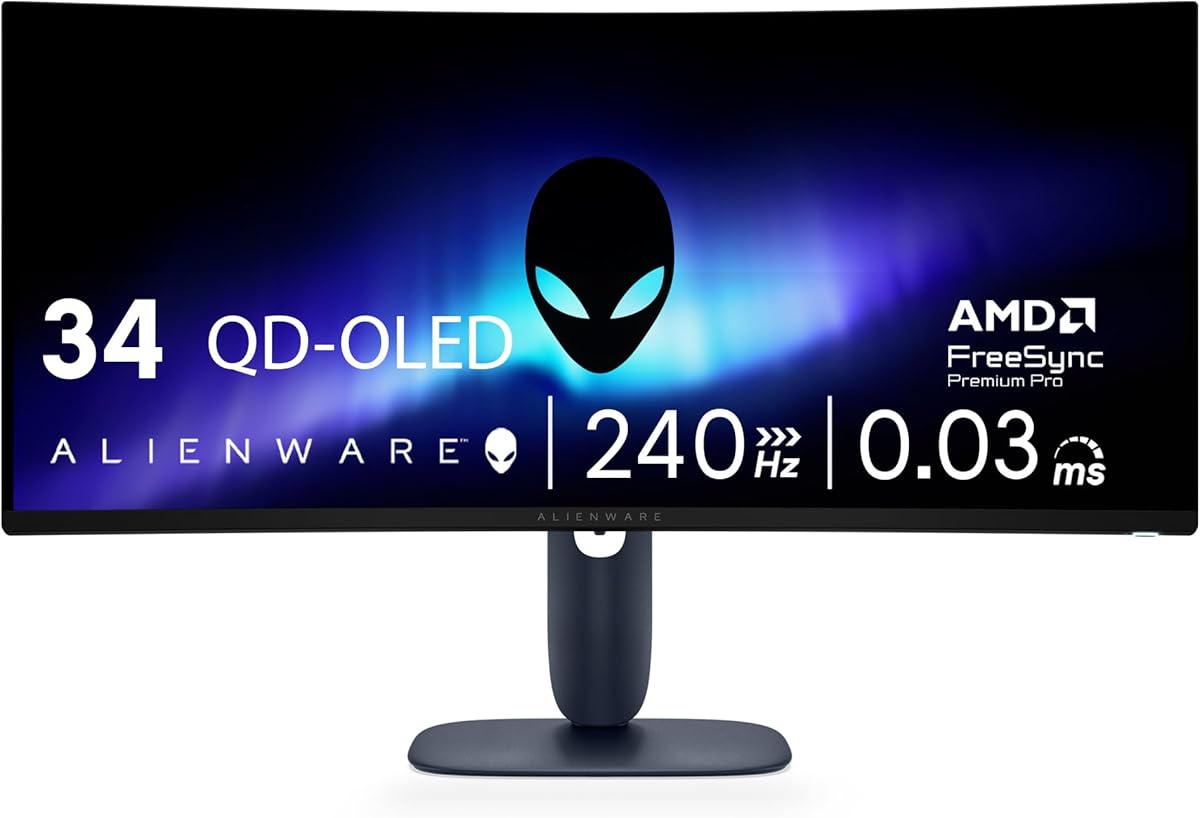
The Alienware AW3425DW combines a 34.2-inch WQHD QD-OLED panel with 240Hz refresh and a 0.03ms response time. Its 4.5 rating makes it one of the strongest entries for players seeking speed without moving to a 49-inch or 57-inch format. The 3440 x 1440 resolution expands a typical gaming view, while the 1800R curve adds moderate immersion.
We may earn a commission when you buy through this link, at no additional cost to you.
Motion clarity is the monitor's major attraction. The 0.03ms response specification is designed to minimize ghosting during fast movements, and the 240Hz refresh rate provides a high ceiling for compatible GPUs. NVIDIA G-SYNC Compatible, AMD FreeSync Premium Pro, and VESA AdaptiveSync provide flexible synchronization options across different hardware configurations.
Image quality is equally strong for an ultrawide gaming display. QD-OLED technology delivers 99.3% DCI-P3 coverage and a specified Delta E below 2, supporting accurate colors in games and creative applications. VESA DisplayHDR TrueBlack 400 certification, 1,000-nit peak HDR brightness, and infinite contrast offer deeper blacks and punchier highlights than many conventional gaming panels.
The AW3425DW is a particularly convincing choice for competitive shooters and fast action games where response speed matters more than 4K sharpness. It also works well for multitasking because the wide canvas can hold game windows, chat, or video. Buyers comparing it with a 4K model should understand the tradeoff: the AW3425DW offers faster 240Hz gaming and wider space, but less vertical and total pixel detail than a 4K display.
The 0.03ms response time and 240Hz refresh rate create a strong foundation for competitive shooters, racing titles, and other games where visual lag can be distracting. Adaptive synchronization support further helps maintain a fluid relationship between the GPU and display.
A 99.3% DCI-P3 gamut, a Delta E below 2, and TrueBlack 400 HDR support cover the essential needs of a high-end gaming display. The result is well suited to both competitive titles and games where atmosphere, lighting, and color depth matter.
We may earn a commission when you buy through this link, at no additional cost to you.
The Samsung Odyssey OLED G9 delivers a massive 32:9 gaming canvas with 49 inches of display area and Dual QHD resolution. Its 4.3 rating reflects a monitor that prioritizes immersion, color, and near-instant response. At 5120 x 1440 with 110 pixels per inch, the panel offers substantial detail without moving to the extreme size and resolution of the 57-inch Neo G9.
We may earn a commission when you buy through this link, at no additional cost to you.
The QD-OLED panel has a 0.03ms response time and a 144Hz refresh rate. G-SYNC compatibility and AMD FreeSync Premium Pro support smooth variable-refresh gaming, while the wide format provides room for large game fields, racing layouts, and simultaneous chat or reference panels. Picture-in-picture allows a secondary source to appear as a sub-screen without completely displacing the main game.
Samsung includes several practical OLED protections. The Thermal Modulation System uses algorithms to predict surface temperature and control brightness accordingly. Logo and taskbar detection automatically lowers brightness on static content, while a screen saver dims the panel after ten minutes of inactivity and restores regular brightness when input resumes. These features show how seriously the manufacturer addresses static-image risks associated with OLED displays.
This G9 is most appropriate for enthusiasts who want a very broad view and value deep blacks, saturated color, and near-instant pixel response more than the absolute highest refresh rate. It is a particularly compelling option for racing, simulation, strategy, and mixed entertainment use. Compare its 144Hz ceiling with the 240Hz Alienware AW3425DW if fast competitive play is the primary objective, and allow enough desk space for the 49-inch format.
The 32:9 format can function much like two standard widescreen windows side by side. That makes the monitor useful for streaming, chat, system monitoring, and productivity while still functioning as a single large gaming display.
Thermal modulation, static-content detection, and an inactivity screen saver are valuable features for extended gaming sessions. These tools do not eliminate every OLED consideration, but they show a more proactive approach to brightness and heat management.
We may earn a commission when you buy through this link, at no additional cost to you.
The Alienware AW3423DW is a 34.18-inch curved QD-OLED monitor with 3440 x 1440 resolution, 175Hz refresh, and a 0.1ms GTG response time. Its 4.3 rating reflects a mature premium option with strong color, contrast, and synchronization features. The 1800R curve offers a more immersive presentation than a flat screen without the aggressive wrap of the largest super-ultrawide models.
We may earn a commission when you buy through this link, at no additional cost to you.
NVIDIA G-SYNC Ultimate certification is a central feature. Combined with a 175Hz refresh rate and 0.1ms response, it gives NVIDIA users a synchronized and responsive platform for fast-moving games. Quantum Dot Display Technology supports a slim panel design, greater color gamut, and higher peak luminance than WOLED, making the monitor suitable for games with detailed lighting and HDR effects.
The monitor also shows clear awareness of content creation. Creator Mode offers a choice between native DCI-P3 and sRGB, as well as gamma adjustment. That flexibility helps if the display will be used for photo editing, video work, or color-sensitive tasks in addition to gaming. AlienFX lighting, a centralized OSD joystick, 360-degree ventilation, and improved cable management make the physical design more considered than a basic gaming display.
Height adjustment, swivel, tilt, an anti-glare screen, and a curved panel make the AW3423DW comfortable for extended sessions. It is a strong recommendation for owners of a capable NVIDIA system who want a refined 34-inch ultrawide and do not require the very highest refresh rate. The choice is less compelling for competitive players who prioritize 240Hz, but it remains balanced for a broad mix of games, creative work, and entertainment.
G-SYNC Ultimate certification makes this a confident choice for NVIDIA graphics systems. The combination with 175Hz refresh and a 0.1ms response time supports smooth, low-latency competitive gaming.
Native DCI-P3 and sRGB options give users more control over color output. This is helpful when the same display must support both visually rich games and color-sensitive creative tasks.
We may earn a commission when you buy through this link, at no additional cost to you.
The LG UltraGear 45GX950A is distinctive for combining a 45-inch 5K2K OLED panel with a dual operating mode that can reach 330Hz. Its 4.4 rating reflects an unusual level of flexibility for high-end PC gaming. At 5120 x 2160 with a 21:9 aspect ratio, it delivers fine detail, while an alternate Full HD mode prioritizes extreme refresh performance.
We may earn a commission when you buy through this link, at no additional cost to you.
The dual mode is the monitor's defining feature. At 165Hz, the full 5K2K resolution supports maximum detail for simulation, strategy, creative work, and high-fidelity visuals. When competition calls for minimum latency, the display can switch to 330Hz in Full HD. A 0.03ms GTG response time supports that speed-oriented mode, making the monitor unusually adaptable across genres.
Its 800R curve wraps tightly around the viewer and reinforces the cinematic scale of a 45-inch ultrawide. The stated 125 pixels per inch helps keep text and small interface elements sharp. G-SYNC support is included, and the supplied bundle adds two 4K HDMI cables, Tech Smart USA Elite Suite 18, and a Deco Gear CPS 26-month protection pack, extending the stated coverage beyond the included manufacturer protection.
This is an excellent choice for a buyer who wants both maximum detail and maximum competitive speed. The trade-off is complexity and physical size: a 45-inch curved display demands considerable desk space, and switching between 5K2K at 165Hz and Full HD at 330Hz requires a capable system and thoughtful settings management. Even with those caveats, few conventional gaming monitors cover such a wide range of resolution and refresh priorities.
The 5K2K mode at 165Hz prioritizes detail and immersion, while Full HD at 330Hz is designed for maximum responsiveness. This lets the buyer adapt the same monitor to both simulation sessions and competitive matches.
With 125 pixels per inch, a 0.03ms response time, and an 800R curve, the display combines sharp rendering with a strong sense of enclosure. It is best appreciated at a deliberate viewing distance rather than a cramped desk.
We may earn a commission when you buy through this link, at no additional cost to you.
The Samsung Odyssey G5 delivers a 34-inch WQHD ultrawide display with a pronounced 1000R curve, 165Hz refresh, and 1ms MPRT response time. Its 4.3 rating makes it an accessible route into premium gaming, especially for players who prioritize immersion and a broad field of view over the very latest panel technology.
We may earn a commission when you buy through this link, at no additional cost to you.
The 3440 x 1440-class WQHD format provides more horizontal space than a standard 16:9 display, while the 1000R curve helps pull peripheral content toward the viewer. AMD FreeSync Premium is included, with low-framerate compensation intended to keep motion smooth when the frame rate drops below the display's target. That feature is especially useful in demanding open-world and racing games.
HDR10 support adds brighter highlights and a broader tonal presentation for compatible content. The VA panel is well suited to high-contrast gaming, though it cannot match the near-perfect black levels of the OLED models elsewhere in this list. Its 165Hz ceiling is adequate for many modern games but sits well below the 240Hz and 330Hz options found among the more expensive competitors.
The G5 makes the most sense for a gamer who wants a deeply curved ultrawide experience and reliable adaptive synchronization at a lower entry point than OLED. It is less compelling for a new high-end PC build if the goal is to maximize competitive headroom, but it remains a practical choice for mixed gaming and entertainment. Users should also check desk depth and consider a monitor arm to position the curved panel comfortably.
The 1000R curve is noticeably tighter than the 1800R curve found on many 34-inch competitors. It can create a more enveloping image, provided the display is positioned at a suitable distance.
FreeSync Premium and low-framerate compensation help maintain smoother motion when a game cannot sustain its target frame rate. This makes the G5 a versatile choice across competitive, simulation, and narrative titles.
We may earn a commission when you buy through this link, at no additional cost to you.
The SANSUI 34-Inch 240Hz monitor stands out by pairing a 3440 x 1440 UWQHD panel with a 240Hz refresh rate. Its 4.4 rating makes it one of the most compelling specification-focused options in the guide. The 21:9 format offers more space than a standard widescreen monitor, and 1ms MPRT response supports a quick visual presentation.
We may earn a commission when you buy through this link, at no additional cost to you.
For competitive gaming, the core combination of 240Hz and 3440 x 1440 is attractive. It delivers more horizontal detail than Full HD while remaining substantially easier to drive at high frame rates than many 4K or 5K2K alternatives. FreeSync support and variable refresh rate support add flexibility, with HDMI 2.1 compatibility for modern consoles as well as PC use.
The monitor also includes an AI Crosshair, sniper scope, AI PQ visual enhancement, Ultra Vivid settings, AI Blue Light filtering, and a game mode. These convenience features can reduce setup time for players who want assistance locating targets or tuning the picture. PIP and PBP support broaden its usefulness for secondary devices, while a durable metal stand and 100 x 100mm VESA compatibility offer practical mounting options.
The SANSUI is a sensible high-refresh alternative to more costly OLED models. Its HDR400 specification is less advanced than the DisplayHDR 1000 and TrueBlack 400 models in this comparison, and the absence of speakers means external audio or headphones are needed. Even so, it delivers the features most likely to influence competitive PC gaming: high refresh, low-latency motion, modern ports, and a practical ultrawide resolution.
The 3440 x 1440 resolution offers a wide field of view while preserving more detail than Full HD. It is a practical middle ground for players who want more visual information than a standard 16:9 panel without the GPU demands of 4K.
Two HDMI 2.1 ports and two DisplayPort 1.4 connections provide high-bandwidth options for a modern gaming setup. Crosshair, sniper scope, PIP, and PBP functions add useful flexibility for different games and workflows.
We may earn a commission when you buy through this link, at no additional cost to you.
The SANSUI 34-Inch 200Hz model offers a balanced mix of ultrawide resolution, high refresh, and gaming-focused utilities. Its 4.4 rating reflects a capable specification at a comparatively accessible tier. The 3440 x 1440 UWQHD panel stretches across a 34-inch 21:9 format and pairs that image with an up-to-200Hz refresh rate.
We may earn a commission when you buy through this link, at no additional cost to you.
The monitor uses a fast VA panel with an overdrive response specification of 1ms. The stated OD figure should not be confused with a native pixel response measurement, but it still signals an emphasis on minimizing motion blur during rapid movement. Variable refresh rate support through HDMI 2.1 adds smoother behavior when the frame rate varies.
A 1500R curve provides noticeable immersion without the extreme geometry of a 1000R display. It may be easier to accommodate on a typical desk and can still feel more enveloping than a flat ultrawide. AI Crosshair, AI Blue Light reduction, AI PQ, and Sniper Scope target different player preferences, while PIP and PBP add multitasking options.
The monitor's inputs include DisplayPort 1.4, two HDMI 2.1 connections, and an earphone output. Tilt adjustment, a Kensington lock, and 100 x 100mm VESA compatibility support practical installation. It is best for gamers who want 200Hz speed and an ultrawide canvas without moving to the flagship tier. Those seeking the fastest possible competitive response may prefer the 240Hz SANSUI, while HDR-focused buyers should look for a monitor with a stronger certification.
At 200Hz, the display offers a generous motion ceiling while retaining enough resolution detail for competitive and simulation games. It is a versatile middle ground between standard 165Hz widescreens and the fastest 240Hz ultrawides.
The 1500R curvature adds immersion without reaching the tighter wrap of a 1000R panel. That geometry can be more practical for a multi-purpose desk and provides a balanced viewing experience across games and video.
We may earn a commission when you buy through this link, at no additional cost to you.
The Samsung Odyssey G55C combines a 32-inch QHD panel with a 1000R curve, 165Hz refresh, and a 1ms MPRT response time. Its 4.4 rating makes it a well-rounded option for PC gamers who want a premium-looking display without committing to a super-ultrawide footprint. The 1000R curve is the model's most distinctive visual characteristic.
We may earn a commission when you buy through this link, at no additional cost to you.
QHD resolution supplies 1.7 times the pixel density of Full HD, helping text and game interfaces appear sharper. At the same time, the 165Hz refresh rate and 1ms MPRT response target smooth, low-blur motion. AMD Radeon FreeSync synchronizes the monitor and graphics card to reduce tearing, making the display practical for a wide range of modern games.
HDR10 support improves color range, contrast, and visible detail in supported content. The panel is designed to reveal details in both dark shadows and bright areas, while Eye Saver Mode reduces blue light and the display minimizes screen flicker to help maintain comfort during extended sessions. These features are particularly valuable for a monitor likely to remain on for long workdays and evening gaming.
The G55C is a good fit for buyers who prioritize curved immersion, sharp resolution, and a traditional 16:9 layout. It can also be easier to position than a 34-inch ultrawide and less demanding on a desk. Competitive players who need the highest refresh ceiling, however, should consider a 240Hz option. Creative users may also prefer an OLED monitor with deeper native black levels and wider HDR performance.
The QHD panel improves interface clarity and image detail compared with Full HD while preserving a familiar 16:9 layout. This makes it a comfortable choice for games designed around conventional widescreen compositions.
Eye Saver Mode and flicker reduction target common sources of viewing discomfort. Combined with the compact 32-inch size, these features make the G55C suitable for extended gaming and regular desktop use.
We may earn a commission when you buy through this link, at no additional cost to you.
The right premium gaming monitor depends on the balance between competitive speed, visual fidelity, screen scale, and practical desk limitations. Use the following factors to narrow the field before comparing final features and current listings.
Resolution determines how much information the display can render, while screen size determines how naturally that information fills your field of view. A 32-inch QHD monitor provides a familiar 16:9 format with strong pixel density, making it practical for competitive play and mixed desktop use. A 34-inch 3440 x 1440 ultrawide creates more horizontal space for shooters, racing games, and multitasking. Larger 45-inch and 49-inch models increase immersion but require more desk space and a more deliberate viewing position. The 57-inch Samsung Neo G9 goes further with dual 4K detail and an enormous panoramic canvas.
Refresh rate sets the maximum number of frames the monitor can display each second, but the benefit depends on whether the PC can consistently produce matching frames. A 165Hz monitor is suitable for many mainstream gaming builds, while 200Hz and 240Hz models provide additional competitive headroom. The LG 45GX950A can run at 330Hz in Full HD, but that mode trades away the detail of its native 5K2K resolution. For 4K or 5K2K at high refresh rates, ensure the graphics card and connection standard can realistically deliver the required bandwidth.
Response time indicates how quickly pixels change from one color state to another. Fast GTG figures are particularly useful for competitive shooters, racing games, and any scenario where rapid camera movement could reveal smearing. OLED models such as the ASUS ROG PG32UCDM, Alienware AW3425DW, Samsung Odyssey OLED G9, and LG UltraGear 45GX950A are rated at 0.03ms, while the Alienware AW3423DW is rated at 0.1ms. Some VA models use MPRT or overdrive figures instead, so compare the measurement methods carefully rather than treating every number as directly equivalent.
OLED panels deliver deep blacks, very high contrast, near-instant response, and thin designs, making them ideal for fast games and cinematic presentation. Their principal consideration is long-term exposure to static content, although several models include brightness compensation, logo detection, thermal modulation, or screen-saver functions. Mini LED, as used in the Samsung Odyssey Neo G9, uses a backlight with numerous local dimming zones. That technology can provide exceptional peak brightness and HDR highlights without relying on an OLED panel, making it attractive for bright-room HDR gaming.
Adaptive synchronization keeps the display refresh rate aligned with the frame rate produced by the graphics card, helping reduce tearing, stuttering, and perceived input lag. NVIDIA G-SYNC Compatible appears on the ASUS ROG PG32UCDM, Samsung Odyssey OLED G9, and Alienware AW3425DW. AMD FreeSync Premium or Premium Pro is supported by multiple Samsung, Alienware, and SANSUI models. The Alienware AW3423DW carries G-SYNC Ultimate certification. Match the synchronization standard to your GPU and check whether variable refresh is available at the resolution and refresh rate you intend to use.
HDR capability depends on more than a logo. The Samsung Odyssey Neo G9 claims DisplayHDR 1000 performance, a 1,000-nit peak brightness, a 1,000,000:1 contrast ratio, and 2,392 local dimming zones. The Alienware AW3425DW and ASUS ROG PG32UCDM offer DisplayHDR TrueBlack 400 certification, with the Alienware model specifying 1,000-nit peak HDR brightness. The SANSUI 240Hz model includes HDR400, while the Samsung G5 and G55C provide HDR10 support. Consider local dimming, sustained brightness, color gamut, and the processing needed to create a convincing HDR presentation rather than comparing certification labels alone.
A serious gaming display should have the ports needed by the PC and any secondary devices. DisplayPort 2.1 on the Samsung Neo G9 supports its high-bandwidth dual 4K mode, while HDMI 2.1 appears on the Alienware AW3425DW, SANSUI models, and other featured screens. The ASUS ROG PG32UCDM adds 90W USB-C power delivery, enabling compatible laptops to charge and transfer data over one cable. PIP and PBP features on several ultrawides allow a game and chat, guide, or video to appear simultaneously. Check connector layout, cable standards, and whether your PC supports the intended maximum resolution and refresh rate.
A technically strong monitor still needs to fit your room and support a comfortable viewing position. Curvature ranges from the tight 1000R design of the Samsung G5 and G55C to the 1500R and 1800R ultrawides, with the LG's 800R curve representing the strongest wrap. Height adjustment, swivel, and tilt are listed for several premium models, while most can also use a 100 x 100mm VESA mount. For ultrawide displays, prioritize desk depth, arm compatibility, and cable management. For curved screens, sit far enough away to keep the entire image comfortably visible without constant head movement.
Begin by connecting the monitor with the port and cable that support your intended resolution and refresh rate. After Windows detects the display, open the graphics control panel and select the exact refresh rate listed in the specifications rather than leaving it on a lower automatic setting. If variable refresh is available, enable it only after confirming that the connected GPU, cable, and selected mode all support the required synchronization range.
Calibrate the picture using the controls provided by the monitor and the graphics software. Start with a standard color mode, then adjust brightness according to your room rather than raising every setting to the maximum. On OLED models, use the included OLED Care, brightness compensation, logo detection, thermal management, or screen-saver functions as intended. Avoid leaving bright static menus or dashboards onscreen unnecessarily, and allow the recommended airflow around the panel.
For the best viewing experience, center the monitor, set its top edge near or slightly below eye level, and keep a comfortable distance from the screen. Adjust tilt and height so the image appears straight without straining your neck. Take advantage of PIP or PBP for chat and system monitoring, but keep secondary windows small enough to preserve the main game's visibility. Finally, update the monitor firmware when updates are offered, clean the surface with a soft microfiber cloth, and review the manufacturer's warranty and care guidance before operating the display continuously.
A 240Hz monitor can display up to 240 individual frames per second, so it can present motion more smoothly when the PC and game consistently generate enough frames. The visible advantage is clearest in competitive shooters, racing games, and other fast genres. If the GPU cannot maintain the required frame rate, a higher refresh ceiling will produce less benefit, so system performance matters as much as the monitor specification.
A 4K monitor generally provides more vertical and total pixel detail, making it valuable for desktop work, text, and games with fine scenery. An ultrawide offers a wider field of view and can show more of the game world horizontally. The right choice depends on resolution preference, GPU capability, desk size, and whether your favorite games benefit from panoramic views.
OLED offers near-perfect black levels, very high contrast, fast response, and slim construction. Mini LED can deliver very high peak brightness and detailed local dimming, which can be excellent for HDR gaming in bright environments. OLED buyers should use the supplied burn-in mitigation tools and avoid unnecessarily bright static content, while Mini LED buyers should assess dimming behavior and the number of local lighting zones.
A 45-inch or 57-inch display is most appropriate for players who value an extremely wide field of view and have a large desk or dedicated gaming space. These screens can create exceptional immersion but may be difficult to position comfortably on a compact workstation. A 32-inch QHD or 34-inch ultrawide model offers a more manageable footprint while retaining many of the core speed benefits.
Use DisplayPort or the latest suitable HDMI standard offered by both the graphics card and monitor. For very high resolutions and refresh rates, confirm that the chosen cable and port can carry the required bandwidth. The Samsung Neo G9 uses DisplayPort 2.1 for its dual 4K performance, while USB-C on the ASUS ROG PG32UCDM can also provide 90W power delivery to compatible laptops.
Adaptive synchronization aligns the display refresh with the frame rate produced by the GPU, helping reduce tearing and stuttering when frame rates fluctuate. It can also improve perceived smoothness in games that regularly move between demanding and lighter scenes. Its effect depends on the graphics card, game, synchronization standard, and selected resolution or refresh mode.
Yes, especially with QHD, 4K, or 5K2K models that provide enough detail for text and productivity. The Alienware AW3423DW includes Creator Mode with DCI-P3 and sRGB options, while the ASUS ROG PG32UCDM supports true 10-bit color, a 99% DCI-P3 gamut, and USB-C connectivity. Choose the operating mode and color settings that suit your workload rather than leaving every display control at its gaming default.
A curved monitor can feel more immersive because the edges of the image curve toward the viewer, particularly on wide formats. Flat screens may be easier for desk work, mounted viewing, or users who dislike edge distortion. Curvature does not automatically improve performance, so it should be considered alongside resolution, refresh rate, panel quality, and desk space.
The ASUS ROG PG32UCDM is the most complete recommendation for a conventional high-end gaming setup, combining 4K detail, 240Hz refresh, 0.03ms response, excellent color, and USB-C integration. The Samsung Odyssey Neo G9 goes beyond ordinary ultrawide boundaries with dual 4K detail, 240Hz performance, local dimming, and DisplayHDR 1000 capability. For buyers prioritizing speed without OLED pricing, the SANSUI 34-Inch 240Hz provides a competitive UWQHD foundation and modern connectivity.
Prioritize what your games and hardware demand rather than chasing the largest number in every specification. Competitive players should assess refresh rate, response time, and synchronization; simulation and strategy players may value resolution, local dimming, and HDR; enthusiasts may prioritize ultrawide immersion. Also account for desk depth, viewing distance, GPU output, and whether the display will support productivity as well as play.
Current prices and availability can change, so confirm the latest listing and specifications before purchasing. The included affiliate links provide convenient access to the featured models, but the best choice is ultimately the monitor that balances your preferred resolution, sustainable frame rate, visual features, and physical setup. Check the current manufacturer details, warranty terms, and compatibility before placing an order.
