
Acer Nitro V 15.6
4.3Editor score
165Hz Full HD IPS
8GB GDDR7 graphics
Thunderbolt 4 connectivity
A laptop with RTX 5050 graphics can bring modern ray tracing, AI-assisted rendering, and strong gaming performance to a more attainable class of machines. The best examples balance a capable discrete GPU with a responsive display, adequate memory, effective cooling, and a design suited to how you actually work, whether that means competitive gaming, content creation, studying, or travel.
We compared ten RTX 5050 laptops across processor performance, display quality, memory, storage, connectivity, thermal design, portability, and specialized features. The list includes conventional gaming laptops, thinner creator-style machines, and a portable option, allowing buyers to identify the right balance of performance and practicality for their needs.
Each review highlights the most useful reasons to consider a particular model, along with the compromises buyers should understand before purchasing. Ratings and product details reflect the supplied listings, while specifications can vary by configuration. Current prices and availability change frequently, so verify the final configuration and latest listing details before ordering.
4.3Editor score
4.6Editor score

4.0Editor score
As an Amazon Associate we earn from qualifying purchases.
The table below compares the ten RTX 5050 laptops by core hardware, display, graphics memory, and practical design features, making it easier to separate dedicated gaming systems from portable and creator-oriented alternatives.




The Alienware 16 Aurora is a full-size gaming laptop built around an NVIDIA GeForce RTX 5050 Laptop GPU and an Intel Core 7 240H processor. Its supplied rating of 4.1 reflects broadly positive owner sentiment, while its major attraction is a combination of a detailed 16-inch WQXGA panel, RTX 5050 graphics, and a cooling system designed to move heat away from key internal components.
We may earn a commission when you buy through this link, at no additional cost to you.
The 120Hz WQXGA display provides more working area and finer resolution than a conventional Full HD gaming screen, which can be useful for game windows, creative applications, and multitasking. Its 300-nit brightness is acceptable for controlled indoor environments, though it may not deliver the vivid, high-brightness presentation available from premium OLED or mini-LED alternatives. NVIDIA Blackwell architecture and AI capabilities add modern upside for supported games and creative tools.
Alienware's Cryo-Chamber structure is designed to focus airflow toward core components without requiring a protruding rear thermal shelf. That can make the machine more comfortable to use in confined spaces than some aggressively styled gaming laptops. The principal compromise is that the 120Hz refresh rate is modest when several competitors offer 144Hz, 165Hz, or 180Hz panels.
This is a persuasive all-round choice for someone who wants a roomy display, modern discrete graphics, and a large-screen gaming experience without prioritizing the fastest refresh rate. It is especially relevant for buyers who also appreciate Dell's included one-year onsite service, which can add convenience beyond the laptop itself.
The 16-inch WQXGA panel offers a generous canvas for games, video timelines, and side-by-side productivity. A 120Hz refresh rate supports smooth everyday play, although competitive players with faster displays may notice the difference.
The Cryo-Chamber airflow design concentrates cooling around important components while avoiding a large rear shelf. That combination favors sustained use, comfort, and a less obtrusive footprint than many traditional gaming designs.
We may earn a commission when you buy through this link, at no additional cost to you.
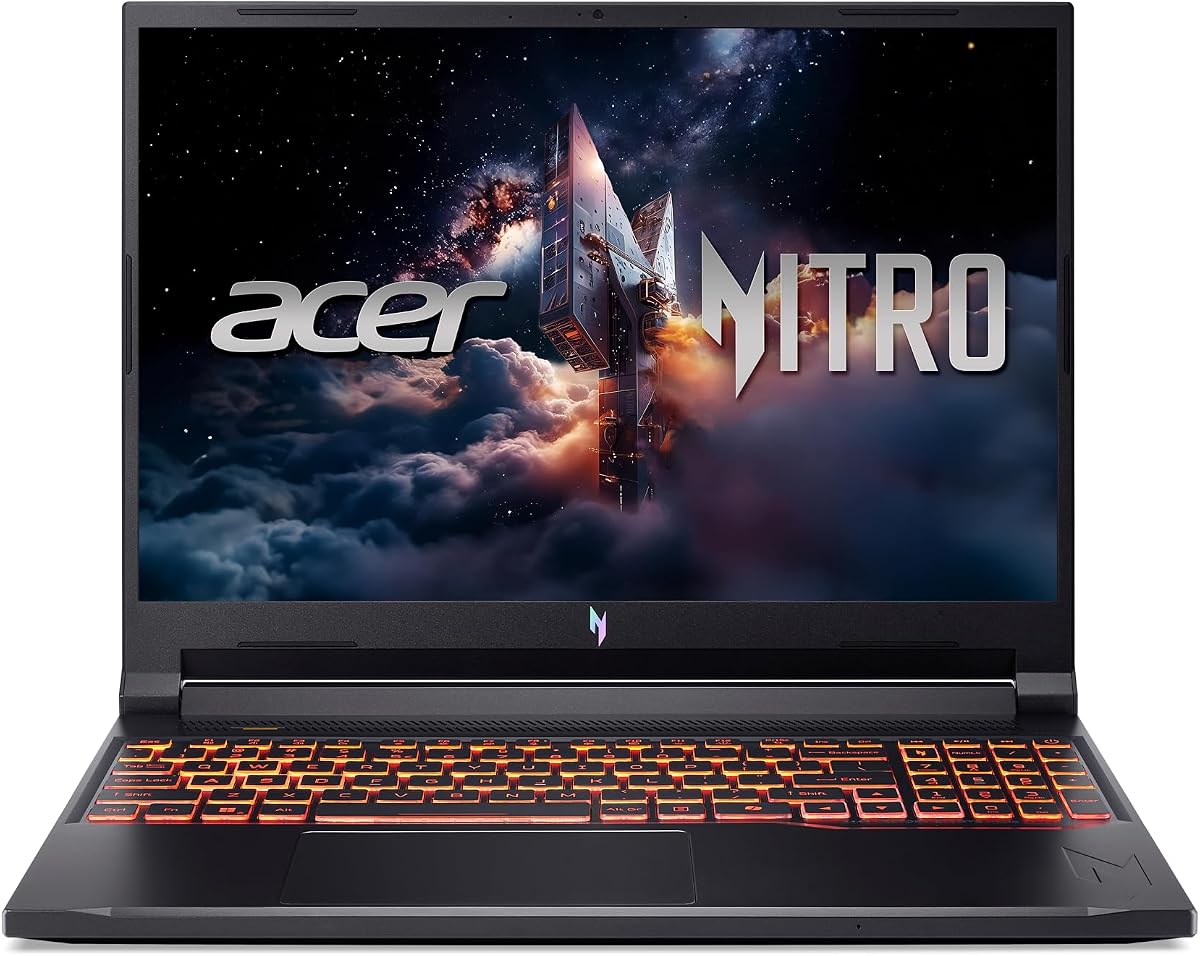
The Acer Nitro V 15.6 is a value-oriented RTX 5050 laptop that avoids feeling underpowered on paper. It pairs an Intel Core i5-13420H processor with an NVIDIA GeForce RTX 5050 Laptop GPU carrying 8GB of dedicated GDDR7 VRAM. Its 4.3 rating is among the stronger results in this group, indicating that buyers have generally been satisfied with the overall package.
We may earn a commission when you buy through this link, at no additional cost to you.
The 15.6-inch Full HD IPS display refreshes at 165Hz, giving it a useful advantage for fast shooters and competitive games. A 16GB DDR4 configuration handles mainstream gaming, streaming, and multitasking, while a 512GB PCIe Gen 4 SSD supports fast loading and storage transfer. The USB-C port includes DisplayPort output, Thunderbolt 4, and charging, making it a versatile connection for docks and accessories.
The main limitation is storage. At 512GB, the laptop may feel cramped once several modern games, creative applications, and operating-system files are installed. Its use of DDR4 rather than newer DDR5 is another consideration, particularly for buyers who want maximum memory bandwidth or the option to add larger memory modules in the future.
Choose the Nitro V 15.6 if you want a capable RTX 5050 gaming laptop, a fast display, and modern connectivity without moving to a larger 16-inch chassis. It is a particularly compelling fit for budget-conscious gamers who value the GPU and refresh rate more than premium display resolution or expansive storage.
The 165Hz IPS panel makes this model well suited to competitive gaming and other fast-moving titles. Full HD resolution also reduces the GPU burden compared with higher-resolution configurations, helping the RTX 5050 focus on frame delivery.
Thunderbolt 4, DisplayPort over USB-C, and USB charging provide a strong connection foundation. The 15.6-inch format also makes the laptop more practical to store and carry than many full-size gaming alternatives.
We may earn a commission when you buy through this link, at no additional cost to you.
The Acer Nitro V 16 combines an Intel Core 7 240H processor with the NVIDIA GeForce RTX 5050 Laptop GPU and a 16-inch 180Hz display. Its 4.6 rating is the highest among the supplied products, making it a strong all-around selection for gamers who want a fast screen, modern graphics features, and a generous specification sheet.
We may earn a commission when you buy through this link, at no additional cost to you.
The WUXGA 1920 x 1200 panel uses a 16:10 aspect ratio, offers 300-nit brightness, and includes 3ms overdrive response. The RTX 5050 is described with 440 AI TOPS, fourth-generation RT Cores, fifth-generation Tensor Cores, and DLSS 4 features such as Multi Frame Generation, enhanced Ray Reconstruction, and Super Resolution. Together, these details position the machine for modern graphics and smooth high-refresh gaming.
The specification sheet is unusually complete for a 16-inch laptop. It includes 16GB DDR5 with two slots and a maximum stated capacity of 32GB, a 1TB PCIe Gen 4 SSD, Wi-Fi 6, HDMI 2.1, Thunderbolt 4, three additional USB ports, Ethernet, and a microSD reader. A dual-fan, quad-intake, quad-exhaust cooling system and NitroSense controls add practical tools for sustaining performance, although the 5.29-pound weight and substantial depth make this primarily a desk-based machine.
This Nitro V 16 is our top general recommendation because it balances display speed, GPU capability, modern memory, storage, cooling, and connectivity without focusing on only one specialty. It is ideal for a buyer who plays demanding games, streams, and wants enough performance and screen real estate for regular creative work.
The 180Hz refresh rate, 16:10 format, and 3ms overdrive response make this one of the most competitive screens in the group. Its 1920 x 1200 resolution also offers more usable space than a traditional Full HD panel without moving to a demanding 4K workload.
Dual fans, four air intakes, and four exhausts help move heat under sustained pressure. NitroSense provides real-time performance tracking and fan customization, while Intel Killer networking supports responsive wired and wireless gaming.
We may earn a commission when you buy through this link, at no additional cost to you.
The MSI Cyborg A15 AI is built for buyers who want RTX 5050 gaming without beginning with a large, heavy desktop replacement. It combines an AMD Ryzen 7 260 processor with the NVIDIA GeForce RTX 5050, 16GB DDR5 memory, a 1TB SSD, and a 15.6-inch Full HD 144Hz display. Its 3.9 rating is respectable, though it trails the strongest-rated models in this roundup.
We may earn a commission when you buy through this link, at no additional cost to you.
Portability is the defining strength. At approximately 4.3 pounds, the Cyborg is easier to move between a home desk, office, classroom, or travel setup than most dedicated gaming laptops. The 144Hz screen still provides noticeably smoother motion than a conventional 60Hz panel, while Full HD resolution can help the RTX 5050 achieve practical frame rates in a wider range of games.
The translucent, backlit keyboard gives the system a distinctive appearance and improves low-light visibility. DLSS and other AI-accelerated NVIDIA features can improve supported game performance, while 16GB of DDR5 and a 1TB drive provide a well-rounded platform for modern titles and everyday multitasking. The trade-off is that the display is Full HD rather than the higher-resolution 16:10 or OLED options found elsewhere.
The Cyborg A15 AI makes sense for a gamer who values mobility and distinctive styling equally with peak specification. It is less convincing as a dedicated creation station, but for portable gaming, it offers a persuasive blend of dedicated graphics, a high-refresh display, and a manageable physical footprint.
The approximate 4.3-pound weight and 15.6-inch display reduce the burden of carrying a gaming system. It is a better fit for users who regularly change locations but still want a dedicated RTX 5050 rather than relying on integrated graphics.
Translucent keycaps and adjustable keyboard lighting give the Cyborg a recognizable identity. The 144Hz Full HD screen focuses on fluid gameplay rather than high-resolution color-critical work.
We may earn a commission when you buy through this link, at no additional cost to you.
The ASUS ROG Strix G16 combines a Core i5-14450HX processor and GeForce RTX 5050 Laptop GPU with a 16-inch 16:10 FHD+ display rated at 165Hz with 3ms response. The supplied listing does not include a customer rating, so there is not enough evidence here to make a rating-based judgment, but the feature set is aimed squarely at enthusiasts.
We may earn a commission when you buy through this link, at no additional cost to you.
DLSS 4 and Max-Q technologies are highlighted as central to the platform. The display adds an anti-glare film, Dolby Vision HDR, and viewing-angle consistency, giving it a more refined multimedia presentation than a basic gaming panel. Its 16:10 aspect ratio also provides more room for games and applications than a traditional 16:9 screen.
ROG's cooling system uses an end-to-end vapor chamber, three fans, and Conductonaut Extreme liquid metal on the chipset. Tool-free access to RAM, storage, and fans makes future maintenance more convenient. A MUX Switch can route frames directly to the discrete GPU, while Advanced Optimus switches between integrated and discrete graphics as needed. The main configuration compromise is 512GB of storage, which can fill quickly with a modern game library.
The Strix G16 is a strong option for a gamer who values a mature feature ecosystem, easy maintenance, wireless connectivity, and refined display characteristics. It is particularly appealing to users who want more control over graphics routing and cooling than a basic RTX 5050 laptop provides.
The MUX Switch sends frames directly to the discrete GPU for gaming, while Advanced Optimus handles automatic transitions between the integrated and dedicated GPUs. This flexibility helps balance performance and power use across different workloads.
A vapor chamber, tri-fan arrangement, and liquid-metal chipset cooling support sustained performance. Tool-free access also simplifies memory, storage, and fan upgrades, reducing the friction of keeping the laptop current.
We may earn a commission when you buy through this link, at no additional cost to you.
The Lenovo IdeaPad Pro 5 takes a different approach to the RTX 5050 category. Rather than presenting itself primarily as a gaming laptop, it combines a Ryzen AI 7 350 processor, GeForce RTX 5050 graphics, 16GB of memory, and a 1TB drive with a 16-inch 2880 x 1800 OLED display. Its 4.0 rating indicates generally positive reception, and its creator-oriented feature set sets it apart.
We may earn a commission when you buy through this link, at no additional cost to you.
The OLED panel provides a major advantage for photo review, video editing, reading, and general media consumption. Its 16:10 format and 120Hz variable refresh rate combine detailed imagery with smoother motion. Integrated graphics can handle routine workloads, while the RTX 5050 adds dedicated performance for rendering, video editing, and gaming without requiring the machine to be styled like a conventional gaming system.
Connectivity is particularly thoughtful: two USB-C ports support USB4, DisplayPort, and power delivery, two USB-A ports are included, and HDMI 2.1 supports high-resolution external displays. The webcam has a physical privacy shutter and is joined by dual microphones, Windows Hello support, TPM 2.0, and Microsoft Pluton security. Dolby Atmos speakers and a backlit keyboard improve the everyday experience, while MIL-STD-810H testing supports its durability positioning.
Choose the IdeaPad Pro 5 if you need one capable laptop for creative work, productivity, and occasional gaming. Its 120Hz refresh rate is slower than many dedicated gaming options, and its design lacks some of the aggressive performance controls found on gaming models, but the high-resolution OLED and refined feature set make it the most compelling RTX 5050 option for hybrid work.
The 2880 x 1800 OLED display provides substantially more pixels than the Full HD alternatives in this roundup. That extra detail benefits photo assessment, editing timelines, document work, and entertainment.
USB4, HDMI 2.1, a card reader, a privacy shutter, and secure platform features make the IdeaPad Pro 5 more work-ready than a basic gaming laptop. Its restrained design also fits more naturally in professional environments.
We may earn a commission when you buy through this link, at no additional cost to you.
The GIGABYTE Gaming A16 is defined by a 19.45mm slim chassis and a flexible 180-degree hinge, bringing a more notebook-like profile to the RTX 5050 category. It pairs an Intel Core i7-13620H processor with NVIDIA GeForce RTX 5050 graphics and Windows 11 Home. The supplied 3.8 rating is the lowest of the rated products here, so buyers should give the overall user experience particularly careful attention.
We may earn a commission when you buy through this link, at no additional cost to you.
The hinge can lay the display nearly flat, allowing different viewing angles for media, work, or shared-screen situations. Its 16-inch form provides more screen space than a compact 15.6-inch model while remaining slimmer than many performance-focused gaming laptops. The chassis therefore makes sense for buyers who need a larger screen without the maximum bulk of a traditional gaming system.
GIGABYTE highlights the RTX 50 Series' AI capabilities, DLSS 4, NVIDIA Studio, and Max-Q optimization. The Core i7 processor is intended to support streaming, gameplay recording, and several running applications. GiMATE provides an AI-focused interface for system interaction, while the gaming platform is aimed at both users and creators. Detailed display resolution, refresh rate, memory, and storage information is not provided in the supplied listing, so those specifications require confirmation before purchase.
The Gaming A16 is a worthwhile shortlist candidate for someone who values a slim 16-inch chassis and flexible display positioning over conventional gaming-laptop styling. It should not be selected solely on the RTX 5050 label, however, because buyers need to verify the exact panel and memory configuration for the listing they intend to buy.
The 180-degree hinge can accommodate viewing angles that a conventional gaming display cannot. Paired with a 19.45mm profile, it creates a useful middle ground between a 15.6-inch portable and a bulky 16-inch performance machine.
DLSS 4, Max-Q, and NVIDIA Studio are the main RTX 5050 attractions, while GiMATE adds an AI-assisted control layer. These tools can improve supported workflows, but the benefits depend on the game or application and its implementation.
We may earn a commission when you buy through this link, at no additional cost to you.
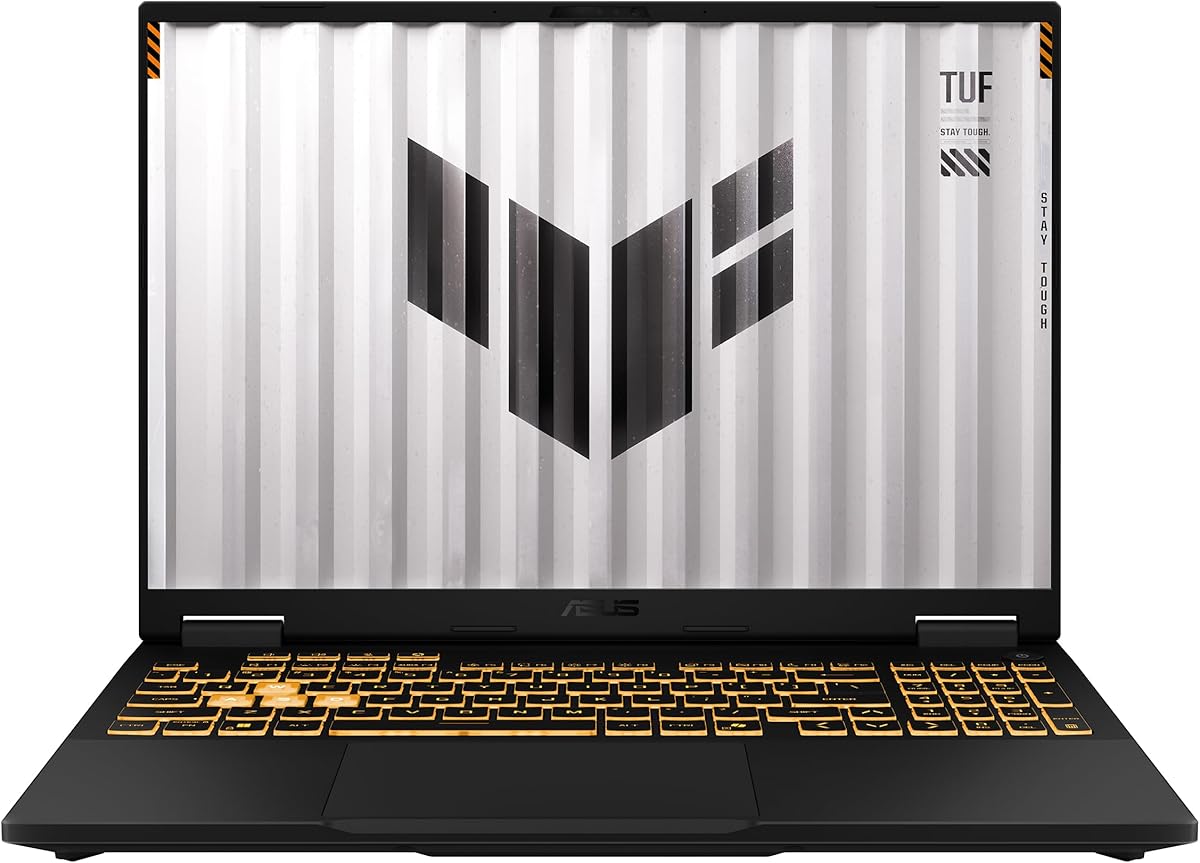
The ASUS TUF Gaming F16 combines a Core i5-13450HX processor with an RTX 5050 configured for a maximum of 115 watts. Its 4.5 rating is among the best in the group, and the 16-inch FHD+ 165Hz 16:10 screen offers a practical balance of resolution, aspect ratio, and refresh rate. This is a conventional gaming laptop with an emphasis on dependable construction and effective cooling.
We may earn a commission when you buy through this link, at no additional cost to you.
The 115W maximum GPU power specification is particularly relevant because RTX 5050 laptops can perform differently depending on their power limits. A higher allowance can help the graphics card sustain stronger performance during demanding games, subject to the laptop's thermal and power-management design. Advanced Optimus allows the system to switch between integrated and discrete graphics, which can help balance performance and efficiency.
The FHD+ display covers 100% of the sRGB color space and supports Adaptive-Sync to reduce lag, stuttering, and visual tearing. Second-generation Arc Flow fans, a full-width heatsink, and a full-width vent are designed to improve cooling without adding unnecessary noise. The chassis has also passed MIL-STD-810H testing, which is a useful indicator for buyers who expect to travel with the laptop or value durability.
The TUF F16 is a strong recommendation for a gamer who wants a proven 16-inch format, a fast color-capable display, and a specified GPU power target. Its 512GB SSD is the main practical constraint, so buyers with a large game library should consider storage expansion or plan to maintain a smaller set of installed games.
A 115W maximum power limit provides a clearer performance target than many listings. It can help the RTX 5050 operate closer to its intended capability while the cooling system manages heat.
The 16:10 FHD+ panel offers more space than a standard 16:9 screen, a 165Hz refresh rate for fluid motion, and 100% sRGB coverage for more accurate color. Adaptive-Sync helps maintain a consistent image during play.
We may earn a commission when you buy through this link, at no additional cost to you.
The Lenovo LOQ pairs a Core i7-13650HX processor with GeForce RTX 5050 graphics, 16GB of memory, a 1TB drive, and a 15.6-inch FHD IPS 144Hz display. Its 4.4 rating supports its position as a well-regarded general gaming option. The configuration is particularly coherent for a 15.6-inch machine, with adequate memory, storage, and a high-refresh panel.
We may earn a commission when you buy through this link, at no additional cost to you.
Hyperchamber Cooling combines turbo fans and copper heat pipes, while AI Engine+ is designed to optimize CPU, GPU, and system settings for smoother gameplay. G-Sync helps reduce tearing, stuttering, and input lag on compatible displays and games. The laptop's white-backlit full keyboard is designed for both work and play, and the clean industrial appearance avoids excessive visual noise.
The laptop's aerospace-grade construction and aluminum cover are intended to balance lightness with durability. Smart Battery Technology is included to reduce unnecessary battery drain, while Rapid Charge Pro is stated to reach 70% in under 30 minutes. The Full HD resolution keeps the GPU workload manageable, although it is less detailed than the WUXGA, FHD+, and OLED alternatives in the roundup.
The LOQ is a good fit for a buyer who wants a recognizable 15.6-inch gaming laptop with a Core i7 processor, ample storage, and strong rating. It suits students or general users who need occasional gaming and productive battery features more than the highest possible refresh rate or maximum display resolution.
The Core i7 processor, 1TB drive, and 16GB of memory provide a capable foundation for gaming and everyday productivity. The Full HD panel can also make the RTX 5050 more accessible in a compact format.
A durable aluminum cover and backpack-friendly 15.6-inch format support mobile use. Smart Battery Technology and Rapid Charge Pro add convenience for users who regularly move between outlets.
We may earn a commission when you buy through this link, at no additional cost to you.
The MSI Katana 15.6 delivers a straightforward RTX 5050 configuration built around an Intel Core i7-14650HX processor. It includes 8GB of GDDR7 graphics memory, 16GB of DDR5 system memory, a 512GB NVMe SSD, and a 15.6-inch Full HD 144Hz thin-bezel IPS display. Its 3.9 rating is solid, although it is not among the most highly rated systems here.
We may earn a commission when you buy through this link, at no additional cost to you.
The Core i7 processor is well suited to gaming, streaming, and multitasking, while the RTX 5050's 8GB GDDR7 allocation gives supported modern games and creative applications dedicated graphics resources. The 144Hz display should provide smooth movement, and Full HD resolution can make the GPU more efficient in games that do not require a higher pixel count.
A 75Wh lithium-polymer battery and thin-bezel 15.6-inch design make the Katana relatively practical for a gaming laptop. Wi-Fi 6E and Bluetooth 5.3 provide current wireless standards, while NVMe storage supports quick boots and file access. The primary limitation is 512GB of storage, which offers limited room for a large collection of modern games and high-resolution game assets.
Choose the Katana if you want a recognizable MSI gaming laptop with a current Core i7 processor and a 144Hz screen without moving to a 16-inch model. It offers a sound balance of gaming hardware, memory, and everyday convenience, although buyers should plan for storage needs and verify their desired graphics configuration before ordering.
A Core i7 processor supports demanding games, background applications, and streaming tasks. The RTX 5050's 8GB of dedicated GDDR7 memory provides a clear advantage over systems relying only on integrated graphics.
Wi-Fi 6E and Bluetooth 5.3 cover the main wireless needs of a modern gaming laptop. The 75Wh battery and 15.6-inch thin-bezel display further support use away from a fixed desk.
We may earn a commission when you buy through this link, at no additional cost to you.
The right RTX 5050 laptop depends on more than the presence of the GPU. Display quality, processor capability, power limits, cooling, memory, storage, portability, and connectivity all influence the experience, especially when similarly named configurations can behave very differently.
A display's resolution determines how much detail the screen can show, while refresh rate controls how often it redraws. The Full HD models in this roundup are generally easier for the RTX 5050 to drive, making them sensible for competitive play. The 16:10 FHD+ and WUXGA alternatives provide more working area, while the IdeaPad Pro 5's 2880 x 1800 OLED panel is best suited to users who value color accuracy, editing, and detailed media over maximum gaming performance. Refresh rates range from 120Hz to 180Hz, with 144Hz and above making the largest visible difference during fast movement.
In short, prioritize refresh rate for competitive gaming and resolution or OLED quality for creative work. There is no universally superior panel, so the best choice depends on which output you use most.
The processor handles game logic, system responsiveness, streaming, multitasking, and many creative applications. Models with Intel Core 7 or Core i7 processors, including the Core i7-13650HX, Core i7-14650HX, and Core i5-14450HX, provide a strong foundation. The Ryzen 7 260 and Ryzen AI 7 350 options bring comparable broad-purpose capability, while the Core i5-13420H in the value-focused Nitro V is intended to make the overall package more attainable. GPU-heavy games may still benefit from a faster CPU when frame rates are high or background applications are active.
In short, match processor tier to the rest of the system and your workload. A capable Core i7 or Ryzen 7 is a strong all-round choice, while a Core i5 can make sense when gaming is the primary priority.
The RTX 5050 uses dedicated GDDR7 graphics memory, with 8GB explicitly listed for several models. This is important for modern games, high-resolution textures, ray tracing, and GPU-accelerated creation. GPU power also affects sustained results: the TUF Gaming F16 is specified at a maximum of 115W, while other models do not provide equivalent power figures in the supplied information. Higher available power can improve performance within thermal limits, but cooling quality, firmware, and workload characteristics also influence the outcome.
In short, confirm that the laptop has dedicated 8GB-class graphics and check the listed GPU power when performance comparisons matter. Never assume two RTX 5050 laptops will deliver identical frame rates.
A minimum of 16GB of system memory is sensible for current gaming, browser-heavy use, streaming, and general productivity. DDR5 is used by most of the more modern configurations, while the budget Nitro V includes 16GB of DDR4. The 16-inch Acer Nitro V explicitly provides two DDR5 slots and a stated maximum capacity of 32GB, making it easier to plan for future memory expansion. Some competing listings do not provide complete upgrade details, so buyers should verify socket count, supported capacity, and whether memory is soldered.
In short, look for 16GB as a practical baseline and favor a model with clearly documented memory slots. Expandability can extend the useful life of a laptop as games and applications become more demanding.
All of the supplied configurations use solid-state storage, with PCIe Gen 4 appearing across several models. Capacity is just as important as speed: 512GB drives are common in gaming laptops, but a modern game library can fill that space quickly, especially when high-quality assets and creative applications are involved. The Acer Nitro V 16, MSI Cyborg A15 AI, and Lenovo LOQ include 1TB drives, which offer more breathing room. Users who prefer 512GB models should check whether the SSD can be replaced or supplemented and whether they are comfortable maintaining an external drive for less frequently used files.
In short, choose 1TB when your library or workload is likely to expand. For 512GB, verify upgrade options and keep only your most-used titles and projects on the internal drive.
Cooling is what allows a fast processor and GPU to remain useful during long gaming sessions or demanding rendering tasks. The Acer Nitro V 16 uses dual fans with four intakes and four exhausts, the ROG Strix G16 adds a vapor chamber, tri-fan cooling, and liquid metal, and the TUF Gaming F16 uses second-generation Arc Flow fans with a full-width heatsink and vent. The Lenovo LOQ employs its Hyperchamber Cooling system, while the Alienware Aurora uses a Cryo-Chamber airflow structure. More fans and wider vents are not automatically better, but thoughtful cooling helps maintain stable performance with less throttling and noise.
In short, look for a documented cooling design rather than judging from the number of vents alone. For long sessions, compare fan layouts, heat-pipe coverage, and the manufacturer's performance-management features.
A gaming laptop with a 15.6-inch screen is often easier to carry than a 16-inch model, and the MSI Cyborg A15 AI stands out at approximately 4.3 pounds. The 16-inch Alienware, Nitro, ROG, TUF, and IdeaPad options provide more screen area but usually demand more space. Battery capacity and charging speed are important for students and mobile workers; the MSI Katana includes a 75Wh battery, the Lenovo LOQ supports Rapid Charge Pro, and the IdeaPad Pro 5 combines a dedicated GPU with integrated graphics for more flexible everyday operation. Build features such as aluminum covers, MIL-STD-810H testing, and privacy shutters may matter more to some users than RGB lighting.
In short, balance screen size with weight and battery needs. If the laptop will travel frequently, a 15.6-inch model may be more comfortable than a larger, heavier gaming chassis.
After setup, update the operating system, graphics driver, firmware, and laptop utility software before launching demanding games. Keep the system's default power profile for general use, but learn the manufacturer's gaming or performance mode so you can raise power limits, adjust fan behavior, and monitor temperatures during long sessions. For creators, configure the display and application color settings consistently, especially when moving work between the built-in panel and an external monitor.
Protect the laptop by using a stable surface that allows its vents to remain unobstructed. Avoid placing bedding, fabric, or hard objects against the exhaust openings, and clean the intake paths with compressed air on a powered-off system. Keep liquids away from the keyboard and ports, use a surge-protected outlet for prolonged gaming, and avoid leaving the device in extreme heat. Periodically back up important game saves and creative files, particularly if the system drive becomes closely filled.
Storage management matters for an RTX 5050 laptop because games and media can occupy substantial space. Remove old titles, archive inactive projects, and maintain free capacity for temporary files and updates. When using external displays or a dock, connect through the appropriate USB-C or HDMI port and verify that the selected display mode uses the discrete GPU where maximum gaming performance is desired. Clean the display with a soft microfiber cloth and avoid abrasive cleaning products.
An RTX 5050 laptop provides dedicated graphics performance for modern games, ray tracing, AI-accelerated features such as DLSS, and GPU-assisted creative work. Its exact results depend on the processor, power limit, cooling, display resolution, and game settings. It is designed to offer a step up from systems relying entirely on integrated graphics.
Yes, 16GB is a practical minimum for current gaming, streaming, browsing, and multitasking. It can become restrictive when running demanding creative applications alongside a game or several heavy browser workloads. Memory-upgrade specifications vary considerably, so check the number of slots and maximum supported capacity before purchasing.
Several models in this roundup are explicitly listed with 8GB of GDDR7 graphics memory. The supplied data does not confirm the VRAM amount for every configuration, so buyers should verify that detail in the exact listing. Dedicated VRAM is especially important for detailed textures, ray tracing, and modern graphics settings.
A 120Hz display is suitable for many mainstream games and can still feel responsive when paired with DLSS. Competitive players may prefer 144Hz, 165Hz, or 180Hz because those panels show more frames per second and make fast movement appear smoother. Resolution, panel quality, and the particular game also influence how noticeable the refresh-rate difference feels.
A 15.6-inch model is usually easier to carry and often more affordable, while a 16-inch machine offers a larger workspace and is often better suited to gaming and creation at a desk. The MSI Cyborg A15 AI is especially portable, whereas the Acer Nitro V 16 provides a larger, high-refresh display. Consider your screen size, weight, storage needs, and preferred resolution together.
They can be well suited to video editing, 3D work, rendering, and other GPU-accelerated tasks, especially when the laptop includes sufficient memory and storage. The Lenovo IdeaPad Pro 5 stands out with a high-resolution OLED display and creator-oriented connectivity. For professional production, also verify application compatibility, color needs, sustained thermal performance, and storage capacity.
A 1TB drive offers the most comfortable starting point for a large and growing game library, along with creative files and installed applications. A 512GB drive can still work well, especially with careful maintenance, but storage can become tight quickly. Confirm whether the SSD is replaceable before committing to a smaller configuration.
No. The GPU's available power, cooling, processor, memory, firmware, and display resolution can all change the final frame rate and user experience. Compare the specific configuration rather than relying on the RTX 5050 label alone, and use the manufacturer's performance controls to obtain the best balance of speed, noise, and temperature.
The Acer Nitro V 16 is the strongest all-round recommendation because it combines the highest listed rating with a 180Hz 16:10 display, modern Core 7 processing, 16GB of DDR5, 1TB storage, extensive connectivity, and a sophisticated cooling system. The Acer Nitro V 15.6 is the value-focused choice for gamers who prefer 165Hz Full HD visuals, while the Lenovo IdeaPad Pro 5 OLED is the premium hybrid for creative work, detailed media, and professional features.
Other laptops remain strong matches for specific needs. The ASUS ROG Strix G16 stands out for upgrade access, graphics routing, and advanced cooling; the TUF Gaming F16 combines a 115W GPU power target with a color-accurate 165Hz display; the Lenovo LOQ balances a Core i7 processor, G-Sync, and 1TB storage in a 15.6-inch format. The MSI Cyborg A15 AI prioritizes portability, the Katana offers a conventional Core i7 configuration, and the Alienware 16 Aurora provides a roomy WQXGA canvas and onsite service.
Before buying, verify the exact display, memory, storage, graphics power, and connectivity for the configuration you are choosing. Product listings and prices can change, and manufacturer support terms or included software may also vary. Use the current listing information to make the final decision, and prioritize the features that matter most to your games, creative tasks, and daily routine.