
Acer HDMI 2.1 Cable 6.6FT
4.7Editor score
48Gbps ultra high speed
Supports 8K at 60Hz
VRR gaming support
Braided six-foot design
This HDMI Cable for Dual Monitors guide compares ten options for bandwidth, length, gaming features, durability, and dual-screen compatibility.
A reliable HDMI cable for dual monitors must handle two simultaneous displays without introducing flickering, dropped frames, or connection problems. Beyond basic resolution, important considerations include bandwidth, refresh rate, cable length, HDR support, gaming features, and whether your computer uses HDMI, DisplayPort, or a mixed setup.
We compared the ten products using their stated specifications, construction, supported resolutions, compatibility, and suitability for more than one display. The list includes certified HDMI 2.1 cables for high-refresh gaming, shorter HDMI options for compact desks, extended-length cables, and DisplayPort-to-HDMI adapters for mixed-output workstations.
Each review explains the product's strongest benefits and practical limitations, while the comparison table highlights the differences between connection types and capabilities. Ratings reflect the supplied customer feedback, and specifications can vary with the source device, graphics adapter, monitor, and selected display mode. Prices and availability change over time.
4.7Editor score

4.8Editor score

4.6Editor score
The table below compares connector type, bandwidth, maximum resolution, and practical dual-monitor features. It shows why native HDMI is the simplest choice for matching HDMI outputs, while DisplayPort-to-HDMI cables serve mixed-port systems with clearly directional signal flow.





The UGREEN 8K HDMI 2.1 Cable 48Gbps 6.6FT is the strongest all-around choice in this guide, combining a 4.8 rating with certified 48Gbps bandwidth. Its stated capabilities include 10K, 8K at 60Hz, and 4K at 240Hz, giving it enough headroom for demanding graphics cards, high-end gaming monitors, and professional displays.
We may earn a commission when you buy through this link, at no additional cost to you.
The cable supports variable refresh rate, Quick Frame Transport, automatic low-latency mode, and quick media switching through the HDMI VRR mechanism. Dynamic HDR, 12-bit color, HDCP 2.2 and 2.3, eARC, Ethernet, 3D, and high-resolution audio formats further broaden its usefulness for gaming, streaming, and home theater connections.
Construction is designed for regular use, with an aluminum alloy housing, nickel-plated connectors, and a nylon braided jacket. The six-foot length gives enough distance for typical desk arrangements, although a longer run may be needed for wall-mounted screens or unusually large desks. One cable must also be purchased for each display that uses HDMI.
This is the most versatile recommendation for buyers who want one cable type across multiple modern devices. It is particularly attractive for dual high-refresh gaming monitors, while office users will also benefit from its bandwidth and broad source compatibility. Check that both the computer output and monitors support the desired resolution and refresh rate.
The combination of 48Gbps bandwidth and support for 4K up to 240Hz makes this cable suitable for fast gaming displays. VRR support can also help reduce visible tearing when the connected graphics hardware and monitor both support the relevant feature.
Dynamic HDR, eARC, Dolby Atmos, and DTS:X support extend the cable's usefulness to televisions, soundbars, and receivers. Those advanced features still depend on every connected device supporting the corresponding format.
We may earn a commission when you buy through this link, at no additional cost to you.
The Belkin Ultra HD HDMI 2.1 Cable is a premium pick for buyers who prefer a recognizable brand and a clearly certified 48Gbps specification. Its supplied rating is 4.6, and its stated support for 4K at 120Hz, 8K at 60Hz, and 10K positions it for advanced displays and high-bandwidth source devices.
We may earn a commission when you buy through this link, at no additional cost to you.
Its two-layer shielding is intended to protect internal wiring, while the six-foot, two-meter length is practical for laptops, streaming devices, and Ultra HD television setups. The product is listed as compatible with the PlayStation 5, Xbox Series X, Apple TV 4K, HDR10, Dolby Vision, PCs, and MacBooks.
Belkin does not claim the same expansive gaming feature set as some competing listings, and its supplied rating is lower than those of the other leading options. It also costs more than several rivals without coming in a two-pack, so value-focused buyers should compare the complete offering rather than selecting on brand recognition alone.
The Belkin is best suited to a premium mixed-media setup where a PS5, laptop, or PC may rotate between two displays. It is also a sensible choice for users who value documented certification and shielding. For each HDMI display, purchase a separate cable, and configure the computer to extend rather than mirror the screens.
A 48Gbps UHD-certified cable is well matched to modern 4K high-refresh monitors and capable televisions. Certification helps reduce uncertainty when a setup depends on sustained high-bandwidth transmission.
The two-layer shielding is a meaningful construction detail for cables routed behind desks or handled regularly. It should still be installed without creating sharp bends at either connector.
We may earn a commission when you buy through this link, at no additional cost to you.
The Acer HDMI 2.1 Cable 6.6FT offers the most compelling value-oriented specification in the list. It has a 4.7 rating, 48Gbps bandwidth, and support for 8K at 60Hz plus 4K at 120Hz, 144Hz, and 240Hz. That makes it surprisingly capable for a budget-focused recommendation.
We may earn a commission when you buy through this link, at no additional cost to you.
Its listed gaming features include variable refresh rate, while eARC, ARC, Dolby Vision, and Dolby Atmos support make it relevant to compatible televisions and soundbars. A high-purity copper core, aluminum alloy housing, and braided jacket are specified to support signal integrity and resistance to routine bending.
The principal limitation is that this is a single cable rather than a two-pack, so a conventional dual-HDMI setup requires two units. Its broad compatibility list includes consoles, streaming devices, PCs, laptops, Mac mini M4 and M4 Pro models, monitors, projectors, and televisions, but the actual output remains determined by the source device.
Choose the Acer when you want modern bandwidth without paying for the most premium branded option. It is a particularly good fit for dual gaming monitors, productivity displays, or a mixed workstation, provided both monitors and the graphics output support the resolution and refresh rate you intend to use.
Support for 4K up to 240Hz allows the cable to serve demanding gaming monitors, provided the graphics card, source device, and display all support the desired mode. A cable alone cannot add processing power to the setup.
The compatibility range covers common consoles, computers, streaming boxes, projectors, and televisions. This makes it convenient for users who frequently move between desktop and living-room configurations.
We may earn a commission when you buy through this link, at no additional cost to you.
The Silkland Certified HDMI 2.1 Cable combines a 4.7 rating with one of the broadest resolution lists in the guide. Its 48Gbps cable supports 10K, 8K at 60Hz, 5K at 90Hz and 120Hz, 4K at 120Hz and 144Hz, and 2K at 165Hz and 240Hz.
We may earn a commission when you buy through this link, at no additional cost to you.
The product listing emphasizes HDMI 2.1 certification and provides a QR-code verification method. Its exclusive double-layer fishnet winding and nylon braiding are joined by copper cores and ferrite magnetic beads, while eARC, ARC, DTS:X, Dolby Atmos, Dynamic HDR, HDCP 2.2, and 2.3 are also listed.
This level of specification is impressive, but the advertised capabilities only appear when the source, display, and any intervening hardware support them. A six-foot length suits a typical desktop, and backward compatibility broadens the range of usable source devices, although dual-monitor users still need two HDMI cables for two HDMI inputs.
The Silkland is a good fit for buyers who want a future-oriented cable that can move between a high-refresh gaming monitor, professional display, television, and soundbar. It is also attractive for users who appreciate a detailed certification and feature specification. Match each cable directly to an HDMI output and display for the simplest setup.
The wide range of supported modes makes this cable adaptable to high-end desktop monitors, creative displays, and televisions. It does not, however, guarantee a mode that the graphics output itself cannot provide.
Dynamic HDR and enhanced audio return support can simplify connections involving compatible televisions and soundbars. ARC and eARC behavior still depends on the television's own capabilities and menu configuration.
We may earn a commission when you buy through this link, at no additional cost to you.
The UGREEN HDMI 2.1 Cable Certified 8K is another strong 48Gbps option, carrying a 4.7 rating. It supports 8K at 60Hz, 4K at 240Hz, 4K at 144Hz, and 4K at 120Hz, placing it among the better choices for high-refresh gaming and modern 4K displays.
We may earn a commission when you buy through this link, at no additional cost to you.
Dynamic HDR with 12-bit color and eARC support for full-resolution audio such as Dolby Atmos and DTS:X broaden its media capabilities. The cable is also Ethernet-enabled, and the manufacturer lists compatibility with PS5, PS4 Pro, PS3, Nintendo Switch, Switch 2, Xbox models, Roku, laptops, PCs, projectors, receivers, and monitors.
Its premium materials include nickel-plated connectors and a nylon braided jacket, with the listing noting resistance to more than two million bending tests. As with other six-foot cables, it may be marginal for a distant wall-mounted display, and a second cable is necessary for a two-HDMI-display arrangement.
This UGREEN model is a sensible alternative for buyers who want the same broad HDMI 2.1 bandwidth and gaming orientation as the top-ranked cable but do not need its more specific VRR and quick-switching claims. It works especially well for mixed desktop and console installations that include a television or projector.
The long compatibility list covers current and older gaming devices, streaming hardware, computers, projectors, and televisions. That makes it useful for a dual-screen setup that occasionally changes source.
Nickel-plated connectors and a braided exterior are intended to withstand frequent handling and flexing. Careful routing remains important, especially where the cable passes around desk edges or furniture legs.
We may earn a commission when you buy through this link, at no additional cost to you.
The Highwings 8K HDMI 2.1 Cable 2-Pack stands out for including two matching six-foot cables, removing the need to buy a second identical lead for a dual-HDMI setup. It has a 4.7 rating and certified 48Gbps bandwidth, with stated support for 10K, 8K at 60Hz, and 4K at 120Hz.
We may earn a commission when you buy through this link, at no additional cost to you.
Its construction combines an aluminum alloy shell with an anti-bending tail design and military-grade tensile nylon. Variable refresh rate is listed among the supported gaming features, while backward compatibility allows use with a broad range of HDMI source devices and displays.
The package does not include a switch or hub, so each cable still needs a separate compatible output on the computer or graphics device. Variable refresh rate also requires cooperation from the source and monitor. Users should avoid forcing tight bends into the connector strain reliefs despite the reinforced design.
This is one of the most convenient choices for buyers setting up two side-by-side monitors, particularly when both use HDMI. It is well suited to high-refresh gaming and general productivity while providing enough bandwidth for current high-resolution displays.
Two identical cables simplify a dual-monitor installation and reduce the chance of using mismatched leads. Each cable connects a source directly to one display.
Aluminum alloy shells and anti-bending strain relief are useful for setups where equipment is moved regularly. Maintain a gentle bend radius for the best long-term reliability.
We may earn a commission when you buy through this link, at no additional cost to you.
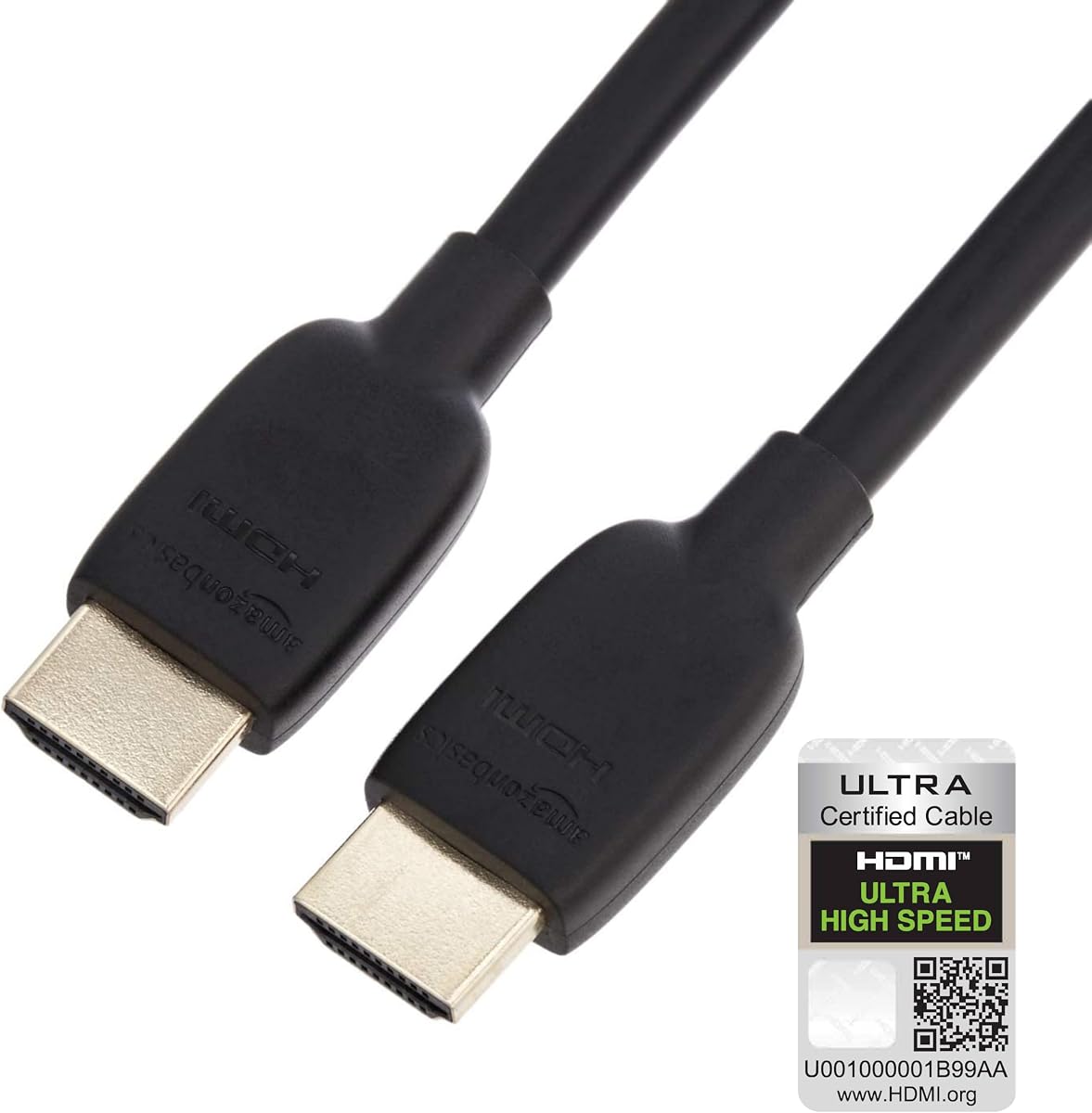
The Amazon Basics HDMI 2.1 Cable is a practical pick for two closely positioned monitors where a long cable would be unnecessary. The three-foot length keeps desk wiring compact, while the supplied 4.7 rating and certified 48Gbps bandwidth support modern high-resolution and high-refresh applications.
We may earn a commission when you buy through this link, at no additional cost to you.
The product supports Ethernet, 3D, 8K at 60Hz, 4K at 120Hz, and Audio Return Channel. Gold-plated connectors are intended to resist corrosion and abrasion, and the plug-and-play design does not require drivers or a separate configuration process beyond the computer's display settings.
Its flexible PVC jacket is less sophisticated than the braided constructions offered by several rivals. The short length may also be restrictive if the monitors sit on stands with deep cable-management channels, the computer is under a desk, or the displays are mounted on arms with large gaps behind them.
Choose the Amazon Basics model for a tidy two-monitor desk where both displays are within easy reach of the source. It is also useful for a laptop or compact desktop that needs a high-bandwidth lead. Confirm the cable's reach before buying two for a more expansive arrangement.
The three-foot length avoids excess cable loops between a nearby computer and two compact monitors. It is especially suitable for laptops and desktop setups with monitors positioned close to the host device.
Ethernet, ARC, 3D, and high-bandwidth video are covered in a simple plug-and-play cable. Full performance still depends on the source, display, and selected mode.
We may earn a commission when you buy through this link, at no additional cost to you.
The PowerBear 4K HDMI Cable is the option to consider when cable reach matters more than next-generation bandwidth. Its ten-foot length gives substantial room for two separated monitors, wall-mounted displays, or a computer positioned away from the screens. The supplied customer rating is 4.7.
We may earn a commission when you buy through this link, at no additional cost to you.
It supports 4K video at 60Hz, 2K, 1080p, 48-bit-per-pixel HDR, TrueHD 7.1, ARC, and Ethernet over an 18Gbps connection. Thirty-wire copper conductors, triple tin shielding, double nylon braiding, and gold-plated connectors form the stated construction, while a CL3 rating addresses in-wall cable use.
This model is explicitly not for 8K and lacks the 48Gbps capacity needed for 4K at 120Hz or 240Hz. It therefore remains appropriate for office productivity, media consumption, and 60Hz gaming, but it is less appropriate for a high-end gaming monitor set that requires very high refresh rates.
For standard dual-office-monitor setups, this is a practical length-first recommendation. Its reach reduces visible slack and can make cable management easier. Buyers using high-refresh gaming displays should instead choose a shorter certified HDMI 2.1 cable with substantially more bandwidth.
Ten feet provides flexibility for wide desks, elevated monitor arms, and screens mounted some distance from the host computer. It also helps maintain a tidier appearance when slack can be routed behind furniture.
The cable is designed around 18Gbps bandwidth and 4K at 60Hz. That remains ample for many productivity and entertainment tasks, but it cannot match the capabilities of a 48Gbps HDMI 2.1 lead.
We may earn a commission when you buy through this link, at no additional cost to you.
The AVACON 4K DisplayPort to HDMI Cable is a straightforward solution for computers with DisplayPort outputs and monitors with HDMI inputs. Its 4.6 rating reflects a generally practical product, although its resolution ceiling is much lower than that of the native HDMI 2.1 cables in this guide.
We may earn a commission when you buy through this link, at no additional cost to you.
The six-foot cable supports 3840 by 2160 at 30Hz, 1080p at 60Hz, 720p, 1600 by 1200, and 1280 by 1024. Audio pass-through supports uncompressed 7.1, 5.1, or two channels. Bare copper conductors, gold plating, and foil-and-braid shielding support reliable transmission.
Most importantly, the adapter is uni-directional. It carries a DisplayPort signal from a computer to an HDMI display and cannot reverse that path to connect an HDMI source to a DisplayPort monitor. Its 4K at 30Hz limit also makes it unsuitable for demanding 4K gaming or high-refresh productivity displays.
This cable makes the most sense for office productivity, presentations, and dual-screen systems whose computers have DisplayPort but whose monitors accept HDMI. Use Extend Mode for separate desktops or Mirror Mode for shared content, and avoid it when high refresh rates or advanced gaming features are priorities.
The adapter lets a DisplayPort-equipped computer connect directly to an HDMI display without requiring a separate active converter box. The source and display must follow the stated one-way signal path.
Up to 4K at 30Hz is useful for many document, browser, and video-call tasks. High-refresh gaming, HDR workflows, and demanding creative applications may exceed the cable's capabilities.
We may earn a commission when you buy through this link, at no additional cost to you.
The DisplayPort to HDMI Cable 6.6FT 2-Pack is purpose-built for users who need two DisplayPort-to-HDMI connections. It has the highest supplied rating in the list at 5.0 and includes two matching 6.6-foot cables, making it convenient for dual monitor workstations and home offices.
We may earn a commission when you buy through this link, at no additional cost to you.
Each cable uses a DP 1.2 to HDMI 1.4 conversion path and supports 4K Ultra HD and 1080p. Plug-and-play operation requires no software, and the listing explicitly supports Extend Mode and Mirror Mode for spreadsheets, presentations, video conferencing, and multitasking.
Construction includes gold-plated connectors, aluminum housings, reinforced strain relief, braided nylon, and multilayer shielding. Signal flow remains one-way, however, so it cannot transmit from an HDMI source to a DisplayPort monitor. The listed bandwidth also falls below the requirements for 8K and very high refresh-rate gaming.
This two-pack is best for office users whose desktop or laptop has DisplayPort outputs and whose two monitors have HDMI inputs. It simplifies cable matching and offers enough length for typical desk arrangements. For high-refresh gaming, verify the supported mode or select a native 48Gbps HDMI cable instead.
The two-pack removes the need to source separate DisplayPort-to-HDMI leads for each monitor. Consistent construction can also make cable routing and replacement more convenient.
Extended desktop mode, mirrored presentations, video calls, and general productivity are the stated use cases. The plug-and-play design avoids additional drivers or converter boxes.
We may earn a commission when you buy through this link, at no additional cost to you.
Start with the outputs on your computer and the inputs on both monitors, then match cable type and bandwidth to the resolution, refresh rate, and features you actually need. Cable length, routing, and directional adapters can matter as much as headline specifications.
An HDMI-to-HDMI cable is the simplest and most flexible choice for a dual-HDMI setup. It can connect a computer, graphics card, console, or dock to an HDMI display without conversion. DisplayPort-to-HDMI cables solve a different problem: they connect a DisplayPort source to an HDMI-equipped monitor or television. Both adapters in this guide are explicitly one-directional and cannot carry HDMI source signals to DisplayPort monitors.
Bandwidth determines which combinations of resolution and refresh rate a cable can carry. The 48Gbps HDMI 2.1 options provide substantial headroom for 8K at 60Hz and 4K at 120Hz or higher, while 18Gbps cables generally target 4K at 60Hz. Even a high-bandwidth cable cannot create a mode unsupported by the graphics output, operating system, or monitor. Check the specifications of all three before purchasing.
Dual-monitor productivity setups often work perfectly at 1080p or 4K at 60Hz, but gaming setups may demand 4K at 120Hz, 144Hz, or even 240Hz. Cable specifications are maximum capabilities rather than automatic outputs. The source device and each monitor must all support the selected refresh rate, and the graphics card must have enough outputs to drive both screens.
Three-foot cables keep compact desks tidy, six-foot cables offer flexibility for most monitor arrangements, and ten-foot cables suit wider desks or elevated displays. Measure from the computer to each screen while allowing room for connector strain relief and cable management. Excessively long or tightly bent cables can look untidy, while a cable that is too short may force awkward stress on the connectors.
Variable refresh rate, low-latency modes, 3D, Dynamic HDR, and high-resolution audio can improve the experience on compatible hardware. They do not work independently of the connected devices. A gaming monitor with 144Hz support, a graphics card with VRR, and a game capable of the chosen resolution should all be present. Dynamic HDR and Dolby Vision likewise require compatible displays and source content.
Braided jackets, aluminum alloy housings, gold-plated connectors, and reinforced strain relief are common signs of attention to longevity. They do not make a cable immune to damage, so avoid crushing it beneath furniture, tightly coiling it, or pulling directly from the connector. Route long cables through sleeves and leave a small amount of slack near each end.
HDMI 2.1 certification provides useful assurance for high-bandwidth performance, but the label alone does not guarantee a particular gaming feature. Backward compatibility allows newer cables to work with many HDMI 2.0, 1.4, and earlier devices. It does not mean an older source can generate 8K, 4K at 240Hz, VRR, or any other mode that the source itself lacks.
A conventional dual-HDMI setup needs one cable per display unless a supported switch, dock, or hub combines the inputs. Two-packs reduce purchasing friction and ensure matching construction, while single-cable options may be more economical if you already own one. Count the required connections, including television, projector, console, or docking-station ports that must remain available.
Connect one cable from an available HDMI output on the computer or graphics card to the corresponding HDMI input on the first monitor, then repeat for the second display. If both screens fail to appear at the expected mode, try a more demanding resolution or refresh rate and allow the source a moment to negotiate. On Windows, the display settings can be used to select extend mode, identify each screen, and set the desired resolution and refresh rate independently.
For a DisplayPort-to-HDMI arrangement, keep the DisplayPort end connected to the computer and the HDMI end connected to the display. The signal cannot travel in reverse. After changing modes or reconnecting either end, check the display's input source and the computer's display settings so that the correct screen is active. Advanced resolutions should be tested on each display separately before evaluating the complete two-screen arrangement.
To care for the cable, hold the connector housing rather than the attached cable when unplugging it, and avoid sharp bends immediately beside the plug. Route the cable away from moving desk parts, foot traffic, and heat sources, and use a sleeve or clip for excess slack. If a display flickers, loses synchronization, or only works at a lower resolution, test another port and reseat both ends before assuming the cable has failed.
You need one cable for each direct display connection unless your computer or a supported docking station includes a switch or hub. Matching cables are convenient but not mandatory, provided both support the resolution and refresh rate you need. A graphics card with two HDMI outputs can drive two HDMI monitors directly, while systems using DisplayPort may require adapters or a different output arrangement.
A standard HDMI cable connects one source to one display and does not split into two separate screens by itself. To show different content on both monitors, connect each screen to a separate output and select Extend Mode. A multi-output docking station or switch may combine physical ports, but it still requires compatible cables and configuration, and its display capabilities can be limited.
It can carry higher resolutions and refresh rates than an older or lower-bandwidth cable, but it cannot improve the native resolution of your monitor. Picture quality is still limited by the graphics output, display panel, processing, and selected mode. If your setup currently runs at 4K at 60Hz on an older cable, installing a certified HDMI 2.1 cable may allow a higher refresh rate if the other hardware supports it.
A properly constructed cable should maintain a stable signal over its intended length, but very long runs can be more vulnerable to interference and poor connections. The ten-foot option is suited to conventional 4K at 60Hz use, while high-bandwidth 8K or 4K at 240Hz modes are best kept shorter and connected cleanly. Avoid tightly coiling a cable or sharply bending it near either connector.
No. The DisplayPort-to-HDMI cables in this guide are uni-directional. They send a signal from a DisplayPort-equipped computer to a monitor or television with an HDMI input, but they cannot send HDMI from a console or laptop to a DisplayPort display. Always confirm the source and display ports before buying an adapter cable.
It depends on the target resolution and refresh rate. A quality 18Gbps cable supporting 4K at 60Hz is often enough for productivity applications. An HDMI 2.1 cable provides more bandwidth and can support modes such as 4K at 120Hz or higher when the computer, graphics card, and both monitors support them.
The cause may be an unsupported display mode, inadequate graphics output, an unstable connection, or a mismatch between the cable and monitor specifications. Test each monitor independently, reseat the connectors, and set both to a common mode the hardware supports. If the issue persists, try another cable or port and check the graphics card driver.
Usually, yes, when the computer and graphics output support multiple display modes. Set each display independently through the operating system's display settings rather than forcing one resolution across both screens. The cables must support the mode assigned to each monitor, and the graphics card needs sufficient outputs and processing capability for the combined arrangement.
The UGREEN 8K HDMI 2.1 Cable is the strongest all-around option because it combines certified 48Gbps bandwidth, high-refresh support, HDR, eARC, gaming features, durable construction, and the highest supplied rating. The Belkin Ultra HD HDMI 2.1 Cable is the premium-brand alternative, while the Acer HDMI 2.1 Cable delivers modern bandwidth and broad compatibility at a more value-focused level.
For most buyers, begin with the connector type and required display mode rather than the largest advertised number. Native HDMI-to-HDMI is the simplest route for matching ports. DisplayPort-to-HDMI is appropriate for a one-way mixed-port setup, but its resolution and refresh ceiling may be lower. High-end gaming deserves a certified 48Gbps cable, while standard productivity work may be fully served by a shorter or longer 18Gbps option.
Finally, check current prices, availability, cable length, and the specifications of the computer and both monitors before purchasing. Prices and promotions can change, and a cable only performs as well as the source and display hardware allow. For a straightforward two-HDMI desk, buying a matching two-pack can save time and ensure consistent construction across both connections.