
MOVE SPEED HB7450 2TB
4.6Editor score
Up to 7,450MB/s reads
Graphene thermal management
Installation kit included
Compare the best 2TB SSDs for PS5, including speed, cooling, capacity, compatibility, and endurance, to find the right expansion drive for your console with
A 2TB SSD for PS5 gives large game libraries more room without sacrificing fast loading or dependable everyday performance. The right drive should use a compatible M.2 2280 form factor, include effective heat management, and maintain consistent speeds when the console is under sustained load.
This guide compares ten 2TB PCIe 4.0 NVMe candidates based on their stated read and write speeds, PS5 compatibility, cooling design, endurance, cache features, and included accessories. It covers officially licensed, gaming-focused, enthusiast, and general-purpose options for different needs.
Each review explains where the drive stands out, what trade-offs to consider, and which users are most likely to benefit. Product specifications and availability can change, so shoppers should confirm the current listing, console compatibility, and thermal requirements before purchasing.
4.6Editor score

4.8Editor score

4.8Editor score
The table below summarizes the core specifications, compatibility, and thermal characteristics of all ten drives, making it easier to identify the option that best matches your console and performance priorities.




The WD_BLACK 2TB SN850P is the most straightforward premium choice for a PlayStation 5 owner who values console-specific engineering. It carries a 4.8 rating and is described as an officially licensed storage expansion for PS5 systems. Its defining feature is a newly designed heatsink made for the console, which simplifies the decision by accounting for the physical space and thermal environment inside the machine.
We may earn a commission when you buy through this link, at no additional cost to you.
Performance is built around PCIe 4.0, with stated read speeds reaching 7,300MB/s. That figure matters in a console because the PS5 supports the same generation of PCIe storage, allowing compatible games to benefit from fast loading and direct play from the expansion drive. The listing also emphasizes that users can install and play games without transferring them back to the console's internal storage, making the SN850P practical for both new installations and reorganizing an existing library.
The trade-off is that this is a premium, officially licensed product rather than a generalist bargain drive. Its heatsink is designed specifically for the PS5, so it may not be the first choice for someone who also wants to move the same drive between a console and desktop. Buyers should still verify current PS5 system software compatibility, but the direct licensing and tailored thermal design reduce compatibility uncertainty compared with a generic expansion drive.
This is the best overall recommendation for PS5 gamers who want generous capacity, strong transfer performance, and a drive designed around the console. It is especially suitable for owners with a growing digital library who want to keep more games installed without constantly deleting older titles or moving them between the console's internal SSD and an expansion slot.
The included heatsink was created specifically for PS5 installation, addressing the narrow expansion bay and the console's airflow requirements. That purpose-built approach is more reassuring than hoping a generic laptop drive will fit and manage heat effectively.
The 2TB capacity gives users room for a substantial collection of games, while direct play from the drive can simplify library management. Its stated PCIe 4.0 read speed also takes full advantage of the storage bandwidth available to the PS5.
We may earn a commission when you buy through this link, at no additional cost to you.
The MOVE SPEED HB7450 combines strong specifications with an unusually complete installation package, making it the value-focused option in this guide. It has a 4.6 rating and is built in the M.2 2280 form factor for PS5, desktop, and laptop use. Its stated performance reaches 7,450MB/s for reads and 6,500MB/s for writes over PCIe 4.0.
We may earn a commission when you buy through this link, at no additional cost to you.
Thermal management is handled with a built-in 1mm graphene composite heat spreader, while a separate heatsink, screws, and screwdriver are included in the package. The drive uses 3D NAND flash and a Maxio MAP1602 controller. Its manufacturer also describes an extensive validation program involving high- and low-temperature aging, dormancy testing, and continuous transmission testing, which adds confidence for buyers comparing less-established storage brands.
The main installation consideration is that the package heatsink is not preinstalled. Users must add it correctly, and the listing directs buyers to an installation tutorial or after-sales support if needed. The 2TB model is also said to accommodate up to 50 games, though actual capacity depends on game sizes, formatting, system software, and other installed data. Despite strong specifications, buyers should compare actual availability and support considerations against established alternatives.
The HB7450 is a compelling choice for PS5 owners who want high rated speeds, TLC NAND, and useful installation accessories without paying for an officially licensed console-specific product. It is also attractive for PC builders who want one drive for a console and a compatible computer, provided they are comfortable installing the external heat spreader correctly.
Including a heat spreader, screws, screwdriver, and manual makes the package more practical for first-time console storage installers. Users can complete the setup without separately sourcing basic mounting hardware.
The HB7450's stated 7,450MB/s read speed and PCIe 4.0 interface make it relevant to modern desktops and laptops as well as the PS5. That flexibility is useful for builders who may want to repurpose the drive later.
We may earn a commission when you buy through this link, at no additional cost to you.
The Lexar 2TB NM790 is a high-end storage option that combines very fast rated performance with a strong endurance figure. It has a 4.8 rating and is specified for sequential read and write speeds of up to 7,400MB/s and 6,500MB/s. Its 1,500TBW endurance rating also makes it relevant to users who expect sustained heavy transfers or want to retain the same drive in a gaming computer after using it in a console.
We may earn a commission when you buy through this link, at no additional cost to you.
The drive uses Host Memory Buffer 3.0, allowing it to use the host device's memory for caching and buffering. Lexar states that this can promote smoother transfers and more seamless performance while reducing reliance on a separate DRAM cache. The heatsink is designed to improve cooling and power efficiency, and the listing claims power consumption can be as much as 40 percent lower than DRAM cache-enabled PCIe 4.0 SSDs.
Unlike the SN850P, this model is not described as officially licensed for the PS5. Buyers should therefore check the current console requirements, compare its physical dimensions with the PS5 expansion bay, and follow the included installation guidance. High peak speed also should not be mistaken for identical sustained performance in every system, because workload, thermals, and host support all influence real-world results.
The NM790 is our premium pick for buyers who want a high-end 2TB drive with exceptional headline speed, efficient caching, and a published endurance rating. It is a strong option for experienced PC enthusiasts and PS5 users comfortable confirming physical and software compatibility before installation.
A 1,500TBW rating provides a clearer endurance target than many competing listings. Buyers planning to write large game installs, recordings, or transferred files can use that figure to compare the drive with other high-end options.
HMB 3.0 can smooth file transfers and multitasking without the same power draw associated with DRAM cache-enabled drives. The approach is especially attractive for laptops and other systems where efficiency matters.
We may earn a commission when you buy through this link, at no additional cost to you.
The Samsung 990 PRO with heatsink is a high-speed 2TB drive aimed at demanding users, and its specifications are well suited to a PS5 expansion role. It carries a 4.7 rating and offers sequential speeds of up to 7,450MB/s for reads and 6,900MB/s for writes. Samsung also states that random performance improved by more than 55 percent compared with the 980 PRO.
We may earn a commission when you buy through this link, at no additional cost to you.
Its ultra-slim integrated heatsink is designed to dissipate heat and stabilize operating temperature. The listing specifically identifies compatibility with the PlayStation 5 as well as PCI-SIG D8 standard desktops and laptops, making this a flexible drive for console owners who also maintain a high-performance computer. Capacities from 1TB to 4TB are offered across the range, while the 2TB version provides ample room without moving beyond the capacity targeted here.
The main drawback is that the 990 PRO is not presented as an officially licensed PS5 expansion. It also occupies a premium position that may make lower-cost options more compelling for straightforward storage expansion. Peak sequential figures describe the most favorable conditions, and actual console experience will depend on the game, transfer type, system software, and thermal behavior.
This drive makes sense for buyers who want top-level speed, strong write performance, and a slim factory-integrated cooler in a single package. It is particularly compelling for users planning to reuse the drive in a compatible PC after expanding their PS5 library.
The integrated ultra-slim heatsink removes the need to add a separate desktop cooler and makes the drive easier to position in tight compatible systems. It is designed to manage temperature while preserving the drive's high rated performance.
With high sequential and improved random performance, the 990 PRO is a strong choice for workstations and gaming PCs. The 2TB capacity also accommodates large game libraries, creative files, and demanding applications.
We may earn a commission when you buy through this link, at no additional cost to you.
The WD_BLACK SN850X remains a recognizable high-performance 2TB NVMe drive, with a 4.8 rating and stated read and write speeds of up to 7,300MB/s and 6,300MB/s. Its M.2 2280 format and included heatsink make it a natural candidate for a compatible PC and a possible PS5 expansion drive for buyers who confirm fit and system support.
We may earn a commission when you buy through this link, at no additional cost to you.
The product is positioned as a gaming and workstation drive, emphasizing short loading times and strong transfer throughput. A 2TB capacity offers enough room for a large console library, and the same drive could support fast file transfers, game storage, and demanding desktop workloads if its physical design is accepted by the chosen system.
An important consideration is the listing's statement that this product has been replaced by a newer generation. That means availability may be inconsistent, and the product title points toward a successor. Users should compare the SN850X with the newer option and with the officially licensed SN850P, particularly when warranty, support, and long-term availability matter. As with every non-licensed candidate, console fit should be confirmed before ordering.
The SN850X is best viewed as a proven high-speed option for buyers who find it readily available and understand the generation transition reflected in the listing. It offers ample capacity, strong rated performance, and a useful heatsink, but newer console-specific models may provide a clearer long-term proposition.
The 7,300MB/s read rating and 6,300MB/s write rating place the SN850X firmly in the high-performance PCIe 4.0 class. It can serve as console storage or a fast drive for a gaming PC when the surrounding system supports it.
Because the listing says this model has been replaced, shoppers should not purchase it without understanding the successor's availability. Comparing warranty, performance, and PS5-specific cooling can prevent buying an older model unintentionally.
We may earn a commission when you buy through this link, at no additional cost to you.
The Crucial P310 is a balanced expansion choice for gamers who want one 2TB drive to serve a PS5, laptop, or desktop. It has a 4.7 rating and is specified for up to 7,100MB/s sequential reads and 6,000MB/s writes over PCIe 4.0. The listing also states that the drive supports backward compatibility with Gen3 systems, adding flexibility beyond the console itself.
We may earn a commission when you buy through this link, at no additional cost to you.
Its 2TB capacity can hold AAA games, applications, and media, while the included heatsink is intended to support stable operation. Crucial identifies the use of advanced G8 NAND and integrated thermal control, emphasizing reliable Gen4 performance for gamers and home users. It is also presented as a practical option for common productivity tasks, including booting a computer, launching creative applications, and handling office files.
Its peak sequential numbers trail the fastest drives in this comparison, although the real-world difference will depend on the game and workload. The P310 is also not described as officially licensed, so buyers should verify the latest PS5 requirements and the heatsink's clearance before installing it. The more important question is whether its overall performance, capacity, and broad compatibility align with a typical console expansion need.
The P310 is a sensible selection for buyers who prioritize a recognized storage brand, flexible platform use, and 2TB of space without chasing the absolute highest headline transfer rate. It works especially well for the typical console owner who wants dependable expansion rather than a drive intended for intensive workstation workloads.
Desktop, laptop, PS5, and Gen3 compatibility make the P310 useful beyond a single console. That flexibility also makes it worthwhile to confirm the device's M.2 slot size and thermal clearance.
The 2TB capacity provides a useful balance for large console installations alongside saved media and other files. Actual free space varies with formatting, system data, and the size of each game.
We may earn a commission when you buy through this link, at no additional cost to you.
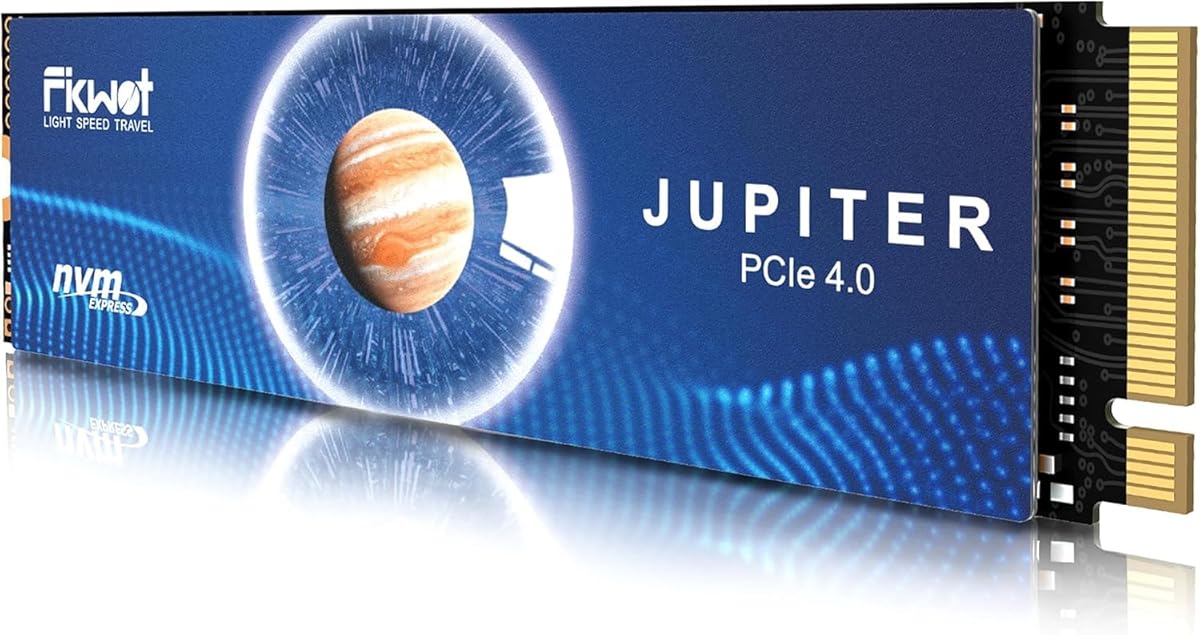
The Fikwot FX991 offers a broad feature set for 2TB storage, with a 4.6 rating and maximum rated speeds of 7,100MB/s for reads and 5,300MB/s for writes. It uses PCIe 4.0 x4 and 3D QLC NAND in the standard M.2 2280 format, making it a candidate for the PS5, laptops, and desktops that support compatible M.2 storage.
We may earn a commission when you buy through this link, at no additional cost to you.
Thermal and power management are central to the drive's design. It features adaptive temperature adjustment, power-efficiency management, and a high-conductivity graphite heat spreader intended to keep read speeds near peak under heavy load. HMB and smart SLC cache features are also included, alongside support for TRIM, S.M.A.R.T., and AES-256 encryption. These specifications make the drive appealing to users who value more than a basic console expansion.
QLC NAND is the main point to consider. Compared with TLC-based alternatives, QLC can offer a different balance of density, write behavior, and endurance, so buyers with heavy write workloads should examine the published 1,200TBW or five-year service terms carefully. The lower rated write speed also means it may not be ideal for users who continually move very large files, even though game installation and loading remain its primary focus.
The FX991 is suitable for gamers who want strong reads, flexible caching, encryption support, and a published service period. It is most compelling when the drive is used primarily for installed games and normal console storage, with the understanding that its NAND type and write characteristics differ from premium TLC options.
Automatic management can reduce heat and power strain during sustained workloads. The graphite heat spreader further supports stable read performance when the drive is installed in a compact or heavily loaded system.
HMB and SLC caching support responsive file operations, while TRIM, S.M.A.R.T., and AES-256 encryption add useful system features. These are valuable additions for owners who also use the drive in PCs.
We may earn a commission when you buy through this link, at no additional cost to you.
The fanxiang S660 is a more modest PCIe 4.0 option designed around PS5 expansion, with a 4.6 rating and stated read speeds reaching 5,000MB/s. Its M.2 form factor, dedicated cooling design, and 2TB capacity make it straightforward to consider for console owners seeking more room for games without moving to the absolute fastest PCIe 4.0 drives.
We may earn a commission when you buy through this link, at no additional cost to you.
The drive uses SLC caching and is described as compatible with the PS5 and PC platforms. Its heatsink is intended to keep temperatures lower during prolonged and intensive use, which is a useful quality when games are installed directly to and played from the expansion slot. The manufacturer also provides a five-year quality assurance commitment and professional after-sales support, adding a service element to the purchase decision.
The clearest trade-off is its 5,000MB/s read rating, which is lower than the other PCIe 4.0 products in this guide. It can still provide fast game loading, but users who transfer large collections regularly or want maximum sequential throughput may find a faster model more worthwhile. The product is also not described as officially licensed, so fit and current PS5 system requirements should be confirmed.
The S660 is a practical choice for a console gamer who values capacity, included cooling, and straightforward expansion more than benchmark-leading speed. It may also appeal to PC users who want a reasonably fast everyday NVMe drive, although the faster models provide more headroom for demanding file operations.
A dedicated heatsink helps control heat during prolonged activity, an important consideration for a drive that remains inside a console. Keeping the SSD cooler supports consistent behavior during game installation and direct play.
The 2TB configuration supplies useful room for a larger game collection. Buyers who prioritize storage expansion and a protected five-year service period may find the lower peak speed easier to accept.
We may earn a commission when you buy through this link, at no additional cost to you.
The Acer Predator GM7 brings high-end specifications and useful management software to the 2TB category. It has a 4.7 rating and is rated for sequential read and write speeds of up to 7,400MB/s and 6,500MB/s using a PCIe 4.0 interface with NVMe 2.0. It is also identified as usable in laptops, desktops, and the PS5.
We may earn a commission when you buy through this link, at no additional cost to you.
HMB and SLC cache features support quick game loads and file transfers, while the controller and flash design is intended to balance performance, lower power consumption, and reduced heat. Thermal throttling and power management are built into the drive. The standout additional feature is Biwin Intelligence, which provides tools such as performance testing, data migration, and drive cloning for supported Predator storage products.
The product information does not mention a PS5-specific heatsink, making physical installation the main uncertainty. A drive that performs well in a desktop may still require a suitable heat spreader to fit the console bay and maintain comfortable temperatures. The software focus also makes this more attractive to PC enthusiasts than to console-only users, although the drive's capacity and speed remain well suited to game storage.
The GM7 is a good fit for buyers who want near-leading PCIe 4.0 performance, flexible use across PCs and a PS5, and dedicated drive-management tools. It earns a place among the stronger enthusiast options, but console shoppers should resolve the cooling and fit question before ordering.
Biwin Intelligence can assist with performance tests, migrations, and cloning, reducing the need for separate utilities for supported drives. It adds useful value for users who manage data across multiple systems.
Thermal throttling and power management help the drive adapt to sustained workloads. These controls are particularly relevant in laptops, where power efficiency and thermals influence both performance and battery life.
We may earn a commission when you buy through this link, at no additional cost to you.
The Samsung 980 PRO with heatsink remains a relevant PS5 expansion option because of its slim 8.6mm housing and integrated cooling. It carries a 4.8 rating, uses a PCIe 4.0 NVMe M.2 interface, and is explicitly described as compatible with PlayStation 5 systems. Its physical profile is one of the clearest reasons to consider it.
We may earn a commission when you buy through this link, at no additional cost to you.
Samsung describes a nickel-coated controller with smart thermal control, while the integrated heatsink helps dissipate heat from the NAND and maintain speed, power efficiency, and stable operation. The 2TB capacity is useful for a large console library, and the drive also targets high-end PCs and workstations. Samsung Magician provides health monitoring, performance optimization, data protection, and firmware-update functions for compatible 980 PRO drives.
This is an older generation compared with the 990 PRO and several newer options in the guide. The supplied listing does not state exact sequential read and write figures, so the drive's performance cannot be compared numerically with the other entries here. It also lacks the official PS5 licensing claimed by the SN850P, although the product information explicitly states PS5 compatibility. Buyers should check the latest system software requirements and warranty terms.
The 980 PRO is best for a buyer who values Samsung's management tools, encryption features, and especially the slim integrated heatsink. It remains a credible compact option for PS5 storage, though those shopping for a new drive may want to compare it with the faster, newer 990 PRO before deciding.
The 8.6mm housing is designed to fit the PS5 expansion slot while providing room for the included heatsink. That defined focus makes the 980 PRO attractive when physical clearance is the main concern.
Samsung Magician can monitor drive health, optimize performance, protect data, and deliver firmware updates. AES 256-bit SED, TCG V2.0, and IEEE 1667 encrypted-drive support add further value for security-conscious users.
We may earn a commission when you buy through this link, at no additional cost to you.
The most important considerations are physical fit, console compatibility, sustained thermal behavior, and useful capacity rather than peak speed alone. The following factors explain how the ten drives differ and what to verify before ordering.
The PS5 uses a constrained M.2 expansion area, so a drive can be fast and well reviewed yet still fail the practical test if its heatsink is too tall or the board is positioned awkwardly. Most candidates use the common M.2 2280 format, but buyers should check the product dimensions, included cooler, and current Sony installation guidance. The Samsung 980 PRO is specifically highlighted for its slim 8.6mm housing, while the WD_BLACK SN850P has a console-optimized heatsink designed to remove much of the fit uncertainty.
Choose a drive whose dimensions and cooler are explicitly presented as suitable for PS5 installation. Also check whether any required heat spreader must be installed separately, because a poorly positioned or incomplete cooling solution can undermine sustained performance.
Peak read and write figures are often measured under ideal conditions and may not reflect the speeds a console sustains while games are installing, saving, or running from the expansion bay. The PS5's own storage controller and the thermal environment around the SSD can also influence results. All ten products use PCIe 4.0-class specifications, but their stated figures range from 5,000MB/s to 7,450MB/s for reads, with several models clearly positioned at the high end.
For typical game loading, any correctly functioning PCIe 4.0 drive in this group should provide a major improvement over a crowded internal library. Prioritize consistent behavior and thermals if you regularly install large games, but do not assume the highest quoted number will create a proportionally larger improvement in every game.
NVMe SSDs generate heat during sustained transfers, and the PS5's compact expansion bay offers less room for unrestricted airflow than a desktop case. A purpose-built or sufficiently slim heatsink is important, and some listings also describe adaptive temperature controls, power management, or graphitic heat-spreading materials. The WD_BLACK SN850P, Lexar NM790, Samsung 990 PRO, and Samsung 980 PRO arrive with heatsinks designed as part of the product, while the MOVE SPEED HB7450 includes a heat spreader that the user must install.
Look for a cooling design that is both physically compatible and appropriate for sustained console use. If the product requires extra assembly, follow the instructions carefully and confirm that no protective film or insulating component is left in a way that prevents heat transfer.
Not every high-speed drive uses the same type of flash memory. The MOVE SPEED HB7450 uses TLC NAND, while the Fikwot FX991 uses 3D QLC NAND. The Lexar NM790 publishes a 1,500TBW endurance rating, and the Fikwot FX991 is described with a five-year or 1,200TBW limited service. These figures are useful when comparing the drives, especially for owners who write large files or keep a console for many years.
For routine game installation and play, either NAND type can be appropriate, but heavier writing may make TLC and published endurance terms more compelling. Consider the warranty, service period, and workload together rather than looking only at cache-assisted peak speed.
HMB and SLC caching can improve responsiveness, startup behavior, and transfer consistency by using available host or drive resources. The Lexar NM790 uses HMB 3.0, the Fikwot FX991 supports both HMB and smart SLC caching, the Acer Predator GM7 includes both, and the fanxiang S660 includes SLC cache. These features are particularly relevant for multitasking and large game-resource transfers.
Caching improves the experience but does not remove the need to consider sustained write performance and thermal behavior. Look for the complete feature set when using the same drive across a console and PC, where system support and power efficiency may also matter.
Management utilities can make a drive easier to monitor after installation. Acer's Biwin Intelligence provides performance testing, data migration, and cloning for supported Predator products, while Samsung Magician is designed to monitor health, optimize performance, protect data, and provide updates for compatible Samsung drives. Warranty length, service terms, and after-sales support can be equally important for a component that will sit inside a console for long periods.
Choose a product backed by support and documentation you can access. A longer published service period may add confidence, but buyers should also understand the difference between manufacturer service terms and seller-specific return policies.
A 2TB drive creates room for large game installations, but the number of games it can hold varies dramatically. Game sizes, patches, system files, formatting, and other programs all affect usable space. One product cites an estimate of up to 50 games, while the licensed WD_BLACK line uses a 36GB average-game assumption for its broader capacity range. Neither estimate should be treated as a guarantee.
Look at the games you currently own or expect to install, add a sensible margin for updates and system data, and check the console's reported free-space behavior after formatting. The 2TB capacity in this guide is generous for many libraries, although it does not make the drive physically immune to filling up.
The WD_BLACK SN850P is distinguished as officially licensed for PlayStation 5 consoles, which offers clear reassurance for buyers who prioritize compatibility. Other products state that they are compatible, but the exact level of support can change with console software, regional hardware revisions, or product revisions. Checking the manufacturer's current support information is more dependable than relying on an old installation article or a broad keyword-based claim.
Prefer listings that link to current console guidance or explicitly identify console-specific engineering. If a product is not officially licensed, confirm its dimensions, firmware behavior, and support status before removing it from its package.
Begin by confirming that the console is powered off and that the selected drive is compatible with the PS5 expansion bay. Install any required heat spreader according to the manufacturer's instructions, remove any protective material, and secure the SSD with the supplied screw. Some packages include a screwdriver, while others expect the user to provide basic tools. Before first use, check the console's instructions and the drive maker's current support page for any model-specific steps.
After installing the drive, power on the PS5 and use the console's formatting or storage-expansion function so the system can recognize the SSD as a usable drive for games and applications. Do not transfer a partially formatted or improperly initialized drive between systems. Allow large transfers to complete, and avoid repeatedly interrupting game installations when practical because sustained writes create more heat and can reduce cache-assisted performance.
Treat the expansion SSD as an active storage device rather than a disposable attachment. Keep the console's ventilation openings clear, do not place the system in an enclosed space with poor airflow, and periodically check remaining capacity and drive health through the console or compatible management software. Back up important saves to another location, keep the drive's firmware current when updates are provided, and remove it only after safely powering down the console.
It depends on how many games you play and whether you regularly delete finished titles. A 2TB drive is useful when the internal storage becomes crowded or when you want to keep multiple large games ready to play. It also separates the game library into a manageable expansion drive, although the exact number of installations will vary with game sizes and system data.
The physical format is only one requirement. The drive also needs suitable dimensions, a low enough profile with its heatsink, and compatibility with current PS5 system software. Some listings include a console-specific cooler while others require the buyer to install one, so checking the manufacturer's guidance is essential before ordering.
Official licensing can provide greater assurance because the product is designed and tested around the console's physical and software requirements. A third-party drive can still provide excellent performance and capacity when it fits correctly, manages heat well, and is supported by the manufacturer. The best licensed option is usually the simplest choice for buyers who prioritize certainty.
It depends on the drive. Some products arrive with a slim heatsink attached, while others include a separate heat spreader that must be installed. Follow the drive's instructions and the console's current guidance, because a loose or incorrectly positioned heat spreader can reduce thermal performance and may prevent the drive from sitting correctly.
Yes, because it provides a large amount of additional writable storage. How many games fit depends on their individual file sizes, patches, saved data, formatting, and other console requirements. A few very large games may use a substantial portion of the available capacity, so users should still monitor free space.
Faster rated speeds can improve file transfer and loading performance, but the benefit is not always proportional to the peak specification. Game design, the PS5's storage controller, the type of data being read, and sustained thermal behavior all affect the experience. Correct fit, reliability, and stable performance matter more than choosing solely by the largest headline number.
It depends on the drive and computer. A standard M.2 2280 PCIe 4.0 drive may work in a compatible desktop or laptop, but console-specific heatsinks can prevent installation, and the file system may need to be reformatted for PC use. Check the physical dimensions, interface, cooling arrangement, and operating-system requirements before moving the drive.
After formatting the drive through the PS5, install a substantial game and play it directly from the expansion slot to test sustained operation. Watch for unexpected errors, repeated disconnections, or unusual slowdown under load. Compatible management software can also provide health and performance information, but the console should remain the final test of console-specific compatibility.
The WD_BLACK SN850P stands out as the most complete PS5-specific recommendation, combining official licensing, a purpose-built heatsink, strong PCIe 4.0 read performance, and 2TB of capacity. The MOVE SPEED HB7450 is the value-oriented alternative with strong rated speed, TLC NAND, and a helpful installation kit, while the Lexar NM790 delivers the strongest premium specification set with high throughput, HMB 3.0, and a published 1,500TBW endurance figure.
For most console owners, start with compatibility and thermal fit, then compare sustained performance and support. The Samsung 990 PRO, Crucial P310, Acer Predator GM7, and Fikwot FX991 suit buyers who also need PC flexibility, while the Samsung 980 PRO is especially interesting for its slim integrated cooler. The fanxiang S660 makes more sense when ample capacity and practical expansion matter more than leading transfer rates.
Always recheck the current listing, warranty, firmware guidance, and PS5 system software support before ordering. SSD prices, availability, and product generations can change, and the most expensive drive is not automatically the right choice for every library. Choose the model that fits your console, handles sustained use, and offers the support and endurance appropriate for how you plan to use it.