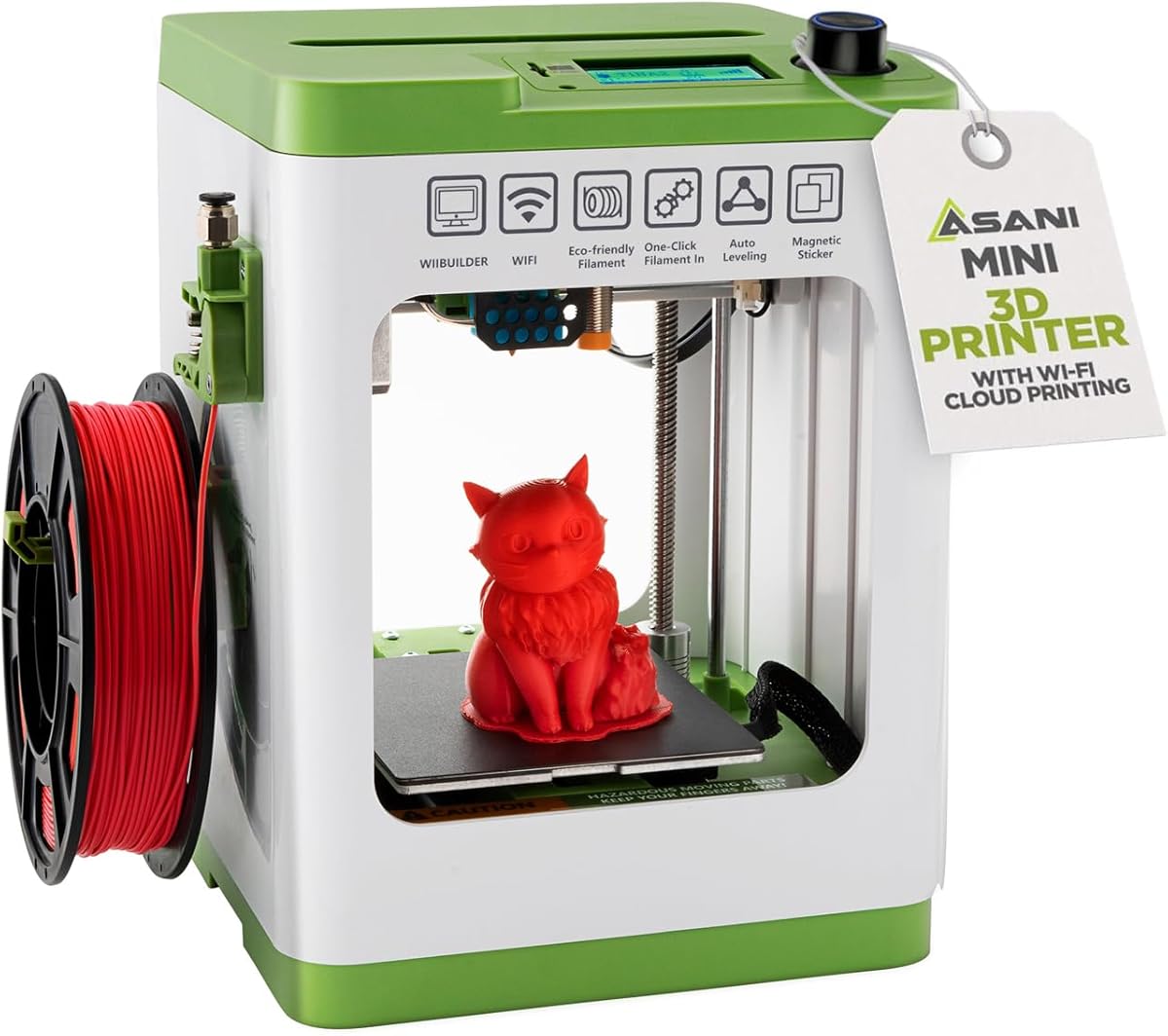
TINA2S
4.6Editor score
Fully assembled starter configuration
Automatic leveling and filament loading
Compact footprint for small spaces
Our easy to use 3D printer guide compares ten beginner-friendly models for setup, automation, print quality, safety, connectivity, and creative use at home.
An easy to use 3D printer should turn digital ideas into useful objects without demanding advanced technical knowledge. The best beginner models combine automatic calibration, approachable controls, reliable filament handling, and clear app support, while still providing enough speed and print volume for toys, décor, gifts, prototypes, and practical household projects.
This guide compares ten current FDM printers using the supplied specifications, customer ratings, build areas, automation, connectivity, and intended users. It covers models designed specifically for children, compact printers for small projects, enclosed machines for broader filament support, and faster models for users who want greater output without a difficult setup.
Each selection highlights who benefits most from its combination of features, as well as any practical compromises worth considering. The ranking reflects the information available for this guide rather than a personal hands-on test, and prices and package contents can change, so readers should verify current listings before purchasing.
4.6Editor score

4.7Editor score

4.5Editor score
The comparison below highlights each printer's automation, speed, build volume, connectivity, and strongest use case so beginners can identify the model that best matches their space, projects, and experience level.



The Bambu Lab A1 combines one of the strongest ratings in this group with a beginner-focused design and a broad set of automated features. Its defining advantages include full-auto calibration, active flow-rate compensation, a simplified touchscreen, a quick-swap nozzle, and speed that should make short projects feel responsive. It is presented as ready to use for beginners and children, although the level of supervision still depends on the user and the project.
We may earn a commission when you buy through this link, at no additional cost to you.
Automatic calibration is especially important for new owners because it reduces the need to learn bed-leveling and Z-offset procedures before the first useful print. Flow-rate compensation adjusts extrusion according to sensor readings, while the 10,000 mm/s² acceleration specification positions the A1 as a fast machine rather than merely an entry-level one. The quiet operation also makes it more suitable for shared rooms, home offices, and creative workspaces where a noisy printer would be disruptive.
Multi-color output is available through AMS lite, but that unit is not automatically included with every configuration. The A1 Combo and separate AMS lite purchase mentioned in the supplied information are the relevant choices. The open design is another limitation when compared with enclosed printers, potentially making it less suitable for materials or settings where chamber stability is important. The standard 1-Clip nozzle still simplifies routine maintenance, and the app-oriented workflow reduces setup friction.
This is the strongest general recommendation for someone who wants a capable, approachable printer without committing to a complicated hobbyist workflow. It suits beginners making household objects, toys, organizers, and decorative projects, while offering enough speed and automation to remain useful as skills develop. Those wanting four colors out of the box, a fully enclosed chamber, or the largest build volume should instead examine the P1S or Kobra X.
The A1 handles bed-leveling, Z-offset, and other calibration processes automatically, allowing newcomers to concentrate on choosing a model and preparing filament. Active flow compensation adds another layer of print monitoring, making the system more reassuring for first-time owners than a machine that depends heavily on manual adjustment.
High acceleration, active motor noise cancellation, and a user-friendly interface support productive printing without making the machine feel overly industrial. These qualities are particularly valuable for children, students, and home users who want short projects completed quickly and with less surrounding noise.
We may earn a commission when you buy through this link, at no additional cost to you.
The FLASHFORGE Adventurer 5M is a feature-heavy option for users who prioritize speed and direct control. It has a 3.9 rating, the lowest in this comparison, but its supplied specifications present a capable machine with automatic bed leveling, a 600 mm/s travel speed, 20,000 mm/s² acceleration, and a CoreXY all-metal structure. The 220 x 220 x 220 mm build area is larger than many compact beginner printers.
We may earn a commission when you buy through this link, at no additional cost to you.
The headline speed is supported by practical convenience features. A 280°C direct-drive extruder improves material heating capability, while dual-fan cooling helps manage heat around the printed part. The nozzle can be changed in approximately three seconds without extensive disassembly, and the standard 0.4 mm nozzle can be supplemented with sizes from 0.25 mm to 0.8 mm. A 35-second warm-up to 200°C is another useful detail for users who complete multiple short projects.
One-click automatic leveling reduces the most common early setup obstacle. The dual-sided PEI platform is designed for easier part removal and offers different surfaces for different materials. Flash Studio provides remote monitoring, settings changes, and status alerts. These features make the Adventurer 5M attractive to someone who wants a fast workflow and technical flexibility, although the open frame and lower rating warrant checking recent customer feedback before buying.
It is best suited to beginners who already understand the basic print-and-slice process, or to users prepared to learn a few settings in exchange for speed. It may be less ideal for a child who needs the most guarded, simplified experience, or for someone prioritizing multi-color output. For its target market, however, the combination of automation, quick maintenance, app control, and high-speed hardware is compelling.
The CoreXY structure, rapid travel speed, and strong acceleration allow the printer to move quickly between features. For users printing many small objects, this can make the difference between experimenting often and waiting through long jobs, although real results still depend on the model, material, and selected settings.
The quick-change nozzle and 280°C direct-drive system simplify maintenance and broaden material options. Flash Studio adds remote visibility, while automatic leveling keeps routine setup focused on the design rather than repeated hardware adjustment.
We may earn a commission when you buy through this link, at no additional cost to you.
The Bambu Lab A1 mini is explicitly aimed at beginners and emphasizes a smooth path from selecting a design to making a physical object. Its 4.4 rating reflects a generally positive user reception, while the supplied feature set highlights automatic calibration, quiet operation, fast printing, and access to the MakerWorld model library. The bundled LED Lamp Kit gives first-time owners a creative project that can be printed and used right away.
We may earn a commission when you buy through this link, at no additional cost to you.
The model library is a major usability advantage. Rather than requiring every new owner to design in 3D software, MakerWorld provides ready-to-print files, and the Bambu Handy app helps manage prints. This makes the printer especially approachable for children, gift-givers, and anyone who wants to try 3D printing without beginning with slicer settings. The LED kit also provides a tangible goal, reducing the uncertainty of what a new printer can actually make.
The principal trade-off is the mini format. It is designed for smaller creations and cannot accommodate oversized models. It also does not include multi-color capability in the supplied information, so users seeking that feature should examine another model. As with the larger A1, buyers should verify what filament and accessories are included in the current package, because the description specifically identifies the printer and LED Lamp Kit rather than a complete filament bundle.
The A1 mini is a strong fit for a bedroom, classroom, dorm, or first creative workspace where a full-size enclosed machine would be unnecessary. It suits users making small toys, desk items, decorations, and lamp components. Those who need larger objects, more material flexibility, or native multi-color printing should move up to the P1S, Adventurer 5M, or Kobra X instead.
The included LED Lamp Kit gives beginners a guided creative goal that demonstrates the full design-to-print process. Once the compatible model is printed, it becomes a functional decorative object rather than a simple test shape.
MakerWorld and the Bambu Handy app reduce the barrier to starting by supplying designs and a straightforward print-management workflow. Users can begin with existing files before developing their own models or learning advanced slicing controls.
We may earn a commission when you buy through this link, at no additional cost to you.
The Bambu Lab P1S is the most advanced pick in this guide, bringing together a fully enclosed body, high speed, automatic leveling, and broad filament support. Its 4.5 rating sits among the stronger results, while the supplied information promises a setup that can be completed in about 15 minutes. That combination makes it attractive for users who want beginner convenience without limiting themselves to small PLA projects.
We may earn a commission when you buy through this link, at no additional cost to you.
The enclosed design is its clearest differentiator. It can improve print performance with advanced filaments by creating a more stable environment around the model. The P1S is ideal for PLA, PETG, TPU, PVA, PET ABS, and ASA, while it is described as capable with PA and PC. Carbon- or glass-fiber-reinforced polymer is not recommended. This gives new users room to experiment while still providing clear material boundaries.
Color capability is extensive but depends on Bambu Lab AMS hardware. The supplied information states that the system can support up to 16 colors, but connecting the AMS is required. That requirement can make the complete setup more involved and costly than the core printer. Nevertheless, 500 mm/s speed and 20,000 mm/s² acceleration make the machine well suited to users who expect to print larger quantities or more advanced parts.
Choose the P1S when the goal is a long-term, versatile machine rather than the lowest-cost introduction to 3D printing. It is appropriate for makers, students, and home users who want an enclosed workspace, faster output, and eventual multicolor expansion. For a simpler first project, the A1 or A1 mini may be more approachable; for native four-color capability, the Kobra X is the more direct choice.
The full enclosure helps the printer maintain a more consistent environment, especially when using materials beyond basic PLA. Combined with the listed PLA, PETG, TPU, PVA, PET ABS, ASA, PA, and PC capabilities, it gives users a wider practical project range.
The 500 mm/s speed and 20,000 mm/s² acceleration serve experienced users, while automatic bed leveling and the stated 15-minute setup preserve accessibility for beginners. This balance makes the P1S a plausible first serious printer.
We may earn a commission when you buy through this link, at no additional cost to you.
The AOSEED AI 3D Printer is designed around children and family creativity rather than general technical tinkering. It carries a 4.5 rating and includes an enclosed, pinch-resistant design, a leveling-free platform, quiet operation, and TÜV Rheinland ISO 16000-tested PLA. Those details make it one of the most distinctive choices for households where safety and guided use are priorities.
We may earn a commission when you buy through this link, at no additional cost to you.
Its software removes several common barriers to getting started. AI Doodle lets children create models from voice, text, or image prompts, while AI MiniMe turns photographs into cartoon-style figures. The model library contains more than 8,000 human-reviewed, print-tested files organized into themed modules. A built-in camera supports real-time progress checks and automatic time-lapse videos, allowing parents to monitor a job from a smartphone without standing beside the machine.
The speed is a meaningful advantage for small toys because waiting can quickly reduce a child's enthusiasm. The supplied information states typical speeds of 220–250 mm/s, peaks up to 400 mm/s, and completion of small toy projects in as little as 20 minutes. Precision is stated at up to 0.05 mm, while runout detection can pause a print if filament is exhausted. However, the printer supports single-color PLA only, so multicolor models require separately printed parts and assembly.
The complete starter set includes eight rolls of PLA, tools, a magnetic build plate, and stickers, reducing the need for immediate accessory purchases. It is an excellent choice for a child who wants to create toys, STEM projects, personalized figures, or keepsakes under parental guidance. Adults seeking an unrestricted maker platform may prefer the Bambu Lab models, but families seeking a safe, structured introduction will find the AOSEED package unusually complete.
The enclosed housing, pinch-resistant construction, quiet operation, and tested PLA address several household concerns at once. One-tap app printing and voice control also make the process manageable for children while giving parents an easy way to oversee it.
AI creation tools remove the need for children to master modeling software. A simple image, phrase, or voice prompt can become the basis for a personalized figure, while the curated library provides a dependable starting point for less complex projects.
We may earn a commission when you buy through this link, at no additional cost to you.
The Entina Tina2C focuses on making the first print unusually quick and approachable. Its fully assembled format, guided Poloprint Cloud setup, automatic leveling, and stated ability to begin in as fast as eight minutes make it suitable for children, classrooms, and first-time owners. Its 4.4 rating indicates solid user reception, particularly among buyers seeking a simple mini printer rather than a general fabrication machine.
We may earn a commission when you buy through this link, at no additional cost to you.
The educational layer is substantial. More than 3,500 models and over 25 creative modules are available, along with AI-powered search, photo-to-print functionality, and regularly updated STEM learning courses. These resources can support structured lessons or open-ended family projects. The app also provides a guided route from selecting a model to preparing it for printing, which is valuable for users who do not yet understand slicers and print profiles.
Connectivity is unusually flexible. The printer supports 2.4 GHz WiFi and TF card offline printing, so it can operate either through the app or from locally stored files. It works with Windows, macOS, Linux, and Chromebook, and supports Cura and Simplify3D for users ready to move beyond the guided content. The magnetic plate, quick-swap printhead, and self-cleaning nozzle design help reduce maintenance, while power-loss recovery protects long or important jobs.
The decisive compromise is the 3.9 x 3.9 x 3.9-inch build volume. That footprint is ideal for small toys, accessories, educational pieces, and STEM models, but it cannot accommodate larger functional parts. The Tina2C therefore succeeds because it makes one segment of 3D printing unusually approachable. It is a strong first machine for children and compact-project enthusiasts, while users needing larger objects should choose a 220 mm or 260 mm cube printer.
A fully assembled machine, guided cloud setup, automatic leveling, and a stated eight-minute start form a coherent onboarding process. This reduces the chance that a new user will become frustrated by assembly, bed adjustment, or initial file preparation.
STEM courses, interactive modules, photo conversion, and thousands of downloadable models turn the printer into a learning platform. Compatibility with standard slicing software also means it can grow beyond the bundled app as the user's skills advance.
We may earn a commission when you buy through this link, at no additional cost to you.
The FLASHFORGE AD5M is a capable 220 mm cube printer aimed at both beginners and experienced makers. It has a 4.2 rating and a specification sheet centered on straightforward automation, high-speed motion, and easy maintenance. Fully automatic one-click leveling sets the nozzle-to-plate distance and offsets, while the all-metal CoreXY structure supports stable movement at elevated speeds.
We may earn a commission when you buy through this link, at no additional cost to you.
Its 600 mm/s maximum speed makes it competitive with the other fast machines here, but ease of use comes from more than raw velocity. The tool-free quick-release nozzle can be exchanged in approximately three seconds, and four listed diameters—0.25, 0.4, 0.6, and 0.8 mm—allow users to choose between detail and throughput. The flexible double-sided PEI steel plate simplifies model removal and includes a side intended for PETG.
Control is handled through the Orca-flashforge slicer and Flash Maker app. The slicer supports one-click batch file transmission and multi-printer network monitoring, while the app provides remote status, parameter changes, and device management. These functions are valuable for users producing more than occasional models. Power-outage recovery saves the current layer and resumes the job after electricity returns, reducing the waste associated with interrupted prints.
The AD5M suits a buyer who wants fast output, a relatively large build area, and fewer manual chores. Its open frame makes it less compelling for advanced materials, and it does not offer native multicolor output in the supplied information. New users will appreciate the calibration and app support, while more experienced users may value batch management and nozzle flexibility. It is a balanced general-purpose choice between compact and premium enclosed models.
The automatic leveling system removes a recurring source of first-layer failures, while the three-second nozzle swap makes diameter changes and routine maintenance more convenient. These are meaningful usability benefits for users who print several types of models.
Batch transfer and multi-printer monitoring support a more active workflow than a simple single-device app. Remote adjustment and outage recovery add resilience, particularly for users who cannot remain beside the printer throughout longer jobs.
We may earn a commission when you buy through this link, at no additional cost to you.
The TINA2S stands out as a budget-conscious starter package with a 4.6 rating, the second-highest customer score among the ten products. It arrives fully assembled and includes a mini printer, 10 meters of PLA filament, a preloaded microSD card with models and slicing software, and other accessories. That all-in-one approach minimizes both the assembly burden and the immediate cost of adding basic supplies.
We may earn a commission when you buy through this link, at no additional cost to you.
Its controls are intentionally straightforward. Automatic leveling supports dependable first layers, a 2.4-inch LCD provides local feedback, and one-touch loading simplifies inserting and retracting filament. A flexible magnetic build plate makes finished pieces easier to remove. The printer also supports active pause and resume, giving users more control over the print process without requiring advanced intervention.
The TINA2S can be used through WiFi or with a microSD card and works with Mac, Windows, and Linux. It is compatible with a majority of the listed slicing programs, including WiiBuilder, Cura, Simplify3D, and Slicr3D. Its compact 8.3 x 8.3 x 11.4-inch body is suitable for a home, classroom, or dorm. One important operational note is that users should use the included TINA2S platform plate or a comparable magnetic metal plate so the proximity sensor functions correctly.
This is the recommendation for someone seeking a complete first setup on a smaller budget. It can handle toys, accessories, small functional parts, and class projects, and its high rating suggests a favorable owner experience. The trade-off is scale: a mini printer cannot produce the larger models supported by 220 or 260 mm cube options. It is ideal for learning the basics and printing compact objects, not for oversized projects.
Arriving with filament, a preloaded card, and slicing software gives a new owner the basic tools needed to begin. This reduces setup ambiguity and makes the TINA2S especially practical for a first printer, a classroom, or a self-contained gift.
Automatic leveling, touch filament loading, a small display, and a removable flexible plate make routine tasks understandable. WiFi and offline microSD support provide flexibility, while standard slicer compatibility prevents the printer from being locked into a single workflow.
We may earn a commission when you buy through this link, at no additional cost to you.
The Creality Ender 3 V3 SE is a practical entry into faster FDM printing. Its 4.1 rating places it below the higher-rated beginner models, but the supplied specifications show a clear focus on reliable fundamentals: 250 mm/s speed, automatic leveling, direct-drive filament feeding, and a stable motion system. It may appeal to buyers who prefer a more conventional Creality-style printer without app-based color complexity.
We may earn a commission when you buy through this link, at no additional cost to you.
Setup is designed to be completed in a few simple steps. CR Touch auto leveling and automatic Z-offset calibration handle the critical first-layer adjustments that often trouble beginners. The Sprite direct-drive extruder is intended to feed PLA, PETG, and TPU smoothly, allowing users to move beyond a single material without replacing the entire machine.
Print consistency is supported by dual synchronized Z-axis lead screws and precision Y-axis linear shafts. These components help reduce vibration and Z wobble during longer jobs. A 32-bit silent mainboard lowers operating noise, and the flexible PC spring-steel build plate makes finished models easier to remove. The printer does not include the extensive connected-creativity tools or native multicolor capabilities seen in several competitors.
The Ender 3 V3 SE is a sensible choice for a user who wants a straightforward first or second printer for prototypes, functional parts, and everyday projects. It offers more speed than typical entry-level machines while keeping setup manageable. Buyers seeking richer educational content, remote monitoring, bundled models, or straightforward multicolor printing should consider the TINA2S, AOSEED, or Kobra X instead.
CR Touch leveling and automatic Z-offset calibration address two of the most important early adjustments. This allows a new user to focus on the model and filament while reducing the chance that a small setup error compromises the first layer.
The dual Z-axis arrangement, precision Y shafts, direct-drive extruder, and silent mainboard work together to support consistent results. These practical mechanical and electronic choices are valuable for users producing functional parts rather than only demonstration objects.
We may earn a commission when you buy through this link, at no additional cost to you.
The Anycubic Kobra X is the clearest choice for someone who wants approachable multicolor printing without assembling or managing four individual material units. It has a 4.2 rating, native four-color capability, and expansion support for as many as 19 colors using four ACE 2 Pro units. The supplied information specifically notes that ACE 2 Pro and ACE Pro are incompatible, so buyers should verify equipment before combining systems.
We may earn a commission when you buy through this link, at no additional cost to you.
Beyond color, the Kobra X offers a 260 x 260 x 260 mm build volume, which is the largest stated build area in this group. Maximum speed reaches 600 mm/s, and a hardened steel nozzle supports the machine's high-speed positioning and material handling. Vibration compensation is included, while a 49-point LeviQ 3.0 calibration system and auto bed leveling aim to create a reliable first layer.
The app provides remote control, live status monitoring, spaghetti detection, and foreign-object detection. Dual-band Wi-Fi and LAN connectivity make it convenient to manage from different devices and network configurations. The model library is stated at 10,000 models, and the top-mounted spool holder is designed to release desktop space. Materials include PLA, PETG, TPU, PVA, and ASA, with mixed rigid and flexible printing support.
The Kobra X is a compelling option for signs, toys, decorative objects, and household organizers where several colors improve the result without requiring manual painting. Its main purchasing consideration is that filament is not included, and the product has only been described as ready to print approximately 15 minutes after pickup. Buyers should confirm local support, included accessories, and the exact package configuration. For pure beginner simplicity without color, the A1 or TINA2S may be more restrained and straightforward.
Native four-color support makes the Kobra X more useful for decorative and educational projects than a standard single-extruder printer. Optional ACE 2 Pro units expand the palette, although compatibility must be checked carefully before adding equipment.
A 49-point calibration system reduces manual bed preparation, while dual-band Wi-Fi and LAN support simplify remote management. Spaghetti and foreign-object detection add useful oversight for a printer that may operate while its owner is doing something else.
We may earn a commission when you buy through this link, at no additional cost to you.
The easiest printer is not necessarily the smallest or fastest. Choose by matching automation, build volume, filament support, connectivity, and safety features to the projects and people who will use the machine.
Beginner-friendly printers should perform the tasks that most often cause first-layer failures. Automatic bed leveling, Z-offset calibration, flow compensation, and guided software setup reduce the need to understand calibration tools before making a useful object. The A1 provides full-auto calibration and flow-rate compensation, the Adventurer 5M and AD5M use one-click leveling, and the TINA2S combines a fully assembled design with automatic leveling. These systems do not make every print impossible to fail, but they remove avoidable setup variables for new users.
Prioritize automatic leveling, automatic Z-offset, and a clear onscreen or app-guided process. A machine that arrives assembled is also easier for children, renters, and anyone without a dedicated workbench.
Build volume determines the largest object a printer can create without splitting it into sections. The TINA2S and A1 mini are compact options, while the Adventurer 5M and AD5M provide a 220 mm cube and the Kobra X offers a 260 mm cube. Larger volumes are useful for organizers, planters, models, and functional parts, but they require more desk space and may make the machine less convenient for a child's room or classroom.
Match the volume to the projects already in mind. A mini printer is more useful for small toys and learning exercises, while a 220 or 260 mm printer gives greater flexibility without moving to a much larger industrial format.
PLA is the most accessible material and is enough for decorative objects, models, toys, and many household projects. PETG adds useful strength and temperature resistance, TPU provides flexible results, and ASA is useful when appearance and environmental resistance matter. Enclosed models can support a broader selection, but users should still check the exact printer specifications and follow the manufacturer's recommended settings and ventilation guidance.
Begin with the materials you understand and are equipped to print safely. The P1S lists the broadest supported range here, while several other models focus primarily on PLA and other common consumer filaments.
Color capability can make projects more attractive, but it also increases complexity, machine size, and material waste. The A1 supports multicolor with AMS lite, the P1S requires Bambu Lab AMS for its listed 16-color capability, and the Kobra X includes native four-color capability. The AOSEED supports single-color printing only, while the TINA2S, Adventurer 5M, AD5M, Ender 3 V3 SE, and A1 mini are not presented as native multicolor systems in the supplied data.
Choose color only if the finished object benefits from it. For a first machine focused on learning, learning STEM, or producing functional parts, single-color printing can keep the workflow simpler and reduce filament consumption.
A good app can make a printer much easier to use by supplying ready-to-print models, guiding file preparation, and showing progress remotely. MakerWorld and Bambu Handy support the Bambu ecosystem, Flash Studio serves the FLASHFORGE models, Poloprint Cloud guides Entina users, and Anycubic provides its own app and slicer. The AOSEED product emphasizes 8,000-plus reviewed models, while the Kobra X is stated to offer a 10,000-model library.
Check whether the connected platform is useful to you and whether the printer also supports standard slicers and offline files. Standard slicer compatibility preserves flexibility as users become more experienced and reduces reliance on any single content library.
A printer with moving parts, hot components, and electrical requirements needs thoughtful placement and supervision. The AOSEED emphasizes an enclosed, pinch-resistant design, quiet operation, a leveling-free platform, and tested PLA for younger users. Compact models with rounded edges, integrated lighting, and low noise can also be more suitable for shared spaces. No product should be treated as a toy or left unattended where children could access the hot nozzle or filament path.
Look for physical safeguards, child-oriented software, and materials identified for the intended audience. Adult supervision remains important even with enclosed designs and app-based monitoring.
Maximum speed is most useful when a printer regularly handles small models, prototypes, or batches. The Adventurer 5M, AD5M, and Kobra X list 600 mm/s maximum speeds, the A1 reaches 10,000 mm/s² acceleration, and the P1S lists 500 mm/s with 20,000 mm/s² acceleration. Actual completion time also depends on model geometry, layer height, infill, material, and cooling.
Treat speed as a workflow benefit rather than the only measure of quality. A slower printer can be easier for a beginner, while a fast machine is more attractive when waiting for results would discourage experimentation or interrupt production.
Easy maintenance can determine whether a first printer remains enjoyable after a few weeks. Quick-swap nozzles appear on the Bambu Lab A1, FLASHFORGE Adventurer 5M, and AD5M, while magnetic or flexible plates make finished parts easier to remove across many models. Power-loss recovery on the Entina Tina2C and AD5M can preserve interrupted work, and quieter electronics or motor systems help in a home office.
Look for a simple nozzle-change process, an accessible build plate, useful app alerts, and recovery features. Also consider how much noise the machine will make in the room where it will actually live.
Begin by placing the printer on a stable, level surface with enough clearance around the build plate and ventilation. Read the current manual, remove any shipping restraints, install the correct build plate, and confirm that the nozzle is firmly seated. Load the filament using the printer's designated procedure and perform the automatic calibration or leveling sequence before preparing the first file.
Choose a model suited to the build volume, download it from a trusted source, and use the printer's recommended slicer or app. Match the material, nozzle temperature, layer height, and profile to the filament and object. Preview the sliced file, check the estimated time, confirm that the model remains within the printable area, and then start the job while watching the first several layers for proper adhesion.
For care, clean the build plate between materials and remove scraps gently so the surface is not scratched. Keep the nozzle and feed path free of debris, use the quick-change or maintenance procedures supplied by the manufacturer, and store filament in a dry, sealed location when it is not in use. For a completed print, let the part cool before removing it, and consult the manual for cleaning residue, lubricating moving components, and updating firmware.
The easiest model is the one whose software, calibration, and assembly requirements match the user's comfort level. The A1, TINA2S, and A1 mini place strong emphasis on automatic setup, while the AOSEED and Entina Tina2C provide guided apps and ready-made models. A complete beginner should prioritize automatic leveling, clear instructions, and a manageable filament workflow over maximum speed.
Not always. The TINA2S and Entina Tina2C are explicitly described as fully assembled, and the A1 is presented as ready to use. Some models may still require basic steps such as removing packing material, installing filament, or checking the build plate. Always read the current product manual and package contents because assembly requirements can differ between configurations.
A mini printer can be a sensible first choice because it usually has a smaller footprint and is intended for smaller projects. The AOSEED goes further with an enclosed, pinch-resistant design, child-oriented AI tools, and a large model library, while the Entina Tina2C offers STEM modules and guided setup. Adult supervision is still required because the nozzle becomes hot during operation.
Most models in this guide automate bed leveling and Z-offset calibration. The A1, Adventurer 5M, P1S, AD5M, TINA2S, Ender 3 V3 SE, and Kobra X all list automatic calibration or leveling features. Users may still need to clean the plate, confirm the nozzle is not obstructed, or intervene if the material or environment causes problems, but routine manual leveling is generally less necessary.
Use a curated model library or the files supplied with a starter printer. The TINA2S includes a preloaded microSD card with models and slicing software, the A1 mini connects to MakerWorld, and the AOSEED and Entina models provide thousands of printable files. A first project should be small, simple, and made from a material already recommended for that printer.
Color can be rewarding, but it is not essential for learning the basics. The Kobra X offers native four-color printing, while the A1 and P1S require AMS hardware for their listed multicolor capabilities. First-time users who mainly want small objects may benefit more from a simpler single-color printer, while families making signs, figures, or personalized decorations may justify a multicolor system.
Yes, within the machine's build volume and material specifications. PLA and PETG can produce many organizers, hooks, stands, and replacement parts, while TPU is suitable for flexible items. Users should account for layer strength, heat exposure, load requirements, and printer tolerances, and test important parts before relying on them for safety-critical tasks.
Noise varies by model, speed, filament, and the surrounding environment. The A1 is described as quiet through active motor noise canceling, the Ender 3 V3 SE uses a silent mainboard, and the AOSEED and Tina2C emphasize quiet operation for home settings. A printer in a bedroom or office should still be positioned with ventilation and kept away from sleeping or working areas where movement noise could be disruptive.
The Bambu Lab A1 is the strongest all-around choice because it combines strong customer feedback with automatic calibration, flow compensation, quiet operation, fast movement, and optional color expansion. The TINA2S is the most budget-conscious complete starter package, while the Bambu Lab P1S is the premium recommendation for an enclosed body, broad material support, and high-speed production.
Prioritize the features that remove real obstacles: a fully assembled body, automatic leveling, guided software, a useful model library, and a build volume suited to your projects. Families may favor the enclosed AOSEED or the educational Tina2C, while users focused on native color should look closely at the Kobra X. Fast models such as the Adventurer 5M and AD5M are attractive when regular output matters.
Current prices, package contents, available accessories, and software features can change over time, and the A1, P1S, and Kobra X have especially important optional components to verify. Review the latest listing, manual, filament recommendations, and included accessories before ordering. Choosing the machine that matches both your skill level and your intended projects will provide the most satisfying first experience.