
ASUS RT-AX3000
4.5Editor score
Adaptive QoS controls
Dual-band Wi-Fi 6 networking
AiMesh whole-home expansion
Our expert guide compares 10 routers with QoS, evaluating wireless standards, traffic controls, coverage, ports, security, and ideal home use cases.
A router with QoS can make a crowded home network feel more responsive by allocating bandwidth according to the activity or device that needs it. The useful choices range from affordable dual-band models to tri-band gaming systems and Wi-Fi 7 routers with multi-gigabit Ethernet, making careful comparison essential.
We compared all 10 products by examining their stated wireless standards, bandwidth classes, traffic-management features, processor specifications, coverage claims, Ethernet capabilities, security tools, and mesh support. The list includes options for everyday homes, large households, gamers, and users planning for newer high-speed devices.
Each review identifies the feature that most distinguishes the model, explains who is most likely to benefit, and notes any practical limitations visible in the available specifications. Ratings and product details reflect the supplied information, while prices and promotions can change at any time.
4.5Editor score
4.4Editor score

4.4Editor score
The table below compares the ten routers by wireless generation, bandwidth, traffic prioritization, and expansion options. Specifications are especially important because raw wireless speed alone does not determine how well a router manages competition among devices.


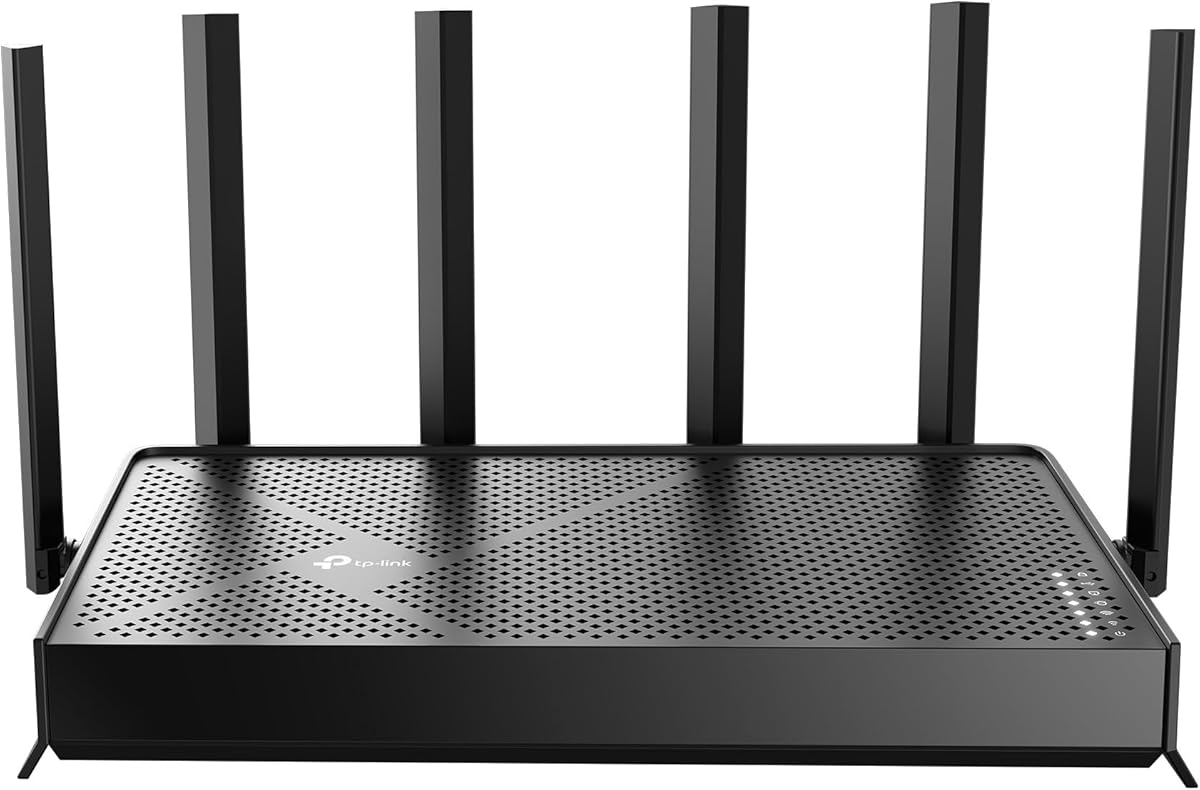


The TP-Link Archer AX21 is a dual-band Wi-Fi 6 router with a 4.4 rating and a focus on balancing speed, capacity, and manageable coverage. Its AX1800 class provides up to 1,200 Mbps on the 5 GHz band and 574 Mbps on the 2.4 GHz band, making it a practical option for households that need modern wireless efficiency without a tri-band radio set.
We may earn a commission when you buy through this link, at no additional cost to you.
The router's OFDMA support allows it to communicate with multiple devices more efficiently, while Beamforming directs signal toward connected clients. Four high-gain antennas and an advanced front-end module reinforce its coverage-oriented design. These features matter in a QoS-focused household because a stable, efficiently shared connection gives priority rules a better foundation than a weaker or uneven signal.
Its dual-band layout is also a meaningful limitation. Users with Wi-Fi 6E or Wi-Fi 7 devices cannot benefit from a dedicated 6 GHz band, and the available bandwidth is lower than that of higher-class AX5400, AXE5400, and BE-series routers. The product information also makes clear that an internet router does not include the modem needed by most providers, so buyers need to account for that separately.
The Archer AX21 is best for a typical home that wants dependable Wi-Fi 6, efficient handling of numerous devices, and easy ISP compatibility. It is less compelling for households that need a 6 GHz network, multi-gigabit wired connections, or a gaming-focused traffic policy, but it remains a sensible general-purpose router when simplicity and balanced capability matter most.
OFDMA is the router's most relevant capacity feature for a crowded network. It allows the AX1800 to divide a transmission opportunity among multiple clients, which can be especially useful when phones, televisions, computers, and smart-home products are active at once.
Beamforming, four high-gain antennas, and the front-end module work together to focus signal toward connected devices. These characteristics can reduce weak coverage in common trouble spots, although walls, distance, and interference still affect real-world results.
We may earn a commission when you buy through this link, at no additional cost to you.
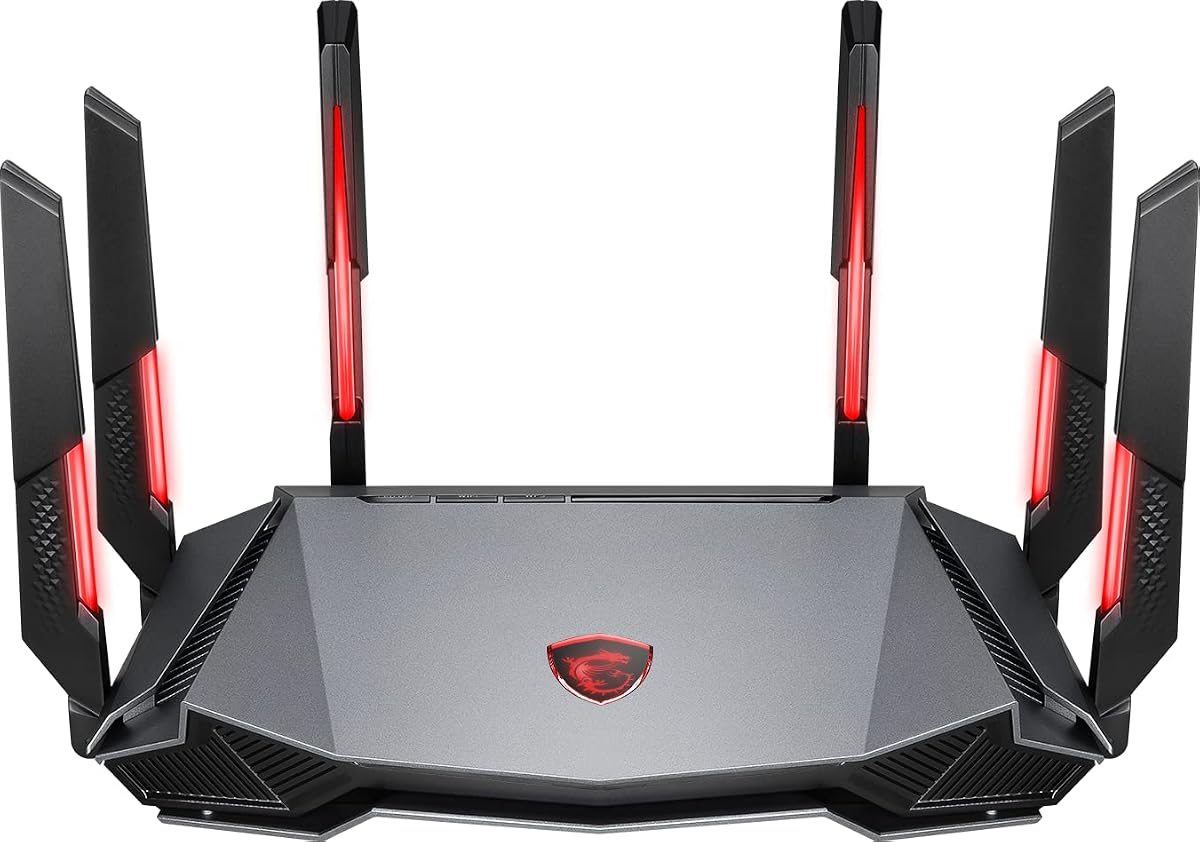
The MSI Radix AXE6600 stands out because AI QoS is explicitly designed to prioritize data packets automatically. That makes it the most direct match in this guide for users who want their network to recognize different traffic demands rather than treating every device and online activity identically. Its 4.4 rating also reflects a generally favorable reception among buyers.
We may earn a commission when you buy through this link, at no additional cost to you.
Wi-Fi 6E gives the router separate 2.4 GHz, 5 GHz, and 6 GHz bands, with support for eight streams across the tri-band system. The listed aggregate speed reaches 6.6 Gbps, while a 1.8 GHz quad-core processor supplies the computing resources needed to handle many devices and traffic rules. MU-MIMO, AI QoS, and the game accelerator work together to support consistent performance.
Its design is not entirely understated, because Mystic Light adds RGB illumination compatible with other Mystic Light products. More substantively, a gaming router can carry unnecessary visual extras for users who only need general Wi-Fi. Its feature set is still well suited to mixed households, particularly when latency-sensitive gaming, downloads, streaming, and everyday browsing all share one connection.
Choose the Radix AXE6600 when automatic packet prioritization is your main reason for upgrading. It is a strong choice for gamers and advanced users who want tri-band Wi-Fi 6E, ample stream capacity, and a dedicated processor. Buyers seeking only basic home networking may find less need for its gaming-specific design, but its network fundamentals are already impressive.
Automatic packet prioritization is the defining feature of this model. It is designed to satisfy different user needs by directing bandwidth toward appropriate traffic, making it especially attractive for homes where gaming, video calls, downloads, and streaming compete at unpredictable times.
A 1.8 GHz quad-core processor gives the router substantial headroom for traffic management and multiple simultaneous connections. That hardware is a particularly useful complement to AI QoS because useful prioritization requires timely decisions rather than merely having priority labels in the interface.
We may earn a commission when you buy through this link, at no additional cost to you.
The TP-Link AX3000 combines a 4.4 rating with a practical dual-band Wi-Fi 6 design and access to TP-Link HomeShield's Quality of Service feature. It offers 2,402 Mbps on 5 GHz and 574 Mbps on 2.4 GHz, creating enough theoretical capacity for a modern household that needs better traffic organization than a basic entry-level router.
We may earn a commission when you buy through this link, at no additional cost to you.
OFDMA and MU-MIMO are central to its approach to congestion. OFDMA lets multiple clients share one transmission more efficiently, while MU-MIMO communicates with several devices simultaneously. HomeShield's basic Quality of Service capability adds another layer of control, and the included security scan, IoT device identification, parental controls, and reporting features make it a broader home-management platform.
The router also includes four external high-gain antennas, Beamforming, Target Wake Time, and an improved cooling design. These details help it maintain useful range and efficiency, but it remains a dual-band unit without a 6 GHz radio. Its Ethernet specification is also not advertised as multi-gigabit, so a household with unusually fast fiber or a large wired network may need to look farther up the range.
The TP-Link AX3000 is our Best Budget selection because it delivers the rare combination of Wi-Fi 6 efficiency and an explicit QoS feature at an approachable tier. It suits families that want smoother simultaneous use, better control of important applications, and a straightforward router without moving into tri-band or Wi-Fi 7 territory.
HomeShield's Quality of Service gives users a way to organize important traffic without requiring a specialized networking platform. For many homes, that level of control is more valuable than paying for extra radio bands that their connected devices cannot yet use.
OFDMA, MU-MIMO, Beamforming, and Target Wake Time address different parts of network efficiency. Together they can improve capacity, simultaneous access, directional coverage, and device power consumption in a household filled with phones, computers, televisions, and IoT equipment.
We may earn a commission when you buy through this link, at no additional cost to you.
The TP-Link Archer AXE75 is a tri-band Wi-Fi 6E router with a stated AXE5400 class and a 4.3 rating. Its 2.4 GHz, 5 GHz, and 6 GHz bands distribute traffic across three radio groups, making it a strong option for homes with newer devices that can use the less crowded 6 GHz spectrum.
We may earn a commission when you buy through this link, at no additional cost to you.
Its HomeShield package includes Quality of Service, basic parental controls, security scanning, IoT identification, and network reports. This makes the router appealing to users who want traffic controls alongside ordinary household security. The supplied data also states that OFDMA and true tri-band operation increase capacity by four times, while a 1 GHz dual-core CPU and 512 MB of memory support the stated long-term reliability goals.
EasyMesh compatibility adds important flexibility. Users can extend the system with compatible routers, extenders, or wireless powerline adapters instead of replacing a single router whenever a difficult room or building layout creates a dead zone. However, the AXE75 is not the fastest choice in every category, and the benefits of 6 GHz require compatible clients rather than appearing automatically on older devices.
This model is well suited to households seeking a balance of tri-band capacity, basic QoS, and scalable coverage. It is a particularly sensible choice for mixed-device homes where a few Wi-Fi 6E products can use the 6 GHz band while conventional 2.4 and 5 GHz clients remain supported. Buyers needing newer Wi-Fi 7 hardware or multi-gigabit Ethernet should examine the newer models in this list.
The 6 GHz band can provide more available bandwidth and lower contention than the traditional bands. It is especially relevant to recent phones, laptops, and other compatible equipment that can move traffic away from crowded 2.4 and 5 GHz channels.
EasyMesh compatibility gives the Archer AXE75 a clear path to larger homes. Rather than treating one router as the only answer, it can work with supported expansion hardware to improve coverage and reduce dead zones.
We may earn a commission when you buy through this link, at no additional cost to you.
The GL.iNet Flint 2 carries the highest rating in this collection at 4.5, earning recognition for its combination of gaming-oriented Wi-Fi 6, dual 2.5G Ethernet ports, and expandable internal platform. Although the supplied specifications do not explicitly identify a named QoS mode, its eight-stream wireless design, oneGB of DDR4 memory, and high-speed wired connectivity give it strong potential for managing demanding mixed networks.
We may earn a commission when you buy through this link, at no additional cost to you.
Its stated wireless performance reaches up to 6 Gbps, while eight-stream Wi-Fi 6 is designed to support intensive gaming, 4K streaming, and video calling. The dual 2.5G ports are especially important for users who want to avoid the bottleneck of ordinary Gigabit Ethernet on high-capacity local connections, storage tasks, or a multi-gig internet service.
The router is also positioned for technically inclined users. DDR4 memory and 8 GB of eMMC provide room for plugins and additional functionality, AdGuard Home support offers local filtering, and the product is described as accommodating more than one hundred connected devices. The tradeoff is that the setup process and plugin ecosystem are more involved than the basic mobile-app experience of many conventional routers.
The Flint 2 is a compelling choice for advanced users who value speed, memory, and multi-gigabit wired networking. Buyers specifically seeking a router with an explicitly labeled QoS control may prefer the MSI or TP-Link options, but this model can appeal to technically confident households that want extensive control over the broader network platform.
The dual 2.5G Ethernet arrangement gives the Flint 2 a distinct advantage for users with multi-gigabit service, fast NAS systems, or other demanding local traffic. It also allows important devices to receive wired priority without forcing every connected machine onto slower links.
OneGB of DDR4 memory and 8 GB of eMMC set this router apart from simpler models. The stated support for more than one hundred devices and additional plugins makes it attractive for users who want a more configurable home network.
We may earn a commission when you buy through this link, at no additional cost to you.
The TP-Link Archer AX73 is a high-rated dual-band Wi-Fi 6 router with an AX5400 class, 4T4R connections, and 160MHz channel support on 5 GHz. It is designed for households that need substantial capacity across 2.4 and 5 GHz without moving to a tri-band model, while HomeShield provides a basic Quality of Service feature.
We may earn a commission when you buy through this link, at no additional cost to you.
Its stated maximum aggregate speed is 5,400 Mbps, with performance distributed across the two bands. MU-MIMO and OFDMA reduce congestion by serving multiple clients more efficiently, while a high-power FEM, six antennas, and Beamforming support a claimed coverage area of up to 2,000 square feet. The result is a router aimed more deliberately at medium and large homes than many compact dual-band models.
A USB 3.0 port adds media-sharing and private-cloud functionality, and improved vented areas help dissipate heat. As with every router, the stated speed and coverage figures are theoretical or maximum conditions: walls, device distance, traffic volume, and interference affect actual performance. A six-antenna design can also perform differently depending on placement and the layout of the property.
The Archer AX73 is a good middle choice for users who want more headroom than an AX3000 model but do not need 6 GHz. Its combination of QoS, high-bandwidth 5 GHz networking, broad coverage features, and a 4.5 rating makes it well suited to busy homes with many active clients.
Four transmit and receive streams combined with 160MHz channels provide substantial 5 GHz capacity. That is useful for high-resolution streaming, large file transfers, and households where latency-sensitive clients need a dedicated high-performance band.
The combination of a high-power front-end module, six antennas, and Beamforming supports the stated coverage target of up to 2,000 square feet. Placement remains decisive, so a central location and a measurement-based setup are still more reliable than relying on the maximum figure.
We may earn a commission when you buy through this link, at no additional cost to you.
The TP-Link Archer BE600 is a tri-band Wi-Fi 7 router built for users who want a current-generation platform and multi-gigabit wired connections. It has a 4.2 rating and a stated BE9700 aggregate class, combining 320MHz channels, Multi-Link Operation, Multi-RUs, 4K-QAM, and a powerful Ethernet arrangement for demanding homes.
We may earn a commission when you buy through this link, at no additional cost to you.
Its three bands can reach 5,765 Mbps on 6 GHz, 2,882 Mbps on 5 GHz, and 1,032 Mbps on 2.4 GHz. Multi-Link Operation combines multiple wireless bands into one stream, while Beamforming and six positioned antennas target a claimed area of up to 2,600 square feet and as many as 120 devices. These specifications are particularly relevant to homes preparing for new Wi-Fi 7 phones, laptops, and entertainment hardware.
The Ethernet side is equally ambitious, with one 10 Gbps WAN/LAN port, one 2.5 Gbps WAN/LAN port, and three 2.5 Gbps LAN ports. That configuration allows a multi-gig modem to make full use of the router and gives demanding wired devices a path that does not bottleneck the network at one gigabit.
Although the supplied details do not explicitly name a QoS feature, Wi-Fi 7's capacity, Multi-Link Operation, and substantial port speeds can greatly reduce the pressure that makes traffic prioritization necessary. The BE600 is a premium choice for early adopters and high-capacity homes. Users with primarily Wi-Fi 6 equipment may receive less immediate benefit and should consider whether their current devices can use the newest features.
A 10 Gbps WAN/LAN port makes the Archer BE600 suitable for high-capacity fiber and other multi-gig services. Three additional 2.5 Gbps LAN ports extend that headroom to modern computers, storage, and entertainment equipment.
Multi-Link Operation, Multi-RUs, 4K-QAM, and 320MHz channels are most valuable when clients support them. The router can create a stronger foundation for future devices, although older Wi-Fi 6 equipment will not realize every advertised benefit.
We may earn a commission when you buy through this link, at no additional cost to you.
The ASUS RT-AX3000 is one of the clearest options in this guide for explicit QoS because Adaptive QoS is named directly in its product title. It carries a 4.5 rating and combines that control with Wi-Fi 6, AiProtection Pro, advanced parental controls, and AiMesh compatibility for homes that need more flexible coverage.
We may earn a commission when you buy through this link, at no additional cost to you.
Its AX3000 class provides up to 575 Mbps on 2.4 GHz and 2,402 Mbps on 5 GHz, with 160MHz bandwidth and 1024-QAM support. OFDMA and MU-MIMO improve efficiency when multiple clients share the network, giving the adaptive traffic controls a more responsive base on which to prioritize important applications.
AiMesh is a major advantage for buyers who may expand beyond one router. Compatible ASUS hardware can create a more even mesh system with stable whole-home coverage, which helps prevent a distant client from becoming a bandwidth bottleneck simply because its wireless link is weak. The router also includes four Gigabit LAN ports and a USB 3.0 port, though it has only one WAN port.
The ASUS RT-AX3000 is an excellent match for users who want a clearly defined Adaptive QoS feature without moving to a tri-band or Wi-Fi 7 design. It is especially well suited to family networks where gaming, schoolwork, entertainment, and parental management need to coexist under one policy system.
Adaptive QoS is the main reason to consider this router in a traffic-management guide. It provides a direct mechanism for keeping important activities responsive when other devices are using substantial bandwidth, making it a natural fit for shared family connections.
AiProtection Pro and advanced parental controls make the router suitable for managing a family network, while AiMesh creates a clear path to better coverage. These features are particularly useful when a single access point struggles to serve several floors or widely separated rooms.
We may earn a commission when you buy through this link, at no additional cost to you.
The TP-Link Archer BE550 combines tri-band Wi-Fi 7 with an unusually even multi-gigabit Ethernet arrangement. Its stated speeds reach 5,760 Mbps on 6 GHz, 2,880 Mbps on 5 GHz, and 574 Mbps on 2.4 GHz, while one 2.5 Gbps WAN port and four 2.5 Gbps LAN ports remove the usual one-gigabit ceiling.
We may earn a commission when you buy through this link, at no additional cost to you.
Multi-Link Operation, Multi-RUs, 4K-QAM, and 320MHz channels place it among the most technically advanced products in the list. The router also supports EasyMesh expansion, six positioned antennas, Beamforming, and a separate IoT network with WPA3. That separation can reduce the burden of vulnerable smart-home devices sharing the main trusted network.
The 4.0 rating is the lowest among these ten models, so buyers should not interpret its advanced specification sheet as a guarantee that every user will prefer it. Wi-Fi 7 benefits depend on compatible devices, and the router's emphasis on new standards may offer less value in a home built around older phones, laptops, and televisions. Its multi-gigabit ports, however, remain useful regardless of the wireless generation used by clients.
The Archer BE550 fits a forward-looking household that wants several 2.5G connections and room to adopt Wi-Fi 7 hardware over time. It is also a credible choice for a mixed network because older Wi-Fi generations remain compatible. Buyers who prioritize a dedicated QoS label or gaming tools may find a more explicit match elsewhere.
The use of 2.5 Gbps for both WAN and all four LAN ports is a major practical distinction. It supports a faster internet connection while giving numerous wired devices access to additional throughput for transfers, storage, and local networking.
A dedicated IoT network, paired with WPA3 encryption and HomeShield controls, can help organize compatible smart-home products separately from main household devices. This segmentation gives administrators another way to reduce unnecessary exposure and manage device groups.
We may earn a commission when you buy through this link, at no additional cost to you.
The ASUS RT-AX1800S is a dual-band Wi-Fi 6 router with a 4.3 rating and a straightforward set of features for ordinary homes. Its most notable strength is the inclusion of one Gigabit WAN port and four Gigabit LAN ports, giving users five Gigabit Ethernet connections without moving to a multi-gigabit platform.
We may earn a commission when you buy through this link, at no additional cost to you.
MU-MIMO and OFDMA improve throughput and efficiency when multiple clients are connected, while 1024-QAM supports faster wireless performance on compatible devices. A dual-core processor and four external antennas provide the stated hardware foundation, and AiMesh compatibility allows the router to grow into a broader mesh system if the home later needs better coverage.
AiProtection Classic, powered by Trend Micro, offers subscription-free network security, and ASUS Instant Guard provides a one-click secure VPN option for remote access. Parental controls make the model useful for families, while built-in VPN features and gaming and streaming positioning broaden its appeal. The trade-off is lower wireless throughput than higher-class AX3000, AX5400, AXE, and BE models.
The RT-AX1800S is best for users who want a mature, expandable ASUS router with good security and ample wired connections. It can suit a home with several Gigabit Ethernet devices, but it is not the strongest choice for a busy wireless environment requiring the latest band or the highest possible throughput. The lack of a 6 GHz radio also limits its appeal for Wi-Fi 6E equipment.
One WAN and four LAN ports provide ample room for desktop computers, smart televisions, game consoles, and network storage. This is a practical advantage in homes where keeping important devices on stable wired links is preferable to relying entirely on Wi-Fi.
AiProtection Classic is powered by Trend Micro and is described as subscription-free, which simplifies long-term ownership. ASUS Instant Guard adds a convenient VPN route for secure remote access when users are away from home.
We may earn a commission when you buy through this link, at no additional cost to you.
The right router depends on how many devices compete for bandwidth, which applications matter most, the size and construction of your home, and whether your internet service or local network needs faster Ethernet. Start with those requirements, then compare the management features and wireless hardware.
QoS is most useful when a router can distinguish between applications, devices, or usage patterns and assign bandwidth accordingly. The MSI Radix AXE6600 explicitly uses AI QoS to prioritize packets automatically, the ASUS RT-AX3000 offers Adaptive QoS, and TP-Link HomeShield models include a Quality of Service feature. These are more specific indicators than simply supporting high-speed Wi-Fi.
Look for clear controls that let you decide which activity or client receives priority and how aggressively the rule is applied. Automatic settings are convenient for users who do not want to maintain profiles, while manual rules may be preferable for a home with predictable daily routines.
Wi-Fi 6 improves efficiency, while Wi-Fi 6E adds a dedicated 6 GHz band and Wi-Fi 7 introduces features such as 320MHz channels, Multi-RUs, 4K-QAM, and Multi-Link Operation. More bands can separate traffic and reduce contention, but a new standard only delivers its full advantage when compatible clients are present.
For a household with mostly older devices, a well-configured dual-band Wi-Fi 6 router may be more useful than an expensive model whose advanced features remain idle. A mixed or future-facing household can gain more from tri-band and Wi-Fi 7 hardware.
Aggregate figures such as AX1800, AX3000, AX5400, AXE5400, BE9300, and BE9700 summarize theoretical wireless capacity across the available bands. They are useful for comparing product classes, but they are not the speed that every client will receive. Distance, walls, interference, device limitations, and upstream internet speed all influence the result.
The supplied specifications break several models down by band. Paying attention to 5 GHz and 6 GHz capacity is particularly important for modern devices, while 2.4 GHz remains useful for long-range IoT equipment and basic connectivity.
OFDMA, MU-MIMO, multi-stream radios, and adequate processing help a router serve several clients without each transmission waiting for the entire network to become idle. These efficiency features are closely related to good QoS results because they reduce congestion at the wireless layer before application-level rules are applied.
Pay attention to the number of streams, processor specification, and memory. A router with more processing resources can generally evaluate rules and network conditions more quickly, especially in homes with many phones, televisions, computers, cameras, and smart appliances.
A router placed in a central location may cover a modest home effectively, while larger properties often need multiple access points. Beamforming, high-gain antennas, a front-end module, and careful placement can improve results, but advertised coverage figures are not guarantees because walls and building materials behave differently.
EasyMesh and AiMesh support provide a straightforward expansion path. If you expect to add rooms, floors, or an outbuilding later, verify that the brand's expansion hardware is compatible and can be managed as one network.
Wi-Fi performance is only one part of the experience. Media servers, desktop computers, game consoles, and network storage may benefit from stable Gigabit Ethernet, while a multi-gigabit internet plan can exceed the limit of a single Gigabit WAN port. The TP-Link Archer BE600 includes a 10 Gbps port, the BE550 provides five 2.5 Gbps ports, and the GL.iNet Flint 2 has dual 2.5G ports.
Match port speed to the service and devices you actually own. Faster wired hardware is valuable, but it may not be necessary if the internet plan, switches, and client devices remain limited to Gigabit speeds.
Network management should include more than bandwidth allocation. TP-Link HomeShield provides security scanning, IoT identification, parental controls, and reporting, while ASUS models emphasize AiProtection and remote VPN access. These features are useful for separating smart-home devices, limiting access, and protecting family members online.
Check whether a service is included without a recurring subscription and whether the router can run VPN client and server functions. A built-in VPN server can also let family members connect to a home network while they are away.
Latency-sensitive gaming, voice chat, and video conferencing benefit from traffic rules that keep delay-sensitive packets moving smoothly. The MSI Radix AXE6600 directly addresses this need with AI QoS and a game accelerator, while other routers can use manual prioritization if their software supports it.
Remember that the internet service provider's upstream capacity also affects results. A router cannot create additional bandwidth, and Wi-Fi interference or an overloaded uplink can still introduce delay even when local prioritization is configured correctly.
Begin with a baseline measurement rather than changing several settings at once. Run speed and latency tests on different devices, note the times when congestion occurs, and identify which applications suffer first. Then create a small number of priority rules for the activities that matter, such as gaming, calls, streaming, or large downloads.
After enabling QoS, test again under realistic conditions. Compare latency and consistency while several devices are active, and verify that the intended client receives the expected treatment. Rules should be clear, limited in number, and reviewed whenever internet service, devices, or household usage patterns change.
Place the router in a central, open position and keep firmware current. The GL.iNet Flint 2 specifically advises updating firmware during initial setup, while other TP-Link models recommend checking for the latest release through Tether. Good ventilation, updated security settings, unique administrator credentials, and periodic connected-device reviews help preserve long-term reliability.
Quality of Service helps a router allocate network resources according to selected applications, devices, or traffic types. It can keep latency-sensitive activities responsive when another device is downloading or uploading heavily. The implementation varies by model, so automatic, manual, and device-priority controls should be compared rather than assuming every router behaves the same way.
No. QoS does not add bandwidth to an internet service, and it cannot overcome a slow upstream connection. It reorganizes the capacity that is available, potentially reducing delay and disruption for important traffic. Raw wireless speed, internet-plan speed, and wired device capabilities still determine the maximum throughput available.
Both standards can improve efficiency, but the right choice depends on the clients and network layout. Wi-Fi 6 models remain highly capable for many households, while Wi-Fi 7 offers larger channels, Multi-Link Operation, and faster multi-gigabit Ethernet for compatible systems. A properly placed Wi-Fi 6 router with effective QoS may serve a household better than an expensive Wi-Fi 7 router placed poorly.
Most of the listed TP-Link models work with common internet providers but require a compatible modem, and the Archer AX21 explicitly states that all Wi-Fi routers require a separate modem. The provider may supply equipment or offer a compatible device. Confirm the connection type and provider requirements before completing the setup.
The MSI Radix AXE6600 is the most explicitly gaming-focused model because it combines AI QoS with a game accelerator, tri-band Wi-Fi 6E, eight streams, and a 1.8 GHz quad-core processor. The TP-Link AX73 and other high-bandwidth models can also serve demanding households, but they do not present gaming controls as prominently in the supplied information.
No. Expansion depends on the router's ecosystem. The Archer AXE75 and BE550 support EasyMesh-compatible expansion, while the ASUS RT-AX3000 and RT-AX1800S support AiMesh. Other products may offer different or more specialized extension options, so verify compatibility before buying additional access points.
Not necessarily. QoS is most valuable when several devices compete for limited capacity or when particular activities need predictable treatment. A lightly used network may perform well with sensible defaults and good physical placement. If you enable it, start with a few understandable rules and test rather than changing many parameters at once.
Not necessarily. Dead zones are usually caused by distance, walls, building materials, interference, or poor router placement. A higher band can provide more bandwidth within a usable signal area, but it may not penetrate obstacles as well in every situation. Mesh expansion, a better location, or wired Ethernet may be more effective for hard-to-reach areas.
The MSI Radix AXE6600 is the strongest choice when automatic, explicitly labeled QoS and gaming support are the main priorities. The ASUS RT-AX3000 offers Adaptive QoS alongside AiMesh and AiProtection, while the TP-Link AX3000 delivers the most approachable combination of HomeShield QoS and efficient dual-band Wi-Fi 6.
For a wider selection, consider the Archer AXE75 when a dedicated 6 GHz band and EasyMesh expansion are important, or the Archer AX73 when higher dual-band throughput and broader coverage features matter. Newer Wi-Fi 7 choices such as the BE600 and BE550 make sense for compatible high-speed clients and multi-gigabit internet, while the Flint 2 appeals to advanced users who value memory, plugins, and two 2.5G ports.
Before buying, verify modem compatibility, client standards, room coverage, wired port speeds, and the exact QoS controls available in the router's management interface. Ratings provide useful context, but actual performance depends on the home, devices, and service. Current prices, promotions, and availability can change, so compare the complete configuration rather than focusing on a single figure.