
UGREEN NAS DH4300 Plus
4.2Editor score
Four-bay home NAS design
2.5GbE network connectivity
Eight gigabytes LPDDR4X memory
Docker application support
A NAS with SSD cache can make stored files feel noticeably faster by keeping frequently accessed data on solid-state storage while larger hard drives provide capacity. The right combination depends on your enclosure, network, workload, and tolerance for administration, so matching the cache to the NAS is essential.
This guide compares every product using the supplied specifications, customer ratings, stated compatibility, supported workloads, and physical design. It includes diskless NAS enclosures that can accept dedicated SSDs, as well as NAS-oriented hard drives and SSDs designed to complement cached or tiered storage systems.
Each review identifies the role the product can play in a NAS with SSD cache, from primary storage to high-speed expansion. Ratings reflect the supplied customer feedback, while pricing and availability can change, so readers should verify current details and full compatibility lists before purchasing.
4.2Editor score

4.6Editor score

4.6Editor score
As an Amazon Associate we earn from qualifying purchases.
The comparison includes both cache-capable NAS enclosures and storage drives intended for NAS workloads, with particular attention to interfaces, capacity, memory, network support, and documented use cases.




The Western Digital 4TB WD Red Plus is a conventional NAS hard drive rather than an SSD, but it can provide the capacity-heavy foundation of a NAS with SSD cache. Its 4.2 rating reflects generally favorable customer feedback, while its 5400 RPM spindle speed, SATA 6 Gb/s interface, and 128 MB onboard cache make it a conventional 3.5-inch storage option.
We may earn a commission when you buy through this link, at no additional cost to you.
Its most useful qualities center on NAS suitability. The drive uses CMR recording, includes NASware firmware, and is designed for continuous operation in RAID-oriented systems with as many as eight bays. That makes it a sensible bulk-storage drive when important applications or frequently accessed files are placed on a compatible SSD cache tier.
The main limitation is fundamental: a drive cache and an SSD cache serve different purposes. The WD Red Plus includes its own small hardware cache, but it does not replace a dedicated NVMe or SATA SSD for low-latency application data. Buyers seeking visibly faster random performance still need a compatible SSD and a NAS that supports SSD caching or storage tiering.
This is a good choice for households that need moderate capacity, want a NAS-oriented primary drive, and prefer the affordability and familiar behavior of hard-disk storage. It works especially well alongside a faster SSD in a compatible enclosure, but the exact cache and tiering rules should be confirmed in the NAS documentation before installation.
CMR recording and NASware firmware make the drive relevant to multi-bay RAID configurations. Its continuous-operation design also suits a NAS that remains available throughout the day, although a proper backup strategy remains essential because RAID and caching do not replace separate copies.
Keeping databases, active media projects, or frequently used files on a compatible SSD can reduce access delays while this hard drive holds larger archives. The benefit depends on the NAS operating system, the selected RAID or tiering mode, and the network path to the client.
We may earn a commission when you buy through this link, at no additional cost to you.
The UGREEN NAS DXP2800 is a compact two-bay enclosure with two M.2 NVMe slots, making it one of the clearest matches for a NAS with SSD cache in this guide. It carries a 4.6 rating, the joint-highest supplied score, and pairs an Intel N100 quad-core processor with 8GB of DDR5 memory and 2.5GbE networking.
We may earn a commission when you buy through this link, at no additional cost to you.
The dual NVMe positions create an unusually attractive balance for advanced home users, creators, and remote workers. One SSD can potentially serve as a dedicated cache or fast storage tier, while the other can handle applications, virtual machines, or another useful data set. Two SATA bays simultaneously provide large-file storage through hard drives.
Its limitations come from the compact enclosure rather than an obvious performance deficiency. There are only two hard-drive bays, and advertised capacity depends on the drives and RAID configuration selected. It is also a diskless system, so HDDs and SSDs must be purchased separately and matched to the intended workload.
This model is our editor's choice because it directly addresses the central need in the category: a NAS with built-in NVMe expansion in a relatively compact form. It is best suited to users who want responsive access to active files without giving up the larger, cheaper capacity of hard drives for backups and media libraries.
Two M.2 NVMe slots are the standout feature because they let buyers create a dedicated high-speed layer without occupying the SATA hard-drive bays. That separation is particularly useful for active projects, application data, and frequently accessed content.
The Intel N100 processor, 8GB DDR5 memory, 2.5GbE networking, Docker support, and virtual-machine capability suit users moving beyond basic file sharing. Remote access across major desktop and mobile platforms also makes the system convenient for centralized personal storage.
We may earn a commission when you buy through this link, at no additional cost to you.
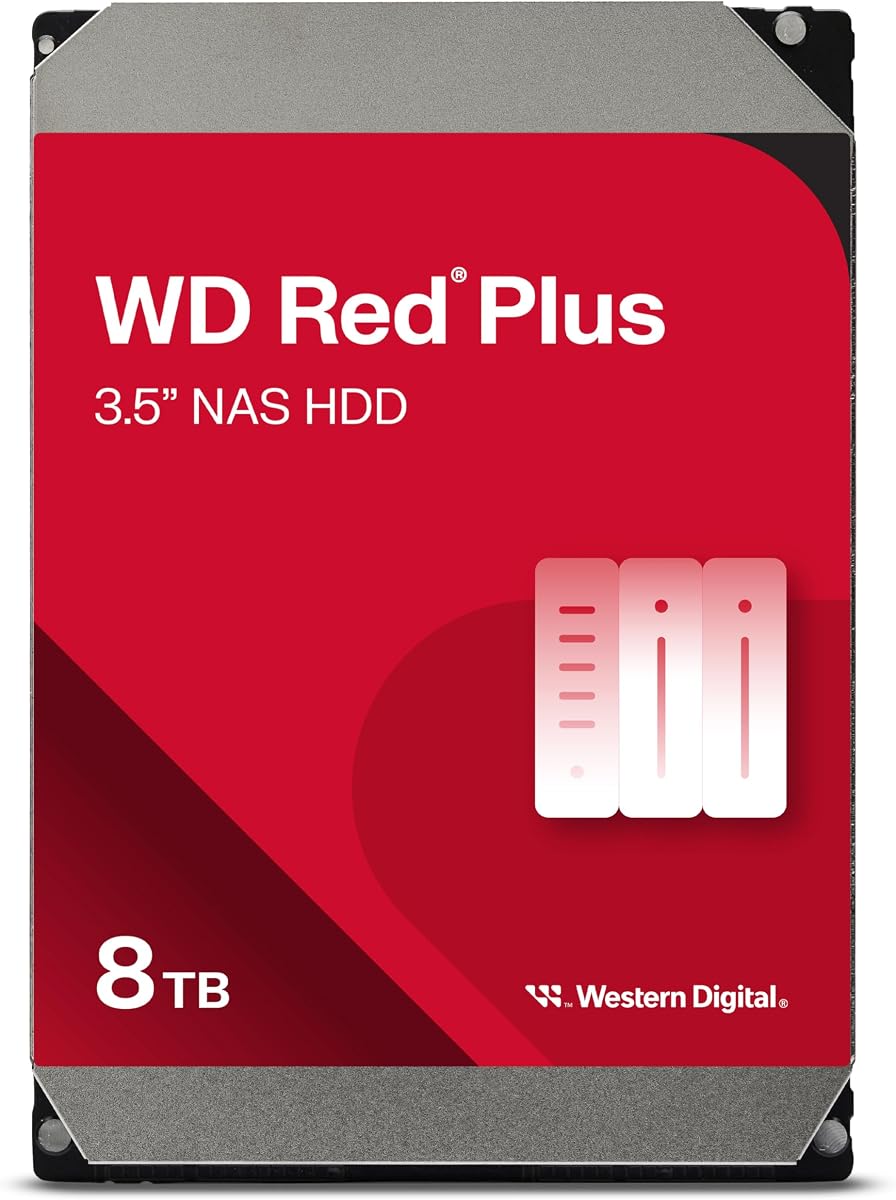
The Western Digital 8TB WD Red Plus is built for users who need more bulk capacity from each bay. It has a 4.2 rating and a 5640 RPM spindle speed, along with a 256 MB hardware cache, making it a higher-capacity companion for a NAS whose fast SSD tier handles the most active data.
We may earn a commission when you buy through this link, at no additional cost to you.
The drive supports up to eight bays and an annualized workload rate of up to 180 TB per year. NASware firmware and a design aimed at small or medium business NAS systems in a 24/7 environment are meaningful for owners who expect continuous operation rather than occasional desktop use.
As with other hard drives, its 256 MB cache is internal to the drive and should not be confused with a separate SSD cache. Although the larger cache can help smooth sequential workloads, random-access latency remains fundamentally different from that of an NVMe or SATA SSD. The enclosure's RAID mode and operating system also influence the outcome.
The 8TB model is most appropriate when storage density matters more than minimum latency. Pair it with a compatible cache-capable NAS and place a suitable SSD in the appropriate tier, then use the hard drive for archives, media, backups, or less frequently accessed projects. It is less compelling as the only drive in a workload dominated by small random files.
Eight terabytes per drive reduces the number of hard-drive bays required for large libraries. That leaves more room in a four-bay enclosure for SSDs, improving the practical value of the system's cache and fast-storage options.
The 180 TB annual workload rating, NASware firmware, and continuous-operation focus suit sustained storage tasks. Buyers should still maintain an independent backup, because RAID resilience and SSD caching do not protect against accidental deletion, ransomware, or enclosure failure.
We may earn a commission when you buy through this link, at no additional cost to you.
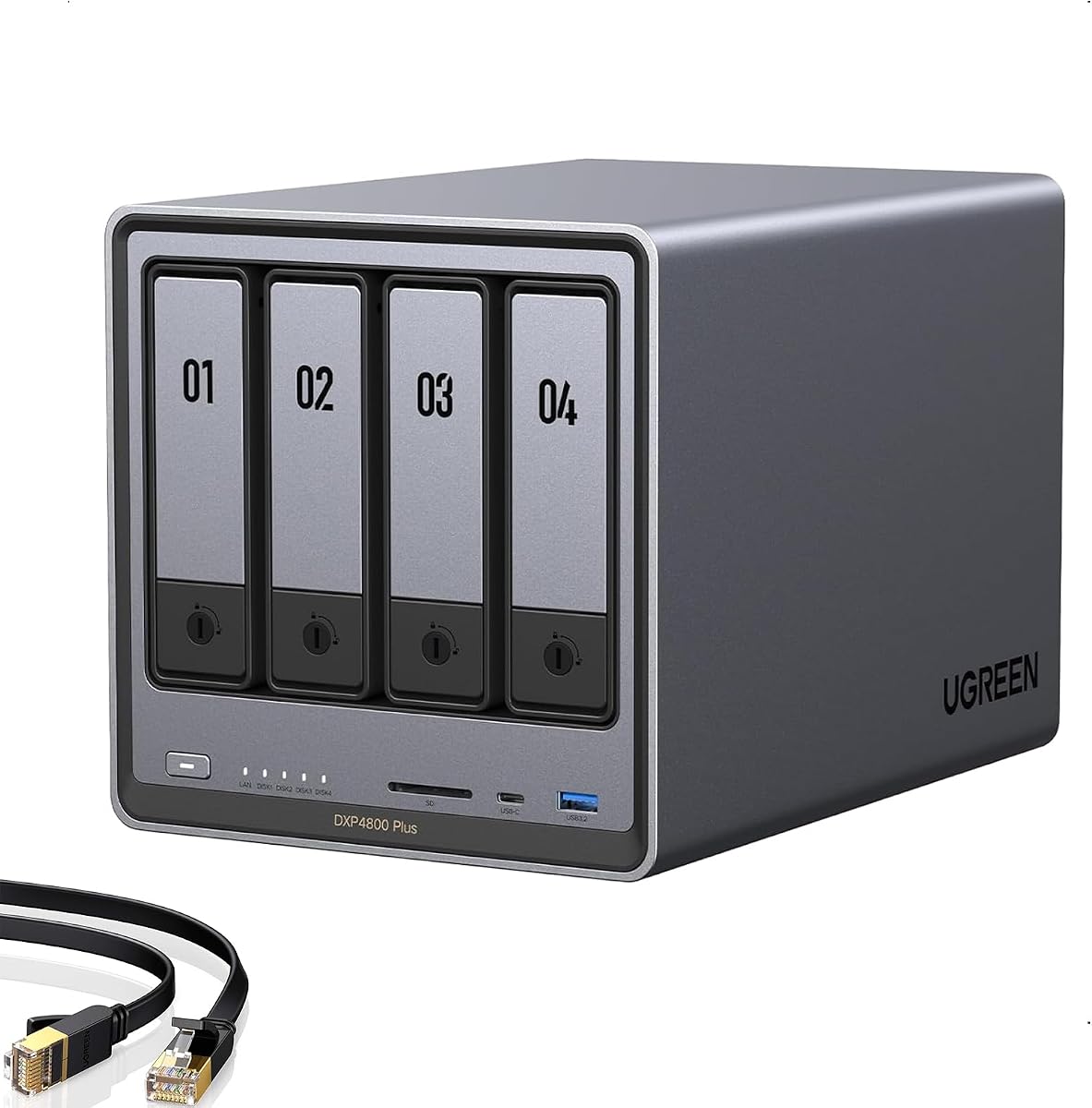
The UGREEN DXP4800 Plus is a four-bay NAS aimed at families, creators, and small teams that want both capacity and fast transfers. Its 4.6 rating, 10GbE port, and 10Gbps USB connectivity give it a strong foundation for moving large media files, backups, and active project data.
We may earn a commission when you buy through this link, at no additional cost to you.
The enclosure supports Docker and virtual machines, flexible RAID configurations, encrypted private-cloud access, and a photo-management application that recognizes faces, scenes, objects, and locations. Its stated capacity reaches 144TB when configured appropriately, although that figure is based on RAID 0 with compatible drives and does not represent protected usable capacity in every arrangement.
Storage hardware is not included, and advertised speed can be limited by the router, client, drive, file size, and other components. The system also uses wired Ethernet rather than built-in Wi-Fi. A larger SSD cache plan is practical, but buyers should check exactly how the operating system handles cache invalidation, removal, and recovery.
This model is a compelling choice for a home office or creative team that routinely moves large files and runs containerized applications. It is less suitable for buyers seeking a simple two-bay system or for those who require dual-port link aggregation; otherwise, its speed and expandable storage make it a flexible centerpiece for a cached NAS.
A 10GbE connection is most useful with similarly capable switches, adapters, and clients. When the entire path supports it, large backups and media transfers can take full advantage of the enclosure's high-speed interfaces instead of being constrained by a 1GbE client.
Docker, virtual machines, and AI-assisted photo organization broaden the system beyond basic shared storage. These capabilities make it easier to justify an SSD cache or SSD storage tier for databases, containers, and frequently accessed photo libraries.
We may earn a commission when you buy through this link, at no additional cost to you.
The UGREEN NAS DH4300 Plus is an entry-level four-bay NAS designed for home media, private storage, and remote access. It has a 4.2 rating, 2.5GbE networking, and 8GB of LPDDR4X memory, giving it enough foundation for Docker applications and a useful SSD-based performance tier.
We may earn a commission when you buy through this link, at no additional cost to you.
Its magnetic top cover, NFC-assisted connection, guided setup, and support for major desktop and mobile platforms simplify adoption. Automatic phone photo backup, AI photo albums, semantic search, duplicate detection, 4K HDMI output, and local encrypted storage make it relevant to families that want more organization than a basic external drive provides.
It does not support virtual machines, uses wired Ethernet only, and ships without storage drives. Its capacity claim of up to 128TB assumes RAID 0 and compatible hard drives, so protected or usable capacity will vary. Actual transfer performance can also be restricted by the client, router, file size, and selected media.
This is the best budget-oriented pick for someone building a first cached NAS at home. Four bays permit a useful combination of hard drives and an SSD, while 2.5GbE and Docker support offer room to grow. Buyers should treat it as a flexible private-storage system rather than an all-purpose enterprise platform.
Quick setup, a user-friendly app, and cross-platform access lower the barrier for people moving away from cloud-only storage. Automatic phone backup and AI-assisted photo organization are especially practical for households whose most valuable data lives on mobile devices.
A practical arrangement could use one compatible SATA SSD for caching or fast storage and the remaining bays for hard-drive capacity. The exact role and number of SSDs depend on the NAS software, so users should consult the compatibility and storage-management documentation before buying.
We may earn a commission when you buy through this link, at no additional cost to you.
The UGREEN NAS DXP4800 GT is the premium selection in this guide, combining an AMD Ryzen Embedded R2514 processor, dual 10GbE networking, and extensive SSD expansion in a four-bay enclosure. Its 4.6 rating reflects strong customer feedback, and the specification set is aimed at creators, technical users, and office teams with demanding concurrent workloads.
We may earn a commission when you buy through this link, at no additional cost to you.
The Ryzen processor has four cores, eight threads, and speeds up to 3.70GHz, while the included 8GB of DDR4 memory can be expanded to 64GB. Up to two compatible U.2 NVMe SSDs and two M.2 SSDs can supplement SATA storage, creating multiple high-speed tiers or application volumes without occupying every hard-drive bay.
Dual 10GbE ports can provide much greater aggregate bandwidth when the NAS, switch, client devices, and configuration all support it. The system also includes an SD card slot, 10Gbps USB-A and USB-C ports, 4K HDMI, Docker, virtual-machine support, a surveillance center, and SAN Manager functionality. These are meaningful advantages, but they also make the platform more complex than a basic home file server.
For buyers who need low-latency access, high-throughput backups, and multiple storage tiers, this is the strongest performance-oriented option presented. It is especially appropriate for professional media workflows, multi-user environments, and local editing. The supplied RAM is non-ECC, so users who want memory error correction must install a compatible ECC upgrade.
Supporting both M.2 and U.2 NVMe SSDs allows the enclosure to separate cache, active projects, application data, and high-capacity archives. This flexibility is the key reason the DXP4800 GT stands out for a NAS with SSD cache.
Two 10GbE ports can improve aggregate throughput with link aggregation on compatible equipment and can provide additional network resilience in supported configurations. The stated theoretical combined rate is about 2.5GB/s, though real transfers remain limited by storage, clients, protocol, and file size.
The built-in SD card slot, high-speed USB connectivity, HDMI output, and local surveillance center support creators and small security installations. Camera support is limited to compatible ONVIF or RTSP devices, and Plex runs through Docker with manual setup.
We may earn a commission when you buy through this link, at no additional cost to you.
The Western Digital 2TB WD Red Plus is a compact-capacity hard drive for small NAS systems, secondary arrays, or targeted storage pools. Its 4.2 rating is consistent with the other WD Red Plus options, and it uses 5400 RPM, SATA 6 Gb/s, CMR, and a 64 MB onboard cache.
We may earn a commission when you buy through this link, at no additional cost to you.
NASware firmware, support for systems with up to eight bays, an annualized workload rating of up to 180 TB per year, and a continuous-operation design make it relevant to home and small-business NAS environments. The 2TB capacity is the principal trade-off: it is easier to integrate into a limited enclosure, but it offers less room for media and backups than larger drives.
This drive is not a cache accelerator. Its 64 MB cache is internal to the hard drive and primarily assists the device's own operation. If the NAS supports a dedicated SSD cache, users can use this drive for bulk files while a compatible SSD handles the workloads where latency matters most.
It is best for users who want an affordable, recognized NAS drive for a small system or a modest secondary volume. The three-year limited warranty and NAS-specific firmware add confidence, although buyers should confirm that the enclosure accepts the drive and that the intended RAID mode is appropriate for their recovery goals.
A two-terabyte drive is useful when the primary goal is a small centralized library rather than years of large media accumulation. It can also be an accessible way to add a secondary storage pool in a compatible multi-bay NAS.
CMR, NASware, and the 180 TB annual workload rating distinguish this model from a general-purpose desktop hard drive. Those characteristics matter in 24/7 RAID systems, although separate backups are still needed for reliable recovery.
We may earn a commission when you buy through this link, at no additional cost to you.
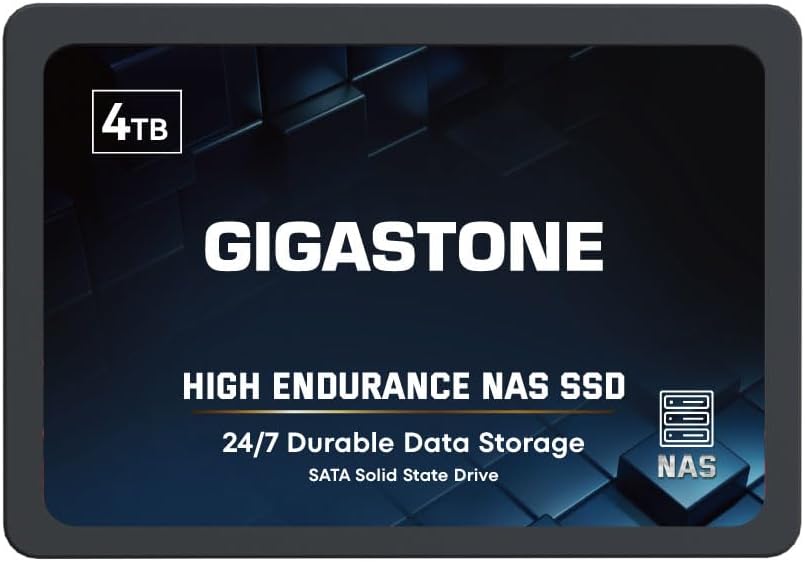
The Gigastone 4TB High Endurance SSD is explicitly positioned for NAS caching and sustained storage workloads. Its 4.0 rating is the lowest numeric score among the rated products in the list, but the specification set includes 24/7 NAS operation, ECC, power-loss protection, silent operation, and a claimed sequential speed of up to 530 MB/s.
We may earn a commission when you buy through this link, at no additional cost to you.
Its 2.5-inch SATA III format provides a broad option for NAS systems that do not offer M.2 slots. The drive uses 3D NAND with SLC caching, and the manufacturer states compatibility with Synology, QNAP, Asustor, and other NAS models. It is not suggested for server models or SAN environments, making the intended use relatively specific.
Compatibility should still be checked against the NAS manufacturer's drive list. SATA SSDs can be limited to storage-tier functions, unsupported as formal cache devices, or restricted by the operating system's management software. The 530 MB/s figure is also a sequential maximum rather than a guarantee for small random operations.
This drive is worth considering for a compatible NAS that supports SATA SSD caching, especially for users who value endurance features and a five-year replacement warranty. It is less compelling where NVMe is available, because M.2 SSDs generally offer more flexible installation and higher interface bandwidth, but it remains a practical option for systems limited to SATA.
ECC, power-loss protection, and high-endurance positioning target environments where the SSD remains active around the clock. These features can complement a cache role, although exact cache operation and failure handling remain controlled by the NAS software.
For NAS enclosures without M.2 connectors, a standard 2.5-inch SATA SSD can provide a straightforward way to add fast storage. Buyers should verify the enclosure's listed support, bay type, and cache-management options before purchasing.
We may earn a commission when you buy through this link, at no additional cost to you.
The Western Digital 500GB WD Red SN700 is a purpose-built NAS NVMe SSD with a 4.5 customer rating. Its M.2 2280 form factor, Gen3 PCIe interface, and claimed read speed of up to 3,430 MB/s make it an excellent candidate for a NAS with SSD cache when low latency and throughput matter.
We may earn a commission when you buy through this link, at no additional cost to you.
Western Digital describes the drive as suited to virtualization, collaborative editing, multitasking, and multi-user NAS workloads. Those are exactly the kinds of tasks that can benefit from separating frequently accessed data from slower hard-drive storage. A 500GB capacity is enough for a cache or a compact high-performance application tier in many home systems.
The M.2 format requires a compatible slot, and some NAS platforms restrict which SSDs can be used for formal caching. Buyers must also account for the physical presence of a heat spreader, motherboard clearance, operating-system requirements, and cache-protection behavior. A fast interface cannot make a bottleneck elsewhere disappear.
The SN700 is a strong choice for owners of a compatible M.2 NAS who want a recognized, NAS-focused cache drive. It is less suitable for a two-bay SATA-only enclosure or for storing large archives, but it is well aligned with databases, active editing, containers, and frequently accessed collaboration files.
NVMe performance is most valuable when applications repeatedly request smaller files or active datasets. Moving those workloads away from mechanical storage can improve responsiveness and help sustain concurrent access when the network and processor are adequately equipped.
A cache does not need to hold every file, but a larger SSD can retain a broader working set and may be more useful as a direct storage tier. The 500GB model works well when the goal is acceleration, while larger members of the same drive family offer more room for hot data.
We may earn a commission when you buy through this link, at no additional cost to you.
The SanDisk NAS 600 1TB is a 2.5-inch SATA SSD designed specifically to energize NAS input-output performance and responsiveness. It can function as a cache or an SSD storage tier, and the supplied information lists capacities up to 4TB within the broader product family.
We may earn a commission when you buy through this link, at no additional cost to you.
The drive is engineered for continuous operation in 24/7 NAS environments, including multi-drive and RAID configurations. Its endurance rating can reach 2,500 TBW on 4TB models, while the stated mean time to failure is 2.25 million hours. A five-year limited warranty adds support for buyers creating a long-term storage tier.
No customer rating was supplied for this listing, so it should not be compared numerically with the rated products. Its SATA interface also caps it below the throughput potential of an NVMe drive, although the result still depends on network and host performance. A 2.5-inch, 7mm drive can fit many NAS layouts, but the enclosure's supported form factors and cache rules must be verified.
This SSD is a good candidate for a compatible NAS that offers SATA SSD caching or tiering without an M.2 slot. It is particularly useful in multi-user environments or mixed storage arrays where frequently accessed files need lower latency. For buyers prioritizing maximum bandwidth, an NVMe option may be more appropriate.
Continuous-operation design and high endurance make this drive more relevant to a busy NAS than a general-purpose consumer SSD. These characteristics are especially useful in a tier that receives frequent writes, such as active projects, application data, or camera footage.
The drive can serve either as transparent acceleration or as a directly addressed high-speed tier. The first option is convenient for general responsiveness, while the second gives users more control over placing important data on fast storage.
We may earn a commission when you buy through this link, at no additional cost to you.
The best choice depends on matching SSD support, network speed, storage layout, endurance, and workload demands to the way you actually use the NAS.
A NAS enclosure may support SATA SSDs, M.2 NVMe drives, both, or a storage tier that is not a formal cache. Consult the manufacturer's current compatibility list and operating-system documentation before buying, because physical drive support does not always guarantee support for cache acceleration, RAID membership, or application volumes.
A cache is normally managed by the NAS and mirrors selected data for speed, while a storage tier gives you direct control over which files remain on the SSD. Some platforms support read caches, write caches, write-back modes, or special application-specific caches, each with different implications for performance and resilience.
An NVMe drive can deliver far more than a 1GbE network can carry, while 2.5GbE and 10GbE can expose more of an SSD's speed when clients, switches, and cabling support them. Include the full transfer path in your calculations rather than judging the NAS from the drive's headline speed alone.
A small cache can accelerate a limited working set, but a larger SSD may support more active files, virtual machines, databases, or direct storage tiers. Hard drives remain useful for large archives, media libraries, and versioned backups because they generally provide more capacity per dollar for sequential bulk storage.
Write-heavy applications, surveillance systems, databases, and virtual machines place more sustained demand on an SSD than simple file storage. Look for endurance ratings, power-loss protection, ECC, and a continuous-operation design, and remember that advertised sequential speeds do not describe random I/O performance.
RAID can improve availability or performance, but it is not a backup. Cache data may be reconstructed from primary storage after a drive replacement, yet accidental deletion, ransomware, and simultaneous failures can still threaten the array. Maintain separate or immutable copies of irreplaceable files.
Docker containers, virtual machines, photo indexing, databases, and surveillance applications all benefit from adequate memory and processing power. The DXP2800 provides 8GB DDR5, the DXP4800 GT supports memory expansion and ECC, and the DH4300 Plus includes 8GB LPDDR4X. Choose resources according to the applications you intend to run.
A four-bay design offers more flexibility than a two-bay model, but bay count alone does not guarantee a better cache. Consider the number of supported NVMe and SATA positions, maximum drive capacity, warranty, documentation, customer support, and the manufacturer's firmware update process before making a final decision.
Begin by reading the NAS and SSD compatibility documentation, installing the drives according to the enclosure's instructions, and updating the NAS firmware before creating storage volumes. Configure the hard drives and SSD in the intended RAID or individual-volume arrangement, then create the cache or storage tier through the management interface. Enable a scheduled backup to an independent destination as soon as the primary data is accessible.
After adding or replacing an SSD, allow the NAS to rebuild any protected metadata and confirm that the cache or tier reports a healthy state. Keep firmware, application packages, and the NAS operating system updated, but do not interrupt an active array rebuild or major storage operation. Monitor temperatures, drive health, cache status, network activity, and available capacity through the vendor's management tools.
Treat the SSD as part of a complete storage system rather than a disposable speed accessory. Use compatible, properly sized drives; maintain good airflow around the enclosure; and avoid abrupt shutdowns. Keep the enclosure away from dust, moisture, direct heat, and unstable power. Periodically verify that backup jobs complete successfully, test restoration procedures, and reconsider the cache setup as your storage needs and workload change.
An SSD cache temporarily stores frequently requested data so the NAS can serve it with lower latency than it could from a hard drive. The NAS manages this process and can typically reconstruct the cached information from the primary array. It can improve responsiveness, although it does not turn the entire NAS into an SSD system or provide extra usable capacity.
No. The NAS must have a compatible SSD slot and software support for the intended cache or tiering function. Some systems support SATA SSDs but not M.2 NVMe drives, while others permit direct SSD volumes without offering a formal cache. Always verify the current compatibility list and operating-system documentation.
NVMe generally offers higher interface bandwidth and lower latency than SATA, but the visible difference depends on the network, client device, RAID mode, workload, and NAS processor. A SATA SSD may still improve responsiveness substantially in a 1GbE environment, while an NVMe drive can shine in a properly equipped 2.5GbE or 10GbE system.
Hard drives remain useful because they usually offer more capacity for bulk storage, media libraries, and long-term archives. A practical system often combines hard drives for capacity with one or more SSDs for caching, applications, or active data. The right ratio depends on how much data must remain on fast storage.
An SSD cache is designed primarily for performance and is not a substitute for RAID or backups. RAID can help maintain availability after certain drive failures, but it does not reliably protect against accidental deletion, ransomware, firmware issues, or loss of the entire device. Keep independent backups of irreplaceable information.
The right amount depends on the working set and the cache design. A smaller SSD can improve frequently accessed data, while a larger one can also host databases, containers, active media, or a direct storage tier. Consider both how quickly the working set changes and whether you want the SSD to be a transparent cache or a separate high-speed volume.
No. The processor, memory, filesystem, RAID level, drive firmware, network path, and application all influence results. A capable processor helps with compression, containers, virtual machines, and other intensive operations, but a simple home file share may remain limited mainly by its network connection and the client device.
RAID 0 can combine capacity and improve certain sequential workloads, but it provides no redundancy and any drive failure can affect the array. It may suit temporary scratch data that is already backed up, but many home users should consider RAID 1, SHR, or another resilient configuration for important files.
The UGREEN NAS DXP2800 is the most compact all-round choice for users who want dedicated NVMe expansion, while the UGREEN NAS DXP4800 GT leads the premium group with its Ryzen processor, dual 10GbE networking, and extensive SSD options. The UGREEN NAS DH4300 Plus stands out as the practical budget route into a four-bay, cache-capable home NAS.
Prioritize confirmed cache or tiering support, matching drive form factors, and the speed of the entire client-to-NAS path. SSD-only products such as the WD Red SN700 and SanDisk NAS 600 can deliver strong low-latency storage, while WD Red Plus hard drives remain useful for adding capacity beneath that fast tier. More bays, faster networks, and stronger applications matter only when your workload can use them.
Before ordering, review the NAS's current drive compatibility list, confirm the intended RAID and cache mode, and check current product availability and pricing. Product details and market conditions can change after publication, so the final configuration should be validated against the latest manual and manufacturer support resources.