
Dell S2425HSM
4.7Editor score
Fully adjustable ergonomic stand
144Hz refresh rate
Integrated dual 3W speakers
TÜV-certified eye comfort
A monitor that can rotate vertically gives you more flexibility than a conventional landscape-only display. Portrait orientation can make documents, code, chat windows, and reference material easier to read, while many models also pivot back to landscape for gaming or general entertainment.
We compared ten monitors based on pivot capability, stand adjustability, resolution, refresh rate, response time, color performance, connectivity, and practical features such as speakers, adaptive synchronization, and eye-comfort functions. The list includes business, productivity, hybrid-work, and gaming-focused models.
Each review explains where that monitor is strongest, where compromises appear, and which users may benefit most. The top selections highlight different priorities: value, gaming performance, and a more advanced visual feature set. Product availability and prices can change, so verify current listings before purchasing.
4.7Editor score
4.2Editor score

4.5Editor score
As an Amazon Associate we earn from qualifying purchases.
The comparison below highlights each monitor's core panel, gaming performance, portrait support, and key connection features. All ten models offer vertical adjustment or pivot support, but their resolution, refresh rates, and intended use vary considerably.


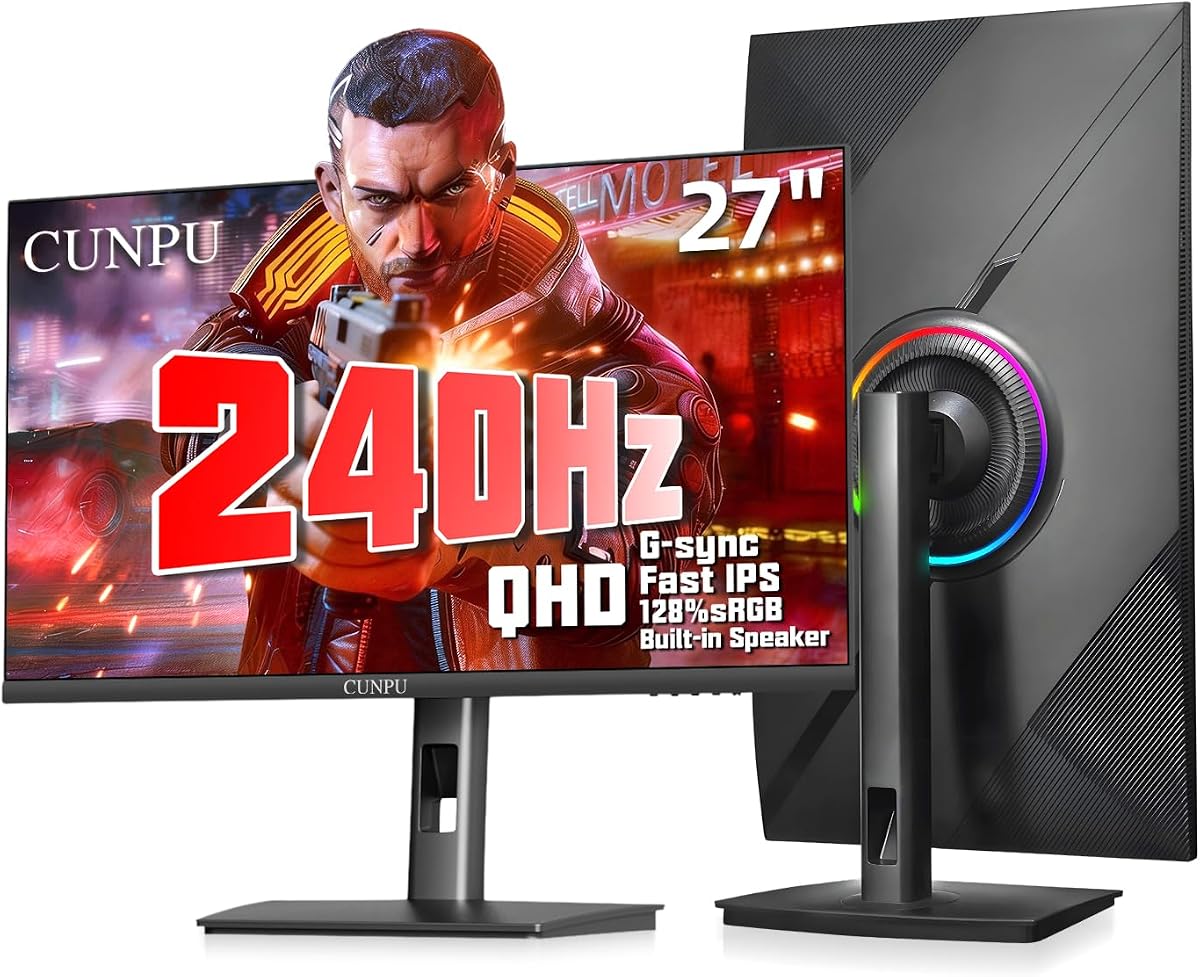
The CUNPU 27 Inch 1440P 240Hz is the most complete all-round choice in this guide because it balances a sharp 2560-by-1440 panel with one of the highest refresh rates available here. It carries a 4.2 rating, supports a 90-degree pivot on each side, and includes height, swivel, and tilt adjustments. That combination makes it suitable for both a vertical coding workflow and a fast landscape gaming setup.
We may earn a commission when you buy through this link, at no additional cost to you.
The Fast IPS panel provides 240Hz refresh, 1ms GTG response, HDR10, and broad color coverage advertised at 125% sRGB and 100% DCI-P3. FreeSync and G-Sync compatibility can help synchronize the image with compatible graphics hardware. For entertainment, the built-in 2x 2W speakers provide a convenient option for system audio, while the OSD includes modes for games, movies, text, and general viewing.
The stand is unusually flexible for the category. It pivots between -90 and 90 degrees, swivels through the same range, tilts from -5 to 15 degrees, and offers 5.11 inches of height adjustment. It also accepts 100-by-100-millimeter VESA mounts, desk mounts, and articulating arms. The trade-off is that aggressive fast-IPS response specifications do not always translate into perfectly motion-free movement, and the provided HDR information is less detailed than on some higher-end alternatives.
This is the strongest recommendation for a user who wants one monitor to handle programming, spreadsheets, gaming, video, and general productivity without settling for low refresh rates. Its QHD panel also gives portrait-mode documents more usable detail than a standard FHD display. It is especially compelling for competitive gaming, although buyers who prioritize absolute black levels or workstation-grade color certification may want to investigate a more specialized panel.
The broad 90-degree pivot lets the panel move from wide landscape viewing to a full portrait orientation without requiring a separate stand. That is especially useful when switching between coding, long documents, and games.
The 240Hz refresh rate and 2560-by-1440 resolution create a useful middle ground: enough pixel density for detailed interfaces while preserving the low-latency responsiveness sought by gamers.
We may earn a commission when you buy through this link, at no additional cost to you.
The Dell 24 Plus S2425HSM stands out as a value-focused option for buyers who need reliable portrait support without focusing exclusively on competitive gaming. Its 4.7 rating is the highest among the listed models. The 23.8-inch FHD display combines a 144Hz refresh rate, 1ms MPRT, a 1500:1 contrast ratio, and AMD FreeSync support, making it more versatile than a typical office monitor.
We may earn a commission when you buy through this link, at no additional cost to you.
Physical adjustment is one of its main strengths. The product listing explicitly identifies height, tilt, pivot, and swivel adjustment, allowing the screen to move into portrait mode and then return to a comfortable landscape position. Integrated dual 3W speakers add more audio capability than many compact business displays, while a 4-star TÜV-certified design indicates attention to reduced blue-light emissions and overall visual comfort.
Its limitations begin with resolution. At 1920 by 1080, the display is suitable for documents, browsing, communication applications, and general office work, but it offers less desktop density than the QHD models in this guide. The stated connectivity is also simpler, centered on HDMI rather than a broad combination of video, USB, and audio interfaces. A 1ms MPRT figure is useful for motion presentation, though it is not the same type of native pixel-response measurement cited by every gaming display.
The Dell is best for students, office workers, hybrid employees, and casual gamers who want a clean, flexible setup. It may also appeal to anyone who prefers a recognizable business-oriented design and integrated speakers without adding separate desktop equipment. For dense professional timelines, extensive code, or high-end competitive gaming, the CUNPU QHD model offers more resolution and a substantially higher refresh rate.
Height, tilt, swivel, and pivot controls make it easier to adapt the display to different users, desk heights, and viewing positions. Portrait mode is especially helpful for long documents and narrow application columns.
The 144Hz panel, FreeSync support, and integrated speakers give this business-oriented monitor enough capability for casual games and everyday media without requiring a separate soundbar.
We may earn a commission when you buy through this link, at no additional cost to you.
The KTC H27E6S is the most premium-oriented entry because it combines QHD resolution, a 240Hz native refresh rate, an advertised 275Hz overclock, HDR400, 400-nit brightness, and a fully adjustable stand. Its 4.5 rating and white housing also give it a distinctive appearance. The monitor is aimed at gamers and content-focused users who want vertical flexibility without giving up high refresh performance.
We may earn a commission when you buy through this link, at no additional cost to you.
The Fast IPS panel is specified at 2560 by 1440, with a 123% wide color gamut, HDR400 contrast and highlight support, and adaptive synchronization intended to reduce tearing, stuttering, and input lag. The stand supports height, pivot, swivel, and tilt adjustment, allowing rotation for coding, browsing, and content creation. A 100-by-100-millimeter VESA-compatible design and the included speakers further broaden its practical appeal.
The important caveat is that the 275Hz figure is an overclock rather than the standard native refresh rate. Achieving it depends on compatible graphics hardware, signal bandwidth, and system settings. It is also a large 27-inch QHD model, so buyers need adequate desk depth and room for the stand in landscape mode. The listing does not provide detailed port-by-port refresh limits, so prospective owners should verify compatibility before purchase.
This KTC is an attractive option for competitive gamers who also edit content, code, or multitask. Its QHD canvas provides more room for side-by-side work than FHD, while the stand allows a quick move into portrait orientation for long documents. It is less compelling for buyers who only need a straightforward office display, but for a flexible gaming and productivity monitor, it delivers one of the strongest feature combinations in the roundup.
A 240Hz native refresh rate, possible 275Hz overclock, and adaptive synchronization make this one of the most performance-focused models here. The QHD panel also preserves more visual detail than the FHD alternatives.
Integrated speakers remove the need for separate desktop audio in many everyday setups, while VESA compatibility provides another route to position the large panel on an arm or wall bracket.
We may earn a commission when you buy through this link, at no additional cost to you.
The CRUA 24.5-inch 200Hz combines a high-refresh FHD gaming panel with one of the most flexible stands in the guide. It has a 4.2 rating, supports 200Hz refresh, and uses a 3ms response time. Its defining feature is an adjustable stand that includes a 90-degree portrait rotation, 120 millimeters of height movement, tilt, and swivel.
We may earn a commission when you buy through this link, at no additional cost to you.
The display covers 1920 by 1080 at 200Hz, with 120% sRGB color coverage, 8-bit color, 300-nit brightness, and a 1000:1 contrast ratio. FreeSync support targets smoother motion and reduced tearing, while a crosshair feature is included for gaming. Connectivity includes HDMI 2.0, DisplayPort 1.2, a 3.5mm audio output, and a USB port that can charge mobile devices. DisplayPort is the specified route to 200Hz.
The FHD resolution keeps the monitor more approachable than a QHD model but provides less room for dense documents and professional applications. Its stated 300-nit brightness is adequate for a controlled office or regular indoor use, though it is lower than the KTC H27E6S's 400-nit figure. Three-sided narrow bezels help the display look modern, and the snap-on bracket simplifies initial assembly without tools.
CRUA is a good match for gamers who want a high refresh rate, a rotating stand, and several connection methods in a single screen. It also works well for students and office users who rotate frequently but do not need extensive color coverage. Competitive players may prefer the CUNPU's QHD clarity and 240Hz rate, while Dell's S2425HSM may be a calmer business choice with a higher listed rating.
HDMI, DisplayPort, audio output, and USB charging provide useful options for desktops, laptops, and mobile devices. DisplayPort offers the listed path to the monitor's maximum 200Hz refresh rate.
The rotating stand moves the 24.5-inch panel into portrait orientation for long documents and narrow workflows, while height, tilt, and swivel controls make it easier to optimize the landscape position.
We may earn a commission when you buy through this link, at no additional cost to you.
This 23.8-inch vertical PC monitor is distinctive because it combines physical 90-degree rotation with one of the broadest input selections in the guide. It has a 3.7 rating, an FHD 1920-by-1080 panel, 60Hz refresh, and a 5ms response time. Rather than targeting competitive gaming, it is designed as a flexible display for offices, homes, surveillance setups, and unusual source devices.
We may earn a commission when you buy through this link, at no additional cost to you.
HDMI, VGA, BNC, USB, AV, and audio input/output connections support PCs, laptops, CCTV equipment, Raspberry Pi systems, TV boxes, and USB storage media. Two built-in speakers and a remote control make operation more convenient, while 100% sRGB color, 250-nit brightness, 178-degree viewing angles, and a 1000:1 contrast ratio provide a conventional office display foundation.
A critical distinction is that the monitor does not auto-rotate. The screen can physically pivot, but portrait-mode image orientation must be configured by the connected source device. If the source does not support rotation, the display remains in landscape mode. Its 60Hz refresh and 5ms response also make it a less compelling choice for fast games, despite the physical pivot and otherwise versatile feature set.
The monitor is most appropriate for users whose equipment includes legacy or specialized connections, especially BNC, VGA, or AV sources. It can be useful for control rooms, media playback, or a mixed office and entertainment setup. For ordinary PC productivity, however, a 100Hz business display or a higher-refresh gaming monitor may offer a more modern experience and stronger customer feedback.
BNC, VGA, AV, USB, and HDMI compatibility expands the monitor's usefulness beyond standard desktop computers. The remote control and media-playback support make it practical for entertainment and surveillance-oriented installations.
The stand physically turns the panel 90 degrees, but the source device must also rotate its output. This is an important distinction for offices using managed systems or older hardware.
We may earn a commission when you buy through this link, at no additional cost to you.
The Samsung 24-inch S40GD is a polished business monitor that includes vertical pivot support without focusing on elaborate gaming specifications. It carries a 4.4 rating and uses a 24-inch IPS panel with a 100Hz refresh rate. The slim frame, thin bezels, and adjustable height make it a natural fit for offices, study areas, and professional workspaces.
We may earn a commission when you buy through this link, at no additional cost to you.
IPS technology is designed to maintain color and brightness consistency as viewing angles change, which is useful when a display is moved between landscape and portrait positions. The listing also highlights reduced blue light and screen-flicker features for longer sessions. Game-oriented picture settings and contrast controls are included, but they are secondary to the model's business-oriented positioning.
The main limitation is its more conventional performance level. A 100Hz IPS panel is responsive enough for everyday applications and casual gaming, but it is far removed from the 200Hz to 275Hz rates of the gaming-focused alternatives. The supplied information also gives less detail about exact ports and stand dimensions than some other entries, so buyers who require USB hub functionality, built-in speakers, or a specific mounting pattern should confirm compatibility.
The S40GD makes sense for an office user who values a familiar brand, clean styling, and flexible screen positioning. Its 24-inch size keeps the footprint relatively manageable, and the IPS panel is a sensible choice for documents, finance, communication, and general office applications. The 27-inch S40GD offers the same core feature set with more screen area, while the Dell S2425HSM may be preferable for higher refresh and integrated audio.
IPS displays are valued for stable color reproduction and broad viewing-angle performance. Those qualities remain useful when a screen is turned toward a different person or shifted into portrait mode.
The slim housing and ultra-thin border bezels maximize usable screen area while keeping the monitor visually understated. Height and pivot controls add practical flexibility without complicating the design.
We may earn a commission when you buy through this link, at no additional cost to you.
The KTC H27F7 combines a large 27-inch format with a 240Hz refresh rate, one-millisecond response time, and full stand adjustment. Its 4.5 rating makes it one of the stronger-rated products in the guide. The panel is Fast IPS at 1920 by 1080, and the stand offers 130 millimeters of height movement, a 90-degree pivot, and tilt for switching between gaming and portrait workflows.
We may earn a commission when you buy through this link, at no additional cost to you.
Color specifications include 131% sRGB coverage, 350-nit brightness, a 1000:1 contrast ratio, and HDR support. Low-blue-light and flicker-free features are also highlighted. Adaptive synchronization is listed for reducing lag and tearing, while HDMI, DisplayPort 1.4, and USB 2.0 provide useful connection options. The monitor supports 100-by-100-millimeter VESA mounting.
Its central compromise is resolution. A 27-inch FHD panel can feel less refined than a 27-inch QHD model, particularly when displaying dense text, spreadsheets, or editing timelines. Users accustomed to 1440p may notice the difference. Its 350-nit brightness is respectable for indoor gaming, but it trails the 400-nit KTC H27E6S, which also offers higher native pixel density.
The H27F7 is a strong option for a gamer who prefers a large display, very high refresh, and straightforward physical pivot support. It is also useful for mixed use because the stand can reposition the panel for coding or document reading. If workspace density is equally important, the CUNPU 1440P or KTC H27E6S would be stronger choices. For gamers who prioritize speed alone, this KTC delivers the core specifications well.
The 27-inch panel gives games and entertainment a broad canvas, while 240Hz refresh and one-millisecond response target fast, responsive motion. This combination favors competitive and action-oriented play.
A 90-degree pivot and 130 millimeters of height adjustment allow the panel to move from immersive landscape play to a more practical portrait position for reading and coding.
We may earn a commission when you buy through this link, at no additional cost to you.
The KTC 24.5-inch 240Hz Vertical is a bright, fast FHD option with a 4.3 rating. It pairs a 240Hz refresh rate with adaptive synchronization and a one-millisecond MPRT response, while its stand supports height adjustment, a 90-degree pivot, and -5-to-20-degree tilt. It is a strong candidate for gamers who want fast motion and a bright display in a compact diagonal size.
We may earn a commission when you buy through this link, at no additional cost to you.
Color is another significant strength. The monitor is listed at 94% DCI-P3 and 114% sRGB coverage, with 400-nit brightness and HDR400 support. A Fast IPS panel offers a 178-degree viewing angle, and eye-care technology includes low-blue-light and flicker-reduction features. HDMI 2.0 and DisplayPort 1.4 connections make it suitable for modern desktops, laptops, and compatible consoles.
As with other FHD gaming options, screen density is the primary limitation. At 1920 by 1080, it will not offer the same amount of simultaneous information as a QHD model. The one-millisecond value is also an MPRT measurement, which describes perceived motion response rather than the native pixel transition time cited by the CUNPU. HDR400 is useful but does not represent the high luminance and tonal range associated with more advanced HDR standards.
This KTC is well suited to fast gaming in a bedroom, dorm, or shared space where 24.5 inches is easier to accommodate than a 27-inch screen. It is also effective for mixed productivity because portrait rotation makes reading and narrow workflows more comfortable. Buyers prioritizing high resolution can move up to the CUNPU QHD or KTC H27E6S, while those focused on brightness may prefer this model's 400-nit figure.
The combination of 400-nit brightness, HDR400, and broad sRGB coverage should produce vivid indoor images, while 240Hz refresh keeps fast-moving content fluid.
The 90-degree pivot, height adjustment, and tilt range let owners alternate quickly between landscape gaming and portrait reading. VESA compatibility also supports alternative mounting arrangements.
We may earn a commission when you buy through this link, at no additional cost to you.
The Samsung 27-inch S40GD expands the S40GD line for users who want a larger office canvas. It has a 4.4 rating, an IPS panel, a 100Hz refresh rate, height adjustment, and the ability to pivot into a vertical view. The 27-inch diagonal offers more room for documents, communication tools, and side-by-side application windows than the 24-inch version.
We may earn a commission when you buy through this link, at no additional cost to you.
Color consistency across viewing angles is a central strength of the IPS panel, and the display reduces blue light and screen flicker for extended sessions. Ultra-thin bezels make the larger screen look streamlined, while the slim housing should fit more easily into a contemporary office aesthetic. Game picture settings and adjustable image contrast provide some flexibility for recreational use.
This is not a high-refresh gaming monitor, and its 100Hz rate is modest compared with the 200Hz, 240Hz, and 275Hz models included here. The provided product information also does not identify built-in speakers or a detailed port configuration, so those features should not be assumed. It is better viewed as a flexible productivity display with some entertainment capability.
The 27-inch S40GD is well suited to analysts, writers, programmers, and office teams that need more workspace than a compact monitor provides. Rotating to portrait orientation can make long documents easier to scan, while the large landscape area remains useful for spreadsheets and communication. For gaming, choose a higher-refresh model; for business flexibility, this Samsung delivers a balanced and familiar package.
A 27-inch IPS display provides additional space for spreadsheets, reports, and side-by-side windows. The larger area is useful when you want one screen to serve several business roles.
The pivot support changes the geometry of the screen, allowing a tall column of text to occupy the display more naturally. That can reduce unnecessary horizontal scrolling in document-heavy workflows.
We may earn a commission when you buy through this link, at no additional cost to you.
The KTC 24.5-inch 240Hz H25T7-3 is a compact, high-speed gaming display with a stand that supports pivot, tilt, and height adjustment. It provides a 1920-by-1080 Fast IPS panel, 240Hz refresh, and a one-millisecond MPRT response. Because no customer rating is currently supplied, the product's appeal should be judged primarily from its technical specifications.
We may earn a commission when you buy through this link, at no additional cost to you.
The display includes HDR400, 114% sRGB color coverage, 16.7 million colors, a 1000:1 contrast ratio, 350-nit brightness, and 8-bit color. Its 178-degree viewing angle and low-blue-light, flicker-free features add value for extended use. Connectivity comprises two HDMI 2.0 ports, one DisplayPort 1.4 port, and one USB 2.0 port. A 100-by-100-millimeter VESA mount is supported.
Its main limitation is resolution. Although 240Hz is excellent for fast games, FHD offers less detail than QHD alternatives, particularly in productivity applications. The MPRT response specification should also not be compared directly with a native pixel-response value. HDR400 adds visible highlight capability but remains less advanced than premium HDR implementations with higher brightness and more detailed tone mapping.
This monitor is a sensible option for a gamer who prioritizes refresh rate, fast motion, and a manageable 24.5-inch size over maximum resolution. It can also rotate vertically for documents, coding, or browsing, making it a credible hybrid-work display. The KTC H27E6S is the better choice when QHD clarity matters, while the similarly sized 240Hz Vertical model has a listed customer rating and brighter 400-nit specification.
The 24.5-inch format gives fast games a large viewing area without taking up as much desk space as many 27-inch models. It can suit smaller desks and competitive setups.
Two HDMI 2.0 inputs, DisplayPort 1.4, and USB 2.0 provide enough flexibility to connect a primary gaming PC, laptop, and other accessories with relative convenience.
We may earn a commission when you buy through this link, at no additional cost to you.
Portrait capability should be evaluated alongside panel resolution, stand mechanics, refresh behavior, and connection needs. A monitor that rotates is only useful if it can be positioned comfortably and if the operating system and connected device correctly support portrait output.
Choose a verified 90-degree pivot when you expect frequent switching between documents and entertainment.
Prioritize height, tilt, and swivel controls that cover your normal seating and viewing positions.
Choose QHD for dense professional work and FHD for straightforward use or high-refresh gaming.
Check the measurement type and synchronization support rather than comparing response numbers alone.
Use color-gamut figures as a broad guide, then consider contrast, brightness, panel type, and intended use.
List the devices and peripherals you plan to connect, then verify every required video and USB function.
Match the VESA pattern and allow room for the stand in both landscape and portrait orientations.
Prioritize the panel and stand first, then decide which convenience features genuinely improve your routine.
Before rotating the screen, place the base securely, disconnect unnecessary cables, and confirm that the stand's movement area is clear. The panel should normally be moved while in landscape orientation because many stands provide more clearance in that position. Support the upper frame rather than pulling on the screen, and avoid forcing the pivot beyond the manufacturer's stated range. Review the included stand instructions before removing or attaching components.
Portrait display orientation is controlled by the connected computer or device, not merely by the physical stand. On many systems, the operating system includes a display-rotation command or an orientation setting in the display control panel. Some applications also need to be refreshed or relaunched after a change. If the image remains sideways, rotate the display from the system settings rather than attempting to correct it through unrelated monitor controls.
For daily care, clean the panel with a soft microfiber cloth and avoid liquids that can seep into the bezel. Keep the vents unobstructed, keep liquids away from power and signal connections, and avoid placing the monitor near direct heat. When the display is not in use, it can remain in portrait mode, but returning it to landscape for general viewing can make the panel easier to maintain. Handle wall or articulating-arm setups carefully and avoid adjusting them while the screen is under load.
It is a monitor whose stand allows the panel to pivot approximately 90 degrees into portrait orientation. This makes tall documents, code, chat windows, and reference content easier to view. Physical rotation is separate from automatic screen orientation, which must be controlled by the connected device.
Usually, yes, provided the laptop can output video through a compatible HDMI or DisplayPort connection. Some compact laptops require an adapter, and not every USB-C port supports video output. Check the laptop's specifications and the monitor's input capabilities before buying.
Most modern Windows, macOS, and Linux systems include a display-orientation option. The physical stand is rotated first, and the operating system is then instructed to change the image from landscape to portrait. In some cases, restarting an application may be necessary before it redraws correctly.
QHD generally provides more detail and desktop space, which can benefit coding, documents, and creative applications. FHD remains suitable for basic productivity and is often paired with very high refresh rates for gaming. The best choice depends on whether workspace density or gaming performance matters more to you.
Yes, although most games are designed for landscape dimensions, so portrait play is more common with simulation, strategy, arcade, and some retro titles. The pivot also allows a single monitor to move between games and portrait-friendly work. A high-refresh model is preferable for competitive landscape gaming.
Pivot refers to the physical movement of the monitor panel on its stand. Screen rotation refers to changing the image orientation in software. To use portrait mode properly, both actions are needed: physically pivot the panel and then rotate the output through the source device's operating system.
It can if the display has a compatible VESA mounting pattern and the arm or bracket supports the required size and weight. The most common patterns in this guide are 75 by 75 millimeters and 100 by 100 millimeters. Verify both specifications and ensure the arm offers suitable portrait-range movement.
They are sufficient for system notifications, video calls, and casual media, but they generally do not provide the depth or output of dedicated gaming speakers or headphones. A model with built-in speakers can still be convenient for users who want a simpler setup with fewer accessories.
The CUNPU 27-inch 1440P 240Hz is the strongest all-around choice because it combines QHD detail, a 240Hz refresh rate, broad adjustment, adaptive synchronization, and a full 90-degree pivot. The Dell 24 Plus S2425HSM is the best value-oriented option, offering a highly rated, well-equipped FHD display with a fully adjustable stand. The KTC H27E6S is the premium selection for buyers who want QHD resolution, exceptional refresh capability, HDR400, and 400-nit brightness.
Prioritize the features you will use most. A programmer or document-heavy office worker may value QHD resolution and reliable pivot mechanics more than an extreme refresh rate. A competitive gamer should look for high refresh, low-latency specifications, adaptive synchronization, and the required video input. If desk space is limited, a 24-inch or 24.5-inch model may be more practical than a full 27-inch display.
Finally, verify the current listing, included accessories, port configuration, and device compatibility before ordering. Product configurations and prices can change, and manufacturer details may evolve. The guide reflects the supplied November 2026 product information, so checking the live retailer page is the best final step for confirming availability and current terms.