
Aurant 15.6-inch Laptop
5.0Editor score
Full-size backlit keyboard
Numeric keypad and fingerprint unlock
Portable 15.6-inch design
A senior-friendly laptop should make communication, entertainment, shopping, and document tasks feel uncomplicated rather than intimidating. The right model combines a legible display, comfortable keyboard, dependable battery, clear speakers, and a design that is easy to carry while remaining useful for everyday computing.
The ten laptops in this guide were compared using their published specifications, stated features, display characteristics, connectivity, included software, portability details, and customer ratings. The list covers compact models, larger screens, touchscreens, full-size keyboards, and different levels of processing power for light to moderate daily work.
Each review explains who may benefit from the laptop, what stands out, and where compromises may arise. Product configurations and availability can change, so readers should verify the current listing and specifications before purchasing. Every recommendation is most suitable when its capabilities align with the intended user.
5.0Editor score

4.5Editor score

4.4Editor score
As an Amazon Associate we earn from qualifying purchases.
This side-by-side overview compares screen size, processor class, memory, and storage across the ten featured laptops, helping readers identify the model that best matches their comfort and computing needs.



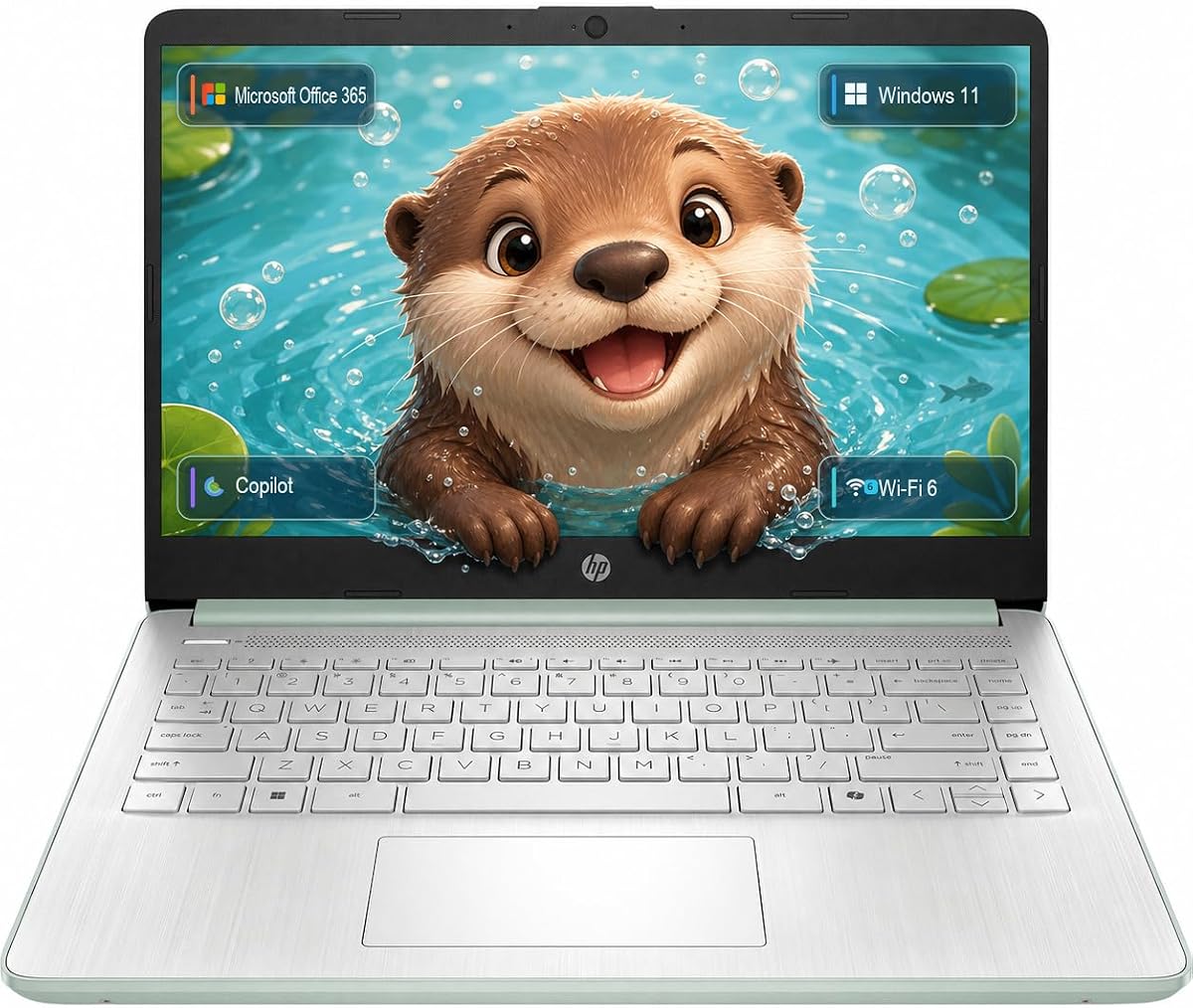


The HP 14-inch N150 Laptop is a straightforward everyday model built around portability, familiar software, and a practical mix of connections. Its 14-inch non-touch display provides 250 nits of brightness and an anti-glare coating, while the slim 0.71-inch chassis weighs only 3.24 pounds. Those characteristics make it a sensible option for users who want a laptop that is easy to move between rooms or carry in a bag.
We may earn a commission when you buy through this link, at no additional cost to you.
Performance comes from the Intel N150 processor, which has four cores and four threads with speeds reaching up to 4.4 GHz. It is intended for efficient multitasking rather than intensive creative work. The included 4GB of DDR5 memory handles essential activities, while 128GB of solid-state storage supports the operating system, applications, and frequently used files. A 1TB cloud-storage allocation and one year of Microsoft 365 add practical value for document access and everyday office tasks.
Connectivity is one of its strongest features. The laptop includes USB 3.0 Type-C, USB 3.0 Type-A, HDMI, and a combined headphone and microphone connection, alongside Wi-Fi and Bluetooth. This range should cover common accessories, external displays, wired peripherals, and online communication. The principal compromises are the limited memory and modest local storage, which could become restrictive if the owner keeps many large applications or media files on the device.
This laptop is recommended for seniors who primarily browse the web, write messages, join video calls, watch videos, and organize documents. It offers a good balance of manageable size, included productivity software, and essential ports. Buyers who need more room for large files or heavier multitasking should consider a model with 8GB of memory and 256GB or more storage.
The anti-glare 14-inch display should be easier to view than a highly reflective screen during long reading or video-call sessions. At 3.24 pounds, the laptop also avoids the bulk commonly associated with larger computers.
Microsoft 365 provides familiar tools for writing, spreadsheets, email, and cloud files. USB-A, USB-C, HDMI, and an audio jack make it easier to connect the laptop to peripherals already used by the household.
We may earn a commission when you buy through this link, at no additional cost to you.
The Dell 15.6-inch Core 3 is designed around comfortable, familiar daily computing. Its full-HD display offers more room for web pages, messages, documents, and video calls, while the roomy keyboard and separate numeric keypad can be especially helpful for users who spend time entering numbers or prefer physical key separation. Lifted hinges also create a more natural typing position.
We may earn a commission when you buy through this link, at no additional cost to you.
The Intel Core 3 100U processor and 8GB of RAM provide a more substantial foundation for multitasking than the basic configurations in this list. That makes the Dell suitable for browser-heavy work, email, video calls, spreadsheets, and several lightweight applications open at once. Dell ComfortView software is included to help reduce potentially uncomfortable blue-light exposure during extended viewing.
Support is a meaningful advantage. The stated Dell Services package includes one year of onsite service, allowing a technician to address eligible hardware issues at the owner's home, office, or another selected location when remote resolution is not possible. Battery features include energy-efficient operation and Express Charge, while the full-HD screen and ergonomic design support extended work sessions.
This model is ideal for a senior who wants a larger display and full-size keyboard without moving to a premium touchscreen configuration. The main uncertainty is local storage, because the supplied product information does not state its capacity. Buyers should confirm that before ordering and consider how many photos, videos, applications, and downloaded files need to remain on the computer.
The full-HD display, ComfortView software, roomy keyboard, and lifted hinges create a thoughtful environment for extended reading and typing. These details can matter more than maximum processing power for users who spend long periods communicating or working online.
One year of onsite service adds confidence for buyers who may not want to transport a laptop to a repair center. The included support can provide a clearer path to troubleshooting eligible hardware issues.
We may earn a commission when you buy through this link, at no additional cost to you.
The HP OmniBook 3 stands out as the most balanced option in this guide for users who prioritize a large, clear screen and generous everyday specifications. Its 17.3-inch full-HD IPS panel provides wide viewing angles, while the AMD Ryzen 3 30 processor, 8GB of LPDDR5 memory, and 512GB NVMe SSD create a capable platform for browsing, communication, entertainment, and multitasking.
We may earn a commission when you buy through this link, at no additional cost to you.
This laptop is particularly appropriate for a senior who spends considerable time reading online, following video calls, viewing photographs, or moving between several applications. Radeon 610M graphics support streaming and general entertainment. HP advertises up to 14 hours and 15 minutes of battery life, while Fast Charge can restore the battery from zero to 50 percent in approximately 45 minutes, making the model convenient for travel or a full day away from an outlet.
Communication features add to its appeal. The FHD camera includes HDR auto-switch for changing light conditions, and Advanced Personal Mode can isolate the speaker's voice while reducing competing sounds during calls. Wi-Fi 6, Bluetooth 5.4, a full-size keyboard, and a dedicated Copilot key round out the feature set. The principal drawback is the 17.3-inch size, which trades portability for a more expansive viewing area.
Overall, this model is recommended for buyers who want a generous display without stepping up to a premium processor class. It offers enough memory and storage for comfortable everyday use, plus features that support video communication. A person who regularly travels or carries a laptop for long periods may prefer a smaller model, but a home-based user will receive considerable value from the large screen.
The 17.3-inch IPS display makes text, video, and photographs easier to inspect than on a compact screen. Wide viewing angles also help when the laptop is positioned close to a comfortable viewing position rather than directly in front of the user.
The FHD camera, HDR switching, personal noise reduction, 8GB of memory, and a dedicated Copilot key support communication and productivity. The 512GB SSD also provides more room for downloaded media and locally stored documents.
We may earn a commission when you buy through this link, at no additional cost to you.
The Aurant 15.6-inch Ryzen R5 is a well-equipped budget model for seniors who want a roomy keyboard, straightforward connectivity, and enough memory for normal home computing. Its AMD Ryzen R5 processor uses a four-core, eight-thread design with a 2.00 GHz base frequency and boost speed up to 3.60 GHz, while 8GB of RAM supports browsing, office work, and multitasking.
We may earn a commission when you buy through this link, at no additional cost to you.
One of the most useful senior-oriented details is the full-size keyboard with a separate numeric keypad and backlighting. Larger keys and a dedicated number pad can make typing and data entry more comfortable. The laptop also supports fingerprint unlock, offering a quicker way to access the device and adding a layer of privacy for shared household computers. A large sensitive touchpad provides an alternative navigation method.
Connectivity includes two USB 3.0 ports, a 3.5mm audio connection, HDMI, a microSD card reader, and a power connection. Bluetooth 4.2 and 5GHz Wi-Fi are included for wireless use. The 15.6-inch high-definition screen offers a practical viewing area, and the 1.6-kilogram body is light enough for regular carrying. The main limitation is 128GB of local storage, which may require regular use of cloud services or an external drive.
This laptop is recommended for users who prioritize keyboard comfort, physical key separation, and essential connections at a modest cost. It suits web browsing, email, video calls, streaming, document work, and light photo viewing. Those wanting a sharper screen or more local storage should review alternative configurations before making a final decision.
The backlit full-size keyboard is especially useful in dim rooms or during evening use. Its separate numeric keypad gives users who work with figures a physical area for numerical entry without crowding the main typing section.
Fingerprint unlock can make sign-in more familiar and convenient, while USB, HDMI, audio, and microSD connections cover common accessories. A microSD card can also provide a convenient way to transfer photo files.
We may earn a commission when you buy through this link, at no additional cost to you.
The HP Everyday Slim Copilot laptop focuses on portability, video communication, and access to Microsoft productivity tools. It uses a Natural Silver chassis that weighs 3.24 pounds and a slim profile suited to movement between rooms or travel. Windows 11, Microsoft Office 365, 128GB of solid-state storage, and 1TB of cloud storage give users a familiar software environment with both local and online storage.
We may earn a commission when you buy through this link, at no additional cost to you.
Its strongest feature for family communication may be the HP True Vision 720p HD camera. Temporal noise reduction and dual array microphones are intended to make video calls clearer in ordinary home environments. The full-size keyboard includes a dedicated Microsoft Copilot key, while the multi-touch HP Imagepad provides a conventional pointing method for users who are comfortable with touchpads.
HP states that the laptop can deliver up to 11 hours of video playback or 7.5 hours of wireless streaming. The port selection includes USB 3.0 Type-C, USB 3.0 Type-A, HDMI, and a headphone and microphone combination, with Wi-Fi and Bluetooth for wireless connectivity. These details make the laptop suitable for online meetings, entertainment, browsing, and light productivity.
The lower customer rating and the fact that the supplied specifications do not list the amount of installed memory encourage a careful comparison before purchase. It is best suited to users who prioritize a slim design, Microsoft services, and clear video calls over demanding performance or maximum local storage.
A 720p camera, temporal noise reduction, and dual array microphones can improve confidence during online conversations. These features are useful for appointments, remote learning, and keeping in touch with relatives.
Windows 11, Office 365, cloud storage, and a dedicated Copilot key create a familiar productivity setup. The included cloud capacity is particularly helpful when 128GB of local storage is not sufficient.
We may earn a commission when you buy through this link, at no additional cost to you.
The HP 14-inch 2026 Laptop is a conventional all-rounder built for web browsing, document editing, streaming, online learning, and video communication. The Intel N150 processor handles everyday tasks, while 4GB of DDR4 RAM allows several basic applications to remain open. Its 14-inch HD anti-glare display offers 1366 by 768 resolution, and narrow bezels help maximize the usable screen area.
We may earn a commission when you buy through this link, at no additional cost to you.
Microsoft Office 365 Personal is included for one year with Word, Excel, PowerPoint, Outlook, and 1TB of OneDrive storage. This gives a new owner immediate access to common productivity applications without immediately needing to organize local files. The full-size keyboard includes a numeric keypad, which may be helpful for entering information, although some users may find a compact numeric pad less convenient than a full one.
Connectivity is comprehensive for a compact model. It includes Wi-Fi 6, Bluetooth 5.0, USB-C, USB 3.2 ports, HDMI, and a 3.5mm audio connection. An HD webcam with integrated microphone supports video calls and online classes. Its lightweight construction makes it appropriate for working from home, traveling, or moving between locations around the house.
This model is recommended for a senior whose needs center on communication, browsing, simple office tasks, and entertainment. The trade-off is limited memory and storage, both of which can become apparent after installing many applications or saving large media files. The current listing should be checked for details such as battery configuration and included accessories.
A 14-inch footprint can be easier to manage than a larger laptop on a kitchen table, desk, or lap desk. Despite its compact size, the model offers modern wireless connectivity and several common wired ports.
The one-year Office 365 package supplies Word, Excel, PowerPoint, Outlook, and cloud storage. It is a useful starting point for users who already know Microsoft software or want familiar tools for letters and family documents.
We may earn a commission when you buy through this link, at no additional cost to you.
The HP 14-inch Business Laptop combines a compact enclosure with the features needed for daily productivity, communication, and online learning. Its Intel N150 processor has four cores and four threads, reaches up to 3.6 GHz with Turbo Boost, and includes 6MB of L3 cache. The laptop ships with Windows 11, Office 365, and a Copilot key for straightforward access to common work tools.
We may earn a commission when you buy through this link, at no additional cost to you.
Its 14-inch HD micro-edge anti-glare display has 250 nits of brightness and a 79 percent screen-to-body ratio. The anti-glare finish can improve comfort during long reading sessions, while the relatively narrow bezel keeps the overall footprint compact. The HP True Vision 720p HD camera, dual speakers, and dual-array digital microphones create a complete setup for online classes, appointments, and family calls.
At 3.24 pounds and 0.71 inches thick, the laptop is easy to carry without sacrificing a full-size keyboard. Connectivity includes Wi-Fi 6, Bluetooth 5.4, a 10Gbps USB-C port with DisplayPort 1.2, two USB-A ports, HDMI, an audio connection, and a multi-format SD card reader. HP states up to 11 hours of video playback or 7.5 hours of mixed use.
This model is recommended for a senior who values portability, familiar Microsoft applications, and enough power for light office work. The 4GB of memory is the most significant limitation, while 128GB of UFS storage also calls for selective file management. A user with heavier multitasking needs should consider 8GB of memory and a larger drive.
The anti-glare display is designed for extended work or study, and its 3.24-pound weight limits the strain of carrying it. The slim dimensions also make it a practical choice for travel or use in different rooms.
USB-C with DisplayPort support can simplify connection to a larger external screen, while USB-A ports accommodate everyday accessories. The SD card reader and complete webcam and microphone setup are also useful for a student or home-office user.
We may earn a commission when you buy through this link, at no additional cost to you.
The HP 14-inch Office 365 Laptop is designed around everyday home computing, communication, and access to familiar Microsoft applications. The Intel N150 processor, 4GB of LPDDR5 memory, and integrated graphics provide a functional platform for browsing, streaming, document work, and routine productivity. One year of Office 365 adds access to applications and cloud services for a new owner.
We may earn a commission when you buy through this link, at no additional cost to you.
Video communication receives particular attention. The HP True Vision 720p HD camera uses temporal noise reduction, while AI noise reduction is designed to filter background sounds and capture multidirectional audio with spatial awareness. These features may be helpful in a home where a television, kitchen, or other household activity creates noise during a call. Dual speakers add convenience for entertainment and spoken content.
The 14-inch HD micro-edge anti-glare display has 250 nits of brightness and a 79 percent screen-to-body ratio. A full-size natural silver keyboard provides a conventional typing layout. Connectivity includes Wi-Fi 6, Bluetooth 5.4, a 10Gbps USB-C port with DisplayPort 1.2, two USB-A ports, HDMI, a headphone and microphone combination, and a multi-format SD reader.
This laptop is recommended for seniors who want straightforward software and reliable video-call tools in a compact format. As with other basic configurations, 4GB of memory and 128GB of storage are limiting for intensive use. The included external-hard-drive space mentioned in the product information gives users another option for maintaining larger files, but the exact bundled accessory should be verified.
The combination of a 720p camera, temporal noise reduction, AI filtering, and spatial audio awareness is designed to improve clarity. It is a useful feature set for telehealth, remote classes, and conversations with family.
Office 365 provides a low-friction way to begin using word processing, spreadsheets, email, and cloud storage. The full-size keyboard and common ports support the workflow of a home computer.
We may earn a commission when you buy through this link, at no additional cost to you.
The HP Everyday Slim N150 is positioned as a portable Windows 11 laptop for users who need a straightforward computer for communication, browsing, and routine tasks. Its Intel N150 processor, 4GB of memory, and 128GB SSD form a familiar everyday platform. Microsoft 365 is included, reducing the need to establish a separate office-software setup immediately after opening the computer.
We may earn a commission when you buy through this link, at no additional cost to you.
The webcam is the feature most clearly described. HP True Vision 720p HD imaging, temporal noise reduction, and dual array microphones can improve the experience of online meetings. A dedicated Microsoft Copilot key offers quick access to an assistant, while the multi-touch HP Imagepad gives the user a standard way to navigate without requiring a separate pointing device.
Its slim, portable format is appropriate for seniors who want to move a computer between a home office, kitchen table, or comfortable armchair. The product title also emphasizes long battery life, although exact runtime can depend on screen brightness, wireless activity, video playback, and other settings. Buyers should consult the current listing for the most detailed battery, display, and dimension information.
This is a practical recommendation for email, web browsing, online appointments, document reading, and video calls. The limited published specifications and modest memory and storage mean it should be chosen for light workloads rather than intensive editing or many simultaneous applications. Current configuration details should be confirmed before checkout.
The 720p camera and dual microphones provide the core tools for family calls, telehealth, and online appointments. A dedicated Copilot key also offers a simple route to an on-device assistant.
Windows 11 and Microsoft 365 create a familiar environment, while the slim chassis makes it easier to use the laptop in different parts of the home. The device is best suited to a straightforward personal-computing routine.
We may earn a commission when you buy through this link, at no additional cost to you.
The HP 15.6-inch Touchscreen is the feature-focused premium choice in this guide. Its 15.6-inch HD display supports direct interaction through pinches, taps, and swipes, giving users an alternative to the keyboard and touchpad. The AMD Ryzen 3 7320U processor, 8GB of LPDDR5 memory, and Radeon graphics provide a capable combination for browsing, communication, entertainment, and light creative work.
We may earn a commission when you buy through this link, at no additional cost to you.
Storage is handled by a 256GB PCIe NVMe M.2 SSD, which offers substantially better performance characteristics than a traditional hard drive. This helps with startup times, application loading, and file access. Windows 11 Home provides the modern Start menu and a familiar interface, while the larger 15.6-inch screen creates a comfortable area for reading, watching, and video calling.
The touchscreen is the clearest reason to select this model. It can make scrolling through recipes, photographs, web pages, or video calls more immediate, particularly for users who find precise cursor movement challenging. A larger screen and adequate memory also make it a strong general-purpose computer for a senior who wants room to grow beyond very basic tasks.
This laptop is recommended for users who value touch interaction and want stronger specifications than the most basic models in the list. Its compromises are the 1366 by 768 resolution, which is less sharp than full-HD, and the fact that a premium label here refers to the touchscreen and balanced configuration rather than a high-end workstation. A current-listing check remains advisable.
Tapping links, enlarging text, scrolling through photographs, and swiping through pages can reduce reliance on a small pointer. The touchscreen therefore adds a genuinely different navigation method rather than simply duplicating what the trackpad already does.
Eight gigabytes of LPDDR5 memory and a 256GB NVMe SSD offer more flexibility than entry-level 4GB and 128GB configurations. The AMD processor and Radeon graphics are also well suited to entertainment and light productivity work.
We may earn a commission when you buy through this link, at no additional cost to you.
The most suitable laptop is the one that matches the owner's daily tasks, vision needs, typing habits, and comfort with technology. Comparing screen size, keyboard design, performance, storage, connectivity, and support can prevent a powerful but complicated purchase.
In short, select the smallest display that remains easy to view from the intended position. Larger is not automatically better when the computer must be carried regularly.
Look for anti-glare treatment, sufficient brightness, and a resolution that keeps letters distinct. Touch controls are helpful when pointer precision is difficult, not a substitute for a good screen.
Choose visible, well-spaced keys and consider a backlight for evening use. Test the layout if possible, especially when a smaller numeric keypad is included.
For ordinary home use, 4GB can be workable, but 8GB offers better headroom. Match the hardware to the task rather than paying for capabilities that will never be used.
Choose at least 256GB for a more varied collection of files, or be comfortable using cloud storage and an external drive. Do not assume cloud space permanently replaces local storage.
Favor a model with a long stated runtime and an easy charging routine. Battery figures are estimates, so keep a charger nearby when travel or long appointments are expected.
List the accessories the computer must support before choosing. Look for convenient service options, especially if traveling to a repair location would be difficult.
Familiar software and straightforward controls matter more than an extra shortcut. Choose touch or standard pointing controls based on comfort rather than novelty.
Begin with a simple setup that matches the owner's normal routine. Place the computer in a stable, well-lit position, connect it to power, sign in to the Microsoft account included with the model, and adjust the display size, text scaling, brightness, and sound before completing unfamiliar tasks. Creating a short written guide for charging, opening applications, making calls, and finding saved documents can make support easier for family members.
Use the web and cloud storage wisely. Keep active documents backed up in more than one location, organize downloads into clearly named folders, and avoid filling local storage with unnecessary video and duplicate files. When using an external drive, insert it carefully, let the computer scan it, and use the system prompt to eject it before unplugging. The included antivirus and security functions in Windows 11 should remain enabled, and software should be updated through the computer's official settings.
Protect both the device and its user. Clean the screen and keyboard with a soft microfiber cloth, avoid placing food or drinks near the machine, and keep vents unobstructed. A padded case can protect the laptop during transport, while a proper screen and keyboard routine prevents accidental damage. When the computer is not in use, shut it down or place it in sleep mode according to the owner's comfort, and keep the charger in a fixed, visible location.
There is no universal ideal, but 14 to 15.6 inches is often the most practical balance of visibility and portability. A 17.3-inch display like the HP OmniBook 3 offers more viewing area and may be easier to read, but it takes up more space. The best choice depends on eyesight, viewing distance, and whether the laptop must be carried frequently.
Four gigabytes can support email, web browsing, video calls, streaming, and basic documents, especially with a few applications open. It becomes restrictive during heavier multitasking or with more demanding software. Buyers who want more flexibility should consider one of the 8GB models in this guide.
A touchscreen can make scrolling, enlarging content, and selecting on-screen buttons more direct. It may particularly help users who find precise cursor positioning difficult. However, it does not automatically make the computer simpler, so the keyboard, display quality, and overall setup should be considered together.
Most of the featured models include an HD webcam and microphones, while the HP OmniBook 3 and several slim HP laptops provide additional noise-reduction features. These can improve clarity in a busy household. A stable internet connection, suitable lighting, and a microphone or headset may still influence call quality more than the laptop alone.
The requirement depends on how many photos, videos, applications, and documents are stored locally. A 128GB drive works for essentials and can be supplemented with cloud storage, while 256GB or 512GB provides more freedom. For many users, keeping active documents backed up to the cloud makes a smaller local drive workable.
A numeric keypad is useful for entering account numbers, dates, measurements, and other numerical information. The Aurant 15.6-inch Ryzen R5 and Dell 15.6-inch Core 3 include a separate keypad, while some compact HP keyboards use a smaller integrated version. Buyers should consider hand comfort and whether the number pad makes the keyboard harder to use.
Every model in the list includes Windows 11. Several HP configurations also include a one-year Microsoft 365 or Office 365 package with cloud storage and familiar applications such as Word, Excel, PowerPoint, and Outlook. The exact duration and included components should be confirmed on the current product listing before purchase.
For browsing, email, video calls, streaming, and documents, the 14-inch HP N150 models are compact options, while the Dell 15.6-inch Core 3 and Aurant 15.6-inch Ryzen R5 offer 8GB of memory and roomier keyboards. The best choice is the model whose screen, controls, storage, and support match the owner's specific routine.
The HP OmniBook 3 is the strongest all-around recommendation because its 17.3-inch full-HD IPS display, 8GB of memory, 512GB SSD, strong connectivity, and communication features suit a home-based user who wants room and capable everyday performance. The Aurant 15.6-inch Ryzen R5 stands out as the budget choice for its backlit full-size keyboard, separate numeric keypad, fingerprint unlock, and useful port selection. The HP 15.6-inch Touchscreen is the premium pick when direct touch interaction matters.
Prioritize comfort before raw specifications. A legible anti-glare screen, familiar software, a keyboard the user can type on comfortably, and a charging routine suited to the household may matter more than a faster processor. Memory and storage should reflect the number of open applications and files. Users who travel should also weigh screen size against weight, while those who mainly browse and call from home may benefit from a larger screen.
Finally, verify the live listing before ordering. Specifications, included software, configurations, ratings, and availability can change, and the current product page may contain details not shown in this guide. Comparing the screen, keyboard, memory, storage, ports, battery claims, and support terms against the owner's routine will lead to the most dependable decision.