
Rongta Shipping Thermal Label Printer
4.1Editor score
Phone Bluetooth printing
USB computer connection
Multiple label widths
Inkless thermal output
Explore Label Printer for Royal Mail Labels options, comparing ten thermal models for connectivity, print quality, speed, compatibility, setup, and business
A label printer for Royal Mail Labels must reproduce addresses, barcodes, and service information accurately while fitting neatly into a home or small-business workflow. The right model should support the label dimensions you actually use, work with your computer or phone, and make setup straightforward. Bluetooth, USB, and Wi-Fi options each offer different convenience and flexibility.
This guide compares ten thermal shipping label printers on connectivity, resolution, supported media, printing speed, carrier-platform compatibility, setup requirements, physical design, and suitability for high-volume dispatch. It also considers practical features such as automatic media alignment, built-in storage, template libraries, and support for phones, desktops, and cloud-based shipping tools. Royal Mail users should still verify the exact label format before purchasing.
Each review explains the strongest feature, practical trade-offs, and the type of user most likely to benefit from that model. The list covers budget Bluetooth units, USB-only desktop printers, compact models with integrated storage, and a Wi-Fi option for shared access. Product ratings and availability can change over time, so check the latest listing details and current cost before making a final decision.
4.1Editor score

4.4Editor score

4.1Editor score
The comparison below highlights the main differences in connectivity, label handling, resolution, speed, and intended workflow. Royal Mail users should confirm the required label dimensions and the software workflow for their chosen carrier or fulfilment service before ordering.




This compact direct thermal printer combines wireless and wired connectivity with a rating of 4.4, making it a strong all-round choice for home dispatchers and small businesses. Its 203 DPI resolution, 150 mm/s speed, and support for standard 4×6 shipping labels cover the core requirements of a practical label-printing setup. The included FlashLabel Pro app and offline design storage are particularly useful for keeping dispatch work moving.
We may earn a commission when you buy through this link, at no additional cost to you.
The printer accepts labels from 1.57 to 4.3 inches wide, so it offers reasonable flexibility beyond a single stock size. It works with Amazon, Shopify, Etsy, USPS, UPS, FedEx, and DHL, while the 1,800-plus templates, 300-plus fonts, and editing tools help users build custom labels without a separate design package. Bluetooth supports phone, laptop, and PC use, while USB offers a more stable wired option for an office desk.
The main limitation is that output is monochrome, which is normal for a direct thermal shipping label but means it cannot reproduce colour artwork, coloured text, or photographic graphics. Royal Mail compatibility is not explicitly stated, so users should confirm the precise label dimensions and import process used by their chosen shipping platform. The included 25 sheets of 4×6 labels and overheat protection nevertheless make the package useful for immediate setup.
This is a convincing choice for sellers who want one printer to handle both occasional labelling and regular shipping. It is particularly suitable for anyone working from a phone at home, a small business counter, or a shared office, because both Bluetooth and USB are available. Choose it when ease of setup, app support, and flexible connectivity matter more than colour output or a built-in label bin.
Bluetooth removes the need for a cable when printing from a nearby phone, laptop, or PC, while USB remains useful for a fixed workstation or troubleshooting. Having both options helps the printer adapt to temporary and permanent shipping stations without changing the label workflow.
FlashLabel Pro provides a substantial collection of templates, fonts, and editing tools, while offline storage allows saved designs to be accessed without waiting for cloud downloads. This is valuable for businesses that repeat similar address, barcode, or product-label tasks throughout the day.
We may earn a commission when you buy through this link, at no additional cost to you.
The KNAON printer earns a 4.4 rating and stands out for a stated speed of up to 180 mm/s, the fastest figure in this group. It is designed for businesses and mobile users that need rapid 4×6 output across iPhone, Android, Windows, and Mac. Its compact dimensions also make it easier to store between dispatch sessions than a larger desktop printer.
We may earn a commission when you buy through this link, at no additional cost to you.
The FlashLabel Pro app provides more than 3,000 templates, 5,000 icons, and over 100 fonts, giving users considerable freedom when preparing address, barcode, thank-you, name, or price labels. USB is supported by macOS, Windows 7 and later, ChromeOS, and Linux, and the built-in drive contains drivers and setup material. Bluetooth users are directed through the app rather than relying on universal direct pairing.
The platform list is broad, covering Amazon, eBay, Shopify, USPS, UPS, Etsy, PayPal, Poshmark, and DHL. As with many modern label printers, users may need to save a logistics label as a PDF and import it into the app. Royal Mail is not named in the supplied compatibility information, so the printer should only be chosen after checking the exact media width and the format generated by the user's shipping workflow.
KNAON is best suited to a seller who values fast output, phone-based design, and a broad selection of ready-made templates. It may be less attractive for a fixed office that wants completely driverless Bluetooth printing, because the app-mediated connection introduces an extra step. Otherwise, the high speed and flexible label widths make it a strong contender for regular shipment preparation.
A listed maximum of 180 mm/s can reduce waiting when a batch of labels needs to be produced. Actual results depend on the file, connection, printer settings, and label format, but the specification gives this model an advantage for high-volume dispatch.
The template, icon, and font collection reduces the need to build common labels from scratch. Users can still create shipping, mailing, product, name, and price designs within the supplied app, making the printer useful beyond parcel postage.
We may earn a commission when you buy through this link, at no additional cost to you.
The Nelko PL70E has a 4.3 rating and is a practical choice for users who need to move between roll and fanfold media. It prints at 203 DPI and up to 150 mm/s, supporting approximately 72 standard 4×6 labels per minute. Supported widths run from 1.54 to 4.1 inches, allowing it to handle 4×6, 3×2, 3×1, 2×1 labels, and other small formats.
We may earn a commission when you buy through this link, at no additional cost to you.
Phone users can print from iOS or Android through the NELKO app, and Windows 7 or later systems can use Bluetooth. Mac systems are limited to USB in the supplied information, which is an important distinction for mixed-device workspaces. USB also supports Windows, Mac, and ChromeOS, while the included USB drive provides a driver, instructional videos, and troubleshooting material.
Compatibility extends across Amazon, eBay, Shopify, USPS, UPS, Etsy, PayPal, and Poshmark. The required workflow is to save the platform-generated logistics label as a PDF and then upload it to the app. Since Royal Mail is not listed, buyers should confirm whether their chosen label-production service creates a compatible PDF and whether the required physical media falls within the supported range.
Nelko is well suited to home businesses and small warehouses that want a straightforward thermal printer without recurring ink costs. It is particularly attractive when a mixed assortment of label widths is used, because the supported media range is broad. Mac-only users should be prepared to work over USB, while everyone else can choose between app-based wireless printing and a wired connection.
Using both roll and fanfold media gives the printer broader day-to-day usefulness. Users can keep compact rolls for occasional work or choose continuous fanfold stock when printing larger batches of standardized shipping labels.
The NELKO app supports the main mobile workflows, while USB provides a dependable path for desktop users and Mac systems. Setup resources on the supplied USB drive can help resolve driver or media-identification issues.
We may earn a commission when you buy through this link, at no additional cost to you.
The JADENS model carries a 4.4 rating and uses a 203 DPI Japanese thermal print head for clear text and barcode output. It supports labels between 1.57 and 4.1 inches wide, making standard 4×6 shipping stock a natural fit. Roll labels are supported, and the absence of ink or toner keeps the physical supply chain simple.
We may earn a commission when you buy through this link, at no additional cost to you.
Its strongest feature is broad compatibility with fulfilment and marketplace services. The supplied list includes Endicia, Dazzle, ShipStation, ShippingEasy, Shippo, ShipWorks, Ordoro, eBay, Amazon, and Shopify. Windows 8 or later and Mac users can print through Bluetooth, while USB supports Windows 7 and newer and macOS 10.9 or later. Android and iPhone users need the Jadens printer app.
One recurring operational detail is calibration. The feed button should be long-pressed to identify and calibrate the label size whenever the media changes. This adds a setup step but helps the printer align with the new dimensions. Royal Mail is not expressly included in the platform list, so users should confirm the exact label file and media width in advance.
JADENS makes sense for sellers who already rely on one of the listed shipping or marketplace services and want dependable wired or wireless output. The stated one-year warranty and available email, phone, and remote-control support add reassurance for less technical buyers. It is a strong general-purpose choice provided the required media and application workflow are compatible.
Compatibility with major fulfilment services, marketplaces, and shipping aggregators gives this model broad practical reach. It is especially attractive for users who do not want to recreate label artwork manually for each shipment.
Long-pressing the feed button lets the printer identify the new label size after a roll or format change. Although this needs a little attention, it reduces the chance of misaligned addresses or barcodes when moving between label types.
We may earn a commission when you buy through this link, at no additional cost to you.
This 4.2-rated D450BT model is built around an integrated label compartment that stores an internal roll of up to 250 4×6 labels and rear-loaded folded paper. At 7.2 by 6.3 by 5.3 inches, its main advantage is reducing desk clutter. The compartment removes the need for separate external holders while keeping consumables close to the print path.
We may earn a commission when you buy through this link, at no additional cost to you.
Connectivity is unusually broad for a compact unit. Bluetooth supports Android, iOS, Windows, macOS, Linux, and ChromeOS, and USB is also available. A Japanese thermal print head and AF chip deliver 203 DPI output at up to 72 labels per minute. Automatic alignment is intended to reduce paper waste and improve label positioning.
The printer handles media from 1 to 4.6 inches wide and is listed as compatible with USPS, UPS, eBay, FedEx, Amazon, Shopify, Etsy, PayPal, and Poshmark. As with the other app-driven products, users should confirm that their label software can produce a file the printer can import. Royal Mail is not explicitly named, making media-width and file-format verification essential.
This model is ideal for a small dispatch area where desk space matters and both roll and fanfold media are used. The integrated bin is a tangible convenience rather than a decorative feature, helping keep the printer ready for work. Buyers with consistently high volumes may outgrow the 250-label internal capacity, but the unit remains a tidy option for small businesses and home offices.
The internal roll compartment holds up to 250 4×6 labels, while the rear section accepts folded paper. This integrated design keeps media accessible and eliminates the separate holder that normally occupies additional desk space.
Automatic media alignment helps the printer place the print area consistently on the supported stock. The feature can reduce wasted labels when a new roll is loaded or a different width is selected.
We may earn a commission when you buy through this link, at no additional cost to you.
The Rollo USB printer has the highest supplied rating in the group at 4.6 and is a strong choice for a fixed dispatch workstation. It prints at 203 DPI and up to 150 mm/s, described as one 4×6 label per second. Windows XP and newer and Mac 10.9 and newer are supported, with setup handled through the Rollo drivers.
We may earn a commission when you buy through this link, at no additional cost to you.
As a wired-only model, it focuses on dependable desktop use rather than portable or shared printing. Labels from 1.57 to 4.1 inches wide are supported, and the accompanying app can create barcodes, product labels, thank-you stickers, QR codes, and business or name stickers. The complementary Rollo Ship app provides a streamlined way to connect e-commerce platforms and access shipping rates.
Compatibility is extensive, covering FedEx, UPS, USPS, Rollo Ship Manager, ShipStation, ShippingEasy, Shippo, ShipWorks, Amazon, Shopify, Etsy, and eBay. Royal Mail is not included in the supplied list, so users must confirm the dimensions and file workflow required by their chosen platform. Direct thermal operation means no ink or toner is required.
Rollo USB is best for an office where a computer stays connected to the printer throughout the day. Its high rating, fast stated output, and broad service support make it appealing to frequent shippers, while a dedicated Wi-Fi model would be more suitable for a team sharing one printer. The lack of wireless connectivity is the main compromise.
USB removes wireless pairing from the daily process and suits a computer permanently positioned beside the printer. For businesses already based around desktop shipping software, that predictability can outweigh mobile convenience.
The custom label maker supports barcodes, QR codes, product labels, thank-you stickers, and name or business stickers. This expands its usefulness across packing, branding, storage, and inventory tasks.
We may earn a commission when you buy through this link, at no additional cost to you.
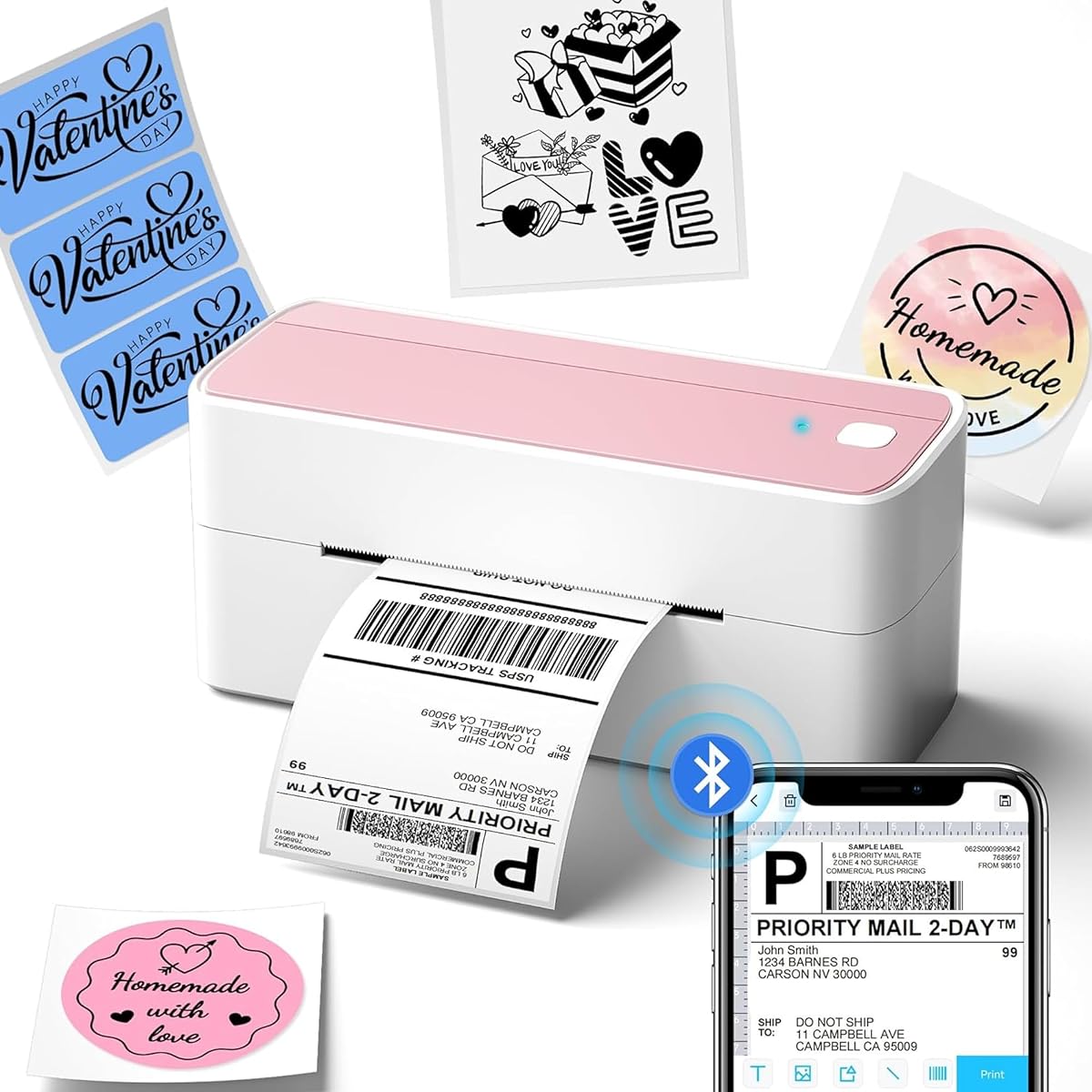
The Phomemo 241BT has a 4.4 rating and supports label widths from 1 to 4.6 inches, giving it one of the broadest media ranges in the guide. It is a versatile choice for businesses that combine parcels with product stickers, name labels, forms, barcodes, and QR codes. The package includes 20 labels, allowing an initial test without a separate media purchase.
We may earn a commission when you buy through this link, at no additional cost to you.
Bluetooth printing is available through the Labelife app on iOS and Android. PC and Mac users can install the relevant driver and connect through Bluetooth, while USB supports Windows, Mac, ChromeOS, and Linux; ChromeOS also requires the Labelife extension. The print speed reaches 150 mm/s, equivalent to as many as 72 4×6 labels per minute according to the supplied information.
The supported platform list includes eBay, Shopify, Amazon, Etsy, UPS, USPS, and FedEx. The printer produces black-and-white output, and compatible Phomemo thermal paper is recommended for crisp results. Royal Mail is not expressly listed, so users should validate both the required stock size and whether their shipping workflow provides a printable PDF or compatible image.
Phomemo is a good fit for a flexible small business that wants mobile printing and several label applications from one unit. Support is offered by live chat, phone, email, and remote desktop operation, which is helpful during setup. The main consideration is that desktop users may need to install a driver, while phone users work through the Labelife app.
The 1-to-4.6-inch width range accommodates small barcode labels as well as standard shipping sizes. This makes the model practical when one printer must handle parcels, product identification, packaging details, and internal stock.
Mobile users can print through Labelife, while desktop systems have both Bluetooth and USB paths. Phomemo also offers technical support that includes remote assistance when configuration becomes difficult.
We may earn a commission when you buy through this link, at no additional cost to you.
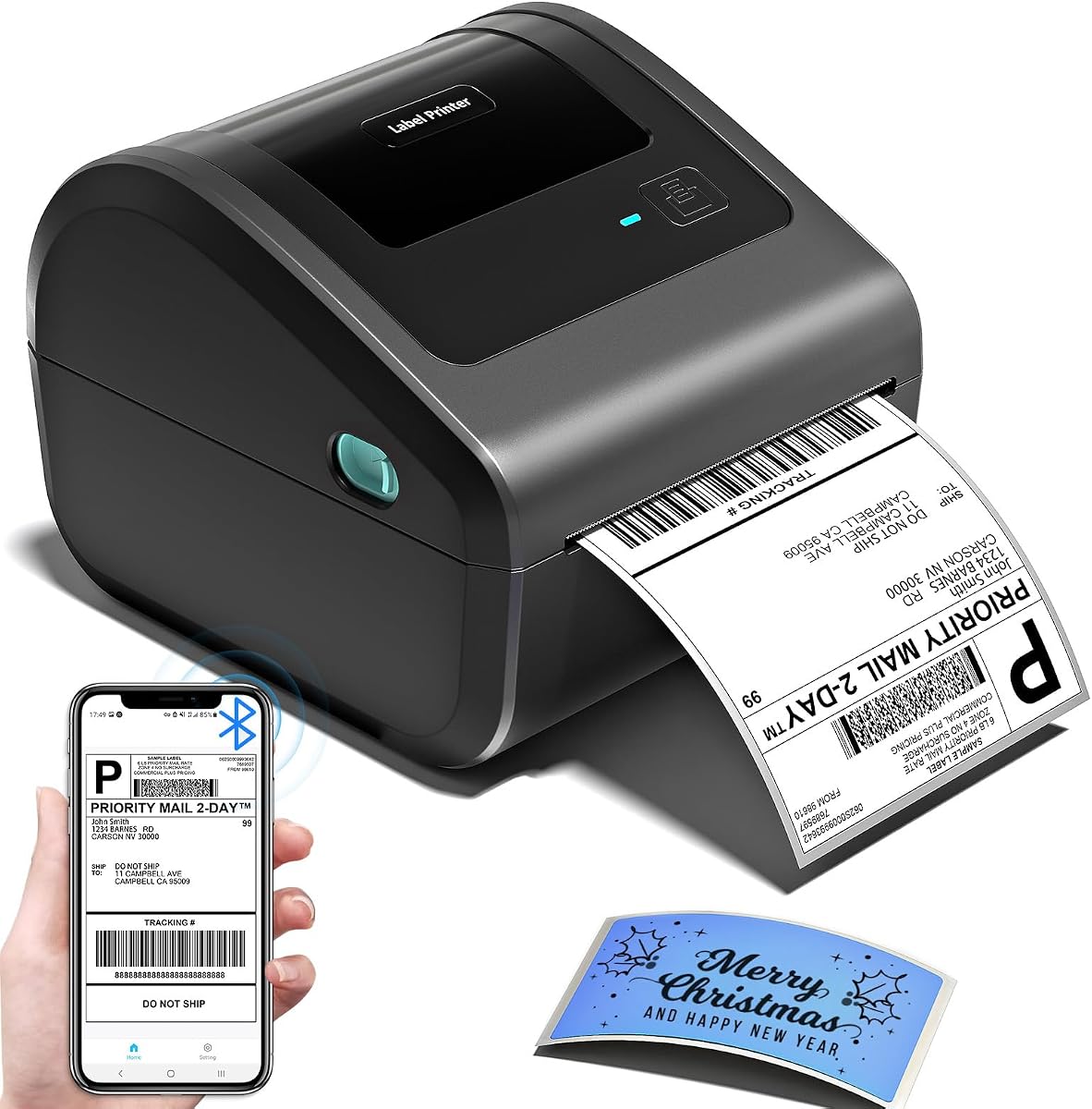
The Rongta model has a 4.1 rating and offers a straightforward route to wireless label printing. Its core functionality is easy to grasp: download the RONGTA app for Bluetooth printing from a phone, or install the computer driver for USB printing from a PC or laptop. The printer is aimed at shipping labels and general small-business labelling rather than advanced production work.
We may earn a commission when you buy through this link, at no additional cost to you.
Its strongest attraction is accessibility. A user can begin with a phone and a compatible label roll without needing a complex desktop production system, while USB remains available for a more permanent computer arrangement. Direct thermal technology produces sharp monochrome output without ink or toner, and support for multiple label sizes makes the printer more adaptable than a single-format device.
The supplied information is less detailed than for many competing products. It does not state a specific resolution, print speed, exact supported media range, or list individual shipping platforms. It also does not mention Royal Mail. As a result, buyers should review the current package and compatibility documentation carefully, particularly if a precise label size or barcode standard is essential.
Rongta is most suitable for a new seller, occasional shipper, or home user who wants inexpensive entry to Bluetooth label printing without a complex setup. It may be less convincing for a busy operation that needs guaranteed throughput, established platform integrations, or a detailed media specification. Confirm the current listing before purchase, particularly regarding label dimensions and driver support.
The RONGTA app provides a familiar route for phone-based printing, while a separate computer driver supports wired desktop output. This dual approach offers flexibility without requiring a network configuration.
Direct thermal technology requires labels but no ink or toner. This simplifies routine maintenance, although the printer is intended for black-and-white output and should not be selected for colour artwork.
We may earn a commission when you buy through this link, at no additional cost to you.
The Wi-Fi Rollo is the premium-oriented choice in this guide, offering wireless printing through AirPrint and network access across a broad collection of devices. iPhone, iPad, and Mac can use AirPrint, while Android, Windows, Chromebook, and Linux users can print over Wi-Fi. USB is also supported, giving the printer a useful fallback connection.
We may earn a commission when you buy through this link, at no additional cost to you.
Its printing specification is 203 DPI at up to 150 mm/s, or one 4×6 label per second. Labels from 1.57 to 4.1 inches wide are supported. The print-head life is stated at approximately 650,000 shipping labels, or 327,360 feet, which is presented as four times that of other print heads. That longevity makes the model relevant to sustained dispatch operations.
The Rollo Ship Manager app provides a central shipping workflow and access to rates through connected e-commerce platforms. The printer also works with FedEx, UPS, USPS, ShipStation, ShippingEasy, Shippo, ShipWorks, Amazon, Shopify, Etsy, and eBay. As with the other models, Royal Mail is not expressly listed, so the required label format and software export method need verification.
This printer is best for a busy team that wants one machine accessible from several computers or mobile devices without Bluetooth pairing. It is also attractive to Apple users who value AirPrint. Compared with simpler Bluetooth units, it offers a more flexible network workflow, but buyers should consider network configuration, placement, and their exact Royal Mail software process before committing.
Wi-Fi access allows several compatible devices to send jobs to one printer, which is useful for packing benches and busy dispatch rooms. AirPrint also shortens the workflow for supported iPhone, iPad, and Mac users.
The stated one-label-per-second speed supports regular batches, while the claimed print-head life is aimed at sustained commercial use. Actual longevity depends on operating conditions and workload, but the specification positions this model for high-volume environments.
We may earn a commission when you buy through this link, at no additional cost to you.
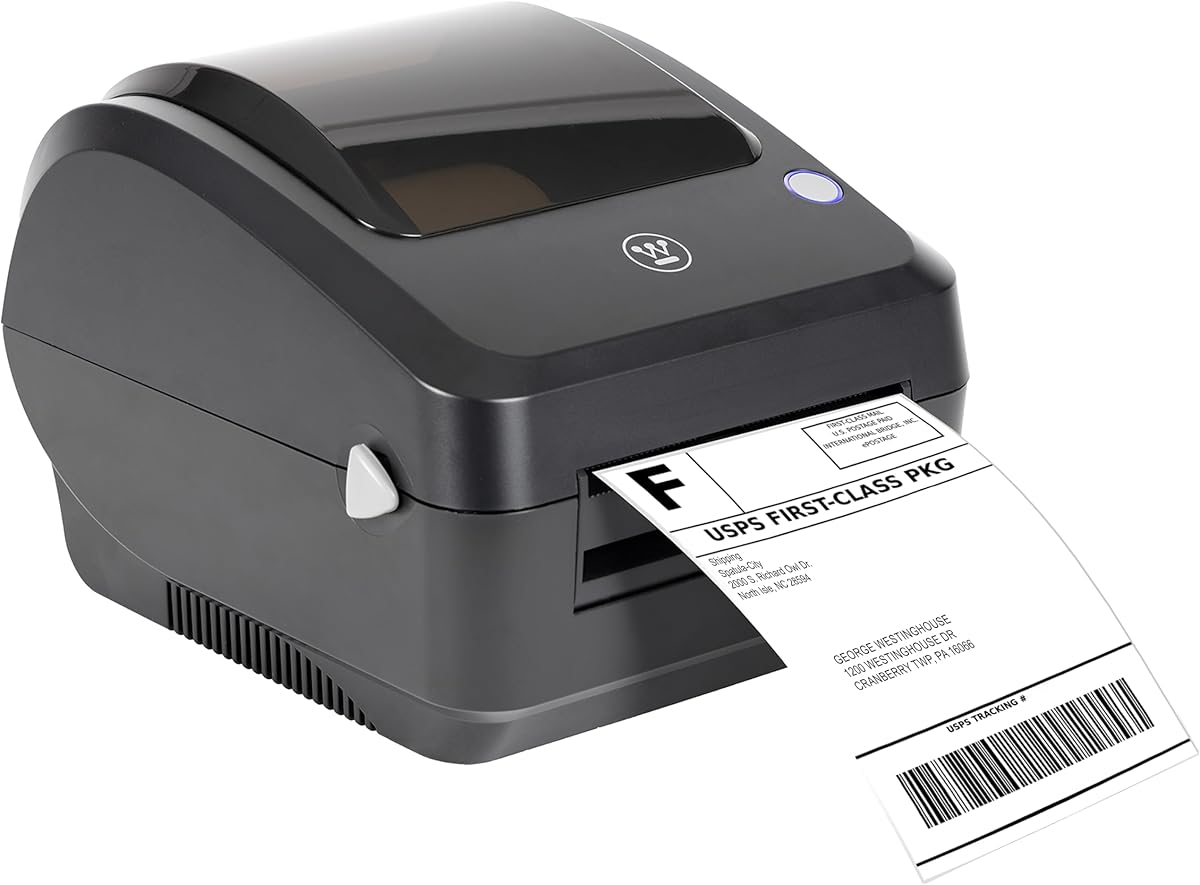
The Westinghouse printer earns a 4.4 rating and is aimed at users who want a fast, wired desktop machine for sustained shipping. Its top stated speed is six inches per second at 203 DPI, and it supports Windows, macOS, and Linux. ZPL software compatibility adds another option for users who rely on command-based label workflows.
We may earn a commission when you buy through this link, at no additional cost to you.
Media handling is notably flexible. The printer accepts fanfold labels or rolls across widths from 0.78 to 4.6 inches, with a maximum printing width of 4.25 inches. It supports media thickness from 0.06 to 0.25 millimetres, roll diameters up to 4.75 inches, and core diameters from 1 to 3 inches. This makes it suitable for businesses using more than one common label format.
The package includes the printer, starter labels, label holder, USB flash drive, USB cable, power cord, and power adapter. Ethernet capability is present, but the Ethernet cable and USB-C cable or adapter are sold separately. The printer is not Bluetooth-capable, so mobile users should plan to print through a computer or obtain the necessary connection hardware.
Westinghouse is a strong option for a permanent packing station that prioritises speed and media flexibility over wireless convenience. Its stated compatibility includes USPS, UPS, FedEx, Shopify, and Amazon. Royal Mail is not named, so users should confirm the exact physical stock and data format, especially if their workflow relies on a carrier-specific template or ZPL command set.
The stated six-inches-per-second specification is among the fastest figures in the guide and suits businesses printing repeated batches. A fixed wired setup can provide a consistent connection during long packing sessions.
A wide media-width range, adjustable thickness support, and several roll-core sizes provide flexibility for different label stocks. The included holder and starter labels simplify the initial configuration.
We may earn a commission when you buy through this link, at no additional cost to you.
The most important consideration is not simply whether a printer says 4×6. A Royal Mail workflow may use a specific stock size, a platform-generated file, or a barcode layout that must survive printing clearly. Consider connection method, supported media, software, and required throughput before choosing.
Royal Mail services and fulfilment workflows can involve different label dimensions, layouts, and barcode positions. Check the current specification supplied by your shipping platform or account, then compare the printer's minimum and maximum media widths, maximum print width, and supported roll or fanfold format. A nominal 4×6 description may not cover every physical detail, so buyers should verify whether their required labels are within the supported range.
Bluetooth is convenient for a phone or nearby computer, USB is dependable at a fixed desk, and Wi-Fi allows a shared printer to serve several devices. App-based Bluetooth models are not always directly discoverable by every operating system, so check the mobile and desktop requirements. A network printer may be the most convenient for a team, while a wired model can reduce connection complexity in a single-workstation office.
Many shipping platforms generate a label file that must be downloaded, opened in a printer app, and sent to the device. A compatible PDF or image is important, but the app must also support the relevant file and label size. Check whether a marketplace or carrier-specific workflow is documented, and compare it with the way you already purchase postage. Royal Mail compatibility should not be assumed merely because the printer supports 4×6 media.
A shipping label must remain readable to sorting and delivery systems. Resolution is one indicator, but stable feed alignment, correctly selected media settings, clean printheads, and suitable label stock also affect barcode clarity. The 203 DPI models in this list provide a clear baseline, while automatic alignment on the compact D450BT may help reduce wasted stock. Always perform a test print with the actual label material before a large dispatch run.
Print speeds in this guide range from 150 to 180 mm/s, with some models also expressed as 72 labels per minute or one 4×6 label per second. Westinghouse claims up to six inches per second, making it particularly suited to fast wired output. Occasional shippers may prioritise simplicity and compact size, while high-volume operations should consider warm-up time, connection reliability, and media handling alongside the headline speed.
The included compatibility lists cover major marketplaces, fulfilment platforms, and carrier services. For a Royal Mail user, these lists are evidence of broader software experience rather than proof of a dedicated Royal Mail integration. Look for downloadable drivers, an intuitive editor, template libraries, and a supported route for importing the labels generated by your chosen workflow. Make sure the app works with the operating systems already used by the household or team.
Roll and fanfold support offers flexibility, while an integrated label bin can keep a compact workstation tidy. Some models accept media as narrow as one inch, and others start near 1.5 inches, a difference that matters for very small stock. Look at the printer's overall dimensions, included holder, internal storage, and whether rolls must be threaded externally. The D450BT is especially compact, while larger commercial models generally suit a permanent packing station.
A thermal printer may also handle product labels, name tags, price tags, QR codes, thank-you stickers, and warehouse markings. This broadens its value for small businesses that manage both fulfilment and inventory. Keep in mind that all the models in this guide are direct thermal printers, and most are intended for black-and-white output. Colour thermal media is a separate consideration and is not required for standard monochrome address labels.
Begin by confirming the supported media width, roll or fanfold format, and software workflow. Install the correct driver or mobile app, connect the printer by USB or pair it through Bluetooth, and load the intended thermal labels. Where the model supports it, set the media width and perform a calibration or print test before importing a real shipping label. This test should reveal whether the address block, barcode, and service information are sharp and correctly positioned.
For each shipment, create or download the label in the appropriate shipping platform, save it as the file type required by the printer app, and import it into the editor. Confirm that the correct thermal stock and paper width are selected before printing. Avoid resizing a label unless the app clearly preserves the required barcode dimensions and quiet zones. Keep the label path free of dust, adhesive fragments, and obstructions because a misfeed can waste an entire batch.
Care for the printer by keeping the printhead clean and following the manufacturer's guidance for approved cleaning materials. Use compatible thermal labels, store rolls in a cool, dry environment away from direct heat, and avoid exposing printed labels to friction, sunlight, or plastic that may trap heat. Periodically check the sample output for fading, smudging, or reduced barcode contrast, and replace damaged rolls before they begin printing weakly.
None of the supplied listings explicitly names Royal Mail as a directly supported carrier, so direct compatibility should not be assumed. You may still be able to use a printer by saving the postage label as a PDF or supported image and importing it through the printer app. First confirm the exact label dimensions, file type, and barcode layout against the printer's specifications, then make a test print before placing a large order.
No. Bluetooth is a convenience rather than a requirement for thermal label printing. USB is a stable option for a desktop computer, while Wi-Fi is useful when several devices need to share one printer. The important point is that the selected printer must support the file format and label workflow generated by the platform used to purchase postage.
It may, but the phrase 4×6 is not a complete technical specification. Check the required media width, maximum printable width, roll dimensions, and fanfold compatibility of the specific Royal Mail label. Some models support widths from around one inch to 4.6 inches, while others cover a narrower range, so the physical label must be compared with the printer's exact media specifications.
A 203 DPI thermal print head is a common standard for address and shipping labels and is used by several models in this guide. Barcode readability also depends on feed alignment, contrast, print density, label quality, and leaving the required clear area around the code. Test the actual carrier label and confirm that every line prints clearly before relying on the printer for daily dispatch.
They can be, provided the printer's speed, media handling, and expected lifespan match the workload. The Rollo Wi-Fi model includes a stated print-head life of about 650,000 labels, while the Westinghouse model claims a top speed of six inches per second. High-volume buyers should also consider continuous media availability, connection stability, and support rather than focusing on speed alone.
Most direct thermal printers in this list produce black-and-white output. Some products can use compatible thermal colour media, but that is a separate supply and does not make the printer a general inkjet or laser colour device. For standard postage, address, and barcode labels, monochrome thermal output is usually the appropriate choice.
Roll labels are wound around a core, while fanfold labels are supplied as a continuous folded strip. Many printers in this guide support both, but the loading path and media dimensions must be set correctly. The D450BT adds integrated storage for a roll and rear-loaded folded paper, which is convenient for users who switch between formats.
Choose Bluetooth if phone-based or nearby wireless printing is the priority, USB for a fixed and dependable workstation, and Wi-Fi if several people need to share one printer. Remember that many Bluetooth printers still require their manufacturer app and a driver, whereas AirPrint support on the Rollo Wi-Fi model offers a particularly direct route for compatible Apple devices.
The Thermal Shipping Label Printer 4×6 Bluetooth is the most balanced overall choice because it combines Bluetooth and USB, 203 DPI output, useful app templates, offline design access, and a broad platform list. Rongta offers a more accessible route into wireless printing for a new or occasional shipper, while the Rollo Wi-Fi model is the premium option for shared access across several devices and a sustained commercial workload.
Before ordering, prioritise the physical Royal Mail label dimensions, the file-export method in your postage platform, and the devices you intend to use. A fast printer is not useful if it cannot accept the required media or import the generated file, while Bluetooth is unnecessary if the printer will remain connected to one computer. Print a real sample and check the address and barcode before buying rolls in bulk.
Ratings, software, connectivity instructions, and availability can change, so review the current product listing before purchase. Compare the latest specifications with the Royal Mail label requirements, then check the current cost of the printer, compatible consumables, and any required accessories. That final check will help ensure that the chosen model fits both the labels and the daily shipping routine.