
Anker Nano Pro 20W
4.8Editor score
Focused 20W USB-C output
Exceptionally compact construction
ActiveShield temperature monitoring
Discover the best Anker USB Charging Block options, comparing ports, wattage, portability, safety, compatibility, and needs across ten models.
An Anker USB charging block can simplify daily powering by replacing several basic adapters with one dependable unit. The right model depends on the devices you charge, the number of ports you need, whether you travel, and whether a phone, tablet, or USB-C laptop must share the available power.
This guide compares ten Anker charging blocks across output, port configuration, physical size, safety features, supported devices, and practical use cases. It includes compact single-device chargers, multi-port travel options, desktop power hubs, and higher-capacity models designed to handle several USB-C devices at once.
Each selection below shows why the charger suits a particular setup, along with its notable strengths and trade-offs. Product configurations and promotional terms can change, so readers should verify the latest specifications, compatibility, and current offer on the linked listing before purchasing.
4.8Editor score

4.8Editor score

4.6Editor score
The table below places all ten chargers side by side, highlighting their core port layouts, power capacities, form factors, and most appropriate roles so you can identify the most suitable model for your devices and routine.




The Anker Zolo 50W 4-Port Charger is the most versatile all-purpose selection in this guide because it combines a generous port count, a modern USB-C and USB-A mix, and a 50W maximum output in a compact wall-plug format. It is especially attractive for travelers, students, office workers, and households that regularly need to top up several phones, earbuds, watches, tablets, or accessories without carrying a separate adapter for each device.
We may earn a commission when you buy through this link, at no additional cost to you.
Its most important advantage is the four-port arrangement. Two USB-C connections can serve modern phones, tablets, and compatible accessories, while two USB-A ports remain useful for older cables, power banks, and devices that have not moved to USB-C. According to the supplied specifications, USB-C1 maintains 30W output while USB-C2 delivers 20W even when both are in use, making the charger more useful than a model that simply advertises one large maximum output without explaining multiport behavior.
The 50W ceiling means this is not the right choice for demanding USB-C laptops, but it provides ample power for a broad collection of mobile and lightweight devices. Foldable plugs improve packability, and the listed dimensions and design make the unit more practical for travel than a permanently protruding-plug charger. ActiveShield 4.0 adds continuous temperature monitoring, upgraded GaN architecture, and output safeguards, while the package includes two chargers for keeping one at home and another in a bag.
Choose this model if your priority is a single adaptable charger that can handle four devices and a mixture of connector types. It is less suitable for a professional who needs to charge a large laptop, but for ordinary multi-device setups, it offers an unusually convincing balance of capacity, portability, and convenience. The included two-pack also gives it an immediate advantage for anyone who wants a backup location for an office, bedroom, or travel bag.
Two USB-C ports and two USB-A ports let the Zolo accommodate both current and legacy accessories. That flexibility is valuable when family members or coworkers still rely on different cable standards.
The foldable plug and relatively compact construction reduce the awkwardness of packing a wall adapter, while the two-pack makes it simple to maintain separate charging stations.
We may earn a commission when you buy through this link, at no additional cost to you.
The Anker 323 33W Charger offers a straightforward solution for people who regularly charge one modern USB-C device and one older USB-A accessory. Its 33W USB-C Power Delivery output provides enough headroom for fast charging many compatible phones and tablets, while the second USB-A port prevents the owner from giving up legacy-device support merely to gain the USB-C connection.
We may earn a commission when you buy through this link, at no additional cost to you.
The charger is described as capable of charging compatible devices up to three times faster than standard chargers, with explicit support mentioned for iPhones, iPads, Galaxy devices, Pixels, and other USB-C products. ActiveShield continuously monitors temperature and intelligently controls output, adding a layer of protection when two devices are connected or when a demanding phone or tablet requests a higher power level.
Its foldable plug and compact body make it a strong candidate for a carry-on, laptop sleeve, or everyday bag. The limitation is equally clear: only two devices can charge at once, and a 33W ceiling is modest compared with chargers designed to power USB-C notebooks. Users who only need a phone, tablet, headphones, and watch on alternate trips will find this more than sufficient, though heavy multi-device users may prefer more ports.
Overall, the 323 belongs on the shortlist for anyone wanting a compact, capable two-port adapter without moving to a larger desktop unit. It is a particularly sensible travel choice because it combines USB-C fast charging with a familiar USB-A port. The charger includes a welcome guide, making it an uncomplicated addition to a phone, tablet, or mixed-device charging kit.
Including one USB-C and one USB-A port makes this model practical for a phone or tablet alongside headphones, a watch, or another accessory that still uses the older connector.
Continuous temperature monitoring and intelligent output control are valuable for a charger expected to travel and operate in varied surroundings. These safeguards help manage heat as workloads change.
We may earn a commission when you buy through this link, at no additional cost to you.
The Anker 2-Pack 12W Charger focuses on uncomplicated, dependable charging for devices that still rely on USB-A. Each adapter includes two ports, and the package contains two separate chargers, creating four charging positions across the set. That makes it useful for bedside tables, dorm rooms, offices, travel, or families that want a small replacement charger available in more than one location.
We may earn a commission when you buy through this link, at no additional cost to you.
PowerIQ technology detects connected devices and adjusts voltage output to provide a more appropriate charge. Both ports can work at the same time with phones, tablets, headphones, and portable chargers, which makes the small adapter more versatile than a single-port unit. Its foldable plug and size, described as smaller than a golf ball, improve portability and reduce bulk inside a bag.
The main limitation is that this is a legacy-style charging solution. It has no USB-C ports, provides only 12W, and does not support Qualcomm Quick Charge. Those restrictions are acceptable for many accessories and older USB-A devices, but they are increasingly inconvenient for a current phone, tablet, or laptop whose main cable and charging protocol are USB-C. Users should not mistake its four total package ports for four high-power connections.
Anker's stated 11-point safety system includes overvoltage protection and temperature control, providing reassurance for routine charging. The package also includes a welcome guide, an 18-month worry-free warranty, and customer service support. This model is best for people maintaining a collection of USB-A accessories or seeking two inexpensive backup adapters rather than a single high-output USB-C hub.
Keeping one adapter in a bedroom and another in a travel bag prevents constant unplugging and repacking. It also makes the set practical for homes or offices with several charging locations.
Automatic voltage adjustment is useful when two different USB-A devices are connected. It reduces the need to select separate cables or adapters for basic charging needs.
We may earn a commission when you buy through this link, at no additional cost to you.
The Anker Nano II 65W Charger is a compelling hybrid between a phone charger and a notebook adapter. Its maximum single-device output of 65W is sufficient for a compatible 13-inch MacBook Pro, according to the supplied information, while its three ports also allow a phone, tablet, and other accessories to charge together. That combination makes it one of the most versatile choices for a mobile productivity setup.
We may earn a commission when you buy through this link, at no additional cost to you.
GaN II technology is central to its compact design. The stated operating frequency is 100% higher than the preceding generation, and an improved stacked structure and circuit-board layout help deliver substantial power in a body roughly the size of an AirPods Pro case. When three devices are connected, the charger distributes power intelligently among the available ports rather than treating every connection as if it can receive the full 65W.
There are still boundaries. A 65W ceiling is not appropriate for larger or more power-hungry notebooks, and the total capacity must be shared when several devices charge. A traveler carrying a large laptop and several high-draw tablets should consider a higher-output desktop charger instead. The included USB-A port also matters less for people who have fully transitioned to USB-C accessories.
Choose the Nano II when you want one compact adapter that can charge a demanding phone, a compatible smaller laptop, and a couple of accessories without filling a bag with separate bricks. It is especially suitable for commuters, frequent travelers, and hybrid workers who alternate between desk charging and mobile use. The package includes a welcome guide, an 18-month warranty, and customer service support.
GaN II permits notebook-class output in a charger far smaller than many traditional laptop adapters. This makes it particularly useful when every gram of luggage space matters.
Two USB-C connections and one USB-A connection cover a modern laptop, phone, and legacy accessory. Shared power rules should still be checked when all three devices have substantial charging demands.
We may earn a commission when you buy through this link, at no additional cost to you.
The Anker 112W Desktop Charger is built for a busy charging area where several phones, tablets, accessories, and compatible computers need power at once. It combines three USB-C ports and three USB-A ports under a 112W total output, offering a broad balance of connections rather than concentrating every feature on one device class.
We may earn a commission when you buy through this link, at no additional cost to you.
The maximum single-port output is 30W through USB-C1, while a USB-A connection can deliver up to 18W. The supplied information states that 30W charging is limited to USB-C1 for MacBook Air use, so buyers who expect identical high output from every USB-C port should note that distinction. A MacBook Air can reach 50% in 1 hour 40 minutes, and an iPhone 16 Pro Max can reach 50% in 30 minutes under the stated conditions.
At 3.0 by 3.2 by 1.3 inches and 10.65 ounces, the unit is not designed to disappear completely. Its real advantage is consolidating several adapters into a reasonably compact desktop base. A silicone cable organizer is included for controlling the cords that would otherwise collect behind a monitor or charging shelf. This is a useful feature because more ports only reduce clutter effectively if the attached cables can also be managed.
This desktop charger suits families, shared workspaces, content-creation desks, and charging areas where compatibility matters more than extreme notebook wattage. It can also serve as a travel organizer for a group, although it occupies more space than a GaN wall adapter. The product includes a welcome guide and 18-month warranty. Remember that USB-C charging cables are not included, so appropriate cables for your devices may need to be sourced separately.
The mix of three USB-C and three USB-A connections allows a household or shared desk to eliminate several dedicated adapters. It is especially helpful when different device ages are represented.
The included silicone organizer helps keep six attached cables separated and routed more neatly. That turns a powerful charging hub into a tidier workstation accessory.
We may earn a commission when you buy through this link, at no additional cost to you.
The Anker 20W 2-Port Charger delivers a practical mix of USB-C fast charging and USB-A compatibility. It is designed for charging two devices at once, making it a useful option for a phone owner who also needs to replenish earbuds, a watch, a power bank, or another accessory without carrying multiple wall plugs.
We may earn a commission when you buy through this link, at no additional cost to you.
Its 20W maximum output is appropriate for many current smartphones, including compatible iPhone and Samsung models, while the two-port layout means the charger can remain useful across mixed ecosystems. A USB-C cable is included, reducing the need for a separate purchase for a basic setup. The stated package includes a two-pack of five-foot USB-C-to-USB-C cables, although the shopping decision should focus on the charger and any additional cable needs.
Anker's safety system includes overvoltage protection, temperature control, and other safeguards intended to protect connected devices. The compact body is easy to pack, and the foldable-style convenience associated with modern travel chargers helps it fit neatly beside other accessories. The main limitation is its 20W ceiling, which is modest for tablets and entirely unsuitable for most laptops, even though it can serve smaller compatible USB-C devices when the power budget permits.
This charger is best for everyday phone-and-accessory charging in a home, office, or travel bag. It also makes sense for a user who wants two identical units to place in separate locations. Buy a higher-output model if your daily routine includes a notebook, a power-hungry tablet, or several devices charging at once. The package includes a welcome guide, an 18-month warranty, and customer service support.
Twenty watts is a useful level for many compatible phones and smaller devices. It offers a noticeable improvement over basic low-power adapters without requiring the bulk of a laptop charger.
USB-C and USB-A ports allow two different device families to charge together. Included USB-C cables make the package easier to put into immediate use.
We may earn a commission when you buy through this link, at no additional cost to you.
The Anker PowerPort 60W Hub is designed for locations with several USB-powered accessories that need simultaneous charging. Six USB-A ports provide plenty of physical connections for phones, tablets, headphones, portable batteries, and other compatible equipment. Its desktop format also gives it a different role from a foldable wall adapter, making it useful for a permanent charging station or a shared travel cable kit.
We may earn a commission when you buy through this link, at no additional cost to you.
PowerIQ and VoltageBoost are used to deliver charging speeds of up to 2.4 amps per port, while the six-port system can draw as much as 12 amps cumulatively. The charger divides 60W across connected devices, so an individual port does not receive the full total when several high-draw accessories are active. Qualcomm Quick Charge is not supported, which is important for buyers who might otherwise expect that protocol from a modern USB charger.
The detachable power cord is a practical detail because the hub can be positioned farther from an outlet while the attached devices remain close to the charging area. A hook-and-loop strip is also included to help organize the setup. The 100-240V input gives the charger broad international compatibility, while UL certification and Anker's proprietary protections add confidence for sustained use.
Choose this model for a collection of USB-A accessories, a home charging station, or a workspace where many older cables are already in circulation. Its six-port design is the primary attraction. However, anyone centered on USB-C phones, tablets, or notebooks should note that this unit offers no USB-C connector and has a lower single-device ceiling than newer GaN models. The package includes the hub, detachable cord, hook-and-loop strip, welcome guide, 18-month warranty, and support.
Six dedicated USB-A ports let many low- and moderate-power accessories charge at once. This remains useful in offices, classrooms, and homes where legacy devices are still common.
The detachable cord and hook-and-loop strip help create a stable charging zone rather than a loose cluster of wall plugs. Universal 100-240V input also makes the hub suitable for international travel.
We may earn a commission when you buy through this link, at no additional cost to you.
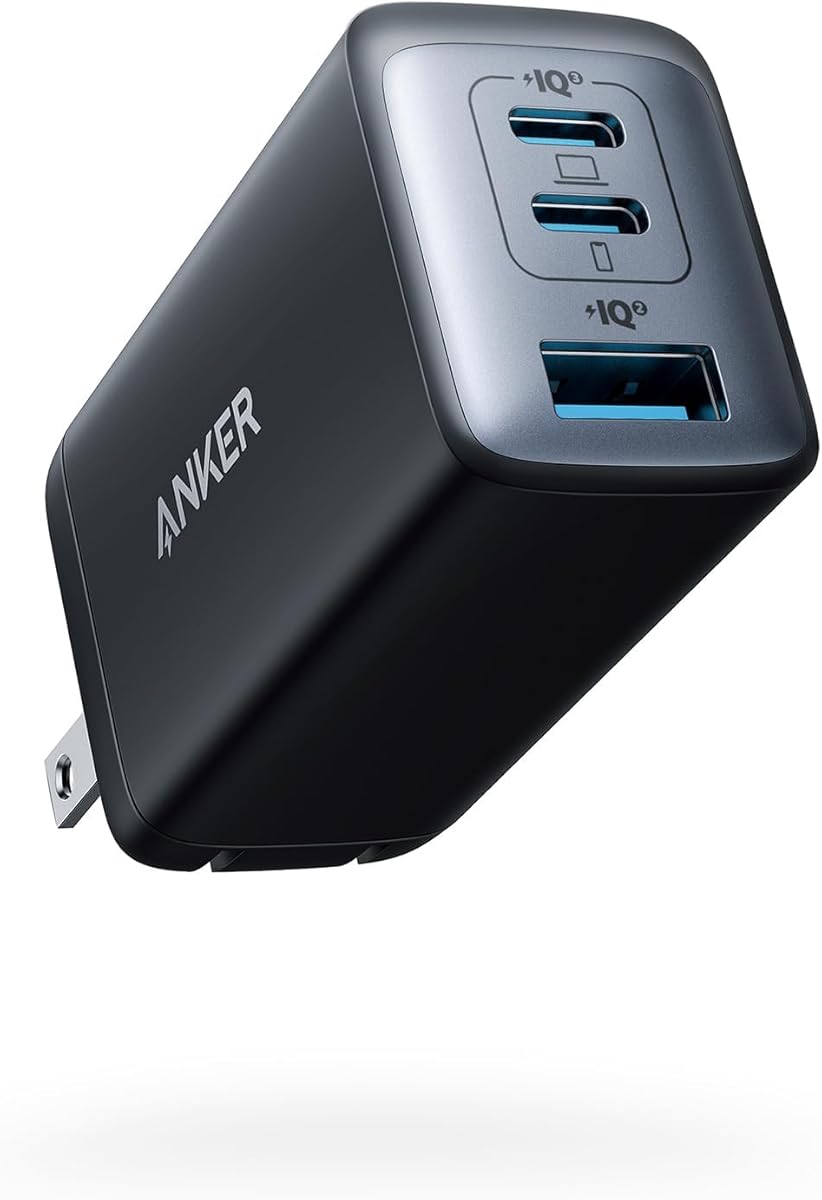
The Anker Prime 67W GaN Charger stands out as a premium option for users who want a single powerful adapter without moving to a large desktop brick. It can deliver up to 67W to one connected device and includes two USB-C ports plus one USB-A port, allowing a phone, tablet, and notebook or accessory to share the charger in many common arrangements.
We may earn a commission when you buy through this link, at no additional cost to you.
The stated design is 51% smaller than the original 67W MacBook charger, a meaningful improvement for travel and compact workspaces. Up to 65W is available when two ports are used, whether the pair consists of both USB-C connections or one USB-C and one USB-A connection. This allows the charger to retain useful fast-charging performance when it is handling a realistic combination of devices rather than only one.
ActiveShield 2.0 provides the stated safety protections, adding another point of appeal for a charger that may be used around expensive phones, tablets, and notebooks. As with any multiport charger, the full 67W figure applies to a single-device configuration. Buyers should not expect each of the three ports to deliver 67W simultaneously, and demanding combinations will divide the available power according to the devices and ports used.
The Prime 67W is a strong fit for mobile professionals who alternate between a compatible notebook, a tablet, and a phone. It is also an attractive single-charger solution for frequent travelers. People with only a phone and small accessories may find the 20W or 30W Nano models more proportionate, while larger notebook users may need a desktop model with greater aggregate capacity. The package includes a welcome guide, a 24-month warranty, and customer service.
The 67W ceiling supports demanding USB-C devices while the reduced size makes the adapter easier to carry. It offers a useful balance for users who need more than a phone charger but less than a desktop charging hub.
Up to 65W across two active ports means the charger remains useful in common mixed setups. This reduces the performance penalty users might otherwise anticipate when adding a second device.
We may earn a commission when you buy through this link, at no additional cost to you.
The Anker Nano Pro 20W is the most focused charger in the guide, offering one USB-C connection and up to 20W for compatible devices. It is designed for people who want a tiny, dependable phone charger without paying attention to extra ports or a larger desktop form factor. The lack of complexity makes it easy to carry, store, and use every day.
We may earn a commission when you buy through this link, at no additional cost to you.
Twenty watts provides full-speed charging for the iPhone 16 according to the supplied details and can charge it to 50% in 25 minutes, up to three times faster than an old 5W charger. The charger is 45% smaller than the original 20W adapter while maintaining the same class of output. These characteristics make it appealing for travel, office drawers, and minimalist nightstands.
ActiveShield adds a Dynamic Temperature Sensor and a Power Tuner Chip that adjusts output to help safeguard a connected device. These protections are especially relevant in a tiny charger that may operate in a warm bag, a crowded power strip, or another poorly ventilated location. Nevertheless, sensible charger placement and compatible cables remain important; a compact design should not be used to excuse blocking ventilation.
This model is best for one-device-at-a-time charging, particularly for a compatible USB-C phone. Users who regularly charge a phone and watch at the same time should choose a two-port option, while tablet or laptop owners need more output than this focused adapter provides. A cable is not included, so include a suitable USB-C cable in the purchase plan. The package includes a welcome guide, an 18-month warranty, and customer service support.
The 45% size reduction makes the Nano Pro easy to fit into a pocket, a small travel pouch, or a crowded outlet area. It is ideal when reducing bulk matters more than simultaneous charging.
Temperature sensing and output tuning help the charger respond to changing conditions. These features strengthen its suitability for daily use with compatible phones.
We may earn a commission when you buy through this link, at no additional cost to you.
The Anker Nano 30W GaN Charger combines a very small profile with enough output for more than a typical phone accessory. It provides up to 30W through one USB-C port and can serve earbuds, phones, tablets, and even a compatible MacBook Air. That range makes it a useful single-device charger for anyone who wants more capability than a 20W model without carrying a full-size laptop brick.
We may earn a commission when you buy through this link, at no additional cost to you.
GaN technology allows the charger to be only 1.12 inches thick and 70% smaller than an original 30W charger. It can provide full-speed 30W charging for the iPhone 15 Pro and Pro Max, charge an iPad Air fifth generation to 50% in 45 minutes, and support Samsung Super Fast Charging at 25W. It therefore makes sense for a traveler who wants one adapter to cover several device categories.
The single-port layout is the central compromise. There is no way to charge a phone and watch together, and a second device requires another charger or power source. ActiveShield 2.0 provides temperature monitoring and intelligent protection, but users should still connect the charger directly to a suitable wall outlet and avoid placing it under furniture or inside a tightly closed bag while operating.
Choose the Nano 30W for compact, high-output USB-C charging and a minimal number of accessories. It is a better fit than a basic phone adapter for users who alternate between a phone and tablet, while it remains smaller and simpler than a three-port GaN charger. A cable is not included. The package includes a welcome guide, a 24-month warranty, and friendly customer service.
The GaN design fits laptop-class intent into a pocketable form. It is particularly useful for travelers who want to avoid carrying a separate tablet or computer adapter.
Support for current phones, tablets, earbuds, and a compatible MacBook Air gives the charger a broader role than a conventional wall plug. Owners should still confirm the exact charging requirements of the device they plan to use.
We may earn a commission when you buy through this link, at no additional cost to you.
Choosing an Anker USB charging block requires matching total power, connector types, and physical design to the devices you use most often. The most important distinction is between a focused phone charger, a compact travel adapter, and a high-capacity hub that can support several devices at once.
Start by identifying the highest-power device you need to charge. Basic phone charging can often be handled by a 20W USB-C adapter, while compatible tablets, compact notebooks, and other demanding products may require 30W, 65W, or more. A charger with a higher maximum output provides useful headroom, but the shared behavior across multiple ports matters just as much as the headline number. Review whether a model advertises a maximum for one device, a maximum across all ports, or both.
USB-C is essential for current phones, tablets, and many notebooks, while USB-A remains useful for older accessories, power banks, and legacy cables. A one-port USB-C adapter offers the smallest and simplest design, but it cannot share a charging session. Two-port models often pair USB-C with USB-A, whereas three- and six-port chargers can support more varied households and workspaces. Consider both the connectors on your devices and the cables you are willing to carry or keep at each charging location.
Count how many devices normally need power at the same time. A single phone user may be fully served by the Nano Pro, while a commuter charging a phone and tablet benefits from two ports. Families, shared desks, and travel groups can justify four or six connections. Remember that more ports do not guarantee more aggregate power. A high-port charger with modest per-port output may be ideal for accessories, whereas a smaller charger with a high single-device ceiling may serve a demanding USB-C laptop better.
Travel chargers benefit from GaN construction, a compact body, and a foldable plug. Larger desktop chargers can still be portable, but they usually occupy more space and are better suited to a fixed charging area. A charger that is easy to carry may be used more often, while a desk hub can eliminate clutter at home. Think about where charging happens most often and whether your bag space is more valuable than the extra capacity of a larger unit.
A wall plug and a cable are only parts of the charging equation. Confirm that your device uses USB-C, supports the relevant power protocol, and is designed for the offered output. Some chargers mention explicit compatibility with particular iPhone, iPad, Galaxy, Pixel, or MacBook Air models, while others are designed around broader USB-C standards. Also check whether a USB-C charging cable is included and whether the device requires a specific cable for its fastest supported charging mode.
Multiport output is usually distributed according to the devices connected and the ports selected. One USB-C port may retain a higher output while another receives less, and using a USB-A port alongside USB-C can also affect performance. Product details such as USB-C1 delivering 30W while USB-C2 delivers 20W are significant because they explain the real multiport behavior. For predictable results, compare the charger with the exact combination of devices you intend to power.
Temperature monitoring, voltage control, overvoltage protection, and related safeguards help manage the heat and electrical demands of compact chargers. Anker's ActiveShield systems appear across several models, while other products mention proprietary multi-point protection or UL certification. These features should complement sound habits: use a compatible cable, connect the charger directly to a suitable outlet, avoid covering it while charging, and give high-output chargers adequate ventilation.
Think about whether the charger will sit beside a bed, live in a travel bag, power a shared office desk, or support a group at a charging station. Foldable plugs and compact cases suit travel, while a desktop charger benefits from a detachable cord, multiple ports, and cable-management accessories. The 2-pack options are particularly useful for separate locations, and a one-port model can be the most sensible choice when minimizing the number of objects in a bag is the priority.
Begin by checking the charger's input and output information, then confirm that your device and cable support the relevant USB-C or USB-A charging standard. Connect the charger to a grounded wall outlet, plug in the device, and allow the charging system to negotiate the appropriate power level. If a phone or tablet is connected alongside a computer, understand that the available output may be shared between active ports.
Use the charger in an open, dry location and avoid covering it with fabric, placing it beneath furniture, or leaving it tightly enclosed in a bag while operating. Keep the plug and ports free of dust and debris, and never insert a damaged connector or use a charger with frayed wiring. Allow reasonable cooling around the body, particularly during maximum-output charging or when the surrounding environment is warm.
To maintain the charger, unplug it before cleaning and use a dry or lightly damp cloth rather than immersing it in water. Avoid harsh chemicals and abrasive materials. Periodically inspect the plug, folding mechanism, and socket for looseness, discoloration, or physical damage. Stop using the unit if it becomes unusually hot, smells odd, or behaves inconsistently, and consult the manufacturer or an appropriate qualified repair professional. For travel, pack the charger with its cables in a protective pouch and avoid placing heavy objects against its ports.
A 20W USB-C charger can support fast charging for compatible current iPhone models when paired with an appropriate USB-C to Lightning or USB-C cable, depending on the phone and connector arrangement. The Anker Nano Pro is specifically designed to provide full-speed 20W charging for the iPhone 16. Charging speed can still be affected by the device, battery level, temperature, cable, and the power profile negotiated by the phone.
Yes, provided the model has enough ports and suitable output for the devices involved. The Anker Zolo supports four connections, while the Nano II 65W and Prime 67W GaN support three. The total power is shared when several devices draw power at once, so check the per-port and multiport specifications before expecting every connected device to receive the advertised maximum.
A wall charger is designed to plug directly into an outlet and is usually optimized for portability. A desktop charging hub provides more ports, often uses a detachable power cord, and is intended to remain in a fixed location. The Anker 112W and 60W models fall into the hub category, while the smaller GaN and Nano products emphasize travel-friendly wall use.
GaN can make a high-output charger smaller and more convenient, but the device's power requirements matter more than the semiconductor used. A laptop may need a specific wattage and charging protocol, while a phone may work with much less. Verify the laptop's charging requirements and use a compatible cable before selecting a compact GaN model such as the Nano II 65W or Prime 67W.
You can use a USB-A cable with a charger that includes a USB-A port, but you cannot directly connect a USB-A plug to a USB-C socket. An adapter or a different cable may be needed. Chargers such as the Anker Zolo, 323, 20W 2-Port, Nano II 65W, and Prime 67W include USB-A ports for precisely this kind of mixed-device use.
An included USB-C cable is convenient for many modern phones, tablets, and accessories, but not every device uses the same USB-C standard or cable profile. Some laptops require specific cable features, and some products use proprietary connectors. Always check the device's requirements and the charger's included-cable list before assuming every USB-C device will receive maximum charging performance.
A multiport charger divides its available power among connected devices based on demand and port capability. One port may retain a higher output while another receives a smaller allocation, and a high-power computer can leave little capacity for phones or accessories. This is normal power sharing rather than a defect, and it is why charging a single demanding device directly is often faster.
Use the charger on a hard, open surface and keep it away from bedding, clothing, enclosed bags, and other heat sources. Use compatible, undamaged cables and avoid daisy-chaining power strips or extension cords that could create additional heat. If the charger becomes excessively hot, smells unusual, or stops operating correctly, disconnect it and have it inspected before using it again.
The Anker Zolo 50W 4-Port Charger is the strongest all-around recommendation because it supports four devices, combines two USB-C with two USB-A ports, and remains suitably compact for travel or a two-location setup. The Nano Pro 20W is the most focused option for a single compatible phone, while the Prime 67W GaN provides the premium balance of compact size, three ports, and high single-device output.
Prioritize the devices and scenarios you actually use. A phone-only setup may need only a small USB-C adapter, while a two-device traveler benefits from separate USB-C and USB-A connections. Larger notebooks and shared charging areas require more aggregate power, making the Nano II 65W, Anker 112W Desktop Charger, or Prime 67W worth closer examination. Multiport output is useful only when the per-port and shared power details match the intended combination.
Before purchasing, verify the current listing, device compatibility, included cables, warranty terms, and any available offer because configurations and promotions can change. The linked listings provide the most current product details. Selecting the correct output, connector mix, and physical format will produce the most satisfying long-term charging setup.