
NIMO 15.6-inch AI Ready Laptop
4.9Editor score
Premium metal top cover
Expandable 8GB memory
Excellent port selection
An all metal laptop combines a refined appearance with a chassis designed to resist everyday wear, but the best example depends on more than material alone. Screen quality, processor performance, memory, cooling, battery life, and portability all influence whether a metal enclosure feels worthwhile.
This guide compares ten metal-bodied or metal-construction laptops across productivity, business use, study, content creation, and gaming. We examined the supplied specifications, feature descriptions, connectivity options, displays, and customer ratings, paying particular attention to the balance between chassis quality and practical performance.
The list begins with the NIMO 15.6-inch AI Ready Laptop as the best budget-focused option, followed by the FIREBAT 15.3-inch gaming laptop as the editor's choice and the Dell Latitude Rugged 5430 as the premium pick. Product availability, configurations, and prices can change, so verify current details before ordering.
4.9Editor score

5.0Editor score

5.0Editor score
As an Amazon Associate we earn from qualifying purchases.
The comparison below highlights each model's defining hardware, display, portability, and connectivity features to show how the ten laptops differ in performance and intended use.




The NIMO 15.6-inch AI Ready Laptop stands out as a budget-conscious machine with a 4.9 customer rating and a premium metal top cover. It is designed around an Intel Twin Lake N150 quad-core processor, 8GB of RAM, and 256GB of solid-state storage, making it most appropriate for documents, web browsing, coursework, video calls, and routine office work. Its 15.6-inch Full HD anti-glare panel and 180-degree hinge also make it useful for sharing information with classmates or coworkers.
We may earn a commission when you buy through this link, at no additional cost to you.
One of the NIMO's greatest strengths is its unusually complete selection of connections. The machine includes two full-function USB-C ports with power delivery and DisplayPort, three USB-A ports, HDMI, and a microSD card reader. That combination can eliminate the need for a dongle during presentations or group projects. Wi-Fi 6, Bluetooth 5.3, a physical webcam shutter, fingerprint reader, and backlit keyboard add convenience and privacy, while the claimed 65W fast charging can provide up to two hours of use after a short charge.
The main limitation is performance rather than construction. The Intel N150 is built for efficiency, not demanding rendering, advanced video editing, or intensive gaming, and 8GB of memory is modest by current standards. The supplied information does indicate that memory and storage can be expanded through an M.2 slot and microSD, making the machine more flexible than its base configuration might initially suggest. The two-year warranty and stated USA support also help offset the entry-level specifications.
This is a strong pick for students, travelers, and office users who value a metal-covered chassis, useful ports, a comfortable display, and dependable support more than maximum processing power. At 3.7 pounds and 0.76 inches thick, it is also easier to carry than many full-size 15.6-inch machines. For general-purpose use, it is one of the most compelling choices in this roundup.
Dual USB-C connections, three USB-A ports, HDMI, and microSD support make the NIMO especially convenient for presentations, peripherals, and file transfers. Check whether your most frequently used accessories require a specific connector or adapter.
The premium metal top cover adds rigidity and a more refined appearance, while the 3.7-pound weight remains practical for commuting. A protective sleeve is still advisable when placing the laptop in a crowded bag.
We may earn a commission when you buy through this link, at no additional cost to you.
The Dell Latitude Rugged 5430 earns the premium position with a 5.0 rating, a 14-inch Full HD touchscreen, 32GB of DDR4 memory, and a 1TB PCIe NVMe drive. Built for business and mobile work, it combines Dell's Latitude platform with a Core i7-1185G7 processor and Windows 11 Pro. The Pro edition adds organizational features such as Active Directory and BitLocker device encryption, making it relevant to organizations as well as experienced individual users.
We may earn a commission when you buy through this link, at no additional cost to you.
Its strongest feature is the balance between durability and practical specifications. The Rugged 5430 provides integrated Wi-Fi, Bluetooth, and a webcam, while the 32GB memory configuration supports numerous applications and browser tabs. The supplied listing describes a two-year Dell warranty with next-business-day onsite service and a seller warranty for upgraded components, reducing the concern associated with renewed or modified systems.
There are trade-offs. This is a 2022 generation notebook, and its Core i7 processor and integrated graphics are not as current as newer alternatives. The 14-inch footprint is also larger than a compact 13-inch model, even though it remains more manageable than many 16-inch laptops. Buyers who specifically need the latest processor platform or dedicated graphics should compare more recent systems.
The Latitude Rugged 5430 is best for business travelers, field workers, organizations, and anyone prioritizing service coverage, memory, security features, and a durable professional design. Its touch display is convenient for navigation and interactive work, while the 1TB drive provides useful local storage. For a rugged business laptop rather than a gaming machine, it is a well-balanced premium recommendation.
The 32GB RAM and 1TB NVMe configuration provide a strong foundation for multitasked office work, large files, and business applications. It also reduces the likelihood of needing a memory upgrade soon after purchase.
Windows 11 Pro supports organizational management and encryption features not found in the standard Home edition. Individuals should confirm that their workflow genuinely requires those capabilities.
We may earn a commission when you buy through this link, at no additional cost to you.
The HP OmniBook 3 is a 14-inch Windows 11 Home laptop built around the Snapdragon X X1-26-100 processor, Qualcomm Adreno graphics, 16GB of LPDDR5x memory, and a 256GB PCIe Gen4 SSD. It carries a 4.4 customer rating and stands out for its 1920-by-1200 OLED display, which is particularly useful for media viewing, document work, and comfortable general use.
We may earn a commission when you buy through this link, at no additional cost to you.
The main attraction is efficiency. HP advertises up to 41 hours and 45 minutes of battery life, with fast charging able to restore the battery from zero to 50 percent in approximately 45 minutes. The Snapdragon platform is designed to balance performance and power, while Qualcomm Wi-Fi 6E supports fast wireless connectivity. An FHD IR camera with HDR auto-switching improves video calls in inconsistent lighting, and the built-in Otter.ai assistant can record, transcribe, and summarize meetings.
Compatibility deserves careful consideration. Windows on Arm can behave differently with older drivers, specialized business software, games, and accessories, so buyers should verify support for their essential applications. Storage is also limited to 256GB, and the product data does not specify memory expansion. The unusually high battery claim should be understood as a maximum or advertised scenario rather than a guarantee for every workload.
The OmniBook 3 is ideal for commuters, students, office users, and anyone who spends significant time away from an outlet. Its OLED screen and long advertised endurance compensate for modest storage. For a modern, efficiency-first metal laptop with built-in AI functions, it is an especially interesting choice and the editor's selection in this guide.
The 2K OLED panel provides a sharp 1920-by-1200 image with rich color and up to 300 nits of brightness. That makes the OmniBook well suited to documents, presentations, and media, although brightness may be modest outdoors.
Up to 41 hours and 45 minutes of claimed battery life creates a major advantage for travel and long workdays. Actual runtime will vary with screen brightness, wireless activity, video playback, and application demands.
We may earn a commission when you buy through this link, at no additional cost to you.
The HP Everyday Slim Laptop focuses on mobility and uncomplicated computing. It includes an Intel four-core N150 processor, 128GB SSD, Windows 11, Microsoft Office 365, and 1TB of OneDrive storage according to the supplied listing. Its 3.24-pound weight and claimed battery life of up to 12 hours during video playback make it a natural companion for school, travel, and light office tasks.
We may earn a commission when you buy through this link, at no additional cost to you.
The port selection is more useful than many basic laptops in the same general class. It includes USB-C, two USB-A ports, HDMI 1.4b, an SD media card reader, a headphone and microphone combination jack, and an AC connector. Wi-Fi 6 and Bluetooth 5.4 provide current wireless standards, while an HP True Vision 720p camera and dual array microphones support everyday video meetings.
Its limitations are substantial but understandable for a simple everyday device. The 128GB local drive leaves limited room for large application libraries, media, or offline files, and the N150 is intended for basic productivity rather than intensive software. The supplied product information also gives less detail about the display and chassis material than some competing entries, so buyers wanting a fully metal enclosure should confirm the finish before ordering.
The HP Everyday Slim Laptop suits users who need a straightforward Windows machine for browsing, writing, spreadsheets, remote classes, and video calls. It is less compelling for gaming, advanced editing, or heavy multitasking, but its light weight and practical connectivity make it easy to live with daily.
At 3.24 pounds, the HP is easy to carry between classes, offices, and cafes. Its portability is more useful when paired with cloud storage for documents and media that do not need to remain on the device.
USB-C, USB-A, HDMI, an SD reader, Wi-Fi 6, and Bluetooth 5.4 cover many routine needs. Accessories requiring legacy connectors may still call for an adapter.
We may earn a commission when you buy through this link, at no additional cost to you.
The Morostron 16-inch Metal Laptop is built for users who want a large workspace and a clearly defined all-metal enclosure. Its Core i7-1065G7 processor, 16GB of DDR4 memory, 512GB SSD, and Windows 11 operating system form a capable platform for office work, browsing, and media. The 16-inch 1920-by-1200 IPS panel uses a 16:10 aspect ratio, which provides additional vertical space for documents and web pages.
We may earn a commission when you buy through this link, at no additional cost to you.
Its chassis uses 100 percent recycled aluminum according to the product description, producing a thin, light-looking business design. A fingerprint reader offers quick secure access, and the full-size backlit keyboard is useful in dim locations. The supplied information also identifies Wi-Fi, HDMI, USB Type-C, USB 3.0, and Bluetooth 4.2, giving users a practical mixture of wired and wireless connections.
The main concern is age. The Core i7-1065G7 belongs to an older processor generation, and no customer rating is listed in the supplied data. Bluetooth 4.2 is also dated compared with newer standards such as Bluetooth 5.0 and 5.3. While these features may remain adequate for standard work, buyers should check application requirements and peripheral compatibility before choosing the machine.
Morostron is most appropriate for students, office workers, and travelers who prefer a large 16:10 display, full metal construction, and 512GB of storage over maximum processor recency. The combination of fingerprint security, a backlit keyboard, and a large screen makes it a straightforward productivity notebook.
The 1920-by-1200 IPS display offers more vertical room than a standard 16:9 panel, which can reduce scrolling in long documents and messaging apps. The narrow bezels help preserve the benefit of the large screen.
A full recycled aluminum enclosure gives the laptop a sturdy, refined appearance and a premium tactile feel. It also makes the large chassis look visually slimmer than its screen size might initially suggest.
We may earn a commission when you buy through this link, at no additional cost to you.
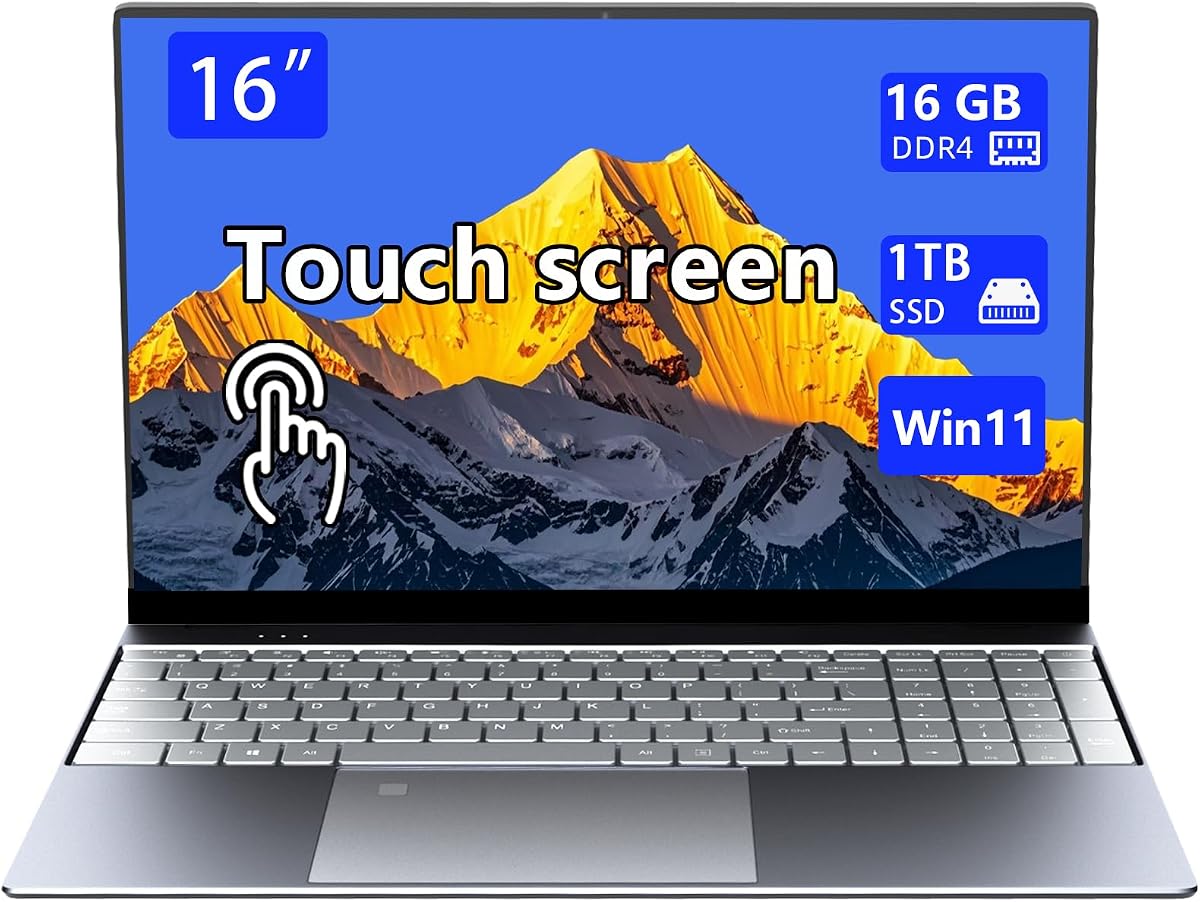
This 16-inch Metal Touchscreen Laptop combines an all-metal body, a Celeron N95 processor, 16GB of DDR4 memory, and a 1TB SSD. It also includes a ten-point touchscreen, fingerprint recognition, a backlit keyboard, Wi-Fi, and Windows 11. On paper, the storage and memory combination is generous for a compact general-purpose computer, particularly for students and office users.
We may earn a commission when you buy through this link, at no additional cost to you.
The touchscreen provides a more direct way to navigate large documents, browse webpages, and use applications that benefit from pen or finger input. Its backlit keyboard supports traditional typing, so users are not forced to rely on touch alone. The all-metal construction is intended to improve rigidity, scratch resistance, and heat dissipation compared with an unreinforced plastic enclosure.
The 1.4 customer rating is the biggest reason to approach this product cautiously. It may reflect customer experience, configuration differences, or other factors not fully visible in the supplied description. The N95 is a capable efficiency-oriented processor for office tasks, but it is not appropriate for demanding gaming or sustained creative workloads. The product title refers to 1920-by-1080 while the descriptive text mentions 1920-by-1200, so buyers should confirm the exact panel resolution.
This laptop may suit buyers attracted to the combination of a large touchscreen, metal body, 16GB memory, and 1TB storage. However, the low rating and ambiguous display details make it a less confident recommendation than the similarly positioned NIMO. Reviewing recent customer feedback and verifying the exact configuration is especially important.
A 1TB SSD gives documents, media, and applications ample local storage without making cloud use mandatory. It is a useful advantage over entry-level models with smaller drives.
The ten-point touchscreen adds flexibility for scrolling, demonstrations, and interactive applications. The backlit keyboard preserves a more familiar and productive typing experience.
We may earn a commission when you buy through this link, at no additional cost to you.
The Dell 16-inch Touchscreen Laptop pairs an AMD Ryzen 7 250 processor with 16GB of DDR5 memory and a 256GB PCIe NVMe SSD. The product title lists a Ryzen 7 170 designation, while the description identifies the Ryzen 7 250, so the exact processor should be confirmed for the particular listing. With a 4.5 rating, it is a strong option for users who want modern processing power in a relatively portable metal-style chassis.
We may earn a commission when you buy through this link, at no additional cost to you.
Its 16-inch 1920-by-1200 touchscreen uses a 16:10 aspect ratio and IPS technology, providing more vertical workspace and wide viewing angles. The stated 300-nit brightness is suitable for indoor use but may be less visible in bright outdoor settings. Backlit keys, a 4.18-pound weight, and a thickness of 0.78 inches make the laptop reasonably portable despite its large display.
Connectivity is another strength. The laptop includes Wi-Fi 6, Bluetooth 5.0, a USB-C port with DisplayPort 1.4 and power delivery, two USB 3.2 ports, HDMI 1.4, and a headphone jack. The display output and power delivery over USB-C can simplify connection to a compatible external monitor. A 1080p webcam with built-in microphone supports clear meetings, and 65W fast charging helps maintain productivity during the day.
The 256GB drive is the clearest compromise, especially for creative projects and large application collections. Users who regularly handle video, archives, or extensive media should plan for external storage or a larger configuration. Otherwise, this Dell offers a persuasive combination of processor capability, modern memory, a touch display, and practical connectivity for work and advanced multitasking.
The eight-core Ryzen 7 250 and 16GB of DDR5 are well suited to complex spreadsheets, coding, video editing, and multiple applications. Integrated graphics still make it a less obvious choice for demanding 3D games.
USB-C with DisplayPort 1.4 and power delivery allows compatible monitors to operate with a single cable. Dual USB-A, HDMI, and an audio jack provide additional flexibility for desks and meeting rooms.
We may earn a commission when you buy through this link, at no additional cost to you.
The KONZID 15.6-inch Metal Laptop is aimed at students and business users seeking a balanced daily computer. It combines a Celeron N95 processor, 16GB of DDR4 memory, 256GB of M.2 storage, integrated graphics, and Windows 11. Its 4.3 rating reflects a generally favorable customer response, while the 15.6-inch Full HD IPS display offers clear visuals and wide viewing angles.
We may earn a commission when you buy through this link, at no additional cost to you.
The 16GB of memory is particularly useful for smooth multitasking with browser tabs, documents, and communication applications. Storage is a more modest 256GB, and the supplied description cites transfer speeds up to 2.14GB/s. A 5,000mAh battery and 3.7-pound weight support mobile use, while the 180-degree hinge makes the screen easy to share during classes or meetings.
Port selection is comprehensive: three USB 3.2 ports, a DC input, HDMI 1.4, a data-only USB Type-C port, a TF card socket, and a 3.5mm headphone jack. Wireless support includes Wi-Fi 5 and Bluetooth 5.0. The USB Type-C port is limited to data according to the description, which means it should not be assumed to support charging or external-display output. The stated one-year support and 24-hour machine testing are useful assurances.
KONZID is a good match for students, home-office users, and travelers who prioritize memory, screen quality, useful ports, and a durable-looking metal shell. The N95 processor is appropriate for productivity and media but not demanding games or intensive editing. Buyers should also consider whether 256GB is enough for their software and files.
Sixteen gigabytes of DDR4 is a useful amount for students managing browsers, online classes, documents, and messaging apps. It also provides more breathing room than many entry-level alternatives.
Three USB-A ports, HDMI, a card reader, and a headphone jack cover common accessories. Confirm that the Type-C port meets your charging or display needs because it is described as data only.
We may earn a commission when you buy through this link, at no additional cost to you.
This 16-inch Metal Touchscreen Laptop offers an unusually generous configuration for an N95-based system. It includes 32GB of DDR4 memory and a 2TB SSD, along with a ten-point touchscreen, fingerprint reader, backlit keyboard, Wi-Fi, and Windows 11. The large memory and storage allocation should appeal to users who keep many browser tabs, work files, and media libraries on the same machine.
We may earn a commission when you buy through this link, at no additional cost to you.
The all-metal body is presented as a meaningful upgrade in rigidity, scratch resistance, and heat dissipation. A 16-inch touchscreen makes the notebook useful for presentations, creative navigation, and larger work areas. The Celeron N95 is a quad-core, four-thread processor with a peak frequency of up to 3.4GHz and integrated UHD 520 graphics, which are appropriate for productivity, browsing, and standard applications.
The key limitation is the mismatch between storage and processing power. A 2TB drive can hold a great deal of data, but the N95 will not exploit all of that capacity through demanding computational tasks. There is also no customer rating in the supplied data, making it harder to judge real-world satisfaction. The description references 1920-by-1200 while the title says 1920-by-1080, so the exact resolution should be verified.
This configuration makes the most sense for users who prioritize local storage and memory capacity, a large touch display, and a metal exterior over intensive performance. It could serve well as a secondary workstation, family computer, or media-capable productivity notebook. Reviewing recent customer feedback is recommended because the absence of a rating leaves more uncertainty.
Thirty-two gigabytes of RAM and 2TB of storage provide ample room for applications, browser sessions, and local media. This is particularly useful when users prefer keeping large files on the machine rather than relying on cloud storage.
The ten-point touchscreen provides a direct way to work with documents, media, and presentation content. A backlit keyboard remains available for extended typing sessions.
We may earn a commission when you buy through this link, at no additional cost to you.
The FIREBAT 15.3-inch Gaming Laptop is the strongest performance-oriented product in this group. It has a 5.0 customer rating and combines an all-metal ACD body, a Ryzen 7 H255 processor with eight cores and 16 threads, 32GB of DDR5 memory, and a 1TB PCIe 4.0 SSD. The supplied specifications also describe a maximum clock speed of 4.9GHz and a 120Hz 2.5K display.
We may earn a commission when you buy through this link, at no additional cost to you.
Its display is one of its most attractive features. The 2560-by-1600 IPS panel uses a 16:10 aspect ratio, provides a high refresh rate, and uses an anti-glare finish. That combination is well suited to games, creative work, and detailed productivity. Adjustable RGB keyboard lighting, a precise gesture touchpad, and an 80Wh battery add further value for long sessions away from a wall outlet.
The hardware is also designed to be upgraded. Its single 32GB memory module occupies dual memory slots and can be expanded to 96GB using a 48GB-by-two configuration. Two storage slots support PCIe 4.0 drives and expansion to 8TB according to the product description. At just 0.7 inches thick and 3.9 pounds, the notebook is portable for a machine with this level of hardware, although thermal behavior and sustained performance will depend on the graphics configuration.
FIREBAT is best for gamers, creators, developers, and professionals who want a capable CPU, abundant memory, fast storage, and a high-quality display in a slim metal body. Although the listing does not specify a dedicated graphics processor, buyers should confirm the exact GPU before judging gaming performance. For performance, upgradeability, and screen quality, this is the most ambitious all-metal configuration in the roundup.
The 2560-by-1600 resolution provides sharp detail, while the 120Hz refresh rate makes motion and scrolling appear smoother. Anti-glare treatment also helps control reflections in bright rooms.
Dual memory slots and dual NVMe positions support significant future upgrades. Buyers who need specialized software, virtual machines, or large media libraries can take advantage of the generous expansion limits.
We may earn a commission when you buy through this link, at no additional cost to you.
A metal enclosure is only the starting point. The right all-metal laptop should fit your workload, display needs, mobility requirements, connectivity habits, and support expectations without paying for hardware that you will never use.
Metal construction claims can refer to a full aluminum or recycled-aluminum enclosure, a metal top cover, or exterior panels combined with plastic internal components. A full enclosure may offer more consistent rigidity and thermal conduction, while a metal cover primarily improves appearance and resistance to surface scratches. Review photographs, material descriptions, and construction details carefully, particularly for smaller models whose supplied listings are less specific.
Prioritize clearly documented construction over vague premium wording. Confirm whether the lid, palm rest, bottom, and structural frame are metal and consider the total weight as an indirect clue, although weight alone cannot prove material composition.
Intel N150 and Celeron N95 systems are designed around efficiency and are suitable for browsing, office work, education, and communication. The Core i7-1185G7, Ryzen 7 250, Snapdragon X, and Ryzen 7 H255 provide greater headroom for multitasked professional work, development, editing, and more demanding applications. The processor should be selected based on the heaviest software you expect to run rather than on a general speed label.
Also consider sustained performance and cooling. A fast processor can be limited in a thin chassis if thermal headroom is insufficient, while an efficient processor may provide a better experience through long battery life and consistent responsiveness. Check the complete configuration and cooling design when possible.
Memory determines how comfortably a computer handles open applications, browser tabs, video calls, and large work documents. The guide includes models with 8GB, 16GB, and 32GB of memory. Sixteen gigabytes is a practical baseline for most students and office users, while 32GB provides additional headroom for creators, developers, and multitasked professionals. Eight gigabytes is best reserved for lighter tasks and systems offering an easy memory upgrade.
Check whether memory is soldered or replaceable, and verify supported capacity. A large amount of storage cannot replace RAM for active workloads, so avoid choosing a large drive merely to compensate for insufficient memory.
SSD storage improves startup time, application loading, and file transfers compared with a mechanical hard drive. The featured capacities range from 128GB to 2TB. Larger drives are helpful for media libraries, project files, and offline backups, while smaller drives often make cloud storage or an external SSD more important. Look for NVMe specifications and note the listed read or transfer speeds where available.
Expansion potential matters for long-term ownership. Some models include multiple M.2 storage slots, a microSD reader, or both. Confirm the supported drive format, slot count, and maximum capacity. A flexible laptop can remain useful longer as applications and personal files continue to grow.
Screen size, aspect ratio, resolution, brightness, and touch support each affect the experience. A 15.6-inch 16:9 display offers a familiar balance, while a 16-inch 16:10 panel provides more vertical workspace for documents and code. The FIREBAT's 2560-by-1600 120Hz screen targets detail and motion, whereas the HP OmniBook's 1920-by-1200 OLED emphasizes color and contrast. IPS panels are broadly suitable for productivity and viewing angles.
Outdoor users should consider brightness carefully, because 300-nit panels can appear dim in direct sunlight. Touchscreens add interaction but may increase cost, weight, and power consumption. Check native resolution, color treatment, viewing-angle technology, and whether a glossy or anti-glare finish better suits your environment.
Metal does not necessarily mean heavy, but screen size and performance hardware affect weight. Several featured laptops weigh between 3.24 and 3.9 pounds, making them realistic travel companions. A 16-inch display offers room for work but is less convenient than a 14-inch model when space is tight. Consider how often you will carry the computer and whether your charger is accessible during the day.
Battery claims should be compared carefully because manufacturers may report different scenarios. The HP OmniBook claims up to 41 hours and 45 minutes, while the HP Everyday Slim Laptop advertises up to 12 hours of video playback. Actual runtime depends on brightness, wireless activity, video quality, and processor load. Fast charging can be particularly valuable for students and travelers.
A useful port selection can reduce dependence on adapters. Look for USB-A and USB-C, HDMI, a card reader, and a headphone jack, and confirm the number available rather than assuming modern connectivity. Some Type-C ports support only data, while others add DisplayPort, power delivery, or charging. The NIMO and KONZID provide broad selections, while the Morostron lists a useful mix of HDMI, Type-C, and USB.
Wireless standards also matter. Wi-Fi 6E, Wi-Fi 6, and Wi-Fi 5 can all serve ordinary needs, but newer standards may offer faster performance in compatible networks. Bluetooth 5.0 through 5.3 is preferable for contemporary accessories. Verify support for your mouse, keyboard, headset, docking station, and any specialized equipment before purchasing.
A metal laptop still needs dependable support. The NIMO includes a two-year warranty and USA support, while the Dell Latitude listing includes a two-year Dell warranty and next-business-day onsite service. The FIREBAT includes a one-year manufacturer warranty and lifetime technical support. These terms can be more important than small specification differences, particularly for business users.
Customer ratings add another layer, but they should be interpreted alongside the number of reviews and recurring comments. The FIREBAT and Latitude both have 5.0 ratings, the NIMO has 4.9, and the two 16-inch metal touchscreen listings offer mixed signals because one has no available rating and the other has a low rating. Read recent feedback for the exact configuration you intend to buy.
Begin by configuring Windows, biometric security, and automatic updates as soon as you set up the machine. Create separate accounts if the laptop will be shared, choose a strong password or PIN, and verify that the fingerprint reader works from multiple orientations. For models with a physical webcam shutter, close it whenever the camera is not actively needed. Installing the manufacturer's updates helps keep drivers and security features current.
To protect the metal finish, avoid leaving the laptop in direct heat, inside a closed car, or under heavy objects. Clean the lid, palm rest, and display with a soft microfiber cloth and use a lightly dampened cloth for marks. Do not spray cleaning liquid directly onto the computer. A padded sleeve reduces scratches during transport, while a separate compartment prevents the metal edges from contacting keys or hard accessories.
Manage heat by keeping vents unobstructed and using the laptop on a hard, level surface. During long rendering, gaming, or compiling tasks, allow the system to follow its built-in thermal behavior rather than blocking airflow with fabric. Save active files, use sleep or shutdown for extended breaks, and periodically check storage space. For any upgrade, consult the manual and use compatible memory or NVMe modules.
They are generally better at resisting scratches, flex, and minor impacts, particularly when the metal covers major structural areas. Durability still depends on design, thickness, hinge quality, and care. A thin aluminum lid can still flex, and a well-built plastic machine may outperform a poorly engineered metal one. Check the overall construction rather than treating material as the only indicator of lifespan.
Metal can conduct heat away from internal areas more effectively, but it also transfers heat to surfaces users may touch. Cooling depends heavily on the processor, heat pipes, fans, vents, workload, and power limits. A high-performance metal laptop under sustained load may still run warm. Use a hard surface and maintain open airflow regardless of chassis material.
For browsing, office work, school, video calls, and moderate multitasking, 16GB is generally a comfortable amount. Creators, developers, and heavy multitaskers may benefit from 32GB. Models with 8GB can work for lighter use, especially if the memory is expandable. Match the capacity to your workload and check whether upgrades are supported.
Some models provide clear expansion options, while others do not. The FIREBAT lists dual memory and dual PCIe 4.0 storage slots, and the NIMO describes memory and storage expansion through M.2 and microSD. Other models may use fixed or soldered components. Consult the service manual and exact model number before ordering parts or opening the enclosure.
A 15.6-inch model is usually easier to fit into a backpack and less taxing to carry for a full day. A 16-inch screen offers more room for documents, creative work, and multitasking. Since several featured options are close to 3.7 pounds, the decision may come down to screen area versus footprint rather than weight alone. A protective sleeve remains important for either size.
Touch can make navigation, scrolling, and media control feel natural, while pen support benefits drawing, annotation, and detailed editing. The value depends on the quality of the digitizer and whether a stylus is included. Many laptops support touch through fingers but not every third-party stylus. Confirm compatibility and included accessories before purchasing.
OLED provides rich contrast, vivid color, and sharp image quality, making it appealing for media and general productivity. Some users prefer IPS for its more conventional brightness and viewing experience, while others appreciate OLED's deep blacks. Consider screen size, battery expectations, glare handling, and the types of content you view most often.
Prioritize battery life, weight, display quality, and processor efficiency for travel and office work. Choose a higher-performance gaming model when gaming, rendering, development, or heavy multitask outweighs maximum portability. The FIREBAT offers a strong high-performance configuration, while the HP OmniBook and NIMO emphasize mobility and efficiency.
The NIMO 15.6-inch AI Ready Laptop is the best budget pick because it combines a metal top cover, a 4.9 rating, extensive ports, expandable storage options, and a 3.7-pound design. The Dell Latitude Rugged 5430 takes the premium position with rugged business construction, 32GB of memory, Windows 11 Pro, and two-year warranty coverage. The HP OmniBook 3 stands apart for its OLED display, ARM-based efficiency, and exceptionally long advertised battery life.
For users who want stronger performance, the FIREBAT is the most compelling option, offering 32GB of DDR5 memory, a Ryzen 7 H255 processor, a 120Hz 2.5K display, and extensive expansion potential. The Dell 16-inch Touchscreen Laptop is another modern all-round option, particularly for multitasked professionals. Whatever route you choose, prioritize the processor, memory, display, connectivity, and support terms that match your work rather than choosing solely by appearance.
Ratings, configurations, product listings, and prices can change over time, and the same product name may appear with different components. Before ordering, verify the current processor model, memory, storage, display resolution, port functions, warranty terms, and operating system. That final check helps ensure that the model you select is genuinely the configuration that fits your needs.