
EurekaMind Lite
4.4Editor score
Unlimited core transcription
Dual conversation capture modes
Slim magnetic phone design
Explore the best AI lapel devices for meetings, interviews, translation, and voice notes, with features, recording modes, battery life, and accuracy compared.
AI lapel devices combine discreet wearable recording with automatic transcription, summaries, translation, and follow-up tools. A useful model should capture clear conversations without demanding constant attention, while its companion software should turn recordings into organized notes and actionable highlights.
This guide compares ten devices across capture formats, wearable design, microphone systems, language support, battery life, storage, privacy controls, and AI-assisted productivity features. It covers dedicated recorders, magnetic wearables, badge-style companions, and a creator-focused wireless lavalier for Android USB-C devices.
Each pick reveals what that particular device is best positioned to handle, from demanding business meetings to multilingual interviews and mobile content creation. Ratings and product details reflect the supplied information, while current prices, availability, software terms, and promotions can change, so verify them before buying.
4.4Editor score

4.5Editor score

4.4Editor score
The table below compares all ten devices by format, capture method, AI organization tools, and endurance, making it easier to identify the right wearable or portable recorder for your routine.




Plaud Note Pro is the strongest all-around recommendation in this guide, combining a 4.5 rating with an unusually broad set of recording and AI tools. Its credit-card dimensions, instant-view AMOLED display, and textured aluminum body make it look more like a refined productivity accessory than a conventional recorder.
We may earn a commission when you buy through this link, at no additional cost to you.
Its main strength is the combination of intelligent directional audio, automatic switching between call and meeting modes, and multimodal context. Users can record speech, add typed notes, attach images, and mark important moments with the physical button. Ask Plaud then works from the original audio to extract points, draft emails, suggest next steps, or answer questions.
The included accessories and cross-device app support add convenience, while the claimed 30-hour Enhance Mode and 50-hour Endurance Mode cover long event days. The trade-offs are subscription-dependent benefits and a free plan that includes 300 transcription minutes rather than unlimited use. Some users who only need raw audio may also find the broader feature set excessive.
This is the most suitable choice for professionals, executives, consultants, and anyone who wants a discreet recorder with polished hardware and a mature AI workflow. Choose it when reliable capture, visual status checks, flexible context, and post-meeting automation justify a premium-oriented device.
Marking a key moment, typing an observation, or adding a photograph gives the AI richer source material than audio alone. That context can produce more useful summaries, action items, and follow-up drafts.
At just 0.12 inches thin and 1.06 ounces, the device remains easy to carry, while the AMOLED screen lets you confirm recording and battery status without taking out your phone.
We may earn a commission when you buy through this link, at no additional cost to you.
Pocket AI Voice Recorder carries a 4.6 rating and stands out as a simple phone-centered recorder for people who want to capture a meeting or idea without managing a complicated wearable setup. Its MagSafe compatibility makes it particularly convenient to keep attached to an iPhone or another compatible device.
We may earn a commission when you buy through this link, at no additional cost to you.
One tap starts recording, after which Pocket transcribes the conversation, generates summaries, identifies action items, and organizes dialogue into structured conversation maps. Ask Pocket adds a natural way to revisit the source recording, extract insights, and turn discussions into next steps without manually searching through a transcript.
The four-day stated battery life is well suited to travel and multi-day schedules, and the magnetic arrangement avoids a separate clothing clip. The main limitation is that core features are included while more advanced tools sit behind an optional subscription. It also lacks the expansive context, local-storage, and display features found in some dedicated recorders.
Choose Pocket for mobile professionals, students, and commuters who prioritize fast capture and phone integration. It is particularly compelling for in-person conversations and brief meetings where a magnetic accessory is more convenient than a necklace, pin, or wrist-worn device.
The one-tap workflow removes the need to unlock a phone, open an app, or create a file before a conversation begins. Magnetic attachment also keeps the recorder close to the phone for quick access.
Ask Pocket grounds its answers in the original recording, allowing you to retrieve decisions, clarify a point, or generate next steps when reviewing the conversation later.
We may earn a commission when you buy through this link, at no additional cost to you.
Plaud NotePin S is the most wearable-focused member of this roundup, earning a 4.4 rating while offering four ways to wear the device. The included magnetic pin, clip, lanyard, and wristband let you adapt it to a professional outfit, outdoor activity, or a meeting where both hands need to remain free.
We may earn a commission when you buy through this link, at no additional cost to you.
A dedicated physical record button provides tactile control, while the Plaud app and web interface turn captured conversations into structured insights. The product supports 112 languages and more than 10,000 professional templates, including mind maps and to-do lists. Multimodal inputs, typed notes, images, and marked moments further enrich the resulting summaries.
Battery life is listed at 20 hours of continuous recording and 40 days of standby, while 64GB of local storage can preserve audio when connectivity is limited. The main trade-off is the plan structure: the free Starter Plan provides 300 transcription minutes monthly, and greater usage requires an upgrade.
Choose NotePin S if you want to keep both hands available and dislike leaving a recorder in a pocket. It is especially appealing for field interviews, healthcare, creative work, and site visits where unobtrusive wearable operation matters.
Changing between the pin, clip, lanyard, and wristband lets you match the device to the setting. This flexibility is more useful than a single fixed attachment for people who move between offices, homes, and field locations.
A broad template library helps convert recorded material into mind maps, to-do lists, and role-specific summaries. It reduces the work involved in transforming a lengthy discussion into usable documentation.
We may earn a commission when you buy through this link, at no additional cost to you.
EurekaMind Lite is the value-focused pick, combining a 4.4 rating with a free Starter Plan that includes unlimited transcription and AI summaries. That combination makes it attractive for users who want regular AI note taking without committing to a paid subscription for the core workflow.
We may earn a commission when you buy through this link, at no additional cost to you.
The 3 mm thick, 1.02-ounce body magnetically adheres to a phone or fits into a card holder. One-touch recording supports ambient capture for meetings and lectures, while a separate call mode suits phone conversations. The software produces transcripts, summaries, speaker identification, and action-item highlights.
Ask AI adds conversational review and web-search assistance, while optional upgrades introduce reminders, calendar synchronization, and Ask Agent capabilities. The trade-off is that the most advanced features are not part of the free package, and the tiny card format lacks a screen for recording or battery status.
Choose EurekaMind Lite for students, budget-conscious professionals, and anyone who values unrestricted core transcription. It is a particularly strong fit for people who want a simple second device that can live on a phone without taking up much space.
Unlimited Starter Plan transcription removes a common source of ongoing cost. You can focus on accurate capture and summaries rather than rationing minutes during active work.
Its low-profile magnetic design keeps the device available without the bulk of a larger accessory. It can move between a phone, wallet, or card holder according to the task.
We may earn a commission when you buy through this link, at no additional cost to you.
Comulytic Note Pro is the most feature-dense premium-style selection, with a 4.4 rating and a strong combination of local storage, fast syncing, adaptive capture, and broad language support. Its three-millimeter aluminum body includes a small display protected by Corning Gorilla Glass and three magnetic accessories.
We may earn a commission when you buy through this link, at no additional cost to you.
The recorder automatically detects calls, meetings, conferences, and interviews rather than requiring repeated mode changes. A triple-microphone array with noise cancellation is specified to capture speech within five meters, while 45 hours of continuous recording, 107 days of standby, and a 90-minute recharge target support demanding schedules.
Its 64GB storage and claimed Wi-Fi transfer speed ten times faster than Bluetooth are particularly useful for users who cannot wait for recordings to upload after a meeting. The app supplies transcription, summaries, action items, and to-do lists across 113 languages, with a specialized vertical knowledge base and built-in translation mode.
The main trade-off is that Deep Dive Analysis, Ask Comulytic Assistant, and Contact Insight Hub require the optional premium plan. The accuracy claim should also be understood as a product specification rather than a guarantee across every accent, industry, and recording environment. Despite those caveats, it is a strong choice for high-volume professionals.
Wi-Fi transfer can move recordings to the app while the conversation continues, reducing the wait after a session. Local storage also gives you an offline record before cloud processing and organization occur.
The supplied knowledge bases focus on fields including real estate, law, insurance, sales, finance, and consulting. This can help preserve specialized vocabulary before the app creates summaries and action items.
We may earn a commission when you buy through this link, at no additional cost to you.
Comu Action Pro has the highest listed rating in the group at 4.8 and distinguishes itself through automatic AI document generation. Instead of limiting itself to transcripts and summaries, it can turn conversations into editable slides, email drafts, reminders, to-do lists, and action items.
We may earn a commission when you buy through this link, at no additional cost to you.
Its audio system combines four omnidirectional microphones, one directional microphone, and one bone-conduction microphone. A motion sensor works with this array to optimize capture during interviews, meetings, calls, and other changing environments. The device supports transcription, summaries, and real-time translation across 113 languages.
A dedicated AI button lets you speak a request rather than construct a text prompt, and the results remain editable for later refinement. The trade-offs are a greater emphasis on AI interaction, which may take time to learn, and the fact that some smart features depend on the app, website, or network connection.
Choose Action Pro for leaders, sales professionals, and project managers who want a recorded conversation to become finished workplace documents quickly. Its 70-hour core recording capacity and Bluetooth and Wi-Fi connectivity also suit frequent, long workdays.
The dedicated AI button turns a spoken request into follow-up emails, calendar reminders, presentation drafts, and other practical outputs. This can shorten the gap between a meeting and the next necessary action.
A six-microphone arrangement gives the device several ways to isolate and preserve speech. The directional and bone-conduction elements are especially relevant when a conversation changes position or the environment becomes unpredictable.
We may earn a commission when you buy through this link, at no additional cost to you.
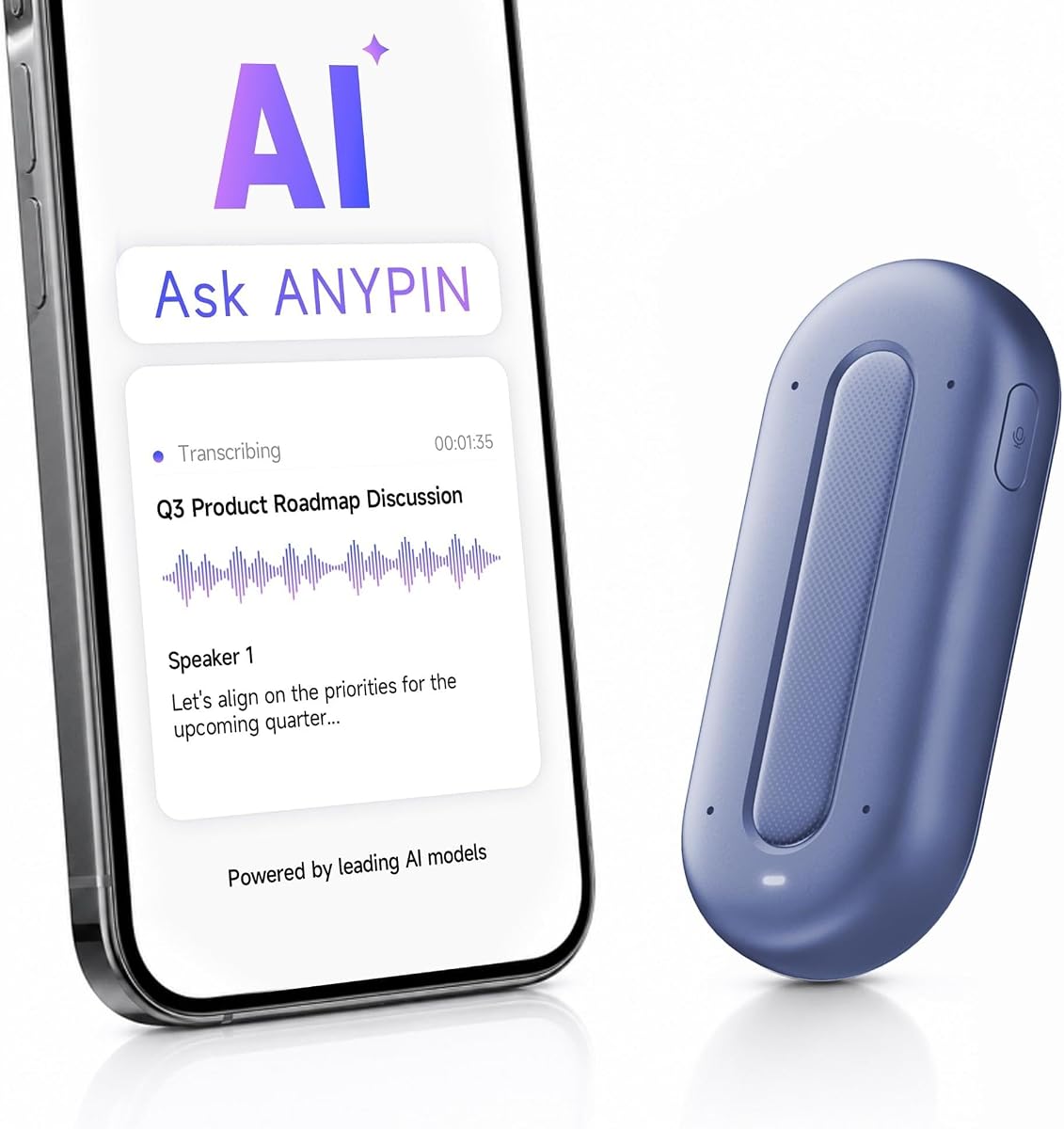
ANYPIN Note Pod P1 is an appealing wearable option for buyers who want a generous period of unrestricted transcription. Its one-year allowance includes unlimited AI transcription with no auto-renewal, after which the Free tier retains core features.
We may earn a commission when you buy through this link, at no additional cost to you.
The device weighs 20 grams and uses a four-microphone array with AI noise reduction to capture voices at a stated distance of up to 16 feet. It supports 120-plus languages, built-in translation, searchable text, summaries, key points, and action items. A clip and magnetic backplate are included, with necklace use possible through a separately sold lanyard.
Recordings are encrypted on the 64GB device and must be synced to the companion app before they can be played back or transcribed. This creates a more controlled privacy model, but it also means USB-C data transfer is not supported and the device cannot behave like a conventional removable-storage recorder.
Its 3.9 rating is the lowest listed here, which is worth considering. Even so, the combination of wearable design, one-year transcription access, and private offline storage is compelling for travelers, multilingual interviewers, and privacy-conscious users who can adapt to the app-based workflow.
The included year of unlimited transcription makes heavy use more predictable. Because it does not automatically renew, you can decide later whether the ongoing Free tier or another plan best fits your needs.
Encrypted on-device storage and automatic syncing reduce casual exposure of recordings. Scheduled recording, geofenced private zones, and iPhone Focus support add further ways to control when the device captures audio.
We may earn a commission when you buy through this link, at no additional cost to you.
Z01 PRO AI Badge is better viewed as a wearable AI companion with translation capabilities than as a dedicated meeting recorder. It carries a 4.2 rating and combines an offline HD touchscreen, Bluetooth 6.0 connectivity, translation across 102 languages, and a broad collection of local assistant tools.
We may earn a commission when you buy through this link, at no additional cost to you.
The badge connects to a smartphone without depending on Wi-Fi, and the supplied information says processing occurs on the device without cloud uploads. Users can ask questions, create reminders, receive recipe or survival guidance, personalize wallpapers, and carry the device in a pocket or on a lanyard.
A key limitation is that translation still requires an internet connection, despite the offline hardware and local-processing claims. The product also focuses less on dedicated meeting capture than the recorders in this guide, so it is most appropriate for language practice, travel, daily assistance, and informal notes.
Choose Z01 PRO if local privacy and wearable customization matter more than comprehensive transcription workflows. It can serve as a multilingual companion for international business, travel, conferences, and everyday communication where quick reference is more important than formal meeting documentation.
On-device processing keeps routine queries and personal information away from cloud uploads. This is a meaningful advantage for travel or work in locations where connectivity is limited.
Custom wallpapers, stickers, and multi-image content make the badge feel more personal than a plain recorder. The touchscreen also provides a compact interface for settings and assistant access.
We may earn a commission when you buy through this link, at no additional cost to you.
Z02 Wearable AI Badge has a perfect 5.0 listed rating and combines a voice recorder, translator, meeting assistant, and general AI companion in one wearable badge. Unlike more specialized recorders, it emphasizes fast gestures and accessible meeting intelligence in a compact format.
We may earn a commission when you buy through this link, at no additional cost to you.
Dual recording modes allow omnidirectional capture for group discussions or directional capture for a particular speaker. The software can distinguish speakers and provides meeting minutes, mind maps, summaries, keywords, action items, and other tools. A double tap starts recording, while vertical swipes access the chatbot and adjust display or sound settings.
The device is advertised without hidden fees or subscriptions, but the dedicated BagiBagi app and a network connection are required for AI voice dialogue, meeting minutes, memos, and intelligent functions. That distinction matters because it is not an entirely offline meeting recorder.
Choose Z02 for people who want a wearable assistant for business meetings, lectures, travel, and multilingual exchange. Its high rating and generous included tool set are attractive, although buyers should verify the quality of the app and connectivity requirements in their usual environment.
Omnidirectional mode can preserve a round-table discussion, while directional mode is useful when one speaker matters most. The change offers practical flexibility without requiring separate hardware.
Meeting minutes, mind maps, summaries, and action items are included without a recurring fee. The required app connection remains an important condition for accessing these features.
We may earn a commission when you buy through this link, at no additional cost to you.
SYNCO AI Mini is the specialist choice for mobile content creators using Android phones or tablets with USB-C and OTG audio input. Its 4.2 rating reflects a product built around voice quality, hands-free recording, and a direct connection to a creator's video workflow.
We may earn a commission when you buy through this link, at no additional cost to you.
AI noise reduction and voice enhancement are designed for real environments such as cafés, classrooms, home offices, and outdoor locations. Automatic voice leveling adjusts for movement and changes in speaking distance, reducing the uneven volume that often appears when a clip-on microphone is used with inconsistent positioning.
The SYNCO AI app turns recorded speech into summaries and mind maps, while translation and voice Q&A are offered without monthly fees. The limitation is platform specificity: the supplied USB-C receiver is intended for compatible Android devices and will not serve as a direct iPhone solution.
Choose SYNCO AI Mini for vloggers, short-form video creators, educators, and mobile interviewers who prioritize clean spoken audio over wearable meeting hardware. It is also useful for anyone recording lectures or meetings directly into an Android device with a wired lavalier.
Noise reduction and enhancement make the microphone more practical in uncontrolled locations. These tools are especially helpful when environmental sound competes with the speaker during an interview or tutorial.
Automatic leveling compensates when you turn your head, change posture, or move farther from the microphone. That reduces the need for repeated manual gain changes during a take.
We may earn a commission when you buy through this link, at no additional cost to you.
The right AI lapel device should fit your recording environment, communication style, and desired post-meeting workflow. Consider attachment format, microphone performance, transcription tools, app behavior, battery life, privacy, and total operating requirements before choosing.
AI lapel devices range from true wearables worn on a lanyard, wristband, or pin to slim recorders that attach magnetically to a phone. A wearable is useful when you need both hands free, but a phone-mounted recorder is quicker to retrieve and less noticeable in many professional settings. Consider whether you want clothing, wrist, necklace, or phone placement and whether included accessories support your preferred method.
Pick a format you will actually wear consistently. A device that is difficult to reach or uncomfortable during a long meeting may remain unused despite excellent software.
Microphone quantity is only one part of capture quality. Directional microphones can favor a nearby speaker, omnidirectional arrays are better for group conversations, and bone-conduction elements may add another way to preserve speech in changing positions. Pay attention to stated pickup distance, noise reduction, automatic scene detection, and whether a dedicated call mode is available.
Choose a directional or hybrid design for interviews and presentations, but consider an omnidirectional option for roundtable meetings. Always account for the distance between you and the intended speaker.
The central advantage of an AI recorder is not merely saving audio. Look for accurate transcription, speaker separation, searchable text, concise summaries, action-item detection, mind maps, and the ability to ask questions about the original conversation. These features vary widely, so consider how you will use the information after the recording ends.
Prioritize a workflow that produces clear next steps and structured notes. Raw audio is valuable, but a useful AI layer should reduce the time needed to review and redistribute what was discussed.
Language support matters for international meetings, field research, lectures, and multilingual interviews. Some devices support transcription across more than one hundred languages, while others focus on live translation or offline practice. Check whether the relevant language is included in both transcription and translation, and whether real-time translation requires a network connection.
For occasional international use, broad coverage is useful. For frequent cross-border work, verify accuracy in your specific language pair and consider an offline badge for travel where connectivity may be inconsistent.
Match endurance to the length of your typical workday. A device offering several hours may be enough for interviews, while continuous recording support of 30 to 70 hours is more useful for conferences, field days, or users who do not want to charge between sessions. Also examine standby time, recharge speed, local capacity, and whether files upload over Wi-Fi or Bluetooth.
More storage can protect you from losing recordings before syncing, but cloud backup and offline storage should be treated as complementary rather than interchangeable. Check the transfer method and data flow before choosing.
AI recorders can contain confidential business, medical, legal, and personal information. Compare encryption in transit and at rest, local processing, certified security standards, private-zone controls, scheduling options, and whether recordings remain on the device until you choose to sync them. Privacy features do not replace the legal or ethical responsibility to obtain consent before recording.
Favor a device that makes privacy controls visible and understandable. Always tell participants that a recording is taking place and follow applicable workplace and local laws.
Some products include unlimited core transcription, while others provide a limited free allowance and reserve advanced tools for paid plans. The most useful comparison is not simply whether a subscription exists, but whether your expected transcription volume and preferred analysis features fit the free or entry tier. Consider one-time promotional access separately from a permanent free allowance.
Choose the plan that matches actual usage after any introductory period. A generous free tier can be more economical than a device that becomes expensive once heavy AI use begins.
AI features usually depend on a companion app, web interface, or network connection, even when the recorder stores audio locally. Check Bluetooth and Wi-Fi support, phone operating-system compatibility, data-transfer limitations, and whether the device works independently. Creator-oriented lavaliers may require a specific connector, such as Android USB-C with OTG audio input.
Verify compatibility before ordering. A strong AI feature that cannot connect to your phone or recording setup will be of little practical value.
Before recording, update the companion app, connect and name the device, confirm your preferred transcription and privacy settings, and test the microphones with a short sample. If calls will be recorded, check the relevant call mode, storage capacity, and available recording time. Keep the microphone unobstructed and place the device within its stated effective range.
Tell participants that you are recording and obtain their permission before beginning. Start with a brief test, use a physical button or gesture to mark important moments when available, and add photographs or typed notes only when they add useful context. After the session, allow the recording to sync, inspect the transcript, correct speaker labels or important errors, and review generated action items before sharing them.
For care, clean the microphone openings gently with a dry, soft material and avoid moisture or abrasive cleaners. Keep the device within its operating temperature range, charge it periodically, and use the supplied charging dock or cable. Update the app and firmware when available, protect local data with the app's security features, and securely erase or transfer files before selling or returning a device.
A conventional wireless microphone mainly sends clean audio to a phone, camera, or computer. An AI lapel device also aims to transcribe recordings, summarize conversations, identify action items, translate speech, or answer questions about the source material. Some models are true wearables, while others are compact recorders that attach magnetically to a phone.
Several products in this guide include speaker recognition or multi-speaker capture, but results depend on acoustics, overlap, accents, and recording quality. Using a separate directional microphone for interviews and placing the device centrally during group meetings can improve separation. Always review the transcript before treating automated labels as authoritative.
It depends on the product and the features you need. EurekaMind, Comulytic, ANYPIN, Z02, and SYNCO advertise unlimited or free core functionality of different kinds, while Plaud's free plans have monthly transcription allowances and advanced options require paid tiers. Check which features remain available after a trial or introductory period.
Recording rules vary by location and situation, and workplace policies may impose additional restrictions. Many regions require consent from participants, while others distinguish between public and private conversations. Tell people that you are recording, obtain their agreement where required, and consult applicable local law for sensitive discussions.
The Plaud NotePin S is explicitly designed as a wearable and includes a pin, clip, lanyard, and wristband. It is a strong option when you need both hands free. For quicker phone-based access, magnetic recorders such as Pocket and Comulytic Note Pro can be more convenient.
Comu Action Pro, Comulytic Note Pro, ANYPIN Note Pod P1, and the Z-series badges advertise translation across many languages. The Z01 explicitly requires internet access for translation, while other products may similarly depend on the companion app and network. Verify the exact languages and offline limitations before relying on translation during an important meeting.
No. Transcription accuracy varies with accents, background noise, multiple speakers, specialized vocabulary, and microphone placement. AI summaries can also omit nuance or misrepresent a comment. Review important passages against the original audio, especially for legal, medical, financial, or personnel decisions.
Many models use Bluetooth or a companion app and are designed for broad mobile use, while some are platform-specific. SYNCO AI Mini is explicitly made for Android USB-C devices with OTG audio input, while Pocket highlights MagSafe compatibility. Check connector, operating-system, and network requirements before purchasing.
Plaud Note Pro is the most complete all-round recommendation, combining a slim aluminum body, intelligent audio, multimodal context, and polished AI organization. EurekaMind Lite is the strongest budget-oriented option because its free tier includes unlimited core transcription, while Comulytic Note Pro stands out for its large local storage, fast Wi-Fi syncing, and multilingual workflow.
Your priorities should determine the rest of the shortlist. Choose a true wearable for hands-free field work, a magnetic recorder for phone-based convenience, a badge for multilingual assistance, or a dedicated USB-C lavalier for Android video creation. Capture quality and the quality of your post-recording workflow matter more than the number of advertised AI tools.
Before ordering, confirm current device compatibility, recording limits, subscription terms, storage and sync behavior, and local privacy requirements. Prices, promotions, ratings, software features, and availability can change, so check the current listing and companion-app terms at the time of purchase.