
YuanLey 10GbE Network Card
4.4Editor score
Realtek RTL8127AT controller
PCIe 4.0 x1 interface
Automatic multi-gig negotiation
Full and low-profile brackets
Explore the best 10GbE network card for PC options, comparing controllers, ports, PCIe compatibility, features, ratings, and ideal setups for demanding users.
A 10GbE network card can give a compatible PC dramatically more network capacity than a conventional gigabit adapter, benefiting large file transfers, NAS access, media workflows, and locally hosted services. The right card depends on controller, port count, PCIe fit, operating system, cooling, and cabling.
This guide compares ten expansion cards, including nine 10GbE models and one 2.5GbE alternative, using the supplied ratings and specifications. It examines RJ45 port layouts, PCIe lane requirements, multi-gig support, bracket options, virtualization features, operating-system support, and practical installation considerations.
Each review explains who the card suits, what makes it useful, and where its limitations matter. Ratings reflect the available customer feedback rather than personal testing, while product details and compatibility claims come from the supplied information. Prices and availability can change, so confirm current listings before purchasing.
4.4Editor score

4.3Editor score

4.4Editor score
The comparison below covers controller type, port count, PCIe interface, and supported link rates, helping readers match each adapter to their PC, network equipment, and preferred workloads.

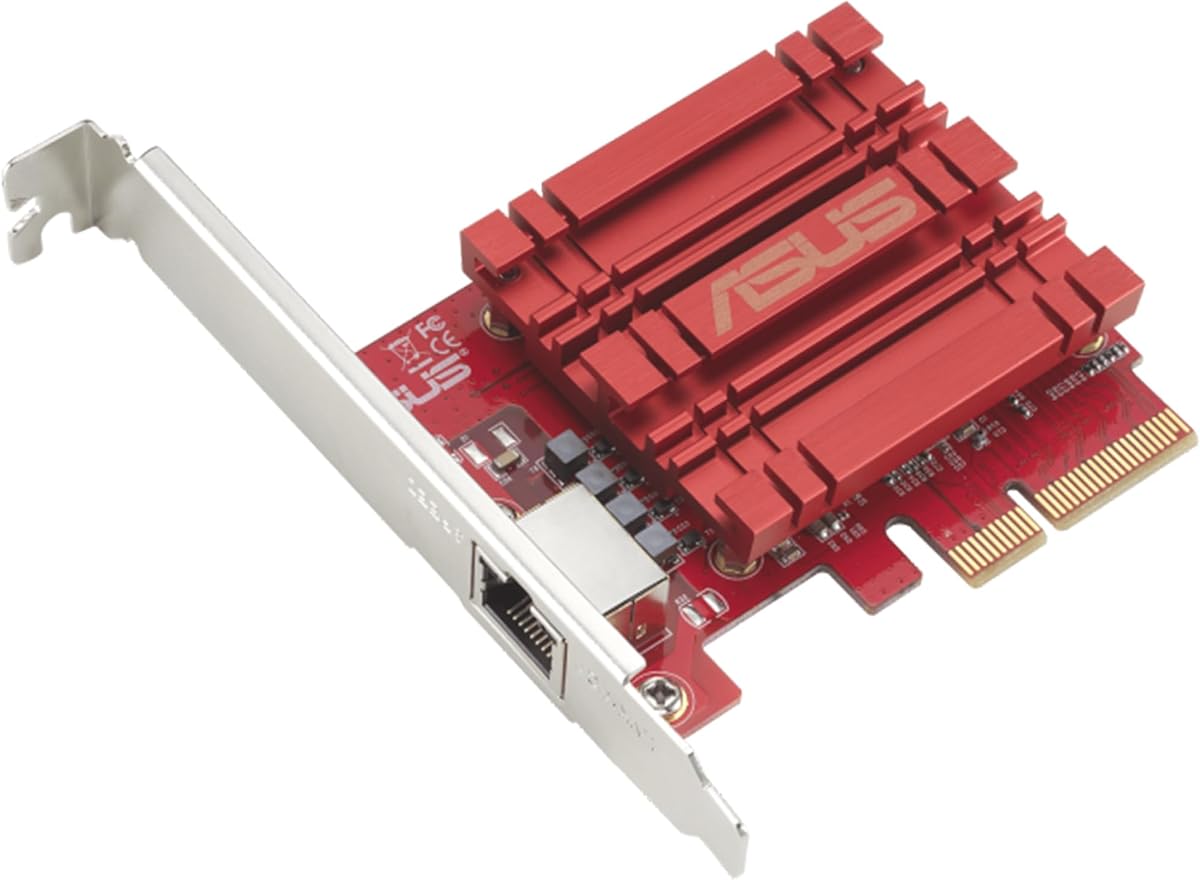


The TP-Link TX401 is a single-port PCIe 10GbE adapter built around 10GBase-T connectivity. It carries a 4.2 customer rating, placing it among the well-regarded products in this group, and its standout benefit is a straightforward upgrade path for a desktop or workstation with an existing copper network. The card can negotiate across multiple rates rather than requiring an entirely new network infrastructure.
We may earn a commission when you buy through this link, at no additional cost to you.
The TX401 supports 10Gbps, 5Gbps, 2.5Gbps, 1Gbps, and 100Mbps. That range makes it useful when the PC is connected to a mix of modern 10G equipment and older multi-gig or gigabit switches. Quality of Service is another practical feature, allowing selected traffic to receive priority and helping reduce congestion during PC gaming. A 1.5-meter CAT6A patch cable is included, which removes one immediate purchase and gives the user a cable appropriate for 10Gbps performance.
Physical installation is more flexible than the single included bracket might suggest because TP-Link supplies both full-height and low-profile brackets. The adapter is listed for Windows 10, Windows 8.1, Windows 8, Windows 7, several Windows Server releases, and Linux. The trade-off is its single RJ45 port: users who want link aggregation, dual independent connections, or a server-oriented port layout will need a different card. It also uses copper cabling rather than an SFP interface, so compatibility with fiber equipment is not part of its proposition.
This is a sensible recommendation for a gamer, creator, or home-lab operator who wants faster local transfers without replacing an entire network. The included cable, QoS support, and backward-compatible link rates make setup less complicated, while the lower rating suggests some variability in customer satisfaction. Buyers should still verify case clearance, operating-system drivers, and the capabilities of their switch or router before ordering.
Automatic negotiation across five link rates lets the TX401 work with existing gigabit equipment while leaving room for a future 10G upgrade. This flexibility is particularly useful when routers, switches, and endpoints are upgraded at different times.
The supplied CAT6A cable and choice of brackets reduce the need to source core installation parts separately. It is a convenience that can matter in a compact or tightly planned desktop build.
We may earn a commission when you buy through this link, at no additional cost to you.
The Asus NADACA0140 is a straightforward PCIe network adapter for bringing 10GbE to a compatible desktop. Its 4.1 rating is respectable but not the highest in the list, so the strongest case for it rests on its broad link-speed support, standard RJ45 connection, and built-in Quality of Service functionality. It is intended for users who want more bandwidth without introducing specialized transceiver hardware.
We may earn a commission when you buy through this link, at no additional cost to you.
The card supports 10, 5, 2.5, and 1Gbps rates along with 100Mbps, allowing it to negotiate an appropriate connection with a range of current network standards. The RJ45 port uses standard copper network cables, making it easier to integrate with home routers, small-business switches, and compatible high-speed network devices. QoS lets the user prioritize bandwidth and supported packets, which can be helpful when latency-sensitive traffic shares a connection with large transfers.
Operating-system coverage is listed for Windows 10, Windows 8.1, Windows 8, Windows 7, and Linux kernels 4.4, 4.2, 3.6, and 3.2. Those Linux kernel versions are specific enough that a current system may need an updated driver, and the card does not present the broader modern platform list found on some newer competitors. As with other single-port RJ45 cards, it cannot provide two simultaneous physical Ethernet links or SFP connectivity.
The Asus is worth considering for a stationary PC that performs heavy LAN transfers but has no 10GbE built in. It suits users who value a simple copper-based setup and traffic prioritization more than dual-port flexibility. Before installation, confirm that the case has room, the selected switch supports a matching multi-gig rate, and the operating system has an appropriate driver available.
An RJ45 port allows the card to use familiar Ethernet cabling instead of requiring SFP modules or compatible fiber hardware. This can simplify a local 10G upgrade while retaining backward compatibility.
Quality of Service provides a way to favor selected applications or packets. That can reduce the impact of background transfers on interactive workloads when the network and connected equipment support prioritization.
We may earn a commission when you buy through this link, at no additional cost to you.
The Vogzone X550-T2 is a dual-port PCIe 3.0 x4 network card built around the Intel ELX550AT2 controller. It earns a 4.3 rating and stands out for its extensive server-oriented feature set, including virtualization, traffic management, checksum offloading, and support for several storage and networking protocols. It is designed for users whose networking needs extend beyond ordinary desktop use.
We may earn a commission when you buy through this link, at no additional cost to you.
Both RJ45 ports support 100Mbps, 1Gbps, 2.5Gbps, 5Gbps, and 10GbE. The x4 interface can be installed in compatible x4, x8, or x16 slots, and older PCIe 1.1 and 2.0 operation is also supported. Features include single-root I/O virtualization, SR-IOV, VMDq, Intel Data Direct I/O, jumbo frames, PXE, DPDK, DCB, iSCSI, FCoE, NFS, and load balancing across multiple CPUs. These capabilities make the card attractive to administrators working with virtualized environments.
Firmware management is another strength. The card includes Intel's official NVM Update Utility and can refresh its NVM firmware under Windows, Linux, and VMware ESXi without entering BIOS or creating a bootable USB drive. That can simplify maintenance across multiple systems, although it also signals that this is not a simple plug-and-play card for an average home PC. The supplied information includes a low-profile bracket, but the available details do not explicitly confirm a full-height bracket in the package.
The X550-T2 is a compelling recommendation for a home lab, workstation, or server that benefits from two physical 10GbE connections and advanced management capabilities. Buyers should ensure the host supports single-root I/O virtualization and the intended protocols, and they should expect a more involved configuration than a basic desktop adapter. If those requirements are unnecessary, a simpler single-port card may be easier to deploy.
Dual RJ45 connections can support separate networks, multiple virtual functions, or more advanced aggregation and traffic-management arrangements. That flexibility is more relevant in labs and servers than in a typical single-workstation setup.
In-system NVM updates allow administrators to refresh supported cards from an operating system. This can lower maintenance effort when several machines require consistent firmware management.
We may earn a commission when you buy through this link, at no additional cost to you.
The VunLink RTL8127 is a modern single-port PCIe 10GbE adapter for desktops, mini PCs, workstations, NAS systems, and servers. It has a 4.3 rating and combines a compact PCIe 4.0 x1 design with automatic negotiation at 10, 5, 2.5, 1Gbps, and 100Mbps. Its strongest selling point is efficient slot compatibility without giving up access to a full 10GbE link.
We may earn a commission when you buy through this link, at no additional cost to you.
The controller is the Realtek RTL8127, and the card is described as using lower power and generating less heat than traditional 10GbE solutions. A PCIe 4.0 x1 interface can fit into x1, x4, x8, and x16 slots, making it a practical option for small form factor and ITX systems that might not have a card slot wide enough for a multi-lane adapter. Full-height and low-profile brackets are included for different case styles.
Compatibility is listed for Windows 10, Windows 11, Windows Server, and mainstream Linux distributions. The supplied information appropriately notes that drivers may be required depending on the OS version and kernel. Actual 10Gbps throughput also depends on the connected switch, router, NAS, peer device, and Ethernet cable. The product guidance recommends a compatible 10G device and Cat6a cable for optimal performance, emphasizing that the adapter alone cannot create a 10G path across an unprepared network.
This is our Editor's Choice because it balances modern multi-gig support, broad physical fit, energy efficiency, and a simple RJ45 interface. It is a strong recommendation for a compact PC or single-workstation upgrade where one fast LAN connection is enough. It may be less suitable for users who need redundant physical ports, SFP modules, or advanced traffic management, but for many single-port 10GbE builds it offers an especially practical balance.
A PCIe 4.0 x1 interface reduces the physical lane requirement of the adapter while remaining usable in larger slots. This makes the card easier to accommodate in compact and space-conscious systems.
The stated efficiency of the RTL8127 controller is particularly useful in workstations and small systems where sustained high-power expansion is undesirable. Proper airflow and driver support remain necessary for stable performance.
We may earn a commission when you buy through this link, at no additional cost to you.
The Intel Ethernet Converged Network Adapter X540T2 is a dual-port 10GbE card built for data centers, workstations, and technically demanding home labs. Its 4.4 rating is among the highest in this comparison. The card's strongest qualities are its established Intel networking platform, two RJ45 10GbE connections, support for I/O virtualization, and a converged networking feature set.
We may earn a commission when you buy through this link, at no additional cost to you.
The X540T2 uses standard CAT6a cabling with RJ45 connectors and remains backward compatible with existing 1000Base-T networks. It can support up to 64 virtual ports through flexible I/O virtualization and port partitioning, which is valuable for virtualized environments and consolidated server workloads. The adapter also unifies LAN, iSCSI, and FCoE networking, while its single-chip design integrates the MAC and physical layer.
This capability comes with trade-offs. It is a more specialized and older product generation than several Realtek-based alternatives, and buyers should confirm driver availability for the exact operating system, virtualization platform, and intended protocols. It also has two physical ports, so it consumes more expansion and cabling resources than a single-port adapter. Features such as partitionable virtual ports matter greatly to an administrator but may add complexity with little benefit for a regular home PC.
The Intel X540T2 earns the Best Premium distinction because it offers a mature, feature-rich way to add two 10GbE copper connections to a compatible system. It is especially attractive to users moving from gigabit networking, consolidating network services, or building a virtualization lab. For a simple file-transfer upgrade, a newer single-port card may be easier to manage, but for a serious converged-network deployment this Intel adapter remains compelling.
Support for up to 64 virtual ports allows administrators to divide network resources among workloads. This is one of the card's strongest reasons to move beyond a straightforward desktop upgrade.
Combining LAN, iSCSI, and FCoE capabilities can reduce the number of separate adapters needed in suitable infrastructure. Hardware and host-platform support must be considered before deploying these functions.
We may earn a commission when you buy through this link, at no additional cost to you.
The TRENDnet TEG-10GECTX is a PCIe network adapter that converts a compatible x4 slot into a 10GbE RJ45 connection. Its 4.1 rating is modest relative to several newer products, but the card offers a clear standards-focused feature set, multi-speed copper support, and compatibility with a range of Windows systems. It is a practical option for upgrading an existing server or workstation.
We may earn a commission when you buy through this link, at no additional cost to you.
The Ethernet port supports 10Gbps, 5Gbps, 2.5Gbps, 1Gbps, and 100Mbps. Its 2.5GBASE-T implementation is based on IEEE 802.3bz and can carry 2.5G or 5G over standard Cat5e cable for distances up to 100 meters, subject to the complete network path. Other listed standards include IEEE 802.3ab, IEEE 802.3an, IEEE 802.1Q, and IEEE 802.3ad. LEDs provide a visible indication of the adapter's operational status.
The card is also listed as NDAA and TAA compliant for applicable government customers in the United States and Canada, making it relevant for institutional procurement. TRENDnet backs it with three years of manufacturer protection and provides technical support during normal business hours. The trade-off is that a PCIe 3.0 x4 interface is less flexible than the x1 design used by some newer controllers, and only one Ethernet port is provided.
This card is recommended for a user who values explicit standards support, Cat5e multi-gig flexibility, and a straightforward way to add one 10G connection. It is less attractive for compact systems with only a short x1 slot and for users seeking dual-port or advanced virtualization features. Check your motherboard's lane layout, the switch's supported rates, and the desired operating system before installation.
Support for 2.5G and 5G over standard Cat5e can make the upgrade more practical where a full Cat6a installation is unnecessary. The connected switch and cable must both support the intended rate.
The listed IEEE standards and government procurement compliance make the card easier to evaluate for formal infrastructure requirements. Institutional buyers should verify current procurement rules independently.
We may earn a commission when you buy through this link, at no additional cost to you.
The YuanLey RTL8127AT is a compact 10GbE PCIe card for desktops, workstations, NAS systems, and rackmount installations. It carries a 4.4 rating, tying for the highest displayed customer score in the group, and it is our Best Budget pick because it combines a space-efficient x1 interface with broad cable and operating-system flexibility. A single RJ45 port keeps the design straightforward.
We may earn a commission when you buy through this link, at no additional cost to you.
The Realtek RTL8127AT controller supports automatic negotiation at 10, 5, 2.5, 1Gbps, and 100Mbps. Hardware checksum offload is included to reduce CPU overhead and improve system responsiveness, a useful feature during sustained transfers. The PCIe 4.0 x1 interface is compatible with x1, x4, x8, and x16 slots and is advertised as backward compatible with PCIe 3.0 x4, x8, and x16 arrangements.
One of the card's most useful practical features is cable compatibility. The supplied information lists Cat5e, Cat6, Cat6a, and Cat7 support with transmission distances of up to 100 meters, although the actual rate remains dependent on cable quality and the network path. Full-height and low-profile brackets are included. Windows 11 and Linux kernels up to 6.12 are listed, and Wake-on-LAN enables supported remote wake-up behavior.
This is a strong recommendation for a home lab, gaming PC, or workstation that needs one high-capacity LAN link and values a compact x1 footprint. It is less suitable for users requiring multiple physical ports, sophisticated traffic partitioning, or SFP connectivity. Confirm your Linux kernel if using a newer distribution, check case clearance, and make sure the switch and cable can support the link rate you intend to use.
The x1 interface allows the card to fit systems where a larger physical card would be inconvenient. It can also be used in wider slots, giving builders flexibility across desktop and workstation layouts.
Wake-on-LAN can help a user power on or access a remote machine when it is connected to power and the rest of the network is configured appropriately. This is useful for home labs and unattended workstations.
We may earn a commission when you buy through this link, at no additional cost to you.
The TP-Link TX201 is a 2.5GbE PCIe network card rather than a full 10GbE model, and it is included to represent a more attainable multi-gig option. Its 4.7 rating is the highest displayed rating among the ten products. It can still deliver a meaningful improvement over a conventional gigabit connection for a PC, particularly when moving data to compatible NAS and LAN equipment.
We may earn a commission when you buy through this link, at no additional cost to you.
The adapter negotiates at 2.5Gbps, 1Gbps, and 100Mbps, allowing it to work with existing gigabit networks and newer 2.5G infrastructure. Quality of Service lets selected applications receive priority during congestion, while Wake-on-LAN supports remote power management. Full-height and low-profile brackets are included, making it suitable for a broader range of desktop cases.
The specified operating systems include Windows 11, Windows 10, Windows 8.1, Windows 8, Windows 7, Windows Server 2022, Windows Server 2019, Windows Server 2016, and Windows Server 2012 R2, with Linux also supported. TP-Link provides a two-year warranty and around-the-clock technical support. Despite the favorable rating, the central limitation is unavoidable: the TX201 cannot negotiate at 5G or 10G, so it does not meet the full performance target implied by the broader guide.
The TX201 is best for a gamer, home user, or small office that wants 2.5GbE without moving to full 10GbE hardware. It may be a better fit than a 10G card when the router, switch, NAS, and cabling are limited to 2.5G. Buyers seeking maximum transfer speed or compatibility with a 10G network should choose a true 10GbE adapter instead.
2.5GbE offers a meaningful capacity increase over 1GbE while remaining compatible with common multi-gig switches and existing infrastructure. It works well when the entire network path supports 2.5G.
QoS, Wake-on-LAN, and two bracket styles cover common desktop needs without complicating installation. The included platform list is also broad for a multi-gig adapter.
We may earn a commission when you buy through this link, at no additional cost to you.
The WAVLINK RTL8127AT is a single-port 10GbE card designed for Windows and Linux PCs. It has a 4.3 rating and offers a familiar combination of multi-gig performance, broad PCIe compatibility, and physical shielding. The card's metal shield is intended to reduce electromagnetic interference, while its thermal design is presented as helping maintain stable transmission.
We may earn a commission when you buy through this link, at no additional cost to you.
The Realtek RTL8127AT controller enables transfer rates up to 10Gbps, suitable for file transfers, HD video streaming, and online gaming when the complete network path supports that speed. The adapter can be installed in PCIe x1, x4, x8, and x16 configurations, but it requires a PCIe slot rather than the older PCI standard. Both low-profile and standard brackets are included, improving its fit across different case designs.
Windows 11, Windows 10, and Linux are listed as compatible systems. WAVLINK advises downloading the latest driver from its official website and notes that some antivirus programs may flag it because of digital-signature recognition. That installation note deserves attention: a conservative approach is to obtain the driver from the vendor's official source, review it, and install it only after confirming the correct adapter and operating-system version.
This adapter is a reasonable choice for a PC that needs a single high-speed RJ45 connection and values a shielded, thermally considered design. It may suit home labs, gaming systems, and small creative workstations where a full server feature set is unnecessary. It is not the right fit for dual-port aggregation, fiber connections, or advanced virtualization partitioning. Buyers should also confirm that the network equipment and cable can carry 10Gbps.
The metal shield can help limit electromagnetic interference while protecting the card in a conventional desktop installation. Good airflow remains important when maintaining high sustained throughput.
Support for several PCIe slot widths makes the adapter easy to fit into varied motherboards. Compatibility with current Windows and Linux platforms broadens its practical appeal.
We may earn a commission when you buy through this link, at no additional cost to you.
The NICGIGA X540-T1 is a single-port 10GBASE-T adapter built around the Intel X540 controller. It has a 4.3 rating and is aimed at desktops, workstations, servers, and mini-tower systems that need a dependable 10GbE copper connection. The card supports 10GBASE-T, 1000BASE-T, and 100BASE-TX through a standard RJ45 interface.
We may earn a commission when you buy through this link, at no additional cost to you.
Its principal strength is the Intel X540 foundation, a recognizable controller generation commonly associated with data-center and converged-networking deployments. The supplied information lists support for Windows, Windows Server, Linux, VMware, and ESX, giving the card a broad platform target. A 10G connection can improve local transfers, server access, and the responsiveness of storage-heavy workflows when the switch and other endpoints support the same rate.
The interface requires a PCIe x8 or x16 slot, which is a meaningful limitation for small builds. The card does not accept older PCI slots. Standard and slim brackets are included, and the design emphasizes heat dissipation to support stable operation. It also provides just one Ethernet port, so it cannot offer the redundancy or multi-network flexibility of a dual-port X550-T2 or X540T2. The listed IEEE references cover the relevant copper Ethernet applications.
This is a sensible recommendation for an administrator or enthusiast who prefers the Intel X540 controller but does not need dual ports. It works particularly well in a server or workstation with a larger PCIe slot and compatible software stack. Before buying, check whether the system provides adequate lanes, whether the host platform supports the intended driver and virtualization environment, and whether the enclosure can maintain airflow around the card.
The X540 controller provides a recognizable platform for users familiar with Intel's established 10GbE family. Software and deployment experience may therefore be easier for system administrators who have used similar hardware.
The x8 and x16 requirement gives the card room for a full 10GbE path but reduces compatibility with compact x1-only systems. Checking the motherboard layout before purchase avoids an unnecessary enclosure upgrade.
We may earn a commission when you buy through this link, at no additional cost to you.
Choosing a 10GbE network card for a PC requires balancing link speed, controller features, physical fit, driver support, and the capabilities of the rest of the network. The adapter is only one part of a path that must also support the target speed.
Summary: Verify 10G support across the entire network path before buying.
Summary: RJ45 suits most copper networks; SFP suits compatible optical infrastructure.
Summary: Match lane width, connector size, and case clearance.
Summary: Pick one port for simplicity or two for advanced network designs.
Summary: Verify exact OS, kernel, driver, and link-rate support.
Summary: Consider offload, QoS, virtualization, and power features alongside speed.
Summary: Ensure adequate airflow and correct bracket orientation.
Summary: Use CAT6A for dependable 10G copper links and verify cable quality.
Begin by shutting down the PC, disconnecting its power, and confirming that the expansion slot and bracket match the adapter. Install the correct low-profile or full-height bracket, seat the card firmly in the PCIe slot, and reconnect any required power or other cables. In a compact system, verify that the card does not interfere with storage devices, graphics hardware, or cooling components.
After the system starts, obtain the appropriate driver from the operating-system provider or the card manufacturer's official resources. Install the matching version, restart if requested, and confirm that Windows or Linux recognizes the new Ethernet adapter. If a multi-gig rate is available but not selected automatically, review the adapter's advanced settings and set the negotiated speed according to the connected switch and cabling.
For testing, connect a compatible peer, NAS, or switch through suitable Ethernet cabling and monitor the negotiated link rate. Confirm that it reaches 10Gbps only when every component in the path supports that speed. Keep the card's area unobstructed, maintain internal airflow, avoid repeated unnecessary shutdowns, and use qualified drivers and updated system software to preserve stability over time.
It depends on the bottleneck. A 10GbE card can help with large local transfers, NAS traffic, backups, and access to servers, but internet speed is limited by the service and router. If connected equipment remains at 1G, a multi-gig card may deliver more benefit than a full 10G adapter. Consider 10G when the rest of the local network already supports it.
Usually yes, because the listed cards support lower rates through automatic negotiation. A 10GbE card with a 1Gbps switch will establish a 1Gbps connection unless link aggregation or another advanced configuration is correctly implemented. The card's maximum rating does not override the slower device at the other end of the link.
CAT6A is the most dependable common recommendation for 10GBASE-T, and the TP-Link TX401 includes a suitable 1.5-meter cable. Some installations can use CAT6, while certain multi-gig rates may work over CAT5e. Cable quality, length, connectors, and installation conditions affect the result, so check the specifications of the card and every active network device.
Only if another part of the connection is the limiting factor. A faster local adapter can help when the internet service, router, or internal path is constrained, but it cannot exceed the available ISP bandwidth. It also cannot create a faster WAN link. Internet speed depends on the service, router capabilities, ISP routing, and the destination server.
A single-port card is usually simpler and adequate for one workstation. A dual-port card can be useful for separate networks, virtual functions, failover, link aggregation, or server traffic segmentation, but it requires compatible software and switch configuration. For ordinary browsing, gaming, and one NAS connection, the additional port may provide little practical value.
No. The card must match the slot's physical connector and have enough PCIe lanes for the required bandwidth. For example, an adapter specified for x8 or x16 cannot run at full functionality in a short x1 slot, although some x1 designs fit several larger slots. Check the motherboard manual, case dimensions, and bracket orientation before opening the case.
Driver requirements vary by card and operating system. Some recent operating systems may recognize compatible adapters automatically, while others require a vendor-provided driver. Linux users should verify the kernel and distribution, and virtualization environments may need specific guest and host support. Download the current driver from an official source and confirm that it corresponds to the exact adapter model.
The negotiated rate is limited by the slowest compatible device or cable in the path. Common causes include a gigabit switch, an older router or NAS, Cat5e used beyond its suitable multi-gig conditions, driver configuration, or an unsupported intermediate device. Check the link status on both ends, review advanced adapter settings, and test with a known-good CAT6A cable and 10G-capable equipment.
The YuanLey RTL8127AT stands out as the Best Budget option because its 4.4 rating, PCIe 4.0 x1 footprint, cable compatibility, and Wake-on-LAN support cover many practical needs. The VunLink RTL8127 takes the Editor's Choice position for its modern Realtek controller, efficient design, broad slot fit, and clean single-port configuration. For more demanding infrastructure, the Intel X540T2 earns Best Premium with two ports, virtualization, and converged-network capabilities.
Before choosing, prioritize the network path over the adapter's headline speed. Confirm that the switch, router, NAS, peer system, and cabling support the target rate, then check the operating system, PCIe lane requirement, physical dimensions, and bracket. Single-port cards are usually best for ordinary PCs, while dual-port models make more sense for labs, servers, virtualization, and separate network paths.
Customer ratings and specifications provide a useful starting point, but compatibility is the decisive test. Product prices, driver packages, firmware, and availability can change, so review the current listing and official support information before buying. Once the entire path is ready, a properly installed 10GbE adapter can remove local network bottlenecks that a gigabit connection leaves in place.
