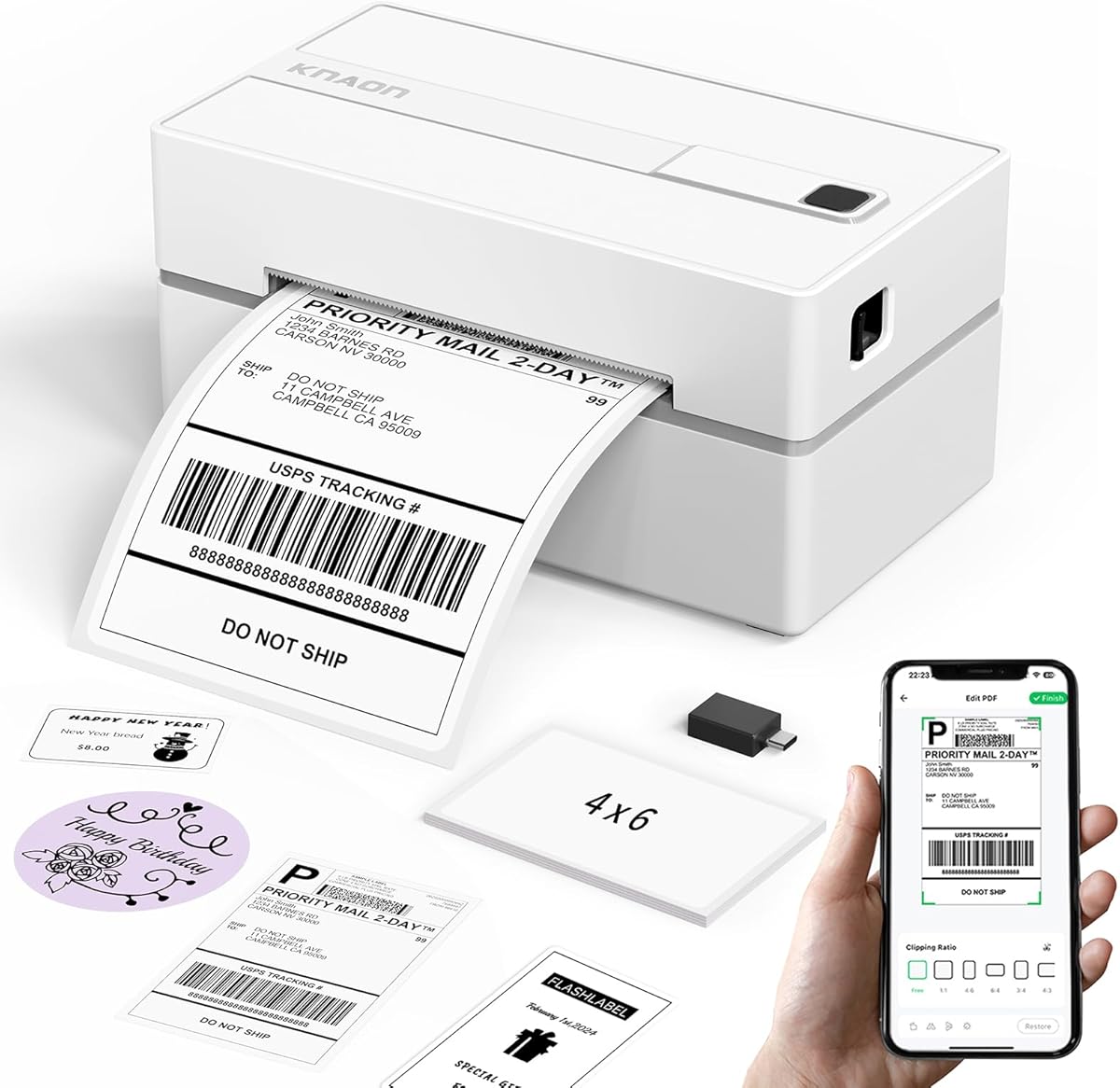
KNAON Bluetooth Shipping Label Printer
4.4Editor score
Bluetooth wireless printing
180 mm/s printing speed
Broad operating system support
3,000+ design templates
Label Printer for Pirate Ship guide compares ten thermal printers for compatibility, connectivity, print quality, label handling, setup, portability, and daily
A label printer for Pirate Ship should make every order faster, clearer, and less prone to manual errors. The right thermal printer needs to handle common 4×6 shipping labels, pair reliably with your chosen device, and reproduce barcodes, addresses, and carrier details clearly enough for dependable scanning.
This guide compares ten thermal label printers based on connectivity, operating-system support, label compatibility, print resolution, speed, setup resources, and suitability for home sellers or growing businesses. It includes wired desktop models, Bluetooth options, and portable printers while distinguishing the specific needs of each setup.
Each review identifies the printer's strongest features, practical limitations, and best-fit user. Pricing changes frequently, so current listings should be checked before buying, but the technical features and platform considerations discussed here provide a stable framework for choosing a label printer for Pirate Ship.
4.4Editor score

4.4Editor score
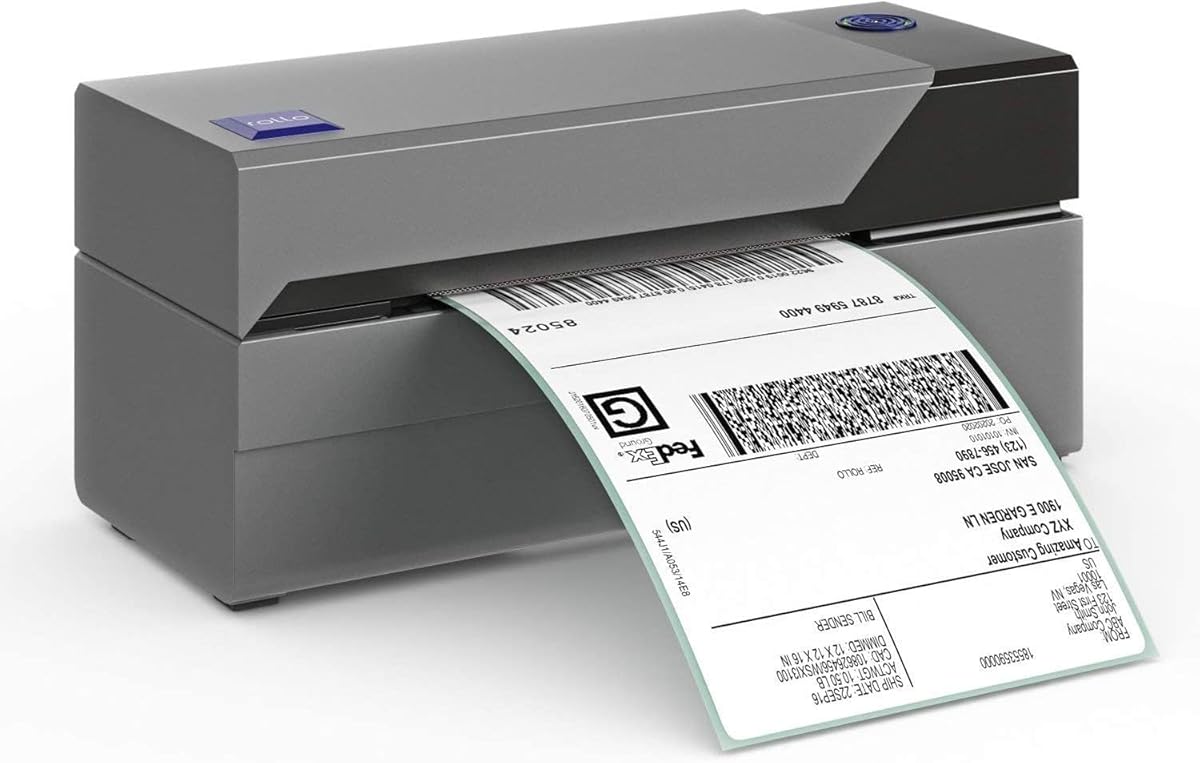
4.6Editor score
The comparison below highlights the main differences in connection methods, print specifications, included features, and label support, helping you identify the printer that best matches your devices, shipping volume, and need for mobile operation.
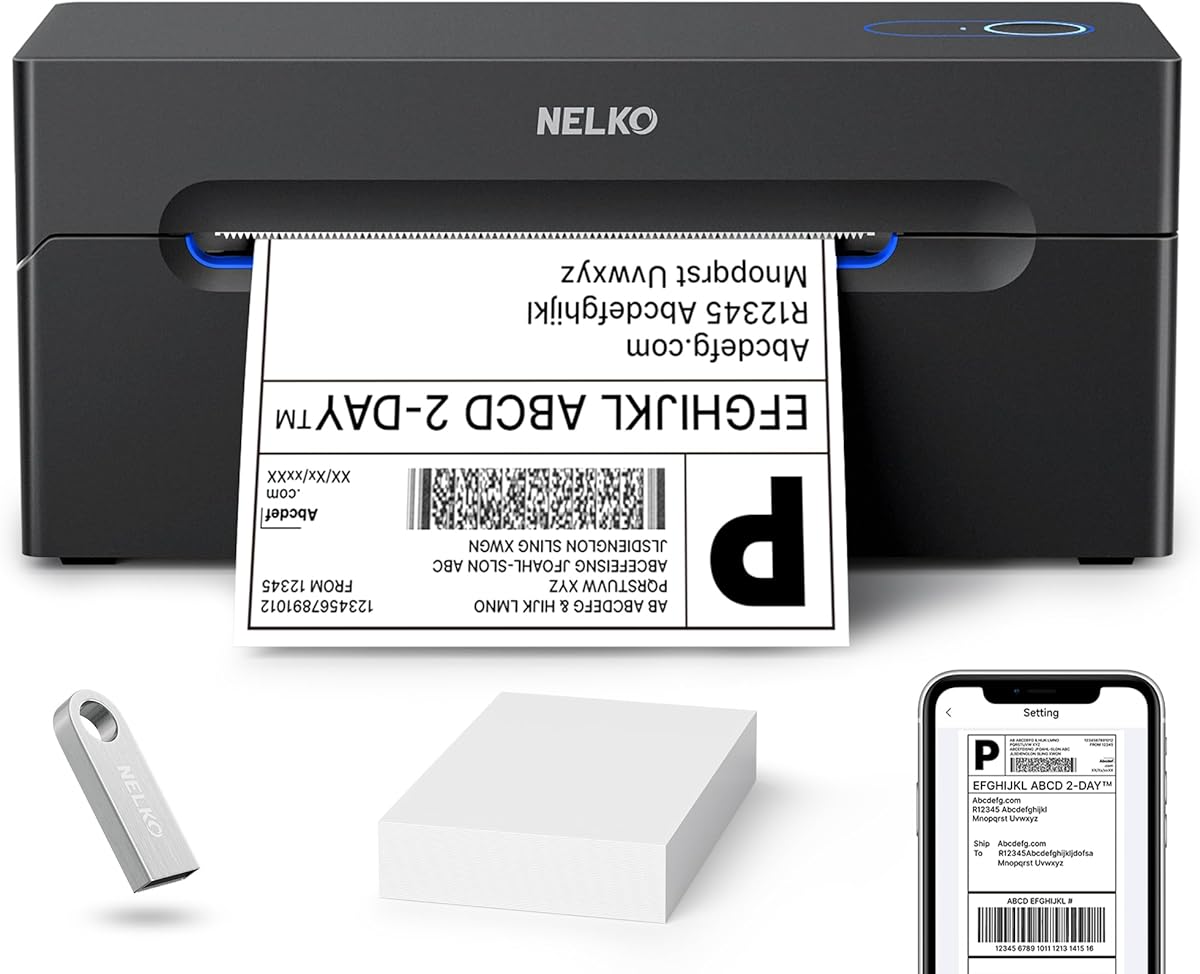
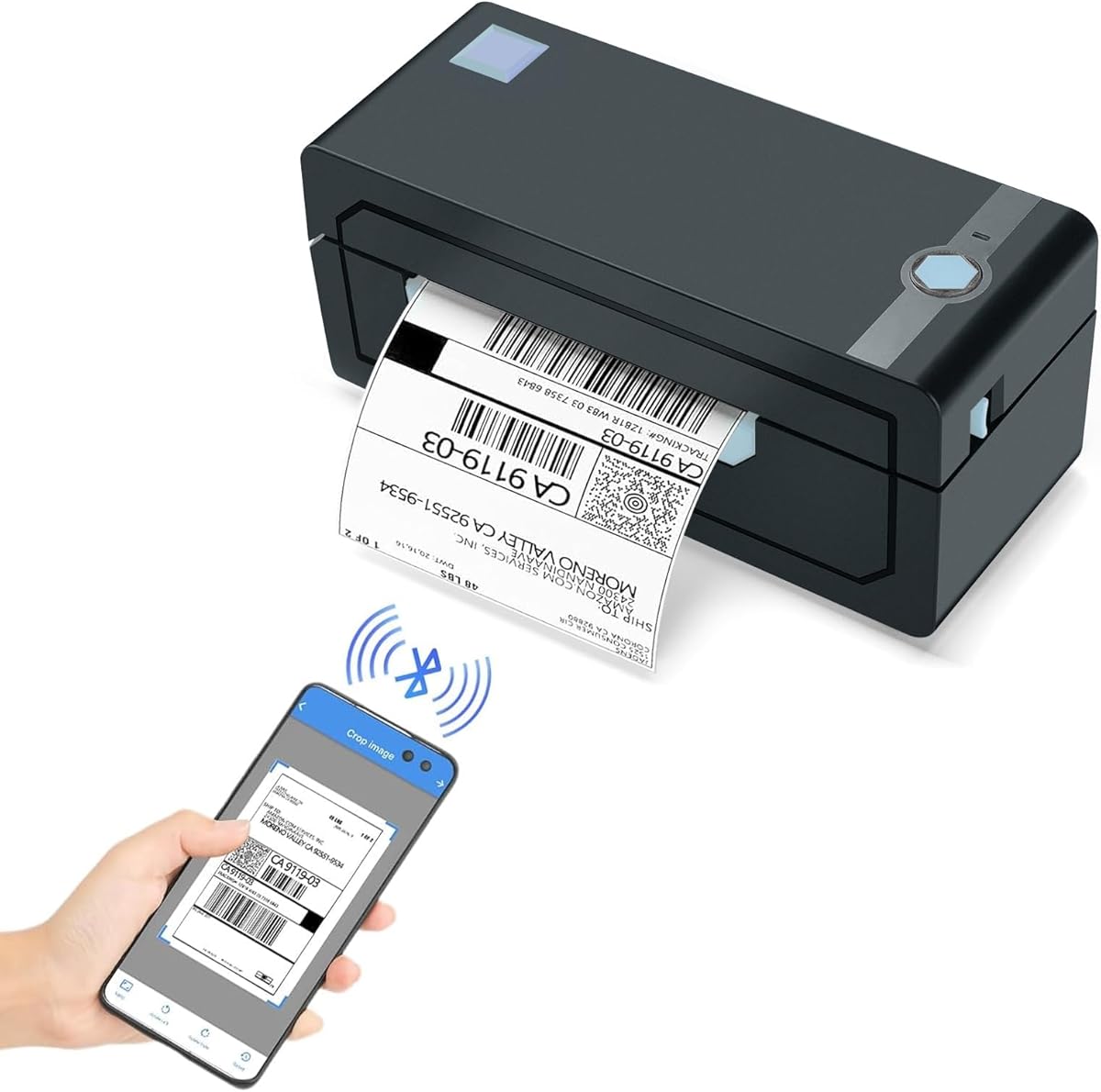


The Nelko Bluetooth Thermal Shipping Label Printer is a flexible desktop option for sellers who want to move between a phone, tablet, and computer. Its 4.3 rating reflects a generally capable machine, with a 203 DPI print head, direct thermal technology, and support for both fanfold and roll labels. It is particularly attractive for users who occasionally need wireless printing rather than requiring a permanently connected workstation.
We may earn a commission when you buy through this link, at no additional cost to you.
Connection options are the main attraction. The Nelko app supports Bluetooth workflows for iOS and Android, while compatible Windows computers and selected Mac configurations can also use Bluetooth. A USB connection provides a more conventional route on Windows, Mac, and Chrome OS, although the supplied information specifically notes that Mac Bluetooth is unavailable and USB is required there. Users can therefore choose the most stable connection for their setup instead of depending on one workflow.
The stated print speed reaches 150 mm/s, with up to 72 four-by-six labels per minute. Label widths range from 40 to 104 millimeters, covering common 4×6, 3×2, 3×1, and 2×1 formats. Direct thermal printing removes ink and toner from the equation, but it also means the printer is limited to black output. Shipping platforms including Amazon, eBay, Shopify, USPS, UPS, Etsy, PayPal, and Poshmark are listed as compatible when the label is first saved as a PDF and imported into the app.
This is a strong choice for a small seller who values wireless flexibility and compact equipment. It is less suitable for someone expecting flawless Bluetooth behavior across every device or needing a dedicated Ethernet connection. Confirm that your preferred computer, phone, operating system, and label stock align with the documented workflow before ordering. For those requirements, the Nelko combines useful speed, broad label support, and straightforward desktop printing in a small package.
Bluetooth support can reduce cable clutter and make mobile label production more convenient. The app-based workflow is especially relevant for sellers who alternate between a phone at a packing table and a computer for larger batches.
A claimed 150 mm/s speed and 72-label-per-minute maximum make the printer suitable for regular small-business order volume. Actual output will vary with label dimensions, file content, and the device performing the print job.
We may earn a commission when you buy through this link, at no additional cost to you.
The NULLTONEX Thermal Shipping Label Printer is an all-around choice for small sellers who want both mobile convenience and a dependable wired workflow. It carries a 4.4 rating and delivers 203 DPI direct thermal output at speeds up to 150 mm/s. That combination makes it a practical option for producing everyday 4×6 shipping labels without dealing with ink cartridges, toner, or a large-format office printer.
We may earn a commission when you buy through this link, at no additional cost to you.
Bluetooth and USB connectivity allow the printer to fit into different packing environments. Mobile users can pair through the FlashLabel Pro app, while a USB cable offers a steadier connection to a laptop or PC. The app includes more than 1,800 customizable templates, over 300 fonts, and several editing tools, giving users room to prepare shipping labels, barcodes, address labels, and other small-format designs. Offline storage for templates and designs is another useful feature when cloud access is inconvenient.
Platform support includes Amazon, Shopify, Etsy, USPS, UPS, FedEx, and DHL. Standard four-by-six labels are supported, along with media from 1.57 to 4.3 inches wide. The printer is black-and-white only, which is normal for direct thermal shipping output but important to understand before designing labels. Its overheat protection is intended to support stable long-run performance, and the package includes a power cord, USB cable, and 25 four-by-six labels.
This printer makes the most sense for a seller who wants a capable app, flexible connections, and enough design resources for both shipping and business organization. It is a better all-round choice than a model tied exclusively to one device type, while the USB option gives high-volume users a stable fallback. Buyers who need color output should look elsewhere, but for standard shipping labels, the NULLTONEX offers a balanced and approachable package.
The FlashLabel Pro library gives users a much larger design starting point than a basic printer driver. Templates, fonts, and offline storage are useful for turning downloaded shipping information into consistent labels without rebuilding the layout each time.
Support for major marketplaces and carriers makes this a sensible option for a mixed fulfillment workflow. As with other thermal printers, downloading a label before importing it into the app helps preserve the expected sizing and layout.
We may earn a commission when you buy through this link, at no additional cost to you.
The JADENS Bluetooth Thermal Shipping Label Printer is designed for sellers who work across several fulfillment services. Its 4.4 rating, 203 DPI resolution, and support for common marketplace and shipping tools make it a credible all-purpose option. The printer supports labels from 1.57 to 4.1 inches wide and accepts both fanfold and roll formats, giving it flexibility beyond standard four-by-six shipping labels.
We may earn a commission when you buy through this link, at no additional cost to you.
The connection arrangement is more nuanced than the headline wireless capability suggests. Windows 8 or later and Mac computers can print through Bluetooth, while iOS and Android users need the Jadens printer app. USB operation is available on Windows 7 and newer as well as Mac OS 10.9 and later. This makes the device usable across several environments, but buyers should verify the exact path required by their preferred device rather than assuming every platform connects directly.
Compatibility is a defining strength. The listed platforms include Endicia, Dazzle, ShipStation, ShippingEasy, Shippo, ShipWorks, Ordoro, eBay, Amazon, and Shopify, among others. That breadth suits a business whose orders come from different channels. Setup resources, including a printer driver, instructions, and troubleshooting videos on a USB drive, can make initial configuration less intimidating. A one-year warranty also adds useful support around the purchase.
The principal operational detail is label calibration. The supplied information recommends holding the feed button to identify and calibrate the new label size whenever the stock changes. That habit prevents faint, misaligned, or incorrectly positioned output. JADENS is a strong recommendation for sellers who need broad platform support and dependable wired or wireless options, provided they follow the documented setup and calibration process.
The long compatibility list reduces the chance of choosing a printer that fits only one marketplace. This is particularly valuable for operators moving between Amazon, eBay, Shopify, and dedicated shipping software.
The included driver and instructional media reduce uncertainty when configuring the printer for a new computer. Buyers should still install the correct software for their operating system and confirm the intended paper size before batch printing.
We may earn a commission when you buy through this link, at no additional cost to you.
The Rollo USB Shipping Label Printer is the strongest premium-oriented desktop choice in this roundup, combining a 4.6 rating with a 203 DPI print head and a stated speed of 150 mm/s. Its one-label-per-second maximum suits a dedicated packing station where a laptop remains connected and labels are produced continuously. The printer handles media from 1.57 to 4.1 inches wide, covering the standard four-by-six format and several smaller label styles.
We may earn a commission when you buy through this link, at no additional cost to you.
Its USB-first design is straightforward. Rollo supports Windows XP and newer and Mac OS 10.9 and newer, and the setup process requires connecting the computer and installing the appropriate driver. This approach avoids the app and wireless variables found on many competing models, making Rollo attractive to users who value stability and a consistent desktop workflow over phone-based flexibility.
The machine is not limited to carrier labels. Rollo can create barcodes, product labels, thank-you stickers, QR codes, business stickers, and name labels. Listed compatibility includes FedEx, UPS, USPS, Rollo Ship Manager, ShipStation, ShippingEasy, Shippo, ShipWorks, Amazon, Shopify, Etsy, and eBay. The complimentary Rollo Ship application is also positioned as a streamlined way to connect ecommerce platforms and access shipping options without adopting another full shipping platform.
This is the best fit for a home business or small warehouse that prints from a computer and values clear output, dependable connectivity, and broad platform support. Its lack of Bluetooth is an important limitation, but not a flaw for the intended desktop use case. If your fulfillment desk is permanently laptop-based, the Rollo’s simpler connection model can deliver a more dependable experience than a wireless model.
A wired USB workflow is easier to troubleshoot and keeps the printer available whenever the computer is ready. It is particularly attractive for a fixed packing table that already uses a laptop or desktop.
The label-making app extends the printer beyond courier labels. Product identifiers, QR codes, thank-you stickers, and business labels can all be produced with the same direct thermal mechanism.
We may earn a commission when you buy through this link, at no additional cost to you.
The KNAON Bluetooth Shipping Label Printer combines a 4.4 rating with a stated speed of up to 180 mm/s, making it a compelling compact option for small sellers. It supports 203 DPI output, media widths from 1.5 to 4.2 inches, and standard four-by-six shipping labels. Its relatively small 7.17 by 3.9 by 3.43-inch body also makes it easier to accommodate than a bulky desktop unit.
We may earn a commission when you buy through this link, at no additional cost to you.
Wireless printing is available through the FlashLabel Pro app for mobile users, while Windows and macOS can also connect after installing the appropriate software and driver. USB provides a wired alternative on macOS, Windows 7 or newer, ChromeOS, and Linux. ChromeOS users need the FlashLabel extension, and some devices cannot establish a direct Bluetooth connection, so app-based operation is an important part of the experience rather than an optional extra.
The editing resources are unusually extensive for a compact printer. FlashLabel Pro includes more than 3,000 templates, 5,000 icons, and 100 fonts, making it useful for shipping addresses, thank-you labels, name tags, price tags, barcodes, and other small thermal labels. Amazon, eBay, Shopify, USPS, UPS, Etsy, PayPal, Poshmark, and DHL are among the listed platforms. The standard workflow involves saving a logistics label as a PDF and importing it into the app.
KNAON is a strong budget pick for someone who wants high claimed speed, wireless convenience, and a large creative library in a compact unit. The app requirement adds a setup step, and buyers should confirm that their device is compatible before purchasing. Once configured, it is a flexible label printer for a mobile or mixed-computer workflow that needs more design flexibility than a basic shipping-only printer.
The 180 mm/s maximum makes the KNAON well suited to a small order surge without requiring a large desktop machine. Actual timing varies with label size and the complexity of the printed content.
Thousands of templates, icons, and fonts extend the printer into product presentation and small-business organization. This makes it useful when a seller wants to print more than carrier-generated labels.
We may earn a commission when you buy through this link, at no additional cost to you.
The Rongta Bluetooth Shipping Label Printer is a practical option for users who value simple label handling over an elaborate design library. It carries a 4.0 rating and uses 203 DPI direct thermal printing at speeds up to 150 mm/s. Bluetooth connectivity through the RONGTA app supports compatible iOS and Android phones and tablets, which is useful for mobile packing stations.
We may earn a commission when you buy through this link, at no additional cost to you.
Automatic label identification is its most distinctive feature. The printer detects, grabs, and feeds labels without requiring constant manual adjustment. It supports media from 0.98 to 4.37 inches wide, including four-by-six shipping labels, two-by-two circular labels, two-by-one barcode labels, and one-by-one QR code labels. That range is useful for sellers who handle both parcels and small inventory identifiers.
Desktop support includes Windows 7 and newer, Mac OS 10.11 and newer, and Chrome OS, with drivers available from Rongta’s official website. The printer measures 10.2 by 7.4 by 5.3 inches, offering a practical balance between label capacity and a space-saving footprint. It can sit on a desk, fit into a drawer when not in use, or travel to another location when needed.
Rongta is best suited to buyers who want straightforward Bluetooth printing and especially convenient stock changes. Its listed rating is lower than those of many alternatives, so checking recent customer feedback and confirming software compatibility is sensible. The automatic handling and wide media range offset that concern for many sellers. It is a convincing choice for mobile-first operations that print several label formats rather than relying exclusively on four-by-six shipping stock.
Automatic detection, grabbing, and feeding reduce the chance that a label will print incorrectly after a roll or fanfold change. This is particularly useful when several label types are used during the same shift.
A 0.98-inch minimum is smaller than the four-inch-oriented designs common among shipping printers. That makes Rongta useful for QR codes, compact barcodes, circular product labels, and parcel labels within the same device.
We may earn a commission when you buy through this link, at no additional cost to you.
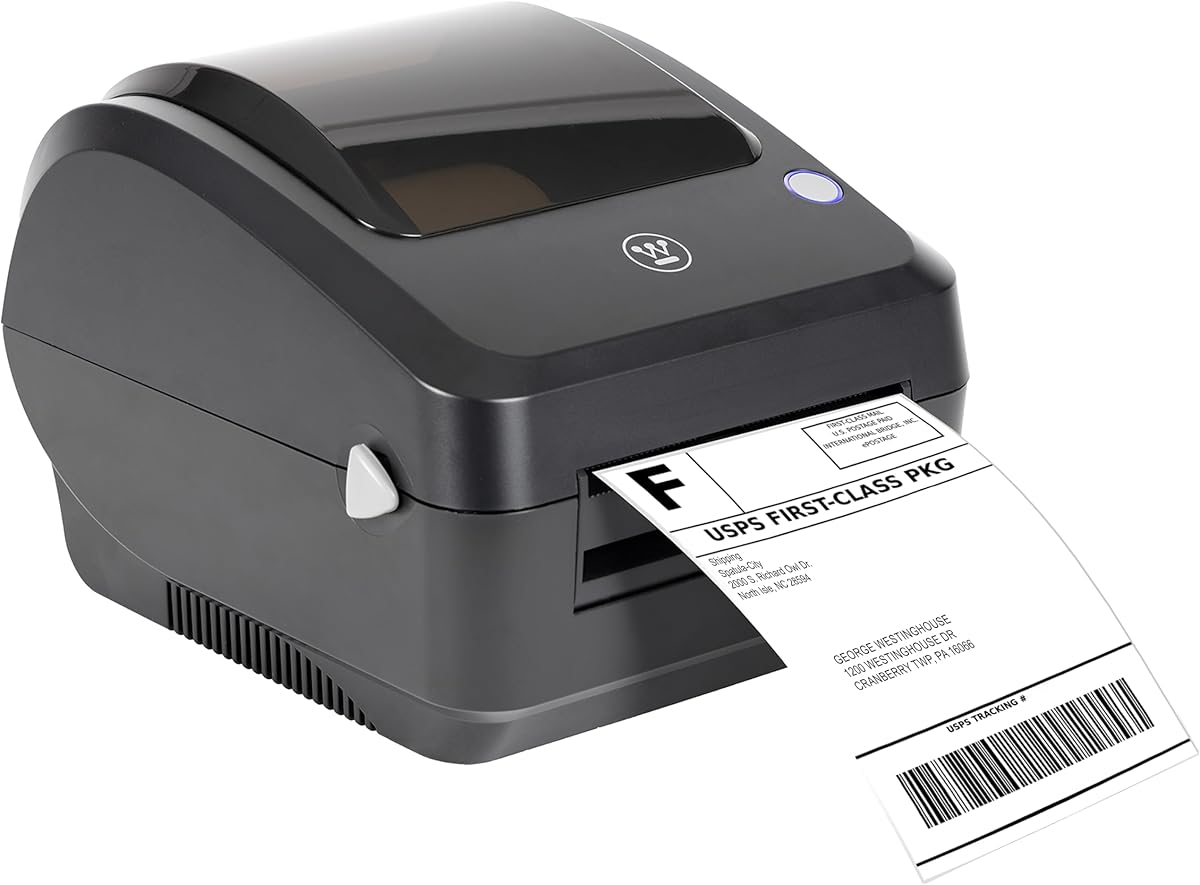
The Westinghouse Thermal Shipping Label Printer is a commercial desktop model for sellers who prioritize speed and stable network or wired connections. It has a 4.4 rating, 203 DPI resolution, and a top speed of six inches per second. Unlike many compact alternatives, it supports Windows, macOS, and Linux and can work with ZPL software, making it a practical fit for a more structured shipping workstation.
We may earn a commission when you buy through this link, at no additional cost to you.
The printer supports both USB and Ethernet capability. The supplied information notes that Ethernet can support router speeds below 1 GHz, so buyers should examine their network configuration before expecting a particular result. This wired emphasis is useful for a permanent packing desk, while the absence of Bluetooth is the main contrast with the app-driven competitors in this list.
Its media handling is notably flexible. The printer accepts fanfold labels and rolls, with widths from 0.78 to 4.6 inches, a maximum printing width of 4.25 inches, thickness from 0.06 to 0.25 millimeters, and label-roll cores from 1 to 3 inches. The package includes starter labels, a holder, USB flash drive, USB cable, power cord, and power adapter. Ethernet and USB-C cables or adapters must be obtained separately if needed.
Westinghouse is a good candidate for a business that prints consistently from a computer, expects regular label volume, and values a commercial-style enclosure. ZPL and Ethernet support can be advantageous for technically managed operations, while three operating systems broaden desktop compatibility. It is less convenient for phone-only sellers, but its speed, media range, and network readiness make it a strong dedicated-station option.
Wired and Ethernet options suit an environment where the printer remains connected to a computer or local network. This avoids app-pairing interruptions and keeps the workflow predictable.
The printer accepts rolls and fanfold stock across a broad width and thickness range. Label rolls with several supported core diameters make it easier to source replacements.
We may earn a commission when you buy through this link, at no additional cost to you.
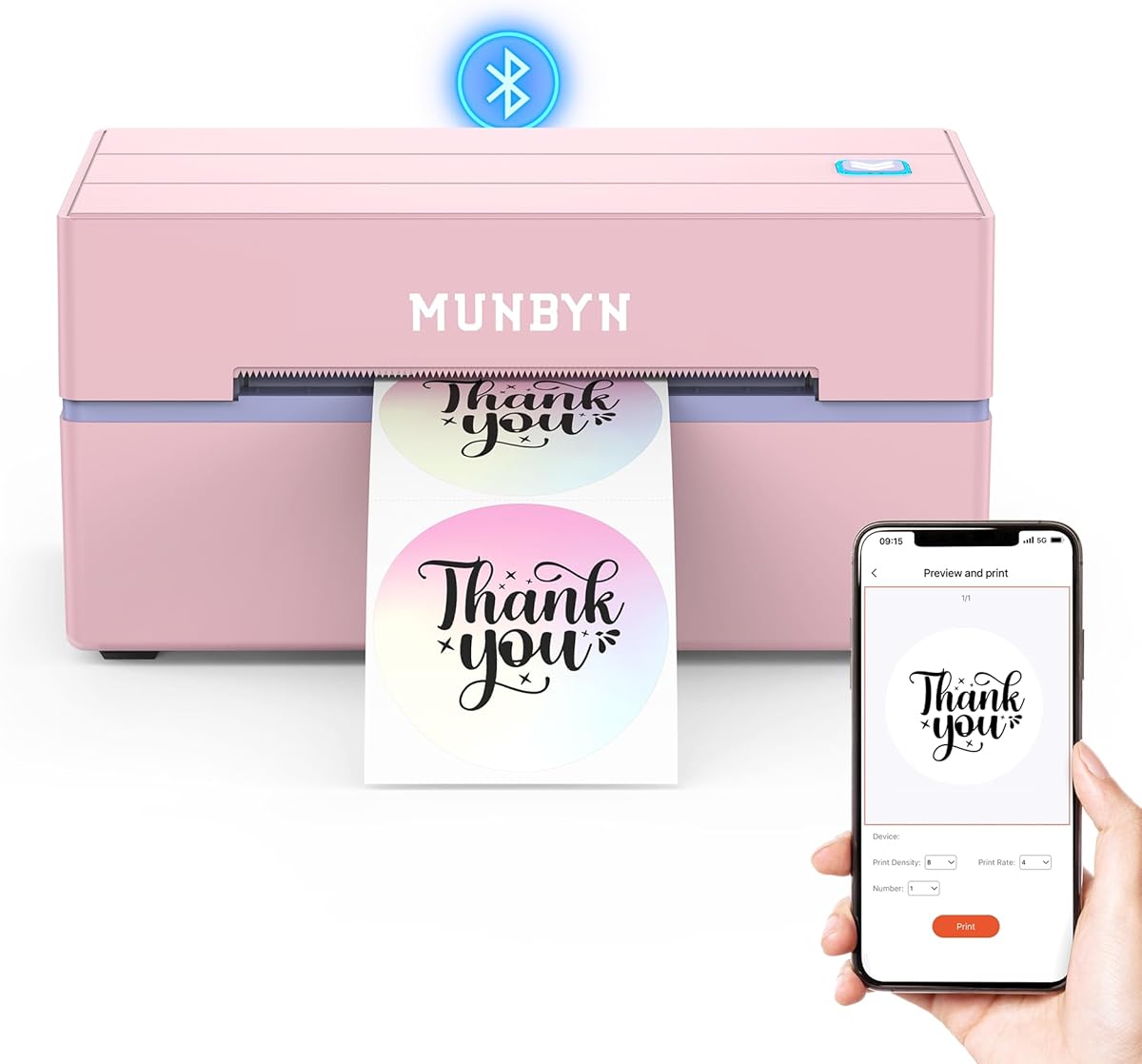
The MUNBYN Bluetooth Thermal Label Printer stands out for its creative and document-handling features. It has a 4.4 rating, 203 DPI precision, and a three-step connect-design-print workflow for compatible devices. Mobile users can use the MUNBYN Print app, while desktop users can access the Munbyn Editor through Google Chrome without installing a traditional editor.
We may earn a commission when you buy through this link, at no additional cost to you.
The design library includes more than 3,500 elements, 2,000 templates, and 80 fonts. PDF and text files can be imported, and OCR supports text recognition. These capabilities go well beyond basic carrier labels, making the printer attractive for QR codes, pricing, branding, product identification, business stickers, and home organization. Label widths from 1.57 to 4.3 inches support common four-by-six shipping formats as well as smaller rectangles and circles.
Compatibility covers major shipping platforms and marketplaces, and the printer supports multiple specialty label series, including circular, rectangular, rainbow, gradient, shell, aurora, glitter, and morandi styles. USB provides a route for desktops without Bluetooth. A key limitation is that the 130B Bluetooth model may not be compatible with UPS thermal paper, so buyers using that carrier should verify their exact stock before purchasing.
MUNBYN is best for a seller who wants a powerful editor and a broad range of label designs, not merely a transport for downloaded shipping PDFs. Pairing it with genuine Munbyn thermal paper is recommended for consistently crisp output. It may not suit every UPS workflow, but for supported labels and applications, the combination of wireless access, browser editing, and an extensive creative library is highly useful.
The Munbyn Editor approach can simplify setup for users who do not want to install a full desktop application. Google Chrome provides a direct route to wireless label design and printing.
Support for decorative and specialty label series makes this more than a basic parcel printer. Users can build branded packaging, decorative product labels, and functional QR or pricing labels in the same workflow.
We may earn a commission when you buy through this link, at no additional cost to you.
The Phomemo 241BT Wireless Thermal Label Printer is a mobile-oriented option for sellers who print primarily from a phone or tablet. It holds a 4.4 rating, supports label widths from 1 to 4.6 inches, and reaches 150 mm/s, or up to 72 four-by-six labels per minute. Direct thermal technology keeps the output black and white while eliminating ink and toner.
We may earn a commission when you buy through this link, at no additional cost to you.
For iOS and Android, users download the Labelife app, enable Bluetooth, search for the 241BT printer, select the paper size, and choose the file type. The documented sequence is unusually clear. Laptop and desktop users are directed to install the 241BT driver from the manufacturer’s website and connect by USB data cable, after which the printer appears in the standard computer print selection.
The printer supports eBay, Shopify, Amazon, Etsy, UPS, USPS, FedEx, and other common fulfillment services. It can print text, barcodes, QR codes, forms, and templates for home or business use. Phomemo recommends its own thermal paper for crisp, long-lasting results, although compatible label stock may be used. The output is black-and-white only, and color thermal paper is listed as a separate purchase rather than a native color-printing capability.
Support resources are another strength. Phomemo offers live chat, phone, email, and remote desktop assistance during the listed support hours. The 241BT is well suited to a mobile packing station or a seller who alternates between phone and computer. It is less suitable for users expecting native color output, but for readable shipping information, barcodes, and standard black thermal labels, it delivers a practical and well-supported wireless workflow.
The three-step mobile setup reduces friction for sellers who do not want to manage a full computer driver. Label selection within the app also helps prevent incompatible media settings.
Direct thermal printing avoids ink and toner consumables, keeping routine operation focused on label stock and printer maintenance. Consistent label quality still depends on suitable media and correct calibration.
We may earn a commission when you buy through this link, at no additional cost to you.
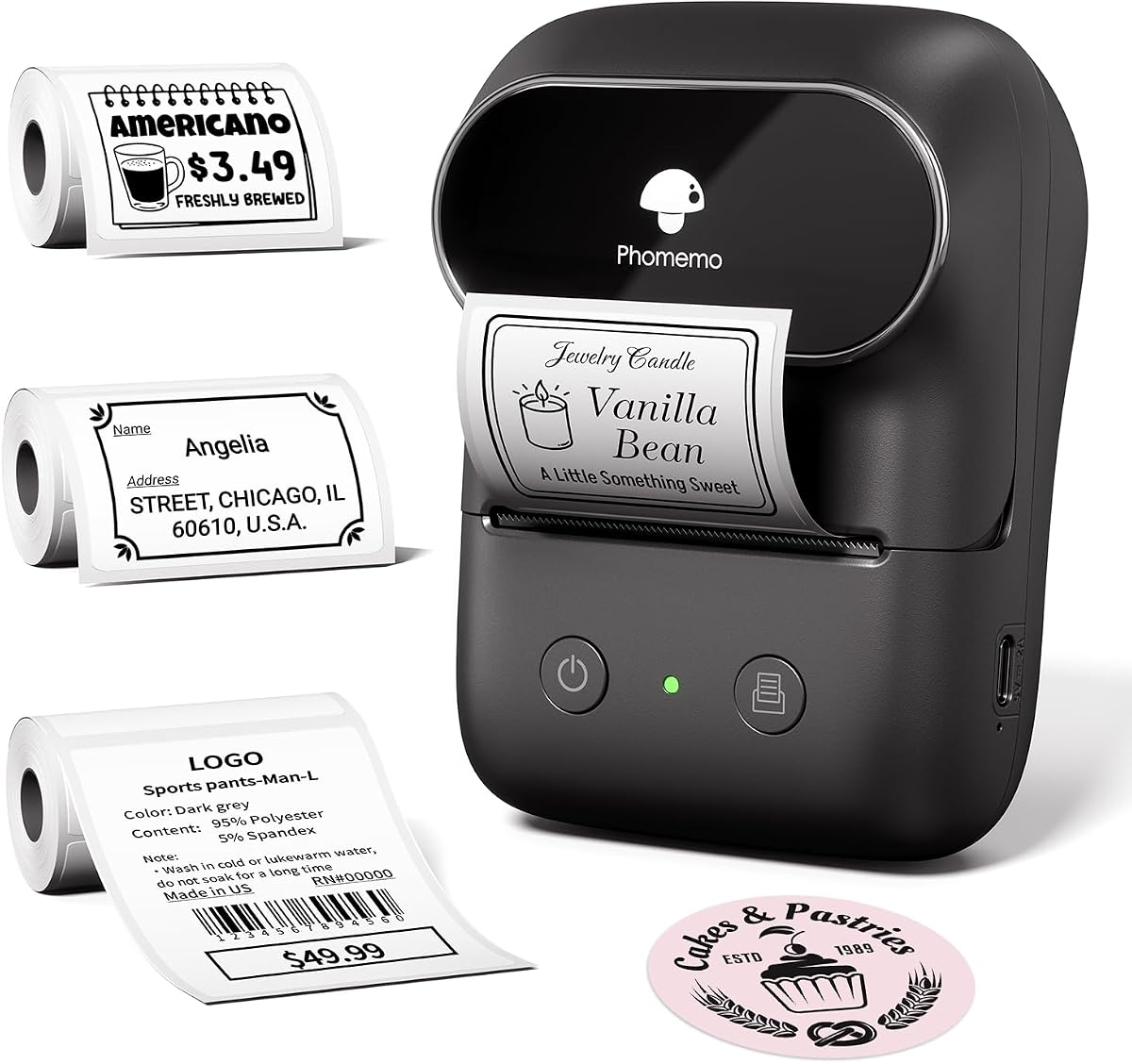
The Phomemo Thermal Label Maker is a compact sticker printer rather than a conventional four-by-six shipping-label printer. It weighs 184 grams, measures 4.49 by 3.43 by 2.32 inches, and prints media from 0.75 to 2 inches wide. That makes it useful for small parcels, gift packages, storage organization, and compact shipping-address labels, but it cannot accept standard four-by-six carrier labels.
We may earn a commission when you buy through this link, at no additional cost to you.
Its 1,200 mAh rechargeable battery is stated to support as many as 6,000 prints per charge, while Bluetooth 4.0 provides a listed wireless range of up to 33 feet. The Print Master app works with smartphones, and a computer driver is available for PCs. Users can create QR codes, barcodes, logos, images, timestamps, and borders, with smart OCR and voice input adding further convenience.
The included materials are substantial for a portable label maker: 230 forty-by-thirty-millimeter labels, 230 fifty-by-thirty-millimeter labels, and 90 fifty-by-eight-millimeter labels. A USB-C cable and user manual are also included. The design library contains more than 1,900 templates, 7,900 icons, 458 borders, and 550 fonts, making it useful for product information, name tags, folder labels, and branding.
This is the most specialized option in the roundup. Choose it when you need compact labels for small packages or organization and value portability more than full-size shipping labels. It is not a substitute for a dedicated 4×6 thermal printer in a conventional Pirate Ship workflow. The supplied listing also has no numerical customer rating, so buyers should give recent customer feedback, app compatibility, and label-roll fit particular attention before purchasing.
The lightweight body and rechargeable battery make the printer suitable for travel, mobile packing, and home organization. It is especially useful where a large desktop label printer would be impractical.
OCR, voice input, QR codes, logos, and a large template library reduce the need for separate editing work. Mobile users can create a label without navigating a complex desktop design application.
We may earn a commission when you buy through this link, at no additional cost to you.
The right choice depends on your shipping volume, device ecosystem, label formats, and tolerance for wireless setup. These factors help narrow the field before you choose a printer.
Most shipping-label printers in this guide support standard four-by-six thermal media, but the Phomemo Thermal Label Maker is deliberately narrower and cannot handle that format. Check both the maximum media width and the usable print width, because a printer may accept a wider roll while printing only part of it. Sellers using smaller square, circular, barcode, or QR labels should also verify the minimum width before ordering.
Bluetooth is convenient for phones, tablets, and a mobile packing station, while USB is usually more stable for a computer that remains connected to the printer. Windows, macOS, ChromeOS, Linux, iOS, and Android support varies across the list. Some Bluetooth models require a manufacturer app, and a few desktop workflows require a separately installed driver. Select a printer whose documented connection method works with the device you already use.
A 203 DPI print head is standard across the featured shipping printers and should support clear ordinary addresses and barcodes when the printer is correctly calibrated and supplied with suitable media. Print quality also depends on label stock, darkness settings, printhead condition, and file resolution. Avoid stretching a low-resolution image across a large label, and test a real shipping barcode after setup rather than relying only on appearance.
Most of the shipping printers reach 150 mm/s, while KNAON lists up to 180 mm/s and Westinghouse states six inches per second. Speed matters during order peaks, but a modest seller may not benefit from the fastest available model. More important are reliable feeds, correct sizing, and easy reloading. Consider your typical daily order count and whether one or several people will print simultaneously.
Bluetooth printers commonly depend on an app for pairing, editing, or both. NULLTONEX offers more than 1,800 templates, KNAON provides more than 3,000, and MUNBYN includes more than 2,000 along with OCR and broad import support. Consider whether you mainly need to print downloaded shipping PDFs or also design product, price, return, and branding labels. A richer editor is useful when appearance and repeated layouts matter.
A printer may support common platforms while still requiring the user to save a logistics label as a PDF before importing it into an app. Amazon, eBay, Shopify, Etsy, USPS, UPS, FedEx, and DHL appear across the featured specifications, but workflows are not identical. Review your exact carrier, marketplace, operating system, and file format before buying. The MUNBYN’s warning about possible UPS thermal-paper incompatibility illustrates why specific carrier checks matter.
Rollo and Westinghouse support both rolls and fanfold media, while Nelko and JADENS also support both formats. Rongta offers automatic label detection, which can simplify changes between several sizes. Westinghouse includes a label holder and starter media, while NULLTONEX and KNAON include test or starter labels. A holder is valuable when using fanfold stock because it keeps the web aligned and reduces jams.
Direct thermal printers have lower ongoing supply requirements than inkjet models because they do not use ink or toner, but thermal paper remains a recurring cost. Warranty length, driver availability, tutorial quality, and technical support can affect long-term ownership. MUNBYN recommends genuine paper for crisp results, while Phomemo and JADENS emphasize support resources. Consider how much guidance you want beyond the initial setup.
Begin by unboxing the printer, installing the correct thermal labels, and checking the paper-width guide or calibration mechanism. Load roll or fanfold stock in the indicated direction and ensure the label sensing path is unobstructed. Install the manufacturer’s driver or app on the computer or mobile device, pair through Bluetooth if desired, and select the exact paper dimensions before sending a test label.
For a Pirate Ship order, create or download the shipping label, save it in a compatible format such as PDF when the app workflow requires it, and import it into the printer’s editor. Confirm that the page is sized for four-by-six media and that the address, barcode, and carrier information fit within the printable area. Print one test label, inspect it under good light, and scan the barcode before producing a full batch.
To maintain performance, keep the printhead and feed mechanism free from dust and adhesive residue, and use clean, dry hands when handling the thermal surface. Store labels in a cool, dry place away from direct heat and sunlight, and replace damaged or poorly feeding rolls. If output shifts, appears faint, or prints inconsistently, recalibrate the label size and run a test print before troubleshooting the computer or shipping platform.
Yes, provided the printer can produce the label size and format generated by your Pirate Ship workflow. A printer that supports standard four-by-six thermal labels and accepts the downloaded shipping file is the most straightforward choice. Save or export the label as a PDF when required, import it into the printer app, and confirm the paper size before printing a test label.
No. Bluetooth is convenient for phone-based or mobile packing, but a dependable USB connection is often better for a fixed computer station. Several featured printers support both methods, while the Rollo and Westinghouse models emphasize wired operation. Choose based on the device and workflow you expect to use every day rather than paying for wireless capability you will not need.
Standard four-by-six labels are the normal choice for many shipping applications, but you should confirm the dimensions used by your label workflow. Several printers also support narrower shipping, barcode, QR code, circular, and product labels. Buy the media size your printer is designed to handle, and avoid relying on a full-size shipping printer for formats that exceed its maximum width.
A properly configured 203 DPI thermal printer can produce clear addresses, text, and barcodes for routine shipping use. Results depend on the thermal paper, printer settings, printhead condition, and original file quality. Use compatible labels, avoid excessive resizing, and test-scan a barcode before printing a large batch.
No. Direct thermal printers create the image by applying heat to specialized thermal paper, so they do not use ink cartridges or toner. You will still need to purchase replacement thermal labels, and some specialty color effects require separate compatible media rather than native color printing.
The most common causes are an incorrect paper-size setting, an uncalibrated label sensor, or a mismatch between the media loaded and the size selected in the app. JADENS specifically recommends calibrating whenever the label stock changes. Recheck the loaded dimensions, run the printer’s calibration or test function, and print another sample before adjusting the source file.
Most of the featured shipping printers can do both, especially the NULLTONEX, KNAON, MUNBYN, and Phomemo 241BT with their broader template libraries. Their supported media widths determine which product-label sizes are practical. The compact Phomemo Thermal Label Maker is the exception in this roundup because it cannot accept four-by-six shipping media.
It can help during a busy period, but reliability and correct sizing often matter more for a small operation. Most featured printers reach 150 mm/s, while some offer higher stated speeds. Consider order volume, label complexity, and how often you switch media before deciding whether the fastest model offers a meaningful advantage.
The NULLTONEX stands out as the most balanced all-round choice, offering Bluetooth and USB connections, 203 DPI output, a useful offline-capable editor, and broad shipping platform support. KNAON is an attractive budget-oriented alternative for sellers who prioritize fast wireless printing, compact size, and extensive creative tools. For a fixed computer-centered packing station, the Rollo provides a polished USB workflow and the highest listed rating in the group.
Prioritize the details that match your actual operation: full four-by-six support, a documented connection method for your device, correct calibration, and compatibility with your carrier and label stock. Wireless convenience is valuable at a mobile packing table, while USB stability and ZPL or Ethernet support may be more useful in a permanent commercial setup. For very small packages, the Phomemo Thermal Label Maker is compact and capable, but it is not a standard-size shipping-label solution.
Product specifications and customer ratings can change as manufacturers update drivers and hardware. Before purchasing, check the current listing, confirm the current operating-system requirements, and review recent customer feedback for your specific carrier and device. Current prices also change, so comparing the final listing details is the most reliable final step.