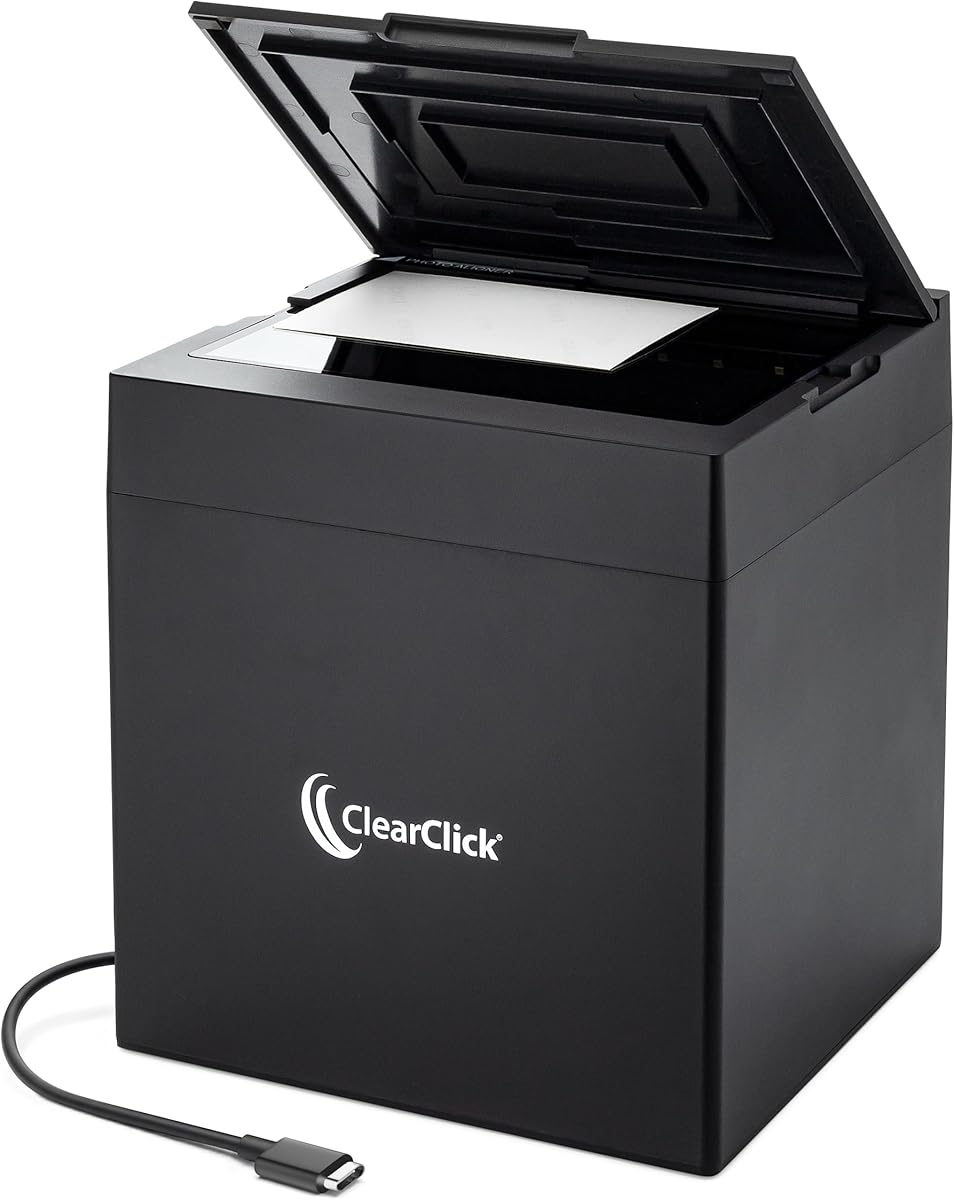
ClearClick InstaScan Photo Scanner
3.6Editor score
Supports 4×6 photo sizes
Uses 300 DPI scan quality
Works with PC and Mac
A scanner for 4×6 photos should make digitization fast, accurate, and gentle enough for prints that cannot be replaced. The right model can improve faded colors, correct tilted images, capture fine details, and handle albums without requiring advanced editing skills. Performance depends on the sensor, optics, software, and workflow.
We compared these ten scanners using the supplied specifications, including supported photo sizes, resolution options, automatic corrections, feeder design, connectivity, and included accessories. The list covers dedicated photo scanners, flatbed models, portable devices, and sheet-fed scanners for families or users who also need to preserve documents.
Each review identifies the scanner's strongest use case and any meaningful limitations. The Epson FastFoto FF-680W leads for dedicated photo handling, while the ClearClick InstaScan offers a simple approach for smaller prints and the ScanSnap iX2500 Photo Edition targets advanced workflows. Product availability and prices can change, so confirm current details before buying.
3.6Editor score

4.5Editor score

4.5Editor score
As an Amazon Associate we earn from qualifying purchases.
The comparison below highlights each scanner's core format, maximum stated resolution, photo-handling features, and connectivity. These details show how the models differ in speed, versatility, and suitability for preserving standard 4×6 prints.




The Epson FastFoto FF-680W is the most convincing all-purpose choice for digitizing large collections of standard 4×6 prints. Its 4.5 rating reflects a feature set built around the realities of photo preservation: high throughput, flexible resolution, automated enhancement, and a carrier-based feed system that protects delicate originals. It also functions as a document scanner rather than treating photos as an afterthought.
We may earn a commission when you buy through this link, at no additional cost to you.
Speed is the headline advantage. The scanner can process a photo at 300 dpi in approximately one second and accept batches of up to 36 prints. Automatic cropping, deskewing, rotation, red-eye reduction, color restoration, and enhancement reduce the amount of manual work required after capture. Its duplex function is particularly valuable when the reverse of a print contains handwritten names, dates, or messages that should remain attached to the digital record.
The scanner offers 300 dpi for everyday sharing, 600 dpi TIFF for archiving, and 1200 dpi when an image may be enlarged or examined closely. It accepts Polaroid prints, panoramas, postcards, and photos up to 8 by 10 inches. ScanSmart supplies OCR for documents, while the FastFoto app adds slideshows, captions, and voice annotations. Dropbox and Google Drive support simplifies backup, and both USB and Wi-Fi provide useful placement flexibility.
The primary trade-off is physical size and the learning curve associated with the app-driven wireless setup. It is also more specialized than a general-purpose flatbed scanner, although its document functions soften that distinction. For households with albums full of mixed prints, or for anyone who wants to capture both sides while processing prints in batches, the FF-680W is the strongest overall recommendation in this guide.
The 36-photo feeder capacity makes the FF-680W practical for album projects and inherited collections. Combined with automatic image positioning and correction, it reduces the repeated placement and alignment work that makes flatbed scanning tiring.
Choosing among 300, 600, and 1200 dpi lets users balance convenience and file size against the permanence needed for an archive. TIFF at 600 dpi is particularly appropriate when preservation matters more than easy sharing.
We may earn a commission when you buy through this link, at no additional cost to you.
The AMBIR Photo Scanner Bundle earns its place as a versatile flatbed option for users who want more than a basic photograph conversion. Its 4.3 rating, broad size support, and included Picture Studio software make it particularly appealing for families preserving mixed prints. The accompanying cleaning kit also recognizes that old photographs often need careful preparation before they reach a scanner.
We may earn a commission when you buy through this link, at no additional cost to you.
The scanner accommodates 3-by-5, 4-by-6, 5-by-7, and 8-by-10 prints, as well as very small images and panoramic photographs up to 12 inches. Users can select 300 dpi for convenient digital files or 600 dpi for more demanding archival work. Automatic cropping and deskewing help establish consistent results, while detailed controls for brightness, contrast, exposure, sharpness, and gamma provide room for manual refinement.
Picture Studio adds tools for restoring faded photographs, applying filters and borders, tagging images, marking favorites, and organizing custom albums. It can also import existing pictures from Apple Photos, Google Photos, digital cameras, and memory drives. That broader library management function is useful for users who want one workspace for newly scanned prints and photographs already stored digitally.
Unlike an automatic sheet-fed model, this scanner asks the user to position each print on the flatbed. The protective carrier sheet and included blower, microfiber cloth, and anti-static brush help manage dust and fragile surfaces. Those limitations make it less suited to very large albums than the Epson FF-680W, but for careful one-at-a-time digitization with useful cleaning supplies, the bundle is well rounded.
Dust and loose particles can appear in every digital scan and sometimes cause permanent-looking marks. The bellows blower, microfiber cloth, and anti-static brush give users basic tools for preparing prints before they are placed under the lid.
Picture Studio can gather files from several sources, not just the scanner. Custom albums, tags, notes, favorites, and editing tools make it easier to organize a growing digital collection by event, family, date, or theme.
We may earn a commission when you buy through this link, at no additional cost to you.
The Flip-Pal Mobile Scanner is built for people who need to digitize photographs away from a desk or who want a scanner that does not depend on a computer being connected. Its 4.3 rating reflects a distinctive combination of portability, gentle flatbed handling, standalone operation, and creative software features. A standard 4×6 photograph can be scanned at 300 dpi in roughly seven seconds.
We may earn a commission when you buy through this link, at no additional cost to you.
Its flip-and-scan design treats the original on a flatbed rather than pulling it through a narrow feeder. The lid comes off, the unit turns over, and the scanning window frames the photograph. This approach is suitable for fragile prints, memorabilia, documents, coins, stamps, and other small objects. Because it is battery powered and writes to an SD card, the scanner can operate independently of a desktop or laptop.
EasyStitch automatically reassembles overlapping scans of large originals such as portraits, quilts, artwork, and documents. StoryScans can combine a recorded voice with the scanned image, turning a photograph into a narrated memory file. The included 4GB SD card and USB adapter provide a straightforward path to transfer completed files, although download and activation may be required for the software.
The unconventional design demands a little more attention than a conventional flatbed or feeder scanner, and its stated 300 dpi focus is not intended to match higher-resolution archival systems. Even so, it fills a real portability gap. It is especially well suited to travel, estate digitization, school projects, and households that want to scan one print at a time without a stationary computer setup.
Scanning directly to an SD card removes the usual requirement for a powered computer at the moment of capture. That makes the Flip-Pal practical for relatives, travelers, and collectors who want to gather scans in the field.
StoryScans pairs recorded narration with the image in a single file. The result can preserve not only what a photograph shows but also the story behind it, such as names, dates, or a recollection from the person who knows the image best.
We may earn a commission when you buy through this link, at no additional cost to you.
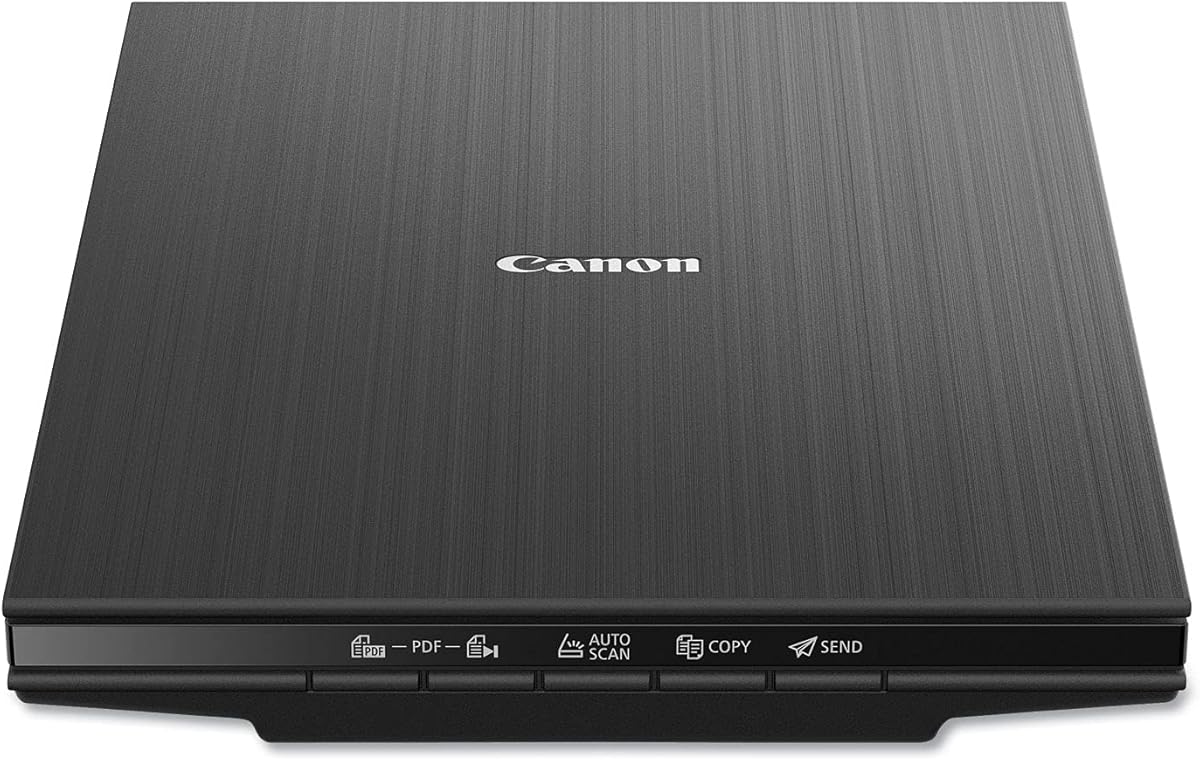
The Canon CanoScan LiDE 400 is a compact flatbed scanner that suits users who want high resolution without a large footprint. Its 4.1 rating reflects a capable general-purpose design, with 4800 x 4800 dpi optical resolution and scan times stated as fast as eight seconds. It can preserve ordinary prints, documents, illustrations, and other flat originals.
We may earn a commission when you buy through this link, at no additional cost to you.
Color restore and dust removal are among the image enhancements available for photographs. The scanner's EZ Buttons simplify common actions, while automatic scan mode detects what is being scanned without requiring extensive configuration. It can also create editable, searchable multi-page PDFs, making it convenient for users whose photo-preservation work sits alongside document administration.
The 0.4-inch profile is one of the model's clearest selling points. It can sit neatly on a shelf, in a home office, or beside other equipment where a full-size scanner would be intrusive. A removable or liftable cover provides the necessary clearance for photographs and standard pages, while USB Type-C supplies both power and data through one connection.
This model does not offer the dedicated batch scanning, carrier sheets, or automatic photo correction tools found in the leading dedicated units. Each 4×6 print must be placed and scanned individually. Its high optical resolution is attractive for users who want fine detail and future enlarging, however, making it a sensible flatbed choice for a moderate collection rather than a large, high-volume project.
The exceptionally slim profile makes the LiDE 400 easy to store when it is not in use. This is advantageous in apartments, dorm rooms, and compact offices where counter space is limited.
Automatic scan mode and EZ Buttons reduce the number of steps required for routine work. Searchable PDF creation also gives the scanner value beyond photograph digitization and lightweight archiving.
We may earn a commission when you buy through this link, at no additional cost to you.
The ClearClick InstaScan is a focused, uncomplicated choice for standard 4×6 prints. Its 3.6 rating is the lowest among the dedicated photo-oriented options in this list, but the model addresses a specific need: scanning small photographs quickly without a full-size flatbed or automatic feeder. It supports 4×6 and 5×7 prints as well as smaller photos and documents.
We may earn a commission when you buy through this link, at no additional cost to you.
An internal 4K camera and internal lighting are designed around photo capture at a stated 300 dpi. After cropping, the resulting photo resolution is approximately 2500 by 1800 pixels. That is enough for routine screen viewing, family sharing, and many everyday recordkeeping needs, although it should not be confused with a high-resolution archival flatbed.
Setup is designed to be approachable. The scanner installs automatically on compatible PC and Mac systems without separate drivers. Included software handles photo cropping, image adjustment, and scanning. A USB-A adapter is supplied, which is helpful for computers that lack an appropriate USB-C port. ClearClick also provides a two-year warranty and United States-based technical support.
The restrictions are important. It cannot scan 8×10 photographs or 8.5-by-11 documents, and it does not work with smartphones, tablets, or Chromebooks. Each print is scanned individually because there is no automatic feeder. For a small collection of 4×6 snapshots, an easy learning curve, and a straightforward desktop workflow, it remains one of the most approachable choices available.
The scanning area and software are optimized around photos such as 4×6 and 5×7 prints. Users who only need to digitize standard snapshots can avoid paying for a larger multi-purpose machine with capabilities they will rarely use.
Automatic installation and included crop and adjustment tools lower the technical barrier for beginners. The software supports the essential steps of capturing, framing, and preparing a photograph for saving or sharing.
We may earn a commission when you buy through this link, at no additional cost to you.
The AMBIR Photo Scanner with PICTURESTUDIO is built around rapid scanning and increasingly capable photo-restoration software. Its 3.4 rating calls for realistic expectations, particularly around automatic edits, but the supplied features make it a compelling option for users who want to enhance faded or monochrome prints without depending on a separate editing application.
We may earn a commission when you buy through this link, at no additional cost to you.
The scanner can capture a 4×6 color photograph in approximately three seconds at 300 dpi. It accommodates sizes from 1-by-1 inches to 8-by-10 inches, plus panoramic photographs up to 12 inches. Users can choose 300 dpi for normal use or 600 dpi for high-resolution results. A single USB connection handles both power and data, simplifying placement near a computer.
PICTURESTUDIO provides one-touch automatic enhancement and color restoration for faded photographs. It can also colorize black-and-white images using AI to analyze tones and introduce color. Additional filters, borders, and detailed controls for brightness, contrast, exposure, sharpness, and gamma allow further refinement. Digital files can be searched through user-added tags and notes, while existing images can be imported from computers, connected devices, Apple Photos, Google Photos, cameras, and memory drives.
Automatic colorization and restoration can produce inconsistent or unrealistic results, especially with unusual skin tones, damaged prints, or strong discoloration. Users should retain the untouched scan and review every generated version. A carrier sheet and microfiber cloth support careful handling. Despite its lower rating, this model is particularly attractive for creative restoration work and users who value built-in organizational tools.
The ability to colorize grayscale photographs expands beyond simple digitization. Although AI-generated color still needs review, it offers a convenient starting point for reviving old portraits and monochrome prints.
A stated three-second scan for a 4×6 print at 300 dpi is useful when working through a large box of prints. The broad size range also allows one device to cover snapshots, standard enlargements, and panoramas.
We may earn a commission when you buy through this link, at no additional cost to you.
The Epson Perfection V19 II is a compact, high-resolution flatbed scanner that can handle 4×6 photographs alongside documents and artwork. Its 3.9 rating reflects a capable general-purpose device, and the stated 4800 dpi optical resolution makes it appealing for users who want more scanning detail than a basic photo-only model provides.
We may earn a commission when you buy through this link, at no additional cost to you.
Epson ScanSmart supports photo scanning, artwork, illustrations, books, and documents. One-touch buttons reduce the number of steps involved, while Easy Photo Fix can restore color to faded photographs. For office tasks, OCR creates searchable PDFs and editable Microsoft Word, Excel, and PowerPoint files. These functions make the scanner more versatile than a dedicated photographic device.
The high-rise removable lid allows the scanner to handle bound material and pages lifted above the glass. The unit is USB powered, weighs 3.1 pounds, and includes a built-in kickstand for vertical storage. That combination makes it simple to move between rooms or keep available without permanently occupying a large section of a desk.
The V19 II lacks an automatic feeder and specialized photo carriers, so a large album will require manual placement and scanning. High nominal resolution also does not guarantee superior results if a photograph is dusty, scratched, or scanned with the lid open. For a moderate number of prints and occasional office use, however, this is a practical and unobtrusive scanner with useful restoration software.
USB power and a built-in kickstand let the V19 II operate in temporary locations and store vertically when not needed. Its light weight also makes it easier to move between a home and an office.
Epson ScanSmart adds more than basic image capture through color restoration, OCR, searchable PDF generation, and editable document formats. That versatility makes the scanner useful for both family archives and routine paperwork.
We may earn a commission when you buy through this link, at no additional cost to you.
The HP Small USB Scanner is a portable simplex sheet-fed model for users who regularly scan small documents and also want to digitize photographs. Its 4.2 rating reflects dependable specifications and broad media support, although it is less specialized for delicate prints than the dedicated photographic scanners in this guide.
We may earn a commission when you buy through this link, at no additional cost to you.
The scanner reaches a stated 1200 dpi resolution and processes up to 15 pages per minute, equivalent to approximately four seconds per page. It accepts media ranging from 2 by 2.9 inches to 8.5 by 14 inches, making a 4×6 photograph a comfortable fit within its supported range. Output formats include PDF and JPG, as well as other common file types.
Its compact profile is designed to fit in a bag or briefcase. USB 2.0 provides power and data through the included cable, while compatibility with PC and Mac systems broadens its usability. HP WorkScan software adds automatic size detection, previewing, zooming, cropping, background cleanup, edge cleanup, hole removal, and image optimization.
Because the scanner is simplex and sheet-fed, it captures only one side in a single pass. This is appropriate for ordinary photographs without important reverse-side annotations, but users should consider a duplex model when both sides matter. Fragile prints also require care when passing through the feeder. It is best viewed as a portable office tool that happens to handle photos well, rather than a dedicated album digitizer.
The small footprint and USB-powered design make the HPPS100 convenient for mobile offices and shared workspaces. It can handle invoices, contracts, reports, business cards, receipts, brochures, and photographs in the same workflow.
Simplex operation keeps the device compact and straightforward, but it cannot capture both sides of a print during one pass. Users preserving handwritten notes or messages written on the back should make separate scans or choose a duplex model.
We may earn a commission when you buy through this link, at no additional cost to you.
The ScanSnap iX2500 Photo Edition is the most advanced premium workflow in the group. Its 4.5 rating matches the Epson FastFoto for the highest rating shown, while the large touchscreen, high feeder capacity, wireless operation, and automatic file management distinguish it as a comprehensive digitization environment rather than a simple conversion device.
We may earn a commission when you buy through this link, at no additional cost to you.
The scanner can process up to 100 photos per minute, and its automatic document feeder holds as many as 100 documents or 36 photos. Three photo carrier sheets are included for delicate prints and for defining photo-scanning profiles. Automatic optimization, naming, and sorting reduce the repetitive work involved in creating a well-organized digital archive.
Connectivity is a major strength. Built-in Wi-Fi 6 allows the scanner to connect to compatible smart devices or cloud services without a computer, while USB-C supports a direct workstation workflow. The touchscreen lets users choose personalized profiles and initiate scans without navigating through desktop menus. Scanned data can be sent to a PC, Mac, mobile device, or supported cloud destination, and the Quick Menu supports drag-and-drop integration with preferred applications.
This model is intended for users who value speed, automation, and a polished workflow over a simple standalone utility. Its hardware complexity and premium category position may be unnecessary for someone with only a handful of prints. For a large archive, professional organization, or a household that wants photographs digitized quickly and sent directly to cloud storage, however, it offers the most capable feature set in this comparison.
Processing up to 100 photos per minute and accepting 36 prints in the feeder are ideal for large albums. Automatic optimization and file sorting further reduce manual work during high-volume projects.
Wi-Fi 6 lets the scanner work with compatible devices and cloud services without requiring a continuously connected computer. USB-C remains available for users who prefer a direct, controlled desktop workflow.
We may earn a commission when you buy through this link, at no additional cost to you.
The Epson Perfection V39 II is a general-purpose flatbed that combines high stated resolution with photo-restoration and document features. Its 3.7 rating places it below Epson's dedicated FastFoto model, but it remains a capable choice for users who want fine image detail, color restoration, and flexible handling without investing in a feeder-based photo system.
We may earn a commission when you buy through this link, at no additional cost to you.
The scanner provides 4800 dpi optical resolution and can scan letter-sized pages in as little as ten seconds. One-touch buttons simplify common tasks, while the removable high-rise lid allows room for books, albums, and pages raised above the glass. It can handle photographs, artwork, illustrations, books, and documents.
Epson ScanSmart adds several capabilities beyond basic capture. It can stitch oversized images together and send scans to supported cloud storage services. Easy Photo Fix restores color to faded photographs with one click. These features expand the scanner's usefulness for artwork, oversized prints, and mixed document projects.
There is no automatic document feeder, so every 4×6 photograph must be scanned individually. The software also depends on a connected computer, which contrasts with the ScanSnap's standalone wireless operation. For someone needing one reliable flatbed for photographs, artwork, and documents, the V39 II offers broad functionality. Dedicated batch scanning, however, makes the FastFoto FF-680W more efficient for a substantial family archive.
ScanSmart's ability to combine oversized scans makes the V39 II useful for prints or artwork too large to capture in one pass. The resulting digital file can cover a broader physical area than a conventional single exposure.
Easy Photo Fix offers a quick way to improve the color balance of faded photographs. Reviewing the result against the original remains important because automatic corrections can shift tones or introduce unwanted color changes.
We may earn a commission when you buy through this link, at no additional cost to you.
The right scanner depends on the size of your collection, the condition of your prints, and whether you value speed, resolution, software, or portability. These factors help separate dedicated photo devices from multipurpose flatbeds and portable sheet-fed scanners.
For a large collection, prioritize a feeder designed for photographs. For a small box of snapshots, manual placement may be perfectly manageable. Choose capacity based on realistic project size rather than on the largest number the scanner can theoretically accept.
Choose a resolution that matches the intended use. Higher resolution preserves finer detail but creates larger files and longer processing times. Do not assume a high nominal specification compensates for dust, poor focus, or damaged prints.
For valuable originals, favor gentle handling, protective carriers, and flatbed capture over forced sheet feeding. Test the workflow on less important prints first and never force a curled photograph into a feeder.
Look for corrections that match your collection's condition. Keep original scans, compare automated edits with the physical print, and avoid accepting colorization or restoration without checking faces, tones, and fine details.
Consider how you will find photos later. A larger collection benefits from automatic file names, albums, and tags. Make sure the included software is compatible with your computer and can save in formats your backup and editing workflow supports.
Wireless convenience is valuable for large projects, but it can introduce setup and security considerations. A reliable USB workflow is often simpler, while removable media may be preferable in locations without a network.
Match the physical format to the originals. Use flatbeds for mixed materials, feeders for volume, and dedicated photo systems when preservation and correction tools matter most. Check the device footprint before ordering.
Check the original prints before deciding. Use duplex scanning for important annotations, but retain single-side workflows for ordinary images where no reverse-side content is present.
Begin by sorting prints and inspecting each one for dust, loose particles, surface damage, and writing on the reverse. Clean the glass according to the manufacturer's instructions, connect the scanner, and install the supplied software before arranging originals. For a feeder model, load prints in small batches and use a carrier sheet when they are fragile, glossy, or especially valuable.
Place each 4×6 print in the correct orientation and select an appropriate resolution. Start with a standard sharing resolution for routine images and use a higher archival setting for prints that may be enlarged. Review the preview for cropping, rotation, focus, and color. Automatic corrections should be reviewed against the original rather than accepted automatically, particularly for skin tones and faded colors.
After scanning, give every file a clear name and store it in an organized folder or album. Keep the unmodified capture, create a separate working copy for restoration, and maintain at least two backups in separate locations. Periodically check that the files open correctly, the storage medium is healthy, and the catalog remains searchable. Handle originals by their edges and keep them away from heat, moisture, and direct sunlight.
A 300 dpi setting is usually sufficient for ordinary viewing, online sharing, and standard-size prints. A 600 dpi option is a better starting point for archival collections because it captures finer detail and provides more flexibility for later enlargement. The best setting also depends on the condition of the original and the format you choose, such as JPEG for convenience or TIFF for preservation.
A flatbed can be safe when the original is clean, dry, and stable on the glass. You should avoid pressing down on brittle prints or forcing curled edges flat. For especially fragile photographs, a model with a protective carrier or a design that avoids a narrow feeder can reduce the chance of scratching, bending, or catching the print.
Yes. The Epson FastFoto FF-680W, Canon LiDE 400, Epson Perfection V19 II, Epson Perfection V39 II, and HPPS100 all support document scanning in addition to photographs. Dedicated photo models often add stronger photo correction features, while general-purpose flatbeds may offer searchable PDF and OCR functions that are useful for paperwork.
No, but it can make a large album much faster. A flatbed gives you precise control and can accommodate unusual or fragile prints, while a photo feeder reduces repeated placement. The Epson FF-680W and ScanSnap iX2500 are better suited to volume, whereas a flatbed may be more appropriate for a small, delicate, or irregular collection.
Color is generally the safer starting choice because it retains whatever tonal and chromatic information remains. A color scan can be converted to grayscale later, but a grayscale capture cannot restore color information. Automatic restoration may help with fading, though every correction should be compared with the physical original.
TIFF is often preferred when the goal is preservation because it retains more image information and avoids additional lossy compression. JPEG is more convenient for everyday sharing and uses less storage. Whichever format you choose, maintain the original scan, create separate working copies for edits, and keep redundant backups.
The Epson FastFoto FF-680W can scan both the image and the reverse side in one pass. Most single-sided sheet-fed and flatbed workflows require a second scan, and the HPPS100 is simplex. If reverse-side notes are common in your collection, verify whether the resulting workflow keeps the front and back associated.
Name files with useful information such as a date, event, subject, or sequence number, then place them in folders or albums that reflect the original organization. The AMBIR and ScanSnap software provide tagging, notes, automatic naming, and sorting features that can help with large collections. Keep an untouched backup separate from edited versions.
The Epson FastFoto FF-680W is the strongest overall choice because it combines rapid photo batching, duplex capture, multiple resolution levels, automatic corrections, and flexible connectivity. The AMBIR Photo Scanner Bundle stands out for broad size support, useful cleaning accessories, and capable editing software, while the ScanSnap iX2500 Photo Edition offers the most advanced premium workflow with its touchscreen, large feeder, and wireless cloud options.
Prioritize the features your collection actually requires. Large albums favor a feeder, while fragile or unusual prints benefit from careful flatbed handling and protective carriers. Consider reverse-side notes, software organization, computer compatibility, and where backups will live before making a final selection. A simpler scanner is preferable when the collection is small and the workflow must be easy to maintain.
Product features, availability, and prices can change, so verify the current specifications and listing details before purchasing. Most importantly, keep the physical prints safe, review every automated correction, and preserve multiple backups of the digital files. The right scanner should make digitization sustainable enough that you will continue the project rather than stop after the first box.
