
MNN 15.6-inch Portable Monitor
4.3Editor score
Full HD IPS display
Dual USB-C connectivity
Protective smart cover
A portable monitor for laptop use can transform a compact desk, shared office or temporary workspace into a more productive multi-screen setup. The right model should balance a sharp display, dependable USB-C connectivity, manageable weight and enough viewing flexibility for commuting, presentations, remote work, study or gaming.
We compared ten highly rated portable monitors on the factors that matter in everyday use: panel resolution, refresh rate, brightness, viewing angle, port selection, power delivery, speakers, stands, covers and device compatibility. The guide covers conventional travel displays, laptop-attachable extenders and larger multi-screen workstations, with special attention to Australian buyers.
Each pick highlights a distinct use case, from a lightweight budget model to a premium Lenovo option and feature-rich ASUS designs. Product specifications and availability can change, and USB-C video support varies considerably between laptops, so confirm your device compatibility and current listing details before purchasing.
4.3Editor score
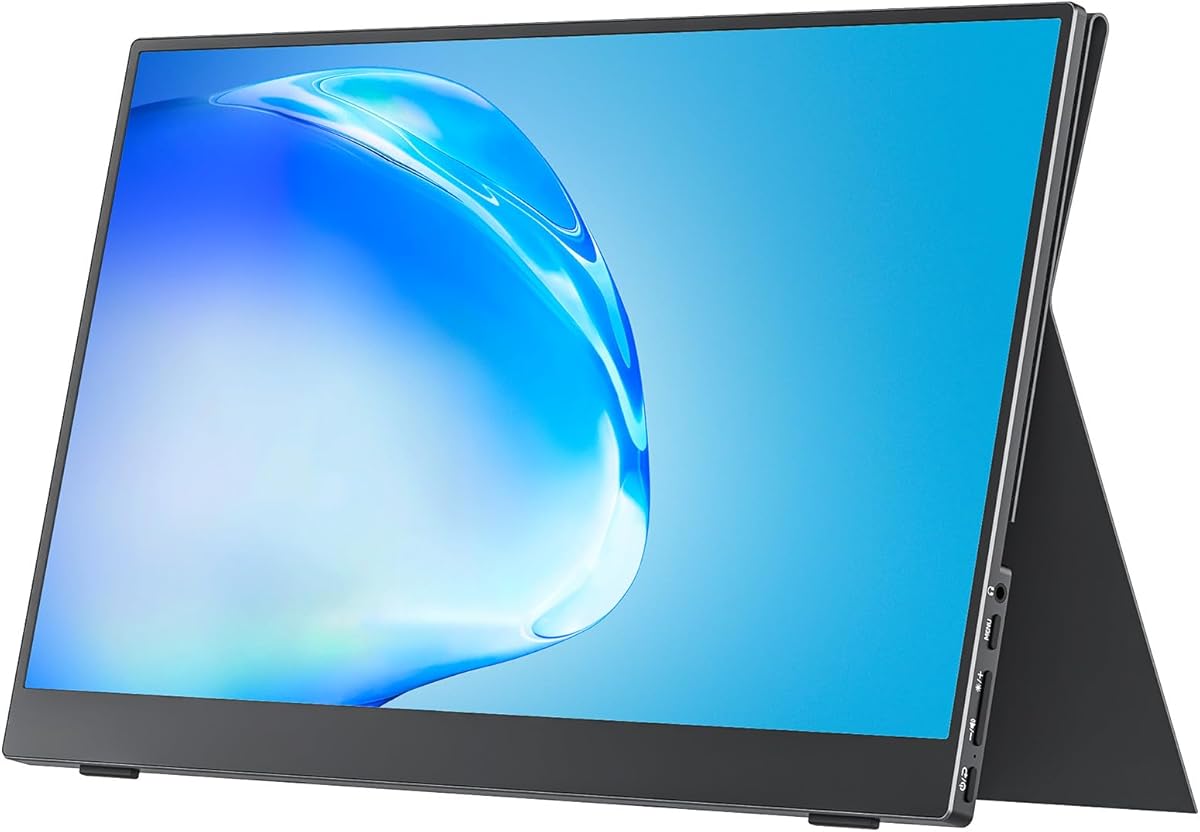
4.8Editor score
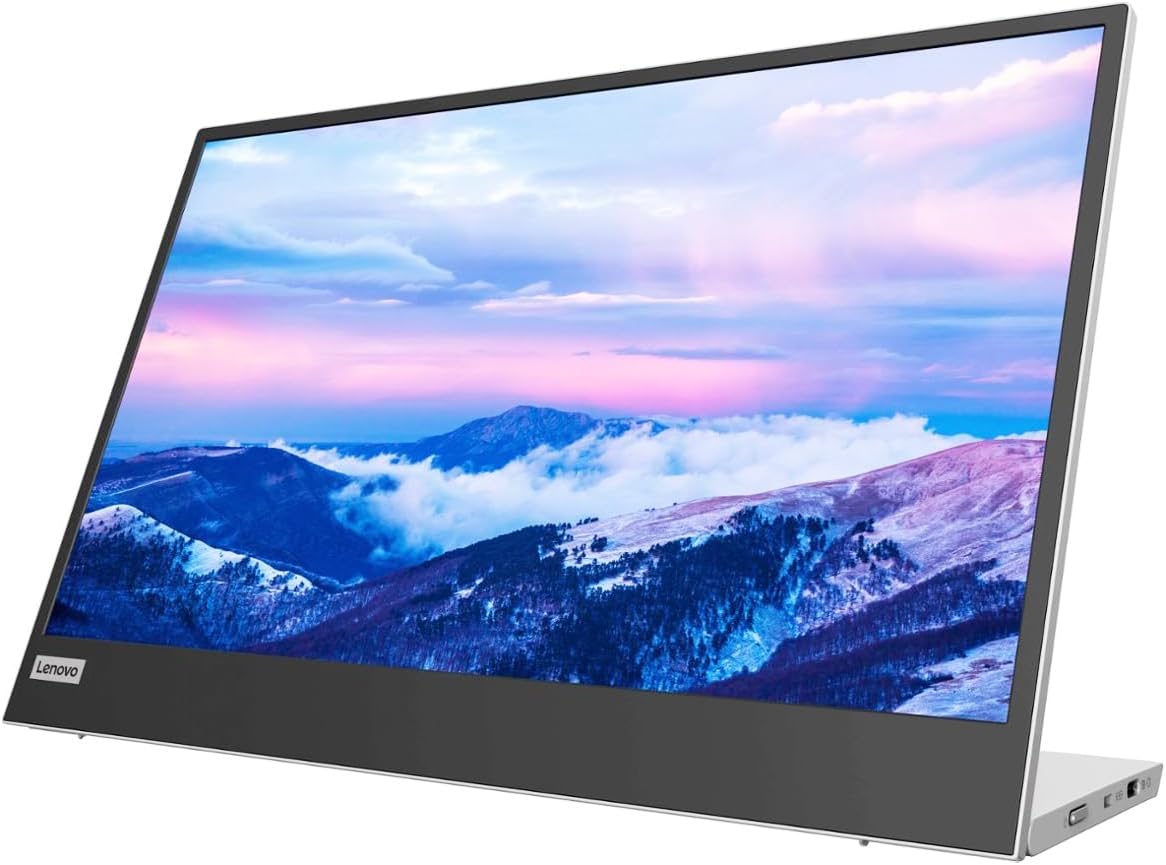
4.2Editor score
As an Amazon Associate we earn from qualifying purchases.
The following comparison brings the ten monitors together by screen size, resolution, connectivity, portability and standout functions. It also highlights important differences between freestanding travel screens, laptop-mounted extenders and multi-display systems.


The MNN 15.6-inch Portable Monitor is the practical budget choice in this guide, combining a Full HD IPS panel with a travel-friendly body, broad connection options and a protective smart cover. Its 4.3 rating reflects a generally positive reception, particularly among users who want a capable second screen without paying for a larger multi-screen system.
We may earn a commission when you buy through this link, at no additional cost to you.
Resolution of 1920 by 1080 gives it enough detail for document editing, web browsing, spreadsheets, video calls and ordinary media work. The IPS panel offers a stated 178-degree viewing angle, while HDR support can add impact to compatible content. Copy, extended, second-screen and portrait modes make it easy to adapt the display to a meeting, a narrow desk or a vertical document layout.
The most useful feature is its pair of full-feature USB-C ports. A compatible USB-C laptop can receive both power and display video through one cable, and the second port gives the user additional connection flexibility. HDMI is also available, although the product information emphasises that USB-C video requires Thunderbolt 3, Thunderbolt 4 or a USB 3.1 Type-C port with DisplayPort Alternate Mode.
The trade-offs are worth understanding. Its glossy display is less suitable for very bright, uncontrolled environments than an anti-glare matte panel, and the supplied smart cover must be positioned correctly to support portrait use. A second screen also adds weight and cable-management demands to a mobile kit. Even so, the MNN combines more flexibility than a basic single-purpose travel display at a restrained entry point.
This is our best budget recommendation for students, office workers and frequent travellers who want one dependable portable screen. It is especially attractive for users who regularly switch between landscape and portrait layouts. Buy it if the essential requirements are Full HD clarity, flexible USB-C use, low-blue-light viewing and a protective cover that doubles as a stand.
Two full-feature USB-C ports simplify daily operation, with one cable able to carry display and power. This is particularly useful for a laptop whose charging port doubles as its video output.
The scratch-resistant PU leather cover protects the panel during transport and folds into a support for landscape or portrait positioning, reducing the need to carry a separate basic stand.
We may earn a commission when you buy through this link, at no additional cost to you.
The cocopar 15.6-inch Portable Monitor is our editor's choice and the strongest all-round option. It combines a high 4.8 rating with a crisp Full HD IPS display, an 85% sRGB colour gamut, a slim four-millimetre profile and broad connectivity. It suits buyers who want one screen to handle commuting, office work, presentations and light entertainment.
We may earn a commission when you buy through this link, at no additional cost to you.
The 1920 by 1080 panel operates at 60Hz and supports HDR, low-blue-light technology and a stated 178-degree viewing angle. The higher stated colour coverage makes it more appealing for photo review, design references and general creative work than a basic office panel. Support for both extend and mirror modes also allows a fast transition between shared presentations and a genuine second workspace.
Connectivity is a major strength. Two full-feature USB-C ports and an HDMI port allow connection to many laptops, PCs and game consoles, while a single USB-C cable can handle both video and power when the source device supports DisplayPort Alternate Mode. Reverse charging can keep a connected laptop supplied with power. Two VESA holes add a further layer of flexibility for an arm or compatible stand.
The monitor weighs about 1.5 pounds without its magnetic cover and is only four millimetres at its thinnest point. That makes it straightforward to move between a home office, a hotel room or a shared workspace. The magnetic smart cover supplies protection and a flexible stand, while the VESA pattern means the screen is not limited to use directly on a laptop lid.
Its main limitation is the familiar compatibility caveat around USB-C: a physical USB-C socket alone does not guarantee video output. The supplied information also does not indicate detailed speaker performance, despite speaker support being mentioned. For most users, however, the combination of colour quality, rating, mounting options, low weight and protective accessories justifies the top position.
The stated 85% sRGB coverage gives the panel a useful advantage for web design, light photo work and colour-sensitive document review, while the wide viewing angle makes shared screen viewing practical.
Built-in VESA holes allow the display to be mounted on a compatible arm or stand, providing a better viewing position on a fixed desk than a laptop-lid arrangement alone.
We may earn a commission when you buy through this link, at no additional cost to you.
The InnoView 15.6-inch Portable Monitor is a strong choice for travellers and hybrid workers who want a conventional second screen rather than a permanently attached extender. It earns a 4.4 rating and offers a Full HD IPS panel, USB-C and HDMI connections, built-in speakers and a protective cover that doubles as an adjustable stand.
We may earn a commission when you buy through this link, at no additional cost to you.
Its 1920 by 1080 resolution suits office documents, web research, spreadsheets, remote meetings and media playback. The A-grade IPS panel is specified with a 178-degree viewing angle, HDR support, low-blue-light functionality and flicker-free operation. That makes it a sensible long-session companion for people who divide their attention between the laptop and a second display.
Two full-feature USB-C ports and one HDMI input give the monitor useful flexibility. With a compatible laptop, one USB-C cable transfers display and power and supports reverse charging. If the computer lacks a suitable USB-C video output, HDMI can be used, although the supplied information notes that a separate power cable may be required and is not included in the package.
The smart PU leather cover is more than packaging. It protects the screen from scratches and compression during transport, and its grooves allow the viewing angle to be adjusted. Landscape and portrait modes help owners make better use of a narrow desk. Built-in speakers also reduce reliance on laptop audio for quick presentations or video previews.
Compatibility is the principal caveat. Older Surface models and certain compact laptops may lack the required full-function USB-C or HDMI arrangement, while console use can depend on source resolution and connection method. The stated 30-day return policy and 18-month warranty add reassurance, but checking the laptop's ports before ordering is essential.
A full-function USB-C connection can carry display video and power, with reverse charging helping maintain the laptop battery during a productive workday.
The integrated speaker system is convenient for short presentations, casual previews and quick calls, although it does not replace a dedicated speaker for serious audio.
We may earn a commission when you buy through this link, at no additional cost to you.
The Triple 15.6-inch Screen Extender is the clear productivity specialist in this group, turning a compatible laptop into a three-display workstation. Its 4.4 rating reflects a feature set focused on traders, programmers, designers, spreadsheet users and remote workers who routinely need more than one secondary application visible at once.
We may earn a commission when you buy through this link, at no additional cost to you.
Each 15.6-inch panel provides 1920 by 1080 resolution, a 1000:1 contrast ratio and 300 nits of brightness. IPS technology supports clear viewing in varied indoor lighting, while the stated 60Hz class keeps ordinary office motion smooth. A three-screen arrangement can place communication, research, documents and monitoring tools side by side without continual tab switching.
The freestanding aluminium alloy bracket is a meaningful design decision. It fits laptops from 12 to 17.3 inches and avoids clamping onto the lid, reducing pressure on the laptop screen hinge. Each display folds between zero and 180 degrees, and the anti-slip pads help maintain stability. A soft leather carry bag is included for transport.
Connection can use two USB-C ports or USB-C combined with HDMI, and the included cables support extend, mirror and second-screen modes. The built-in InnovRay software adds brightness, contrast, colour-temperature, eye-care, game and split-screen controls. It is a more advanced management layer than most single portable monitors offer.
The trade-offs are substantial. The system weighs 3.9 pounds, making it heavier and bulkier than a conventional travel monitor, and it needs suitable video outputs. Standard M1, M2 and M3 MacBooks face restrictions for dual-screen use, while Pro and Max variants have different support levels. An H5 cable may be required. This product is best for users who need three real displays more than a lightweight single screen.
Keeping charts, messages, documents and calls visible simultaneously can reduce window juggling, particularly for financial monitoring, coding, editing and operational work.
InnovRay provides direct access to picture settings, eye-care and split-screen functions, reducing the need to make every adjustment through operating-system controls.
We may earn a commission when you buy through this link, at no additional cost to you.
The Yodoit 15.6-inch Portable Monitor is designed for mobile professionals who need a clear, simple display without carrying a separate power brick. It has a 4.4 rating and stands out for a matte anti-glare finish, 300-nit brightness, a 2ms stated response time, built-in speakers and a smart cover.
We may earn a commission when you buy through this link, at no additional cost to you.
The 1920 by 1080 IPS panel is appropriate for coding, study, office applications, photo review and video playback. Its 178-degree viewing angle supports sharing content with a nearby colleague, while the matte coating is more forgiving under strong ambient light than a reflective display. The stated 2ms response time also helps keep fast-moving content clean.
A compatible MacBook, Windows laptop or USB-C phone can connect through one USB-C cable, with no driver installation or external adapter required. The alternative HDMI arrangement uses Mini-HDMI together with a USB-C-to-USB-A power connection for game consoles, older laptops and devices without USB-C video output. That makes the monitor more versatile than a strictly single-interface design.
The body is 0.43 inches thick and weighs about 1.5 pounds, or 943 grams when the case is included. Dual speakers support presentations and quick previews without requiring separate audio equipment. HDR and a low-blue-light mode complement the IPS panel for media work and long sessions.
Its compatibility limits deserve care, particularly with older devices and different console modes. The product is also less visibly associated with a long-established monitor brand than the Lenovo and ASUS alternatives. Even so, the anti-glare finish, strong stated brightness and single-cable design make it a compelling choice for digital nomads working in cafés, airports and shared offices.
The combination of a matte anti-glare surface and 300-nit brightness gives the screen a practical advantage in cafés, offices and travel environments where reflections can be distracting.
A quick 2ms response time suits casual console gaming, while built-in speakers make the display useful for demonstrations without adding another speaker to the travel bag.
We may earn a commission when you buy through this link, at no additional cost to you.
The Lenovo L15 Portable Monitor is our premium pick for buyers who want a polished computer-brand product with a more conventional desktop setup. Its 4.2 rating, Full HD IPS panel, dual USB-C connectivity and height-adjustable stand distinguish it from many cover-based travel screens.
We may earn a commission when you buy through this link, at no additional cost to you.
The 15.6-inch display delivers 1920 by 1080 resolution at 60Hz. A stated 250 nits of brightness is suitable for controlled indoor offices, homes and hotel workspaces, although it is less generous than the 300-nit figures cited for several alternatives. Flicker-free technology is a useful inclusion for extended document, coding or business use.
Connectivity is handled through two USB-C ports, supporting compatible devices without requiring the broad mix of legacy connections found on some displays. The main physical advantage is the height-adjustable stand. Rather than relying on a thin cover or an arm, owners can raise the screen to a more comfortable level beside the laptop, reducing the need to hunch over the primary panel.
Lenovo describes the L15 as weighing just under two pounds, and its small footprint makes it practical for a compact desk. It is also designed to support productivity at home or while travelling, with a simple, uncluttered layout that should appeal to users who value a recognisable brand and conventional monitor design.
Compared with the top two picks, the L15 does not state a colour-gamut figure, speaker specification or VESA support. It also offers fewer stated connection options than the cocopar. Those omissions do not outweigh its strengths for a buyer seeking an adjustable, lightweight and familiar-brand portable monitor, particularly one who will spend long periods working at a fixed desk.
Height adjustment is more useful than many portability specifications because it can improve the relationship between the laptop and external display, reducing neck and shoulder strain during extended sessions.
The L15 focuses on core portable-monitor functions rather than elaborate controls, offering a straightforward Full HD display, USB-C connectivity and a compact footprint.
We may earn a commission when you buy through this link, at no additional cost to you.
The ASUS ZenScreen MB169CK is a polished option for users who prioritise portability, a clean one-cable setup and flexible viewing angles. It carries a 4.2 rating and combines a 15.6-inch Full HD anti-glare IPS display with a slim 11.8-millimetre body weighing only 0.78 kilograms.
We may earn a commission when you buy through this link, at no additional cost to you.
Its anti-glare surface helps maintain visibility in cafés and coworking spaces, where glossy panels can reflect windows and overhead lighting. The 1920 by 1080 resolution supplies a familiar 16:9 workspace suitable for documents, browser windows, communication applications and media. Flicker-free and low-blue-light technology support comfortable use during intensive reading or late work.
The primary connection is a single full-function USB-C route that can provide both power and video. This produces one of the cleanest cable arrangements in the guide and removes the need for a separate desktop power supply. Before buying, however, the laptop must support USB-C DisplayPort Alternate Mode.
The 360-degree kickstand is a major portability advantage. It can be repositioned for a conventional landscape desk, a more upright arrangement or portrait use, while the integrated tripod socket allows attachment to a compatible portable monitor stand. ASUS DisplayWidget software can automatically rotate the image when the screen changes orientation, which is particularly useful for reading long documents or working with code.
The limitations are equally clear. A single USB-C interface offers less flexibility than models with HDMI, mini-HDMI or several full-function ports. The product information also does not identify built-in speakers, so audio would come from the connected computer. For buyers who want the lightest traditional ASUS travel monitor with an excellent stand, however, this model remains highly attractive.
A compatible USB-C port handles both display and power, reducing desk clutter and making the screen quicker to deploy after arriving at a temporary workspace.
The rotating kickstand adapts to different viewing positions, and the tripod socket provides another mounting route without requiring the display to sit directly against the laptop.
We may earn a commission when you buy through this link, at no additional cost to you.
The CIDETTY 14-inch Dual Extender stands out with a 4.9 rating, the highest customer score among the products listed. It combines two 14-inch Full HD IPS panels in a laptop-mounted arrangement, making it a compelling choice for users who want more screen space without carrying a large desktop monitor.
We may earn a commission when you buy through this link, at no additional cost to you.
Both panels support 1920 by 1080 resolution, a 60Hz refresh rate, 300-nit brightness and a stated 178-degree viewing angle. Matte anti-glare coatings and independent brightness controls make the screens easier to use in bright shared environments. Expand, mirror and second-screen modes support multitasking, presentations, finance monitoring and general office work.
A telescopic stand adjusts to laptops from 13 to 17.3 inches, while soft padding protects the edges. This creates a more integrated and stable arrangement than two loose travel screens, and the wide viewing angle makes it easier to share information with a nearby colleague. The display does not need to be permanently attached to the laptop lid, avoiding the stress of a lid-mounted system.
Connection is broadly described as plug and play. A laptop with one full-function USB-C port can use a single USB-C-to-USB-C cable. Systems with USB-A or USB-C plus HDMI can use two cables. The product is listed as compatible with Windows, Mac, Chrome, Android, Linux, DeX and Switch, although particular source devices still require verification.
Its most significant warning concerns older laptops, including some older Surface variants, which may not provide the required full-function USB-C or HDMI input. The customer service team offers compatibility assistance and may provide a special cable, but that should be arranged before ordering. For a correctly equipped laptop, this is an unusually well-rated compact dual-screen solution.
The telescopic frame holds both panels in a consistent position, creating a compact workstation without attaching the screens to the laptop lid or placing pressure on its hinge.
Each panel has its own brightness control, allowing the brighter or more reflective side to be adjusted independently when two people view the workspace from different positions.
We may earn a commission when you buy through this link, at no additional cost to you.
The ASUS ZenScreen MB16AHV is a refined 15.6-inch travel monitor for buyers who want a slim ASUS design with more than one video interface. It has a 4.4 rating and combines a Full HD anti-glare IPS panel, a 10-millimetre body, a 0.9-kilogram weight and both USB-C and mini-HDMI connectivity.
We may earn a commission when you buy through this link, at no additional cost to you.
The 1920 by 1080 IPS display provides a conventional 16:9 workspace with wide viewing angles and accurate colour reproduction. Flicker-free and low-blue-light technologies are designed to reduce visual fatigue during extended reading, coding and project work. The anti-glare finish is especially useful in cafes, airports and bright offices.
The USB-C connection can carry power and video through one cable and supports 15W power delivery. Mini-HDMI offers a second option for compatible devices, although a suitable cable or adapter may be required depending on the source. The combination makes the monitor more adaptable than a strict USB-C-only design while preserving a relatively simple setup.
A fold-out kickstand supports landscape and portrait positioning, and a tripod socket allows the monitor to be attached to a compatible stand. DisplayWidget software can automate orientation changes, which is useful for reading long pages or viewing vertical content. The embedded ionic silver treatment is specified to inhibit 99.9% of bacteria, an interesting feature for shared and high-touch environments.
The 15W charging allowance is modest, and mini-HDMI is less universally convenient than full-size HDMI. Nevertheless, the MB16AHV provides a well-balanced combination of slimness, colour-oriented IPS technology, flexible viewing, software features and broad everyday use. It is a strong alternative for buyers who want a polished portable display with a slightly wider port selection.
The embedded ionic silver treatment is specified to inhibit 99.9% of bacteria, adding a practical consideration for owners who regularly work in communal locations.
USB-C and mini-HDMI allow a clean single-cable workflow for modern laptops while preserving an alternative input for compatible legacy and travel devices.
We may earn a commission when you buy through this link, at no additional cost to you.
The ASUS ZenScreen MB16ACV is a dependable conventional travel display with a 4.5 rating and a strong emphasis on broad device compatibility. Its 15.6-inch Full HD anti-glare IPS panel is designed for business trips, meetings and dual-screen work, while the hybrid-signal system offers more connection options than a USB-C-only model.
We may earn a commission when you buy through this link, at no additional cost to you.
The 1920 by 1080 resolution is familiar and well suited to documents, browser work, presentations, spreadsheets and ordinary video. IPS technology delivers wide viewing angles and accurate colour reproduction, and the anti-glare surface helps suppress reflections in shared offices and brightly lit travel spaces. TV Rheinland-certified flicker-free and low-blue-light technologies support longer viewing periods.
Its hybrid-signal connectivity is designed to work with laptops featuring either USB Type-C or USB Type-A, while USB-C Power Delivery can provide both video and power through a single cable. The product is also listed as compatible with phones, PCs and gaming consoles, making it a more broadly reusable screen than a device-specific accessory.
The kickstand propels the display into either portrait or landscape mode without requiring a separate basic stand. This is particularly useful for reading long documents, reviewing a narrow web page or creating a vertical secondary workspace beside a laptop. A three-year warranty with advanced replacement and repair adds a notable ownership benefit.
The design is more conventional than newer ultra-slim models, and the supplied data does not provide a detailed weight or thickness figure. It also offers fewer visible software controls than the triple-screen extender. Even so, the strong rating, anti-glare Full HD panel, flexible signal support and warranty make this a sensible choice for compatibility-focused buyers.
Hybrid-signal support and USB-C Power Delivery allow the monitor to move between compatible laptops, PCs, phones and consoles with less dependence on a particular port standard.
The portable kickstand supports portrait and landscape use, allowing the same display to handle standard desk work and long vertical documents without another mount.
We may earn a commission when you buy through this link, at no additional cost to you.
The right portable monitor depends on how and where you will use it. Port compatibility, panel quality and physical design matter more than headline resolution, so buyers should assess their source device, available desk space, transport needs and intended applications before choosing.
In summary, confirm DisplayPort Alternate Mode before ordering and decide whether power delivery is also required. A single-cable experience is more convenient, but a model with HDMI may be the safer choice for an older or mixed-port computer.
In summary, choose 15.6 inches for a conventional second screen or 14 inches for a compact dual-screen arrangement. Full HD is the most practical balance for most travel-oriented models.
In summary, favour a matte finish for mobile work and inspect the stated brightness when the screen will be used near windows. A higher figure is helpful, but it does not replace good screen placement.
In summary, prioritise IPS and a wide viewing angle for collaborative work. If your tasks involve visual or colour decisions, seek a model with a published colour-gamut figure rather than relying on marketing language alone.
In summary, a single 15.6-inch screen is the easiest travel option. Choose a multi-screen system only when the productivity gain justifies the additional weight and desk space.
In summary, choose based on the work environment: kickstands for mobility, covers for minimal packing, telescopic frames for a laptop-based duo, and VESA or adjustable stands for a fixed desk.
In summary, treat HDR and speakers as useful bonuses, while prioritising anti-glare surfaces, flicker-free operation and a stable stand for long work sessions.
In summary, verify the source model, port layout, operating system and required cable before buying. For an unusual laptop, contact the seller or manufacturer and ask for a written compatibility confirmation.
Begin by checking the source device's video output and selecting the correct connection method. With a compatible full-function USB-C port, connect the supplied USB-C cable and use the display's source selection controls if necessary. If the laptop lacks USB-C video output, use the appropriate HDMI connection and provide separate power when required. Allow the operating system to detect the new display, then choose extend, mirror or second-screen mode from system settings.
Position the monitor at or close to eye level, with the top of the screen no higher than the top of the laptop display where possible. Adjust brightness to match the room, use a matte finish in bright locations and activate low-blue-light or eye-care settings for long sessions. For a laptop-mounted extender, expand the telescopic support gradually and confirm that the stand is stable before typing or moving the computer.
For transport, power the screen down, disconnect cables, clean both surfaces with a soft microfibre cloth and place the display in its supplied protective cover or bag. Do not press heavily on the panel, use abrasive cleaners or leave the screen exposed to heat, moisture or direct prolonged sunlight. When a cover doubles as a stand, fold and secure it according to the manufacturer's instructions to prevent the display from tipping.
No. The USB-C port must support DisplayPort Alternate Mode, commonly identified through Thunderbolt 3, Thunderbolt 4 or compatible USB 3.1 specifications. Some USB-C ports provide data and charging but no video output. If the laptop lacks that capability, use HDMI where the monitor provides it, and check whether a separate power connection is required.
Most conventional models in this guide are designed for plug-and-play operation and do not require a driver. Operating-system display settings provide the basic extend and mirror controls. Some premium or multi-screen products add software for rotation, brightness, colour temperature, eye-care modes or split-screen layouts, which can improve control but are not generally needed for basic use.
For document editing, web browsing, spreadsheets, video calls and side-by-side application use, a 15.6-inch Full HD model is a practical size. It provides a familiar 16:9 workspace without taking up the desk space of a conventional monitor. For colour-sensitive creative work, a published sRGB figure and a matte screen are more informative than screen size alone.
They can be suitable for casual gaming, especially models that include HDMI, a 60Hz refresh rate and a quick response time. Portable panels are not designed to match the refresh rates, brightness and colour consistency of a dedicated gaming monitor. Check the supported resolution and refresh mode of the game console or laptop before purchase.
Yes, provided the MacBook has a compatible display output and the monitor supports the required signal. Standard USB-C models generally need a full-function port, while some multi-screen extenders have restrictions for base M1, M2 and M3 chips. Pro and Max chips may have different support levels, and a special cable can be required for certain arrangements.
A single 15.6-inch screen is easier to carry, uses less power and usually works with a wider range of laptops. A dual- or triple-screen system is better for traders, programmers and remote workers who need several windows visible simultaneously. Multi-screen models are heavier, occupy more desk space and impose stricter video-output requirements.
Disconnect the cables, power the screen down and place it in the supplied protective case or bag. Keep pressure away from the display surface and avoid placing heavy objects on top of it. If the cover acts as a stand, ensure it is fully secured before moving the computer or adjusting the viewing angle.
A matte anti-glare coating can slightly change the perceived contrast and sharpness compared with a glossy panel, but it usually improves usability in bright rooms by reducing reflections. For office work, travel and shared spaces, that practical benefit often outweighs the more reflective appearance associated with a glossy finish.
The cocopar 15.6-inch Portable Monitor is the strongest overall choice because it combines a 4.8 rating, Full HD IPS quality, 85% sRGB coverage, a slim body and flexible mounting options. The MNN 15.6-inch model is the best budget option for people prioritising USB-C convenience, display modes and a protective smart cover, while the Lenovo L15 stands out as the premium pick for its adjustable stand and familiar brand.
Before choosing, confirm that your laptop can send video through the port you intend to use, then match the physical design to your workspace. A matte anti-glare panel, sufficient brightness, reliable stand and the correct orientation support are more valuable in daily use than a small increase in headline specification. Multi-screen users must also account for weight, desk space and strict compatibility limitations.
Product details, bundles and availability can change over time, so review the current listing and manufacturer support information before ordering. If compatibility is uncertain, contact the seller with your exact laptop model and port layout. A brief check before purchase can prevent extra cables, unsupported display modes or a second screen that does not suit the way you actually work.