
Samsung Galaxy Book4 Edge
5.0Editor score
16-inch 3K AMOLED touch
120Hz adaptive refresh rate
Snapdragon X Elite X1E-80-100
Docking station bundle
Snapdragon X Elite laptops combine efficient ARM-based processors, capable integrated graphics, and strong on-device AI support in thin Windows notebooks. A good model should balance responsive everyday performance with a high-quality display, adequate memory, dependable connectivity, and enough battery life for work away from an outlet.
The list includes ten Snapdragon X Elite models from Lenovo, Dell, Microsoft, HP, and Samsung, along with one closely related Snapdragon X configuration. We compared processor details, displays, memory, storage, ports, weight, operating systems, and specialized features, paying particular attention to the differences between upgraded and retail-packaged systems.
Each review identifies the strongest reason to consider that laptop and the compromises worth understanding before buying. Ratings reflect the supplied customer feedback, while availability, configuration details, and prices can change, so readers should confirm the exact listing and compare current offers before making a purchase.
5.0Editor score

5.0Editor score

4.4Editor score
As an Amazon Associate we earn from qualifying purchases.
This side-by-side comparison highlights the processor, display, memory, and storage differences across all ten laptops, helping shoppers identify the configuration that best fits their display, mobility, and productivity needs.




The retail-packaged Lenovo Yoga Slim 7X is the most complete overall proposition in this group, combining a Snapdragon X Elite X1E-78-100 processor, a high-resolution OLED touch display, and a genuinely portable enclosure. Its supplied 5.0 rating reflects exceptionally positive customer feedback, while the 3K panel, three USB4 ports, and 1TB storage make it especially attractive for mobile creators and professionals.
We may earn a commission when you buy through this link, at no additional cost to you.
The 14.5-inch 2944 by 1840 OLED touchscreen supports Dolby Vision, HDR 600, 100% DCI-P3 coverage, and a peak brightness of 1000 nits. That specification places it among the most visually capable models here, particularly for media editing, photo review, and high-contrast entertainment. The 90Hz refresh rate also makes frequent touch navigation feel more fluid than a conventional 60Hz panel.
Performance comes from the 12-core Snapdragon X Elite X1E-78-100 chip, paired with 16GB of memory and 1TB of storage. Lenovo describes the processor as capable of 45 trillion operations per second and claims substantial power-efficiency gains, while the system is tuned to offer up to 23.5 hours of video playback. Connectivity is equally strong, with three 40Gbps USB-C ports, USB PD 3.1, and DisplayPort 1.4.
The main compromises are the shared integrated graphics and 16GB memory ceiling. Heavy graphics workloads or specialized software requiring legacy drivers may also deserve careful compatibility checking. Even so, the light 2.82-pound chassis, 1.5mm keyboard travel, military-standard testing, and refined OLED presentation make this the most convincing all-around recommendation for shoppers who want premium mobility without a large-screen design.
The 3K OLED touch panel is the Yoga Slim 7X's defining feature. Its 1000-nit peak brightness, HDR 600 support, wide DCI-P3 color coverage, and 90Hz refresh rate make it well suited to media consumption, detailed visual work, and presentations where color and contrast matter.
At 2.82 pounds, the laptop is easy to carry, yet it does not skimp on expansion. Three USB4 ports support high-speed storage, charging, and DisplayPort output, while the 1.5mm key travel and AI Core power management support a comfortable workday away from a charger.
We may earn a commission when you buy through this link, at no additional cost to you.
This Dell XPS 13 9345 combines flagship-level design with a high-end Snapdragon X Elite configuration. It carries a 5.0 rating, 32GB of LPDDR5X memory, and a 1TB SSD inside a CNC-machined aluminum chassis that starts at approximately 2.62 pounds. It is a refined choice for professionals who prioritize compactness, memory capacity, and everyday responsiveness.
We may earn a commission when you buy through this link, at no additional cost to you.
The 12-core X1E-80-100 processor includes Dual-Core Boost and is aimed at demanding multitasking, productivity, content creation, and AI workloads. Thirty-two gigabytes of LPDDR5X gives this system more headroom than the 16GB configurations in the list, while the 1TB drive provides useful space for documents, photographs, project files, and locally installed applications.
Its 13.4-inch 2K IPS screen has a variable 30-120Hz refresh rate and up to 500 nits of brightness. While it lacks the color intensity and contrast of OLED, the anti-glare, non-touch design can be preferable for office work, reading, and long editing sessions. The InfinityEdge design also keeps the footprint compact.
Business features add to the appeal. Qualcomm FastConnect 7800 provides Wi-Fi 7, Bluetooth 5.4 is included, and two USB4 Type-C ports support DisplayPort and Power Delivery. A fingerprint reader, 1080p RGB camera, dual microphones, and quad speakers round out a well-equipped portable system. The principal drawback is that this particular configuration trades an OLED or touch panel for portability, making screen preferences the deciding factor.
The 0.60-inch-thick, approximately 2.62-pound enclosure is designed for frequent travel, but it does not require a small memory configuration. Thirty-two gigabytes of LPDDR5X is especially attractive for heavy multitasking and users who want room to run demanding applications without choosing a larger notebook.
Wi-Fi 7, Bluetooth 5.4, USB4 charging and display output, a fingerprint reader, and a full HD RGB camera make the XPS 13 9345 ready for office and hybrid-work environments. The integrated 55Wh battery and compact 60W USB-C adapter reinforce its travel-oriented design.
We may earn a commission when you buy through this link, at no additional cost to you.
This upgraded 14-inch Yoga Slim 7X brings a Snapdragon X Elite X1E-78-100 processor and a 3K OLED touchscreen to a more compact storage configuration. Its 4.1 rating is positive, though less emphatic than the retail-packaged model's. The main attraction remains the combination of a sharp OLED panel, efficient ARM processor, and 512GB NVMe drive.
We may earn a commission when you buy through this link, at no additional cost to you.
The 2944 by 1840 OLED touchscreen operates at 60Hz and comes with Wi-Fi 6E, Bluetooth 5.4, an integrated webcam, and a backlit keyboard. A 12-core, 12-thread processor with 36MB cache handles standard productivity, browsing, communication, and creative applications, while 16GB of onboard memory supports everyday multitasking.
This listing has been professionally upgraded, with the seal opened for hardware or software changes. It includes Windows 11 Home, a one-year manufacturer warranty from GreatPriceTech, and an authorized portable USB hub. Buyers who prioritize an unopened retail package or longer included support may prefer the first Yoga Slim 7X listing instead.
The lower 512GB capacity and 4.1 rating place this model behind the top retail-packaged Lenovo in overall confidence, but its core user experience remains compelling. It is a sensible choice for a student, commuter, or creative professional who values the 3K OLED touch display and Snapdragon platform more than maximum storage or a completely untouched retail configuration.
The 3K OLED panel gives this laptop a noticeably premium appearance at a relatively manageable screen size. Touch support, wide resolution, and a 60Hz refresh rate suit browsing, media, and light creative work, although it refreshes more slowly than the 90Hz retail-packaged Yoga Slim 7X.
This system was configured by a third-party seller after its seal was opened, and the included warranty is divided between upgraded components and the rest of the laptop. Confirm the component details, package contents, and warranty terms before purchasing.
We may earn a commission when you buy through this link, at no additional cost to you.
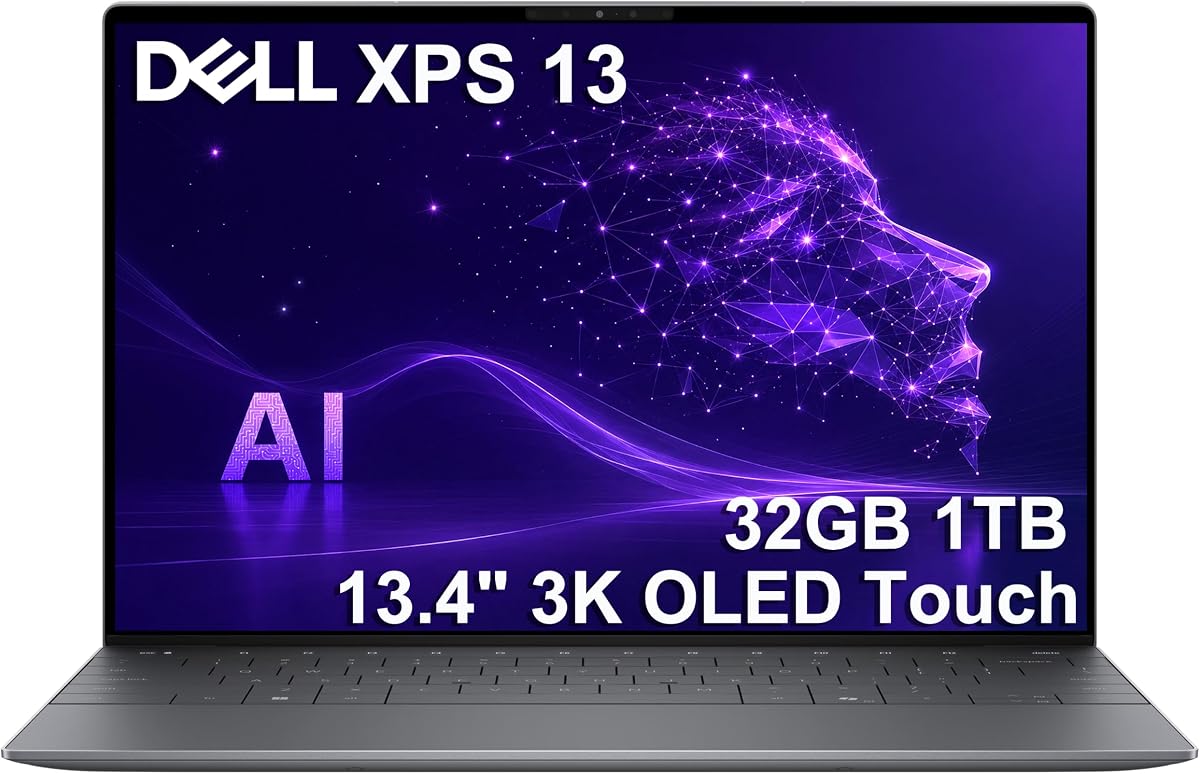
The 3K OLED version of the Dell XPS 13 9345 delivers a more tactile and visually vivid experience than the standard IPS model. It pairs the Snapdragon X Elite X1E-80-100 processor with 32GB of 8448MT/s memory, a 1TB NVMe SSD, and a 13.4-inch 2880 by 1800 OLED touchscreen. Its 4.0 rating remains solidly positive.
We may earn a commission when you buy through this link, at no additional cost to you.
The processor has 12 cores, Dual-Core Boost up to 4GHz, and an NPU rated at 45 TOPS. Those specifications target efficient productivity, content creation, and professional workloads. Adreno graphics support the sharp OLED display, and the two USB4 Type-C ports can each connect an external 4K monitor at 60Hz without requiring a docking station.
Windows 11 Pro adds enterprise-oriented functionality such as BitLocker encryption, Remote Desktop, Hyper-V virtualization, and Group Policy management. The backlit keyboard, fingerprint reader, Wi-Fi 7, Bluetooth 5.4, and FHD infrared webcam add convenience for daily work and video calls.
The listing states that the computer was resealed after its SSD was upgraded, with a three-year warranty on the upgraded drive and a one-year Dell warranty on other components. The OLED panel is specified at 400 nits and an anti-reflective finish, so buyers seeking the absolute maximum peak brightness may prefer the Yoga Slim 7X. Within the Dell XPS range, though, this is the stronger choice for touch, color, and desktop flexibility.
The 2880 by 1800 OLED touchscreen combines a high resolution with touch input in a compact enclosure. That makes it particularly useful for visual work, presentations, and quick on-screen navigation where a larger laptop would be less convenient to carry.
Windows 11 Pro and the included security hardware suit business users, while dual 4K output at 60Hz adds flexibility for a larger desk setup. The 45-TOPS NPU supports the growing set of local AI features associated with Snapdragon-based Copilot+ PCs.
We may earn a commission when you buy through this link, at no additional cost to you.
The Lenovo Yoga Slim 7X Pro listing pairs a Snapdragon X Elite processor with a 3K OLED touchscreen, 16GB of memory, and 512GB of storage. It earns a 4.4 rating, making it one of the better-reviewed upgraded systems in this roundup. For buyers focused on display quality and Windows Pro features, it delivers a persuasive combination.
We may earn a commission when you buy through this link, at no additional cost to you.
The 14.5-inch 2944 by 1840 OLED touchscreen runs at 60Hz and supports touch interaction. The Snapdragon X Elite X1E-78-100 has 12 cores, 12 threads, a 3.40GHz stated clock, and 36MB of cache, while 802.11be Wi-Fi and Bluetooth 5.4 provide current wireless standards.
Unlike the closely related third-ranked listing, this version includes Windows 11 Pro. That makes it more attractive for organizations or individuals who use advanced administration, security, or virtualization features. A four-cell 70Wh battery, 65W Type-C power supply, backlit keyboard, and integrated webcam cover the basics of a productive portable system.
Its seal was opened for a hardware or software upgrade, and GreatPriceTech provides a one-year manufacturer warranty. The package also includes an authorized portable USB hub. Buyers should account for the third-party configuration and limited storage, but the 3K OLED panel, Snapdragon X Elite hardware, and 4.4 rating justify this as the value-focused premium entry in the list.
The 3K OLED touchscreen is the feature that elevates this listing above ordinary productivity notebooks. Its high native resolution provides more working detail, while touch input and deep contrast make it engaging for browsing, media, and presentation work.
Windows 11 Pro differentiates this configuration from the Home-equipped variant in the same chassis. It is a meaningful advantage for users who require enterprise security, remote access, Group Policy, Hyper-V, or other professional management features.
We may earn a commission when you buy through this link, at no additional cost to you.
Microsoft's 2024 Surface Laptop is a polished 13.8-inch touchscreen system built around the 12-core Snapdragon X Elite platform. It has a 4.4 rating, 16GB of RAM, 1TB of SSD storage, and Windows 11 with Copilot+ PC features. Its principal appeal is the combination of a recognizable premium design and Microsoft tightly integrated software and AI experience.
We may earn a commission when you buy through this link, at no additional cost to you.
The supplied information highlights a razor-thin display, bright HDR technology, and optimized screen space rather than a full resolution specification. That makes the Surface Laptop less of a specification-led recommendation than some rivals, but it remains a natural fit for users who prioritize a refined Windows experience, touch interaction, and Copilot+ features.
The Snapdragon X Elite platform includes a capable NPU for local AI applications, while Microsoft describes the machine as optimized for productivity, play, and creative work. Its stated battery life reaches up to 20 hours, providing a useful endurance target for students, commuters, and office workers who regularly work away from a charger.
The 16GB memory configuration may be less generous than the 32GB XPS models, and the abbreviated listing does not provide a full port breakdown. Nonetheless, this Surface Laptop stands apart through its cohesive design, touchscreen format, 1TB storage, and direct association with Windows 11 Copilot+ PC. It is a strong all-round choice when software integration matters as much as raw hardware.
The Surface Laptop is designed directly around Windows 11 and Copilot+ PC capabilities. Its NPU-enabled Snapdragon platform provides the foundation for local AI features while keeping the hardware and software experience closely aligned.
A 13.8-inch touchscreen offers a practical balance between productivity space and portability. With up to 20 hours of stated battery life, the laptop is positioned for extended everyday use away from a power outlet.
We may earn a commission when you buy through this link, at no additional cost to you.
The HP OmniBook 3 offers an accessible entry into Qualcomm-powered Windows laptops, with a roomy 16-inch screen and a Snapdragon X X1-26-100 processor. It includes 16GB of DDR5 memory, 512GB of SSD storage, and Windows 11 Home. No customer rating is supplied, so this recommendation rests on its specifications and intended value positioning.
We may earn a commission when you buy through this link, at no additional cost to you.
The X1-26-100 chip uses eight Oryon CPU cores with speeds up to 2.98GHz, an integrated GPU producing 1.7 TFLOPS, and a 45-TOPS Hexagon NPU. It also supports LPDDR5x-8448, USB4, Thunderbolt 4, and PCIe 4, giving it a modern platform foundation despite not being the higher-tier X Elite chip.
Its 1920 by 1200 WUXGA display uses a 16:10 aspect ratio, which provides more vertical space for documents, web pages, and split-screen work than a conventional 16:9 panel. Qualcomm Adreno graphics handle visual output, while the advertised Copilot+ PC experiences add local AI functionality to the platform.
This laptop is not a direct substitute for the X Elite models when maximum processor performance is the priority. It is most useful for shoppers who value a large screen, current Snapdragon features, and practical memory and storage at the lower end of the range. A bundled USB 3.0 hub adds some flexibility, although it cannot compensate for the lower-resolution display.
The 16-inch 16:10 screen is well suited to browsing, schoolwork, and office applications because it shows more content vertically. Its 1920 by 1200 resolution is less exacting than the 2K and 3K panels elsewhere in the guide.
The X1-26-100 is an eight-core Snapdragon X rather than the 12-core Snapdragon X Elite used by most products listed. It retains a 45-TOPS NPU and modern connectivity, making it a relevant efficient alternative for less demanding workloads.
We may earn a commission when you buy through this link, at no additional cost to you.
Samsung's Galaxy Book4 Edge is a visually striking large-screen Snapdragon X Elite laptop with a 5.0 rating. Its defining feature is a 16-inch 2880 by 1800 AMOLED 2X touchscreen that refreshes at up to 120Hz. The X1E-80-100 processor, 16GB of LPDDR5X memory, and bundled 1TB docking-station storage make it a strong premium multimedia choice.
We may earn a commission when you buy through this link, at no additional cost to you.
The upgraded listing includes 512GB of UFS storage inside the laptop and a 1TB docking-station set. The bundle also contains a seven-in-one dock, a 32GB microSD card with adapter, a Type-C data cable, a three-in-one charging cable, and a cleaning cloth. That is a generous accessory package for users who want a ready-to-connect desk setup.
Connectivity is more conventional than some USB-C-only rivals. It includes two USB4 Type-C ports, HDMI 2.1, a combined headphone and microphone jack, and a microSD card reader. Wi-Fi 7, Bluetooth 5.4, a backlit keyboard, and a fingerprint reader add everyday convenience. At 3.40 pounds, it remains portable despite the large display.
The listing was resealed after an upgrade, and the warranty is divided between SnowBell for upgraded RAM or SSD and the original manufacturer for other components. Its 16GB memory is also modest beside the 32GB Dell configurations. Even so, the exceptional AMOLED panel, smooth refresh rate, robust port selection, and complete docking bundle make this an attractive premium recommendation.
The 3K AMOLED panel delivers rich color, deep contrast, and a 120Hz refresh rate in a 16-inch format. That combination is especially attractive for photo review, entertainment, presentations, and general creative work where a bigger canvas is useful.
The included seven-in-one dock and 1TB storage set reduce the need to purchase basic accessories immediately. HDMI, USB4, and microSD connectivity also make the laptop easier to integrate with a larger workstation.
We may earn a commission when you buy through this link, at no additional cost to you.
This Sapphire Blue Galaxy Book4 Edge configuration emphasizes display quality and entertainment in a 16-inch form. It pairs the Snapdragon X Elite platform with 16GB of memory, 512GB of storage, and a 3K AMOLED touchscreen with an adaptive 120Hz refresh rate. No customer rating is provided, so the appeal here comes from the stated hardware and platform features.
We may earn a commission when you buy through this link, at no additional cost to you.
Samsung emphasizes Copilot+ PC functions, including the 45-TOPS NPU behind local AI operations such as Recall, Live Captions, and text-to-image features. The dynamic 3K AMOLED 2X display is designed for vivid visuals, and the 120Hz adaptive refresh rate can make scrolling, animation, and general navigation appear smoother.
The Snapdragon X Elite processor targets creators, collaborators, and engineers with an emphasis on processing speed and power efficiency. Long battery life and super-fast charging are also highlighted, making the laptop suitable for users who travel while keeping frequently used applications and media readily available.
Its 512GB drive and 16GB memory are the primary configuration constraints, especially for users handling large creative libraries. The listing also provides fewer concrete details about ports, weight, and warranty than the other Galaxy Book4 Edge entry. Nevertheless, this version remains a compelling option for buyers who want a large, smooth AMOLED touchscreen and a Copilot+ PC platform.
The AMOLED panel and adaptive 120Hz refresh rate make this laptop particularly well suited to streaming, casual gaming, and general media consumption. Its large screen provides an immersive alternative to compact ultraportables.
The Snapdragon X Elite NPU provides 45 TOPS of performance for compatible Copilot+ features. This hardware is central to Samsung's positioning for creation, collaboration, communication, and everyday productivity.
We may earn a commission when you buy through this link, at no additional cost to you.
The Dell XPS 13 9345 Business configuration is a compact, high-memory alternative to the larger-storage XPS listings. Its 5.0 rating, 32GB of LPDDR5X memory, and Snapdragon X Elite X1E-80-100 processor make it particularly compelling for business users and students who frequently multitask across many applications.
We may earn a commission when you buy through this link, at no additional cost to you.
The 12-core processor uses Dual-Core Boost to raise performance when needed, while the Adreno integrated graphics support both everyday visuals and the laptop's 13.4-inch 2K display. That panel runs at a variable 30-120Hz, reaches 500 nits, and uses Eyesafe technology to reduce blue-light emission during long work sessions.
Windows 11 Pro, an integrated fingerprint reader, and a backlit keyboard support daily office work. A glass haptic touchpad with multi-touch gestures, 1080p RGB camera, and dual-array microphones add a refined user experience. Qualcomm FastConnect 7800 Wi-Fi 7 and Bluetooth 5.4 cover current wireless connectivity needs.
The 55Wh battery is rated for up to 27 hours with the FHD+ display, and a compact 60W USB Type-C adapter simplifies travel. The main trade-offs are the non-touch panel and 512GB drive, but the combination of 32GB memory, strong battery claims, and a compact footprint makes this a strong business-focused recommendation.
Thirty-two gigabytes of LPDDR5X provides ample capacity for browser-heavy workflows, communication applications, document handling, and multitasking. The 13.4-inch enclosure keeps the system easy to carry between meetings or study locations.
A stated runtime of up to 27 hours makes this configuration attractive for mobile work. Windows 11 Pro, the fingerprint reader, Wi-Fi 7, and a 1080p RGB camera round out the professional feature set.
We may earn a commission when you buy through this link, at no additional cost to you.
Choosing a Snapdragon X Elite laptop requires balancing processor tier, display quality, memory, portability, software compatibility, and connector needs. The following factors help translate technical specifications into a practical purchase decision.
Most systems in this guide use the 12-core Snapdragon X Elite platform, including the X1E-78-100 and X1E-80-100 processors. These chips include capable CPU, integrated graphics, and a neural processing unit designed for on-device AI. The X1E-80-100 models add a higher stated peak clock in some configurations, while the HP OmniBook 3 uses the eight-core Snapdragon X X1-26-100 instead.
Memory capacity can determine how comfortably a laptop handles many browser tabs, office applications, communication tools, and creative projects. Models here range from 16GB to 32GB, with 32GB providing the stronger foundation for heavy multitasking and demanding professional workflows. Several Yoga Slim 7X listings use 16GB of onboard memory, so buyers should not assume it can later be expanded.
The selection spans 13.4-inch 2K IPS panels, 13.8-inch Surface touchscreens, 14.5-inch 3K OLED displays, 16-inch WUXGA screens, and 16-inch 3K AMOLED panels. OLED and AMOLED models tend to provide richer contrast and more vivid color, while IPS and WUXGA screens may be easier to live with in brightly lit offices. Touch input and refresh rate also influence the experience.
Snapdragon X Elite systems emphasize efficiency, but portability also depends on chassis weight, display size, keyboard design, and charger size. The Dell XPS 13 configurations are among the most compact, while the 16-inch Samsung and HP models trade bulk for a larger workspace. Stated battery figures range from about 20 hours on the Surface Laptop to as much as 27 hours on the Dell XPS 13 listings.
Storage ranges from 512GB to 1TB, while the Samsung listing with the docking-station bundle combines 512GB UFS storage with 1TB of dock storage. Some upgraded laptops also include portable USB hubs. Bundles can improve convenience, but the included drive, hub quality, and warranty should be evaluated separately from the laptop's core specifications.
Windows 11 Home is appropriate for many personal users, while Windows 11 Pro adds tools such as BitLocker, Remote Desktop, Hyper-V, and Group Policy. Several upgraded listings also provide third-party or manufacturer warranties, and some include Copilot+ PC features. These distinctions matter when the computer will be managed by an employer, used for virtual machines, or secured under organizational policy.
Several models support Wi-Fi 7 and Bluetooth 5.4, while USB4 provides high-speed storage, charging, and external-display connections. The Galaxy Book4 Edge adds HDMI 2.1 and a microSD reader, and the Samsung bundle includes a multiport docking station. USB-C-only designs can still be productive, but adapters or a dock may become necessary for legacy accessories and multiple screens.
Several listings have been opened, upgraded, resealed, and professionally configured by a third-party seller. That can produce excellent value, but it differs from an untouched retail package and may divide warranty coverage between upgraded components and the rest of the system. Check the stated processor, memory, storage type, operating system, and included accessories against the actual listing.
Begin by completing the Windows setup, connecting the laptop to your preferred network, and installing the latest operating-system and application updates. Confirm that essential software supports Windows on Arm and that any required drivers, plug-ins, security tools, or peripheral utilities are available before moving important work to the new machine.
For the first few uses, monitor memory pressure, storage consumption, thermals, and application behavior. Keep the system on a hard surface, use the supplied or compatible USB-C charger when possible, and avoid blocking its vents. For long battery-based sessions, adjust screen brightness, manage demanding browser tabs, and use the operating system's battery controls to balance responsiveness with endurance.
Clean the display with a soft microfiber cloth and avoid placing liquids directly on the keyboard or into ports. Periodically back up important files, review storage health, install security updates, and verify that accessories use compatible USB4 or USB-C connections. For upgraded systems, retain the seller's warranty documentation and records of the original and upgraded components.
Yes, Snapdragon X Elite laptops are well suited to web browsing, document work, email, video calls, media playback, and multitasking. The 12-core processors, fast solid-state storage, and up to 32GB of memory in this list provide strong capacity for common workflows. Compatibility with specialized or older software should be confirmed before purchase, especially for specialist engineering, security, or legacy business tools.
The models in this guide primarily use Snapdragon X Elite processors with 12 CPU cores, while the HP OmniBook 3 uses the eight-core Snapdragon X X1-26-100. Both families provide efficient Windows operation, integrated graphics, and a capable NPU for local AI. The Elite models generally offer more CPU headroom for demanding multitasking and content creation.
For typical productivity, browsing, communication, and schoolwork, 16GB can be sufficient. Heavy multitasking, large project files, virtual machines, and professional creative software are more comfortable with 32GB. Several of the most compact Dell XPS configurations provide 32GB, while the 16GB Yoga Slim 7X models use onboard memory that should be checked for expansion potential.
Yes, but the number, resolution, and refresh rate depend on the USB4 or USB-C implementation and the display configuration. The Dell XPS 13 OLED listing supports two external 4K monitors at 60Hz through its Type-C ports, while the Galaxy Book4 Edge also includes HDMI 2.1. A compatible cable or docking station may be necessary.
Check the exact processor, memory capacity, storage type and capacity, operating-system edition, warranty coverage, and included accessories. Listings that mention an opened or resealed package may divide support between the upgraded component and the rest of the computer. Keep the product documentation and verify that the installed hardware matches the listing before completing setup.
OLED and AMOLED panels generally provide deeper contrast and more vivid color than conventional IPS screens, making them attractive for media and creative work. Their brightness can vary by model, and a 60Hz panel may feel less smooth than 90Hz or 120Hz alternatives. Buyers should consider the finish, brightness, touch support, and size along with color quality.
The Snapdragon platform includes a dedicated neural processing unit, with 45 TOPS highlighted in the supplied product information for compatible systems. This hardware supports Windows Copilot+ functions and other on-device AI applications. Feature availability depends on Windows updates, application compatibility, account settings, and regional requirements.
The Dell XPS 13 9345 is among the most compact choices, starting at approximately 2.62 pounds and measuring about 0.60 inches thick. The 14.5-inch Yoga Slim 7X weighs 2.82 pounds, while the 16-inch Samsung and HP designs prioritize larger displays. Screen size, battery needs, and preferred keyboard size should guide the final choice.
The Lenovo Yoga Slim 7X in its retail-packaged configuration stands out as the strongest overall choice because it combines a superb 3K OLED touchscreen, efficient Snapdragon X Elite performance, 1TB storage, three USB4 ports, and a light 2.82-pound design. The Samsung Galaxy Book4 Edge stands out for its large 3K AMOLED display, 120Hz refresh rate, and useful docking bundle.
Shoppers should prioritize their most important compromise. The Dell XPS 13 9345 offers 32GB memory and exceptional portability, the second Galaxy Book4 Edge is suited to entertainment and Copilot+ features, and the upgraded Yoga Slim 7X listings deliver premium OLED screens and Windows 11 Pro. The HP OmniBook 3 serves buyers who prefer a roomier, less expensive Snapdragon platform with a 16-inch display.
Before purchasing, verify the current listing, component specifications, operating system, warranty terms, and software compatibility. Prices and configurations change, and upgraded systems may not carry the same packaging or support terms as retail models. Comparing the latest listing details is the most reliable way to secure the right Snapdragon X Elite laptop for your needs.