
HP 14-inch HD Chromebook
4.4Editor score
14-hour advertised battery life
Chrome OS web-focused simplicity
Lightweight everyday school design
A laptop for a junior high student must balance schoolwork, communication, entertainment, and portability without overwhelming a young user with unnecessary complexity. The right model should handle web-based lessons, documents, presentations, video calls, and light creative work while remaining comfortable to carry between classes or use after school.
This guide compares ten laptops suitable for middle-school workloads, balancing Chrome OS and Windows models with different processor, memory, storage, display, battery, and connectivity options. The evaluation considers the specifications supplied for each product rather than personal testing, highlighting where each configuration is most practical.
Each review reveals the defining benefit and honest trade-offs of one model, helping families narrow the field by operating system, screen size, portability, and performance needs. Product listings and prices can change, so readers should confirm current specifications, availability, and terms before making a purchase.
4.4Editor score
4.6Editor score

4.3Editor score
As an Amazon Associate we earn from qualifying purchases.
The table below compares the ten shortlisted laptops by operating system, performance, memory, storage, display, and practical student-oriented features, making it easier to identify the most suitable balance for a particular student.


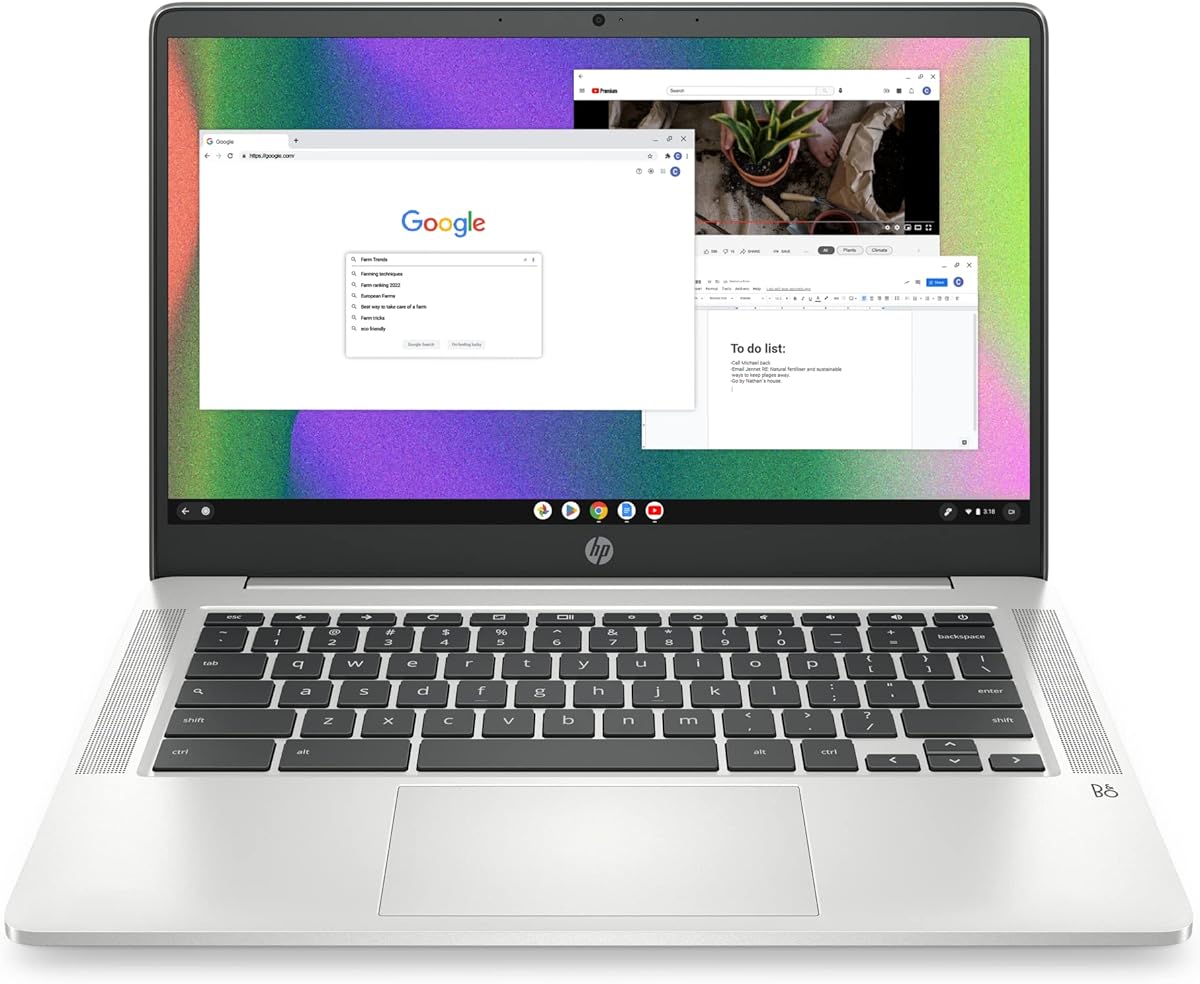
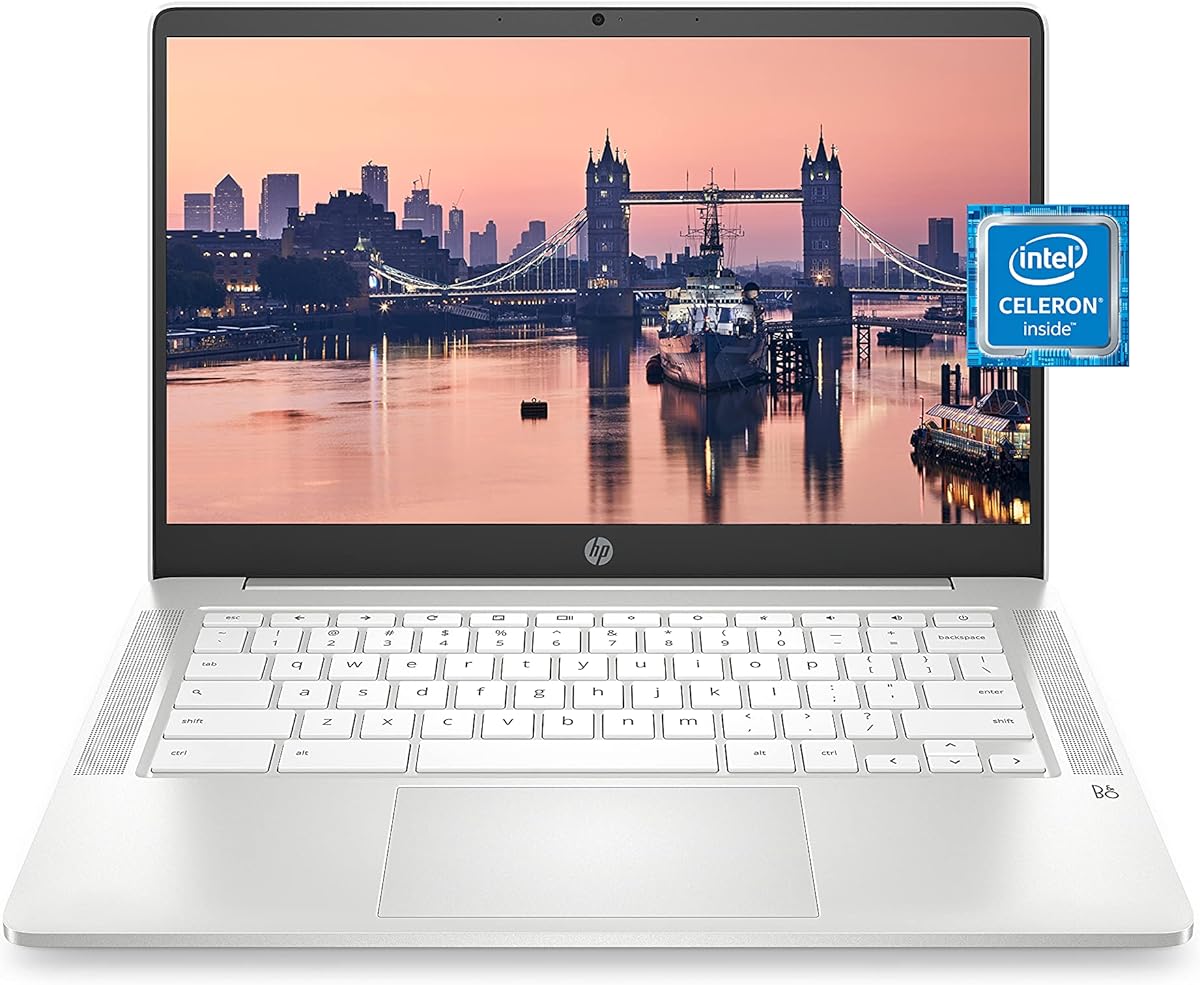

The HP 14-inch HD Chromebook is a practical, budget-conscious choice for junior high students whose daily work centers on web research, Google Classroom, documents, video calls, and Chrome-based applications. Its 4.4 rating reflects a generally favorable balance of hardware, battery life, and simplicity, while the included 14-inch anti-glare display should be comfortable for prolonged use in classrooms or at home.
We may earn a commission when you buy through this link, at no additional cost to you.
Its Intel Celeron N4120 provides four cores and four threads, with a listed base clock of 1.1GHz and boost capability up to 2.6GHz. Paired with 4GB of LPDDR4x memory, it is best suited to several browser tabs, online learning tools, and standard productivity applications rather than demanding software. The 64GB eMMC drive keeps boot-up and file access straightforward, and Chrome OS integrates web and Android applications into a familiar environment.
The main compromises are a modest 1366-by-768 panel and limited local storage. Families should emphasize cloud organization and school-provided storage, while students who keep large video libraries or extensive offline files may need supplemental storage. Even so, the port selection is useful for a student device, including two USB-A ports, one USB-C port, HDMI, and a headphone jack, reducing reliance on adapters for routine accessories.
This is a strong recommendation for a middle-schooler who needs an affordable, uncomplicated computer for homework and online classes. It is particularly sensible when the school relies on Google tools, because Chrome OS provides a streamlined path from classwork to web research. Choose it when battery life, low-friction setup, and practical connectivity matter more than high-end display resolution or extensive storage.
The product description advertises up to 14 hours of battery life, making it a comfortable option for long school days, study sessions, and travel between activities. Actual runtime varies with screen brightness, Wi-Fi use, video calls, and the workload, so a charger should still be carried for full-day peace of mind.
Chrome OS gives students a secure, web-centered environment with Chrome and Android app support. That makes it easier to begin coursework quickly, although families should still confirm that every required class, test, or creative application works with the student's school account.
We may earn a commission when you buy through this link, at no additional cost to you.
The HP Stream 14-inch blends a familiar Windows 11 interface with the accessories and storage arrangement that many students need for school. Its 4.2 rating indicates solid overall appeal, and the configuration is especially interesting because it includes a one-year Microsoft 365 subscription, a seven-in-one docking station, a 32GB microSD card, and cables in addition to the laptop.
We may earn a commission when you buy through this link, at no additional cost to you.
The Intel N150 is designed around efficient everyday performance, making the system suitable for browsing, online lessons, document editing, and routine multitasking. Its 4GB DDR4 memory is adequate for light work, though it is the most important limitation in an otherwise flexible package. The listed storage combines 128GB of laptop UFS storage with 1TB inside the docking station, creating more room for documents, media, and school files than the headline laptop capacity alone suggests.
The main trade-off is that not all of the advertised storage lives in the laptop. Students will need to carry or use the dock, and a 4GB memory configuration may feel constrained if they run many browser tabs, video meetings, and Microsoft applications simultaneously. The 1366-by-768 anti-glare display is suitable for normal work but does not offer the sharpness of a full HD panel.
This model is a good fit for a student who needs Windows-specific applications, Microsoft Office, or a more conventional laptop setup. It also suits families that want a docking station for a bedroom or home-office desk. For frequent travel, the student should learn which files are stored in the dock and keep essential work synchronized or locally available.
Including 1TB of storage in the dock makes the package unusually practical for archiving assignments and media. The dock also provides a convenient desktop connection point, but students who work away from home should treat the laptop's 128GB UFS as the only always-available storage unless they synchronize files.
A one-year Office 365 subscription provides access to Word, Excel, PowerPoint, and cloud services, while the dedicated Copilot feature adds an assistant for routine tasks. These tools can be useful for report writing and organization, but students should follow school guidelines and independently verify generated information.
We may earn a commission when you buy through this link, at no additional cost to you.
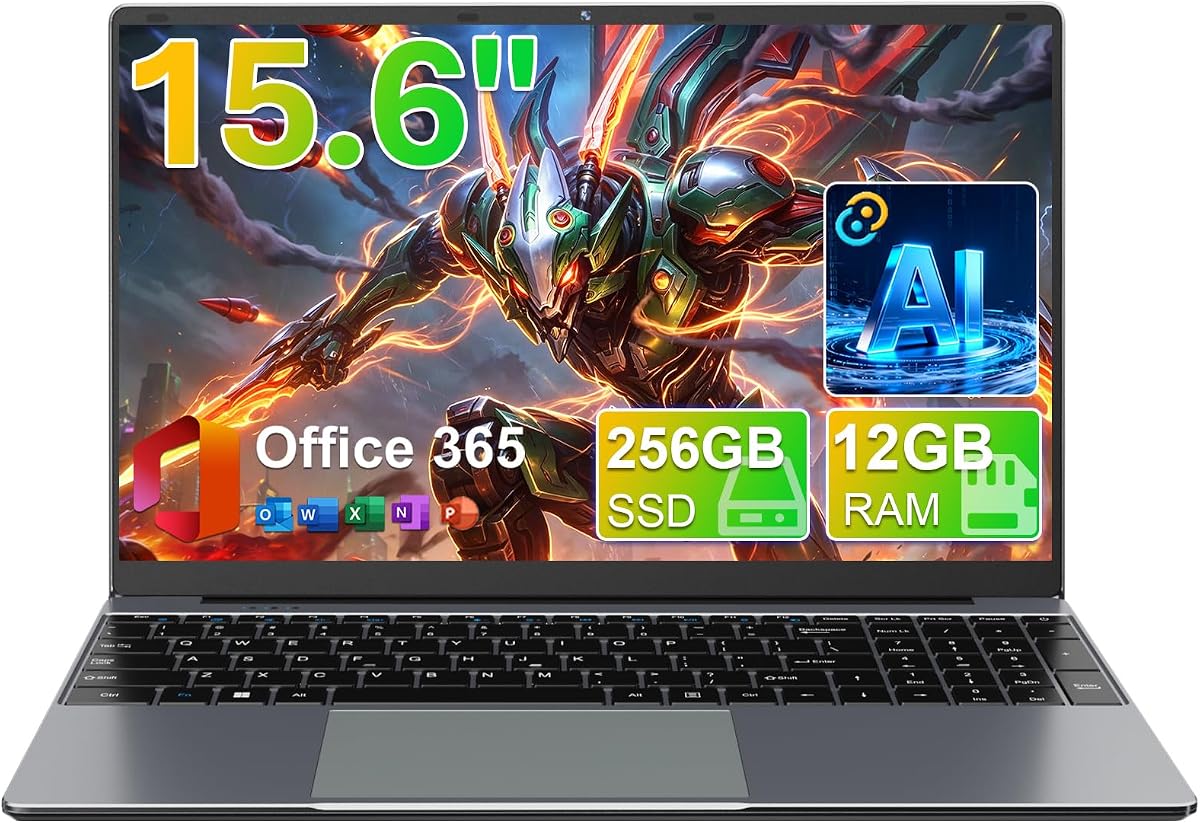
The 15.6-inch FHD IPS Student Laptop stands out as the most balanced model in this group, combining a 4.6 rating with a full HD display, 12GB of memory, and a 256GB SSD. Those are meaningful advantages for a junior high student who may switch among browser-based lessons, documents, slides, and communication tools throughout the day.
We may earn a commission when you buy through this link, at no additional cost to you.
Its Intel Celeron J4105 is a quad-core processor aimed at everyday productivity rather than intensive computing. The 12GB RAM provides more breathing room than the 4GB configurations found on several alternatives, and the SSD offers a responsive place for applications and active files. The 1920-by-1080 IPS panel with narrow bezels offers more room and clearer detail than the HD screens elsewhere in the list.
Its portability is the principal drawback. A 15.6-inch laptop is easier to use for homework at a desk, watch videos with friends, or share material during a group project, but it occupies more backpack space than a 14-inch model. The hinge also opens flat to 180 degrees, which can be convenient for sharing or flexible viewing, though actual durability should be considered for a child who travels frequently.
This is our top overall recommendation for families seeking a versatile school computer without moving to premium pricing. The 12GB memory and SSD make it more comfortable for multitasking, while the full HD screen is a meaningful advantage for schoolwork. It is best for a student who works primarily at a desk or carries the laptop only occasionally.
The 1920-by-1080 resolution, 16:9 format, and narrow bezels provide a clearer and larger workspace than standard HD models. IPS viewing angles also make the screen more practical when a student shares assignments with a parent or sits beside a classmate.
Twelve gigabytes of RAM is the standout specification, allowing more applications and browser tabs to remain active without immediately reaching the limits of a 4GB machine. The 256GB SSD also supports faster, more convenient file access than a comparable eMMC-equipped Chromebook.
We may earn a commission when you buy through this link, at no additional cost to you.
The Lenovo 14-inch Touchscreen Chromebook is a compelling choice for students who prefer interacting with a display directly. Its 4.2 rating, full HD resolution, and touch support distinguish it from basic HD Chromebooks, while the listed 2.86-pound weight makes it one of the most portable options in the shortlist.
We may earn a commission when you buy through this link, at no additional cost to you.
The octa-core MediaTek Kompanio 520 is designed for efficient Chrome OS use, with emphasis on battery life, connectivity, and everyday educational workloads. Four gigabytes of LPDDR4x memory is adequate for web browsing and Google-based applications. The 14-inch 1920-by-1080 IPS touchscreen, energy-efficient LED backlight, 720p camera, and physical privacy shutter make the display package particularly thoughtful for remote learning.
As with other 4GB Chromebooks, the 64GB eMMC capacity is the main constraint. Families relying heavily on downloaded videos, offline textbooks, or large creative files may need to manage cloud storage carefully or add a microSD card where supported. The included touch functionality may also be unnecessary for a student who mainly types assignments, but it can be useful for diagrams, interactive coursework, and intuitive navigation.
This laptop is best for a student who wants a light, full HD screen and does useful work in the Chrome ecosystem. It would be particularly attractive in a household with shared devices because the combination of a compact body, modern processor, and responsive touchscreen feels current. Confirm the student's school apps and preferred file-storage method before finalizing the choice.
The touch panel makes on-screen controls, drawing exercises, and touchscreen lessons more direct than on a conventional laptop. Its IPS technology and full HD resolution also improve clarity when a student is not positioned directly in front of the screen.
The integrated 720p webcam, dual-array microphones, Zoom readiness, and privacy shutter cover several common online-class needs. The physical shutter is a simple but useful way for families to guard the camera when it is not in use.
We may earn a commission when you buy through this link, at no additional cost to you.
The Lenovo IdeaPad 3i Chromebook improves on the basic Chromebook formula with a full HD anti-glare touchscreen, 100% sRGB color coverage, and 300 nits of brightness. Its 4.4 rating suggests that many buyers find the combination of performance, battery life, and design appealing for school, travel, and everyday communication.
We may earn a commission when you buy through this link, at no additional cost to you.
The same octa-core MediaTek Kompanio 520 platform supports fast, efficient Chrome OS operation. Its advertised total storage is 128GB, made up of 64GB eMMC and an attached 64GB SD card. That gives students more room than a 64GB Chromebook, although understanding the split is important for anyone organizing a large media library or keeping projects offline.
The processor is suitable for Google Classroom, browsing, video calls, and standard productivity, but 4GB of soldered LPDDR4x memory means it is not a strong choice for demanding software or dozens of simultaneous tasks. The 14-inch touchscreen is a clear upgrade over an HD panel, and the anti-glare finish is useful under bright classroom lighting. The camera privacy shutter adds visible reassurance for online learning.
This model makes sense for a student who wants a capable touch display and slightly more storage without moving to a full Windows laptop. It is particularly good for browsing-heavy schoolwork and video communication. Families should maintain backups and encourage sensible folder organization, since no amount of local storage removes the need to protect school files.
The 1920-by-1080 anti-glare panel offers more detail and usable classroom contrast than a basic HD screen. A 300-nit rating and 100% sRGB specification also make it a more enjoyable surface for presentations, illustrations, and shared viewing.
Adding 64GB through an SD card makes this Chromebook more accommodating for downloaded media and offline coursework. The stated automatic-update expiration date of November 2026 also provides useful context for families considering how long the platform may remain supported.
We may earn a commission when you buy through this link, at no additional cost to you.
The HP 14-inch Windows Student Laptop is designed around online learning and familiar productivity software. Its 4.2 rating, Windows 11 S Mode, Microsoft 365 access, and 1TB OneDrive allowance make it a straightforward option for a student whose school tasks are browser-heavy and cloud-centered.
We may earn a commission when you buy through this link, at no additional cost to you.
The Intel N4102 processor and Intel graphics are intended to manage browsing, classes, office tasks, and streaming. The 14-inch 1366-by-768 anti-glare panel reduces reflections, while the HP True Vision 720p camera, temporal noise reduction, and dual-array microphones support clearer video calls. A full-size keyboard and dedicated Microsoft Copilot key add convenience for longer typing sessions and everyday assistance.
The 1366-by-768 resolution is the clearest visual limitation, particularly for detailed documents and media editing. Windows 11 S Mode also centers the experience on verified Microsoft Store applications, so families should check whether a required school program must be installed separately. The listing's mention of large storage is tempered by the supplied focus on 1TB OneDrive cloud space, which depends on connectivity and account access rather than being equivalent to local storage.
This laptop is best for a student who wants Windows and Microsoft services without needing a powerful processor. It suits students who primarily browse, attend virtual classes, write in Microsoft 365, and organize files in the cloud. It is less suitable for intensive engineering, gaming, video editing, or large applications that may strain the entry-level N4102.
One terabyte of OneDrive storage gives students room to keep school documents in a synchronized location, reducing the pressure caused by limited internal storage. Families should establish clear naming and folder conventions so coursework remains easy to locate.
The 720p camera uses temporal noise reduction to improve visual quality during calls, and the dual-array microphones support clearer voice pickup. These details make the laptop more practical for group projects and virtual classroom participation.
We may earn a commission when you buy through this link, at no additional cost to you.
The HP Chromebook 14a-na0226nr is a well-established school-oriented Chromebook with a 4.3 rating and a configuration centered on long battery life, portability, and ease of use. Its Intel Celeron N4120, 4GB memory, 64GB eMMC, and Chrome OS align closely with the requirements of most web-based junior high assignments.
We may earn a commission when you buy through this link, at no additional cost to you.
The thin 14-inch chassis uses a 1366-by-768 anti-glare display with micro-edge bezels, while custom-tuned stereo speakers add value for lessons, music, and videos. Intel UHD Graphics 600 supports smooth 4K content according to the product description. Connectivity includes 802.11ac Wi-Fi and Bluetooth, and the full-size keyboard includes a multi-touch touchpad with four-finger gesture support.
Its main limitations are familiar: 4GB of RAM can become tight across many simultaneous applications, and 64GB of eMMC leaves limited room for offline files. The HD display is perfectly serviceable for standard documents but less detailed than the full HD models in this guide. Because it is identified as a 2022 model, buyers should check the current condition and availability of updates and support.
This is a dependable pick for a student who primarily uses web-based tools and values a long advertised runtime. The ability to reach 50% charge in approximately 45 minutes with HP Fast Charge is particularly useful for short breaks between classes or activities. It is a sensible option when simplicity, endurance, and a slim design matter most.
The advertised 14-hour battery life supports long study sessions, and HP Fast Charge can add roughly half a charge in 45 minutes. A student can therefore use the laptop throughout the day without draining it completely during shorter breaks.
Custom-tuned stereo speakers make the device more pleasant for music, instructional videos, and casual entertainment. That balance can encourage a student to treat the computer as a versatile personal device rather than only a homework tool.
We may earn a commission when you buy through this link, at no additional cost to you.
The Dell 15.6-inch FHD Laptop is the premium selection in this guide because it brings a more capable Intel Core 3 100U processor, 8GB of RAM, and Windows 11 Home to a full HD display. Its 4.3 rating indicates a positive reception, and the platform gives a student more flexibility than an entry-level Chromebook.
We may earn a commission when you buy through this link, at no additional cost to you.
The Core 3 processor should provide stronger headroom for browser use, Microsoft Office, research, communication, and a wider range of school software. Eight gigabytes of memory is more appropriate for multitasking than the 4GB seen across several alternatives. The full HD 15.6-inch display is also well suited to reading, writing, watching instructional content, and working on presentations.
Comfort features add value for long sessions. Dell ComfortView is designed to reduce harmful blue-light emissions, lifted hinges provide a more ergonomic typing angle, and the keyboard includes separate numeric keys plus a calculator hotkey. One-year onsite service can also provide valuable peace of mind. On the other hand, the supplied data does not specify storage type or capacity, so buyers should confirm those details before ordering.
This laptop is ideal for a student who needs Windows-specific software, may move between class and home, and wants a display large enough for comfortable productivity. It is less appropriate when minimizing backpack weight is the leading priority, since the 15.6-inch format is larger than the 14-inch alternatives. For families willing to make that trade, the stronger core specifications justify the premium position.
The Core 3 100U and 8GB of RAM create a more flexible foundation than the entry-level Celeron and 4GB configurations elsewhere. That headroom helps when a student runs online classes alongside documents, browser tabs, video calls, and other school applications.
Lifted hinges tilt the keyboard into a more comfortable position, while Dell ComfortView is intended to improve viewing comfort during extended use. A separate numeric keypad and calculator hotkey can also simplify mathematics, spreadsheets, and data entry.
We may earn a commission when you buy through this link, at no additional cost to you.
The HP Chromebook 14a-na0021nr prioritizes portability, long wireless use, and the basic tasks of a middle-school student. It has a 4.4 rating and a 3.24-pound design, making it easy to carry between classes, study areas, or family members who share the device.
We may earn a commission when you buy through this link, at no additional cost to you.
The Intel Celeron N4000 and Intel UHD Graphics 600 provide sufficient capability for browsing, music, videos, and standard Chrome-based coursework. The 14-inch 1366-by-768 anti-glare display reduces distractions from reflections, and the HP Wide Vision HD camera with dual-array digital microphones supports online lessons and calls. Wi-Fi 5 and Bluetooth 5.0 cover standard connectivity needs.
The 32GB eMMC drive is the model's most substantial compromise. It leaves relatively little room for applications, downloaded media, and offline assignments, so cloud-based file management is essential. The 4GB memory configuration and older processor also place it behind newer models for heavy multitasking. Advertised wireless streaming time of up to 13 hours and 30 minutes is impressive on paper, though real use varies.
This Chromebook is best for a student whose work is primarily online, who travels between locations, and who wants a light machine with a familiar Chrome interface. It may also suit a younger student who does not need local storage for extensive projects. Confirm the current software-update status and local storage needs before choosing it over a newer 64GB model.
At 3.24 pounds, the laptop is light enough for a middle-school backpack, while the anti-glare screen remains practical in fluorescent rooms. Its 14-inch size offers a comfortable typing area without moving into the bulkier 15.6-inch category.
The integrated Wide Vision HD camera and dual-array microphones address the two most common remote-learning needs: being seen and heard clearly. Chrome OS and Google Play support also provide access to a wide collection of educational applications.
We may earn a commission when you buy through this link, at no additional cost to you.
The HP Essential Laptop 2026 is a current-generation Windows option tailored to browsing, streaming, document editing, and daily school activities. Its 4.4 rating and Intel N150 processor position it as a modern alternative to older Chromebook and Windows systems in the shortlist, particularly for families that do not want a Chrome-only device.
We may earn a commission when you buy through this link, at no additional cost to you.
The N150 uses four cores and four threads, reaches up to 3.6GHz with Intel Turbo Boost, and pairs with 4GB of LPDDR5 memory and 128GB of UFS storage. A one-year Microsoft 365 Personal subscription includes Word, Excel, PowerPoint, and cloud storage, covering the core productivity tools required by many students. The HD anti-glare display has 250-nit brightness and a 79% screen-to-body ratio.
The 4GB memory limit remains the main concern, and a full HD screen would have been preferable for detailed schoolwork. Nevertheless, the laptop's connectivity is excellent for a student device, including Wi-Fi 6, Bluetooth 5.4, USB-C with DisplayPort, two USB-A ports, HDMI, an audio jack, and a memory-card reader. The 720p camera, noise reduction, and dual microphones support online learning.
This is a strong recommendation for a student who needs Windows and current productivity software but does not expect to run demanding games or professional creative applications. At 3.24 pounds and just 0.71 inches thick, it also travels better than many larger Windows laptops. Families should monitor memory use and use cloud storage to avoid filling the relatively compact 128GB drive.
Wi-Fi 6, Bluetooth 5.4, and a 3.24-pound weight support a mobile school routine. The thin dimensions also make the laptop easy to place in a backpack without adding the bulk of a larger workstation.
The included one-year Microsoft 365 Personal subscription gives students immediate access to standard word-processing, spreadsheet, presentation, and cloud-storage tools. It is a useful addition for schools that rely on Microsoft assignments, though families should review renewal terms after the included period.
We may earn a commission when you buy through this link, at no additional cost to you.
The right student laptop should support the software a child actually uses, remain comfortable to carry, and provide enough performance and battery life for a full school day. These factors help families compare Chromebook, Windows, and premium configurations without paying for specifications that do not improve the student's experience.
In short, choose Chrome OS for a browser-centered workflow and Windows for broader software flexibility.
Aim for at least 4GB in a basic school device, while 8GB or more is preferable for intensive multitasking.
Match storage to offline needs, but establish backups and organized folders regardless of the capacity you choose.
Choose 14 inches for portability or 15.6 inches for workspace, and prefer Full HD when detailed reading matters.
For ordinary schoolwork, prioritize memory and a modern processor over gaming-focused graphics.
Favor a long advertised runtime, but carry a charger and expect moderate real-world variation.
Choose the smallest screen and lightest design your child can comfortably use and carry each day.
Check camera quality, microphones, warranty coverage, and expected software support before purchasing.
Begin by signing into the student's school account, configuring browser synchronization, and installing only the applications required for coursework. Create separate local or cloud folders for each class, and establish a routine for naming documents with the subject, assignment, and date. This simple organization makes files easier to find and reduces the chance of losing work to a crowded downloads folder.
Protect the computer with a password or other account security, enable automatic updates, and install a suitable backup solution. Parents should agree on rules for software installation, notifications, gaming, and screen time without preventing necessary communication or accommodations. A supportive setup makes the laptop a tool for independence while preserving the ability to help when school systems or assignments create difficulties.
For physical care, keep the device on a stable surface, avoid eating or drinking near it, and use a protective sleeve or case in a backpack. Charge it on a hard, ventilated surface, keep ports free of dust, and use the supplied cable and approved adapter. Families should teach students to save work before closing the lid, carry the computer rather than leaving it in a vehicle, and arrange service if the battery, charging port, screen, or keyboard begins behaving differently.
A Chromebook is usually simpler for students whose classes, documents, and tests run through Google Classroom, Chrome, and web-based tools. A Windows laptop is preferable when the school requires Microsoft-specific desktop applications, specialized learning software, or games with demanding system requirements. The best choice is the platform that supports every required assignment with the fewest technical obstacles.
Four gigabytes is generally sufficient for browser-based schoolwork, document editing, and communication, provided the student keeps tabs and applications under control. Eight gigabytes offers a more comfortable multitasking margin, while 12GB is especially helpful for heavier browser use or several programs running simultaneously. Students should also consider whether the memory can be upgraded if the manufacturer permits it.
A 14-inch laptop is easier to carry and usually fits more comfortably in a backpack. A 15.6-inch model offers a larger working area, which can make reading, writing, presentations, and shared viewing more comfortable. If the student carries the device every day, screen size and weight should be balanced against the benefit of a larger display.
A 1366-by-768 HD display can handle ordinary reading, web lessons, and video calls, but text and images are less detailed. A 1920-by-1080 Full HD screen is preferable for long documents, detailed graphics, and comfortable multitasking with multiple windows. The resolution should be considered alongside screen size, brightness, anti-glare treatment, and the student's eyesight needs.
For a Chromebook focused on cloud-based assignments, 64GB is often workable when files are organized and downloaded media is limited. A 32GB model requires even tighter storage management. Windows users benefit from 128GB or 256GB, with larger options providing more room for applications and offline projects. Backups remain important even when storage capacity is generous.
AI tools can help brainstorm ideas, summarize readings, organize outlines, and explain unfamiliar concepts, but they should not replace the student's own work. A parent or teacher should establish rules requiring students to verify information, cite sources, and disclose AI use when school policy requires it. Academic integrity rules should always take precedence over optional convenience features.
An extended warranty can be worthwhile if it provides accidental-damage coverage or convenient support, but it should be compared carefully with the standard manufacturer coverage. Cases, screen protectors, and safe transport habits may prevent more common problems than extended service. Families should review deductibles, exclusions, repair quality, and the cost of replacement before deciding.
Start with account security, automatic updates, browser synchronization, required school applications, and a backup plan. Establish labeled folders for each class and teach the student to save work in more than one location where practical. Clear expectations for screen time, software installation, privacy, communication, and AI use make the initial setup much smoother.
The HP 14-inch HD Chromebook stands out as the strongest budget option, combining an approachable Chrome OS environment, useful connectivity, and a long advertised battery life. The 15.6-inch FHD IPS Student Laptop is the strongest overall option for families wanting a larger Full HD display, 12GB of memory, and an SSD. For a higher-tier general-purpose computer, the Dell 15.6-inch FHD Laptop adds a Core 3 processor, 8GB of RAM, and Windows 11.
The right decision should start with the student's software, schedule, and workload. Chrome OS is easiest for web-based learning, while Windows offers wider application flexibility. Screen size, memory, storage, portability, and camera quality should be considered in that context, while a simple organization and backup routine will protect the device's usefulness over time.
Before purchasing, verify the current listing, included accessories, warranty terms, and availability of required school software. Prices and configurations can change without notice, so a purchase should reflect the student's present needs rather than an assumed future requirement. Comparing the current specification sheet against this guide is the safest way to make a confident, practical choice.