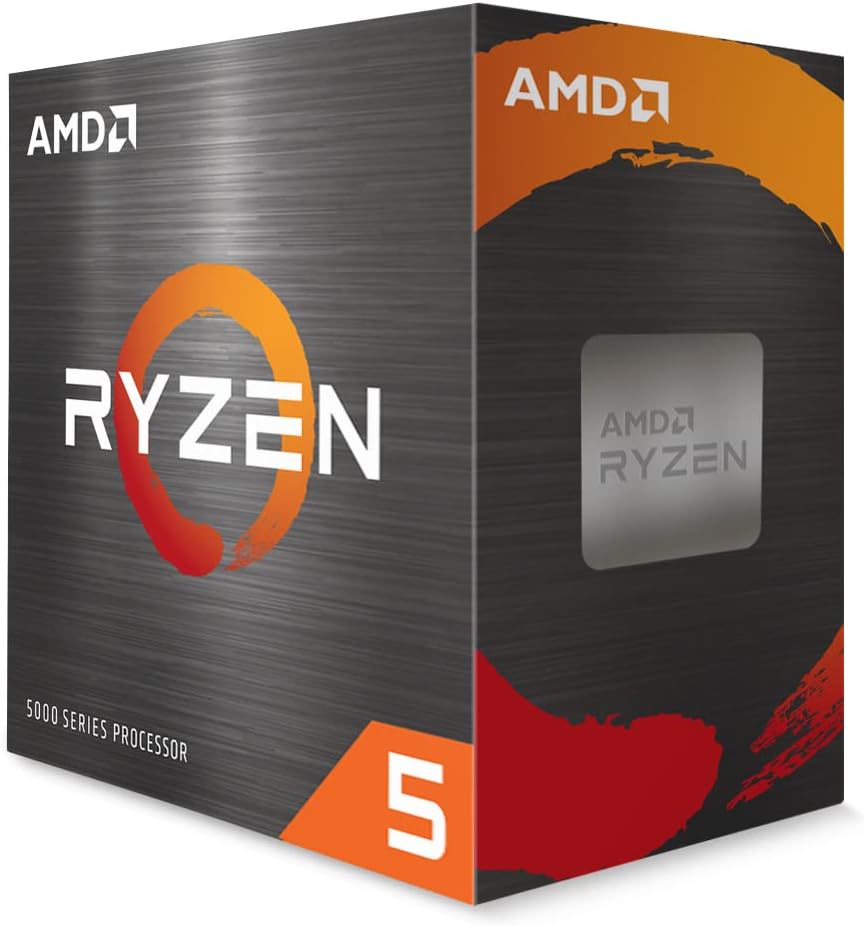
AMD Ryzen 5 5500
4.7Editor score
Six cores, twelve threads
4.2 GHz max boost
Bundled Wraith Stealth cooler
Unlocked AM4 processor
Our Cheap CPU guide compares ten affordable processors for gaming, productivity, upgrades, and everyday use, helping you choose the right option for you today.
A cheap CPU can provide excellent value when it matches the rest of your computer. The right choice depends on socket compatibility, core count, integrated graphics, memory support, and whether you want a simple office upgrade or a system capable of gaming and heavier multitasking.
This guide compares ten affordable processors from AMD and Intel, including Celeron, Pentium, Core i3, Core i5, Core i7, Athlon, and Ryzen options. We evaluated the available specifications, platform requirements, core and thread counts, graphics support, and practical upgrade considerations.
Each review identifies the processor's strongest use case and important limitations. The list includes entry-level, older upgrade platforms, and more capable modern options; current prices and availability can change, so confirm socket and memory support before purchasing.
4.7Editor score

4.2Editor score

4.8Editor score
The following comparison places every processor side by side, emphasizing core count, clock speed, socket platform, and memory support—the factors most likely to determine whether a CPU will fit and perform well in a particular build.




The AMD Ryzen 5 5500 is the strongest all-around value in this guide, combining six cores, twelve processing threads, and a 4.2 GHz max boost with a 4.7 rating. Its Ryzen branding and gaming-oriented specifications make it considerably more versatile than the basic office processors farther down the list, particularly for buyers assembling or upgrading an AM4 system.
We may earn a commission when you buy through this link, at no additional cost to you.
One of its most practical advantages is the included AMD Wraith Stealth cooler. That bundled cooling solution reduces the number of parts a builder needs for a basic installation. The processor also supports DDR4-3200 memory and offers 19 MB of cache, giving it a useful balance of platform features. It is unlocked, so it also suits buyers interested in exploring modest overclocking after confirming that their motherboard and cooling arrangement support it.
The central limitation is graphics. The supplied specifications position this chip around smooth 100-plus-FPS performance in popular games, but that requires a discrete graphics card. It is therefore not the natural choice for a compact or entry-level office build that depends entirely on integrated graphics. The platform requirement is also specific: your motherboard must use Socket AM4, and the processor is described as intended for the advanced AM4 platform.
The Ryzen 5 5500 is best for gamers, general-purpose builders, and home users who want more multitasking capacity than a dual-core chip can offer. It is particularly attractive when the included cooler helps control total build complexity. If you already own a compatible AM4 motherboard, it can also make an upgrade path more practical. For everyone else, verify the socket and plan to add a graphics card before choosing it.
Six cores and twelve threads give this processor more headroom for gaming, browsing, applications, and background tasks than the dual-core alternatives in this guide. The AM4 socket also gives buyers a clear motherboard requirement to check before ordering.
The bundled Wraith Stealth cooler is a meaningful convenience for first-time builders. It also means the processor package can be paired with a straightforward cooling setup rather than requiring a separate purchase as an unavoidable starting point.
We may earn a commission when you buy through this link, at no additional cost to you.
The Intel Celeron G-5900 is a straightforward desktop processor for basic computing, with a 4.5 rating and a clear focus on affordability and everyday tasks. Its two cores and two threads provide less parallel processing capacity than the Ryzen 5 5500, but that simpler design can make it appropriate for a dedicated office, browsing, or light-duty home computer.
We may earn a commission when you buy through this link, at no additional cost to you.
This chip uses Socket LGA1200 and is compatible with motherboards based on the Intel 400 series chipset. That platform detail is essential because installing it on a different socket is impossible without replacing the motherboard. The processor has a 3.4 GHz clock and a stated 58W power rating, characteristics that suit a basic desktop configuration rather than a high-end enthusiast system.
Intel Optane Memory Support adds some flexibility for compatible systems, although the processor remains limited by its two-core, two-thread arrangement. The main trade-off is that users who regularly move between many applications or expect more demanding multitasking may find the available processing capacity restrictive. A faster chip with more cores may be a better long-term investment if it fits the same budget and motherboard.
Choose the Celeron G-5900 when your priorities are a simple office machine, web use, and inexpensive replacement of an aging processor on a compatible LGA1200 board. Confirm the exact motherboard chipset, processor support, and cooling requirements before buying. It is not our general recommendation for a new gaming build, but it can serve a clearly defined basic-computing role well.
The two-core, two-thread configuration is easy to understand and sufficient for basic desktop tasks when multitasking demands remain modest. It is better viewed as a targeted office or secondary-computer option than a broad-purpose performance processor.
Intel 400 series chipset compatibility narrows the systems in which this processor can be used. Checking the motherboard socket and chipset before purchase prevents an otherwise straightforward upgrade from becoming a full platform replacement.
We may earn a commission when you buy through this link, at no additional cost to you.
The Intel Pentium Gold G5600F stands out for one very simple reason in the supplied data: it carries a perfect 5.0 rating. Its two-core design and 3.90 GHz clock position it as a mainstream desktop processor for users who value a capable clock speed and established processor name without moving into a premium six-core configuration.
We may earn a commission when you buy through this link, at no additional cost to you.
A 4 MB smart cache is included, and the boxed processor uses an FC-LGA14C package. The supplied details do not list a thread count, memory type, socket name, or integrated graphics capability. As a result, the processor should not be selected solely on its attractive rating without checking the complete motherboard and system requirements.
Its most obvious trade-off is the two-core arrangement. Modern workloads can benefit from additional cores, particularly when many applications run simultaneously. The G5600F may therefore feel more appropriate as an upgrade for a compatible existing system than as the centerpiece of a new build whose owner expects sustained heavy multitasking.
This Pentium Gold option is a sensible candidate for an inexpensive home or office computer when you have already confirmed platform compatibility. The five-star rating is encouraging, but platform verification remains more important than customer feedback because an incompatible processor cannot be installed. It is best viewed as a capable entry into mainstream desktop computing rather than a high-core-count enthusiast choice.
A 5.0 rating is the highest in this group and suggests strong satisfaction among the available customer feedback. Ratings are still only one signal, so buyers should combine them with socket, memory, and cooling checks.
The Pentium Gold label offers a recognizable middle ground below more premium desktop processor families. Its 3.90 GHz clock and 4 MB cache are straightforward specifications for shoppers who prioritize simplicity over advanced platform features.
We may earn a commission when you buy through this link, at no additional cost to you.
The AMD Athlon 200GE is the most compelling basic option in this guide when integrated graphics are a priority. It has a 4.4 rating, two cores, four processing threads, and Radeon Vega 3 Graphics, making it suitable for everyday computing, smooth video use, and light gaming without requiring a separate graphics card.
We may earn a commission when you buy through this link, at no additional cost to you.
The processor operates at 3.2 GHz and includes 5 MB of cache, with support for DDR4-2667 memory. Its Socket AM4 design provides a familiar AMD platform, and the supplied specifications specifically note that the platform is upgradeable to Ryzen. That makes it a sensible entry point for a builder who wants a modest desktop now but may want more processing power later.
The included near-silent cooler adds convenience, especially for a basic home or office system that does not require elaborate cooling. The trade-off is that only two physical cores are available, although four processing threads improve multitasking compared with a two-core, two-thread design. It also does not offer the same memory speed as the Ryzen 5 5500.
Choose the Athlon 200GE for a compact, inexpensive desktop that benefits from bundled cooling and integrated Radeon Vega graphics. It is a good fit for general computing, media, and light gaming rather than demanding titles or intensive creation. Confirm that your board uses AM4 and supports DDR4 memory before ordering.
Radeon Vega 3 Graphics removes the need for a discrete graphics solution in basic desktop configurations. This can simplify a compact build and make the Athlon 200GE especially convenient for everyday tasks, video, and lighter gaming.
The stated upgradeability to Ryzen is valuable for buyers who want a lower-tier starting point without permanently locking their system into entry-level components. AM4 and DDR4 compatibility should still be verified before planning a future processor change.
We may earn a commission when you buy through this link, at no additional cost to you.
The Intel Celeron G3930 is a practical choice for extending the life of a compatible older desktop. Its 4.6 rating and support for Intel 200 and 1001 series chipsets make it especially relevant to buyers who already own a supported motherboard and do not want to replace the entire platform.
We may earn a commission when you buy through this link, at no additional cost to you.
It uses Socket LGA 1151 and includes Intel HD Graphics 610, allowing the system to handle basic display output without a discrete graphics card. The supplied compatibility note excludes Intel Octane Technology support, so buyers should pay attention to that limitation if their existing system or planned configuration depends on it.
As a seventh-generation Celeron, this processor is inherently tied to an older platform generation. That age can be an advantage for inexpensive upgrades and a disadvantage for buyers seeking current platform features, newer memory support, or more processing capacity. It is better framed as a targeted upgrade for a compatible machine than as the foundation of a new enthusiast system.
The G3930 is recommended for basic office work, browsing, and light home use when your motherboard supports it. It can also be a practical way to replace a failed processor without replacing every major component. Verify the exact board model, LGA 1151 layout, chipset generation, and cooling requirements before making the purchase.
Support for both Intel 200 and 1001 series chipsets broadens the pool of systems that may accept this processor. That makes it a more useful upgrade candidate than a model tied to only one narrow motherboard generation.
Intel HD Graphics 610 covers the display needs of a conventional desktop without requiring a separate graphics card. This keeps the processor relevant to basic office and home-computer refreshes.
We may earn a commission when you buy through this link, at no additional cost to you.
The Intel Core i5-6500 is our Editor's Choice for buyers who want to improve a compatible older desktop without replacing the motherboard. Its 4.2 rating, Intel Turbo Boost technology, and support for both DDR4 and DDR3L make it a versatile upgrade option for many LGA 1151 systems.
We may earn a commission when you buy through this link, at no additional cost to you.
Memory flexibility is one of the processor's most useful features. Builders may be able to reuse an appropriate existing DDR4 or DDR3L kit instead of immediately purchasing new memory. The listed display support extends to 4096×2304, which is particularly useful for higher-resolution office arrangements and compatible multi-monitor setups.
The important trade-off is platform age. This is a renewed processor compatible with Intel 100 series chipset motherboards, and the product information explicitly advises checking motherboard support before ordering. The renewed condition may also matter to buyers who place greater importance on appearance, included accessories, or warranty coverage than a low-cost replacement warrants.
Choose the Core i5-6500 when you own a supported Intel 100-series LGA 1151 motherboard and want a more capable desktop processor for general use. It is a sensible option for office work, media, light gaming with suitable graphics, and multitasking. Confirm socket, chipset, memory type, and graphics requirements before ordering.
Support for DDR4 and DDR3L gives this renewed processor more flexibility within older LGA 1151 systems. Reusing compatible memory can simplify the upgrade, although the exact motherboard specification remains essential.
The listed maximum resolution of 4096×2304 makes the i5-6500 relevant to productivity setups that use detailed displays. The graphics card and monitor must also support the desired output arrangement.
We may earn a commission when you buy through this link, at no additional cost to you.
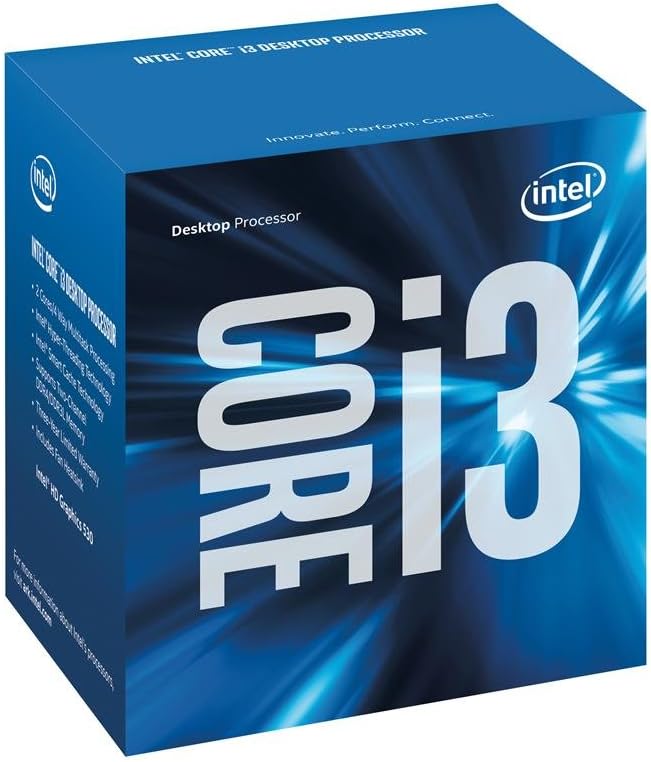
The Intel Core i3-6100 is a balanced upgrade for an older LGA 1151 desktop, earning a 4.6 rating in the supplied data. Its 3.70 GHz clock and support for Turbo Boost 2.0 and Hyper-Threading make it more versatile than a basic dual-core Celeron for users who regularly switch among several applications.
We may earn a commission when you buy through this link, at no additional cost to you.
Hyper-Threading allows the processor to work with multiple software threads, which can improve responsiveness when suitable tasks compete for resources. Turbo Boost 2.0 provides an automatic clock increase when the workload allows it, while the boxed FC-LGA14C package is designed for straightforward installation on a compatible desktop motherboard.
The limitation is generational. LGA 1151 support does not automatically mean that every board using that socket is compatible, and the processor itself does not offer the newest platform features. Prospective buyers should confirm the precise motherboard model and its processor list. As with any older platform, memory support and thermal requirements also deserve attention.
The Core i3-6100 is best for upgrading a compatible office or home computer without a complete rebuild. It is suited to browsing, productivity applications, media, and light gaming when paired with suitable graphics. It is less appealing for a new high-end build, but for the right existing system, it offers a practical balance of familiar features and affordable Core i3 performance.
Hyper-Threading technology helps the two physical cores handle multiple software threads, which benefits multitasking and responsive performance in compatible applications. It does not replace additional physical cores, but it makes this older Core i3 more useful for varied workloads.
Turbo Boost 2.0 lets the processor raise its clock for suitable workloads, helping avoid a fixed operating speed when greater performance is possible. Cooling, power limits, and workload type determine how often that potential is used.
We may earn a commission when you buy through this link, at no additional cost to you.
The AMD Ryzen 5 9600X is the premium selection in this guide and has the highest listed customer rating at 4.8. Built on AMD's Zen 5 architecture, it combines six cores, twelve processing threads, and a 5.4 GHz max boost, creating a compelling option for a new gaming-focused desktop built around the latest AM4 successor platform, Socket AM5.
We may earn a commission when you buy through this link, at no additional cost to you.
The processor supports DDR5-5600 memory and can support PCIe 5.0 on select motherboards. It is unlocked for overclocking, giving enthusiasts room to explore performance beyond its default configuration. Its stated gaming focus includes smooth 100-plus-FPS performance in popular games, making it a strong match for a modern system designed around high-frame-rate play.
Unlike the Ryzen 5 5500, the 9600X does not include a cooler. A capable cooler must therefore be included in the build budget and selected with the processor's thermal requirements in mind. The Socket AM5 platform can also make the initial system cost higher than a legacy LGA 1151 or older AM4 configuration, although this guide does not assess whole-system value.
Buy the Ryzen 5 9600X if you are constructing a new gaming PC and want current platform features, strong clock speed, and expandable overclocking potential. It is less compelling for a basic office machine or as a drop-in upgrade to an older system. Confirm the AM5 socket, select a compatible motherboard, and arrange suitable cooling before ordering.
Socket AM5, DDR5-5600 support, and optional PCIe 5.0 create a modern foundation for a new desktop. These features are most valuable when constructing a system from the ground up rather than replacing a processor in an older machine.
The combination of six cores, twelve threads, a 5.4 GHz max boost, and an unlocked multiplier is tailored to gaming builds and enthusiast tuning. The missing cooler is the main accessory that must be accounted for separately.
We may earn a commission when you buy through this link, at no additional cost to you.
The Intel Core i7-7700 is a capable renewed upgrade for compatible LGA 1151 systems, carrying a 4.7 rating. Four cores and eight processing threads give it a useful balance of multitasking capacity and clock speed, while its 4.20 GHz max turbo frequency helps it remain effective in varied desktop workloads.
We may earn a commission when you buy through this link, at no additional cost to you.
It includes 8 MB of cache and Intel UHD Graphics 630, allowing it to handle basic display duties without a discrete graphics card. Support for Intel 100 and 200 series chipsets makes it a flexible option for many existing 100- and 200-series motherboards, subject to the precise board's processor compatibility.
The platform remains the limiting factor. The processor uses LGA 1151 and is not compatible with newer platforms, while the renewed condition may be less desirable for buyers who want a new processor with the most straightforward return and warranty arrangements. Its 65W rating and compatible cooler should also be considered when replacing an existing part.
Choose the Core i7-7700 when you already own a supported Intel 100- or 200-series motherboard and want more cores than a basic dual-core upgrade. It is well suited to productivity, media, light gaming, and multitasking. For a new system, a current platform may offer a more forward-looking foundation, but for a compatible build, this processor is a credible option.
Four physical cores and eight threads provide a useful step up from the entry-level dual-core processors in this guide. That capacity is particularly relevant when several applications or background tasks need to run at once.
Intel UHD Graphics 630 supports a conventional display setup without a discrete card, while compatibility with Intel 100 and 200 series chipsets broadens the pool of reusable motherboards. Verify the specific board before ordering.
We may earn a commission when you buy through this link, at no additional cost to you.
The Intel Core i7-8700 is the strongest legacy high-core option here, combining six cores, twelve threads, and a maximum turbo frequency of 4.60 GHz. Its 4.2 rating reflects the mixed experience typical of renewed marketplace components, but the specifications make it attractive for a compatible LGA 1151 system that needs substantial multitasking capacity.
We may earn a commission when you buy through this link, at no additional cost to you.
The processor includes 12 MB of cache, Intel UHD Graphics 630, and support for Intel Optane Memory. Its listed instruction set is 64-bit and includes Intel SSE4.1, SSE4.2, and AVX2 extensions. The six-core, twelve-thread arrangement also mirrors the thread count of the Ryzen 5 5500 and Ryzen 5 9600X, but on an older platform generation.
Compatibility is narrower than with some other LGA 1151 processors. The supplied information states that it works only with motherboards based on Intel 300 series chipsets, so a board using the same physical socket may still be incompatible. The renewed condition is another consideration, particularly for buyers who want maximum confidence in the processor's physical condition and included accessories.
Choose the Core i7-8700 when you have an Intel 300-series motherboard and want a high-core-count processor for a legacy upgrade. It is suitable for productivity, content workflows, media, and gaming when paired with appropriate graphics. It is not the best match for a new build unless you are deliberately retaining an existing 300-series platform, so check the board model before ordering.
Six physical cores and twelve processing threads provide considerable parallel capacity for a processor of this generation. The design remains useful for productivity and content workflows, especially when the rest of the system is similarly capable.
Using an LGA 1151 socket is not sufficient by itself; the motherboard must use an Intel 300 series chipset. That narrow compatibility makes model verification essential before purchasing this renewed processor.
We may earn a commission when you buy through this link, at no additional cost to you.
The best inexpensive processor is the one that fits an existing platform and comfortably handles the intended workload. Socket, chipset, memory, graphics, core count, clock speed, cooling, and upgrade plans deserve more attention than processor branding alone.
Start with the physical socket and chipset, because a processor cannot operate unless the motherboard supports its exact model. This guide includes Socket AM4 processors, Socket AM5, LGA1200, and LGA 1151 models. A shared socket does not always mean shared chipset support: the Core i7-8700 requires an Intel 300-series board, while the Core i5-6500 is listed for Intel 100-series boards, and the Celeron G-5900 requires an Intel 400-series board. Check the board model, chipset, BIOS support, and processor list rather than relying on socket appearance alone.
Cores determine how much work a processor can handle simultaneously, while processing threads can improve utilization of each core. Dual-core chips such as the Celeron G-5900 and Pentium Gold G5600F are designed for modest workloads, while the Ryzen 5 5500, Ryzen 5 9600X, and Core i7-8700 each provide six cores and twelve threads. If you expect heavy browser use, content creation, gaming, or numerous background applications, additional cores offer more room than a higher clock alone. For simple document work and light browsing, however, a dual-core design may be adequate.
Clock speed remains an important comparison point, but it should be interpreted alongside architecture, cores, and workload. The Ryzen 5 9600X has the highest listed max boost at 5.4 GHz, while the Core i7-8700 reaches 4.60 GHz and the Ryzen 5 5500 reaches 4.2 GHz. The Pentium Gold G5600F operates at 3.90 GHz, and the Core i3-6100 lists a 3.70 GHz clock. Processors with Intel Turbo Boost can raise their clock when the workload permits. Comparing a boost frequency to a fixed clock is therefore less precise than examining the complete specification set.
Memory support determines whether a processor can work with the modules already installed in your system. The Core i5-6500 supports both DDR4 and DDR3L, which can be useful in an older build. The Ryzen 5 5500 supports DDR4-3200, the Athlon 200GE supports DDR4-2667, and the Ryzen 5 9600X supports DDR5-5600. The latter offers the newest memory standard in this selection but requires a correspondingly compatible AM5 motherboard. For other processors, consult the manufacturer's specifications before assuming a memory type.
Integrated graphics can simplify a build by avoiding the need for a separate graphics card. The Athlon 200GE includes Radeon Vega Graphics, the Celeron G3930 includes Intel HD Graphics 610, and the Core i7-7700 and Core i7-8700 include Intel UHD Graphics 630. The Ryzen 5 5500's stated gaming performance requires a discrete graphics card, making it a different kind of recommendation. Decide whether your computer will rely on the processor's graphics or whether you already plan to install a dedicated card, and choose accordingly.
A processor without a bundled cooler needs a compatible cooling solution, adding another component to the build. The Ryzen 5 5500 includes the AMD Wraith Stealth cooler, and the Athlon 200GE includes a near-silent cooler. The Ryzen 5 9600X explicitly does not include one. For older chips, also check the thermal requirements and whether the system already has a suitable cooler. A processor that fits the budget but requires extra cooling may be less convenient than a slightly different option with the necessary hardware included.
Several options in this guide are marked as renewed, including the Core i5-6500, Core i7-7700, and Core i7-8700. Renewed products can provide access to older processor generations at a lower cost, but their condition, included accessories, warranty terms, and packaging may differ from new items. Read the listing details carefully and use the product's rating as one signal rather than the only one. A new processor is usually more appropriate for a first build, while a carefully evaluated renewed option can make sense inside a compatible existing system.
Start with the jobs your computer must perform and then consider how long you expect to keep it. Basic browsing, documents, and light media favor the simpler Celeron, Pentium, and Athlon options, while gaming, productivity, and heavier multitasking favor processors with six cores and twelve threads. A current platform such as AM5 offers a newer foundation for a long-term build, whereas LGA 1151 is most attractive when you can reuse a compatible board. This prevents a processor that looks inexpensive in isolation from becoming an awkward long-term choice.
Before installing any processor, identify the motherboard model and confirm the socket, chipset, supported memory generation, and CPU list. Read the motherboard manual, disconnect power, and follow its removal and installation procedures. Handle the chip by its edges, avoid touching the contacts, and make sure the processor is correctly oriented before closing the retention mechanism.
Apply the intended thermal interface material as directed by the cooler or processor instructions, then install a compatible cooler with even pressure. If the processor includes a cooler, use the supplied mounting hardware where required. Connect the correct power connector and any fan headers, secure all cables, and keep airflow unobstructed before powering on for the first time.
After installation, enter the motherboard setup utility, confirm that the processor and memory are recognized, and check that the clock and power behavior appear reasonable. Install the operating system and current chipset, memory, and graphics drivers. Keep the interior clean, maintain airflow, avoid excessive operating temperatures, and update the system software regularly. For renewed chips, retain the listing information and warranty documentation for future support.
The Pentium Gold G5600F has the lowest listed cost among the ten processors and carries a 5.0 rating. However, its two-core design and limited supplied specifications make it better suited to simple compatible systems than to demanding modern builds. Shoppers should consider whole-system compatibility rather than selecting only on the processor's cost.
It depends on the platform and workload. The Ryzen 5 5500 offers six cores, twelve threads, DDR4-3200 support, and a bundled cooler, while the Core i5-6500 supports both DDR4 and DDR3L and is aimed at Intel 100-series boards. The better choice is the processor whose socket, memory, graphics, and workload requirements match your system.
The Ryzen 5 5500 includes the AMD Wraith Stealth cooler, and the Athlon 200GE includes a near-silent cooler. The Ryzen 5 9600X explicitly does not include a cooler. For other models, check the listing and your existing system to determine whether a compatible cooling solution must be purchased separately.
Often, yes, but only if the motherboard supports the exact processor. Check the socket, chipset, BIOS, memory type, and graphics requirements rather than relying on the socket name alone. Both the Core i7-8700 and Core i5-6500 illustrate why model-level verification matters, as their supported Intel chipset generations differ.
A renewed processor can make sense when it replaces a failed part in a compatible system and offers meaningful cost savings. Inspect the condition information, included accessories, warranty, and customer feedback carefully. For a completely new build, a new processor may provide a more straightforward ownership experience.
For the gaming performance described in the supplied product information, the Ryzen 5 5500 requires a discrete graphics card. A system focused on ordinary display output may have different requirements, but you should verify the motherboard's graphics support and the needs of your displays before selecting a graphics solution.
A six-core processor generally provides more parallel processing capacity, which is useful for gaming, productivity, content creation, and multitasking. A dual-core processor can still be sufficient for basic office work and light use. The best choice depends on your workload, motherboard, memory support, and graphics requirements rather than core count alone.
Check the socket, motherboard chipset, BIOS support, memory generation, graphics output, cooling requirements, and processor condition. The CPU model number must be listed as compatible by the board manufacturer when that support is uncertain. Also consider how long you plan to use the computer and whether a newer platform is worth the added platform requirements.
The AMD Ryzen 5 5500 is the best balanced budget choice because it combines six cores, twelve threads, a 4.2 GHz max boost, DDR4-3200 support, and a bundled Wraith Stealth cooler. The Intel Core i5-6500 is the strongest targeted legacy upgrade for compatible Intel 100-series systems, while the Ryzen 5 9600X leads the premium group with modern Zen 5 architecture, DDR5 support, and an unlocked Socket AM5 platform.
Your priorities should guide the decision. Choose a Celeron, Pentium, or Athlon for clearly basic tasks and compatible systems. Favor the Ryzen 5 5500 when gaming, multitasking, and an included cooler matter, and consider the Core i7-8700 or Core i7-7700 for substantial processing capacity inside an existing supported Intel platform. For a new modern gaming build, the Ryzen 5 9600X offers the most current foundation in this group.
Always verify the motherboard and processor combination before ordering, especially for LGA 1151 models whose chipset requirements differ. Current prices and product availability can change, so check the live listing and compare the complete system cost rather than focusing on the processor alone. The best inexpensive CPU is the one that fits your platform, meets your workload, and avoids costly compatibility mistakes.
