
Fiber Optic HDMI Cable 50ft
4.3Editor score
48Gbps high-speed bandwidth
Broad HDMI gaming support
50-foot directional cable
Our fiber optic HDMI cable guide compares 10 long-distance options for 8K, 4K gaming, in-wall installs, home theaters, compatibility, and durability.
Fiber optic HDMI cables make long runs between source devices and displays more practical while supporting high bandwidth, reduced interference, and slim routing. A worthwhile cable should match your resolution, refresh rate, gaming features, installation route, and directional design rather than simply offer the longest length.
We compared all ten products by their stated bandwidth, supported resolutions, refresh rates, HDR and gaming capabilities, length, construction, directional requirements, and intended installation environment. The list covers 50-foot, 100-foot, detachable, active, armored, and CL3-rated models for home entertainment, gaming, projectors, and permanent installations.
The selections show why length alone does not determine cable quality: some prioritize gaming bandwidth, some focus on in-wall safety, and others add active electronics, armored protection, or a detachable connector system. Product ratings and current prices can change, so confirm the specifications and latest listing information before purchasing.
4.3Editor score

4.7Editor score

4.4Editor score
The comparison below places all ten cables side by side, emphasizing the factors that materially affect long-distance HDMI performance: maximum bandwidth, supported display modes, physical length, directional operation, construction, and installation suitability.


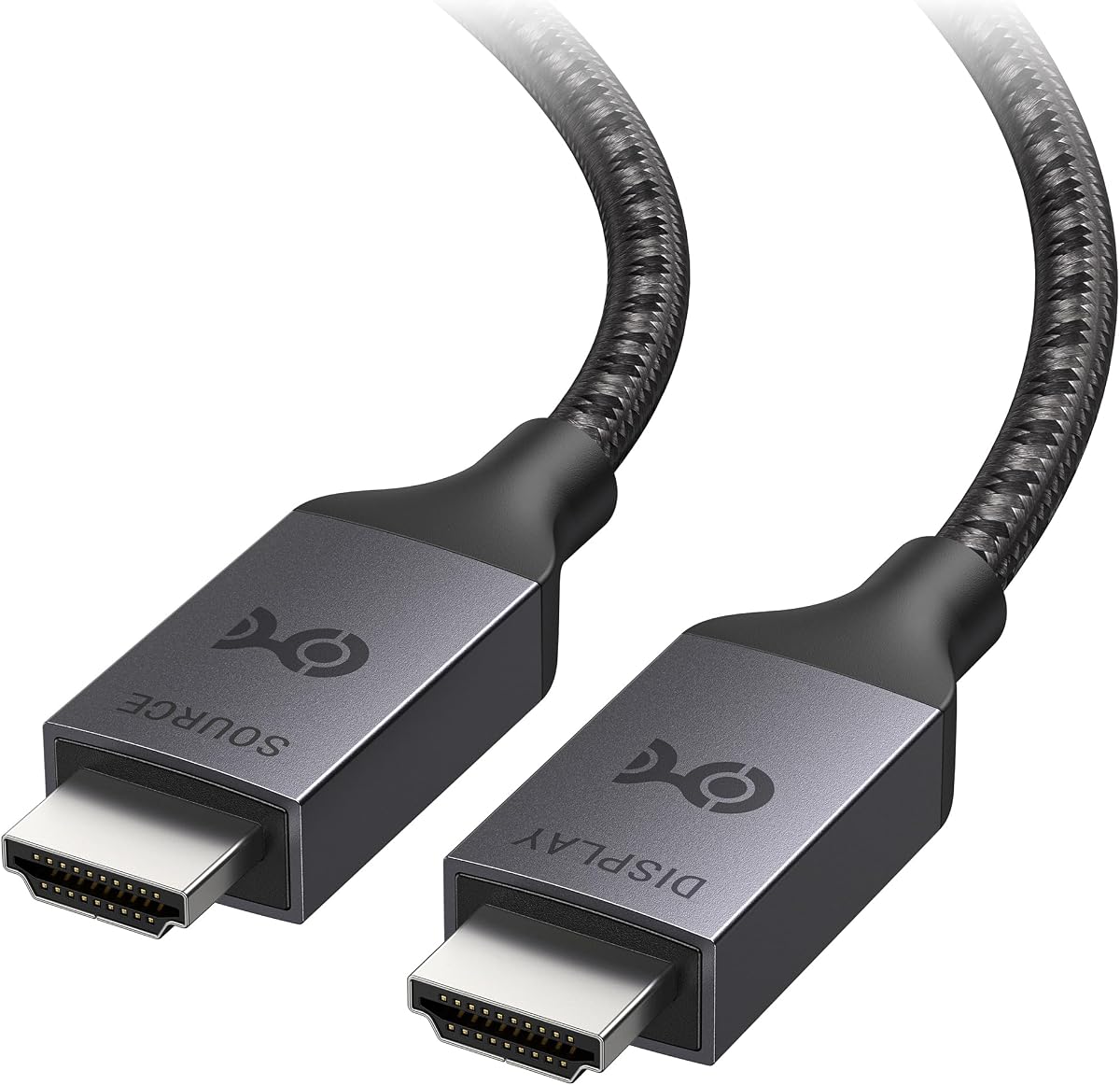

The Highwings Long 8K Fiber Optic HDMI Cable combines a 50-foot run with claimed HDMI 2.1 performance and 48Gbps bandwidth. Its 4.7 rating reflects a strong user reception, and the specification set is particularly comprehensive for a home-entertainment cable intended to bridge a substantial distance.
We may earn a commission when you buy through this link, at no additional cost to you.
The cable supports 8K at 60Hz and 4K at 120Hz, along with variable refresh rate, eARC, and backward compatibility with earlier HDMI versions. Its aluminum alloy shell, anti-bending connector design, 24K gold-plated contacts, and military-grade tensile nylon construction make it appealing for installations where both signal performance and physical durability matter.
The primary trade-off is its unidirectional design. The SOURCE connector must be attached to the game console, computer, player, or other transmitter, while the DISPLAY connector goes to the television, monitor, or projector. There is also no detachable head or special in-wall rating stated in the supplied information, so it is less specialized for concealed construction than several alternatives.
This is the strongest all-around recommendation because it combines high bandwidth, high-refresh gaming support, useful audio features, and reinforced construction without specializing in only one installation style. It suits anyone connecting a game console or media source to a distant 8K or high-refresh display, provided the directional labels are followed.
Support for 4K at 120Hz and variable refresh rate makes this cable relevant to modern gaming systems and graphics cards. The advertised game mode is designed to coordinate refresh changes with the source, helping produce smoother motion and more detailed rendered images.
Optical transmission avoids relying on a long copper data path and is described as resistant to electromagnetic interference. That makes the cable useful where power cables, lighting equipment, or other electronics share the installation space.
We may earn a commission when you buy through this link, at no additional cost to you.
This 50-foot fiber optic HDMI cable delivers a broad set of advertised capabilities at a budget-oriented position. Its 4.3 rating is slightly below several competitors, but the specification sheet includes 48Gbps bandwidth, 8K at 60Hz, 4K at 120Hz, and an unusually broad collection of HDMI 2.1 features.
We may earn a commission when you buy through this link, at no additional cost to you.
Dynamic HDR, Dolby Vision, eARC, HDCP 2.2 and 2.3, ALLM, VRR, DSC, QFT, QMS, 3D, and 32 audio channels round out the feature list. The slim optical cable is described as flexible and resistant to signal attenuation and electromagnetic interference, while the gold-plated connectors sit inside zinc alloy housings rated for more than 20,000 bending cycles.
The most important caveat appears in the product information itself: laboratory testing reportedly found compatibility issues with some LG OLED and LCD displays. Buyers using those televisions should verify compatibility before installation. It is also unidirectional, so swapping the SOURCE and DISPLAY ends will not produce an image.
For a home theater, console, or compatible gaming display, this cable offers an attractive balance of length, flexibility, and HDMI 2.1 functionality. It is our budget pick because it includes so many modern features at 50 feet, but owners of the specifically mentioned LG displays should look at a model with clearer compatibility documentation.
The cable covers the principal HDMI 2.1 gaming and viewing features, including variable refresh rate, quick media switching, and automatic low-latency mode. It also supports high-resolution 4:4:4 RGB, making it suitable for modern televisions, monitors, and projectors that accept those formats.
Its stated slimness and flexibility simplify routing behind furniture, along walls, or through a dedicated cable pathway. The zinc alloy housings and claimed bend-cycle endurance are especially relevant at connector strain points, where long cables commonly experience repeated movement.
We may earn a commission when you buy through this link, at no additional cost to you.
Snowkids offers a 50-foot HDMI 2.1 fiber optic cable with 48Gbps bandwidth and a 4.6 rating. The balance of strong customer feedback, high-resolution support, and an extensive gaming-oriented specification set makes this one of the most convincing options for a straightforward long cable run.
We may earn a commission when you buy through this link, at no additional cost to you.
It handles 8K at 60Hz and 4K at 120Hz, with support for VRR, ALLM, QFT, QMS, DSC, eARC, 3D, Ethernet, and 48-bit-per-pixel HDR. The listed audio capabilities include TrueHD 7.1. These features make it suitable for modern consoles, graphics cards, laptops, projectors, Blu-ray players, and mixed home or office audiovisual systems.
As with most optical HDMI cables in this roundup, installation requires attention. The SOURCE end must connect to the transmitting device, and the DISPLAY end must connect to the receiving television, monitor, or projector. The supplied information does not identify a CL3 rating, so it should not be assumed suitable for a concealed in-wall installation without further verification.
This cable is a strong recommendation for buyers who want 50 feet of reach, comprehensive HDMI 2.1 gaming features, and high-resolution support without moving to a specialized armored or detachable design. It is especially attractive for connecting a gaming console or PC to a distant high-refresh television.
Variable refresh rate and quick media switching target common high-refresh gaming concerns. Quick media switching can also be useful in mixed-source setups where a user changes between a console and another source without wanting to manually adjust television settings.
The stated compatibility list includes HDTVs, laptops, monitors, PS5 systems, Xbox consoles, projectors, conference systems, and Blu-ray players. Backward compatibility with older HDMI versions adds flexibility when connecting the cable to mixed-generation equipment.
We may earn a commission when you buy through this link, at no additional cost to you.
The RUIPRO 8K Detachable Full Fiber Optic Armored HDMI 2.1 Cable brings two distinctive features to the list: removable connector heads and a stainless-steel armored structure. Its 4.4 rating is supported by a broad 48Gbps specification aimed at permanent installations and technically demanding users.
We may earn a commission when you buy through this link, at no additional cost to you.
The cable supports uncompressed 8K at 60Hz, 4K at 120Hz, Dynamic HDR, and eARC. Its full fiber optic composition is designed to improve interference resistance, while the armored jacket adds bend flexibility, tensile strength, compression resistance, and tangle resistance compared with a conventional exposed cable jacket.
Detachable ends are the most practical feature for installers. If a connector is damaged during routing, the head can be replaced without replacing the entire cable, potentially reducing waste and service time. The thin, flexible cable is also easier to thread through conduit, and the product is positioned for home theaters, conference rooms, engineering installations, and medical environments.
Its premium designation comes from installation flexibility rather than simply a longer length. Choose it when the cable will be routed through walls or conduit, when future connector replacement matters, or when physical protection is a priority. For a simpler plug-and-play 50-foot run, one of the less specialized alternatives may offer more length.
The detachable heads can be replaced if an installation goes wrong or a connector is damaged. They can also provide a path for future equipment upgrades without replacing the entire routed cable, which is particularly valuable in an in-wall or concealed installation.
The stainless-steel armored structure is intended to withstand bending, pulling, compression, and tangling better than a standard jacket. Its full optical-fiber design also reduces the need to route fragile copper wiring through shared conduit spaces.
We may earn a commission when you buy through this link, at no additional cost to you.
This Highwings cable stands out for permanent construction projects because its jacket is explicitly rated CL3 for in-wall installation. It combines 50 feet of reach with HDMI 2.1 support, VRR, eARC, 8K, and 4K at 120Hz, earning a 4.5 rating among users.
We may earn a commission when you buy through this link, at no additional cost to you.
The slim optical design is presented as easier to route than heavy copper alternatives and less prone to signal attenuation. Compatibility includes laptops, Blu-ray players, HDTVs, monitors, projectors, Xbox Series X systems, and A/V receivers. The listed audio support covers DTS Master, DTS:X, Atoms, and enhanced audio return channel functionality.
The trade-off is that the cable remains directional and its connectors are not detachable. Users must identify the SOURCE and DISPLAY ends before installation, and the fixed ends would need to be protected carefully if the cable is pulled through conduit during a renovation.
This is the most straightforward recommendation for a renovation or new-build where an in-wall-rated 50-foot run is needed and 8K or high-refresh gaming is planned. Its CL3 rating, slim profile, and broad feature support outweigh the benefit of replaceable ends for buyers who do not need a detachable system.
The CL3 jacket rating is the decisive feature for buyers planning to conceal the cable inside a wall. Combined with the slim optical construction, it simplifies routing through planned pathways and reduces concerns associated with pulling a bulky cable through conduit.
Variable refresh rate supports modern high-refresh gaming, while eARC and high-bitrate audio formats suit television and receiver setups. Backward HDMI compatibility lets the same cable serve older sources when a full 48Gbps mode is unnecessary.
We may earn a commission when you buy through this link, at no additional cost to you.
The iBirdie 4K Fiber Optic HDMI Cable is built around a different goal from the 48Gbps models: reaching 100 feet while delivering 4K at 60Hz. Its 4.5 rating shows a favorable reception, and its active design includes a USB power lead for reliable operation.
We may earn a commission when you buy through this link, at no additional cost to you.
Supported formats include Dolby Vision, Atmos, 4K at 60Hz in 4:4:4, HDR10 in 4:2:2, and 8-, 10-, or 12-bit color. ARC is supported across the stated 30- to 100-foot range. The active electronics and included USB cable are important because some source ports, hubs, switches, and splitters cannot supply enough power for a long active optical cable.
Compared with the newest HDMI 2.1 cables, its 18Gbps bandwidth does not cover 8K at 60Hz or 4K at 120Hz. It also requires correct source and display orientation and may require enabling HDMI 2.0-related television settings to obtain the expected 4K HDR features.
Choose it when distance is the overriding requirement and 4K at 60Hz is the realistic target, such as in a large room, conference space, or long projector run. If you need modern gaming bandwidth, choose a 48Gbps model instead; if you need maximum reach without external power, consider a newer passive-direction optical design.
Active electronics help sustain a stable signal over the cable's long path. The included USB power lead is intended to ensure sufficient power when the source device itself cannot energize the cable through its HDMI port.
Although it does not target the full HDMI 2.1 bandwidth of the newest models, the cable supports several high-value 4K formats. Dolby Vision, Atmos, HDR10, 4:4:4 color, and deep color-depth options make it relevant for a conventional high-end home theater.
We may earn a commission when you buy through this link, at no additional cost to you.
The Cratree 8K Fiber Optic HDMI Cable receives a 4.7 rating and combines a 48Gbps specification with a particularly broad list of video, audio, and gaming features. Its optical engine, signal-processing chipset, shielding, and slim profile make it relevant to long home theater and gaming installations.
We may earn a commission when you buy through this link, at no additional cost to you.
The cable supports 8K at 60Hz, 4K at 120Hz, static and dynamic HDR, VRR, QMS, QFT, 3D, 48Gbps total bandwidth, eARC, 32 audio channels, automatic audio synchronization, and a 1536kHz audio sampling rate. Its 24K gold-plated connectors are housed in aluminum alloy shells, while a multi-layer shielding design is intended to limit degradation and interference.
The supplied description is internally inconsistent about length: the product title says 50FT, while the feature text describes a 200-foot, 15-meter cable. That discrepancy should be checked on the live listing before ordering. The cable is also directional, requiring SOURCE and DISPLAY ends to be connected correctly.
This is a strong option for a compatible display that can use the listed HDR, refresh-rate, and audio features. It ranks highly on ratings and feature breadth, but the length ambiguity makes it less appropriate for an irreversible in-wall purchase than a cable with consistent sizing documentation.
Thirty-two audio channels, enhanced audio return channel, automatic synchronization, and high sampling rates make the cable suitable for ambitious entertainment installations. VRR and QMS complement the high-bandwidth video modes for modern consoles and graphics cards.
A stated 4.06mm diameter profile simplifies concealed routing, while multi-layer shielding helps protect the digital signal. Gold-plated contacts and an aluminum housing provide a more premium-looking termination than a basic molded connector.
We may earn a commission when you buy through this link, at no additional cost to you.
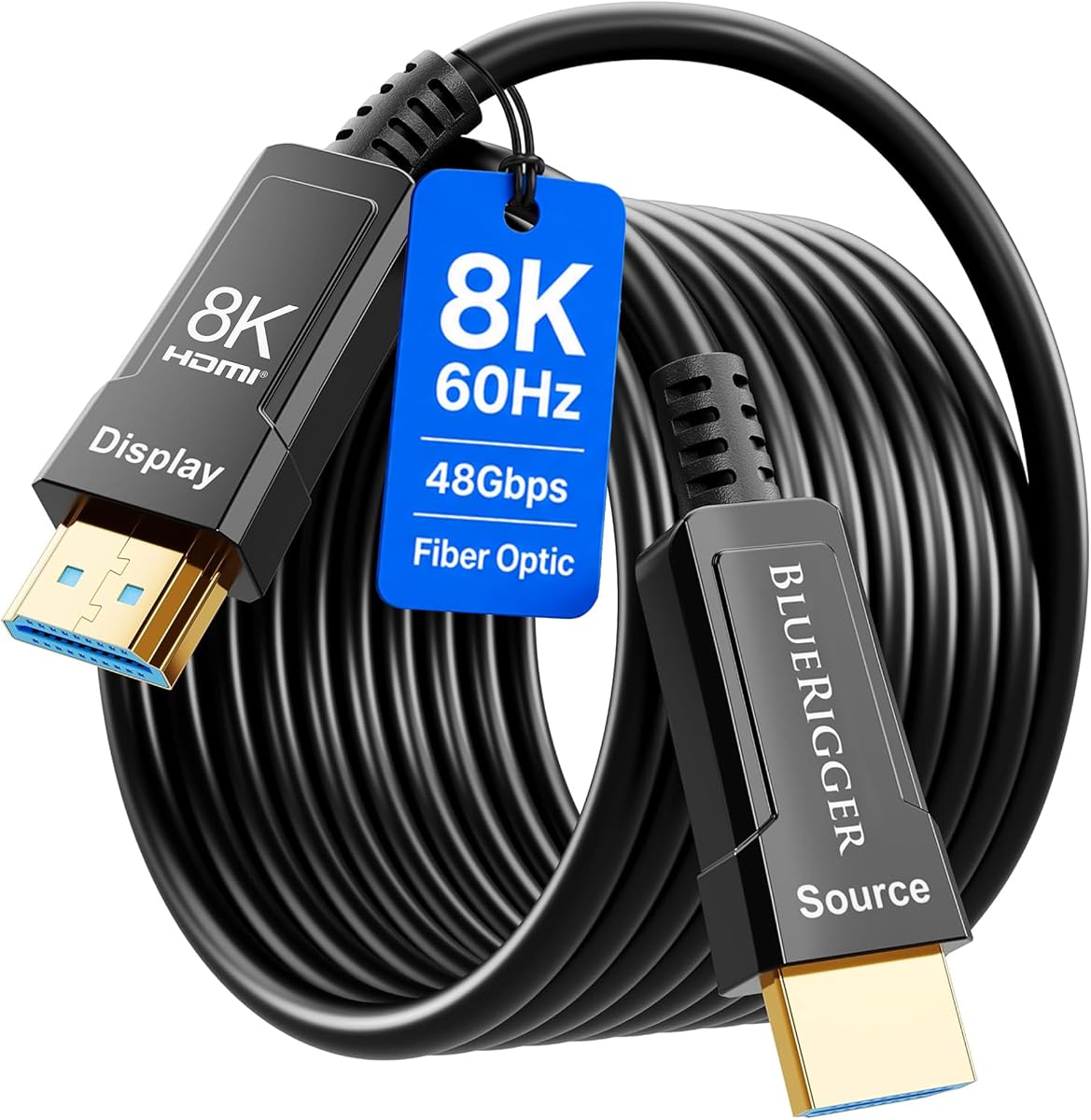
The BlueRigger 10K 8K Fiber Optic HDMI 2.1 Cable combines a 4.7 rating with a 50-foot length and explicit CL3 in-wall rating. Its central 48Gbps bandwidth, four optical fiber strands, and support for modern gaming features make it a versatile long-run option.
We may earn a commission when you buy through this link, at no additional cost to you.
The stated modes include 8K at 60Hz and 4K at 144Hz, along with Dynamic HDR10+, 12-bit color, VRR, HDCP 2.2 and 2.3, QMS, QFT, ALLM, Dolby Vision, Dolby Atmos, and DTS audio formats. The AOC construction and gold-plated connectors within zinc alloy shells are designed for reliable long-distance performance and durability.
Buyers should note that the product title uses the term 10K while the detailed specifications emphasize 8K and 4K modes. The meaningful published figures are 48Gbps bandwidth, 8K at 60Hz, and 4K at 144Hz. As with most optical HDMI designs, the SOURCE and DISPLAY connectors must be oriented correctly.
This cable is an excellent middle ground for a new-build room or a wall-mounted display where both concealability and high-refresh gaming matter. Its broad source-device compatibility makes it less dependent on one particular ecosystem, while the lifetime warranty and US-based customer support add reassurance.
The CL3-rated jacket directly addresses safety and routing concerns for concealed residential installations. Optical fibers carry the high-speed signal while the construction is designed to maintain stable performance across a long cable path.
VRR, ALLM, QFT, QMS, and the listed high-refresh modes are relevant to PS5, Xbox Series X, PC graphics cards, and compatible gaming monitors. Dolby Vision and high-bitrate surround formats extend the same cable into a mixed entertainment system.
We may earn a commission when you buy through this link, at no additional cost to you.
Cable Matters offers the shortest option in the group, but length is not the only consideration. Its 16.4-foot Designed for Xbox Certified fiber HDMI cable uses an active chipset to provide 48Gbps bandwidth, 8K at 60Hz, and 4K at 120Hz performance.
We may earn a commission when you buy through this link, at no additional cost to you.
The cable supports Variable Refresh Rate, Auto Low Latency Mode, CEC, ARC, eARC, Dolby Atmos, DTS:X, 4:4:4 RGB HDR, and 12-bit color. Dolby Vision is also listed. Compatibility includes PS4 Pro, PS5, Xbox One, Xbox Series X and S, televisions, and professional audiovisual equipment.
The trade-off is reach. At 16.4 feet, it is best when the console or source is relatively close to the display, such as beside a television stand or behind a wall-mounted screen. It will not solve a large-room or in-wall run, and its 4.2 rating is the lowest among the listed products.
For Xbox-oriented setups that value recognized certification, an active chipset, high-refresh gaming, and convenient cable management over maximum distance, this is a focused and practical selection. Users needing a much longer run should favor one of the 50-foot or 100-foot options.
VRR and ALLM address two important console-gaming priorities: smoother refresh behavior and lower input lag. The 48Gbps active chipset is designed to retain signal integrity over the cable length, even though this model is much shorter than the alternatives.
A 16.4-foot run is easier to conceal behind a media console or television than a 50- or 100-foot cable. That can produce a cleaner installation for nearby consoles where an optical cable's high bandwidth is more important than extensive reach.
We may earn a commission when you buy through this link, at no additional cost to you.
The BENFEI 100-foot HDMI 2.1 fiber optic cable combines substantial reach with a 4.6 rating and a full 48Gbps bandwidth target. It is especially compelling for large rooms, rear-projector arrangements, and long runs between gaming equipment and a distant television.
We may earn a commission when you buy through this link, at no additional cost to you.
The cable advertises 8K at 60Hz, 4K at 240Hz, VRR, eARC, Dynamic HDR, and HDCP 2.3. It is also described as compatible with Dolby Atmos, DTS:X, PS5, Xbox Series X, current graphics cards, televisions, projectors, soundbars, and home theater systems. Its optical profile is thin, light, and CL3-rated for permanent in-wall use.
There is no detachable connector system, so a damaged plug would affect the complete cable. It is also directional: the SOURCE end belongs on the console or PC, while the DISPLAY end belongs on the television, monitor, or projector. Installing it backward produces no signal.
This is the preferred choice when the installation genuinely needs 100 feet and the source supports modern high-bandwidth modes. For shorter rooms, a 50-foot cable can provide the same core bandwidth with less excess cable to conceal and manage.
The 100-foot length is suited to installations where a display is far from a game console, computer, media player, or projector. Optical transmission allows this extended reach without attempting to push high-bandwidth signals through a similarly long copper path.
Support for 8K at 60Hz, 4K at 240Hz, VRR, Dynamic HDR, eARC, and current surround formats covers the features expected from recent consoles and graphics cards. The CL3-rated jacket makes the specification set relevant to permanent renovation work.
We may earn a commission when you buy through this link, at no additional cost to you.
The best fiber optic HDMI cable depends on more than advertised bandwidth. Length, directional requirements, construction, electrical power, display compatibility, installation code, and the exact picture and audio modes your equipment supports should all influence the decision.
Start with the highest resolution and refresh rate your television, monitor, projector, console, and graphics card will actually use. A cable labeled HDMI 2.1 may advertise 48Gbps and 8K, but every device in the chain must support the desired mode. Traditional 4K at 60Hz content requires much less bandwidth than 8K at 60Hz or 4K at 120Hz, while some gaming and computer workflows target even higher refresh rates.
Choose the advertised bandwidth that matches your setup, not the largest number on the box.
Measure the complete path rather than estimating from room width. Include cable runs behind equipment, along walls, around corners, and through conduit. Optical HDMI cables can offer a useful balance of reach and slimness, but a longer cable is not automatically preferable. Excess length can complicate routing, strain relief, and installation even when signal attenuation is not a problem.
Select the shortest length that provides comfortable routing flexibility for your layout.
Most products in this category use optical signal paths that only transmit in one direction. The SOURCE plug belongs on the device that sends the image or sound, such as a game console, PC, Blu-ray player, or set-top box. The DISPLAY plug belongs on the television, monitor, projector, or receiver. Reversing the cable usually results in no image and cannot be corrected by changing television settings.
Look for clear connector labels and plan the route in the source-to-display direction.
Some long-range HDMI cables contain active electronics that stabilize the signal. Depending on the design, they may draw power from the source port or require a separate USB connection. The iBirdie model explicitly includes a USB power lead because hubs, switches, splitters, and some source ports may not provide adequate power. Active designs can improve reliability, but they introduce another connection or requirement to consider.
Check whether the cable is active, powered, or self-powered before installation.
A permanent in-wall cable should have a clearly stated in-wall rating. CL3 is specifically highlighted by the Highwings, BlueRigger, and BENFEI selections and is a useful differentiator from a cable merely described as thin or suitable for home renovation. Construction details also matter: armored stainless steel, aluminum housings, gold-plated contacts, shielding, and bend-resistant jackets may be valuable in exposed or frequently handled installations.
Never assume a fiber cable is safe for concealment without verified ratings.
VRR, ALLM, QFT, QMS, DSC, eARC, Dynamic HDR, Dolby Vision, and high-bitrate surround formats can improve a modern setup, but they require compatible hardware and television settings. Check whether your console can deliver 4K at 120Hz or 8K, whether the display supports VRR, and whether your receiver and soundbar use ARC or eARC. A longer cable should preserve the features you actually use rather than merely add specifications you cannot exercise.
Prioritize feature parity with your source and display.
Detachable ends give installed cables a meaningful servicing advantage. If a connector is damaged during routing, replaceable heads can avoid replacing the entire cable, particularly when it has been concealed in a wall. Fixed connectors remain simpler and may reduce exposed connection points, but they provide less flexibility if equipment moves or the plug is damaged.
Choose detachable ends for concealed or long-term professional installations.
HDMI standards provide backward compatibility, but real-world compatibility can still vary. The 50-foot budget option specifically warns about tested issues with LG OLED and LCD displays, while older 18Gbps active cables may require television settings to be adjusted manually. Check the seller's compatibility notes and current customer feedback, particularly for older televisions, unusual splitters, hubs, receivers, or adapters.
Verify model-specific compatibility before cutting or concealing a cable.
Identify the SOURCE and DISPLAY ends before connecting anything. Connect SOURCE to the transmitting device, such as a game console, PC, Blu-ray player, set-top box, or laptop, and connect DISPLAY to the television, monitor, projector, or other receiving device. Power on the source first, then the display, and allow the television a moment to detect the new connection.
Install the cable without creating sharp bends, hard twists, or constant tension at either connector. If the product is rated for in-wall use, confirm that rating before concealment and follow applicable local installation requirements. Secure the run away from moving furniture, sharp metal edges, and high-heat locations, while leaving enough service slack to avoid pulling the plug when the equipment shifts.
For active cables that use external USB power, connect the supplied power lead to an appropriate USB power source before troubleshooting the display. If the image is missing, test a shorter known-good connection and recheck the direction of both ends. Clean connectors with a dry, soft cloth, avoid abrasive liquids, and inspect the plug and strain relief for damage after repeated setup changes.
Fiber optic cables are particularly useful for long runs because they can carry high bandwidth over greater distances while remaining slim and resistant to electromagnetic interference. Copper HDMI cables may be perfectly adequate for shorter connections and can be less complex to use. The better choice depends on distance, bandwidth requirements, installation route, and whether the cable needs to be directional.
The most common cause is reversed connection. Connect the end labeled SOURCE to the device that sends video and the end labeled DISPLAY to the television, monitor, or projector. If the orientation is correct, check that the source is powered, the display has selected the correct input, required television features are enabled, and any external power lead for an active cable is connected.
Many 48Gbps HDMI 2.1 models support 8K at 60Hz and 4K at 120Hz, but the cable alone cannot guarantee those modes. Your source, display, graphics card, game console, and television settings must all support the selected format. Older 18Gbps active cables generally target 4K at 60Hz rather than the newest high-refresh modes.
A cable with a verified in-wall rating is the safer choice for permanent concealed wiring. The CL3 designation indicates that the cable jacket is intended for in-wall residential use under the stated rating conditions. Building codes and local requirements can vary, so confirm the cable specification and applicable installation rules before cutting the cable or opening a wall.
Detachable ends are particularly valuable for routed or in-wall cables because a damaged connector does not require replacing the entire installation. They can also make equipment changes and future upgrades easier. For a temporary connection that will never be moved, a fixed-end cable is simpler and may be sufficient.
Most HDMI 2.1 fiber optic cables in this roundup are described as backward compatible with older HDMI versions, so they can connect to many 1.x and 2.0 sources and displays. The maximum available resolution will still be limited by the oldest device in the chain. Older active models may also require you to enable HDMI 2.0 features in the television menu.
Measure the route and include enough slack for installation, connections, and future equipment movement. A 50-foot cable works well for most rooms, while 100 feet suits unusually distant displays or projectors. Avoid adding unnecessary excess length when a shorter option can be routed safely.
Yes, provided the devices use compatible HDMI connections and the required audio-return feature is supported. Most current selections list eARC, while the iBirdie model lists ARC for long runs. Check whether your soundbar or receiver expects the SOURCE connection on the receiver and DISPLAY on the television, and confirm the supported audio formats before installation.
The Highwings Long 8K is the strongest overall choice because it combines 48Gbps bandwidth, 8K and 4K at 120Hz support, gaming features, eARC, and reinforced construction. The 50-foot generic HDMI 2.1 option is the value-focused selection, while the RUIPRO cable earns the premium position through detachable connectors, full optical construction, and armored protection.
For other needs, prioritize CL3-rated jackets when routing through walls, external power details for active cables, and the exact bandwidth required by your display. Detachable ends are valuable for professional or long-term installations, whereas a shorter HDMI 2.1 cable may be cleaner when a console and television are already close together.
Finally, verify the current listing, compatibility notes, connector direction, and latest specifications before ordering. Ratings, product availability, and current prices change over time, and those changes should be considered alongside the installation requirements of your particular source, display, and room.