
AOC 24G42HE
4.6Editor score
Full HD 1920 x 1080 panel
200Hz refresh rate
1ms MPRT response time
116% sRGB color gamut
Three-sided frameless design
AOC monitors cover an unusually broad range of needs, from compact everyday displays to high-refresh gaming panels, 4K productivity screens, and premium QD-OLED models. A good monitor should suit the games you play, the graphics card you own, your desk space, and the way you work rather than simply chase the largest available specification.
The ten models in this guide were compared by examining their stated panel technology, resolution, refresh rate, response time, adaptive-synchronization support, color coverage, connectivity, HDR capability, ergonomic features, and intended use. The list includes fast IPS and VA gaming displays, curved models, a 4K IPS screen with built-in speakers, and two advanced OLED options.
Each review explains the strongest reasons to consider a particular AOC monitor while also identifying its compromises. You will find a budget option, several strong all-round gaming choices, a 4K alternative for mixed workloads, and premium OLED models for users who prioritize the best combination of speed, contrast, and color depth. Availability and deal terms can change.
4.6Editor score

4.6Editor score

4.4Editor score
As an Amazon Associate we earn from qualifying purchases.
The comparison below places each AOC monitor according to its most important stated characteristics: panel type, resolution, maximum refresh rate, response time, and primary display strength. These details make the tradeoffs between compact everyday models, high-speed IPS gaming monitors, curved VA displays, 4K productivity screens, and QD-OLED monitors easier to understand.


The AOC Q27G41ZE earns the Editor's Choice position because it combines a sharp 2560 x 1440 panel with one of the highest refresh rates in this guide. Its 4.6 rating reflects a favorable balance of specifications, and the monitor is aimed squarely at competitive gaming. The stated 240Hz native refresh can be overclocked to 260Hz, while 0.3ms MPRT is designed to minimize visible motion blur.
We may earn a commission when you buy through this link, at no additional cost to you.
Its IPS panel offers wide viewing angles and precise image quality, making it a strong fit for fast shooters, racing games, competitive multiplayer, and everyday desktop use. Adaptive-Sync support works with both AMD and NVIDIA GPUs according to the supplied information, helping maintain fluid presentation. Shadow Control, game-mode presets, and a graphical on-screen display add practical controls for tuning the image without opening a separate utility.
Connectivity is also well considered for a modern gaming setup. The display includes one DisplayPort 1.4 connection, two HDMI 2.0 ports, and audio output. Its 300-nit brightness and 1000:1 contrast ratio are respectable for an IPS gaming screen, although they do not approach the deep blacks offered by the OLED models later in the guide. The three-sided frameless housing keeps the overall appearance clean and supports tidier multi-monitor arrangements.
The main limitation is ergonomic rather than visual: the listed stand adjustment consists of tilt from -3 to +21 degrees. Height, swivel, and pivot are not included in the supplied specifications, so users who require extensive positioning may need a monitor arm. Otherwise, the Q27G41ZE is an excellent match for a high-refresh QHD gaming system, especially for players who want more screen detail than Full HD without moving to OLED.
The Q27G41ZE stands out because it avoids the usual trade-off between speed and usable resolution. It offers a 260Hz overclocked mode, strong synchronization support, and an understated gaming design. For a modern gaming PC, it is a particularly balanced recommendation, provided the graphics card can comfortably drive a demanding QHD gaming workload.
A 240Hz native refresh rate and 0.3ms MPRT provide ample headroom for fast-moving action. The additional overclocked mode can make an even greater difference in suitably demanding games, while Adaptive-Sync helps maintain smooth frame presentation.
The 2560 x 1440 panel delivers more usable workspace and finer detail than 1080p. It is a practical middle ground for players who want greater clarity without moving to a 4K gaming display or a more advanced OLED technology.
We may earn a commission when you buy through this link, at no additional cost to you.
The AOC 24G42HE is the most accessible gaming-focused recommendation in the guide, combining a 4.6 rating with a 200Hz IPS panel. Its 1920 x 1080 resolution and compact 24-inch class make it especially appropriate for competitive shooters, strategy games, and users who want a fast display without occupying a large desk.
We may earn a commission when you buy through this link, at no additional cost to you.
The stated 1ms MPRT response and low-latency mode are intended to keep movement and transitions clear. Adaptive-Sync, NVIDIA G-SYNC compatibility, and low input lag strengthen its appeal for modern gaming PCs. The panel covers 116% of the sRGB gamut, offering vivid color for games, streaming, and video while retaining the wide viewing angles expected from IPS.
Its three-sided frameless design is useful for a tidy setup and makes multi-monitor configurations more visually cohesive. The monitor is also described as capable of supporting console gaming at up to 120Hz, with actual performance depending on the console. That makes it a practical display for a system that alternates between PC and console entertainment.
There are two important limitations. First, Full HD provides less desktop space and less fine detail than the QHD models in this list. Second, the monitor is described as HDR ready rather than providing a fully specified HDR experience. It is therefore a better fit for smooth competitive gaming than for premium HDR presentation or demanding creative work.
The 24G42HE is a convincing budget choice for anyone prioritizing refresh rate, low latency, and a compact footprint. Its specifications are unusually strong for the category, and the 4.6 rating reinforces its general appeal. It can also serve as a secondary gaming display in a multi-screen arrangement.
Its smaller footprint and three-sided frameless layout make the 24G42HE easy to combine with another display. It works especially well as a dedicated competitive or secondary gaming screen where a larger, higher-resolution monitor is already serving as the main display.
The stated 116% sRGB coverage and IPS panel provide more vivid color than a basic office monitor. While it is not positioned as a professional color tool, it remains suitable for gaming, entertainment, streaming, and general creative viewing.
We may earn a commission when you buy through this link, at no additional cost to you.
The AOC Agon Pro AG276QZD2 is a premium gaming monitor for users who want little distance between competitive speed and cinematic image quality. Its 4.4 rating reflects a feature-rich 26.5-inch QD-OLED display with a 2560 x 1440 resolution, a refresh rate listed as 240Hz with support up to 280Hz, and an exceptional 0.03ms GTG response time.
We may earn a commission when you buy through this link, at no additional cost to you.
OLED technology gives the monitor its defining visual advantage. Self-emissive pixels produce genuine blacks, strong contrast, and more than 1.07 billion colors. HDR10 support is combined with stated coverage of 101% DCI-P3 and 136.7% sRGB, making the display well suited to vivid games, cinematic content, and color-rich entertainment.
G-Sync support, an extensive collection of game modes, and adjustable Shadow Control help users optimize the image for different genres. Backlighting can illuminate the gaming setup in several colors and synchronize with other compatible AOC devices. Console support up to 120Hz is also described, with actual performance depending on the console used.
The trade-offs are inherent to this category. QD-OLED demands more deliberate care than a conventional office monitor, particularly for prolonged static content, and this model's advanced hardware places it at the premium end of the range. Its 26.5-inch viewable size also differs slightly from the 27-inch class used in the product name, so buyers should consider the actual viewing area.
For a high-end gaming system, the AG276QZD2 offers one of the strongest combinations of response speed, refresh rate, color depth, and contrast available in this roundup. It is best suited to enthusiasts who will use its strengths across games, video, and general desktop work rather than seeking a basic display.
The 0.03ms GTG response and up-to-280Hz refresh mode target competitive play, while the QD-OLED panel adds deep blacks and vivid color. Few conventional gaming monitors match this combination of immediacy and visual richness.
Wide DCI-P3 and sRGB coverage makes the monitor useful beyond fast games. HDR10 support and OLED contrast help it deliver a more dimensional image for supported movies, streaming content, and visually rich strategy titles.
We may earn a commission when you buy through this link, at no additional cost to you.
The AOC U27B3A is the guide's dedicated 4K choice, designed for multimedia and general computing rather than competitive gaming. Its 4.2 rating is the lowest among the featured models, but that does not reflect a poor product; it reflects a different role, with the emphasis placed on resolution, viewing comfort, and everyday versatility.
We may earn a commission when you buy through this link, at no additional cost to you.
The 3840 x 2160 UHD LED panel provides four times the pixel count of Full HD, making it a strong option for productivity, document work, photo viewing, and detailed applications. Its IPS technology supports wide viewing angles, and the panel can produce over one billion colors for rich detail and smooth gradients in suitable content.
Typical brightness of 350 cd/m² makes the display suitable for a well-lit room, while HDR support expands its potential for high-dynamic-range content. Built-in speakers are a welcome addition for casual media viewing and can reduce the need for separate desktop speakers, although they will not match a dedicated audio system.
The three-sided frameless design makes the monitor look clean from most angles and supports a seamless-looking setup when paired with another display. The supplied information gives fewer details about stand adjustment, refresh rate, and gaming-specific synchronization than the gaming models provide, so it is best treated as a productivity and multimedia display.
The U27B3A makes the most sense for users who spend equal time editing documents, browsing, watching video, and playing games. A powerful graphics card is needed to make the most of 4K gaming, but even when games are rendered at lower resolutions, the display retains a major advantage in desktop sharpness and usable workspace.
The UHD resolution provides significantly more room for documents, browser windows, timelines, and detailed applications. It is particularly helpful for users who want a single 27-inch display to handle several productivity tasks without constantly moving between virtual desktops.
Built-in speakers add useful convenience for video calls, casual entertainment, and system audio. Wide viewing angles and a bright typical rating also make the screen practical for regular use in a typical home or office environment.
We may earn a commission when you buy through this link, at no additional cost to you.
The AOC 27G51Z focuses on delivering the highest possible refresh performance at Full HD resolution. It carries a 4.6 rating and combines a native 240Hz refresh rate with overclocking up to 260Hz over both HDMI and DisplayPort. Its 0.5ms MPRT makes it another strong contender for fast competitive games.
We may earn a commission when you buy through this link, at no additional cost to you.
The 27-inch widescreen IPS panel uses a 16:9 aspect ratio and offers stated 178-degree viewing angles. Adaptive-Sync support is designed to keep the image synchronized with a compatible GPU, reducing visible tearing and stuttering. Flicker-Free technology, Eco Mode, and a typical 22-watt power draw are also highlighted for users who spend long sessions at the computer.
A key advantage is mounting flexibility. The monitor supports 100 x 100mm VESA mounting in addition to a -3 to +21-degree tilt adjustment, giving users more freedom to optimize the screen position. The supplied HDMI and power cables, graphical on-screen display, and G-Menu software make initial setup and ongoing customization relatively straightforward.
The main limitation is resolution. At 1920 x 1080, the image is less sharp and offers less workspace than the QHD options. The relatively high refresh rate also requires a capable graphics card and a game that can generate a sufficiently high frame rate for the difference to be visible.
The 27G51Z is ideal for competitive players who want the fastest motion available in a conventional LCD design. It is less attractive for content creation or heavy multitasking, but for fast multiplayer gaming, strong synchronization, and flexible mounting, it remains one of the most compelling entries.
Supporting both 240Hz natively and up to 260Hz when overclocked gives the monitor flexibility. It can operate at a high standard refresh rate while preserving the option to push the panel further in compatible systems and games.
Flicker-Free operation can make long gaming sessions more comfortable, while VESA support expands placement options. These features help the monitor fit both an active desk setup and a wall-mounted or multi-monitor arrangement.
We may earn a commission when you buy through this link, at no additional cost to you.
The AOC CQ32G4VE combines a large 32-inch format, QHD resolution, and a 1500R curve for users who want an enveloping gaming display. Its 4.3 rating reflects a capable specification set, including a 180Hz refresh rate, 0.5ms MPRT response, HDR support, and a VA panel designed to produce deep blacks.
We may earn a commission when you buy through this link, at no additional cost to you.
Immersion is the central benefit. At 2560 x 1440, the screen offers substantially more detail than Full HD while giving racing, simulation, strategy, and adventure games a broad visual field. The 1500R curvature helps peripheral areas feel more naturally integrated with the display, although users sensitive to curved panels should consider how they prefer the geometry.
Color and contrast are also strong. The panel is stated to cover more than 120% of sRGB and features an 80,000,000:1 SmartContrast ratio, supporting vivid imagery and darker blacks than a typical IPS gaming monitor. LowBlue Mode and Flicker-Free technology are included for more comfortable extended sessions.
Connectivity is one of this model's most useful traits. It includes two DisplayPort 1.4 connections, two HDMI 2.0 ports, and audio line-out, making it convenient to connect a gaming PC, console, laptop, and speakers or headset. The package is also backed by a three-year zero-bright-dot warranty, three-year advance replacement, and one-year accidental damage coverage.
Its main limitation is physical size. A 32-inch curved monitor needs a broad desk and sufficient viewing distance, so it may be less comfortable in a compact workspace. The 180Hz rate is also below the fastest models in this guide. Even so, it is an excellent choice when immersion, QHD detail, and connectivity matter more than maximizing competitive refresh speed.
The 32-inch 1500R display creates a large visual area that can make racing and simulation games feel more encompassing. Pair it with a properly sized desk and enough distance to view the full panel comfortably.
Two DisplayPort and two HDMI inputs simplify switching among a gaming PC, console, and other devices. Audio line-out provides a convenient way to route sound to a headset or external speaker setup.
We may earn a commission when you buy through this link, at no additional cost to you.
The AOC C32G2ZE brings a large 31.5-inch curved format together with a 240Hz refresh rate and 0.5ms SmartResponse time. Its 4.6 rating makes it one of the strongest-rated products here, particularly for users who prefer a large screen with very fast motion over higher pixel density.
We may earn a commission when you buy through this link, at no additional cost to you.
The 1500R curvature is intended to place the viewer at the center of the action, while the Full HD 1920 x 1080 resolution makes it practical for systems that do not have sufficient graphics power to drive a demanding QHD workload. Its large dimensions can still provide a strong sense of immersion in racing, shooters, and open-world games.
AMD FreeSync Premium support includes a stated 48 to 240Hz variable refresh range and Low Framerate Compensation through DisplayPort and HDMI. Low Latency mode is included to improve responsiveness. The supplied information also highlights compatibility considerations for Xbox, PlayStation 5, and Nintendo Switch users, along with DP, HDMI, and VGA connectivity.
A three-sided frameless construction and ultra-narrow borders help the display maintain a modern appearance and make multi-monitor arrangements more seamless. VESA support expands mounting options, while the stated 3-3-1 Re-Spawn Program provides additional after-sales support around the product.
The central compromise is pixel density. Stretching 1920 x 1080 across 31.5 inches produces a less detailed image than a 4K display of the same size and may look softer at a normal desk distance. This model is therefore strongest for fast, large-screen gaming, especially when the priority is immersion and refresh rate rather than fine detail.
Few 32-inch gaming monitors combine a 240Hz rate with such a low stated response time. The result is well suited to fast games where immediate motion rendering and a broad viewing field are both important.
DisplayPort, HDMI, and VGA provide a broad range of connection options, while VESA compatibility makes the large panel easier to integrate into a custom mounting arrangement. The three-sided frameless design also suits side-by-side displays.
We may earn a commission when you buy through this link, at no additional cost to you.
The AOC Q27G4ZD is a premium 27-inch QD-OLED gaming monitor that combines a 2560 x 1440 resolution with a 240Hz refresh rate and 0.03ms GTG response time. Its 4.4 rating reflects the appeal of a display that brings flagship-level speed and visual contrast together in a popular QHD gaming format.
We may earn a commission when you buy through this link, at no additional cost to you.
The self-emissive OLED panel produces genuine blacks, high contrast, and more than 1.07 billion colors. HDR10 support is paired with stated coverage of 110.2% DCI-P3 and 147.6% sRGB, giving the monitor an especially wide color gamut for games, video, and everyday visual content.
Its 240Hz refresh and exceptionally low GTG response make it well suited to competitive games, fast racers, and action titles. NVIDIA G-SYNC compatibility helps synchronize the image with a compatible graphics card, while the supplied information also states that the display can synchronize with a GPU or console for smoother action. Console performance is listed at up to 120Hz, subject to console support.
The premium nature of QD-OLED introduces considerations beyond ordinary LCD panels. Organic displays require sensible screen habits, particularly around prolonged static images, and the advanced technology represents a substantial step up in hardware. The provided information does not list stand adjustment in the same detail as some competing entries, so prospective buyers should verify the included stand and mounting options.
For users who want QHD without giving up deep blacks, near-instant pixel response, or a high refresh rate, the Q27G4ZD is highly compelling. It is particularly attractive for users who use the same display for high-refresh gaming and color-rich entertainment, making it one of the most versatile premium choices in the guide.
The 0.03ms GTG specification ensures that motion can be presented with remarkable immediacy. At the same time, OLED contrast and color depth make static scenes look richer than those on a conventional gaming IPS panel.
The stated DCI-P3 and sRGB coverage supports vivid game worlds and strong HDR performance. It also makes the monitor appealing for streaming, cinematic content, and color-sensitive entertainment outside the narrow category of competitive gaming.
We may earn a commission when you buy through this link, at no additional cost to you.
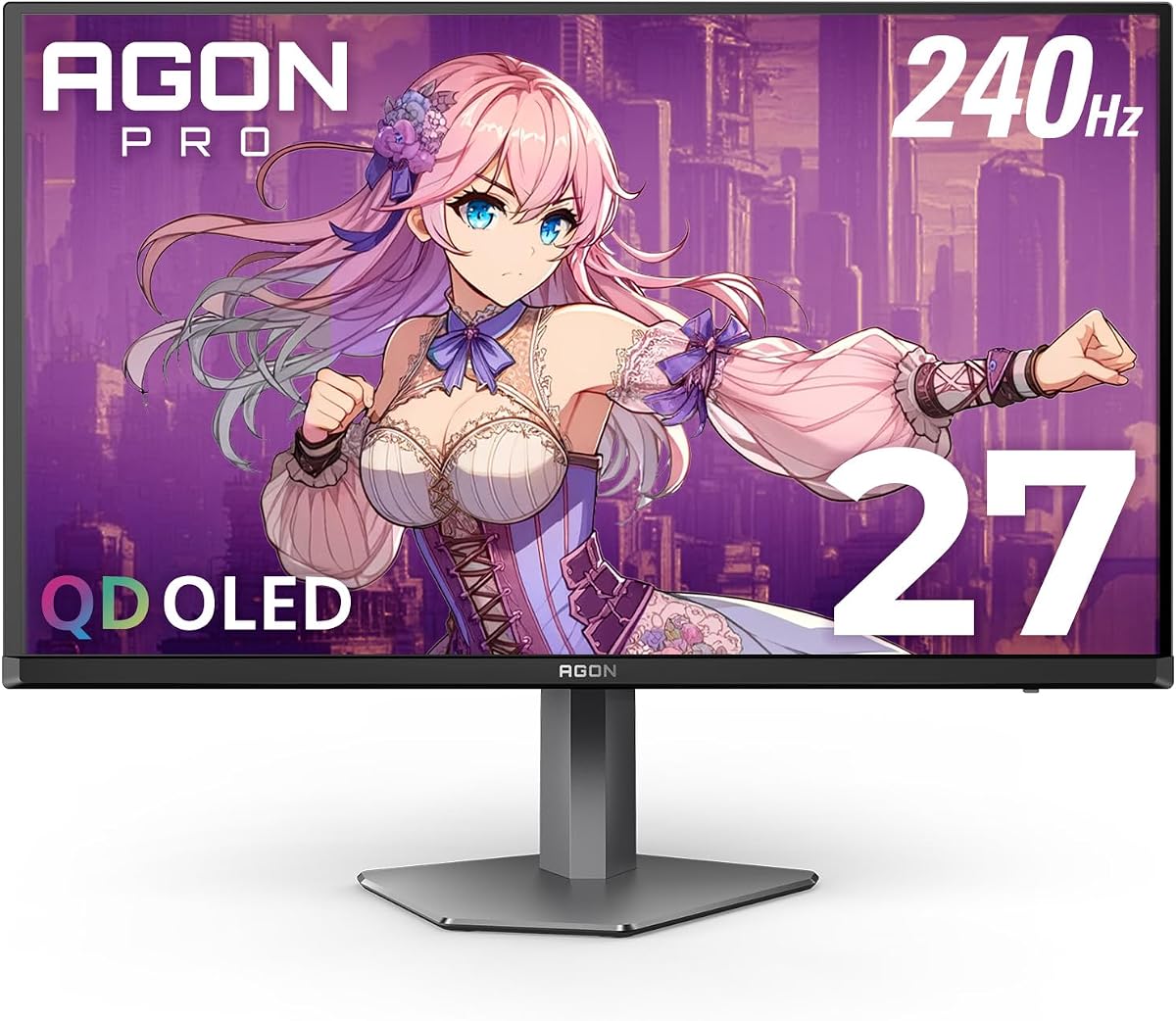
The AOC Agon Pro AG276QZD2 is an extensively equipped 27-inch QHD OLED monitor for gamers who want flagship visual performance, flexible positioning, and broad connectivity. It holds a 4.4 rating and combines a 240Hz refresh rate with a 0.03ms GtG response time, FreeSync Premium Pro, G-Sync, and HDR400 support.
We may earn a commission when you buy through this link, at no additional cost to you.
QD-OLED technology is the display's main attraction. The panel provides sharp 2560 x 1440 imagery, deep blacks, strong contrast, and excellent color depth. A matte screen surface can also make the image more practical in bright rooms than many glossy OLED alternatives, although the supplied information does not provide a specific brightness rating for comparison.
This model offers more ergonomic control than many gaming-focused alternatives. Its stand offers 130mm of height adjustment, and the base appears to be removable, allowing use with a VESA wall mount in a 100 x 100mm arrangement. A 3.5mm headphone output and built-in speaker make it easier to use the monitor as a central entertainment display.
Connectivity is unusually thorough for a gaming monitor. It includes two HDMI 2.1 ports, DisplayPort, and a USB hub, giving users more ways to connect peripherals, controllers, storage devices, and other accessories. Presets for FPS, racing, and RTS titles are included, along with the ability to save personal settings.
The main drawbacks are its advanced cost and specialized emphasis on gaming. OLED care should also be considered, and users interested primarily in professional color work may need more specific calibration data. Even so, this is an especially complete package for someone who wants a fast OLED display with an adjustable stand, modern ports, and useful built-in features.
The 130mm height adjustment is a meaningful benefit in a large gaming monitor. Combined with VESA compatibility and a removable bracket, it gives users multiple ways to create a comfortable and space-efficient setup.
Dual HDMI 2.1, DisplayPort, a USB hub, a headphone connection, and a built-in speaker reduce the need for separate desktop accessories. The result is a monitor designed to serve as the center of a gaming and entertainment station.
We may earn a commission when you buy through this link, at no additional cost to you.
The AOC 22B30HM2 is a compact and comparatively simple gaming monitor with a 4.7 rating, the highest numerical rating among the products in this guide. Its 21.5-inch Full HD format is easy to fit on a smaller desk and well suited to a secondary display, a gaming setup in a compact room, or everyday use alongside a larger main screen.
We may earn a commission when you buy through this link, at no additional cost to you.
The VA panel is designed to provide deeper blacks and higher contrast than a standard office-oriented IPS display, making it more appropriate for games and video. The product is renewed, and its listing includes Flicker-Free technology, a blue light filter, and Adaptive-Sync support for synchronized, tear-free visuals with a compatible graphics card.
Mounting flexibility is a notable strength. The AOC Ergo Base is included, while VESA compatibility allows the monitor to be used with a wall mount, third-party arm, or multi-monitor mounting system. Its frameless appearance also helps multiple displays blend together more neatly, an important consideration in a small workspace.
There is an important specification inconsistency to note. The product title lists a 100Hz refresh rate, while the supplied feature description refers to a 120Hz refresh rate. Buyers should confirm the exact specification and operating mode with the seller before purchase. The stated 1ms response time also makes it less compelling for competitive gaming than the 200Hz to 260Hz models elsewhere in the guide.
The 22B30HM2 is a practical option for users who value a compact display, good contrast, and flexible mounting over elite refresh performance. Its 4.7 rating and broad everyday feature set make it particularly appealing as an affordable secondary screen, though the refresh-rate discrepancy should be resolved before ordering.
The 21.5-inch size works well where a conventional 27-inch display would feel crowded. It is also convenient for arranging beside a laptop or larger monitor without requiring an oversized desk.
VESA support and the Ergo Base provide flexible placement, while the frameless design helps adjacent screens look visually unified. It is a practical addition to a compact productivity or dual-screen gaming arrangement.
We may earn a commission when you buy through this link, at no additional cost to you.
Choosing an AOC monitor starts with the way you will use it. Resolution, panel technology, refresh rate, response time, synchronization, color capability, connectivity, and physical fit each affect the experience differently, so it is useful to prioritize the features that matter most to your games, graphics hardware, desk, and viewing habits.
Resolution determines how much information the screen can display and how much GPU power is required. Full HD at 1920 x 1080 remains useful for fast competitive gaming and less demanding systems, particularly when paired with a high-refresh display. QHD at 2560 x 1440 offers a more detailed picture and additional workspace without demanding the level of graphics performance associated with 4K. The 3840 x 2160 resolution of the U27B3A is ideal for productivity and multimedia, but a powerful graphics card is desirable for native 4K gaming.
IPS panels generally provide accurate color, wide viewing angles, and consistent image quality, making them a strong default for gaming and mixed use. VA panels can offer deeper blacks and higher native contrast, which is useful in dark rooms and cinematic content, but their viewing characteristics can vary more between angles. QD-OLED combines extremely fast response with exceptional contrast and color, making it ideal for premium gaming and entertainment, though it occupies a more specialized hardware category and deserves careful use.
A higher refresh rate can make motion feel smoother and provide a more immediate image, provided the game and graphics card can produce enough frames. The 200Hz 24G42HE and 240Hz models are strong choices for fast competitive play. The 27G51Z can reach 260Hz when overclocked, while the AG276QZD2 OLED is listed as supporting up to 280Hz. For slower strategy games, simulations, and office work, the difference may matter less than resolution, color, or screen size.
Fast response helps moving objects remain distinct, which is valuable in shooters, racers, and action games. The listed response times range from 0.03ms GTG on the QD-OLED models to 1ms MPRT on the 24G42HE and 22B30HM2. Adaptive-Sync coordinates the display and graphics output to reduce tearing and stuttering. Support varies among G-Sync, G-Sync compatibility, FreeSync Premium, and FreeSync Premium Pro, so verify the exact standard and your GPU type before buying.
Color-gamut figures offer a useful indication of saturation, but they do not tell the entire quality story. A wide gamut such as 116% sRGB on the 24G42HE is suitable for vivid gaming, while the OLED models reach much higher DCI-P3 and sRGB coverage. HDR support can improve supported content, but it should be distinguished from a fully specified HDR experience. Native contrast also matters: OLED offers genuine blacks, whereas IPS and VA panels deliver different levels of dark-scene depth.
DisplayPort is the most relevant connection for high-refresh PC gaming, while HDMI provides broad compatibility with consoles, laptops, and media devices. The Q27G41ZE includes DisplayPort 1.4 and dual HDMI 2.0, while the AG276QZD2 Pro adds dual HDMI 2.1 and a USB hub. Check that the included inputs match your intended source devices and consider audio output if you plan to use external speakers or a headset.
A 21.5-inch screen is convenient for compact spaces, a 24-inch model balances footprint and immersion, and 27-inch QHD displays are popular for gaming and productivity. A 32-inch monitor can feel more immersive, especially with 1500R curvature, but requires adequate desk depth and a comfortable viewing distance. Curvature can also create geometric distortion that some viewers notice more than others.
Tilt adjustment is the minimum on many gaming stands, while height, swivel, pivot, and VESA support provide more freedom. The 27G51Z includes 100 x 100mm VESA support, and the AG276QZD2 Pro offers 130mm of height adjustment. Other useful additions include Flicker-Free operation, LowBlue Mode, game presets, Shadow Control, built-in speakers, rear lighting, and software-based control. These features should complement rather than distract from the core display specifications.
Start by placing the monitor on a stable surface, connect the appropriate video and power cables, and select the correct input through the on-screen display. Use DisplayPort for a compatible high-refresh PC setup when available, configure the operating system for the target resolution, and confirm that the selected refresh rate is supported by both the graphics card and the display. AOC's graphical OSD and, on the 27G51Z, G-Menu software, can be used to refine game modes, brightness, contrast, and other settings.
Take a few minutes to personalize the display. Game-specific modes can provide a useful starting point for shooters, racing titles, strategy games, and other genres, but it is best to adjust them under the lighting conditions in which you will actually use the monitor. Avoid repeatedly changing several settings at once, since gradual changes make it easier to identify which control improves clarity, color, motion presentation, or visibility.
For OLED models, allow the operating system's normal screen-management features to manage static content and use screen savers during breaks. Do not leave dashboards, documents, or other static interfaces displayed for prolonged periods. IPS and VA models also benefit from sensible screen habits, including using Flicker-Free or LowBlue features when available, taking regular breaks, and keeping the panel at a comfortable brightness for the room.
QHD provides noticeably finer detail and more desktop space than Full HD, making it a strong all-round choice for modern games. It also requires more graphics power, particularly in demanding titles. Full HD can still be advantageous when the priority is maximum competitive refresh rates, simpler performance demands, or a smaller display.
A 240Hz monitor can make motion feel smoother and reduce the time between frames, but its benefit depends on the game, settings, and graphics card. Lower-refresh displays can still perform well when the hardware consistently delivers high frame rates. Competitive players should prioritize low latency, stable frame delivery, and a refresh rate their system can realistically support.
QD-OLED combines extremely fast pixel response, high refresh rates, deep blacks, and wide color coverage. This makes it well suited to fast games that also benefit from rich visual presentation. The trade-off is a more specialized hardware category and the need for reasonable care around static content.
They are related but not identical. G-SYNC Compatible refers to a monitor that can be validated for variable refresh operation, while native G-SYNC requires specific hardware and firmware support. The exact experience also depends on the graphics card, driver, resolution, and frame rate, so check the full synchronization requirements before purchasing.
A curved panel can create a more immersive viewing field, particularly on larger 32-inch displays with 1500R curvature. The edges appear closer to the viewer, which can improve the sense of wraparound immersion. However, some people find the geometry less comfortable, and a flat model may be preferable for desk work or precise visual tasks.
Use the monitor's native resolution to preserve maximum clarity and avoid unnecessary scaling. For the QHD models, native 2560 x 1440 is the sensible target, while the 24G42HE and 27G51Z are designed around native 1920 x 1080. The 4K U27B3A should be used at 3840 x 2160 for sharp productivity and multimedia.
No. Response time is one factor in perceived motion clarity, while refresh rate, frame rate, display processing, and the behavior of the particular panel also matter. OLED models offer extremely low GTG figures, whereas many VA and IPS gaming monitors use MPRT. Practical performance can vary by game and operating mode.
Check the seller's condition description, return terms, warranty coverage, and included accessories. For the 22B30HM2, it is also wise to confirm the exact refresh rate because the supplied product title and feature details refer to different figures. Inspect the screen promptly on arrival and follow the seller's process if any defects are found.
The AOC Q27G41ZE is the strongest all-round recommendation because it combines QHD detail, a 240Hz native refresh rate with 260Hz overclocking, a 0.3ms MPRT response time, Adaptive-Sync support, and practical connectivity. The 24G42HE is the leading budget-oriented option for compact gaming, while the AG276QZD2 Pro stands out as the most complete premium choice with QD-OLED quality, height adjustment, modern ports, and a USB hub.
Your priorities should determine the rest of the field. Choose the 27G51Z for maximum high-refresh Full HD performance, the CQ32G4VE for a large curved QHD experience, or the C32G2ZE for a 32-inch fast-gaming format. The U27B3A serves 4K productivity and multimedia needs, and the Q27G4ZD delivers premium OLED gaming without the Pro model's broader accessory and ergonomic emphasis.
Before ordering, verify the panel specifications, synchronization support, ports, stand adjustments, and warranty details against your own hardware. Availability, retailer conditions, and promotions can change, so check the current listing carefully. The right AOC monitor is the one that delivers the combination of resolution, motion performance, image quality, and physical convenience that suits your setup.