
GLOTRENDS 2-Pack M.2 SSD Heatsink
4.5Editor score
Includes two complete heatsink kits
Supports 2280 NVMe and SATA
Tool-free metal and rubber mounting
Our low profile SSD heatsink guide compares ten slim 2280 coolers for laptops, PS5 builds, and desktop PCs, covering fit, materials, cooling design, and
Low profile SSD heatsinks help compact NVMe drives dissipate heat in laptops, console expansions, and tightly packed desktop cases. A good model must fit the available clearance, transfer heat effectively, avoid electrical issues, and remain easy to install without interfering with nearby components or mobile-device covers.
We compared ten 2280-compatible options by examining their stated dimensions, materials, thermal-pad or adhesive systems, mounting methods, drive compatibility, and intended equipment. The list covers aluminum fin designs, copper and graphene-copper coolers, ultrathin films, and kits designed specifically for laptop, PS5, and desktop installations.
Each pick highlights a different practical advantage, including tool-free installation, low-profile dimensions, broad device support, or dedicated cooling surface area. Ratings reflect the supplied customer feedback, while stated cooling figures vary with workload and environment, so readers should confirm dimensions, clearance, and current prices before ordering.
4.5Editor score

4.7Editor score

4.4Editor score
The table below compares all ten heatsinks by their most important design characteristics, including the cooling medium, overall thickness, mounting approach, and the devices or drive layouts they are intended to support.



The be quiet! MC1 M.2 SSD Cooler Heatsink is our leading choice because it combines a low-profile format with support for both single-sided and double-sided 2280 modules. It carries a supplied rating of 4.7, placing it among the strongest customer-rated options in the group, while its design is particularly relevant to modern NVMe drives that place components on both sides of the PCB.
We may earn a commission when you buy through this link, at no additional cost to you.
Its central benefit is compatibility rather than a complicated collection of features. The MC1 is designed to cool a 2280 M.2 SSD, and the product information specifically notes that it works with single-sided and double-sided modules. That makes it a more considered option than a basic cover designed only for the simplest drive layouts. It is also expressly suited to the M.2 expansion arrangement in the PlayStation 5, where available clearance can be difficult.
The tradeoff is that the supplied information does not identify the MC1's exact material, mounting system, or dimensional measurements. Prospective buyers should therefore verify those details against their particular laptop, console, adapter, or desktop case rather than assuming it will fit. The be quiet! branding and low-profile positioning make it appealing for builders seeking a clean solution, but fitment remains the most important practical check.
This is the recommendation for users who want one broadly considered cooler to suit different 2280 configurations, particularly a double-sided desktop drive or a PS5 storage expansion. Confirm the device's available clearance and installation requirements, then choose the MC1 for its unusually broad drive-layout support and strong customer feedback.
Single-sided and double-sided compatibility gives the MC1 more flexibility than a basic 2280 heat spreader. That matters because a cover designed for one layout may not sit correctly over the components on the other.
The stated PlayStation 5 suitability makes the MC1 relevant to console owners adding M.2 storage, provided the console, drive, and expansion arrangement match the supported configuration.
We may earn a commission when you buy through this link, at no additional cost to you.
The Graphene Coating Full-Cover Copper Heatsink is our premium selection for buyers who want a complete copper cooling layer rather than a basic finned cover. Its supplied rating is 4.4, and the product description emphasizes full coverage, a graphene coating, and an air-channel design intended to increase the area exposed to surrounding air.
We may earn a commission when you buy through this link, at no additional cost to you.
This design is especially interesting for high-workload NVMe drives in laptops, compact desktops, and supported PlayStation 5 configurations. The stated material combination pairs copper with graphene, while the professional air-duct styling is intended to improve heat exchange. Installation uses an included silicone thermal-conductive adhesive, allowing the cooler to sit over the drive without tools and without requiring a separate screw at each mounting point.
Its main drawback is that adhesive mounting is inherently less flexible than reusable rings or clips. The product description also does not provide a clear overall thickness, so users in exceptionally tight spaces should verify the physical dimensions before purchasing. Although full coverage sounds attractive, it must still be matched to the SSD's 2280 length and the clearance available above the drive.
This cooler is best for an enthusiast or compact-system builder who values a full copper surface, graphene-enhanced construction, and tool-free placement. It is especially appropriate where a conventional aluminum fin stack cannot be fitted and where the drive will remain in a fixed position.
Full-cover construction spreads the cooler across the drive rather than concentrating its profile in a small finned section. The surrounding air-channel design adds exposed area that can assist passive heat exchange.
The silicone adhesive pad simplifies placement and can provide broad contact with the SSD, but users should position the drive carefully because removing the assembly may be less convenient than releasing a ring or clip.
We may earn a commission when you buy through this link, at no additional cost to you.
The Laptop NVMe M.2 Heatsink is a strong option for portable computers where every fraction of a millimeter matters. It has a supplied rating of 4.6 and is built around a 1.5mm minimum installation height, making its intended use clearer than that of many general-purpose coolers. The package includes two copper heatsinks and two sizes of silicone thermal pads.
We may earn a commission when you buy through this link, at no additional cost to you.
One of its most useful features is the choice of 0.5mm and 1mm pads. These thicknesses let a user compensate for small differences in the laptop's mounting surface and the drive's component arrangement, which can improve contact when space is scarce. Installation is also flexible: a rubber ring can secure the cooler, while a high-temperature insulation sticker offers an alternative suited to compact areas.
The stated cooling gain of 10 to 20 degrees Celsius varies with the environment, so it should be treated as a product claim rather than a guaranteed result. Laptop airflow, workload, ambient conditions, and the thermal design of the computer all influence the final temperature. The product also does not provide a full set of dimensions in the supplied description, making physical clearance verification essential.
Choose this pair of copper heatsinks for laptop builders or upgraders who need a thin solution and can choose the thermal-pad thickness that best matches their internal mounting surface. It is less suitable as a universal desktop cooler, but its low-profile focus makes it a convincing specialist option.
Including both 0.5mm and 1mm pads helps accommodate uneven surfaces and differing component layouts. That flexibility is valuable in laptops, where the space above an M.2 drive may be extremely limited.
Rubber rings offer a removable approach, while the insulation sticker can be more convenient in confined areas. The choice should reflect the available mounting hardware and the user's preference for permanent or reusable placement.
We may earn a commission when you buy through this link, at no additional cost to you.
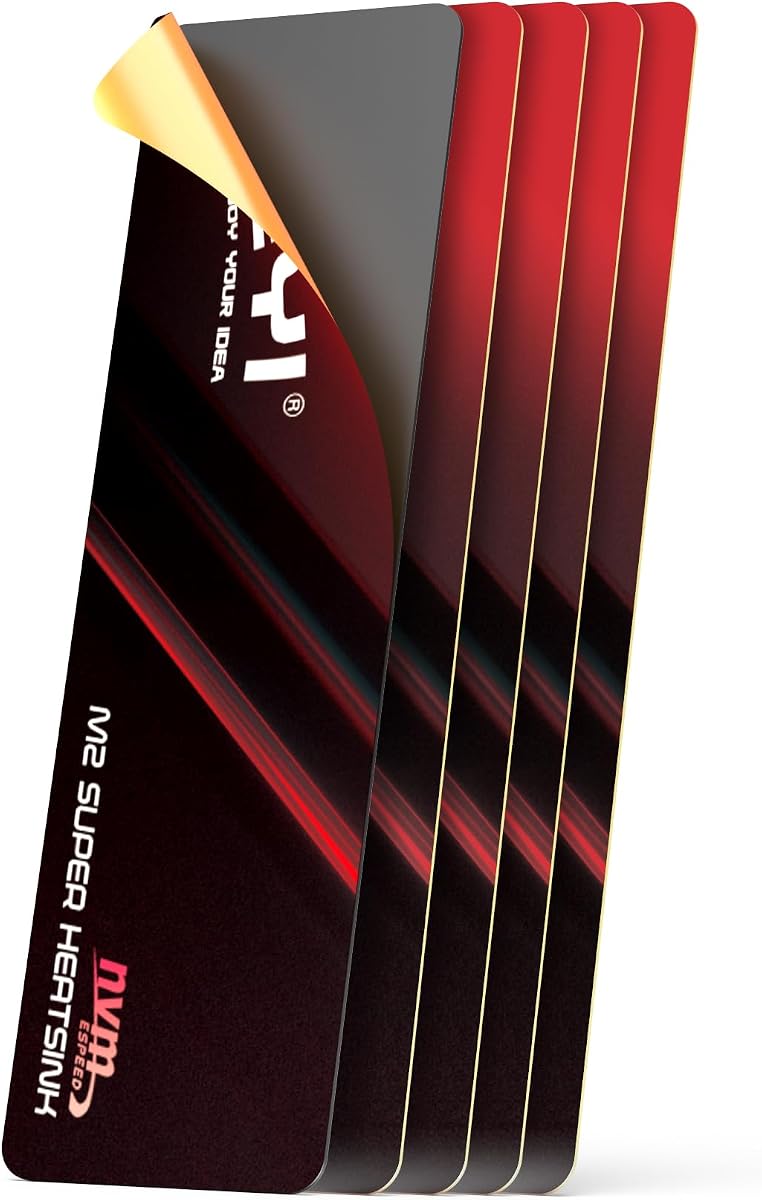
The JEYI M.2 2280 SSD Heatsink is a 0.5mm graphene-copper thermal film built for situations where even a conventional 1.5mm heat spreader will not fit. It has a supplied rating of 4.4 and a listed size of 21 x 69mm. Unlike a raised finned heatsink, it adds very little physical height over the drive.
We may earn a commission when you buy through this link, at no additional cost to you.
The adhesive film can be applied to one or both sides of the SSD, creating a two-sided cooling arrangement when space and drive design permit. Its listed adhesive operating range is -40 to 120 degrees Celsius, and the graphene-copper combination is described as offering high thermal conductivity. The product is intended for laptop SSDs, ROG Ally 2280 adapters, desktop SSDs, and PlayStation 5 expansion slots.
The primary concern is fragility. The manufacturer specifically warns users to peel the protective film carefully because bending can impair flat contact, and advises gently flattening the piece if it becomes bent. A film also has less rigid structure and fewer exposed fins than a metal heatsink, so it should not be judged as the same type of cooling solution. Fitment must be limited to 2280 drives, as the description clearly states.
This is the option for builders who need an exceptionally shallow cooler and can install a thin adhesive layer without creating a high profile. It is also appealing for dual-sided cooling of compatible drives. Users should handle the film carefully, confirm that the surface is flat, and verify the 21 x 69mm dimensions against the SSD and available equipment space.
At 0.5mm, the film is among the least intrusive options in the guide. It is intended for compact equipment where preserving every available millimeter is more important than using a raised heatsink.
Applying the film to both sides of a compatible drive can broaden thermal coverage, although component placement and the laptop or console's internal cover must be checked to prevent interference.
We may earn a commission when you buy through this link, at no additional cost to you.
The Double-Sided M.2 Heatsink is designed specifically for desktop PCs and the PlayStation 5, with compatibility listed for several common 2280 Samsung SSDs. Its supplied rating is 4.6, and its low-profile aluminum-alloy body uses a silver-plated, anodized finish. The included low-viscosity thermal pad is intended to conduct heat without damaging the SSD.
We may earn a commission when you buy through this link, at no additional cost to you.
Its double-sided clip design accommodates different M.2 module heights and holds the cooler in place without relying on a large frame. That makes it a practical choice when a builder wants a recognizable heat spreader rather than a bare film. The stated cooling effect ranges from 10 to 20 degrees Celsius depending on the environment, although the result will vary with drive workload and airflow.
Compatibility has an important limitation: the description specifies single-sided Type modules. A double-sided SSD may have components on the opposite face and should not be assumed to fit. The stated dimensions are 3 x 0.95 x 0.4 inches, so checking clearance is still necessary in compact consoles and desktops. Users should also handle the plated surface carefully to avoid marring it.
Choose this heatsink for a compatible single-sided 2280 drive in a PS5 or desktop system, particularly when a clip-on, low-profile aluminum design is preferred. It combines clear device positioning with straightforward installation, making it a practical pick after drive layout and physical clearance have been confirmed.
The double-sided clip design is intended to secure compatible drives of varying heights. This can simplify installation when a standard single-position mounting tab does not match the SSD's physical profile.
The low-viscosity silicone pad provides the interface between the drive and metal cooler. It should be positioned carefully to maintain full contact without folding or displacing the pad.
We may earn a commission when you buy through this link, at no additional cost to you.
The Pure Copper 1.5mm M.2 Heatsink combines a very thin profile with a grooved copper design. It measures 67 x 18 x 1.5mm, has a supplied rating of 4.5, and is intended for 2280 NVMe drives. The grooves are designed to increase the surface area through which accumulated heat can move into the surrounding air.
We may earn a commission when you buy through this link, at no additional cost to you.
Copper provides the thermal base, while the included silicone pad creates the contact interface between the metal and the SSD. Rubber rings are also supplied, offering a reusable way to retain the cooler. The product is listed for notebooks, desktop computers, PS5, Nintendo Switch, smartphones, and other heat-generating devices, giving it broader stated applicability than a drive-specific accessory.
Its 1.5mm thickness is compact, but it is thicker than the 0.5mm film options and may not fit every laptop or console cover. The listed cooling effect of 5 to 20 degrees Celsius varies with the environment, and the finless grooved surface depends more heavily on available airflow than a taller finned heatsink would. A single heatsink and one thermal pad are included, so the package is lean.
This cooler is a balanced choice for a thin 2280 installation where pure copper and simple rubber-band retention are priorities. It is particularly suitable for users who want a rigid heat spreader rather than an adhesive film. Confirm the available space and ensure the pad lies flat before securing it with the rings.
The grooves break up the otherwise flat copper face and add exposed area for passive dissipation. Their usefulness increases when the drive position receives moving air from a case or device fan.
Rubber rings can make the cooler easier to reposition or reuse. They also reduce dependence on permanent adhesive, although they must be tensioned correctly to keep the thermal pad in contact.
We may earn a commission when you buy through this link, at no additional cost to you.
The Graphene Copper 70 x 20 x 4mm Heatsink is one of the strongest customer-rated products in this guide, with a supplied rating of 4.7. Its four-millimeter height gives it more physical depth than the flat film and thin copper options. That additional depth supports the slanted air-channel design intended to increase contact with moving air.
We may earn a commission when you buy through this link, at no additional cost to you.
The copper body carries a graphene coating, and the product information compares the stated thermal conductivity of graphene, copper, and aluminum. It is listed for standard 2280 NVMe SSDs across several Samsung families and for use in laptops, narrow spaces, and PS5 systems. A silicone thermal pad fixes the radiator to the SSD without special tools.
Four millimeters is still relatively low for a heatsink, but it is not appropriate for every confined slot. Users with an ultra-slim laptop cover or a very shallow console opening should measure the available height before ordering. The adhesive pad is simple to install but less convenient when the drive may need to be removed repeatedly, and the full 80mm length of a 2280 drive is slightly longer than the cooler's stated 70mm length.
This is a strong recommendation for a compact desktop, supported PS5 arrangement, or laptop with enough clearance for a four-millimeter air-channel cooler. It combines a top-tier supplied rating with a more substantial thermal structure than the ultrathin options, making it suitable for users who want more visible surface area without a bulky desktop heatsink.
The four-millimeter height creates room for the slanted channel structure, giving the cooler more exposed geometry than a flat copper sheet. This is useful where the drive can receive a little airflow from the system.
The listing names several common Samsung 2280 models, providing a useful starting point for compatibility checks. Users should still verify physical fitment rather than relying only on the drive's model name.
We may earn a commission when you buy through this link, at no additional cost to you.
The Pure Copper 0.5mm Slim Heatsink is a rigid, extremely thin alternative to adhesive thermal films. It measures 75 x 23 x 0.5mm, has a supplied rating of 4.4, and is designed for 2280 M.2 SSDs in laptops, desktop computers, and supported PlayStation 5 configurations. Its copper construction offers a stable metal surface without adding appreciable height.
We may earn a commission when you buy through this link, at no additional cost to you.
The package is unusually complete for a slim cooler. It includes the copper heatsink, ten silicone thermal pads, a screwdriver, a triangular plastic spudger, and two M.2 SSD screws. Multiple pads give users options for layering or replacing the interface, while the tools support careful installation where a laptop or adapter already uses M.2 mounting hardware.
At only half a millimeter, the heatsink has little structural thickness and must be handled carefully. A pad that is too thick, misaligned, or folded can raise the profile or create poor contact, while the small screw and spudger demand patience in confined spaces. The product's broad named-drive compatibility is helpful, but users should still confirm the available mounting area and exact SSD layout.
Choose this cooler for an ultra-thin 2280 installation where adhesive films feel too fragile but a conventional raised heatsink will not fit. It is a good match for careful builders who value a complete tool kit and multiple thermal pads, and who can work slowly enough to keep the metal flat and the interface aligned.
Ten pads, a screwdriver, a spudger, and mounting screws cover the main installation tasks. This is particularly useful when replacing a cooler in a laptop or adapter that already uses the standard M.2 mounting point.
The 0.5mm copper sheet offers more shape than a flexible film while remaining extremely shallow. Its effectiveness still depends on keeping the sheet flat and the thermal pad evenly compressed.
We may earn a commission when you buy through this link, at no additional cost to you.
The Micro Connectors M.2 SSD 5mm Low-Profile Heat Sink uses an aluminum-alloy body with cross-cut fins to provide a conventional passive cooling approach in a compact 5mm profile. It carries a supplied rating of 4.6 and supports the full 2280 drive length. The product information specifically identifies compatibility with the PlayStation 5, PC motherboards, and M.2 adapters.
We may earn a commission when you buy through this link, at no additional cost to you.
Fins increase the exposed surface available for heat transfer, making this design potentially effective in systems where the drive sits in moving air. Thermal pads form the contact layer, while heat-resistant silicone rings secure the heatsink to the drive. The mounting approach is simple and does not require a separate screw arrangement for each side.
The five-millimeter height is the central compromise. It is clearly designed for tight spaces, but it remains taller than the 0.5mm films and the 1.5mm copper spreaders. Users with a laptop cover close to the SSD or a particularly shallow console bay should measure first. The product's stated support is also limited to 2280-length drives.
This cooler is a good choice for a PS5 expansion, a desktop motherboard slot, or an M.2 adapter where around 5mm of space is available. It suits users who want a recognizable finned design and strong customer feedback without moving to a full-height desktop heatsink. Confirm clearance and use the supplied silicone rings to keep the pads seated.
The intersecting fin pattern creates a larger exposed surface than a flat plate. Airflow around the drive still determines how effectively that extra surface can release heat.
Support for motherboards, M.2 adapters, PCs, and the PlayStation 5 makes the heatsink useful across several upgrade scenarios. The 2280-length requirement remains the key compatibility boundary.
We may earn a commission when you buy through this link, at no additional cost to you.
The GLOTRENDS 2-Pack M.2 SSD Heatsink is a versatile low-profile kit for systems with more than one drive or for users who want a spare cooler available. It has a supplied rating of 4.5 and includes two aluminum heatsinks, two thermal pads, four metal clasps, four rubber bands, and a user manual. The complete accessory count makes it especially convenient for multi-drive builds.
We may earn a commission when you buy through this link, at no additional cost to you.
The heatsinks measure 22 x 70 x 3mm and are described as compatible with 2280 NVMe and SATA SSDs from Gen3 through Gen5. Installation is tool-free: the thermal pad goes onto the drive, and the cooler can be secured with metal clasps, rubber bands, or both. The product information also identifies the PS5 and PS5 Slim as supported environments, along with desktops and M.2 riser cards.
A key limitation is that the heatsink is explicitly not intended for laptops. The 70mm length also means it does not cover an entire nominal 2280 drive, although it is designed to sit over the heat-producing region. Users should align it according to the instructions and confirm that the drive's component position leaves enough contact area. Passive cooling results depend on the drive workload, case airflow, and placement.
This two-pack is an excellent choice for a PS5, desktop, or riser-card installation that includes multiple drives, particularly when a user wants both clip and band mounting options. It is less appropriate for portable computers, but for compatible desktop and console builds it offers a particularly complete, flexible accessory package.
Each drive receives an aluminum cooler, thermal pad, metal clasps, and rubber bands. The two-drive format is convenient for storage-heavy desktops, riser setups, and console builds with multiple storage devices.
Metal clasps and rubber bands allow the installer to choose a more secure or more flexible hold. Using both, where practical, can help maintain consistent contact with the thermal pad.
We may earn a commission when you buy through this link, at no additional cost to you.
The right low profile SSD heatsink depends less on a single advertised cooling figure and more on whether it fits the drive, device, and available airflow. Use the following factors to narrow the field before making a final selection.
Measure all three dimensions and compare them with the product's stated size. Leave enough room for the thermal interface, mounting hardware, cables, and the case or cover to close without pressing on the SSD.
Read the drive and cooler descriptions together before ordering. Choose a model explicitly compatible with the SSD's layout and intended equipment.
For a desktop or console expansion, favor an exposed fin design when space permits. For a laptop, prioritize a low-profile solution that fits while still allowing the system to move air.
Compare cooling claims cautiously and prioritize confirmed dimensions, materials, and compatibility. If reliable monitoring is available, checking drive temperature before and after installation can reveal the real effect in your system.
For serviceable systems, choose reusable retention when available. For a fixed console or desktop installation, a broad adhesive thermal pad can be simple and effective if applied carefully.
Follow the included instructions, remove any protective liner, and inspect the pad before closing the system. Do not assume that more thermal compound is better when mechanical contact is the limiting factor.
Choose the material and surface geometry that suit the installation rather than relying on a single conductivity claim. Secure, flat contact and compatible dimensions remain more important than a fashionable material name.
Compare the package contents with the installation you actually plan. A complete kit can simplify the job, but only if its hardware and dimensions suit the selected SSD.
Before installation, power down the computer fully, disconnect its power source, and follow the device manufacturer's procedure for opening the chassis or accessing the M.2 slot. Confirm the SSD's 2280 length, component layout, mounting point, and the available clearance. Compare those measurements with the cooler and note the correct orientation of the thermal pad before removing any protective film.
Clean the SSD and the underside of the heatsink so that both contact surfaces are dry and free of dust. Position the cooler over the intended thermal region without shifting it once the pad is exposed. Secure it using the supplied rings, clasps, screws, or adhesive method, then check that the pad remains flat and that no cable, motherboard component, or case panel presses against the assembly.
Reassemble the device carefully and confirm that the cover closes without applying force to the SSD. During initial use, monitor the drive temperature under a sustained workload if the system provides reliable temperature reporting. A cooler cannot override inadequate case airflow, and a sudden loss of speed may indicate that the system is still overheating for reasons beyond the local heatsink. If the pad shifts, creases, or becomes uneven during installation, remove the cooler and replace or reposition the interface before use.
No. Most products in this guide support 2280-length SSDs, but they may not fit shorter M.2 formats or double-sided drives. A cooler can also be the correct length while lacking room above the SSD. Check the drive dimensions, component layout, mounting hole, and available clearance before buying.
Not necessarily. Copper and aluminum can both transfer heat effectively when the thermal pad is properly seated and the cooler receives adequate airflow. A well-designed aluminum fin cooler may outperform a poorly contacted copper plate in a system with better airflow, so fit, surface design, and installation quality must be considered alongside material.
Only if the selected product and laptop arrangement support it. Laptop clearance is often minimal, and some drive covers may also interfere with a raised heatsink. The GLOTRENDS model in this guide is explicitly not for laptops, while several thinner copper, graphene, and film options are intended for compact portable systems.
An adhesive backing is not automatically a substitute for a proper thermal interface. The adhesive may only secure the cooler, while a thermal pad is still needed to conduct heat between the SSD and metal. Follow the product instructions and use the supplied interface as directed to maintain consistent contact.
A low profile cooler can reduce heat buildup and help the drive sustain performance, but it cannot guarantee that throttling will never occur. Drive design, sustained workload, ambient temperature, and system airflow all influence results. A cooler that fits poorly or loses thermal contact will also perform below its intended design.
Only if the cooler explicitly supports double-sided modules or provides a safe way to cover both faces. A single-sided cooler may leave the reverse-side components unprotected, while an adhesive product might not be suitable for both sides. The be quiet! MC1 and JEYI film are the options in this guide that explicitly address double-sided cooling.
It can be a suitable option in a very constrained device, but its performance will depend on contact quality and airflow. Thin films or plates are best when the drive benefits from nearby system airflow and has no room for a raised finned cooler. Users should monitor temperatures under load to determine whether the design addresses the drive's heat.
Power down the system and carefully remove the cooler according to the device procedure. Use appropriate cleaning material to remove dust from the metal and SSD surfaces, and avoid introducing moisture between them. Do not scratch the drive or press sharply on exposed memory components.
The be quiet! MC1 stands out as the most broadly considered option because it supports single-sided and double-sided 2280 modules and is explicitly suited to PlayStation 5 storage expansion. The GLOTRENDS two-pack is the practical choice for multiple compatible drives, while the Graphene Full-Cover Copper Heatsink represents the premium design with a full copper surface and adhesive thermal interface.
For exceptionally constrained laptop spaces, prioritize the JEYI 0.5mm film or the two-pack of 1.5mm laptop copper heatsinks. Choose a finned model such as the Micro Connectors heatsink when 5mm of clearance is available and airflow can reach the drive. In every case, verify form-factor support, drive layout, physical dimensions, and the presence of an internal cover before installation.
The supplied ratings and cooling claims provide a useful starting point, but actual performance depends on thermal contact, workload, and airflow. Check current prices and availability at the time of purchase, and read recent customer feedback alongside the product specifications to ensure the selected heatsink suits the exact device and SSD being upgraded.