
Amzboy 15.6-inch Laptop
4.6Editor score
Silent fanless design
45-watt USB-C charging
Expandable TF card storage
Low power consumption laptops are designed to deliver useful computing while drawing less energy, helping extend battery life during workdays, classes, travel, and remote learning. The right model balances efficiency with a capable display, comfortable keyboard, dependable connectivity, and enough memory for browser-based productivity.
We compared all ten featured laptops using their stated processors, battery claims, display specifications, memory, storage, connectivity, portability, and intended uses. The list covers Chrome OS, Windows 11, fanless designs, energy certifications, and several processor tiers, with particular attention to models suited to mobile use.
Each review identifies the strongest benefit and the important compromises of its laptop. Ratings, specifications, features, and availability can change over time, while prices fluctuate frequently, so readers should confirm the current listing and warranty details before making a purchase.
4.6Editor score

5.0Editor score

4.8Editor score
As an Amazon Associate we earn from qualifying purchases.
The comparison below highlights the processor, memory, display, and principal efficiency feature of every laptop, making it easier to compare portable Chromebooks, Windows systems, fanless models, and higher-memory alternatives.




The HP Chromebook 14 is a compact Chrome OS laptop built around the Intel Celeron N4120 quad-core processor, 4 GB of memory, and 64 GB of eMMC storage. It carries a 4.3 rating, and its standout attraction is the stated battery life of up to 14 hours. That endurance makes it especially attractive for students and commuters who spend much of the day working through websites and cloud-based tools.
We may earn a commission when you buy through this link, at no additional cost to you.
The N4120 is positioned as an efficient processor for everyday tasks rather than demanding software. Combined with Chrome OS, which is designed around browser-based workflows, the system should suit email, Google Workspace, web research, document review, and media playback. Intel UHD Graphics 600 supports smooth 4K streaming, while the anti-glare 1366 by 768 screen helps reduce reflections during travel or use near bright windows.
There are meaningful limitations. Four gigabytes of RAM and 64 GB of local storage leave limited room for large offline files, installed applications, or creative workflows. The laptop is also not a Windows machine, so buyers who depend on specialist desktop software should not assume it can replace their current computer. Nevertheless, those constraints are reasonable for a focused online-learning and productivity device.
This is a compelling option for students, families, and travel-conscious users who want long battery life in a thin 14-inch form. The additional ports, stereo speakers, fast charging, and energy certifications reinforce its efficiency story, while Chrome OS reduces many traditional maintenance concerns. It is best suited to web-centered work rather than heavy applications.
The stated 14-hour battery figure gives this Chromebook a meaningful advantage for classes, cafés, airports, and remote work. HP Fast Charge can also restore approximately half of the claimed capacity in around 45 minutes, reducing disruption when a long charge is not practical.
Chrome OS is well suited to users whose work revolves around web applications, Android apps, and online documents. The always-updated browser and built-in Google services simplify setup, while the N4120 avoids the higher energy demands associated with more powerful processors.
We may earn a commission when you buy through this link, at no additional cost to you.
The Lenovo V15 Business Laptop combines an Intel N100 processor with a 15.6-inch Full HD anti-glare display and a slim 3.42-pound chassis. Its 4.3 rating reflects a well-rounded proposition for offices, classrooms, and hybrid workers. The N100 supports browsing, email, document editing, video streaming, online learning, and routine business applications while keeping power demands relatively modest.
We may earn a commission when you buy through this link, at no additional cost to you.
Memory and storage specifications lean toward essential productivity. Four gigabytes of LPDDR5-4800 is adequate for several browser tabs and standard office applications, while 128 GB of UFS 3.1 storage gives quick access to files. The SD card reader provides a convenient way to transfer photographs or add storage without replacing the internal drive. Microsoft 365 Personal bundles Word, Excel, PowerPoint, and OneDrive support.
The main compromise is Windows 11 Home in S mode, which restricts installation of some traditional desktop applications. Four gigabytes of memory can also feel restrictive in heavier multitasking. Even so, the V15 compensates with excellent connectivity, including Wi-Fi 6, Bluetooth 5.2, two USB-A ports, USB-C with power delivery and DisplayPort, HDMI, an SD reader, and an audio jack.
This laptop is a strong fit for budget-conscious office users who need a larger, sharper screen and complete peripheral support without moving to a high-power performance machine. Its 0.70-inch profile, low-blue-light-certified display, privacy shutter, and energy certifications make it particularly sensible for daily commuting and shared work environments.
USB-C power delivery, DisplayPort, HDMI, USB-A, and an SD card reader cover most common office accessories. This practical selection lets users connect displays, storage, wired peripherals, and networks without carrying a large adapter collection.
The 1920 by 1080 anti-glare panel offers more usable workspace than the HD screens found on several competitors. Its 250-nit brightness and low-blue-light certification make it comfortable for document-heavy work and extended online classes.
We may earn a commission when you buy through this link, at no additional cost to you.
The HP New Everyday Slim Laptop combines the Intel N150 processor, 4 GB of DDR5 RAM, a 128 GB SSD, and Windows 11 in a thin 3.24-pound enclosure. It has a 5.0 rating, the highest numeric customer rating in this group. Its claimed battery endurance of up to 11.5 hours makes it a well-rounded choice for students, home offices, and frequent travelers.
We may earn a commission when you buy through this link, at no additional cost to you.
The N150 is designed for everyday efficiency, handling browsing, office work, online classes, streaming, and communication without requiring a high-power mobile processor. Storage is handled by a fast 128 GB SSD, and the included one-terabyte OneDrive allowance adds useful cloud space. The port selection includes USB-C with DisplayPort, USB-A, HDMI, an audio jack, and an SD card reader.
The main compromises are modest. Four gigabytes of RAM can limit heavy multitasking, and the 14-inch 1366 by 768 screen at 220 nits is functional rather than impressive. The nonbacklit keyboard may also be less convenient in dim conditions. Despite those limitations, the combination of battery life, efficient processor, cloud storage, and Windows 11 is highly functional for common tasks.
This laptop is recommended for buyers who want a conventional Windows device with strong battery claims and broad connectivity. It is especially suitable for schoolwork, office documents, browsing, video calls, and light productivity. Users who need color-accurate editing or intensive software should consider a more capable machine.
The N150 provides enough capability for documents, browsing, classes, streaming, and communication while avoiding the energy appetite of a high-performance laptop. Paired with the claimed 11.5-hour battery, it is well suited to workdays away from an outlet.
A 128 GB SSD supports fast local operation, while the included OneDrive allocation helps reduce pressure on limited internal capacity. USB-C DisplayPort output, HDMI, USB-A, and an SD reader add flexibility for school, work, and travel.
We may earn a commission when you buy through this link, at no additional cost to you.
The HP 2026 Everyday Slim Laptop is a compact Windows 11 machine built around the efficient Intel N150. It weighs 3.24 pounds and has a slim 0.71-inch profile, making it easy to move between school, home, and travel. The product listing does not provide a numeric customer rating, so its evaluation here rests on the stated hardware and features rather than a review score.
We may earn a commission when you buy through this link, at no additional cost to you.
Its stated battery performance reaches up to 11.5 hours of video playback or 7.5 hours of wireless streaming. That makes it appropriate for students and commuters who need dependable runtime. The 14-inch anti-glare display offers 250 nits of brightness, a 79 percent screen-to-body ratio, and 62.5 percent sRGB coverage, which is reasonable for documents, classes, and general viewing.
A dedicated Microsoft Copilot key provides quick access to the platform's AI assistant, while the HP True Vision 720p camera uses temporal noise reduction and dual array microphones for calls. The listing describes ample storage but also states 128 GB SSD and 1 TB cloud storage, so buyers should distinguish local capacity from the online allocation.
The 2026 edition is a sensible choice for users seeking a conventional Windows laptop with Copilot integration and long battery claims. Its unrated status means buyers should examine recent customer feedback and the current warranty information. It remains best for ordinary productivity rather than demanding creative or professional applications.
The dedicated Copilot key reduces the steps needed to open Microsoft's assistant for writing prompts, organizing ideas, or handling everyday questions. It is a convenience feature rather than a substitute for a more powerful processor.
Claimed video and wireless streaming durations are among the stronger figures in this roundup. For trips and long study sessions, this makes the slim design more practical, although actual results depend on brightness, workload, and wireless activity.
We may earn a commission when you buy through this link, at no additional cost to you.
The Lenovo Essential 15.6-inch FHD Laptop pairs the Intel N150 with 8 GB of LPDDR5-4800 memory and 128 GB of UFS 3.1 storage. It holds a 4.1 rating. Among the efficient Windows laptops in the group, it stands out for having twice the memory offered by several HP and Lenovo competitors, supporting smoother multitasking when many browser tabs and office applications are open.
We may earn a commission when you buy through this link, at no additional cost to you.
Its 15.6-inch 1920 by 1080 anti-glare display provides a spacious Full HD workspace at 250 nits. The 88 percent screen-to-body ratio keeps the chassis visually modern, and the privacy shutter over the 720p camera is useful in shared environments. Wi-Fi 6, Bluetooth 5.2, HDMI, USB-A, USB-C with power delivery and DisplayPort, an SD reader, and an audio jack cover routine needs well.
The main limitations are the modest 128 GB storage and Windows 11 Home in S mode. The processor remains appropriate for browsing, documents, streaming, and video calls, but it is not intended for heavy gaming or demanding design software. The included 65-watt adapter and ENERGY STAR 9.0 certification support an efficiency-focused purchase.
This model is an excellent fit for students or office users who want more memory than the entry-level alternatives without moving to a high-power laptop. It balances a large sharp screen, strong connectivity, and efficient hardware in a 3.42-pound body. For cloud-assisted workflows, its memory advantage is especially valuable.
Eight gigabytes of LPDDR5 gives the N150 more room to maintain several applications and browser tabs. It remains efficient, but avoids some of the pressure associated with the four-gigabyte configurations in this comparison.
MIL-STD-810H testing across 20 items supports confidence in everyday durability. The slim 0.70-inch profile preserves portability while the larger screen remains useful for spreadsheets, presentations, and online lessons.
We may earn a commission when you buy through this link, at no additional cost to you.
The Amzboy 15.6-inch Laptop uses an Intel N4020 processor, 4 GB of RAM, and 128 GB of eMMC storage. Its 4.6 rating is among the strongest in the group, and the defining feature is a fanless solid-state design that operates without fan noise. That makes it attractive in quiet classrooms, shared offices, libraries, and video-call environments where constant fan movement could be distracting.
We may earn a commission when you buy through this link, at no additional cost to you.
The 1920 by 1080 anti-glare screen gives this budget laptop a useful workspace, while its 3.3-pound weight keeps the larger display manageable. The system handles everyday browsing, Zoom classes, document work, and other routine online tasks. A compact 45-watt USB-C power-delivery adapter simplifies travel because it is smaller than a conventional high-voltage power brick.
Storage is the most obvious constraint. The built-in 128 GB eMMC drive leaves limited room for large files and applications, although the external TF card slot can support expansion up to 1 TB. The N4020 and 4 GB of memory also provide limited headroom for advanced software, intensive multitasking, or demanding games.
The Amzboy is a strong budget choice for students and travelers who prioritize silence, portability, a large screen, and simple USB-C charging. It is less suitable for professionals requiring broad application compatibility or extensive local storage. For cloud-based school and office tasks, however, it offers a notably efficient package.
The fanless solid-state design keeps the laptop acoustically discreet and can also prevent internal dust from being drawn through moving fans. It is particularly useful in quiet rooms and during online meetings.
The included 45-watt Type-C power-delivery adapter reduces charger bulk. Users may also be able to rely on compatible USB-C chargers and power banks, making the laptop easier to pack for classes, commuting, and short trips.
We may earn a commission when you buy through this link, at no additional cost to you.
The ASUS Vivobook Go 15.6-inch combines a dual-core Intel N4500 processor, 4 GB of DDR4 memory, and 128 GB of eMMC storage. Its 3.9 rating is the lowest among the featured products, but the laptop still presents a focused set of features for students: a Full HD display, a backlit chiclet keyboard, and a slim portable design.
We may earn a commission when you buy through this link, at no additional cost to you.
The processor is intended for education, browsing, document work, video communication, and light multimedia. Intel HD Graphics supports basic to moderate graphics performance, while ASUS Audio Booster and the Super Linear speakers aim to improve the audio experience. A 720p camera with a physical shutter supports more private online classes and meetings.
The 42-watt-hour battery and fast-charging capability are worthwhile for daily school use, with the listing stating that the USB-C port can reach 60 percent charge in approximately 49 minutes. Wi-Fi 5 and Bluetooth 5.1 are not the newest standards in this comparison, however, and 4 GB of memory offers limited multitasking headroom.
This Vivobook is most appropriate for students seeking a large screen, backlit keyboard, and portable Windows machine for schoolwork. It is less attractive for demanding applications or users who want the newest wireless standard. The core efficiency proposition remains solid, but the lower rating encourages buyers to compare recent customer feedback and warranty coverage.
The backlit keyboard is a meaningful advantage over many similarly equipped compact laptops. It allows students to type comfortably in dim rooms while the 42-watt-hour battery supports work away from an outlet.
The stated 60-percent charge in 49 minutes helps users recover quickly between classes. A convenient USB-C connection also reduces the number of different cables needed when traveling.
We may earn a commission when you buy through this link, at no additional cost to you.
The HP 14-inch 2027 Edition combines the Intel N150, 4 GB of DDR5 RAM, and a 128 GB SSD with Windows 11. Its 4.5 rating is solid, and the principal appeal is a compact 3.24-pound chassis with a 0.71-inch profile. That makes it easy to carry between home, school, and the office.
We may earn a commission when you buy through this link, at no additional cost to you.
The Intel N150 is listed with speeds up to 4.4 GHz, four cores, and four threads, supporting efficient browsing, office tasks, communication, and light multitasking. A 250-nit anti-glare display helps with indoor readability, while Microsoft 365 provides one year of Word, Excel, PowerPoint, and related productivity access. The included cloud allocation adds flexibility where local storage is limited.
Connectivity is a relative strength. The laptop offers a USB-C port, USB-A port, HDMI, and a combined headphone and microphone jack, alongside Wi-Fi and Bluetooth. Nevertheless, the provided information does not state an expected battery duration, making it harder to compare directly with models that include explicit playback or wireless estimates.
This HP is a strong compact choice for buyers who prioritize a light Windows laptop, modern memory, and practical connectivity. It is appropriate for document work, browsing, classes, and video calls. Those needing a longer stated runtime may favor one of the other HP slim models with clearly documented battery figures.
The 3.24-pound weight and 0.71-inch thickness are easy to manage in a backpack. Its 14-inch screen provides a practical balance between workspace and portability.
DDR5 memory, an SSD, and Windows 11 form a modern baseline for everyday use. The N150 keeps power requirements modest while still handling the browser-based tasks that dominate current school and office workflows.
We may earn a commission when you buy through this link, at no additional cost to you.
The jumper 15.6-inch FHD Laptop has a 4.8 rating, making it one of the strongest customer-rated products in the comparison. Its unusual combination of 12 GB RAM and 256 GB solid-state storage gives it more memory and local capacity than most affordable competitors, while the Intel Celeron 5205U is explicitly described as offering ultra-low power consumption.
We may earn a commission when you buy through this link, at no additional cost to you.
The processor is a dual-core, dual-thread part running at a fixed 1.9 GHz base frequency with a 2 MB cache. It is best suited to office documents, browsing, streaming, and light multitasking rather than advanced software. The generous RAM helps compensate for its modest processing power when several lightweight applications are open at once.
Visual quality is a major advantage. The 15.6-inch IPS panel uses a native 1920 by 1080 resolution, slim 5 mm bezels, anti-glare coating, and blue-light filtering. The 38-watt-hour battery, stereo speakers, Type-C port, HDMI, audio jack, dual USB 3.0 ports, microSD slot, and DC input offer a varied selection of connections.
The jumper earns the premium distinction in this guide because its overall specification balance is unusually generous, not because it offers workstation-level performance. It is well suited to students and office users who value memory, storage, and screen quality while keeping processor power demands low. Those needing demanding applications should choose a more powerful CPU.
Twelve gigabytes of RAM is a meaningful advantage for browser-heavy work, document editing, and multiple open applications. It also provides more headroom for lightweight multitasking than the common four-gigabyte configuration.
The IPS Full HD panel delivers a sharper and generally more expansive workspace than standard HD alternatives. Anti-glare and blue-light filtering add comfort for prolonged reading, studying, and streaming.
We may earn a commission when you buy through this link, at no additional cost to you.
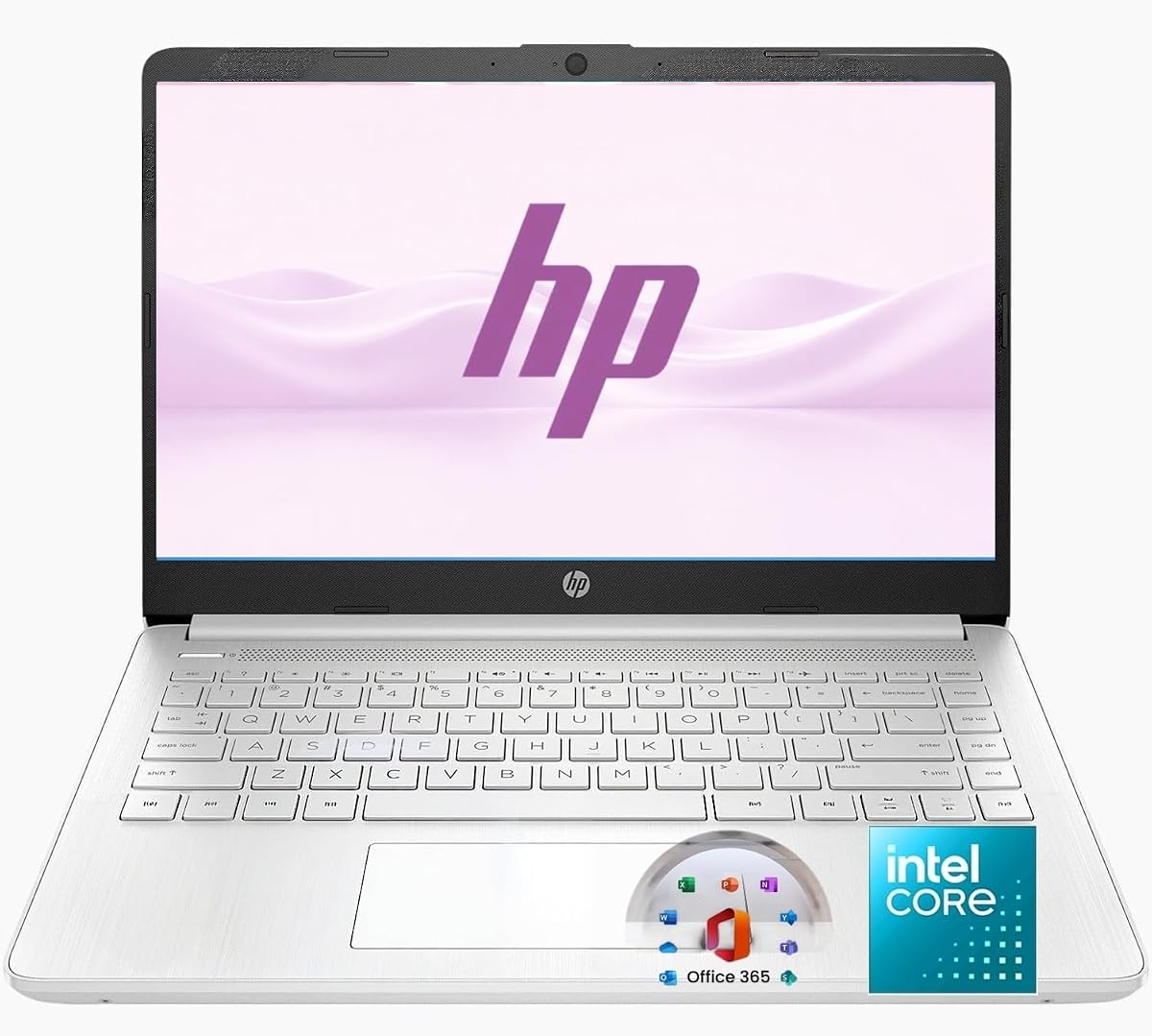
The HP 14-inch Ultra Light uses an Intel N150 processor and 8 GB of RAM to provide efficient everyday computing. Its 4.3 rating indicates a balanced product for students, families, and home-office users. The principal distinction is the bundle, which adds a year of Microsoft 365, a removable 256 GB SD card, an external optical drive, and a wireless silent mouse.
We may earn a commission when you buy through this link, at no additional cost to you.
The N150 is designed for browsing, streaming, email, online learning, document editing, meetings, and light productivity rather than heavy gaming or professional design work. Wi-Fi 6 and Bluetooth 5.4 offer current wireless support, while the 720p webcam and dual microphones help with communication. Windows 11 provides the familiar environment required for common office applications.
Storage is split between a relatively small 128 GB UFS drive and the included 256 GB SD card. That arrangement works well for students who can move documents and media to removable storage, although frequent application installation may eventually expose the limits of the internal capacity. The external optical drive may also be of limited value to users who no longer regularly use physical discs.
This laptop is a practical choice for buyers seeking an efficient computer with useful accessories already included. Its 14-inch form, Office 365 access, mouse, and removable storage make setup straightforward for students or home offices. It is best for general productivity, not intensive software, and buyers should verify that the included accessories meet their specific needs.
The included Office 365 subscription, wireless mouse, removable storage, and optical drive reduce the need to buy basic accessories immediately. The bundle is particularly useful for students preparing for school or remote work.
The Intel N150 targets browsing, communication, streaming, and office tasks with modest power demands. Eight gigabytes of RAM gives it more multitasking capacity than several four-gigabyte alternatives in this roundup.
We may earn a commission when you buy through this link, at no additional cost to you.
A low power consumption laptop should still meet your workload, screen, mobility, and connectivity needs. The most important factors are processor efficiency, battery behavior, memory, storage, display quality, and the balance between productivity and portability.
The processor has a major influence on both responsiveness and energy use. Intel N-series chips such as the N100, N150, and N4020 are designed for routine computing and generally demand less power than high-performance laptop processors. Chrome OS can be especially efficient when the user's work revolves around web applications, cloud documents, and online communication. By contrast, a dual-core Celeron such as the 5205U may use little energy but can feel sluggish when several demanding applications are opened.
Choose a processor according to the work you actually need to perform. Office documents, browsing, email, streaming, and online classes generally suit the featured efficient processors. Professional design software, intensive data work, advanced gaming, and video editing require substantially more processing power. The most effective option is the lowest tier that comfortably supports your daily workflow without constant delays.
Battery life is the most visible benefit of an efficient laptop, but published figures often describe a controlled workload rather than continuous real-world use. A model claiming up to 14 hours of general use may still deliver considerably less under heavy browsing, high screen brightness, video calls, or continuous streaming. Look for a clearly stated test method, such as video playback or wireless streaming, and note the difference between capacity in watt-hours and claimed runtime.
Prioritize long claims for travel-heavy use, but also consider fast charging, charger size, and whether USB-C power delivery works. A compact charger can be as valuable as an extra hour of runtime when outlets are scarce. Battery results also vary with battery health, so keeping the device updated, avoiding heat, and using conservative power settings can help maintain its performance.
Memory determines how comfortably a laptop handles several browser tabs, office applications, and background services. Four gigabytes is common among the lower-cost models here and can be adequate for one user working primarily online. Six gigabytes would offer more breathing room, while the featured eight- and 12-gigabyte configurations are better for heavier browser use, many applications, and longer-term flexibility.
Do not assume additional memory is needed for every task, because the processor must also be capable of using it efficiently. Match memory to the workload rather than choosing the largest available figure. If you routinely keep dozens of tabs open, edit large files, or use multiple communication tools, an eight-gigabyte configuration offers a safer balance than four gigabytes.
A solid-state drive provides faster startup and application loading than a conventional hard drive, which improves the experience even when internal capacity is limited. The featured configurations range from 64 GB eMMC on the HP Chromebook to 256 GB in the jumper, with several models offering 128 GB and additional cloud storage. An SD card reader or removable card can expand file capacity without replacing the internal drive, although it is less convenient as the sole storage location for an operating system.
Choose enough space for the operating system, essential applications, and files you need offline. Cloud storage is useful for documents and school materials, but it requires a reliable internet connection. Avoid planning to install large games or professional media libraries on the most compact models, and check whether cloud services are included for the full subscription period.
Resolution, brightness, glare treatment, and panel technology influence both comfort and energy use. The 15.6-inch Full HD options provide more workspace than the 1366 by 768 HD screens, while anti-glare coatings improve visibility in bright rooms. IPS panels can provide better viewing angles, and narrow bezels make a larger usable area feel more modern. The 250-nit models are brighter than the listed 220-nit alternative, which may matter for bright environments.
For most office and school work, Full HD is a useful minimum because text, spreadsheets, and browser pages appear more clearly. Higher brightness can improve outdoor readability but may consume more power. Touch capability, high refresh rates, and accurate color coverage are not listed for most products here, so buyers needing those features should look elsewhere rather than assume they are included.
A portable computer is only useful if it is comfortable to carry and sturdy enough for regular travel. Most featured models weigh approximately 3.2 to 3.4 pounds and are about 0.7 inches thick, creating a reasonable balance between screen size and portability. The fanless Amzboy may also appeal to buyers who prioritize silent operation, while military-grade testing gives the Lenovo V15 and Essential additional durability information.
Compare weight, thickness, keyboard size, and charger bulk together. A larger screen can be helpful for productivity, but a smaller 14-inch model may be easier to carry all day. Check the keyboard layout and whether it is backlit, as the ASUS Vivobook includes that useful feature while some alternatives do not.
Efficient laptops should still connect easily to the devices people use every day. USB-A supports numerous existing accessories, while USB-C can provide charging, data transfer, and display output when the laptop supports those functions. HDMI is convenient for a larger monitor or presentation display, and an SD card reader helps transfer photographs and files. Wi-Fi 6 can improve efficiency and performance on compatible networks, while older Wi-Fi 5 hardware remains functional.
Check ports before buying to avoid carrying adapters. Business users may value HDMI, multiple USB-A connections, Ethernet, and a fingerprint reader, while students may prioritize an SD reader, webcam, and microphone. If a laptop relies on cloud storage or frequent video calls, dependable Wi-Fi, a 720p camera, and clear stereo speakers deserve equal attention.
The operating system determines which applications and workflows a laptop can support. Chrome OS is streamlined for online use and Android apps but will not satisfy someone who depends on a particular Windows desktop program. Windows 11 models provide broader conventional software compatibility, although the Lenovo V15 and Essential use S mode, which can restrict some traditional software installation. Copilot keys and AI features add convenience but do not materially increase raw performance.
List the applications you need before choosing the operating system. Check whether they run in the web browser, whether the installed Windows edition supports them, and whether a future switch out of S mode is permitted. For general office work, browsing, and online learning, any of these systems can be effective, but your existing software library should have the final say.
Start by configuring power settings that match your workload. Use battery saver or energy-saving modes while traveling, enable a darker system theme when possible, lower screen brightness, and disable unnecessary startup applications. Closing unused browser tabs and background synchronization tasks can also reduce energy use. When working near an outlet for long periods, a balanced power mode often provides a better balance of responsiveness, thermals, and battery health.
Protect the battery by avoiding frequent heat and deeply discharged states. Charge the device with the supplied or a compatible adapter, keep the vents unobstructed, and do not leave it in a hot car. Software updates can improve power management, while cleaning the cooling vents helps maintain stable temperatures. Users of fanless systems should be especially careful not to block their underside during long study sessions.
For the longest possible runtime, dim the display modestly, prefer Wi-Fi over an unused cellular connection, mute unused audio, and suspend the computer instead of leaving it awake. Charging to 100 percent is convenient for immediate use, but partial charging can be convenient during travel when access to an outlet is limited. Always confirm a replacement adapter supports the correct voltage, wattage, and USB-C power-delivery protocol.
An efficient Intel N-series processor is suitable for most browsing, document, streaming, and online-learning tasks. The N150 offers a useful balance of capability and efficiency for this category. A Celeron may cost less energy, but some older dual-core models can feel slow when handling many tabs or heavier applications. Match the processor to the workload rather than choosing solely by its power category.
It usually helps, but battery life also depends on screen brightness, battery capacity, wireless activity, workload, and thermal conditions. The featured models publish claimed runtimes that vary considerably and may use different testing methods. Compare figures cautiously, and check recent independent customer feedback for a more realistic sense of real-world endurance.
Four gigabytes can be sufficient for a single student using a browser, video calls, and basic office applications. It becomes less comfortable with many tabs, several open applications, or demanding browser-based tools. Eight gigabytes is a safer choice for heavier multitasking. For cloud-focused work, pairing an efficient processor with additional memory offers a more useful balance than storage that will rarely be filled.
Fanless designs can be quiet and may avoid the energy required to run cooling fans continuously. However, battery life still depends on the processor, display, and workload. The Amzboy laptop in this guide uses a fanless solid-state design, making it appealing in quiet environments, while other efficient laptops with active cooling may still offer longer stated battery durations.
Chrome OS is well suited to web-based work, online learning, and users who prefer a simple, secure, browser-centered environment. Windows 11 is the better choice when a task depends on traditional desktop software or broader application compatibility. Also consider the S-mode restrictions present on some featured Lenovo models before making a final decision.
USB-C can reduce travel clutter by using one compact cable and charger for multiple compatible devices. It is especially useful when a laptop supports USB-C power delivery, DisplayPort, or data transfer. Buyers should verify which functions the specific port supports because not every USB-C port provides the same capabilities.
Cloud storage is useful for documents, school files, and photos that do not need constant offline access. It does not replace internal capacity for installed applications, large media, or working files. Check whether the stated cloud allowance is temporary, how much local storage is available, and whether the included SD or card reader offers a convenient expansion path.
Lower the screen brightness, enable battery saver, reduce background applications, and use Wi-Fi only when needed. Closing unneeded browser tabs can be especially effective because active pages consume processor and network resources. Updating the system, keeping cooling paths clear, and avoiding heat also help the battery maintain efficient charging and discharge behavior.
The HP New Everyday Slim stands out as the most balanced overall choice, combining an efficient Intel N150 processor, up to 11.5 hours of stated battery life, Windows 11, solid connectivity, and a portable 3.24-pound design. The Amzboy 15.6-inch Laptop is a compelling budget option for buyers who prioritize silence, a full HD screen, and simple USB-C charging. The jumper model leads the premium-oriented selection with 12 GB of memory, 256 GB storage, and a sharp IPS display.
Prioritize the processor and memory combination that fits your workload, then examine battery claims with realistic expectations. A Full HD anti-glare screen, convenient USB-C charging, and enough local storage can make a larger difference than a marginal processor difference. Chrome OS may be ideal for online work, while Windows 11 is more appropriate when conventional applications are essential.
Prices, ratings, availability, and product configurations can change, so check the current listing before buying. Confirm the exact display, battery specification, included accessories, operating-system edition, and warranty. That final verification ensures the efficiency features advertised today still match the configuration and condition you receive.