
Supershieldz MacBook Pro 14-Inch Matte Protector
4.4Editor score
Model-specific MacBook design
Japanese PET film
Three included protectors
An anti glare screen protector for laptop can make a display more comfortable in bright rooms, reduce distracting reflections, and add a layer against scratches and fingerprints. The right choice depends on screen size, aspect ratio, touch functionality, viewing environment, and whether blue light filtering matters as much as glare reduction.
This guide compares ten protectors across important factors including physical fit, anti-glare performance, light filtering, clarity, installation method, touchscreen compatibility, and included accessories. The list covers universal-size options, model-specific designs, privacy filters, and matte protectors for popular Windows laptops, MacBook Pro models, and Microsoft Surface devices.
Each pick highlights its strongest qualities and practical trade-offs, helping you narrow the field before buying. Product ratings and availability can change, and current prices fluctuate, so compare the latest listing details with the fit and feature guidance provided here before making your final selection.
4.4Editor score

4.2Editor score

4.1Editor score
As an Amazon Associate we earn from qualifying purchases.
The table below compares the ten featured protectors by size, display format, core filtering features, and package quantity, making it easier to identify the option that matches your laptop and routine.
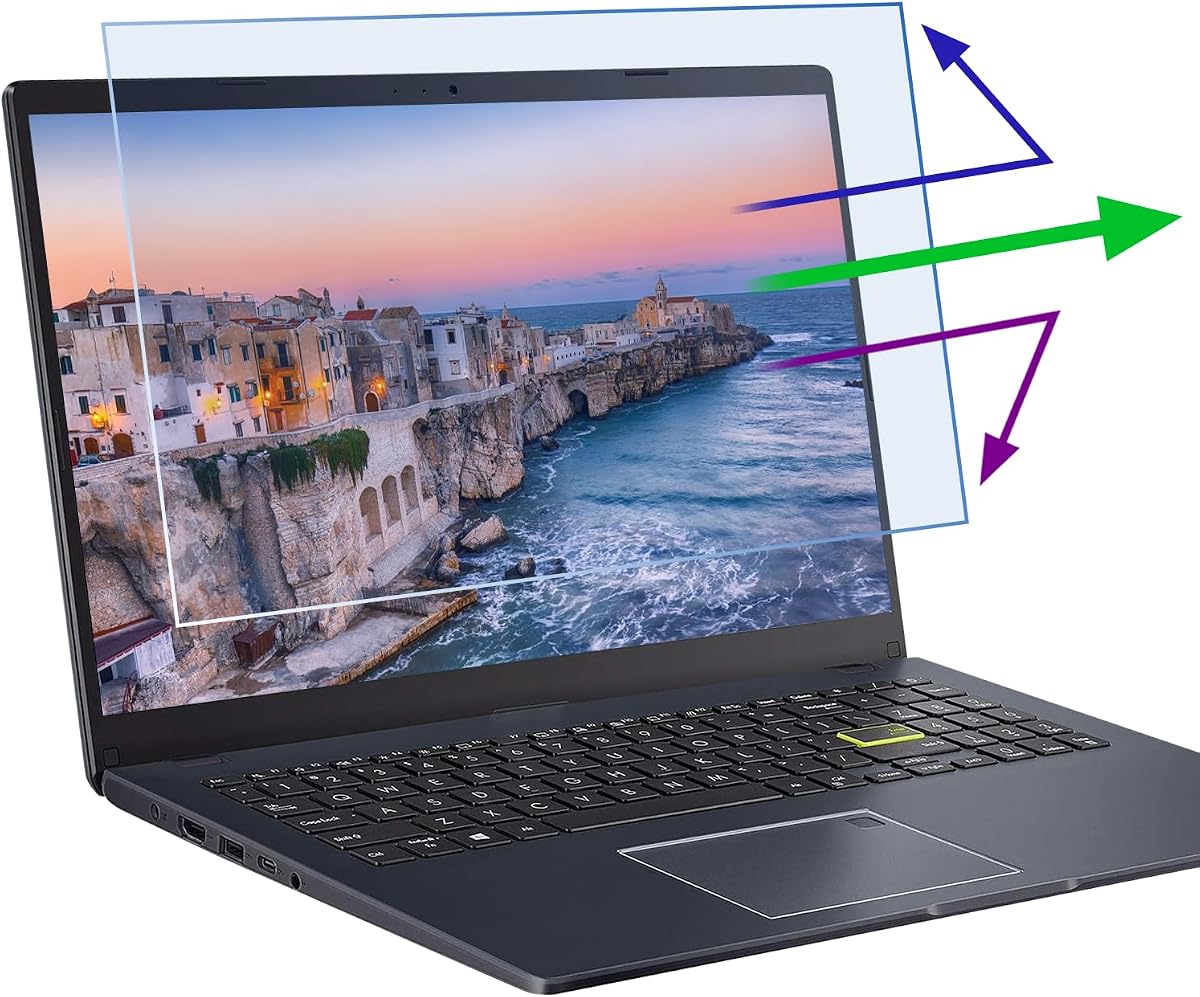
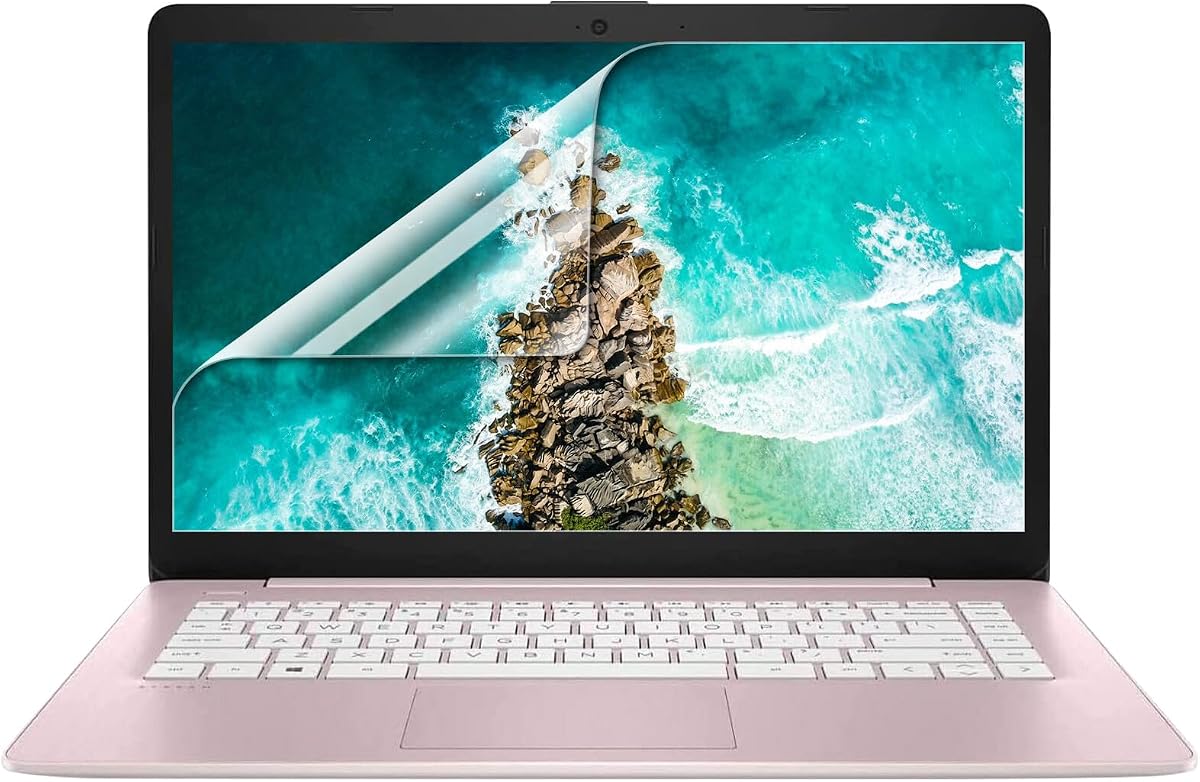


The F FORITO 15.6-inch protector earns a 4.2 rating and stands out as the most complete general-purpose option in this guide. It combines a matte anti-glare layer with nine-layer blue light filtering, scratch resistance, fingerprint resistance, and touchscreen support in a two-pack designed for 15.6-inch displays with a 16:9 aspect ratio.
We may earn a commission when you buy through this link, at no additional cost to you.
Its dimensions are listed as 13.6 inches by 7.6 inches, or 345 millimeters by 194 millimeters, with a 15.6-inch diagonal. The stated compatibility covers popular Acer, HP, Lenovo, Dell, ASUS, MNN, KYY, and ARZOPA laptops and portable monitors. That broad brand list is useful, but measuring the visible screen remains the safest way to confirm compatibility.
The protector is designed to maintain brightness, color, and image clarity while scattering harsh reflections from sunlight and bright indoor lighting. Its smooth surface is intended to reduce visible fingerprints and smudges, while the nano-silicone absorption layer helps settle small bubbles during installation. Precise cutting is also claimed to prevent interference with the laptop lid when closed.
This is a strong choice for students, office workers, travelers, and anyone who spends long hours in front of a 15.6-inch Windows laptop. The trade-off is that matte protection can slightly change perceived sharpness or brightness, and a 15.6-inch diagonal alone is not enough to guarantee a fit. Verify both width and height, then choose it for its unusually balanced feature set.
The nine-layer filtering design targets blue light, while the matte surface reduces harsh reflections. Combining both functions makes this a practical option for users who work near windows, travel with their laptop, or regularly use it under bright indoor lighting.
The nano-silicone absorption layer is intended to reduce small bubbles without the aggressive adhesive approach used by some traditional protectors. Cleaning the display with the supplied accessories before application remains essential for the clearest result.
We may earn a commission when you buy through this link, at no additional cost to you.
This 14-inch protector has a 4.3 rating and is specifically intended for laptops with a 16:10 aspect ratio. Its layered blue light filtering, anti-glare surface, and scratch protection make it a strong fit for users who spend extended periods working, studying, browsing, or gaming on a compatible touchscreen.
We may earn a commission when you buy through this link, at no additional cost to you.
The stated filter dimensions are 11.9 inches by 7.4 inches, or 30.2 centimeters by 18.9 centimeters, for a 14-inch diagonal. The listing clearly notes that it does not fit 16:9 laptops, which is important because two 14-inch screens can have very different shapes. HP, Dell, Acer, Asus, Samsung, and Lenovo systems are mentioned, but physical measurements should guide the decision.
Unlike many privacy-oriented products, the protector adheres only to the screen area and is described as leaving no adhesive residue. Its ultra-thin construction is intended to provide a natural viewing experience without adding bulk. Touchscreen functionality is also designed to remain unaffected after installation.
This option is best for someone with a 14-inch 16:10 touchscreen who wants glare reduction, blue light filtering, and scratch protection without a complex mounting frame. Its main limitation is specialization: a 16:9 laptop will not be a match. Confirm the visible screen dimensions before ordering, and expect to use gentle pressure to remove minor installation bubbles.
Many modern compact laptops use 16:10 rather than 16:9 displays. This protector's explicit 11.9-by-7.4-inch dimensions make it more useful for those systems than a general 14-inch protector that assumes the older shape.
The thin, residue-free design is intended to preserve normal screen interaction. It also combines blue light filtering with scratch and glare protection, covering several common needs in one relatively discreet layer.
We may earn a commission when you buy through this link, at no additional cost to you.
The Supershieldz MacBook Pro 14-inch protector carries a 4.4 rating, the highest rating among the featured products. Its model-specific design covers MacBook Pro configurations using M1 through M5 chips, including Pro and Max variants, making it the clearest premium option for owners of a compatible Apple notebook.
We may earn a commission when you buy through this link, at no additional cost to you.
The anti-glare matte film is designed to reduce reflections and fingerprints, two frequent frustrations on the glossy displays found in many premium laptops. It is made from Japanese PET film and is described as easy to install without leaving residue when removed. The product also retains real touch sensitivity, although current MacBook Pro displays are not touchscreens.
Daily scratch, dust, and scrape protection rounds out the core feature set. Because the protector is cut specifically for MacBook Pro 14-inch models, it avoids the sizing uncertainty that comes with a generic 14-inch film. The three-piece package also provides spare protectors if one is removed prematurely or becomes worn.
Choose this option when you want a refined, device-specific matte finish rather than a general-purpose filter. It is less appropriate if your computer is another 14-inch model or if blue light filtering is your primary goal. For a compatible MacBook Pro, however, the combination of model-specific fit, Japanese PET construction, and three included films is unusually well targeted.
A model-specific cut reduces the uncertainty involved with universal 14-inch protectors. It is designed for the dimensions and proportions of the listed MacBook Pro 14-inch configurations, making it a more natural choice for compatible Apple users.
The matte PET layer targets glare and fingerprints while helping guard against daily scratches, dust, and scrapes. Three included protectors provide useful replacement options for a frequently handled notebook.
We may earn a commission when you buy through this link, at no additional cost to you.
The F FORITO 14-inch matte protector has a 4.1 rating and is aimed at 14-inch laptops using a 16:9 aspect ratio. It focuses on the fundamentals: reducing harsh reflections, resisting scratches, limiting fingerprints, and preserving usable touchscreen performance.
We may earn a commission when you buy through this link, at no additional cost to you.
Its listed dimensions are 12.2 inches by 7.4 inches, or 310 millimeters by 175 millimeters, with a 14-inch diagonal. The product title also refers to a 6.9-inch width, so buyers should check the actual visible display and compare it with the seller measurements before ordering. The important distinction is that this is a 16:9 design rather than a 16:10 option.
The smooth matte surface is intended to make the screen easier to view under ambient light while reducing visible dust and smudges. Its formulation is designed to let the display retain its original brightness and colors without obvious blurring. The exact cut is also engineered to avoid preventing the laptop lid from closing.
Installation uses a nano-silicone layer that assists with bubble reduction. Cleaning tools are included, and the product is presented as a straightforward option for anyone bothered by glare during long working sessions. Its main limitation is that it does not advertise a dedicated blue light filter, making it most suitable when glare and surface protection matter more than spectral filtering.
The matte finish is the central feature, reducing reflections from overhead lights, windows, and nearby screens. It also supports easier maintenance by discouraging the visible fingerprints and smudges associated with untreated glossy surfaces.
The protector is explicitly shaped for 14-inch 16:9 laptops. Since the listing contains slightly different width references in its description and title, checking both the manufacturer measurements and your own display remains the most dependable approach.
We may earn a commission when you buy through this link, at no additional cost to you.
This three-pack of 15.6-inch matte protectors has a 3.8 rating, making it the lowest-rated option here, but its core functions remain straightforward and useful. It is designed for a wide collection of 15.6-inch HP, Dell, Asus, Lenovo, Acer, Samsung, and Chromebook systems.
We may earn a commission when you buy through this link, at no additional cost to you.
The listed device coverage includes HP Pavilion, Envy, EliteBook, Spectre, and ProBook models; Dell Inspiron and Latitude; Asus VivoBook and ROG Strix G15; Lenovo IdeaPad and ThinkPad; Acer Aspire and Nitro 5; and Samsung Galaxy Book. The extensive list makes it appealing for users who recognize their model, but checking the display dimensions and model number is still important.
Its matte technology is designed to reduce glare and specular reflections in bright surroundings. An oleophobic layer is intended to resist fingerprints from finger sweat, while the film protects against everyday scratches, dust, and abrasions. The listing also claims high-definition output without distortion and accurate touchscreen response.
This protector is a practical choice for households or offices that want several replacement sheets, especially because installation stickers, a mounting kit, and three films are included. The rating is less favorable than those of the other choices, and it does not make a specific blue light filtering claim. It works best for users whose exact model appears in the compatibility list and whose priority is a matte surface.
The three-film pack can cover repeated replacements or more than one compatible laptop. It is especially practical for offices, classrooms, and shared households that may need a spare protector readily available.
The finish targets glare and mirror-like reflections, while the oleophobic coating helps reduce visible fingerprints. These are practical benefits for frequently touched displays used in offices, classrooms, and shared workspaces.
We may earn a commission when you buy through this link, at no additional cost to you.
The Peslv 15.6-inch set has a 4.0 rating and is distinguished by an explicit 99.3% blue light blocking claim. It combines that filtering with an advanced anti-glare process, precise die-cutting, and a three-protector package for 15.6-inch laptops with a 16:9 aspect ratio.
We may earn a commission when you buy through this link, at no additional cost to you.
The filter is listed at 13.57 inches wide by 7.64 inches high, or 344.7 millimeters by 194 millimeters, with a 15.6-inch diagonal. The seller explicitly warns against choosing solely by diagonal size, which is sensible because similarly sized displays can have different aspect ratios. HP, Lenovo, Dell, Acer, Asus, Samsung, and Envy laptops are among those mentioned as compatible.
The anti-glare process is described as using extremely fine particles to scatter strong direct light into softer reflected light. The stated objective is to reduce harsh reflections outdoors or in bright rooms. The base material is described as imported from Japan, while die-cutting to 0.01 millimeters is intended to improve dimensional accuracy.
The package goes beyond the films themselves: it includes three installation tool kits, three cleaning kits, a scratch card, a guide, and a storage clip. The main trade-off is that an aggressive filtering and scattering layer can influence brightness or color appearance more noticeably than a basic clear matte film. Measure first, and consider this option when blue light filtering is the dominant requirement.
The listing highlights a 99.3% blue light blocking rate as its defining technical claim. That makes the set more relevant than a basic scratch film for users who prioritize light filtering while also wanting glare reduction.
Three films and separate tool kits create a well-equipped package for replacements or multiple devices. The included storage clip may also be useful for keeping an unused protector flat and protected between installations.
We may earn a commission when you buy through this link, at no additional cost to you.
The Protescreen 14-inch privacy filter has a 4.1 rating and adds a distinct function to the roundup: it restricts what nearby people can see from the sides. Micro-louver technology is described as limiting the viewing angle to approximately plus or minus 30 degrees while keeping the front-facing image clear.
We may earn a commission when you buy through this link, at no additional cost to you.
The product is intended for 14-inch 16:10 laptops measuring 11.89 inches by 7.40 inches, or 302 millimeters by 188 millimeters. HP, Dell, Lenovo, Acer, Asus, LG, Envy, Toshiba, and Samsung systems are listed among compatible brands. The package includes one film, adhesive strips, slide-mount tabs, alcohol, and cleaning cloths.
The reversible design is another useful feature. One side has a matte surface intended to reduce glare and blue light, while the glossy side is described as offering stronger privacy resistance. The listing also states that the optical materials reduce 92% of blue light and 98% of ultraviolet light, while the protective layer blocks 95% of reflected light.
Installation can be permanent using the supplied double-sided adhesive strips or removable with slide tabs for laptops with raised bezels. The removable arrangement makes it convenient for travel, airports, cafés, and open offices. The expected trade-off is that the screen becomes darker at side angles, which is the intended mechanism rather than a defect.
The narrow viewing angle helps conceal on-screen information from people seated beside you. This makes the filter particularly useful in airports, shared offices, cafés, trains, and other locations where shoulder surfing is a concern.
Adhesive strips create a more permanent installation, while slide tabs allow the filter to move in and out. The reversible surface also lets you favor a matte anti-glare finish or a glossier, more privacy-focused side depending on the situation.
We may earn a commission when you buy through this link, at no additional cost to you.
The CASEBUY two-pack carries a 4.2 rating and targets 15.6-inch users who want a thin combination of anti-glare and blue light filtering. Its stated compatibility emphasizes HP Envy x360, Pavilion, ProBook, EliteBook, and OMEN systems while also naming Lenovo, Acer, Dell, Samsung, and ASUS laptops.
We may earn a commission when you buy through this link, at no additional cost to you.
The protector measures 13 9/16 inches wide by 7 5/8 inches high, equivalent to 345 millimeters by 194 millimeters. Those measurements are important because a nominal 15.6-inch screen size alone does not confirm that a filter will fit. The listing specifically advises users to measure their display before ordering.
A seven-layer blue light design is combined with UV400, radiation, and anti-static protection. The anti-glare matte process is designed to soften glare, while the 0.15-millimeter thickness keeps the layer discreet. This combination is particularly useful for healthcare providers, commuters, students, mobile workers, and business travelers who often operate their computers in variable lighting.
Installation uses a bubble adsorption design, and the package includes a cloth, wet wipe, and dust-removal sticker. The result should be placed carefully and pressed if minor bubbles appear; lifting and reapplying the film is also suggested when needed. The main limitation is the smaller two-protector pack, but the feature breadth and thin profile make this a convincing choice for compatible 15.6-inch systems.
The combination of blue light filtering, UV400 protection, and a matte anti-glare surface is useful for commuters and frequent travelers. It addresses harsh ambient light while remaining thin enough for a mobile setup.
At a stated 0.15 millimeters, the film offers a discreet profile. The bubble adsorption design and included cleaning supplies make careful installation more attainable, particularly around the screen edges.
We may earn a commission when you buy through this link, at no additional cost to you.
The FILMEXT Surface Laptop filter has a 4.3 rating and is one of the most narrowly focused options in the guide. It is designed for 13.5-inch Microsoft Surface Laptop models from generations 5, 4, 3, 2, and 1, covering model numbers 1867, 1868, 1958, 1959, 1950, and 1951.
We may earn a commission when you buy through this link, at no additional cost to you.
The exclusions are equally clear. It does not fit the 13.5-inch Surface Laptop 6th generation model 2033, the Surface Book 13.5-inch models 1832 and 1900, or other brands using a 13.5-inch display. This specificity helps prevent the confusion that often affects nominally identical screen sizes.
Its filtering layer is stated to block 69.7% of blue light between the 380 to 495 nanometer range. The anti-glare function and fingerprint resistance are intended to improve everyday usability, while a black-frame silicone seal helps guide installation and remove bubbles. Touch sensitivity is also designed to remain accurate.
Installation instructions call for cleaning the display, aligning the product, gently pressing around the frame, and allowing the silicone to adhere. This is a strong option for owners of one of the listed Surface Laptop generations who want a model-specific fit, but it should not be considered for the excluded models. Confirm the number printed on the back of the device before purchasing.
The filter identifies supported Surface Laptop generations and model numbers, making compatibility unusually transparent. Buyers can avoid a generic size mismatch by locating their model information before ordering.
The black-frame silicone seal supports a more controlled application and is intended to help clear small bubbles. Fingerprint resistance and maintained touch sensitivity make it especially relevant for frequently handled Surface displays.
We may earn a commission when you buy through this link, at no additional cost to you.
The Supershieldz 15.6-inch three-pack has a 4.1 rating and offers a straightforward anti-glare solution for several popular 15.6-inch laptop families. Its title specifically names Dell Inspiron, Lenovo IdeaPad, HP Pavilion, HP Envy, MSI GV62, and Chromebook models.
We may earn a commission when you buy through this link, at no additional cost to you.
The film is engineered to reduce glare and fingerprints, which are the two everyday problems it addresses most directly. Japanese PET material is used to support easy installation and clean removal, while the protector also guards against daily scratches, dust, and scrapes. The included films are designed to preserve real touch sensitivity for compatible touchscreen systems.
Three sheets are included, allowing a replacement to remain on hand if the active film is removed prematurely or becomes worn. This makes the pack appealing for users who want a simple layer of protection without paying for a more specialized blue light or privacy filter.
This is a sensible budget-oriented choice when glare and fingerprint resistance are your main priorities. It does not advertise a blue light blocking rate, and the product title's device list is not as extensive as some competing listings, so model verification remains important. For a listed 15.6-inch computer—or a comparable display with matching dimensions—it offers a practical matte finish and useful replacement supply.
The primary benefit is straightforward: a matte layer that reduces distracting reflections and visible fingerprints. That makes it suitable for office, classroom, travel, and everyday home use.
A three-film pack provides more flexibility than a single protector. It can cover premature removal, gradual wear, or multiple compatible computers without requiring separate replacement sheets.
We may earn a commission when you buy through this link, at no additional cost to you.
The most important consideration is accurate fit, followed by the type of glare and light control you need. Measure the visible display, confirm its aspect ratio, and then compare filtering, installation, touch support, and package contents.
Laptop screen sizes are often described by diagonal measurement, but two laptops with the same diagonal can have different widths, heights, bezels, and aspect ratios. Measure the active display area from edge to edge without including the surrounding frame, then compare those measurements with the protector's stated width and height. Some listings use slightly inconsistent figures, so customer drawings and seller instructions are worth checking as well.
A 16:9 protector is shaped for the wider traditional laptop format, while 16:10 options suit many newer compact notebooks. Even if the diagonal matches, an incorrect aspect ratio can leave exposed corners or prevent the protector from fitting properly. Some products also support only one ratio, so note whether the display is listed as 16:9, 16:10, or a proprietary Microsoft Surface size.
A matte surface scatters reflected light rather than allowing bright highlights to appear as sharp mirror-like shapes. It is especially useful under overhead lighting, near a window, outdoors, or beside a brightly lit screen. The trade-off is that matte materials can make blacks look slightly less deep and text appear marginally softer, although modern films are designed to minimize that effect.
Blue light filters are designed to reduce some short-wavelength light from the display. Products advertise different blocking levels, ranging from a moderate percentage to claims above 90%, and the practical effect can vary. More aggressive filtering may noticeably alter color or brightness. If your priority is light control, compare the stated blocking rate, but also consider whether glare reduction matters more to your daily environment.
If your laptop has a touchscreen, the protector should explicitly state that touch sensitivity is preserved. A thicker, less precise film can make taps, swipes, and pen input feel less responsive. The products in this guide that claim touch compatibility use thin films designed to avoid interfering with interaction. Verify the aspect ratio and fit as well, because touch support does not compensate for an incorrectly sized protector.
Nano-silicone adsorption layers, bubble adsorption designs, and silicone seals are common alternatives to strong adhesive films. The included cleaning kit matters just as much as the attachment method because dust and smudges are the main causes of trapped bubbles. For a privacy filter, permanent adhesive strips and removable slide tabs offer different benefits, and you should consider whether you need to move the filter frequently.
Model-specific protectors are usually the safest choice when your exact laptop is listed. They are shaped around the display and may account for narrow bezels or unusual dimensions. Universal-size films can serve several brands, but they demand more careful measurement and may offer less certainty at the edges. The FILMEXT Surface option is especially specific, while several 15.6-inch products cover broad ranges of popular models.
Two- and three-protector packs can be useful for replacement purposes, shared computers, or multiple compatible devices. Some listings also include several cleaning kits, installation tools, storage clips, or scratch cards. Consider the number of films, the accessories, and the seller support described in the listing. A larger pack is not automatically better if its dimensions do not match your display.
Before installation, shut down or restart the laptop and allow the display to cool. This reduces the chance of trapping dust and makes the screen surface easier to clean. Use the supplied microfiber cloth or a clean, lint-free cloth, follow the alcohol wipe carefully, and dry the display thoroughly before touching the protector.
Align the film over the visible screen and attach it gradually from one edge toward the other rather than dropping it onto the display at once. For nano-silicone and bubble adsorption designs, press gently toward the center to help settle minor bubbles. Do not forcefully pull a film back and forth during alignment, as that can create creases or lift the edge.
After installation, allow the film to settle and avoid placing a keyboard cover, sleeve, or case directly against the protected surface while the protector is still setting. Clean it with a soft lint-free cloth and avoid abrasive pads, harsh solvents, and compressed air. If a removable privacy filter is used, slide it out gently and store it flat to prevent creases.
Measure the visible display area rather than relying only on the advertised laptop size. Record both its width and height, then compare them with the protector's dimensions and aspect ratio. A 14-inch or 15.6-inch label alone is insufficient because different models can use different screen proportions and bezels.
Many of the featured films are designed to preserve touchscreen sensitivity, but you should confirm that the specific listing says it is touch compatible. A thin film is less likely to interfere with taps, swipes, or pen input. You must still verify the correct size and aspect ratio before installation.
A matte finish can make text and blacks appear slightly softer than they do on a glossy screen, although the featured products are designed to maintain clarity. The benefit is reduced reflection and more comfortable visibility in bright conditions. If image fidelity is your highest priority, compare a matte option with a less aggressive clear or glossy filter.
No, they address different problems. Anti-glare finishes scatter reflections from nearby light sources, while blue light filters target part of the light emitted by the display. Some products combine both features, as several options in this guide do, while others focus primarily on a matte surface.
That depends on the product and its mounting method. Removable slide-tab privacy filters are explicitly designed to move in and out, while adhesive or nano-silicone films may perform best when left in place after installation. Removing a film too soon or repeatedly can create bubbles, creases, or residue, so follow the seller's instructions.
Clean and dry the display thoroughly before applying the film, and work in a low-dust area. Remove the protective liner carefully, align one edge first, and lower the rest gradually. If small bubbles appear, press gently toward the center or lift and reapply the film as directed by the manufacturer.
A model-specific protector is usually easier to position correctly because it is designed around a particular display. It can offer a more precise fit and clearer compatibility than a universal film. A universal protector can still work, but accurate measurements are essential and small edge gaps may be more likely.
A privacy filter can be valuable in airports, cafés, trains, and shared offices because it limits side-angle visibility. The trade-off is that the display becomes darker when viewed from the side, and some privacy filters can affect brightness or color. If confidentiality is not a concern, a standard matte protector may provide a more consistently bright view.
The F FORITO 15.6-inch anti-blue-light protector is the strongest all-around choice for compatible 16:9 Windows laptops, combining matte glare reduction, nine-layer filtering, touchscreen support, and easy bubble management. The Supershieldz MacBook Pro option is the premium pick for compatible 14-inch Apple models, while the Supershieldz 15.6-inch three-pack delivers the most budget-friendly way to add glare and fingerprint protection with useful replacements.
Your laptop's exact dimensions should determine the final choice more than any single feature. Prioritize a 16:9 or 16:10 match, verify whether touch input is required, and decide whether blue light filtering, privacy, or pure matte performance matters most. Model-specific products can simplify the decision, but measurement remains essential for any universal-size option.
Ratings, product listings, and prices can change over time, so review the current seller information before purchasing. Confirm compatibility, included accessories, and installation instructions at that moment. With the correct fit and the right feature balance, an anti glare screen protector for laptop can make a noticeably more comfortable and cleaner everyday display.