
Epson Workforce Pro WF-7310
3.8Editor score
Fast 13-by-19-inch printing
Dual 250-sheet paper trays
Print, copy, and scan functions
Discover the best A3 printer options for photos, creative projects, documents, and office workflows, comparing paper sizes, speed, capacity, and connectivity
An A3 printer is more than simply a larger version of a desktop printer. It can handle detailed documents, oversized spreadsheets, architectural plans, presentation boards, and photo projects while reducing the need to assemble multiple pages by hand. The right model depends on print quality, paper handling, running costs, and workspace needs.
The ten printers in this guide were compared using their stated specifications, functions, paper capacities, connectivity options, and customer ratings. The list includes cartridge-based and tank-based Epson models, Canon and HP office printers, and a Brother model with true 11-by-17-inch capabilities. Each review highlights both strengths and limitations.
Each pick demonstrates a different approach to wide-format printing, from economical high-volume models to premium photo machines and business-focused all-in-ones. Features such as automatic duplexing, document feeders, touchscreens, and mobile printing can materially improve daily productivity. Prices and promotional terms can change, so confirm current details before buying.
3.8Editor score

4.0Editor score

4.2Editor score
This side-by-side overview highlights the major differences in maximum paper size, productivity features, connectivity, and print technology, helping you narrow the field before reading the detailed reviews.



The Epson EcoTank Photo ET-8550 is a wireless wide-format all-in-one built for people who want to combine polished photo output with useful document functions. Its customer rating of 4.0 reflects a generally favorable reception, while the standout attraction is Epson's six-color Claria ET Premium ink system. That extra color configuration makes it especially compelling for photographs, graphics, and creative layouts.
We may earn a commission when you buy through this link, at no additional cost to you.
The cartridge-free tank system is central to the ET-8550's appeal. Epson states that ink bottles are replaced less frequently than conventional cartridges and that the printer can produce as many as 6,200 color pages. The product information also emphasizes reduced cartridge waste, while a 13-by-19-inch maximum size provides room for panoramic photographs, posters, and multi-page documents. It handles printing, scanning, and copying, so it can serve as a central home or small-studio output device.
There are trade-offs to consider. Its six-color configuration and emphasis on lab-quality photos make it more specialized than a basic document printer, and the listed rating of 4.0 is respectable rather than exceptional. Wide-format inkjet output can also demand careful media selection because the final result depends on paper weight, surface, and profile settings. Buyers should think of this as a creative inkjet first, not as a high-volume business copier.
This is the recommendation for photographers, designers, educators, makers, and home offices that need richer color than a conventional four-ink printer can provide. Choose the ET-8550 when the quality and flexibility of large photographic and graphic projects matter more than minimizing the complexity of color management. For straightforward office documents alone, a less specialized wide-format model may be easier to manage.
The Claria ET Premium six-color arrangement is the ET-8550's defining strength. It supports smoother gradients, more nuanced skin tones, and broader creative color choices, making it well suited to photo albums, display boards, and color-focused artwork.
Refillable ink tanks let users replenish supplies without replacing traditional cartridges. The stated capacity of up to 6,200 color pages also makes careful ink management essential for keeping long-running projects productive.
We may earn a commission when you buy through this link, at no additional cost to you.
The Epson Workforce Pro WF-7310 is a wide-format inkjet all-in-one aimed at users who need speed and paper capacity more than premium color photography. It earns a customer rating of 3.8 and supports prints up to 13 by 19 inches. Its two 250-sheet trays and rear feed provide a practical paper system for office documents, presentations, and oversized charts.
We may earn a commission when you buy through this link, at no additional cost to you.
Performance is a central strength. Epson specifies up to 25 black pages per minute and 12 color pages per minute under ISO measurement, along with fast first-page output. PrecisionCore Heat-Free Technology avoids a traditional warm-up period and is intended to support consistent operation. DURABrite Ultra instant-dry pigment inks are designed to produce sharp text and vivid color while helping finished pages resist smudging.
The main compromises concern office convenience. Its 2.4-inch color display is smaller than the touchscreens offered by some competitors, and the supplied feature list does not identify an automatic duplex function. A rear feed is useful for specialty media, but it adds manual handling. The printer also uses Epson Genuine Cartridges, according to the product information, which may constrain third-party ink choices.
Choose the WF-7310 for workshops, property offices, architects, and small businesses that frequently need 13-by-19-inch pages and want fast output with minimal warm-up. It is especially attractive when high paper capacity matters more than a polished touchscreen or advanced automatic document feeder. Its rating is not the highest in the group, but the core productivity specifications are strong and well aligned with demanding office workflows.
Two 250-sheet trays hold 500 sheets in total, while the rear feed expands media options. This arrangement reduces interruptions during long print runs and makes the model suitable for users who print larger quantities of mixed office documents.
PrecisionCore Heat-Free Technology supports fast first-page performance and avoids the warm-up cycle associated with some thermal inkjet designs. The stated speed of 25 black and 12 color pages per minute is useful for time-sensitive office output.
We may earn a commission when you buy through this link, at no additional cost to you.
The Brother INKvestment 6960 combines true 11-by-17-inch paper support with the scanning, copying, faxing, and automated document handling expected in a modern small office. Its 4.2 customer rating is among the strongest in this guide. The model is particularly well suited to teams that produce schedules, blueprints, marketing sheets, spreadsheets, and other large documents.
We may earn a commission when you buy through this link, at no additional cost to you.
Its productivity features are unusually complete. The printer combines two 250-sheet trays for 500 sheets of standard capacity with a 100-sheet multipurpose tray. A 50-sheet automatic document feeder supports single-pass duplex copying and scanning, while automatic duplex printing extends to 11-by-17-inch output. Speed reaches 31 pages per minute in black and 30 pages per minute in color, according to Brother's specifications.
The included 3.5-inch color touchscreen provides direct access to cloud services such as Google Drive, Dropbox, Box, and OneDrive. Brother Mobile Connect provides mobile operation and device management, while Wi-Fi Direct allows printing without relying on an external network. Ethernet and USB options are also present. The trade-off is that 11-by-17 is smaller than the 13-by-19 maximum offered by several Epson competitors, so oversized plans may still require scaling.
This printer is a strong all-round recommendation for small businesses, property managers, school administrators, and project teams. It is especially suitable for users who value speed, two-sided workflows, and a large touchscreen alongside their wide-format capability. Review the included Refresh subscription terms carefully, but the underlying hardware stands on its own as a productive office multifunction device.
The 50-sheet ADF handles single-pass duplex copying and scanning, reducing page turns in busy offices. Automatic duplex printing up to 11 by 17 inches also helps conserve media when both sides of large sheets are needed.
With stated speeds of 31 black and 30 color pages per minute, the Brother is built for substantial document flow. MAXIDRIVE Technology supports its emphasis on quick, consistent office output.
We may earn a commission when you buy through this link, at no additional cost to you.
The Epson Workforce Pro WF-7820 is a 13-by-19-inch all-in-one built for offices that need automatic duplexing, scanning, copying, and faxing in one device. Its 3.7 customer rating is the lowest among the ten products listed, but its feature set remains competitive. The model is aimed at users who value flexible paper sizes and comprehensive document handling over photo-specialized output.
We may earn a commission when you buy through this link, at no additional cost to you.
Epson specifies speeds of up to 25 black and 12 color pages per minute, with fast first-page output. PrecisionCore Heat-Free Technology supports the productivity focus, while DURABrite Ultra instant-dry pigment inks are designed for sharp text and professional-looking results. Automatic two-sided printing, copying, scanning, and faxing reduce paper consumption and make the printer practical for recurring office documents.
The 4.3-inch color touchscreen is one of the larger controls in the group and makes job selection and device management more approachable. Connectivity includes dual-band Wi-Fi, Wi-Fi Direct, Bluetooth Low Energy setup, and Ethernet. A 50-sheet ADF supports multipage workflows, and secure wireless features plus Secure Data Erase are welcome additions. On the other hand, the 250-sheet main tray provides less capacity than models with dual standard trays.
The WF-7820 suits legal offices, design firms, schools, and administrative teams that regularly produce mixed-size documents. Its lower rating may reflect the usual compromises of a feature-rich all-in-one, including setup complexity and a relatively modest paper capacity. It remains a compelling choice when duplex handling, faxing, touchscreen navigation, and 13-by-19-inch support are more important than maximum paper capacity.
Automatic duplexing is not limited to printing on this model. Copying, scanning, and faxing can also work in two-sided workflows, which helps offices standardize document handling around one machine.
Built-in wireless, Wi-Fi Direct, Bluetooth Low Energy setup, and Ethernet provide several paths for connecting computers and mobile devices. The 4.3-inch color touchscreen also simplifies selecting jobs directly from the printer.
We may earn a commission when you buy through this link, at no additional cost to you.
The Epson EcoTank ET-15000 is a wireless wide-format supertank printer designed for users who want to combine refillable ink economics with a high stated workload. It holds a 4.2 customer rating and includes printing, copying, scanning, and faxing. Its 33,000-page monthly duty cycle is one of the most notable productivity specifications in this group.
We may earn a commission when you buy through this link, at no additional cost to you.
The tank system is the central feature. Refillable ink containers are intended to reduce the frequency of supply replacement compared with cartridge-based models, which can be valuable for teams producing large volumes of color or mixed documents. Epson specifies print speeds of 17 pages per minute in black and 9 pages per minute in color. Maximum resolution reaches 4800 by 2400 dots per inch, supporting crisp text and detailed color output.
The product information also highlights USB 2.0, LAN, and Wi-Fi connectivity, making it flexible for wired offices, shared workgroups, and mobile setups. However, the supplied data does not mention an automatic duplex system, a document feeder, or a touchscreen. Users who need automated two-sided document handling should verify those functions before purchasing, while those who prioritize ink capacity may find the simpler controls acceptable.
Choose the ET-15000 for high-volume offices, educational institutions, community groups, or home offices that regularly produce wide-format pages and want to minimize cartridge purchases. The combination of a 4.2 rating, four functions, generous duty cycle, and supertank design makes it a practical long-run machine. It is less compelling for users who require premium photo rendering, extensive physical controls, or fully automatic finishing.
A stated monthly duty cycle of 33,000 pages signals an emphasis on regular production. This makes the ET-15000 relevant to offices that continuously print forms, educational materials, reports, and other wide-format content.
The refillable tank approach is intended to make ink replenishment less frequent than traditional cartridge replacement. Buyers should pair that convenience with their real page volume to estimate how quickly the reservoirs will need refilling.
We may earn a commission when you buy through this link, at no additional cost to you.
The Epson Workforce Pro WF-7840 is a wide-format wireless all-in-one that supports printing, copying, scanning, and faxing on sheets as large as 13 by 19 inches. Its 3.9 customer rating reflects a balanced feature set, with the strongest appeal coming from fast output, 500-sheet paper capacity, and broad support for mobile print workflows.
We may earn a commission when you buy through this link, at no additional cost to you.
PrecisionCore Heat-Free Technology helps produce pages quickly, while DURABrite Ultra ink is formulated to dry quickly and support smudge-resistant results. The stated 500-sheet capacity indicates that the machine can handle substantial paper volume without frequent refills. That makes it suitable for a shared studio, design office, or administrative team that regularly creates large-format presentations and documents.
Wireless 802.11a/b/g/n/ac support and Wi-Fi Direct provide modern connection options. Epson Connect Solutions expands mobile access through Email Print, Remote Print, and several apps for iOS and Android. Apple AirPrint, Android printing, and Mopria Print Service are also listed, making it easier to output from different devices without maintaining separate desktop workflows. The trade-off is that the supplied information gives less detail about automated document feeding and duplexing than it does for some competing models.
Buy the WF-7840 if you want 13-by-19-inch output and a capable all-in-one with generous paper capacity, but you do not require the ET-8550's six-color photo focus. It is a sensible choice for offices and creative teams that balance text documents, graphics, and occasional large images. Confirm the exact feeder and duplex arrangement in current product documentation if those functions are central to your workflow.
Epson Connect, AirPrint, Android printing, and Mopria support cover several common ways to send jobs. This variety is valuable in mixed-device offices where staff print from laptops, phones, and tablets.
The stated paper capacity supports longer runs and reduces interruptions from empty trays. Combined with fast-drying pigment inks, it suits workgroups producing presentation pages, banners, and large office documents.
We may earn a commission when you buy through this link, at no additional cost to you.
The HP OfficeJet Pro 9135 is a letter-focused all-in-one rather than a true wide-format model, making it better suited to standard office documents than large plans or photo sheets. Even so, it stands out with a 4.0 customer rating, fast print speeds, a large touchscreen, a single-pass duplex feeder, and a comprehensive productivity feature set.
We may earn a commission when you buy through this link, at no additional cost to you.
HP specifies speeds of up to 25 black and 20 color pages per minute. The machine includes automatic two-sided printing and an automatic document feeder capable of single-pass two-sided scanning. Two 250-sheet input trays provide 500 sheets of capacity, and a 4.3-inch color touchscreen makes controls easier to understand than a small monochrome display. The HP app adds printing, scanning, copying, and faxing from a smartphone.
HP AI is used to improve the formatting of web pages and emails, removing unwanted content so outputs waste fewer pages. Dual-band Wi-Fi is designed to detect and resolve connection issues, while HP Wolf Pro Security adds network protection features. The chassis contains more than 40% recycled plastic. Buyers must also review the original-chip cartridge restriction and the terms of the included Instant Ink trial, which becomes a subscription after the trial unless canceled.
This model is a strong recommendation for conventional offices, administrative teams, and home businesses that print reports, brochures, flyers, and presentations but do not need 11-by-17-inch output. Its strengths lie in workflow automation, security, and document finishing rather than large-format capability. It should be considered alongside the HP OfficeJet Pro 9730 when true wide-format sheets are important.
The automatic document feeder scans both sides of a sheet in one pass, which shortens the handling process for multi-page jobs. This is especially useful when copying and scanning contracts, forms, and internal records.
HP AI can clean up web and email layouts before printing, reducing clipped or unnecessary pages. HP Wolf Pro Security adds a network-protection layer, which is relevant for offices handling sensitive information.
We may earn a commission when you buy through this link, at no additional cost to you.
The Brother INKvestment 6960 is among the most complete printers here for offices that need true 11-by-17-inch sheets, frequent duplex work, and fast color output. Its 4.2 rating reflects strong user reception, while the combination of a 3.5-inch touchscreen, 500-sheet capacity, and 50-page single-pass duplex feeder creates a convincing small-office package.
We may earn a commission when you buy through this link, at no additional cost to you.
Brother rates the printer at up to 31 black and 30 color pages per minute, with MAXIDRIVE Technology supporting quick output. PerfectPrint Auto Detection is intended to maintain reliable quality by automatically adjusting settings. The machine prints, copies, scans, and faxes on 11-by-17-inch media, and automatic duplex printing extends to that larger size. The 100-sheet multipurpose tray adds flexibility for specialty media.
Cloud functions accessible from the touchscreen include Google Drive, Dropbox, Box, and OneDrive, along with other supported services. Wi-Fi Direct works without an external network, while wireless networking, Ethernet, and USB cover conventional office connections. Brother Mobile Connect provides menu navigation and device management from a mobile device. Brother Genuine LC506 ink is the recommended supply, and the product description positions these quality-tested inks as a reliable choice.
Choose the 6960 when genuine A3 sheets, high speed, and automated two-sided handling are the primary requirements. It is particularly useful for real-estate teams, schools, sign shops, and project offices that routinely create oversized schedules and presentations. Its larger maximum sheet would be needed for the biggest format, but the faster speed and mature duplex workflow may justify choosing it over larger-capable models.
Native 11-by-17-inch printing gives the 6960 a practical advantage for spreadsheets, floor plans, and oversized client presentations. Duplex output at the same size helps teams conserve media during routine production.
The 3.5-inch color touchscreen provides direct access to major cloud storage services. This shortens the path between a file stored online and a finished page, while Brother Mobile Connect extends control to compatible phones.
We may earn a commission when you buy through this link, at no additional cost to you.
The Epson Workforce WF-7710 has the highest customer rating in this selection at 4.3, making it an attractive option for buyers who prioritize proven user satisfaction. It is a wireless wide-format all-in-one capable of printing, copying, scanning, and faxing, with a maximum sheet size of 13 by 19 inches and support for borderless output.
We may earn a commission when you buy through this link, at no additional cost to you.
PrecisionCore technology drives its core imaging performance. Epson specifies automatic two-sided print speeds of 8.7 pages per minute in black and 6 pages per minute in color. The main paper tray holds 250 sheets, and it can also accommodate up to 20 sheets of photo paper or 10 envelopes. Wi-Fi Direct and Ethernet provide both wireless and wired access, making the model practical for both shared networks and direct office connections.
Its main limitation is paper capacity. Unlike the WF-7310, WF-7840, Brother 6960, and HP models with dual trays, the WF-7710 has one 250-sheet tray. High-volume users may need to reload media more often, and there is no listed multipurpose tray. The product also states that Epson Genuine Cartridges are required, which can narrow ink sourcing and affect long-term running-cost planning.
This printer is best for established offices, real-estate businesses, architectural practices, and creative teams that already value Epson's broad format support and want borderless wide-format output. It is a particularly compelling choice for buyers who place more weight on its 4.3 rating and established feature set than on maximum paper capacity. For heavier runs, a dual-tray model may be more operationally efficient.
Support for borderless 13-by-19-inch output makes the WF-7710 useful for panoramic images, display graphics, and large photographs. It broadens the creative possibilities beyond standard office pages.
Wi-Fi Direct allows compatible devices to print without depending on the office router, while Ethernet supports a stable wired network. This flexibility suits mobile staff and fixed workstations.
We may earn a commission when you buy through this link, at no additional cost to you.
The HP OfficeJet Pro 9730 is a true 11-by-17-inch all-in-one with a 3.9 customer rating and a strong emphasis on color output. It is designed for offices producing floor plans, mood boards, spreadsheets, and other large visual documents. Its most distinctive claim is support for the P3 color gamut, which is wider than sRGB and intended to deliver more saturated, screen-oriented color.
We may earn a commission when you buy through this link, at no additional cost to you.
Performance is rated at up to 22 black and 18 color pages per minute. The printer includes automatic two-sided printing, copying, scanning, and faxing, with an automatic document feeder that supports single-pass duplex scanning. Two 250-sheet input trays provide 500 sheets of capacity, while the 4.3-inch color touchscreen provides a phone-like interface. These features make it a well-rounded choice for administrative and creative teams that handle recurring large documents.
Dual-band Wi-Fi is designed to identify and resolve connection issues, and the HP app supports printing, scanning, copying, and faxing from a smartphone. HP AI can clean up web and email page layouts, while HP Wolf Pro Security helps protect the connected network. More than 30% recycled plastic is used in the design. As with the OfficeJet Pro 9135, the Instant Ink trial becomes a paid monthly service after three months unless canceled, and cartridge compatibility restrictions apply.
Choose the OfficeJet Pro 9730 for teams that need true A3 sheets, a wide color gamut, and automated duplex workflows. It is particularly relevant to designers, marketers, real-estate offices, and facilities teams that value visual accuracy. It may be less compelling for enormous print runs than faster office models, but its 11-by-17-inch support, touchscreen, and P3 color capability give it a distinctive and practical combination.
P3 color support extends beyond the sRGB color space, making the 9730 attractive for design work and vivid office graphics. The benefit is most noticeable in projects created for modern displays.
Automatic duplex printing and a single-pass duplex ADF simplify two-sided large-format workflows. The feature helps offices reduce paper use while handling reports, plans, and presentations efficiently.
We may earn a commission when you buy through this link, at no additional cost to you.
A3 printer shopping should begin with the size and type of documents you create, then move to productivity, ink economics, image quality, and connectivity. Comparing actual workflows is more useful than focusing on a single specification or model name.
True A3 media measures 297 by 420 millimeters, or 11 by 17 inches. Some Epson models in this guide support an even larger 13-by-19-inch area, often described as A2+, while the Brother 6960 and HP OfficeJet Pro 9730 directly support 11 by 17 inches. The Epson OfficeJet Pro 9135 and several other standard-size models do not provide the same oversized sheet capability. Check every dimension rather than assuming a wide-format label means the exact A3 size.
The EcoTank Photo ET-8550 uses six Claria ET Premium inks, making it the strongest option in this group for detailed photographs, gradients, and creative graphics. The ET-15000, Workforce models, Brother, Canon, and HP products prioritize mixed document output, though inkjet technology can still produce attractive color pages. Buyers should evaluate the type of output rather than assuming every color inkjet has the same photo capability.
Epson EcoTank models use refillable ink reservoirs, while the remaining products primarily use cartridges. Tanks can reduce replacement frequency and cartridge waste, which is useful for sustained printing, but page yield still depends on image coverage, print settings, and color use. Cartridge-based models may be more convenient for occasional users, although original-brand ink and subscription conditions should be reviewed carefully.
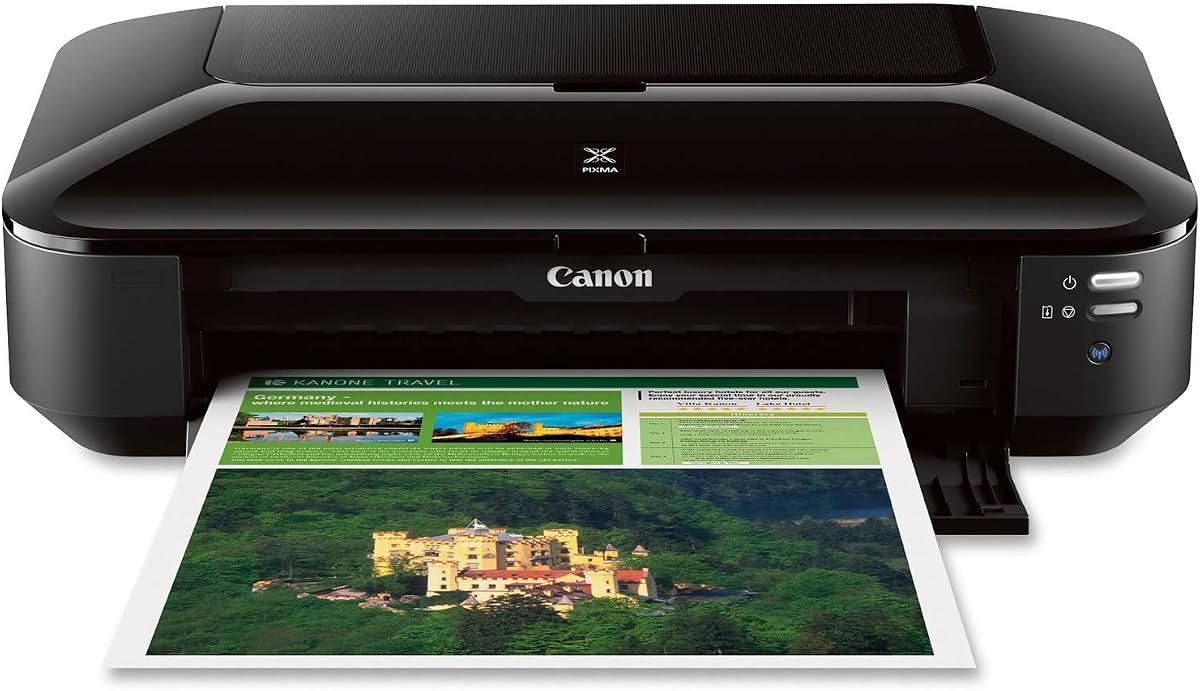
Paper capacity determines how often a printer interrupts a job to reload media. The WF-7310, WF-7840, Brother 6960, and HP OfficeJet Pro models offer two 250-sheet trays, totaling 500 sheets. The WF-7820 and WF-7710 list a 250-sheet main tray, while the Canon Pixma iX6820 has a 150-sheet automatic feeder. Automatic document feeders matter when scanning or copying multipage paper, especially for duplex workflows.
Automatic duplex printing can reduce paper consumption and make multipage documents easier to manage. The WF-7820 supports duplex printing, copying, scanning, and faxing. The Brother 6960 and HP OfficeJet Pro 9730 combine large-format duplex printing with single-pass duplex ADF scanning. The HP 9135 offers automatic two-sided printing and a single-pass duplex feeder, although it is limited to standard paper sizes.
Stated page speeds are most useful when comparing similar document types. The Brother 6960 leads the listed models at up to 31 black and 30 color pages per minute. Epson's WF-7310 and WF-7820 reach 25 black and 12 color pages per minute, while the HP 9730 reaches 22 black and 18 color pages per minute. The ET-15000 has a stated 33,000-page monthly duty cycle, which may be more meaningful for a busy installation than peak speed alone.
A large touchscreen makes direct operation easier for users who are not comfortable with a computer-based interface. Epson models such as the WF-7820 offer a 4.3-inch display, the Brother 6960 has a 3.5-inch display, and both HP OfficeJet Pro models include a 4.3-inch touchscreen. Mobile support ranges from Apple AirPrint and Mopria to brand-specific apps, cloud services, Wi-Fi Direct, and remote email printing.
Some products explicitly require original-brand cartridges or ink, while two Epson models warn that non-genuine ink may cause damage not covered by the limited warranty. HP models include an Instant Ink trial that becomes a monthly subscription unless canceled, and the Brother includes a Refresh subscription trial. Networked offices should also examine secure wireless features, secure erase tools, and firmware support before installation.
Begin by unboxing the printer in a stable, level location with enough clearance for its trays, output path, and largest supported media. Remove all transport restraints, install the correct ink or cartridges, and load paper that matches the selected profile. Because A3 and larger sheets are sensitive to moisture and bending, keep unused media in its original packaging and away from direct sunlight.
Connect the printer through Ethernet or Wi-Fi, install the manufacturer's mobile app, and run the setup utility for alignment and printhead checks. Use the correct media setting for every paper type; selecting plain paper for glossy photo stock can lead to poor color, excess ink, or smudging. Keep nozzles clean by printing the supplied nozzle-check page and following the cleaning procedure when streaks or gaps appear.
For long documents, load only the recommended number of sheets and use a suitable paper source. Use automatic duplex settings when both sides are required, and check the paper orientation before feeding specialty media. Clean the exterior with a soft, dry cloth, keep scanners and glass surfaces free of dust, and run periodic nozzle checks. Do not use harsh cleaners near the printhead, and store the printer upright in a temperature-controlled space.
Not necessarily. A3 is 11 by 17 inches, while 13 by 19 inches is larger and is often marketed as A2+ or super wide. Several Epson models in this guide support 13 by 19 inches, which is more than required for true A3. Always check the maximum media dimensions rather than relying on a general wide-format label.
The Epson EcoTank Photo ET-8550 is the most photo-focused model in this guide because it uses a six-color Claria ET Premium ink system. That configuration is well suited to smooth gradients, skin tones, and detailed color images. The best result still depends on using suitable glossy or matte photo paper and selecting the correct media profile.
They can be better for high-volume users because refillable bottles are generally replaced less often than cartridges. The ET-8550 and ET-15000 also reduce routine cartridge waste. For low-volume printing, however, cartridge machines may be simpler, and the best choice depends on realistic page volume, genuine ink cost, available space, and refill convenience.
Automatic duplexing is helpful if you regularly print two-sided reports, coursework, or client materials. It reduces paper consumption and eliminates the need to reinsert each sheet correctly. If most jobs are short and single-sided, a less complex printer may still be sufficient, so compare duplex capability against the features you will actually use.
Yes, when the printer and device are compatible and connected through the appropriate app, AirPrint, Mopria, email printing, or Wi-Fi Direct. The Brother 6960 includes a 3.5-inch touchscreen with cloud access, while the Epson and HP office models support their own mobile and remote-printing tools. Install the relevant app and complete the printer's network setup first.
Prioritize paper capacity, duplex printing, document-feeder speed, and network connectivity. The Brother 6960 and HP OfficeJet Pro 9730 offer 11-by-17-inch output with single-pass duplex scanning, while the Epson 13-by-19-inch models provide more sheet size and some higher paper capacities. The right balance depends on whether your workload is driven by page count, media dimensions, or document finishing.
Yes, wide-format inkjets can generally use smaller standard sizes as well as their maximum supported dimensions. You still need to load smaller paper into the appropriate tray or manual feed and select the correct paper setting in the application and printer driver. Check the supported media list if you routinely use unusual envelopes, labels, or thick stock.
No. The HP OfficeJet Pro 9135 and 9730 include a three-month Instant Ink trial, after which a monthly fee applies unless the subscription is canceled. The Brother 6960 also includes a Refresh subscription trial. Read the activation and cancellation terms before printing enough pages to trigger enrollment, and compare ongoing ink expenses with genuine cartridge purchases.
The Epson EcoTank Photo ET-8550 is the leading choice for users who want premium wide-format photography and creative color, while the Epson Workforce Pro WF-7310 offers a more practical productivity balance with fast 13-by-19-inch output and dual trays. The Brother INKvestment 6960 stands out for genuine 11-by-17-inch printing, rapid output, cloud access, and a capable duplex document workflow.
Prioritize the requirements that appear most often in your work: exact paper dimensions, duplex automation, document feeder capacity, color quality, wireless access, and refill frequency. A larger maximum sheet does not automatically make a printer better, and a standard-size all-in-one may serve a busy office better if oversized media is rarely needed. Matching the hardware to the actual workflow is more important than choosing the widest model available.
Finally, review current product specifications, genuine ink or cartridge requirements, subscription conditions, warranty terms, and prices before purchasing. Availability and promotional offers can change, as can manufacturer software and cartridge compatibility policies. A current check ensures that the selected A3 printer remains a practical long-term fit for your documents, creative work, and office routine.