
Logitech H390
4.4Editor score
USB-A plug-and-play connection
Rotating noise-canceling microphone
In-line volume and mute controls
Discover the best headsets for Teams Meetings, comparing call quality, comfort, connectivity, noise control, battery life, and platform features.
A headset designed for Teams Meetings should make conversations clearer without adding setup friction or physical discomfort. The right combination depends on your work location, connection preferences, microphone style, and tolerance for wired or wireless equipment. Good call quality, effective noise control, dependable controls, and a fit that remains comfortable through back-to-back meetings matter most.
This guide compares ten headsets using the supplied product information, focusing on Microsoft Teams compatibility, microphone features, noise reduction, connection methods, battery life, comfort, portability, and everyday control options. It covers wired USB models, multipoint Bluetooth headsets, USB receivers, active noise cancellation, and dedicated charging solutions to suit different workspaces.
Each review explains who is most likely to benefit from a particular headset, along with the compromises involved in its design. The top picks highlight strong options for value, all-around call performance, and premium wireless convenience. Product details and availability can change, and current prices should be checked before purchasing.
4.4Editor score

4.3Editor score

4.5Editor score
The comparison below highlights the differences in connection style, voice control, noise reduction, battery life, and physical design. It is intended to make it easier to identify the headset that best matches your Teams setup and working environment.



The Lenovo Wireless VoIP Headset combines Microsoft Teams certification, a three-microphone noise-suppression system, and flexible wireless connectivity. Its 4.1 rating reflects a practical balance of call performance and convenience, while the replaceable memory foam earcups and 140-gram weight make it well suited to extended workdays.
We may earn a commission when you buy through this link, at no additional cost to you.
The included USB-A receiver provides the most direct path to Teams compatibility, while Bluetooth 5.3 and multipoint allow the headset to move between two devices. Up to 31 hours of talk time and 60 hours of music playback reduce charging interruptions. Adjustable earcups and a flexible headband support a more personalized fit.
The main limitation is that the USB-A receiver is required to access all Microsoft Teams functionality, which may be inconvenient for users whose computers expose only USB-C. Multipoint users may also need to reconnect devices after battery depletion. The 4.1 rating is respectable, although several alternatives show stronger customer ratings.
This headset is a strong recommendation for hybrid workers who want formal Teams certification, a dedicated receiver, and flexible Bluetooth use without giving up replaceable cushions. It suits people who alternate between computer meetings and phone calls and value a lightweight over-ear design.
The USB-A receiver supports the headset's Teams and unified communications certification, while Bluetooth 5.3 multipoint makes it practical to move between a computer and a mobile device. The receiver requirement is worth checking against the ports available on your regular work computer.
At 140 grams, the headset is designed to remain manageable during long sessions. Memory foam earcups, a flexible headband, and a 31-hour talk-time specification make it especially relevant to users with full meeting calendars.
We may earn a commission when you buy through this link, at no additional cost to you.
The Logitech H390 is a simple, dependable wired headset for people who want to join Teams meetings without dealing with pairing menus, receivers, or battery charging. Its 4.4 rating is among the stronger results in this guide, and the rotating microphone, stereo drivers, and in-line controls cover the essentials.
We may earn a commission when you buy through this link, at no additional cost to you.
The USB-A plug-and-play design minimizes setup time, while the boom microphone can rotate out of the way when it is not needed. Call controls positioned on the cable allow quick volume adjustment and muting. The adjustable headband and swivel-mounted leatherette cushions are designed to remain comfortable through long conversations.
Its wired design is a limitation for users who need to move away from their desk, and the headset does not provide active noise cancellation for reducing distracting environmental sound. The included 1.9-meter cable is long enough to allow standing up and stretching but remains tied to the computer. It also requires a USB-A port or an appropriate adapter.
The H390 is a compelling choice for home offices, study spaces, and fixed desks where reliability and easy controls matter more than wireless freedom. It is also the most approachable pick for a user buying a first Teams headset or replacing a basic computer headset.
There are no batteries, dongles, or pairing steps to manage. Connecting the USB-A plug is sufficient for common computer-based calling tasks, making this a low-friction option for quick meetings and fixed workstations.
The H390 combines an adjustable headband with swivel-mounted leatherette cushions, while the inline controls keep mute and volume adjustments close to the user. Its long cable offers freedom to stand, although it does not detach from the headset.
We may earn a commission when you buy through this link, at no additional cost to you.
This wireless work headset combines hybrid active noise cancellation with environmental noise cancellation at the microphone. It earns a 4.3 rating and is aimed at people who call from noisy rooms, with three ANC modes, a Qualcomm USB-A dongle, Bluetooth 5.4, and a physical flip-to-mute microphone.
We may earn a commission when you buy through this link, at no additional cost to you.
The dongle offers a more stable, low-latency route to a PC than standard Bluetooth and is useful on computers without wireless support or with restrictive settings. The headset can also maintain connections to two devices, allowing transitions between a computer meeting and a phone. Its 33-foot operating range supports movement around a home or office.
Comfort is addressed with breathable leather cushions, an adjustable headband, and a microphone arm that rotates through 270 degrees. A two-hour charge provides up to 35 hours of talk time or 50 hours of music. The dongle is not compatible with landlines, desk phones, or VoIP phones, and the multifunction button answers or ends only cellular calls.
This model is well suited to busy users who need meaningful environmental noise control and can operate in a mixed computer-and-phone workflow. It is less appropriate for specialized telephony desks where headset compatibility depends on a landline or proprietary connector.
Hybrid ANC is intended to reduce distracting background sound for the listener, while ENC helps keep the caller's voice clear by processing the microphone signal. Three ANC modes let users tune the experience to different environments.
The Qualcomm receiver prioritizes a stable computer connection, and dual connectivity allows a simultaneous Bluetooth link to a second device. The result is a practical setup for people who alternate between Teams meetings and mobile conversations.
We may earn a commission when you buy through this link, at no additional cost to you.
The Jabra Evolve 20 is a straightforward wired headset with 4.3 stars, Microsoft Teams certification, and support for both USB-A and USB-C. Its 28mm drivers and noise-canceling microphones make it a balanced option for users who want a recognizable meeting-focused design without wireless complexity.
We may earn a commission when you buy through this link, at no additional cost to you.
Setup is notably easy: the headset plugs directly into a laptop through the appropriate USB connection, with no pairing process or separate receiver to manage. It works with leading online meeting platforms, and dedicated call and volume controls help manage active conversations. The lightweight frame and choice of foam or leatherette cushions support all-day wear.
As a wired model, it cannot move freely away from the computer, and it does not offer the multipoint flexibility of the wireless options in this list. Users who share devices or frequently move between hot desks may find a detachable wireless headset more convenient. The supplied information does not indicate an active noise-cancelling listening mode.
The Evolve 20 is our Editor's Choice because it combines formal Teams certification, port flexibility, clear controls, and a work-focused physical design without overcomplicating the experience. It is a strong recommendation for fixed offices, hybrid desks, and anyone who values dependable plug-and-play operation.
Microsoft Teams certification signals that the headset is designed around unified communications expectations. Including both USB-A and USB-C makes it easier to use with a changing collection of laptops, docks, and meeting-room computers.
The lightweight construction and selectable foam or leatherette cushions offer options suited to different preferences. These choices are particularly helpful for users who wear a headset through several consecutive calls.
We may earn a commission when you buy through this link, at no additional cost to you.
The Logitech Zone Vibe 100 blends a lightweight over-ear design with multipoint Bluetooth and compatibility with Microsoft Teams, Google Meet, and Zoom. Its 3.8 rating is the lowest in this comparison, so buyers should examine the trade-offs carefully, but the headset offers an appealing mix of work and leisure features.
We may earn a commission when you buy through this link, at no additional cost to you.
Beamforming technology and digital signal processing are used to capture the user's voice clearly while reducing background sound. The 40mm drivers provide fuller audio than many meeting-focused headsets, making the Vibe 100 useful for music as well as calls. Its flip-to-mute microphone tucks cleanly away when not in use.
Talk time is listed at up to 18 hours, which is adequate for a standard workday but trails several higher-capacity wireless options. The cable is not included, which matters if a wired fallback is important. Its 3.8 rating also suggests that some users have been less satisfied with the overall experience than those of the higher-rated choices.
The Zone Vibe 100 suits buyers who want one headset to cover Teams meetings, focused work, and entertainment without the visual bulk of a traditional office headset. It is best for users comfortable relying on Bluetooth and willing to recharge regularly.
The 40mm drivers and wireless freedom distinguish the Vibe 100 from basic conference headsets. That versatility can make it easier to wear throughout the day when users want to move between meetings, focused tasks, and music.
Memory foam earpads and a featherweight design help minimize fatigue during long sessions. The tuck-away microphone also maintains a cleaner appearance outside active calls.
We may earn a commission when you buy through this link, at no additional cost to you.
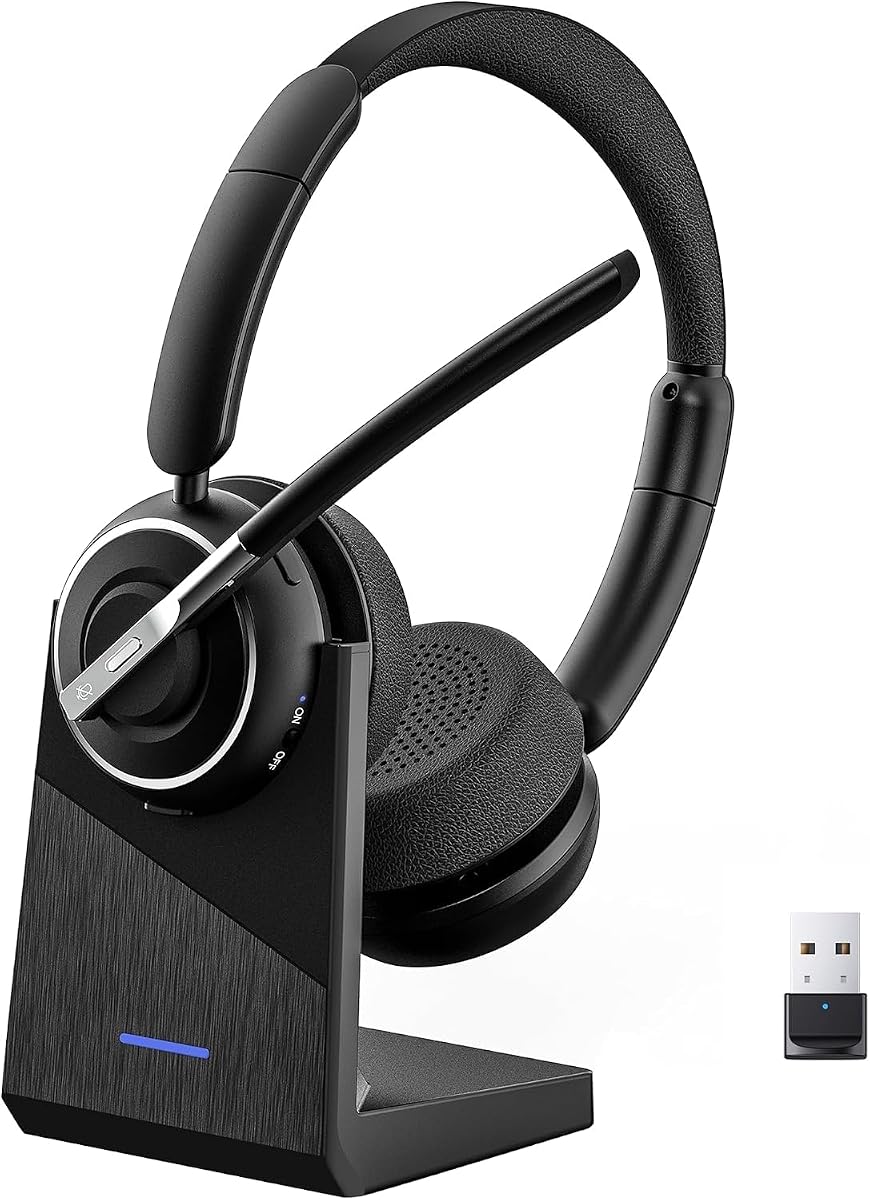
This wireless work headset stands out with a 4.6 rating, environmental noise cancellation, Bluetooth 5.3, and a 40-hour talk-time specification. It also includes a USB-A adapter and charging stand, making it a well-equipped option for people who spend much of the day in computer meetings.
We may earn a commission when you buy through this link, at no additional cost to you.
The dongle supplies a low-latency connection for Windows PCs, including systems without Bluetooth, while dual pairing permits simultaneous links to a laptop and smartphone. A one-touch mute control provides quick call privacy, although the supplied information states that it activates only during calls. The 33-foot Bluetooth range allows movement during meetings.
A 600mAh battery provides the stated 40 hours of talk time and recharges in about two hours on the included stand. It can also be used while charging, though powering it off is recommended for optimal safety and battery longevity. The multifunction button supports phone voice assistants but does not control computer applications.
The headset is a good match for hybrid workers and call-heavy users who need generous battery life, a reliable computer adapter, and quick device switching. It is less suitable for users who require mute access outside active calls or need headset buttons to control desktop applications.
The 40-hour talk-time figure reduces the need for mid-workday charging, while the two-hour recharge and included stand make power management convenient. Users can remain connected through extended meeting sequences without continually seeking a cable.
The included USB adapter provides a stable route to a Windows computer, and dual pairing supports a simultaneous smartphone connection. That combination is useful for users managing Teams meetings and mobile calls throughout the day.
We may earn a commission when you buy through this link, at no additional cost to you.
The Logitech Zone 301 is a lightweight Bluetooth headset with a 3.9 rating, a dual-beamforming microphone array, and software-based customization through LogiTune. It is aimed at users who want to adjust sidetone, microphone level, equalization, and firmware rather than settle for fixed settings.
We may earn a commission when you buy through this link, at no additional cost to you.
Its extended boom uses dual beamforming microphones and noise-canceling algorithms to reduce distractions in shared homes and offices. Embedded 30mm dynamic drivers deliver clear audio for calls and general listening. Wireless range reaches up to 30 meters, while multipoint functionality allows the headset to switch between a computer and phone.
The headset weighs 122 grams and uses enlarged earpads and a padded headband for comfort. Battery life is rated at 20 hours of listening and 16 hours of talk, with one additional hour of talk time available after a five-minute quick charge. Replaceable earpads can extend the usable life of the headset.
The Zone 301 makes sense for users who value software control, a low-profile design, and easy device switching. Its relatively short talk time makes regular charging part of the routine, and the 3.9 rating suggests expectations should be aligned with its more modest specifications.
LogiTune provides access to sidetone, mic-level, EQ, and firmware adjustments. These controls can help users shape the headset around their voice and environment rather than relying entirely on a single preset.
The 122-gram design reduces the burden of extended wear, while enlarged earpads and a padded headband distribute pressure. Replaceable earpads are a useful longevity feature for a headset used every day.
We may earn a commission when you buy through this link, at no additional cost to you.
The Wireless AI Noise-Cancelling Headset earns a 4.5 rating and focuses on desk-based work with a long battery, included charging base, and AI-assisted microphone noise cancellation. Its single-ear, reversible design offers a different wearing style from the over-ear models in this guide.
We may earn a commission when you buy through this link, at no additional cost to you.
The microphone is designed to reduce office chatter, keyboard sounds, and household distractions so the user's voice remains natural. Bluetooth 5.2 and the included USB dongle support computer and smartphone use, with a stated range of up to 49 feet. The base stores the dongle and keeps the headset ready for daily work.
Up to 65 hours of battery life is one of the strongest specifications here, while USB-C recharging offers a convenient travel option. Controls support answering calls, volume adjustment, voice-assistant activation, and instant muting. The rotating microphone and reversible ear hook allow the headset to be worn on either side.
This is a strong choice for users who want one flexible ear covered for long shifts, easy desk charging, and minimal time spent managing a battery. Those who prefer balanced stereo earcups or a boom that keeps the microphone farther from the mouth may find an over-ear model more comfortable.
The charging base provides a consistent place to store the headset and its USB dongle. This is particularly useful for desk workers who want the headset ready when a meeting begins without searching for a cable each morning.
The AI noise-cancelling microphone targets common background sounds that make office and home calls difficult to understand. It complements the physical mute control, giving users both proactive voice clarity and immediate privacy.
We may earn a commission when you buy through this link, at no additional cost to you.
The PrancyBt Wireless Headset has the highest customer rating in this guide at 4.9 and combines noise-reducing call technology, a one-click mute, Bluetooth, and a USB dongle. It is designed for computer-based work, online meetings, and call-center activity from a home office.
We may earn a commission when you buy through this link, at no additional cost to you.
Its microphone noise reduction is intended to filter surrounding interference, supporting clearer speech in coffee shops, active workplaces, and other noisy locations. The headset supports Bluetooth and a low-latency USB connection, with a maximum stated range of 33 feet. A one-click mute provides immediate privacy, though it works only during active calls or meetings.
The 35-hour operating time supports consecutive meetings and long shifts. Adjustable headband, soft protein-foam pads, and 270-degree rotatable earcups are intended to reduce pressure and accommodate different head shapes. The included dongle is restricted to Windows and cannot be used with landlines or desk phones.
The high rating, broad feature set, and strong focus on voice clarity make this a compelling option for Windows users. Its platform limitations and lack of a formal Teams certification claim should be considered if your organization requires a specifically certified device.
The headset's noise-reduction approach is centered on keeping speech intelligible in distracting environments. A physical mute control provides a second layer of control when a confidential conversation begins unexpectedly.
Soft protein-foam cushions, an adjustable headband, and rotating earcups help accommodate prolonged use. The stated 35-hour operating time reduces battery-related interruptions during consecutive meeting schedules.
We may earn a commission when you buy through this link, at no additional cost to you.
The Lenovo Dual Mode Wireless ANC Headset 6550 is a premium Microsoft Teams-certified option with a 4.5 rating. It combines hybrid active noise cancellation, environmental noise cancellation, a USB-C receiver, and Bluetooth dual connectivity in an over-ear design intended for calls and travel.
We may earn a commission when you buy through this link, at no additional cost to you.
Teams certification for Open Office indicates a focus on realistic workplace communication. The included USB-C receiver offers dedicated call controls and optimized audio, while Bluetooth allows two devices to remain connected simultaneously. The headset can store as many as eight paired devices, making repeated switching easier to manage.
Battery performance depends on which feature is active. The stated maximum is 60 hours of music playback with ANC off and 36 hours with ANC on, while a five-minute quick charge can provide up to two hours of playback. Pressure-relieving headband construction, rotating earcups, and plush memory foam cushions support extended comfort.
This headset is a strong recommendation for professionals who want certified Teams performance, active noise control, and flexible premium wireless connectivity. It is best for users with access to a USB-C computer and a preference for over-ear comfort over a minimal single-ear design.
Open Office certification is especially relevant to users who take Teams meetings in shared or acoustically unpredictable spaces. Dedicated call controls and a USB-C receiver help create a more consistent computer-call experience.
Bluetooth supports two active devices, while the included USB-C receiver provides an alternative computer route. Eight stored pairings, fast charging, and selectable battery durations make the headset adaptable to changing workdays.
We may earn a commission when you buy through this link, at no additional cost to you.
The most suitable Teams headset depends on your computer ports, physical workspace, microphone needs, and tolerance for charging or carrying a cable. Comparing these practical factors prevents a technically capable headset from becoming frustrating in daily use.
Prioritize Teams compatibility, USB port availability, and unified communications support. A certified headset reduces uncertainty, but a well-supported plug-and-play model can still be ideal for a personal home office.
Choose a microphone system that matches your noise level and physical speaking style. Verify mute behavior as well, because some controls work only during active calls or meetings.
Pick wired for simplicity and a stationary workspace, or wireless for mobility and device switching. Check USB connector type and operating-system limitations before buying a dongle-based model.
Choose a battery that comfortably covers your schedule, ideally with some reserve. If you dislike frequent charging, prioritize long talk time and a reliable desktop charging setup.
Prioritize adjustable, lightweight construction and a style you can wear consistently. For long shifts, cushion quality, pressure distribution, and microphone positioning deserve close attention.
Check the function of every physical button before buying. The best mute control is the one that is easy to find and reliably performs the action you expect.
Match portability to where you work. Frequent travelers benefit from compact, long-lasting equipment, while fixed users may prioritize comfort and simple charging over travel features.
Prioritize replaceable wear parts and simple charging when longevity matters. Treat a headset as daily equipment rather than disposable technology, and clean removable cushions according to the manufacturer's guidance.
Begin by charging a wireless headset fully if it does not hold sufficient power. Connect the correct USB receiver, or pair the headset through the Bluetooth settings of your computer and phone, then confirm that the Teams meeting app recognizes the selected microphone and speakers. For a wired model, connect the USB plug directly and use the inline or earcup controls to set a comfortable volume. Test the microphone with a short call or meeting preview before joining an important conversation.
Place the microphone near your mouth without touching it, then use the physical mute control when you need privacy. Learn whether mute is active by observing the headset indicator or the mute state shown in Teams, because some of the listed models only activate mute during active calls. If a sound seems unclear, check the selected Teams device, move the microphone, reduce competing background noise, and confirm that the receiver remains securely connected.
Clean removable earcups and the microphone head with a soft, dry or lightly damp cloth according to the product instructions, and avoid pushing debris into the ports. Store wireless headsets in a dry location, return them to the included base when available, and avoid leaving the battery depleted for long periods. Before long meetings, inspect the cable, connectors, cushions, controls, and charging contacts, and keep the headset's firmware or tuning software updated when the manufacturer provides those options.
A certified headset is not always required, but it can provide extra confidence about compatibility, call controls, and unified communications behavior. The Jabra Evolve 20 and both listed Lenovo Teams models carry explicit certification. Other headsets are described as compatible with Teams, which may be sufficient for standard desktop or browser meetings. Organizations with managed equipment standards should check their internal requirements before purchasing.
A wired headset is usually simpler because it requires no charging or pairing and generally provides a consistent computer connection. A wireless headset offers mobility and convenient switching between a computer and phone, but it introduces battery life, range, and receiver considerations. Fixed desk users who value simplicity may prefer wired, while hybrid workers and frequent travelers often benefit more from wireless.
ANC generally refers to active noise cancellation that reduces incoming background sound for the listener, while ENC uses microphone processing to help keep the caller's voice clear from surrounding noise. Some headsets combine both approaches, such as the Lenovo ANC Headset 6550 and the ANC and ENC Wireless Headset. The exact effect varies by implementation, so microphone placement and room conditions still influence call quality.
Yes, if the headset includes a compatible USB receiver or dongle. Several options in this guide include one, which supplies a wireless connection to a computer without built-in Bluetooth. Check whether the dongle uses USB-A or USB-C and whether it is limited to Windows. Some devices also require the receiver rather than direct Bluetooth for full Microsoft Teams functionality.
Check the microphone button indicator on the headset and the current microphone status shown inside the Teams meeting interface. Physical controls can vary by model: some flip-away microphones mute automatically, some use a dedicated button, and some controls only work while a call is active. Testing the control before a meeting helps prevent an unexpected muted entry.
The strongest candidates are models with explicit microphone noise reduction or hybrid active noise cancellation, including the PrancyBt Wireless Headset, Lenovo ANC Headset 6550, ANC and ENC Wireless Headset, and Wireless ENC Work Headset. No headset removes every environmental sound, so a quiet room, proper microphone placement, and a working mute control remain valuable additions.
Over-ear headsets generally provide fuller stereo audio and distribute some weight across the head, while single-ear designs can feel lighter and keep one ear open. The Wireless AI Noise-Cancelling Headset offers a reversible single-ear design, whereas most alternatives use over-ear cups. Personal comfort and the length of your workday are more important than a general rule.
Charge it fully before the workday and again whenever the battery becomes low, especially before back-to-back calls. The listed models offer different talk-time ranges, from 16 to 65 hours, with some including quick-charge or desktop-base options. Using the headset while charging is available on one listed model, but its instructions recommend powering it off during charging for optimal safety and battery longevity.
The Logitech H390 is the clearest budget choice for a fixed computer, offering simple USB operation, a rotating microphone, and dependable inline controls. The Jabra Evolve 20 is the most balanced overall pick for formal Teams use, with certification, USB-A and USB-C support, and a work-focused design. For premium wireless performance, the Lenovo ANC Headset 6550 adds hybrid ANC, a USB-C receiver, multipoint connectivity, and long battery life.
Prioritize the factors that affect your daily reality rather than the broadest specification sheet. A dedicated receiver, official certification, reliable mute control, and comfortable fit can matter more than maximum playback time. Wired users should value simple connectivity, while mobile workers should compare talk time, range, device switching, and the type of receiver included.
Product specifications, availability, and prices can change, so confirm the current listing and computer compatibility before making a final decision. Reading recent customer feedback alongside the features that matter to your workspace can help narrow the field and avoid paying for capabilities you will never use.

