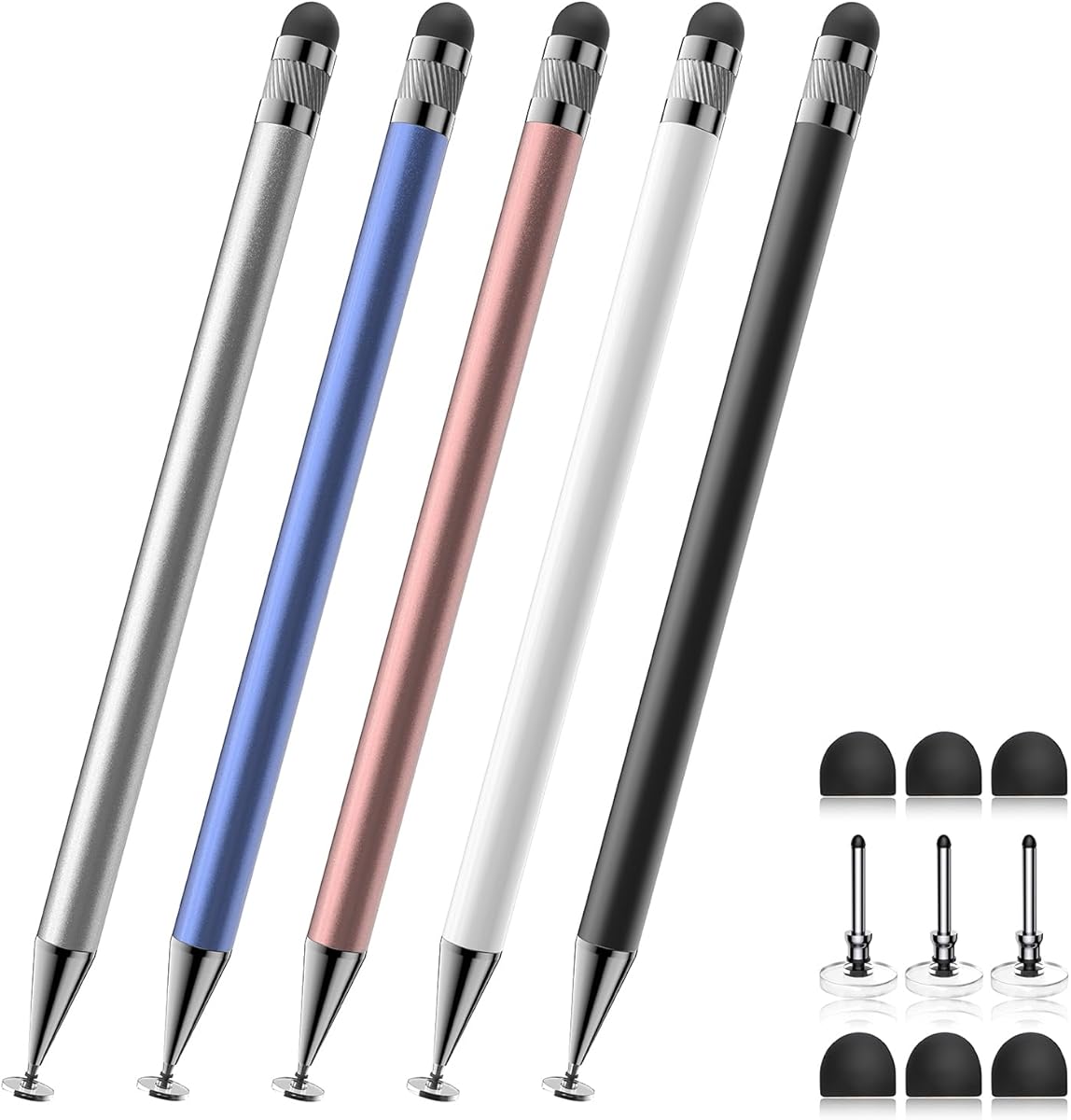
Bopomofo 2-in-1 Stylus
4.6Editor score
Five colorful stylus pens
Rubber and disc tips
No charging or pairing
Our Fine Tip Stylus guide compares ten precise touchscreen pens for note-taking, drawing, navigation, and creative work across features and compatibility.
A fine tip stylus offers a more controlled alternative to using a fingertip on a tablet or phone. The best examples improve accuracy, reduce accidental screen contact, and support writing, drawing, annotation, navigation, and games across different capacitive touchscreens.
We compared ten options based on tip design, screen compatibility, power requirements, included accessories, precision features, portability, and practical limitations. The list includes passive capacitive styluses, rechargeable active pens, and one dual-purpose model designed for both newer and older resistive screens.
Each review explains the strongest use case, important specifications, advantages, and trade-offs of its featured stylus. Ratings and product details reflect the supplied listings, while prices and availability can change, so readers should verify current information before purchasing.
4.6Editor score

4.6Editor score

4.4Editor score
This side-by-side overview compares tip type, power requirements, included accessories, and device support so you can quickly identify the stylus that best matches your note-taking, drawing, gaming, or everyday navigation needs.



The MEKO Stylus Pen for Touchscreen is a 3-in-1 passive capacitive stylus rated 4.6 out of 5. It combines two differently sized silicone rubber tips with a transparent disc tip, giving users a broader choice of contact styles than a standard single-tip stylus. Its strongest feature is the versatility of that interchangeable tip system.
We may earn a commission when you buy through this link, at no additional cost to you.
The transparent disc allows the contact point to remain visible, which can help during detailed drawing, handwriting, or precise screen selection. The 0.18-inch and 0.27-inch rubber tips are designed for smooth contact and reduced screen scratching. A flexible 180-degree writing angle also makes the pen comfortable for different hand positions and viewing angles.
The package includes two stylus bodies, four 0.18-inch rubber tips, four 0.27-inch rubber tips, and two disc tips. All three tip types are replaceable without special tools, extending the useful life of the set. There is no battery, charging cable, Bluetooth pairing, or app setup, so the stylus works as soon as it is unpacked.
This is a strong overall recommendation for students, travelers, families, and anyone who wants one inexpensive tool to handle several devices. It lacks pressure sensitivity and palm rejection, so professional illustrators or users working on very small screens may want a more specialized active stylus. Even so, its tip options, compatibility, and replacement supply make it exceptionally versatile.
The transparent disc tip keeps the exact contact point visible, making it easier to place marks accurately in a drawing app, annotate a document, or select small interface elements. The two rubber sizes provide alternatives when the disc feels too broad for a particular task.
Because the pen works on capacitive screens without power or pairing, it can move between an iPad, iPhone, Android tablet, Nintendo Switch, Kindle, Chromebook, or touchscreen computer. Its broad support makes it especially useful for people who switch among several devices throughout the day.
We may earn a commission when you buy through this link, at no additional cost to you.
The Bopomofo Stylus is a five-pack of 2-in-1 capacitive pens with a 4.6 rating. It offers a flexible transparent disc tip and a rubber tip, giving users two contact experiences without introducing charging, pairing, or complicated setup. The set is particularly well suited to households, classrooms, and shared workspaces.
We may earn a commission when you buy through this link, at no additional cost to you.
The rubber tip is intended for general writing, scrolling, note-taking, and gaming, while the transparent disc provides a closer simulation of a fingertip and makes the contact point visible. The listing notes that moderate pressure on the rubber tip can improve signal transmission, especially when a screen protector is present, though the tip should still be used gently.
Five different colored pen bodies make it easy to assign one stylus to each person or keep separate pens for work and personal use. The package also includes a portable set of six rubber nibs and three disc nibs. It works with iPads, iPhones, Samsung Galaxy tablets, Android tablets, Kindles, and many smartphones.
This is a compelling budget choice for anyone who wants multiple ready-to-use styluses without investing in active models. It is explicitly a passive capacitive stylus and does not provide pressure sensitivity or palm rejection. Users seeking professional-grade drawing performance should choose an active pen, but for everyday control and convenient sharing, the Bopomofo set is hard to overlook.
Five colors and five separate pen bodies let a family or classroom distribute styluses without constantly sanitizing or locating a single pen. This makes the package practical for children learning on tablets, students annotating schoolwork, and coworkers reviewing documents together.
Users can alternate between a conventional rubber nib and a transparent disc. The rubber tip offers a familiar pen-like feel, while the disc is useful when visibility of the contact point or broader fingertip-like operation is preferable.
We may earn a commission when you buy through this link, at no additional cost to you.
This upgraded 3-in-1 stylus pen carries a 4.5 rating and combines two rubber sizes with a sensitive transparent disc. It is designed as an everyday capacitive input tool for writing, note-taking, gaming, scrolling, and general tablet interaction without requiring a battery or wireless connection.
We may earn a commission when you buy through this link, at no additional cost to you.
The 0.18-inch rubber tip supports more precise interaction, while the 0.27-inch version offers a broader target for general navigation. The transparent disc makes the contact location easier to see and can be helpful for small drawings or accurate tapping. A flexible 180-degree writing angle is intended to reduce interruptions when writing at different orientations.
Replacement tips can be changed within seconds without tools, helping extend the pen's service life. The listing states compatibility with capacitive touchscreens such as iPads, iPhones, Galaxy devices, Kindles, Fire MAX tablets, Chromebooks, and Nintendo Switch systems. It does not offer pressure levels or palm rejection.
The product is a practical alternative for buyers who want the same general three-tip concept as the leading selection but want a different listing and a slightly lower rating. It suits students, older adults, and casual creators who value simple operation and replaceable parts. Serious artists should still consider an active stylus with pressure sensitivity.
Two rubber sizes and a visible disc tip let users adapt the contact point to the task. This is useful for moving from casual scrolling to note-taking or sketch work without carrying multiple separate styluses.
The replaceable tips can be exchanged quickly without special tools. Users who wear through a nib do not need to discard the entire pen, making the product more economical for regular writing, drawing, or classroom use.
We may earn a commission when you buy through this link, at no additional cost to you.
The Dual-Screen Stylus Pens set is a two-pack rated 3.6 out of 5. Its defining feature is support for both capacitive and resistive touchscreens, giving it broader relevance for older GPS devices, Nintendo DS or 3DS systems, and some point-of-sale machines than most modern stylus options.
We may earn a commission when you buy through this link, at no additional cost to you.
One end uses a soft, conductive silicone round head for contemporary capacitive devices such as iPads, iPhones, Samsung Galaxy phones, and Android tablets. The opposite end has a hard plastic tip intended only for older resistive screens. That distinction is crucial because the plastic end will not work on capacitive displays.
Both pen styles are included in the package, and neither requires power. The modern silicone end is suitable for scrolling, tapping, and general navigation, while the plastic end provides a finer point for compatible resistive systems. No battery, charging process, or wireless pairing is involved.
This set is most useful for buyers who own an aging resistive device alongside newer capacitive equipment. It is not the strongest choice for detailed drawing on a modern tablet because only the broad silicone head is intended for those screens. Its 3.6 rating also places it below the other featured options, but the unusual dual-screen support justifies inclusion for legacy-device owners.
The hard plastic point makes this one of the few selections suitable for specified resistive GPS units, Nintendo DS and 3DS screens, and certain point-of-sale terminals. That support can prevent buyers from needing separate pens for old and new hardware.
Modern tablets and phones require the silicone round head. The fine plastic tip is limited to older resistive devices and should not be expected to work on an iPad, iPhone, or contemporary Android screen.
We may earn a commission when you buy through this link, at no additional cost to you.
The Acempire Stylus is a seven-pen, 2-in-1 package rated 4.6 out of 5. It uses a lightweight alloy construction and requires no Bluetooth pairing or charging, making the pens immediately available for writing, drawing, reading, annotation, and games.
We may earn a commission when you buy through this link, at no additional cost to you.
Its flexible tip is advertised as providing a smooth response without delays, interruptions, or screen scratches. Because it is a passive capacitive design, it works by interacting with a touchscreen in the same general manner as a fingertip. It supports major capacitive device ecosystems, including Apple, Samsung, Motorola, Lenovo, and Xiaomi products, as well as Google, Android, and Microsoft operating systems.
The multicolor package is the main reason to choose it over a smaller set. Seven pen bodies can be distributed among family members, assigned to different work areas, or kept in different rooms. The light alloy body is designed to remain comfortable in the hand, while the replaceable two-tip approach allows users to vary the writing experience.
This is a strong choice for offices, families, schools, and anyone who wants several inexpensive pens at once. The main limitations are the absence of pressure sensitivity and palm rejection, so it is better suited to general interaction than intensive professional illustration. Its generous quantity, quick setup, and broad compatibility make it particularly convenient.
The large quantity makes the package convenient for shared tables, classroom carts, guest areas, or a household with several tablets. Color coding also makes it easy to assign each pen to a particular person or device.
No Bluetooth connection, charging, or app installation is needed. The pens can be distributed and put to work immediately, which is helpful for schools, offices, and travel kits where setup time and simple maintenance matter.
We may earn a commission when you buy through this link, at no additional cost to you.
The ChaoQ Stylus Pen is a three-piece set rated 4.6 out of 5. It combines colorful aluminum bodies with dual rubber tips, providing a straightforward way to write, draw, navigate, or play games on a capacitive screen without apps, charging, or Bluetooth.
We may earn a commission when you buy through this link, at no additional cost to you.
The two nib sizes measure 0.20 and 0.26 inches. The smaller tip is presented as useful for detailed art, while the broader option suits bolder notes and general interaction. The high-sensitivity rubber is described as gliding smoothly and resisting scratches and fingerprints, although users should still avoid pressing the screen aggressively.
Three pen bodies make the bundle easy to share, and the aluminum construction offers a more substantial feel than a basic plastic stylus. The listing describes an ergonomic shape intended to reduce wrist strain during extended use. Six replacement tips are also included, helping maintain smooth operation after the original nibs wear down.
The set is best for users who enjoy colorful accessories, need a few pens for different devices, or want a comfortable grip for regular note-taking. It is compatible with iPad, iPhone, Android, Samsung, tablets, and laptops with capacitive screens. The trade-off is that it has no visible disc tip, pressure sensitivity, or palm rejection.
The lightweight aluminum body and described ergonomic shape are intended to reduce hand fatigue during longer sessions. That makes the stylus a sensible option for students taking lecture notes or office workers reviewing and annotating documents throughout the day.
Switching between the 0.20-inch and 0.26-inch rubber nibs changes the contact area. The smaller tip can support more detailed placement, while the larger one may feel more stable during ordinary navigation and bold note-taking.
We may earn a commission when you buy through this link, at no additional cost to you.
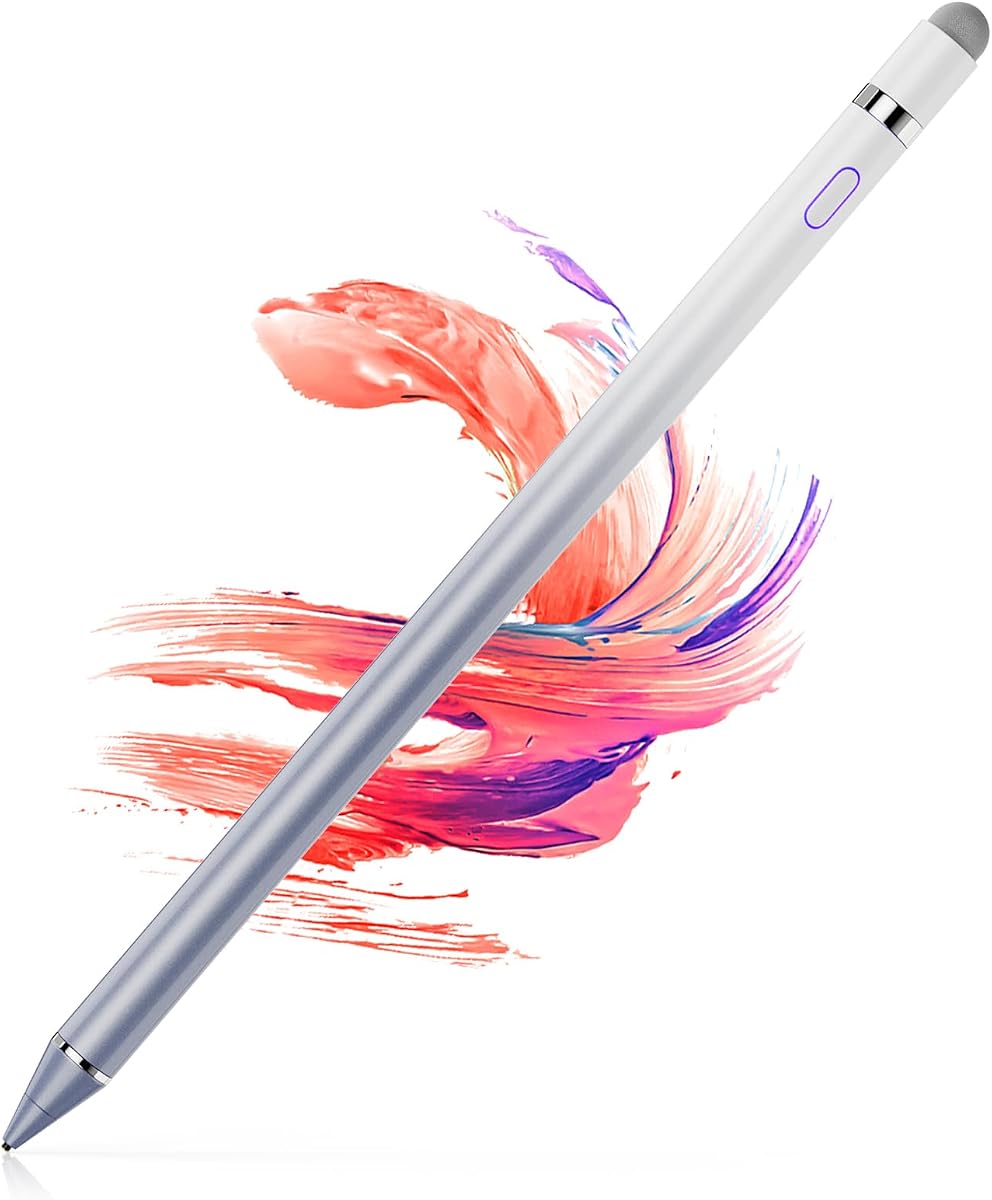
The Universal Fine Point iPad Pencil is a rechargeable active stylus rated 4.4 out of 5. It stands apart from passive capacitive pens with a one-touch power switch, magnetic storage design, and stated continuous use time of nine to ten hours after a full charge.
We may earn a commission when you buy through this link, at no additional cost to you.
The magnetic attachment helps keep the stylus close to the device and reduces the chance of leaving it behind. According to the listing, magnetic side attachment is supported specifically on the 11-inch and 12.9-inch third- and fourth-generation iPad Pro models. Two extra nibs are included for more precise writing and drawing.
Charging takes approximately 40 minutes, and Bluetooth is used to establish the active connection. If the pen does not respond after being powered on, the listing provides instructions involving the device's Bluetooth settings and the Apple Pencil connection menu. This setup requirement makes it less convenient than a passive pen for occasional users.
This model is the premium selection for people who value charging-free simplicity less than active responsiveness, convenient storage, and long battery life. It is particularly attractive for iPad Pro owners who can use the magnetic feature. It lacks palm rejection and pressure-sensitivity claims, so it is not a complete substitute for a professional drawing stylus.
The magnetic design provides a convenient place to keep the stylus when it is not being used and can help prevent loss. It also gives the package a more integrated feel than a simple capped passive pen, although the supported iPad models are limited.
A stated nine-to-ten-hour continuous runtime and approximately 40-minute full charge suit extended note-taking, drawing, or classroom work. Users can keep the pen ready throughout most of a day while still checking the battery before important sessions.
We may earn a commission when you buy through this link, at no additional cost to you.
The OASO Disc Tip Stylus is a battery-free capacitive pen rated 4.3 out of 5. It uses a transparent disc designed to simulate fingertip contact, allowing it to support drawing, note-taking, scrolling, and reading without a connection or charging process.
We may earn a commission when you buy through this link, at no additional cost to you.
The disc tip offers high sensitivity and responsiveness, which can make the stylus feel natural on a touchscreen. It works with Apple devices, Samsung Galaxy tablets, Chromebooks, Microsoft Surface devices, Fire HD tablets, Android phones, and other capacitive screens. Its core requirement is simple: if a finger works on the display, the stylus should be able to work there too.
The magnetic cap protects the disc and can also serve as a storage mechanism. An additional replacement disc tip is stored inside the pen and can be removed by unscrewing the end. A leather carry case is included, making the stylus easier to transport with a tablet, notebook, or travel bag.
This is a good option for users who prefer the disc-tip feel and value a coordinated protective cap and carrying case. Its limitations include a single contact style and the lack of pressure sensitivity or palm rejection. It is best for general notes, annotation, and navigation rather than pressure-sensitive creative work.
The magnetic cap helps shield the working tip from dirt and damage, while the leather case provides a practical place to store the stylus and accessories. Together, they make the set convenient for commuters and people who carry a tablet to meetings or classes.
The transparent disc is intended to reproduce the response of a fingertip while preventing the broad contact area from obscuring the exact point of touch. It is useful for writing, drawing, and controlled navigation on any compatible capacitive display.
We may earn a commission when you buy through this link, at no additional cost to you.
The 1.5mm Ultra-Fine Active Stylus is a rechargeable pen rated 4.0 out of 5. Its narrow copper point is designed for detailed handwriting, drawing, signatures, and navigation, while the active design avoids the need for Bluetooth pairing or app configuration.
We may earn a commission when you buy through this link, at no additional cost to you.
The listing describes smooth movement without lag, scratches, or skips, making the small tip potentially useful for fine lines and precise selections. The stylus is compatible with iPads, iPhones, Android devices, Samsung tablets, Chromebooks, and most capacitive screens. Windows devices are explicitly excluded from the stated compatibility.
Its battery lasts up to approximately 12 hours after a 60-minute USB charge and automatically sleeps after 30 idle minutes. The magnetic cap secures to the stylus or compatible device, helping prevent loss while shielding the charging port from dust. A USB cable and manual are included in the package.
This is a compelling choice for a narrow point, long battery life, and simple active-pen operation without wireless pairing. The absence of palm rejection means users should avoid resting a hand on the screen, and Windows users are outside the stated support. Within those constraints, it is well suited to detailed note-taking and portable creative work.
The 1.5mm copper tip creates a smaller contact target than a conventional rubber stylus. That narrower point is useful for signatures, handwriting, detailed sketches, and selecting small interface elements where a broader tip could be less precise.
The stated 12-hour runtime supports a full day of notes or light drawing, while automatic sleep helps conserve energy during gaps. The magnetic cap keeps the stylus near the device and protects the charging port from dust when the pen is stored.
We may earn a commission when you buy through this link, at no additional cost to you.
The Active Fine Point Stylus is a rechargeable black pen rated 4.0 out of 5. It offers a 1.5mm tip for detailed drawing, painting, handwriting, and general touchscreen use, with quick activation and no requirement to establish a Bluetooth connection.
We may earn a commission when you buy through this link, at no additional cost to you.
The active stylus powers on within one second and can be used with a wide selection of Apple, Samsung, Dell, LG, Huawei, and other tablets and smartphones. Its fine point is intended to create a realistic pen-like feeling, although the listing states that line thickness does not vary with pressure. It therefore does not provide the expressive range of a pressure-sensitive model.
The internal lithium battery provides approximately 10 to 12 hours of continuous use after one to two hours of charging through the included micro charging connection. An automatic shutdown after 30 minutes of inactivity helps reduce power consumption. The operating process is otherwise simple, with no Bluetooth pairing required.
This model is a practical active pen for people who want a fine tip and rechargeable operation without wireless setup. It is less suitable for users who need variable line widths, palm rejection, or magnetic storage. Even so, its long runtime, fast startup, and broad device list make it a solid option for handwriting and light creative work.
The pen powers on within about one second and does not need Bluetooth pairing. This keeps the setup process brief and makes the stylus convenient for spontaneous notes, annotations, or a short drawing session.
The 1.5mm tip is well suited to controlled marks, but all lines retain the same thickness because the stylus does not detect pressure. Users wanting tonal variation should choose a pressure-sensitive active pen instead.
We may earn a commission when you buy through this link, at no additional cost to you.
The right fine tip stylus depends on the screen technology, precision required, power tolerance, and whether you need pressure response or palm rejection. These factors help separate simple navigation tools from pens designed for sustained handwriting and illustration.
In short, choose a capacitive stylus for contemporary devices and verify that any legacy accessory has a dedicated resistive tip.
In short, passive pens maximize simplicity, while active pens suit users who prefer consistent active response and longer creative sessions.
In short, prioritize a narrow point for fine marks, a soft rubber tip for general writing, or a disc tip for visible fingertip-like contact.
In short, fine tips improve placement, but pressure sensitivity and palm rejection are separate features that must be verified explicitly.
In short, compare real-world runtime, charging time, sleep behavior, and cable compatibility rather than focusing only on the largest stated hour figure.
In short, prioritize replaceable tips, protective storage, and carrying options that match how often and where you use the stylus.
In short, balance weight, storage, multi-device support, and the number of pens you need against your normal mobile setup.
In short, choose the tip, grip, power system, and accessories that support the activities and session length you expect to use.
Begin by confirming that the target device uses a capacitive screen if you have selected a standard rubber or disc stylus. Charge an active pen according to its instructions, then power it on. For a Bluetooth-enabled model, follow the pairing procedure in the device settings. Passive pens should work immediately after removing any protective packaging, although it can help to test the tip on a notes or drawing application before beginning an important task.
Use light, controlled pressure. A capacitive stylus is designed to register through the screen surface, so pushing down is usually unnecessary and may create marks or make the tip feel less smooth. For detailed work, move the hand so it does not rest on the display unless the pen has confirmed palm rejection. Keep the tip clean, remove protective films from new devices when required, and avoid drawing on a damaged or visibly raised screen protector.
Store the stylus in its cap, case, or other protected location when it is not being used. Keep replacement tips sealed until needed, and clean them gently according to the manufacturer's guidance. Active pens should be charged periodically and removed from a bag while charging if the manufacturer warns against heat buildup. If a passive pen stops responding, test it on another capacitive device and clean the tip; if an active pen fails, recharge it and repeat its pairing process.
A passive stylus uses a conductive rubber or disc tip to interact with a capacitive screen and requires no battery or pairing. An active stylus contains electronics, usually has a rechargeable battery, and may offer a more consistent response or a narrower metal point. The active models in this guide can include charging, automatic shutdown, and sometimes Bluetooth requirements.
A fine tip generally works over a compatible capacitive screen protector, provided the protector is not damaged, raised, or excessively thick. Several listings specifically describe compatibility with common screen protectors. If a stylus does not respond, clean the tip and confirm that the device accepts capacitive input before assuming the protector is the cause.
A transparent disc imitates a fingertip and keeps the contact point visible, which can assist precise placement. A rubber tip feels more like a conventional pen and is often chosen for general writing. Many users benefit from owning a set that includes both so they can switch according to the task.
The included active pens do not provide confirmed pressure sensitivity, and the Active Fine Point Stylus explicitly states that all lines have the same thickness. A smaller tip can improve placement accuracy, but it does not create variable line width. Artists seeking tonal variation should look for a stylus that specifically lists pressure levels as a supported feature.
Palm rejection is helpful when the hand naturally rests on the screen, but it is not essential for every task. The Universal Fine Point iPad Pencil and 1.5mm Ultra-Fine Active Stylus do not support it. Users who draw or write extensively with a relaxed hand may prefer a pen designed specifically for that feature.
Most passive capacitive options in this guide support both iPads and Android devices, as well as other capacitive screens. Active models generally work across platforms too, although their charging and connection methods differ. Check the compatibility statement and any stated exclusions before making a purchase, especially for older resistive equipment.
Avoid pressing hard, dragging the tip across grit, or using the pen on damaged screen protectors. Keep the nib away from dust and clean it gently according to the manufacturer's instructions. Replacing a worn tip is preferable to forcing a degraded nib, and several featured sets include spare rubber or disc tips.
Look for a small, smooth tip, a comfortable body, and the level of precision your writing style requires. Battery-free passive pens are simplest, while active pens may provide a more consistent electronic response. Also consider tip replacements, palm rejection, weight, and whether you need to write with the screen protector installed.
The MEKO 3-in-1 Universal Stylus stands out as the most complete general-purpose pick because it combines two rubber sizes, a transparent disc, two pen bodies, and a generous replacement supply. The Bopomofo 2-in-1 Stylus is a practical budget option with five colorful pens, while the Universal Fine Point iPad Pencil is the premium choice for active operation, magnetic storage, and longer battery life.
For everyday browsing, notes, and shared devices, a passive capacitive stylus offers the easiest experience. Narrow metal tips suit detailed handwriting, rubber tips provide a softer conventional feel, and disc tips help with visible fingertip-like contact. Before buying, verify pressure sensitivity, palm rejection, power requirements, screen compatibility, and the availability of replacement tips.
Ratings, product features, and availability can change, and current prices should be checked on the linked listings. Comparing the latest device compatibility and included accessories will ensure that the selected fine tip stylus remains suitable for your particular writing, drawing, gaming, or navigation routine.
