
ARCTIC P9 PWM PST
4.5Editor score
200–3000 RPM PWM range
3.12 mmH₂O static pressure
Semi-passive zero-RPM mode
Our 92mm Case Fans guide compares ten quiet, PWM, slim, and high-speed options for compact PCs, helping you match airflow, noise, and fit with confidence.
A 92mm case fan is a versatile upgrade for compact computers, small-form-factor systems, NAS enclosures, and standard PC cases with room for a 9cm frame. The right fan depends on more than square millimeters: depth, connector type, speed control, static pressure, acoustic characteristics, and mounting compatibility all influence the result.
This guide compares ten 92mm case fans using the specifications and feature information supplied for each model. It covers standard-depth and slim options, fixed-speed and PWM-controlled designs, quiet-focused premium models, and high-speed choices suited to restrictive heatsinks or radiators, without claiming that the products were personally tested.
Each review explains the fan's strongest qualities, practical trade-offs, and most suitable installation. The top three picks are highlighted separately, while the full comparison and buying guide explain how to prioritize fit, cooling performance, noise control, and system integration. Product prices can change, so confirm current listings before purchasing.
4.5Editor score

4.8Editor score
4.8Editor score
The table below compares all ten fans by frame size, control method, maximum speed, and airflow or pressure characteristics, making it easy to identify the model that matches your case and cooling demands.


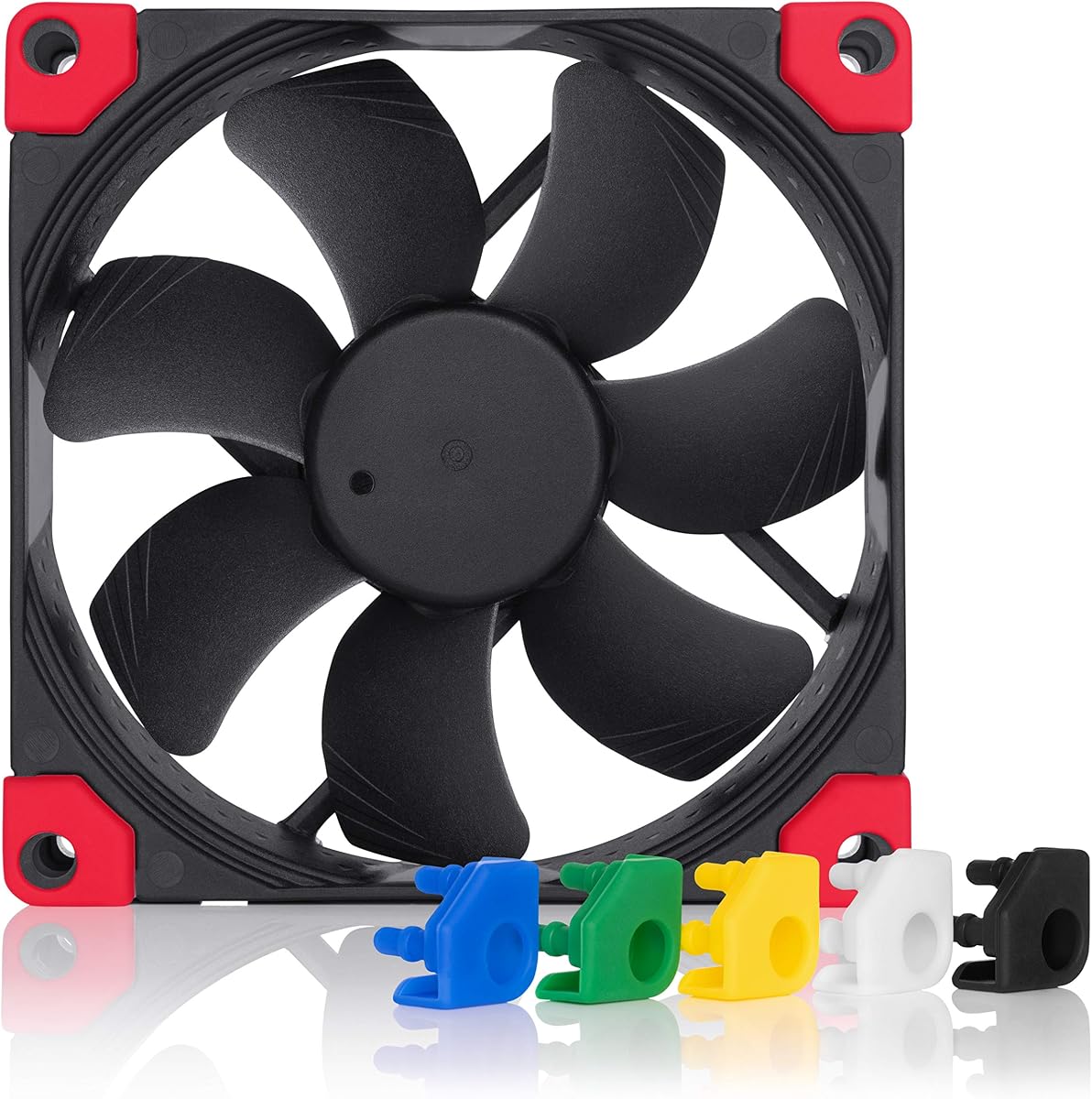


The Noctua NF-A9 PWM is a 92×92×25mm four-pin PWM fan that combines a strong customer rating with a deliberate focus on quiet cooling. Its Flow Acceleration Channels and Advanced Acoustic Optimisation frame are designed to move air effectively while reducing turbulence and noise. It is a particularly compelling choice for compact PCs, small-form-factor systems, NAS devices, and 9cm CPU coolers.
We may earn a commission when you buy through this link, at no additional cost to you.
The fan's 4-pin PWM connection supports automatic motherboard control across a broad 400–2000 RPM operating range. Included anti-vibration mounts help isolate transferred vibration, while the Low-Noise Adaptor, extension cable, and Y-cable make the package especially convenient for multi-fan or compact installations. A maximum stated noise level of 22.8 dB(A) and an expected MTTF above 150,000 hours further strengthen its appeal for continuous operation.
The main limitation is that its maximum speed is lower than that of several high-performance alternatives in this list. It is therefore less compelling when a restrictive radiator or fin-dense heatsink demands maximum airflow and static pressure. It also uses a three-hole mounting pattern, so buyers should verify that their case or cooler supports that arrangement. These are design considerations rather than flaws for normal case ventilation.
The NF-A9 PWM is the most balanced overall recommendation because it suits both everyday quiet operation and competent thermal performance. Choose it when you need a genuine 92mm PWM replacement, want automatic speed control, and prefer a refined, low-distraction setup. It is especially appropriate for HTPCs, ITX systems, NAS enclosures, and supported 9cm CPU coolers.
The NF-A9 PWM's acoustic design and anti-vibration accessories target the tonal noise and structure-borne vibration that can become distracting in a desk-mounted or living-room PC. Its broad control range lets the system reduce speed during light workloads rather than running constantly at full output.
The extension cable and Y-cable simplify setup when routing is tight or two PWM fans need one header. A Low-Noise Adaptor adds another level of manual speed adjustment when you want to fine-tune the relationship between the fan curve and system noise.
We may earn a commission when you buy through this link, at no additional cost to you.
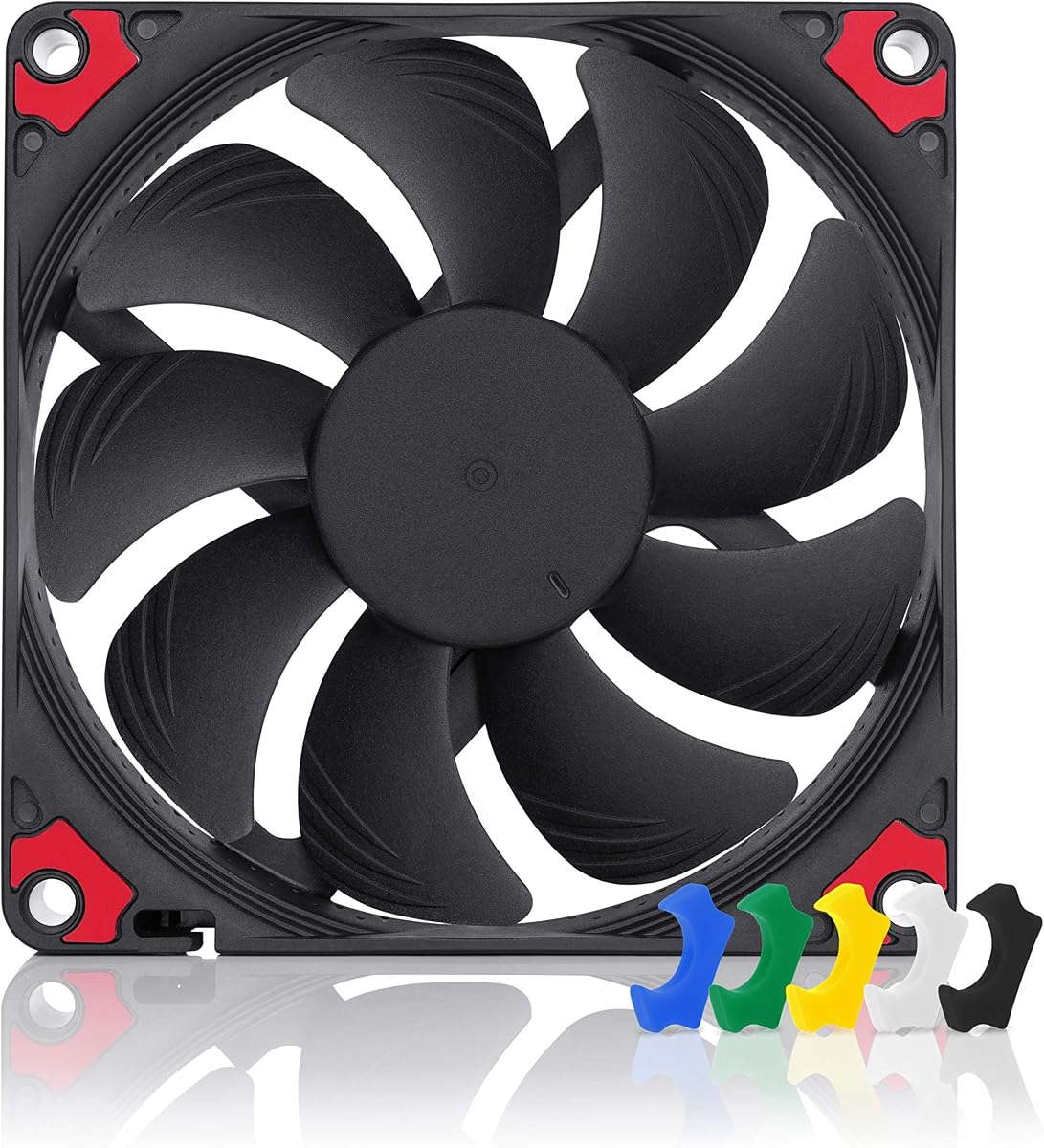
The ARCTIC P9 PWM PST delivers a 92mm format with a broad 200–3000 RPM range and a 4-pin PWM connection, making it a capable value-oriented option for case ventilation, heatsinks, and radiators. Its zero-RPM mode can stop the fan below 5% PWM, while the supplied cable splitter simplifies connections or allows two PWM fans to share a suitable header.
We may earn a commission when you buy through this link, at no additional cost to you.
A stated airflow of 38.83 CFM and static pressure of 3.12 mmH₂O place it in a useful middle ground for general-purpose cooling. The fan's alloy-and-lubricant bearing is designed to reduce friction and limit heat buildup, while the motor's low-speed operation is intended to remain barely perceptible during lighter workloads.
The P9 PWM PST is not as acoustically refined as the Noctua models in this guide, and maximum speed can produce more noticeable sound. PST mode also depends on compatible motherboard or controller behavior; systems without the necessary function will not gain the full benefit of automatic fan stops. Despite those limitations, the broad speed range and solid pressure specification make it adaptable.
This is the best budget pick for builders who want more capability than a basic fixed-speed fan without moving to a premium acoustic design. It is a sensible fit for cases, compact radiators, and CPU heatsinks where PWM control and the ability to reduce airflow under light load are priorities. Verify that your system supports the stated semi-passive mode.
The 200–3000 RPM range provides considerable room for both low-speed quiet operation and higher-speed cooling. That makes the P9 PWM PST useful in builds where internal temperatures vary significantly or where a dedicated cooling zone needs a different curve from the rest of the case.
Its 3.12 mmH₂O static-pressure figure indicates that the fan is designed to push air through resistance rather than merely circulate open case air. It can therefore serve as a case fan, a heatsink fan, or a radiator fan when the mounting and electrical arrangements are compatible.
We may earn a commission when you buy through this link, at no additional cost to you.
The Noctua NF-A9x14 HS-PWM chromax.black.swap is a premium slim 92mm fan for installations where every millimeter of depth matters. Its 92×92×14mm frame fits low-profile CPU coolers such as the Noctua NH-L9 series, ultra-compact cases, and other constrained spaces. The 4.8 customer rating reflects a well-regarded combination of compact dimensions and quiet-oriented design.
We may earn a commission when you buy through this link, at no additional cost to you.
The HS-PWM connection provides a 500–2500 RPM control range and allows the fan to stop at 0% PWM for semi-passive operation. Flow Acceleration Channels and the AAO frame system support its cooling and acoustic goals, while the chromax.black.swap package includes anti-vibration pads in six colors. That makes it as useful for coordinated build aesthetics as it is for functional thermal management.
Its slim profile naturally limits the amount of air it can move compared with a deeper 25mm fan. The stated maximum noise level of 23.6 dB(A) is also higher than that of the standard-depth Noctua NF-A9 FLX, although the overall approach remains focused on quiet performance. You may need to create an appropriate PWM curve if you want the fan to remain stopped during light loads.
This is the best premium pick for builders who cannot accommodate a 25mm fan. It is ideal for a low-profile HTPC, a compact mini-ITX system, a slim NAS enclosure, or a supported 9cm low-profile CPU cooler. Choose it when fit is the decisive constraint and you want refined noise control rather than the highest possible speed.
The 14mm thickness is the feature that separates this model from most standard-depth 92mm options. It can fit where a 25mm fan would collide with a side panel, slim drive cage, radiator bracket, or low-profile CPU heatsink.
The all-black fan body and interchangeable anti-vibration pads make it easier to coordinate with a compact system without giving up the vibration-isolation benefits of a standard mounting solution. The six included color options also let the installer adapt to a case interior rather than relying on a single fixed accent color.
We may earn a commission when you buy through this link, at no additional cost to you.
The Noctua NF-A9x14 PWM is a slim 92×92×14mm fan built around a four-pin PWM interface. It carries a 4.8 customer rating and offers a straightforward way to add controlled ventilation to a compact PC, low-profile cooler, or other compatible 92mm mounting location. Its key appeal is the combination of a familiar 92mm footprint and a reduced 14mm depth.
We may earn a commission when you buy through this link, at no additional cost to you.
PWM control allows the motherboard or another compatible controller to adjust fan speed according to a defined curve. That is useful in compact systems where sustained maximum output may create more noise than necessary. The 14mm frame also gives builders more clearance around a cooler or case bracket than a standard 25mm fan would provide.
The supplied product data is less extensive than for the newer HS-PWM chromax.black.swap version, so detailed airflow, pressure, and acoustic figures are not specified here. It is also a three-hole fan and may not be suitable for mounting arrangements designed around four-hole screws. If you need maximum speed, zero-RPM behavior, or interchangeable color pads, the more fully specified slim model may be a better match.
This NF-A9x14 PWM is a solid choice for users seeking a recognizable slim 92mm PWM fan without needing the premium chromax.black.swap package. It is most useful in a compact case or with a supported low-profile CPU cooler, particularly when clearance is the deciding factor. Confirm mounting-hole compatibility and the available header before ordering.
The standard 92mm footprint makes this model familiar to work with, while the 14mm depth broadens the range of compatible locations. It is a particularly natural replacement when an existing system already accepts a slim 92mm fan.
A four-pin PWM connection gives the system a way to vary speed and keep airflow aligned with workload. In a small enclosure, that control can be more valuable than having a high maximum output that is rarely needed.
We may earn a commission when you buy through this link, at no additional cost to you.
The Thermalright TL-P9 is a 92×92×25mm four-pin PWM fan designed to serve as a case fan, CPU cooler fan, downward-blowing cooler fan, or radiator fan. Its 4.7 rating and 2200 RPM maximum speed make it a versatile general-purpose option for builders who want one 92mm model to cover several cooling positions.
We may earn a commission when you buy through this link, at no additional cost to you.
The seven-blade impeller is intended to balance heat dissipation with reduced noise. Four vibration-damping pads around the frame help reduce structure-borne noise, while the S-FDB bearing is described as reducing blade vibration and supporting durability. Automatic motherboard control allows the fan to respond to system temperature through the PWM interface.
The product data does not provide a specific airflow or static-pressure measurement, which makes direct comparison with numerically specified models less straightforward. It also uses a three-hole mounting arrangement, so the target cooler or case must support that pattern. Buyers seeking published figures for radiator or dense-heatsink placement should verify any additional technical documentation before purchase.
The TL-P9 is a good choice for compact desktop cooling where flexibility and a moderate maximum speed are desired. It can improve a case's general ventilation, support a compatible CPU cooler, or fill a 92mm radiator position. It is less compelling for highly restrictive radiators than a model with a clearly higher pressure rating, but its broad application potential is a major advantage.
The TL-P9's stated compatibility with cases, radiators, CPU coolers, and downward coolers makes it a practical shared component. Matching the same fan family across several positions can simplify inventory and produce a consistent visual and acoustic approach.
A seven-blade design and S-FDB bearing construction indicate an emphasis on balancing cooling output with smooth, low-vibration operation. The four damping pads add another layer of isolation at the mounting surface.
We may earn a commission when you buy through this link, at no additional cost to you.
The ARCTIC P9 Silent is a 92mm extra-quiet case fan with a stated maximum speed of 1900 RPM. It provides a simpler alternative for systems that do not require a dedicated four-pin PWM connection. The 4.6 rating indicates a generally favorable reception, while the design focuses on steady airflow and reduced operating noise.
We may earn a commission when you buy through this link, at no additional cost to you.
Speed remains adjustable under voltage control, allowing the fan to be tuned through a compatible four-pin PWM header by reducing the supplied signal to an appropriate level. Its static-pressure orientation makes it suitable for heatsinks and radiators rather than being limited to open-case circulation. The alloy-and-lubricant bearing is also intended to reduce friction and excessive heat buildup.
Compared with PWM-specific versions, the P9 Silent offers less direct control and lacks the stated semi-passive 0dB function. It may therefore not suit a builder who wants the fan to stop completely during light loads through software-based fan curves. Its maximum speed is also lower than that of the PWM P9, which may limit its usefulness in highly restrictive cooling positions.
Choose the P9 Silent for a straightforward, quiet case upgrade or a heatsink and radiator position where voltage control is sufficient. It is especially useful in older or simpler systems that lack convenient PWM support. For new builds with a modern motherboard, the PWM P9 PST generally offers more direct control and a broader operating range.
Voltage-based speed adjustment provides a useful level of control without requiring the same dedicated four-pin PWM implementation used by newer options. This can make the P9 Silent convenient in systems with simpler fan-control arrangements.
The product is optimized for static pressure, which means it is intended to maintain useful airflow when the inlet or outlet is partially restricted. That makes it more versatile than a fan designed only for open case circulation.
We may earn a commission when you buy through this link, at no additional cost to you.
The Noctua NF-A9 PWM chromax.black.swap combines the standard-depth NF-A9 platform with an all-black finish and interchangeable anti-vibration pads. It maintains a 4.8 customer rating, a stated maximum noise level of 22.8 dB(A), and a 400–2000 RPM PWM range. This makes it an attractive choice for a refined, quiet build in which appearance and coordinated accessories matter.
We may earn a commission when you buy through this link, at no additional cost to you.
The fan uses Flow Acceleration Channels and an Advanced Acoustic Optimisation frame to support airflow and acoustic performance. Four pads are included in each of red, black, white, blue, yellow, and green, allowing the mounting corners to complement the case interior. The standard 92×92×25mm frame fits many 9cm CPU coolers, compact cases, NAS devices, and standard case positions.
The primary limitation is again its 2000 RPM ceiling, which is modest beside higher-speed alternatives. It also uses three mounting holes, so compatibility with four-hole-only brackets should be checked. The interchangeable color system and premium construction may be unnecessary for a purely functional build, although they do make the fan more flexible for aesthetic installations.
This chromax.black.swap model is best for users who want the established NF-A9 cooling and acoustic characteristics in a subtle black package. It is a particularly good fit for black-themed compact PCs and quiet workstation-style builds. If your priority is maximum pressure and high-speed output, choose a performance-oriented PWM model instead.
The all-black design avoids the visual contrast that a traditional beige or brown fan can introduce in a dark case. Swappable pads then allow small accent colors to be added deliberately without replacing the fan itself.
The ability to stop at 0% PWM allows compatible systems to reduce fan activity during light workloads. This can be helpful in a quiet office, media center, or NAS environment where constant airflow is unnecessary.
We may earn a commission when you buy through this link, at no additional cost to you.
The TL-9015B combines a 15mm slim profile with a maximum speed of 2700 RPM and a listed airflow of 42.58 CFM. It holds a 5.0 customer rating and offers a 92×92×15mm frame, making it a strong option for compact cases and slim cooler positions that need more rotational speed than a traditional quiet fan provides.
We may earn a commission when you buy through this link, at no additional cost to you.
The four-pin PWM cable allows automatic motherboard control according to system temperature. Four vibration-damping pads help limit transferred noise, and the black color suits understated build themes. Published specifications include a maximum noise level of 22.4 dB(A), a maximum static pressure of 1.33 mmH₂O, and a speed tolerance of 2700 RPM ±10%.
Its static-pressure figure is lower than those of the ARCTIC P9 PWM PST and P9 Max, so it may not be the ideal choice for a dense radiator or heavily restricted heatsink. Running near 2700 RPM may also create more audible airflow than the 2000 RPM Noctua option. Buyers should balance maximum output against whether their cooling position actually requires it.
The TL-9015B is a good fit for a slim desktop case, a compatible downward cooler, or a general 92mm position where a higher ceiling and substantial airflow are desired. It is especially attractive when a 15mm fan is required but a basic low-speed model would feel underpowered. Adjust the PWM curve to keep noise appropriate for the application.
The combination of 15mm thickness and a 2700 RPM ceiling is unusual within this selection. It gives constrained builders an option that does not need the 25mm depth of a standard case fan while retaining a generous upper speed range.
The stated 42.58 CFM maximum airflow is useful for open case ventilation, while the 1.33 mmH₂O pressure figure gives installers a basis for judging more restrictive applications. The fan is strongest when its intended position matches that balance.
We may earn a commission when you buy through this link, at no additional cost to you.
The Noctua NF-A9 FLX is a 92×92×25mm three-pin fan designed around near-silent operation and manual speed adaptation. It has a 4.7 customer rating, a stated maximum noise level of 17.1 dB(A), and three preset speeds of 1600, 1250, and 1050 RPM. It is a natural choice for older systems, specialized equipment, or builders who prefer a 3-pin connection.
We may earn a commission when you buy through this link, at no additional cost to you.
Included Low-Noise and Ultra-Low-Noise Adaptors let the installer select an appropriate operating speed. A 3-to-4-pin adaptor allows the fan to draw power directly from a power supply when a compatible motherboard header is unavailable, while the extension cable improves routing options. Anti-vibration mounts support a more refined installation.
Because it uses a 3-pin Molex connection, it does not offer the direct PWM control or semi-passive stopping found on four-pin alternatives. The top speed of 1600 RPM is also the lowest maximum among the 25mm Noctua models included here. In a highly restrictive heatsink or radiator, that lower ceiling may limit cooling performance even though the acoustic approach is excellent.
The NF-A9 FLX is best for users who value very quiet operation and simple preset control more than maximum speed. It works particularly well in a NAS, compact office system, or older PC where 3-pin power is easier to access. Choose a PWM model instead when automatic temperature-based control and a higher speed ceiling are important.
A stated maximum of 17.1 dB(A) makes the NF-A9 FLX the quietest-specified model in this comparison. That figure is most relevant in close-listening environments where even modest mechanical or airflow noise can become distracting.
The included 3-to-4-pin power-supply adaptor and extension cable make the fan easier to use in systems without a convenient 3-pin header. The preset adaptors avoid the complexity of a dedicated PWM controller while preserving several levels of speed.
We may earn a commission when you buy through this link, at no additional cost to you.
The ARCTIC P9 Max is the highest-output 92mm option in this guide, with a 450–4300 RPM PWM range, 58.25 CFM airflow, and 6.17 mmH₂O static pressure. Its 4.6 rating reflects a fan designed primarily for strong cooling performance, especially where the fan must push air through a restrictive heatsink or radiator.
We may earn a commission when you buy through this link, at no additional cost to you.
The wide speed range provides substantial flexibility. Below 5% PWM the fan can stop for semi-passive operation, while above that level it is infinitely variable across its operating range. A fluid dynamic bearing is specified to provide a long service life, quiet low-speed operation, and stronger output at high speed. The black finish also gives it a more understated appearance than many performance fans.
The tradeoff is acoustic and electrical. A fan capable of reaching 4300 RPM can be much more noticeable than a quiet-focused 92mm model when the system assigns it a high duty cycle. It also demands a suitable fan curve, adequate power delivery, and a case or cooler position designed to tolerate high-speed airflow. Maximum figures are best treated as available headroom rather than a reason to run the fan continuously at full speed.
The P9 Max is best for a performance-oriented build, a compact radiator, or a restrictive cooling position where maximum pressure and airflow are more important than near-silence. It is less appropriate for a bedroom PC, quiet office, or recording environment unless the fan curve is carefully tuned. For most general systems, a quieter mid-speed option will be more comfortable.
The 6.17 mmH₂O static-pressure figure is the highest stated in this comparison. That specification indicates strong resistance to restricted airflow, making the fan a logical choice for dense cooling fins and compact radiators.
The ability to operate from 450 to 4300 RPM creates room for both near-idle and maximum cooling strategies. Its stop function below 5% PWM can reduce activity when the system does not require active cooling, provided the controller supports that behavior.
We may earn a commission when you buy through this link, at no additional cost to you.
A useful 92mm case fan selection starts with physical fit and ends with control, cooling, and acoustic priorities. Review the following factors before comparing models, especially when the fan must fit a tight enclosure or operate against restrictive airflow.
Although all ten products use a 92mm square face, their thicknesses differ substantially. The standard 25mm models, including the Noctua NF-A9 PWM, ARCTIC P9 PWM PST, and Thermalright TL-P9, generally fit conventional case brackets and many 9cm CPU coolers. The 14mm Noctua models and 15mm TL-9015B are intended for slimmer radiators, low-profile CPU coolers, tightly packed cases, and other locations where every fraction of an inch matters. Before buying, inspect the space behind the mounting position and consider the cable bend, screw heads, nearby components, and any grille or filter that may stand proud of the panel.
A four-pin PWM connector gives the motherboard direct control over fan speed using a software-defined curve. The ARCTIC P9 PWM PST, Noctua NF-A9 PWM models, Thermalright TL-P9, TL-9015B, and ARCTIC P9 Max all use four-pin PWM. The Noctua NF-A9 FLX uses a three-pin Molex connection and relies on included adaptors for preset low-noise operation. The ARCTIC P9 Silent uses voltage-based control rather than direct four-pin PWM. Check the available header, its maximum current, and whether the system exposes a suitable control interface before selecting a fan.
Static pressure describes a fan's ability to maintain airflow when resistance is present. It is especially important for radiators, dense fin stacks, CPU heatsinks, and filtered intake positions. The ARCTIC P9 Max leads the supplied figures at 6.17 mmH₂O, while the ARCTIC P9 PWM PST is rated at 3.12 mmH₂O. The TL-9015B lists 1.33 mmH₂O, while several other models do not provide a figure in the supplied information. For open case ventilation, high pressure may matter less than airflow, but it remains useful for comparing versatility.
Maximum speed is a useful measure of available headroom, not a requirement to run at full output. The ARCTIC P9 Max reaches 4300 RPM and provides the highest stated airflow at 58.25 CFM. The ARCTIC P9 PWM PST reaches 3000 RPM with 38.83 CFM, while the TL-9015B reaches 2700 RPM with 42.58 CFM. Quieter-oriented Noctua models top out between 1600 and 2500 RPM depending on the model. Match the available performance to the cooling load and use a sensible fan curve to avoid unnecessary noise.
Acoustic performance depends on both the fan's design and the speed assigned to it. The Noctua NF-A9 FLX has the lowest stated maximum at 17.1 dB(A), while the Noctua NF-A9 PWM and its chromax.black.swap counterpart list 22.8 dB(A). Four-pin models with a 0% or low-percentage stop function can remain inactive during light workloads. A fan that can run silently when idle is often more comfortable in daily use than a higher-output model that spins continuously at an aggressive curve.
A 92mm face does not guarantee that a fan will mount in a particular location. Noctua's 92mm models use a three-hole mounting arrangement, and the other products in the selection should also be checked against the bracket or housing supplied with the data. Some case manufacturers include optional screws for different patterns. Confirm the number and spacing of holes, whether the bracket is removable, and whether any included screws can be reused before finalizing a purchase.
A 92mm case fan may be used as an intake, exhaust, heatsink fan, radiator fan, or part of a downward CPU airflow arrangement. Its best position depends on case design and the direction of the other fans. Positive-pressure configurations often use additional filtered intake fans, while exhaust placement removes heat. CPU coolers and radiators benefit from models with stronger static-pressure capability. Using the supplied compatibility information prevents a versatile fan from being installed in a location that demands more pressure than its design supports.
Accessories can materially improve installation quality. Anti-vibration pads help reduce structure-borne noise, while extension cables and Y-cables simplify routing or allow two PWM fans to share a header. The Noctua NF-A9 PWM includes several mounting and control accessories, and the chromax.black.swap versions provide multiple pad colors for coordinated builds. The ARCTIC P9 PWM PST includes a cable splitter. Consider these details alongside fit and cooling, but do not treat extra accessories as a substitute for checking electrical and physical compatibility.
Begin by powering the computer down, switching off the power supply, and waiting for internal components to stop moving. Remove the side panel, identify the intended mounting position, and confirm that the frame depth, screw pattern, and cable route all fit. Compare the airflow direction printed on the fan housing with the role you want it to perform, and install it so the airflow follows that direction.
Connect a four-pin PWM fan to a compatible PWM header, and use the supplied Y-cable, splitter, extension, or power adaptor only as intended. A three-pin fan should connect to a matching three-pin header or the appropriate included adaptor. Secure the fan with the correct screws and use the anti-vibration pads at all specified corners. Route the cable away from sharp edges, rotating blades, and hot components, and avoid a tight bend immediately at the connector.
After installation, restore power and create an appropriate fan curve in the motherboard or fan-control software. Begin with a moderate profile, check system temperatures under realistic workloads, and listen for intermittent vibration, cable contact, or airflow noise. Clean dust from the frame and blades with controlled airflow, keep the fan disconnected from power, and never allow liquids to enter the motor. Confirm that the blades spin freely, the mounting remains secure, and the connector is fully seated during every inspection.
Not automatically. Acoustic output depends on the fan design, speed, blade geometry, motor quality, and mounting method rather than frame size alone. A well-matched 92mm fan operating at a lower speed can be quieter than a larger fan running aggressively, while a high-speed 92mm model can also be audible. Choose a model whose speed range and noise specifications match the application.
Only if the case or bracket physically supports a 92mm fan. The smaller fan may leave gaps that need an adapter, can reduce total airflow, and may receive less airflow through a restricted grille. If the 120mm position cannot be adapted safely and correctly, using a supported 92mm position elsewhere may be a better solution.
It means the fan can stop rotating when the controller applies a sufficiently low PWM signal. The system can then restart it when temperatures or airflow demand increase. Compatibility depends on the motherboard, controller, fan curve, and the specific model's stated behavior, so check all of those elements before relying on the function.
A slimmer fan is usually essential when clearance is limited, such as with low-profile CPU coolers or tightly packed cases. A 25mm fan can generally move more air and withstand more static pressure, but it may not physically fit. The correct choice is the deepest model that safely fits the intended position and satisfies the cooling requirement.
Only if the header and both fans are within its supported current and power limits. A Y-cable or splitter may make the physical connection, but software control does not automatically balance the two fans. Confirm the motherboard documentation and avoid adding load that the header cannot supply.
They can help reduce structure-borne vibration, especially in metal cases, compact enclosures, or systems mounted on a desk. The benefit is not universal because mounting stiffness, screws, and case construction also affect vibration. Use the supplied pads when available and avoid overtightening the mounting screws.
No. Higher speed can increase airflow and static-pressure capability, but it may also create more noise and consume more power. A better system uses the lowest stable speed that meets the cooling requirement. High maximum speed is valuable as headroom for restrictive positions or higher ambient temperatures, not as a reason to run continuously at maximum.
Start with a PWM curve that allows the fan to run at a lower speed during light workloads, then increase it as temperature rises. Check that the fan is securely mounted, vibration pads are installed, and the cable does not touch the frame. A properly oriented fan operating against lower static pressure is also likely to require less speed than one fighting a restrictive grille or heatsink.
The Noctua NF-A9 PWM is the strongest all-around recommendation for builders who want a quiet-oriented 92mm fan with a full 25mm frame, broad PWM control, and useful mounting accessories. The ARCTIC P9 PWM PST stands out as the budget pick for strong pressure capability, a wide speed range, and semi-passive operation, while the Noctua NF-A9x14 HS-PWM chromax.black.swap is the premium choice when a slim 14mm profile and refined aesthetics are the main priorities.
Most buyers should prioritize fit before speed. Confirm the frame depth, mounting-hole pattern, header type, airflow direction, and required static pressure. After those essentials are settled, use a controlled fan curve to keep the system cool without running a capable fan unnecessarily fast. Quiet operation and high cooling output are not mutually exclusive, but they are easier to balance when the hardware and curve are matched to the installation.
Ratings, availability, and product prices can change over time, so check the current listing and confirm that the included specifications still fit your system. Reviewing the live product page before purchasing also helps verify connector details, mounting accessories, and any updated product information.