Dell Latitude 5550 Laptop
4.3Editor score
Intel Core Ultra 5 125U
32GB high-speed DDR5 memory
Dual 512GB PCIe NVMe storage
Dell Latitude laptops balance workplace performance, practical displays, durable construction, and broad connectivity for professionals who work from an office, at home, or while traveling. A strong model should handle demanding applications, provide comfortable keyboard and viewing experiences, and remain easy to carry between locations.
We compared 10 Latitude and closely positioned Dell Pro models using processor class, memory, storage, screen size, connectivity, security features, battery-related design, and suitability for common professional tasks. The list includes standard, premium, renewed, and touchscreen configurations rather than treating every model as identical.
Each review explains where a particular laptop fits best, from compact travel machines to larger workstations and value-focused business systems. Ratings and product configurations can change, and seller pricing fluctuates, so readers should verify the current listing and hardware details before purchasing.
4.3Editor score

5.0Editor score

4.5Editor score
As an Amazon Associate we earn from qualifying purchases.
The comparison highlights each model's processor, memory, storage, display, and primary connectivity strengths, making it easier to identify the right balance of portability, screen space, and workplace performance.


The Dell Pro 16 PC16250 combines a ten-core Intel Core 5 120U processor, 16GB of DDR5 memory, and a 512GB PCIe SSD in a business-focused large-screen design. It carries a 5.0 rating, and its standout qualities include a 55Wh battery, rapid charging, a 16-inch WUXGA display, and extensive monitor connectivity. The result is a well-rounded choice for office work, conferencing, and professional multitasking.
We may earn a commission when you buy through this link, at no additional cost to you.
Its 1920×1200 WUXGA panel uses narrow borders, 300-nit brightness, and an anti-glare coating to make long work sessions more comfortable. More unusually for a 16-inch business model, it can support three external monitors through HDMI, USB-C, and Thunderbolt 4 without a docking station. The ten-core processor can reach 5.0GHz, while 16GB of DDR5 and a PCIe SSD provide responsive application loading and enough capacity for common project files.
The main limitation is that 16GB of memory and 512GB of storage are moderate for heavily loaded professional environments. Some buyers may also prefer a dedicated Latitude 5550 or 5450 naming convention over the Pro 16 identity. Additional memory, including 32GB DDR5, is available on other listings in this guide, so users with unusually intensive workloads should compare those alternatives. Within this configuration, however, the balance of screen area, processing, and connectivity is impressive.
This is our top overall recommendation for professionals who want a large display without moving to a desktop and still need frequent access to USB-A, Ethernet, HDMI, and Thunderbolt peripherals. It suits software engineers, analysts, financial professionals, content creators, architects, and business owners who regularly move between office and remote settings. For most buyers seeking a capable 16-inch Dell without specialist graphics, it is a particularly well-rounded recommendation.
The 16-inch display provides room for side-by-side documents, spreadsheets, messages, and video calls. Support for three external 4K monitors at up to 60Hz makes it easier to create a multi-screen desk without immediately purchasing a full docking station.
Thunderbolt 4, USB-C, USB-A, HDMI 2.1, Ethernet, and a global headset jack cover the needs of most professional offices. Wi-Fi 6E and Bluetooth 5.3 add modern wireless support for travel and collaboration.
We may earn a commission when you buy through this link, at no additional cost to you.
The renewed Dell Latitude 5520 pairs an Intel Core i7-1165G7 processor with 32GB of RAM and a 1TB NVMe SSD. Its 4.1 rating reflects an older platform offered in renewed condition, but the headline specifications remain useful for office productivity. A backlit keyboard, webcam, SD card reader, Wi-Fi, Bluetooth, HDMI, and Thunderbolt connectivity make it a familiar workhorse rather than a bare-bones computer.
We may earn a commission when you buy through this link, at no additional cost to you.
The strongest attraction is the combination of 32GB memory and 1TB NVMe storage. That combination is well suited to running multiple business applications, maintaining sizable document collections, and avoiding slow hard-drive behavior. The older Core i7 chip remains useful for routine productivity, though it lacks the efficiency, AI emphasis, and platform capabilities associated with the newer Core Ultra processors found elsewhere in this roundup.
The most obvious compromise is the 15.6-inch HD panel, which offers less working resolution than the Full HD screens on most competing Latitude models. The renewed designation also deserves careful attention. Buyers should review the listing, condition details, included accessories, operating-system status, and applicable warranty information before treating it as equivalent to a new system.
Choose the Latitude 5520 when storage, memory, and conventional business connectivity matter more than display resolution or the newest processor platform. It can be a practical option for students, administrative teams, and remote workers seeking a large-screen laptop with familiar ports. Buyers wanting a sharper display and more recent hardware should move up to a Full HD Latitude 5550 instead.
The 1TB NVMe drive offers ample room for work files, applications, and local media, while 32GB of RAM gives active applications more room. This is a useful combination for buyers who want longer practical headroom than a basic 16GB configuration.
A renewed computer can provide strong hardware value, but the exact condition and inclusions may differ from a factory-new listing. Checking the seller's disclosure, warranty, return terms, and photographs is essential before ordering.
We may earn a commission when you buy through this link, at no additional cost to you.
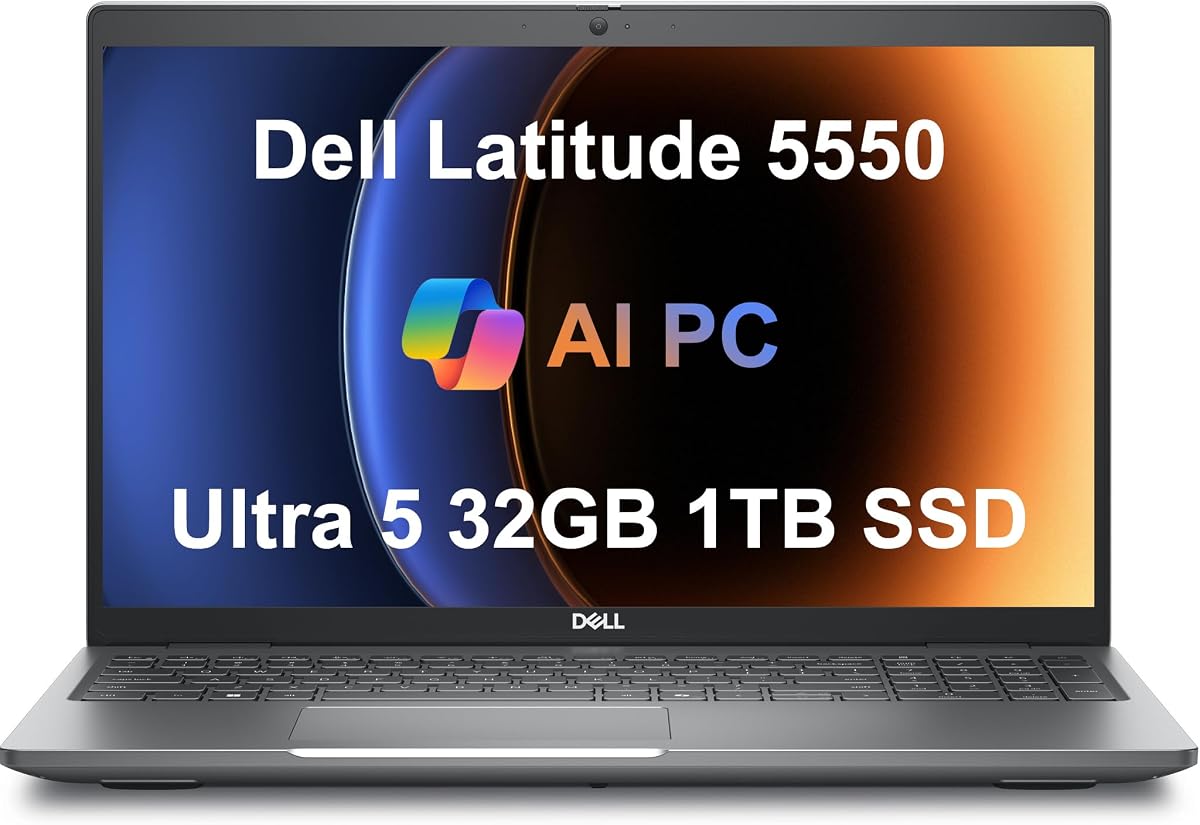
The Dell Latitude 5550 is a premium business configuration built around an Intel Core Ultra 5 125U processor, 32GB of DDR5 memory, and two 512GB PCIe NVMe SSDs. It holds a 4.3 rating, while its key attractions include a bright 15.6-inch Full HD IPS display, privacy shutter, modern connectivity, and up to 11 hours of stated battery life. It sits above the Latitude 3550 in Dell's product hierarchy.
We may earn a commission when you buy through this link, at no additional cost to you.
The 12-core processor provides a useful combination of performance and efficiency, while 32GB of 4800MHz DDR5 supports smooth multitasking. The listing explains that the two 512GB drives can separate operating-system and storage functions, although buyers should configure the partition layout according to their own needs. The 1920×1080 anti-glare IPS panel is better suited to detailed office work than the HD screen in the Latitude 5520.
This model also supports two external 4K displays at 60Hz through HDMI and Thunderbolt connections. Two Thunderbolt 4 ports, two USB-A ports, HDMI 2.1, Ethernet, a combo audio jack, and a microSD slot create a well-rounded port selection. The trade-off is cost relative to standard 16GB and 512GB systems, while the listed rating of 4.3 is not among the highest in the collection.
The Latitude 5550 is best for professionals who want a premium 5000-series laptop with abundant memory, fast storage, and a refined display without moving to a workstation-class chassis. It is especially attractive for heavy multitaskers, business owners, and hybrid workers who regularly use large data sets, multiple applications, and external monitors.
The anti-glare Full HD IPS display is designed for sustained document, spreadsheet, and presentation work. An FHD HDR RGB webcam with a physical privacy shutter adds useful video quality and a simple way to prevent the camera from capturing unwanted images.
Thirty-two gigabytes of DDR5 gives the system comfortable room for numerous browser tabs, office applications, and communication tools. The Core Ultra 5 125U and NVMe storage improve responsiveness when moving between active workloads.
We may earn a commission when you buy through this link, at no additional cost to you.
The Dell Latitude 5450 brings together an Intel Core Ultra 7 155U processor, 32GB of DDR5 memory, and a 1TB PCIe NVMe SSD in a slim 14-inch business laptop. Its 4.6 rating is among the stronger results in this guide. The standout feature is its 400-nit, 100% sRGB Full HD IPS display, which offers a more color-conscious panel than many basic business configurations.
We may earn a commission when you buy through this link, at no additional cost to you.
The processor includes integrated graphics and built-in AI capabilities, making the Latitude 5450 a solid choice for demanding business applications, analysis, design review, and heavy multitasking. A 1TB drive provides generous file space, while 32GB of memory gives active applications plenty of headroom. Windows 11 Pro and Copilot add business-oriented features, and the backlit keyboard supports productive work in varied lighting.
Connectivity is a major strength. Two Thunderbolt 4 ports, two USB-A ports, HDMI 2.1, and Ethernet provide flexibility, while support for up to three external 4K monitors at 60Hz makes it capable of serving as a compact workstation. The trade-offs are the smaller working area than a 15.6-inch model and a more advanced specification level that may exceed the needs of routine office tasks.
This laptop is ideal for professionals who need a portable 14-inch form factor but refuse to compromise on color coverage, memory, camera quality, or port selection. It works particularly well for hybrid employees, creative business users, and hybrid employees who regularly connect to more than one monitor. For those who prioritize display quality and balanced mobility, the Latitude 5450 is among the strongest picks here.
The 400-nit brightness and 100% sRGB coverage make this 14-inch display useful for presentations, visual review, and design-adjacent work. The anti-glare finish helps maintain comfort under office lighting.
Two Thunderbolt 4 ports make it practical to connect multiple modern displays and accessories. USB-A, HDMI, and Ethernet ensure that essential peripherals and wired networks do not require adapters.
We may earn a commission when you buy through this link, at no additional cost to you.
The Dell Pro 16, identified as the next-generation Latitude 3550, offers a 16-inch FHD+ display, an Intel Core i5-120U processor, 16GB of DDR5 memory, and a 512GB NVMe SSD. Its 4.1 rating reflects a conventional business configuration, but the large screen and ten-core processor make it appealing for users who prefer fewer, larger windows over maximum portability.
We may earn a commission when you buy through this link, at no additional cost to you.
The 1920×1200 display provides more vertical resolution than a standard 1080p screen, which is useful for document review and side-by-side application work. The Core i5-120U can reach 5.0GHz and includes 12MB of cache, providing responsive performance for office applications, meetings, education, programming, streaming, and creative workflows. NVMe storage improves boot and file-access responsiveness.
This system does not reach the memory or storage ceiling of the Latitude 5550, Latitude 5450, or Latitude 5350 Touchscreen. Its 16GB of RAM and 512GB drive are sensible for many users but may need expansion for large datasets or heavy multitasking. The listed configuration also sits above some standard Latitude 3000 offerings, making it a middle ground rather than the least expensive option in the category.
The Pro 16 Latitude 3550 is a sensible choice for students, small-business owners, administrators, and remote workers who want a large display and full-size business connectivity. Those needing maximum portability should consider the 13.3-inch Latitude 5350, while users who routinely handle demanding applications should compare the higher-memory Latitude 5450 and 5550.
A 16-inch FHD+ screen gives productivity applications a broad canvas, while the higher 1920×1200 resolution provides more room than a standard Full HD panel. It is well suited to spreadsheets, presentations, and split-screen work.
Wi-Fi 6E and Bluetooth support modern wireless use, while RJ-45 Ethernet and the included port selection help in fixed offices. Stereo speakers, an HD webcam, and dual-array microphones support everyday collaboration.
We may earn a commission when you buy through this link, at no additional cost to you.
The Dell Latitude 5350 weighs 2.72 pounds and pairs that portability with an Intel Core Ultra 5 125U processor, 16GB of 6400MHz memory, and a 512GB PCIe NVMe SSD. It has a 4.9 rating, making it one of the best-reviewed products in this guide. Its 13.3-inch design is particularly attractive for commuters and hybrid professionals who want a capable computer that is easier to carry.
We may earn a commission when you buy through this link, at no additional cost to you.
The 12-core processor provides efficient performance for business tasks and AI-assisted workflows, while Windows Studio Effects can automatically frame video participants and suppress noise. Rapid ExpressCharge is also supported, and the listing notes an average battery-life improvement over the previous generation. These features make the model particularly suitable for video-heavy workdays and frequent travel.
Its 1920×1080 IPS anti-glare display includes 250-nit brightness and 45% NTSC color coverage. That specification is acceptable for documents and presentations but is less refined than the 400-nit, 100% sRGB panel offered by the Latitude 5450. The 16GB memory configuration can also constrain very heavy multitaskers when compared with 32GB alternatives.
The Latitude 5350 is a compelling recommendation for anyone who prioritizes mobility, fast charging, modern collaboration tools, and business-grade connectivity. It offers two Thunderbolt 4 ports, two USB-A ports, HDMI 2.1, and support for three external 4K monitors. For travelers who need a full-featured work laptop without a large chassis, it is especially well suited.
At 2.72 pounds, the Latitude 5350 is designed to move easily between desks, meeting rooms, and destinations. Its business features do not feel limited to a small display, since it retains extensive external monitor support.
Windows Studio Effects adds automatic framing and noise suppression, while the 1080p FHD RGB webcam provides a practical image for calls. Together, they simplify communication from offices, home desks, and shared spaces.
We may earn a commission when you buy through this link, at no additional cost to you.
The Dell Latitude 5350 Touchscreen combines a 13.3-inch Full HD touch display with an Intel Core Ultra 7-165U processor, 32GB of DDR5 memory, and a 1TB PCIe SSD. Its 5.0 rating makes it one of the strongest customer-rated entries here. It is a premium compact configuration for users who want interactive input and more memory than the standard Latitude 5350.
We may earn a commission when you buy through this link, at no additional cost to you.
The Core Ultra 7-165U offers up to 4.9GHz with Intel AI Boost and integrates Intel graphics. In practical terms, the combination of 32GB RAM and a 1TB drive creates ample headroom for numerous applications, large working files, and frequent multitasking. A backlit keyboard, FHD+ webcam, stereo speakers, and dual-array microphones make it well equipped for collaborative work.
The touchscreen is the feature that separates it from the conventional Latitude 5350. It can make touch-friendly applications, presentations, navigation, and tablet-style workflows more natural. Conversely, buyers who only type and use a mouse may gain little from the interactive panel, and touchscreens can add weight and require more careful screen care.
Choose this model for a business laptop that must travel easily yet needs a powerful processor, abundant memory, large storage, and a touch interface. It is a compelling option for consultants, students, and creative professionals who regularly rotate between keyboard and touch input. The non-touch Latitude 5350 remains the more straightforward choice for conventional office use.
A Full HD touch panel can make annotation, browsing, and tablet-oriented applications more direct. It also gives users an alternative to the trackpad when the laptop is positioned like a small display.
Thirty-two gigabytes of DDR5 and a 1TB PCIe SSD make this one of the strongest compact specifications in the collection. That headroom is valuable for heavy multitaskers and users who retain substantial project files locally.
We may earn a commission when you buy through this link, at no additional cost to you.
The gray Dell Latitude 5550 uses an Intel Core Ultra 7-155U processor with 12 cores and up to 4.8GHz turbo performance. It includes 16GB of DDR5 memory, a 512GB PCIe SSD, and a 15.6-inch Full HD display. It does not have a numeric customer rating in the supplied data, so its appeal should be judged primarily from the specifications and intended business use.
We may earn a commission when you buy through this link, at no additional cost to you.
The processor is the main attraction, offering strong capability for professional applications, remote work, education, and multitasking. The 1920×1080 display provides a familiar Full HD workspace, while integrated Intel graphics handle streaming, presentations, and everyday computing. Stereo speakers, a dual-array microphone, and an HD webcam make it suitable for video meetings and online classes.
Compared with the other Latitude 5550 in this guide, this listing has 16GB rather than 32GB of memory and a single 512GB SSD rather than dual 512GB drives. That makes it less spacious for intensive workloads, although it may better suit users who want a higher-tier processor without paying for the same maximum memory and storage. The missing numeric rating means buyers have less visible customer feedback to evaluate.
This Latitude 5550 is a strong option for professionals who want a large screen, a capable Core Ultra 7 processor, and comprehensive everyday connectivity. It suits hybrid workers, business owners, and students who need more display area than a compact model without moving into a much larger workstation. For heavier multitasking, consider the alternate 5550 configuration with 32GB and dual SSDs.
The Core Ultra 7 155U provides 12 cores and up to 4.8GHz turbo performance, giving the system ample capability for responsive professional work. It also supports Intel AI Boost through integrated accelerators.
A backlit keyboard helps in low-light offices, while stereo speakers, an HD webcam, and dual-array microphones support communication. Windows 11 Pro adds security, management, and productivity features for business environments.
We may earn a commission when you buy through this link, at no additional cost to you.
The Dell Latitude 3550 combines an Intel Core Ultra 7 155U processor, 16GB of DDR5 memory, a 1TB SSD, and a 15.6-inch Full HD display. It has no numeric rating in the supplied listing, but the specification mix is unusual for this product tier: a premium 12-core processor and substantial storage are paired with a more accessible business chassis.
We may earn a commission when you buy through this link, at no additional cost to you.
The processor provides up to 4.8GHz maximum turbo performance, 12 cores, 12MB of cache, and 14 threads. Intel graphics and AI accelerators with NPU support for Intel AI Boost add useful capability for modern applications. Meanwhile, 16GB of DDR5 and 1TB of storage deliver fast file access and enough room for documents, photos, and videos.
The connectivity list is unusually detailed, including USB4 with power delivery, three USB 3.2 Gen 1 connections, HDMI 2.0, gigabit Ethernet, a universal audio port, a wedge lock slot, and several M.2 expansion positions. A backlit keyboard, Wi-Fi 6E, Bluetooth, and a fingerprint reader add everyday convenience. The main configuration compromise is 16GB of memory, which is less future-proof than 32GB alternatives.
This is a compelling choice for buyers who want a high-tier processor and 1TB drive without moving to the Latitude 5000 series. It is particularly relevant to students, small businesses, and home-office users who want strong everyday performance and flexible connectivity. The lack of a numeric rating makes it even more important to review the current listing carefully.
A Core Ultra 7 155U brings 12 cores and AI-related hardware to a Latitude 3550 configuration. That makes it attractive for users whose workload exceeds what a basic Core i3 or Core i5 model can comfortably handle.
The included fingerprint reader supports convenient sign-in, while the wedge lock slot helps protect a deployed computer. USB4, multiple USB-A ports, HDMI, and Ethernet cover many accessories without relying on wireless connections.
We may earn a commission when you buy through this link, at no additional cost to you.
The Dell Latitude 3450 brings a 14-inch Full HD IPS display, Intel Core i3-1315U processor, 16GB of DDR5 memory, and a 512GB SSD to a business-focused design. Its 4.5 rating is solid, and it is our best budget recommendation because it balances useful everyday specifications with a portable form factor and Windows 11 Pro.
We may earn a commission when you buy through this link, at no additional cost to you.
The Core i3-1315U is designed for efficient, responsive performance across normal business tasks, while 16GB of memory and SSD storage support multitasking, quick application loading, and reduced wait times. The 1920×1080 anti-glare display offers a clear workspace, and the laptop has been tested to meet MIL-STD-810H standards for added confidence in commuting and frequently handled environments.
Its connections include USB-C, three USB-A ports, HDMI, Ethernet, and an audio combo jack. Wi-Fi 6E and Bluetooth 5.3 provide wireless networking, while an FHD RGB IR camera with privacy shutter supports video calls and facial recognition. A backlit keyboard and fingerprint reader add practical usability. The main limitations are the less powerful Core i3 tier, a 512GB drive, and support for only two external monitors.
The Latitude 3450 is a strong fit for students, administrative staff, home-office users, and everyday business professionals who need a dependable 14-inch laptop. It is a better fit for routine office work, education, and communication than intensive engineering, advanced design, or data-heavy tasks. For those needs, move to a Core Ultra model with more memory and storage.
The Core i3-1315U, 16GB of memory, and 512GB SSD form a practical foundation for documents, messaging, browsing, meetings, and routine multitasking. This makes the Latitude 3450 easier to recommend for standard business use than a higher-powered specialist machine.
An FHD RGB IR camera with privacy shutter supports clear calls and facial recognition, while a fingerprint reader provides another secure sign-in method. Windows 11 Pro also supports BitLocker, Remote Desktop, Hyper-V, and Group Policy management.
We may earn a commission when you buy through this link, at no additional cost to you.
The right Latitude depends on screen size, portability, processor tier, memory, storage, connectivity, and the intensity of your daily workload. Reviewing these factors before shopping prevents an attractive specification sheet from overshadowing practical needs.
A 13.3-inch model is the easiest choice to carry and is well suited to frequent travel, presentations, and use away from a permanent desk. A 14-inch display offers a slightly larger workspace without moving into the bulkier category, making the Latitude 3450 and Latitude 5450 effective middle ground. A 15.6-inch or 16-inch screen is more comfortable for spreadsheets, side-by-side documents, editing windows, and long office sessions. Resolution also matters: the Latitude 5520 uses an HD panel, while most alternatives in this guide provide Full HD or WUXGA resolution.
The Core i3-1315U is suitable for routine office productivity, education, browsing, and communication. Core i5-120U and Core i5-120U-based configurations add more cores and can be preferable for multitasking and heavier business applications. Core Ultra 5 125U and Core Ultra 7 155U or 165U models provide a newer platform with integrated AI capabilities, more headroom, and stronger potential for demanding professional workloads. Processor selection should reflect software demands rather than model number alone.
Memory determines how comfortably the laptop handles many applications, large documents, browser sessions, and background processes. The 16GB configurations included in this roundup are reasonable for typical office use, especially with modern operating systems. However, 32GB provides greater flexibility for intensive multitasking, data analysis, large creative projects, and virtualization. The Latitude 5520, Latitude 5550, Latitude 5450, and Latitude 5350 Touchscreen offer 32GB, making them more convincing for demanding users.
A 512GB SSD is enough for an operating system, core applications, and a moderate collection of working files when cloud storage is used regularly. A 1TB drive is preferable for large media libraries, extensive project folders, offline archives, and users who do not want to manage storage aggressively. The Latitude 5550 with dual 512GB SSDs is especially flexible because the drives can be organized to separate system and storage functions. Storage needs should reflect whether files are primarily local or synchronized.
The standard business displays in this guide generally provide Full HD or WUXGA resolution with anti-glare treatment, which is appropriate for documents and general productivity. The Latitude 5450 stands apart with 400-nit brightness and 100% sRGB coverage, making it more attractive for visual work. External display support also varies: the Latitude 3450 lists two external monitors, while several Latitude 5000 and Pro 16 configurations support three. Check the exact ports if your desk setup depends on multiple displays.
Modern business workflows often require more than a pair of USB-C connectors. Several models include USB-A, HDMI, Ethernet, a combo audio jack, and a microSD reader, which simplifies use with legacy peripherals, wired networks, storage cards, and meeting-room equipment. Thunderbolt 4 is valuable for high-speed storage and external displays. Wi-Fi 6E and Bluetooth 5.3 appear across many newer systems, while the Latitude 5350 lists Wi-Fi 6. Consider the full port selection rather than focusing only on wireless speed.
Portability depends on more than screen size. The Latitude 5350 is listed at 2.72 pounds, making it the clearest travel-oriented recommendation. Larger models may provide more workspace but are generally less convenient to carry. Battery-related features are also important: ExpressCharge, rapid charging, and long stated runtime can reduce disruption during busy days. Actual results vary with the display, workload, wireless connectivity, and power settings, so treat manufacturer figures as guidance rather than a guarantee.
Windows 11 Pro appears across most of the selections and adds business management, security, virtualization, and enterprise application support. Some systems are renewed, resealed, or upgraded by third-party sellers. The disclosures differ, with some offering separate warranty coverage for upgraded memory or storage and manufacturer or seller support for remaining components. Review the condition, warranty, included accessories, operating-system status, and return policy before buying, especially when choosing a renewed model.
Begin by completing the initial Windows setup, connecting to a trusted network, and confirming that Windows Update, security tools, and device drivers are current. If the system includes a fingerprint reader or IR camera, enroll the relevant sign-in method before moving the computer. Business users should also review BitLocker, Remote Desktop, Group Policy, and other Windows 11 Pro features that align with their organization's security requirements.
To protect the display, clean it with a soft microfiber cloth and avoid abrasive cleaners, excessive moisture, and paper towels that may scratch the coating. Use a stable surface and allow airflow around the vents, particularly during demanding workloads. Periodic storage maintenance, including keeping free space available and backing up important documents, helps maintain responsiveness and reduces the risk of data loss.
For travel, use a padded sleeve or protective case and avoid leaving the laptop in a hot vehicle. Charge through the supplied or manufacturer-supported adapter, and take advantage of fast-charging features when time is limited. For extended desk use, pair the computer with an external keyboard and mouse, connect the desired displays, and verify that the selected port layout supports the required resolution and refresh rate.
The Dell Latitude 5350 stands out for portability because it is listed at 2.72 pounds and has a 13.3-inch display. It also retains serious business features, including Thunderbolt 4, Windows 11 Pro, a 1080p webcam, and support for up to three external 4K monitors. The Latitude 5350 Touchscreen offers similar screen size with a touch panel and higher-tier processor.
For documents, browsing, email, video meetings, and ordinary office applications, 16GB is generally a workable configuration. Heavy browser use, data analysis, large creative projects, and multiple professional applications can benefit from 32GB. In this guide, the Latitude 5550, 5450, 5520, and 5350 Touchscreen listings include 32GB for buyers who want more headroom.
A 14-inch model is usually easier to carry and still provides enough room for a conventional Full HD workspace. A 15.6-inch model offers more physical screen area, which can make side-by-side applications and long spreadsheet sessions more comfortable. The choice ultimately depends on whether portability or desk space matters more in the user's environment.
Renewed laptops can be a sensible way to obtain established business hardware, but buyers should review the seller's condition grading and disclosures. It is important to check the warranty, return window, included charger, operating-system installation, battery condition, and any signs of wear. The Latitude 5520 in this guide is explicitly renewed and should be evaluated more carefully than a factory-new configuration.
Several models can support multiple external displays, but the stated maximum varies. The Latitude 3450 lists support for two external monitors, while the Dell Pro 16, Latitude 5550, Latitude 5450, and Latitude 5350 list support for three in their supplied descriptions. The exact resolution, refresh rate, and docking requirements should still be verified for the chosen configuration.
Windows 11 Pro adds management and security capabilities that can be valuable in business environments. Features described in the product data include BitLocker encryption, Remote Desktop, Hyper-V virtualization, and Group Policy management. Individual users can still benefit, while organizations may prefer it for centralized administration and compatibility with established business software.
A Core i5-120U provides strong general-purpose performance for office work, education, conferencing, and multitasking. Core Ultra models provide a newer platform, more integrated AI capability, and greater potential for demanding applications. The Core Ultra choice makes more sense for intensive workflows, while a Core i5 or i3 may be sufficient for standard productivity.
A 512GB SSD is practical when most files are stored in cloud services and the user maintains a modest local working set. A 1TB SSD offers more room for large project folders, media, and offline archives. Users should also account for operating-system updates, application files, temporary data, and backup requirements when deciding how much capacity they need.
The Dell Pro 16 PC16250 is the most balanced overall pick, combining a large WUXGA display, a ten-core processor, strong monitor support, and comprehensive business connectivity. The Dell Latitude 5550 stands out as the premium option when 32GB of memory, dual NVMe storage, and a brighter Full HD display are priorities. The Dell Latitude 3450 offers the most approachable route into a capable 14-inch business laptop with Windows 11 Pro and useful security features.
Before purchasing, prioritize the factors that affect your work most: processor capability for demanding applications, 32GB of memory for intensive multitasking, storage for large local collections, and screen size for sustained productivity. Portable users should examine the 13.3-inch Latitude 5350, while color-sensitive professionals may prefer the Latitude 5450's 400-nit, 100% sRGB display. Renewed and third-party-upgraded systems deserve extra attention to condition and warranty terms.
Ratings, configurations, seller offers, and prices can change, so the best Latitude is the one that is still accurately listed and supported when you buy. Confirm the processor, memory, storage, display, ports, operating system, and warranty on the current product page. Comparing those details against your actual workload will help you choose a Dell Latitude Laptop that remains productive well beyond the initial purchase.