
Patriot Viper Venom 32GB 6000MHz CL30
4.6Editor score
32GB dual-module capacity
6000MHz rated transfer speed
Tight 30-40-40-76 timings
XMP 3.0 and EXPO support
Our DDR5 RAM for Overclocking guide compares 10 fast memory kits on speed, latency, timings, profiles, capacity, stability, and platform compatibility.
DDR5 RAM built for overclocking can improve latency, bandwidth, and responsiveness in demanding gaming and productivity workloads. The strongest kits combine fast advertised speeds with tight timings, useful XMP or EXPO profiles, stable power delivery, and compatibility with the processor, motherboard, and BIOS.
This guide compares ten DDR5 memory kits using their supplied specifications, including capacity, rated speed, CAS latency, extended timings, voltage, overclocking profiles, and platform support. It covers 32GB dual-module kits, a 16GB single module, RGB and minimalist designs, and options for both AMD and Intel systems.
Each review highlights the strongest reasons to consider a particular kit while noting practical limitations, such as platform dependence, single-module capacity, or the need for BIOS adjustments. Product ratings and availability can change, and current prices should be checked before purchasing because the best value depends on your hardware and deal.
4.6Editor score

4.8Editor score

4.7Editor score
The table below places all ten kits side by side, emphasizing the specifications that most directly affect overclocking potential: rated speed, latency, timing depth, capacity, profile support, and notable physical features.




The Crucial Pro 32GB DDR5 RAM Kit is a strong all-around recommendation for builders who want a dependable balance of capacity, speed, latency, and platform flexibility. Its 4.8 rating is the highest listed among these selections, while the two-module 32GB configuration provides a practical foundation for modern gaming, streaming, content creation, and heavily multitasked systems.
We may earn a commission when you buy through this link, at no additional cost to you.
This kit operates at 6000MHz with a listed CL36 latency and extended timings of 36-38-38-80. That timing set is not the most aggressive in the group, but it presents a practical target for a 6000MHz DDR5 configuration. Support for Intel XMP 3.0 and AMD EXPO simplifies selecting the appropriate memory profile, while the stated compatibility with newer Intel Core and AMD Ryzen 9000 processors makes it relevant to recent enthusiast platforms.
The tradeoff is that this is not the highest-speed or lowest-latency kit here. The 6400MHz Crucial Pro alternative offers a more ambitious rated frequency and CL32 primary latency, while the Patriot and RGB Corsair options advertise CL30. Manual overclocking results will also depend on the CPU's memory controller, motherboard layout, BIOS, and other installed hardware, so its rated specifications do not guarantee identical performance on every system.
Even with those caveats, this is an easy kit to recommend to broad audiences. It offers 32GB without the complications of a single module, supports both major profile ecosystems, and targets a widely useful DDR5 speed. Choose it if you want a balanced, low-friction upgrade for a modern gaming or productivity build and plan to use the supplied XMP or EXPO profile as a starting point.
A 6000MHz dual-module kit with CL36 is a sensible target for builds that want strong memory performance without depending on an extreme manual overclock. Enable the appropriate XMP or EXPO profile after installation, update the motherboard BIOS, and confirm stability with the workloads you regularly use.
The 32GB total gives each included 16GB module enough room for demanding games and applications. It is also a more future-oriented foundation than the 16GB option in this guide, particularly when combining gaming, background applications, browser tabs, and media tools.
We may earn a commission when you buy through this link, at no additional cost to you.
The Corsair Vengeance RGB RS 32GB kit blends a performance-oriented memory design with polished lighting and dual-platform profile support. Its 4.3 rating is the lowest among the ten products, but the supplied specifications still present a solid option for builders seeking 6000MHz-class DDR5, two 16GB modules, and integrated RGB control.
We may earn a commission when you buy through this link, at no additional cost to you.
Its strongest practical feature is the combination of AMD EXPO and Intel XMP 3.0 profiles. Rather than limiting buyers to one memory ecosystem, the kit allows the appropriate overclocking profile to be selected in BIOS. Onboard voltage regulation is also listed, which can make power delivery more convenient and consistent while the memory is operating at higher frequencies.
The lighting implementation is a visual differentiator rather than a performance feature. Individually addressable RGB effects are housed behind a panoramic diffuser, making the modules suitable for a glass-sided gaming system. However, buyers who do not value synchronized lighting may find another kit more suitable, and the lower user rating may warrant checking recent customer feedback for details relevant to their particular batch or system.
This is a strong fit for an AMD or Intel build that values both clean aesthetics and straightforward profile selection. It suits users who want to start from an advertised speed, then adjust voltage and timings if their hardware permits. Choose it when appearance and platform flexibility matter nearly as much as raw latency, and verify motherboard QVL compatibility whenever possible.
The individually addressable RGB design allows different effects across the modules while the panoramic diffuser spreads light across each heat spreader. For a coordinated build, the lighting can complement other Corsair-controlled hardware, although profile and lighting support should be confirmed through the relevant motherboard software.
Onboard voltage regulation is a meaningful convenience for an overclocking kit because it can make voltage management more direct. It does not guarantee additional headroom, but it gives the user a more accessible way to balance power, stability, and the chosen memory profile.
We may earn a commission when you buy through this link, at no additional cost to you.
The Crucial Pro 32GB 6400MHz CL32 kit is the speed-focused option in this guide. Its advertised 6400MHz data rate is higher than that of every other listed kit, and CL32 is a comparatively tight primary latency. Together, those specifications make it an appealing target for newer enthusiast systems and builders prepared to test memory stability carefully.
We may earn a commission when you buy through this link, at no additional cost to you.
The supplied extended timings are 32-40-40-103, revealing that the 6400MHz profile uses more aggressive secondary and fourth-generation timings than the 6000MHz Crucial Pro model. XMP 3.0 and AMD EXPO support are included, and the stated platform compatibility covers Intel Core Ultra Series 2 and AMD Ryzen 9000 desktop processors, with compatibility for newer systems also emphasized.
Ambitious DDR5 speed is inherently more dependent on the memory controller and motherboard than a conservative JEDEC configuration. A system may require manual voltage changes, memory-controller training, or revised timings before reaching the advertised profile. Users who want effortless plug-and-play operation should verify QVL support and recent platform reports before selecting this kit.
For a builder seeking the highest stated frequency in the comparison, this is the clear recommendation. It also suits users who understand the relationship between speed and latency and want room to tune the kit. It is less compelling for an older system or a build where a stable 6000MHz profile is the more realistic target, but on compatible recent hardware it provides a notably ambitious specification.
Higher memory frequency increases the demands placed on the CPU memory controller, motherboard power delivery, and signal integrity. Before installation, update the BIOS, load the correct XMP or EXPO profile, and use a memory stress test to determine whether the advertised settings are stable on the exact system.
The listed 32-40-40-103 profile complements CL32 and supports the kit's higher bandwidth target. Those tighter secondary and fourth-generation timings may also respond well to manual tuning, provided voltage, temperature, and stability remain within safe operating limits.
We may earn a commission when you buy through this link, at no additional cost to you.
The Crucial Pro 16GB Overclocking Edition is the only single-module kit in this comparison, giving it a distinct role. Rather than serving as a conventional high-end gaming recommendation, it offers a flexible way to add 6000MT/s DDR5 to a compatible desktop or to begin a two-module configuration with another matched module.
We may earn a commission when you buy through this link, at no additional cost to you.
Its specifications include a 6000MT/s data transfer rate, CL36 latency, 1.35V operation, and an industry-standard 288-pin unbuffered UDIMM layout. That makes it relevant to DDR5 desktop platforms that explicitly support DDR5-6000 memory. The 4.7 rating is strong, although ratings alone cannot establish how a single module will perform in every workload.
The central limitation is bandwidth. A single DDR5 module cannot fully exploit the dual-channel bandwidth of a properly configured two-module kit, and many memory controllers perform best when two DIMMs are installed. Sixteen gigabytes can also become restrictive in modern games and intensive multitasking setups. The product description identifies the module as an overclocking edition, but it does not list XMP or EXPO profile support in the supplied information.
This kit is most sensible for a builder who already owns a compatible 16GB module, wants to avoid replacing the entire set, or needs a straightforward spare. It is less suitable for a new gaming system that prioritizes maximum performance. If buying new, a matched two-module kit will usually offer a more balanced channel configuration, adequate capacity, and clearer profile support.
Adding a matching 16GB module can create a conventional two-DIMM configuration with more total memory and generally better bandwidth than a lone module. The modules should be matched as a set to reduce the risk of compatibility and stability issues.
The requirement for a system that supports DDR5-6000 is important because a compatible board and processor are needed to operate at the advertised rate. Users should also verify the memory format is a desktop UDIMM rather than an alternative DDR5 form factor.
We may earn a commission when you buy through this link, at no additional cost to you.
The G.SKILL Flare X5 32GB kit is a conventional, carefully specified option for a modern desktop. Its 6000MT/s speed, CL36 primary latency, 36-36-36-96 full timing set, and 1.35V rating give it a clear profile for gaming and enthusiast builds without claiming the highest frequency in the comparison.
We may earn a commission when you buy through this link, at no additional cost to you.
One of its main strengths is broad hardware awareness. The supplied information lists compatibility across several Intel Z, B, and mainstream chipset families, as well as AMD X, B, and A platform families. G.SKILL specifically directs buyers to its QVL and memory configurator for validated combinations. Intel XMP 3.0, AMD EXPO, and a JEDEC default profile are included.
Users must remember that the 6000MT/s figure is an overclocked profile rather than the guaranteed default boot speed. With compatible hardware and default BIOS settings, the modules boot according to JEDEC SPD. G.SKILL also warns against mixing separately purchased memory kits, since matched modules are intended to operate together as a set.
This kit is a strong recommendation for a builder who values a conventional 6000MT/s configuration, clear platform information, and a restrained matte-black appearance. It is less exciting than the 6400MHz Crucial Pro model for raw speed, but the conservative specification and extensive compatibility list make it an easier recommendation for many modern systems.
The detailed platform list gives buyers a useful starting point, but the QVL remains the more authoritative compatibility tool. A model appearing in the general list does not guarantee that every board variant or BIOS revision supports the fastest profile equally.
The included pair is designed to work together, which helps with memory training and stable dual-channel operation. Buyers should avoid combining this kit with another separately sold kit unless the manufacturer explicitly supports that combination, even if the advertised specifications appear similar.
We may earn a commission when you buy through this link, at no additional cost to you.
The Patriot Viper Venom 32GB kit stands out for combining 6000MHz with CL30 primary latency. That is a particularly attractive specification pairing for gamers and other users focused on responsive performance, and it makes this one of the most competitive options in the guide without relying on an RGB aesthetic or a higher headline frequency.
We may earn a commission when you buy through this link, at no additional cost to you.
The full tested timing specification is 30-40-40-76, giving buyers a more detailed latency target than the listing's headline CL30 rating alone. XMP 3.0 and EXPO overclocking support are both provided, making the modules appropriate for recent AMD and Intel platforms. Their 32GB capacity is supplied as a matched pair of 16GB modules, which is the preferred arrangement for most gaming desktops.
The limited information supplied for this listing is the main area where caution is needed. It states that the kit was tested across current DDR5 platforms and carries a limited lifetime warranty, but it does not enumerate specific motherboard models or describe lighting, voltage regulation, or a color scheme. As a result, buyers may need to consult the manufacturer's compatibility resources for more detail.
For a new build where low latency is the priority, this kit is an excellent candidate. Its 6000MHz CL30 specification is arguably more balanced than chasing 6400MHz with looser timings, and the inclusion of both major overclocking profiles expands platform flexibility. Confirm QVL support and test the enabled profile after installation before treating the rated settings as fully stable.
At the same advertised 6000MHz frequency, CL30 provides a tighter primary latency target than CL36 kits. That distinction can matter in workloads sensitive to memory latency, although real performance also depends on the platform, timings, and application behavior.
The 2x16GB layout supplies a conventional channel arrangement and 32GB of total capacity. It is a well-balanced starting point for a new gaming PC, particularly for users who want to activate an XMP or EXPO profile rather than begin with extensive manual memory tuning.
We may earn a commission when you buy through this link, at no additional cost to you.
The Corsair Vengeance RGB 32GB kit combines tight 6000MHz CL30 timings with extensive lighting and power-management features. Its 4.7 rating reflects a well-regarded product, while the complete 30-36-36-76 timing set gives buyers a more precise idea of the memory profile than the headline speed alone.
We may earn a commission when you buy through this link, at no additional cost to you.
Ten individually addressable, ultra-bright RGB LEDs are fitted to each module beneath a panoramic light bar. That makes the kit visually distinct in a gaming case, particularly when viewed through tempered glass. Onboard voltage regulation is another useful feature, enabling more finely tuned and stable overclocking through Corsair iCUE software according to the supplied information.
The listed operating voltage of 1.40V is higher than the 1.35V associated with several 6000MHz kits in this comparison. That does not make this kit unsuitable, and it can reflect the additional timing and power-management design, but memory temperatures and airflow deserve attention. Maximum speed also requires the appropriate BIOS profile and compatible system components.
This is the most feature-rich premium choice in the guide. It suits builders who want low-latency memory, synchronized lighting, and a convenient voltage-control interface in one package. Choose it for a visually oriented gaming system and verify that the motherboard and software environment support the desired lighting and tuning features before installation.
Each module contains ten individually addressable LEDs, allowing a more varied lighting display than a single-color strip. The panoramic light bar is intended to spread the illumination for visibility from different angles inside a gaming chassis.
The CL30 primary latency and 30-36-36-76 secondary timing set make this kit competitive with other high-performance 6000MHz options. Onboard voltage regulation adds a convenient control layer, although the 1.40V listed voltage and resulting temperature should be monitored.
We may earn a commission when you buy through this link, at no additional cost to you.
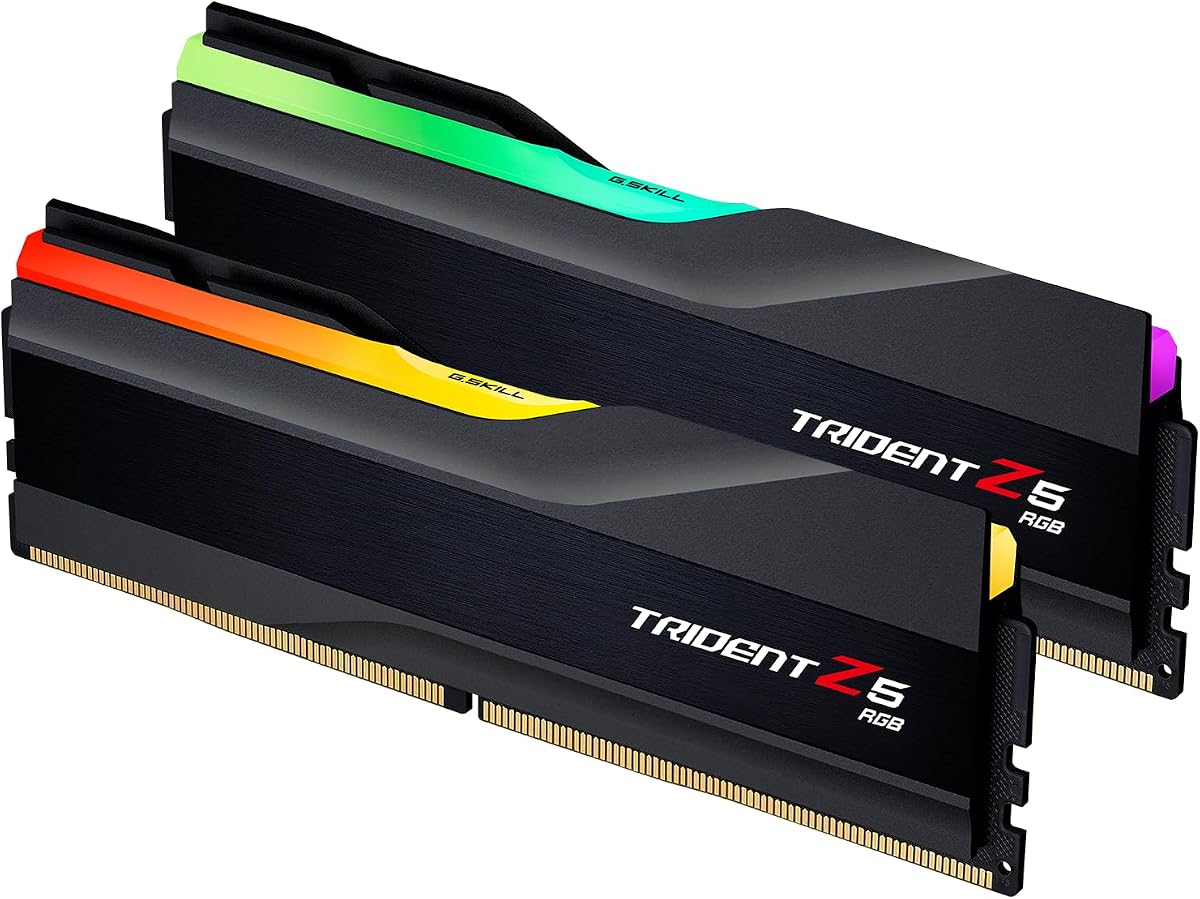
The G.SKILL Trident Z5 RGB 32GB kit combines a familiar enthusiast-oriented design with 6000MT/s memory, XMP 3.0, and AMD EXPO support. Its 4.7 rating places it among the stronger-reviewed products here, while the two-module 32GB format is appropriate for contemporary gaming and high-performance desktop builds.
We may earn a commission when you buy through this link, at no additional cost to you.
The supplied timing specification is 36-36-36-96 at 1.35V. These are relatively balanced settings for a 6000MT/s kit, although they are not as tight as the CL30 options in the comparison. The major advantage is the combination of mainstream speed, dual-platform profiles, and a visual design intended for a finished gaming system.
As with the other G.SKILL kits, buyers should use the QVL and memory configurator to check the exact motherboard and CPU combination. The modules will boot at the JEDEC default speed when the correct profile has not been selected. G.SKILL also warns against mixing memory kits, as modules from separate sets may create stability problems.
This kit is most suitable for a builder who likes the Trident Z5 RGB appearance and values established platform information. It may not be the first choice for someone optimizing solely for the lowest possible latency, because the CL30 kits offer a tighter headline figure. Still, for a visually complete, dual-profile 6000MT/s build, it remains a well-rounded recommendation.
The 36-36-36-96 profile prioritizes a recognizable balance rather than an aggressive primary latency. It can work well for general enthusiast use, while builders with more demanding targets may compare it directly with the CL30 alternatives.
RGB lighting gives the modules visual presence in a gaming build, while dual XMP and EXPO support means the kit can be used across both major platform families. The QVL remains important for validating the intended motherboard and memory profile.
We may earn a commission when you buy through this link, at no additional cost to you.
The Corsair Vengeance 32GB 6000MHz kit is a clean, understated recommendation for an enthusiast system that does not need elaborate lighting. Its 4.8 rating is among the highest in the comparison, and its core specifications focus on the elements that matter for stable high-frequency operation.
We may earn a commission when you buy through this link, at no additional cost to you.
Dual XMP 3.0 and EXPO profiles make the kit straightforward to configure on either AMD or Intel platforms. Onboard voltage regulation supports finer tuning through Corsair iCUE software, while tightly screened memory chips are specifically highlighted for extended overclocking potential. Those features make it appealing to users who intend to move beyond the default profile after establishing a stable baseline.
The supplied listing does not provide a full primary, secondary, and fourth-generation timing sequence, so it is harder to compare this kit's latency directly against the CL30 or CL36 alternatives. Maximum speed also depends on the system components and requires overclocking or BIOS adjustments. A good approach is to use the relevant profile first, validate stability, and only then explore manual timing changes.
For a new enthusiast build, this kit offers a strong capacity-and-platform combination without unnecessary visual features. It is a good option for a work-focused system, a clean gaming build, or a user who wants Corsair's voltage-control ecosystem. Choose it when straightforward setup and tuning tools are priorities, and compare current customer feedback for batch-specific details.
Tightly screened chips are intended to provide a more consistent starting point for overclocking. Screening cannot guarantee a particular manual result, but it reduces variability and helps make the process more predictable on a compatible platform.
Onboard voltage regulation can make memory power easier to manage and tune through iCUE. It is a particularly attractive feature for builders who want more granular control than the basic BIOS profile provides.
We may earn a commission when you buy through this link, at no additional cost to you.
The G.SKILL Ripjaws S5 32GB kit is a straightforward enthusiast memory set for builders who prefer restrained styling and familiar platform support. It delivers a matched 2x16GB arrangement, 6000MT/s rated speed, CL36 primary latency, and 36-36-36-96 full timings at 1.35V.
We may earn a commission when you buy through this link, at no additional cost to you.
Both Intel XMP 3.0 and AMD EXPO profiles are included, along with a JEDEC default profile. As with the other G.SKILL products, the rated speed requires an appropriate BIOS setting and compatible hardware. The listed platform coverage includes current Intel and AMD chipset families, while the manufacturer recommends checking the QVL for more precise motherboard validation.
The primary drawback is that CL36 is not as tight as the CL30 kits at the same 6000MT/s speed. The Ripjaws S5 also offers fewer standout visual or software features than an RGB-focused alternative. Nevertheless, it remains a credible option for a clean build where the priority is a familiar 32GB kit, dual-platform support, and 1.35V operating characteristics.
Choose this kit for a no-nonsense gaming or productivity desktop that supports 6000MT/s DDR5. It is a sensible final recommendation for users who do not need aggressive manual tuning, RGB effects, or the highest possible headline frequency. As always, keep the two modules together, enable the right profile, and complete a sustained stability test before relying on the rated settings.
The matte-black finish is designed to fit quietly into a wide range of cases and builds. That makes the kit easier to pair with minimalist components than a heavily illuminated memory set, while preserving an enthusiast-focused specification.
The inclusion of XMP 3.0, EXPO, and JEDEC profiles gives the kit broad platform flexibility. Select the profile matching the installed processor and confirm stability, as the JEDEC setting is the expected boot behavior before overclocking is enabled.
We may earn a commission when you buy through this link, at no additional cost to you.
Memory overclocking depends on the relationship between speed, timings, capacity, profiles, and hardware compatibility. A higher number is not automatically better; the most useful kit is one whose profile is validated for your motherboard and whose settings remain stable under your normal workload.
Advertised speed describes the intended operating rate, but it is only one part of memory performance. The kits here range from 6000MHz or 6000MT/s to 6400MHz, making 6000 a common target for modern DDR5 systems and 6400 a more demanding option. A higher transfer rate can improve bandwidth, but the CPU memory controller and motherboard must support it reliably.
CAS latency represents the number of clock cycles used for a primary memory access, but secondary and fourth-generation timings also shape performance. CL30 kits in this guide provide tighter primary latency at 6000MHz, while CL36 kits use a more relaxed headline setting. Full timing details are useful when comparing secondary latency, voltage, and expected tuning headroom.
XMP 3.0 and AMD EXPO profiles store tested speed, voltage, and timing settings that the motherboard can load from BIOS. Support for both profiles is convenient, but the correct profile still needs to be enabled. An absent or unstable profile can prevent the memory from reaching its advertised specifications, even on a motherboard that supports DDR5.
A 2x16GB configuration provides 32GB while giving the memory controller a conventional two-DIMM arrangement. This guide also includes a 16GB single module, which offers expansion flexibility but does not deliver the same channel bandwidth as a matched pair. For gaming and heavy multitasking, 32GB is a more comfortable starting point than 16GB.
The CPU's integrated memory controller, motherboard BIOS, board layout, and other installed hardware can all influence the highest stable speed. Manufacturers often publish a qualified vendor list, or QVL, showing combinations that have been tested. Even when a board appears in a general compatibility list, checking the QVL and recent hardware reports remains prudent.
Higher memory speeds can require more voltage and generate more heat, making airflow around the DIMM slots important. Some kits include onboard voltage regulation for easier control, while others leave primary adjustments to the BIOS. Stable operation requires a balance between performance, thermals, and available power-delivery capabilities rather than simply increasing voltage.
RGB lighting and software-based voltage control can improve a finished build's appearance or make tuning more convenient, but neither changes the fundamental platform requirements. Some lighting systems rely on motherboard software or manufacturer utilities, so compatibility with the rest of the build should be confirmed. A clean, non-illuminated kit can also simplify cable management and software setup.
A warranty can provide useful protection if a matched kit develops a problem, and some products offer limited-lifetime coverage. Warranty terms vary, so buyers should confirm the current policy directly with the manufacturer. Support and qualification resources are also valuable when troubleshooting a profile, checking QVL status, or confirming compatibility.
Before installing the modules, power down the computer completely, disconnect the power cable, and use the motherboard manual to identify the correct DDR5 DIMM slots. For a two-module kit, populate the slots recommended by the board manufacturer, install one module in each primary slot, and press each latch fully closed.
After the first boot, update the motherboard BIOS, enter the BIOS or UEFI setup, and enable the appropriate XMP 3.0 or AMD EXPO profile. If the system does not boot, return to a conservative setting and check that the modules are seated correctly, the BIOS is current, and the hardware supports the selected rate. Avoid repeatedly changing multiple settings at once, since isolated changes make troubleshooting easier.
Test the selected profile with a sustained memory workload and monitor for crashes, application errors, incorrect values, and unusual temperatures. Once stability is established, keep the tested settings and avoid unnecessary changes. If errors appear, restore the last stable profile, increase available airflow, and reconsider any manual voltage or timing adjustment before trying again.
A stable 6400MHz configuration can provide more memory bandwidth than a 6000MHz kit, but it is not automatically faster in every game. Processor support, timings, graphics settings, and the workload all influence the result. Many systems perform well with 6000MHz and tighter timings, so stability should take priority over the highest advertised number.
For a new gaming system, 32GB is a practical minimum that leaves room for the game, background applications, browser tabs, and streaming or recording tools. A matched 2x16GB kit also gives the memory controller a familiar dual-channel arrangement. Some lighter games can run with less, but 16GB is increasingly restrictive for broader modern use.
Intel XMP 3.0 is intended for Intel platforms, while AMD EXPO is intended for AMD platforms. Kits that support both let the correct profile be selected in BIOS. These profiles are stored overclocking settings, so enabling one may be necessary to reach the advertised speed rather than the default JEDEC rate.
Mixing kits is best avoided because each set is matched and tested as a unit. Two kits with identical specifications can still contain different chips, layouts, or trained profiles, which may create instability. If expansion is necessary, use modules from the same matched kit or confirm compatibility with the manufacturer before combining sets.
A successful boot alone does not prove stability. Run a sustained memory-focused test and then test the applications and games you use most often, looking for crashes, corrupted files, or unexpected restarts. Keep a record of the memory frequency, timings, voltage, and BIOS version that pass those workloads.
RGB lighting does not inherently improve or reduce the underlying memory performance, although lighting control and voltage-management software may add software overhead in some environments. More important factors are the memory profile, CPU support, motherboard, timings, voltage, and cooling. Choose lighting according to appearance and compatibility rather than expecting a performance benefit.
A CL30 kit has a tighter primary latency target than a CL36 kit at the same 6000MHz speed, so it may perform better in latency-sensitive workloads. The difference can be modest in ordinary games and may depend on the complete timing set and platform. Both ratings represent an overclocked target that must be enabled and validated.
A recent processor with a capable memory controller is generally important for stable 6400MHz operation, but there is no universal cutoff because integrated memory controller quality varies. Motherboard BIOS maturity and board design also matter. Check the memory QVL, processor compatibility lists, and recent user reports for the exact combination.
The Crucial Pro 32GB 6000MHz CL36 is the most balanced overall recommendation because of its strong rating, 32GB matched capacity, dual-platform profiles, and practical timing specification. The Patriot Viper Venom 32GB 6000MHz CL30 is a compelling low-latency alternative, while the Corsair Vengeance RGB 32GB CL30 stands out for premium features and integrated lighting.
Prioritize validated hardware compatibility, the correct platform profile, and sustained stability over a headline number. 6000MHz with tight CL30 or CL36 timings is a sensible performance target for many modern systems, while 6400MHz makes more sense when the exact CPU and motherboard combination has been confirmed. Manual tuning should always begin from a stable profile and proceed one change at a time.
Before buying, verify the current QVL, warranty, user feedback, and availability for the exact model. Prices and promotions change frequently, so compare the current cost with the features that matter to your build rather than assuming one kit is always the least expensive. A little platform research can prevent both compatibility problems and an unsuccessful overclocking attempt.
